Upgrade information for related indicators such as RCI
We have added configuration parameters to allow changing the codes for star marks and arrow signs in the indicators listed below. This makes it possible not only to change the color and size of the star marks and arrows but also their shapes.
An indicator that shines in combination with RCI: BODSOR・mBDSR
https://www.gogojungle.co.jp/tools/indicators/11836
【mBDSRplus】An indicator that shines in combination with RCI and moving averages
https://www.gogojungle.co.jp/tools/indicators/18191
Powerful support for breakout buying and pullback selling using Stochastic【Arrow Indicator: STOMA2】
https://www.gogojungle.co.jp/tools/indicators/18497
Powerful support for breakout buying and pullback selling using RSI【Arrow Indicator: RSIMA2】
https://www.gogojungle.co.jp/tools/indicators/18435
Powerful support for breakout buying and pullback selling using CCI【Arrow Indicator: CCIMA2】
https://www.gogojungle.co.jp/tools/indicators/18452
【Chart Sign Hunter “SRF2”】Aiming for pullbacks and reversals during rapid advances or strong trends where oscillators may not easily capture shallow pullbacks and pullbacks
https://www.gogojungle.co.jp/tools/indicators/16700
Arrow indicator that strongly supports pullback buying and pullback selling using RCI【R1MA2】
https://www.gogojungle.co.jp/tools/indicators/18438
MT4 indicator that notifies when the three-line RCI or the four-line RCI align in direction【RLDSN】
https://www.gogojungle.co.jp/tools/indicators/21488
MT4 indicator that notifies when the three-roof RCI (top) / two-roof RCI (top) / top (top) align【RCIBT】
https://www.gogojungle.co.jp/tools/indicators/22204
MT4 indicator to look for signs of opportunity with three RCI lines【R3L9DR】
https://www.gogojungle.co.jp/tools/indicators/22225
MT4 indicator that notifies when any two RCIs cross【RCISL】
https://www.gogojungle.co.jp/tools/indicators/20874
Arrow indicator that strongly supports pullback buying and pullback selling when two RCIs cross【R2CLMA】
https://www.gogojungle.co.jp/tools/indicators/22330
In the above indicators, the initial setup displayed the star marks and arrows as a set, but with this version update, you can change the star marks and arrows to a different type of star marks or arrows or other symbols (such as numbers).
There are explanations on the sites below about what kinds of symbols can be used instead of stars and arrows.
https://www.mql5.com/ja/docs/constants/objectconstants/wingdings
Specifically, as shown in the table below.
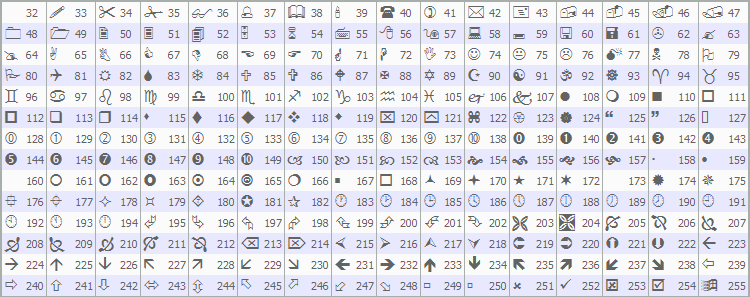
With this version update, you can implement various ideas for displaying stars and arrows. For example, by changing the star marks to arrows and not displaying the original arrows, you can have an indicator that shows only arrows.
Other ideas for displaying stars and arrows include using the number 1 as a signal when a single RCI hits a top (bottom), using the number 2 for a double-top (bottom) signal, using the number 3 for a triple-top (bottom) signal, or using different shapes of arrows for each indicator. With this version update, it may be easier to display multiple indicators on one chart simultaneously.
(Even before this version upgrade, changing the color and size of stars and arrows was possible, and by setting the color to “None,” you can make them invisible.)
(Even before this version upgrade, you could adjust the display height of stars and arrows, and you could also prevent them from appearing on screen by moving the display away from the candlesticks.)
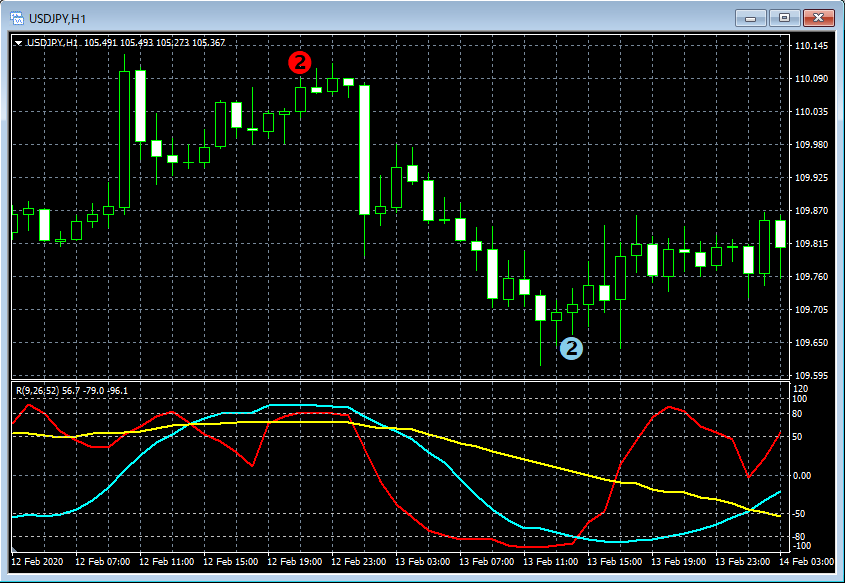
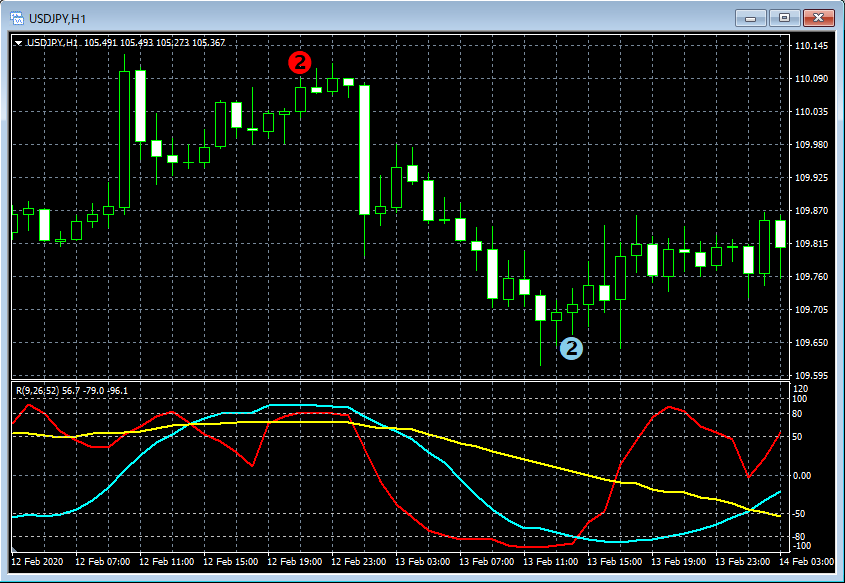
For example, about the display of RCIBT2 (two-tier top and bottom of RCI)
RCIBT2 (upper) — initial display settings of stars/arrows

RCIBT2 (upper) — when the display of stars/arrows is optimized