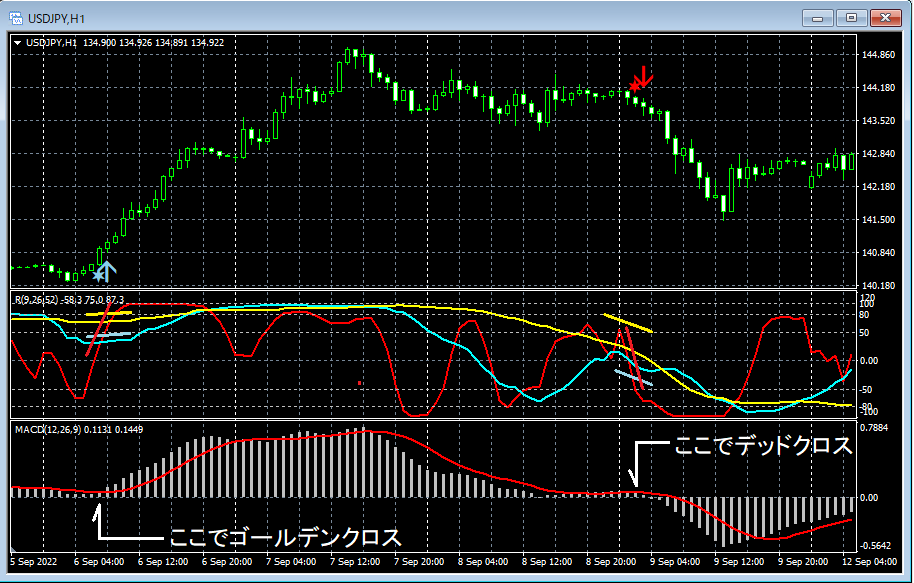

【mBDSR用】 Alert dialog, alert sound, and email indicator that notifies sign generation
0
===================================
Driven by necessity, I ported an external blog article from November 15, 2018.
===================================
mBDSRRegarding this, I decided to implement an alert function with a separate indicator.
mBDSR core indicator installed in MT4,mBDSR can only be used on MT4 accounts where the core indicator is license-available,mBDSR I created an indicator with an alert function.
Addendum (February 19, 2020)
The additional versions are
mBDSR_VAP_XXXXXXXX.ex4
mBDSR_2RCI_VAP_XXXXXXXX.ex4
mBDSR_1RCI_VAP_XXXXXXXX.ex4
mBDSR_MA2_VAP_XXXXXXXX.ex4
Regarding these, since the alert function is already built into the core indicator, you do not need to use the followingAlert-SendMail-mBDSR.ex4.
(End of addendum)
Alert-SendMail-mBDSR.ex4
Set the indicator on the chart you want to use. Settings are as follows.
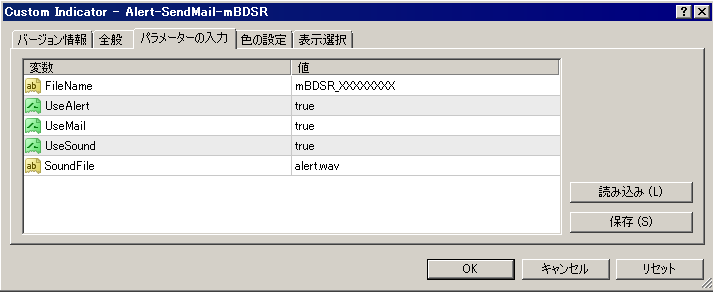
Settings
FileName:
Enter the part of the core indicator's filename without the extension. For example, if the filename is mBDSR_12345678.ex4, enter mBDSR_12345678.
UseAlert:
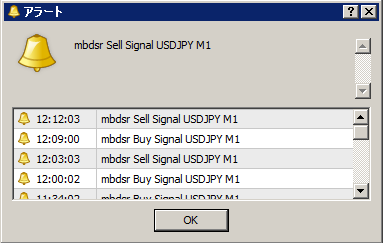
If you want to use the alert dialog like in the figure below to signal occurrences, choose true; if not, choose false.
UseMail:
If you want to notify signals via email, choose true; if not, choose false.
UseSound:
If you want to notify signals via alert sound, choose true; if not, choose false.
SoundFile:
Enter the filename of the sound to use for alerts.
※ As shown in the figure below, you need to check "Allow DLL imports".
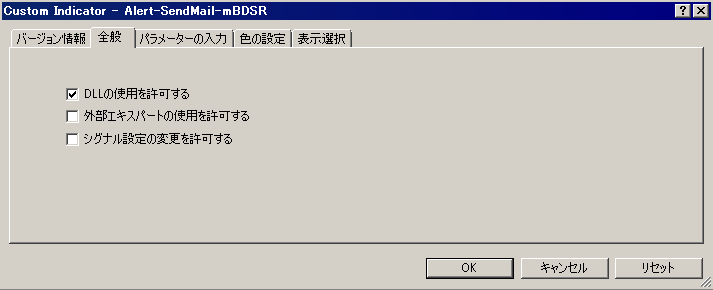
An example of MT4 settings when using email to notify signals
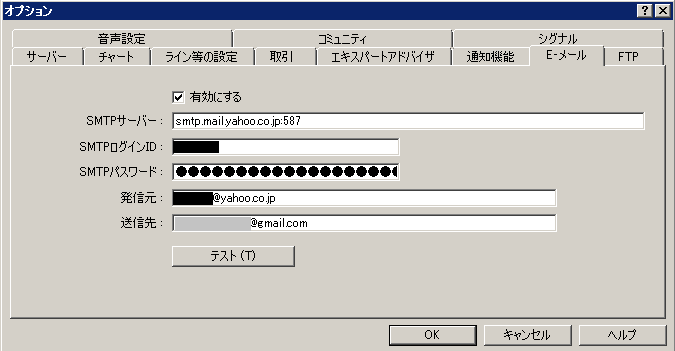
※ After changing the settings, you needed to restart MT4.
Driven by necessity, I ported an external blog article from November 15, 2018.
===================================
mBDSRRegarding this, I decided to implement an alert function with a separate indicator.
mBDSR core indicator installed in MT4,mBDSR can only be used on MT4 accounts where the core indicator is license-available,mBDSR I created an indicator with an alert function.
Addendum (February 19, 2020)
The additional versions are
mBDSR_VAP_XXXXXXXX.ex4
mBDSR_2RCI_VAP_XXXXXXXX.ex4
mBDSR_1RCI_VAP_XXXXXXXX.ex4
mBDSR_MA2_VAP_XXXXXXXX.ex4
Regarding these, since the alert function is already built into the core indicator, you do not need to use the followingAlert-SendMail-mBDSR.ex4.
(End of addendum)
Alert-SendMail-mBDSR.ex4
Set the indicator on the chart you want to use. Settings are as follows.
Settings
FileName:
Enter the part of the core indicator's filename without the extension. For example, if the filename is mBDSR_12345678.ex4, enter mBDSR_12345678.
UseAlert:
If you want to use the alert dialog like in the figure below to signal occurrences, choose true; if not, choose false.
UseMail:
If you want to notify signals via email, choose true; if not, choose false.
UseSound:
If you want to notify signals via alert sound, choose true; if not, choose false.
SoundFile:
Enter the filename of the sound to use for alerts.
※ As shown in the figure below, you need to check "Allow DLL imports".
An example of MT4 settings when using email to notify signals
※ After changing the settings, you needed to restart MT4.
× ![]()