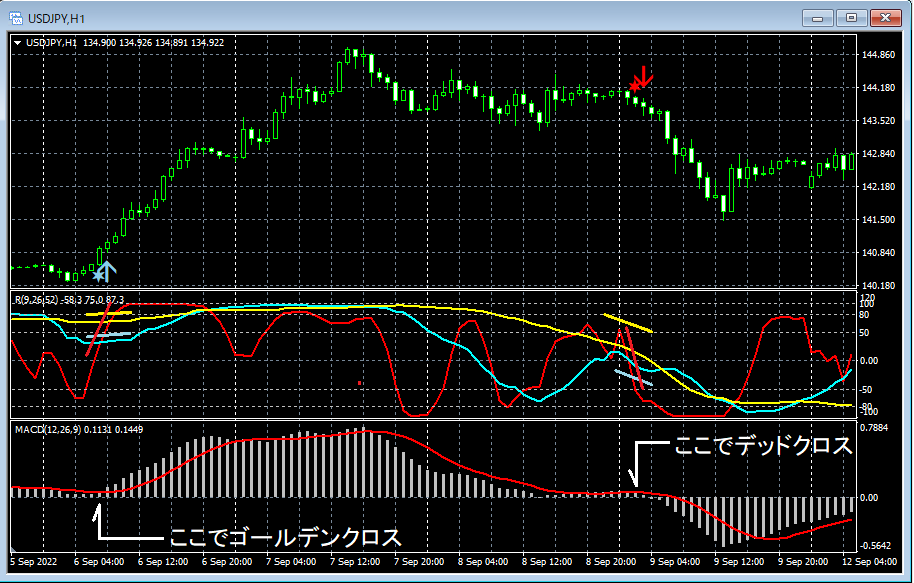

"RCI filter version of mBDSRplus" released!!
Due to requests from mBDSRplus users "The mBDSRplus RCI Filter Version" has been released.
※This indicator is included with the indicators listed below.
【mBDSRplus】
An indicator that demonstrates its power when used in combination with RCI and moving averages.
https://www.gogojungle.co.jp/tools/indicators/18191
※The "mBDSRplus RCI Filter Version" is not sold separately, so please be aware.
※If you have already purchased the indicators above, re-downloading will include "mBDSRplus RCI Filter Version"in the download file.
File name
Filter two RCIs: mBDSRplus_2RCI_VAP_XXXXXXXX.ex4
Filter one RCI: mBDSRplus_1RCI_VAP_XXXXXXXX.ex4
※This indicator is without repaint.
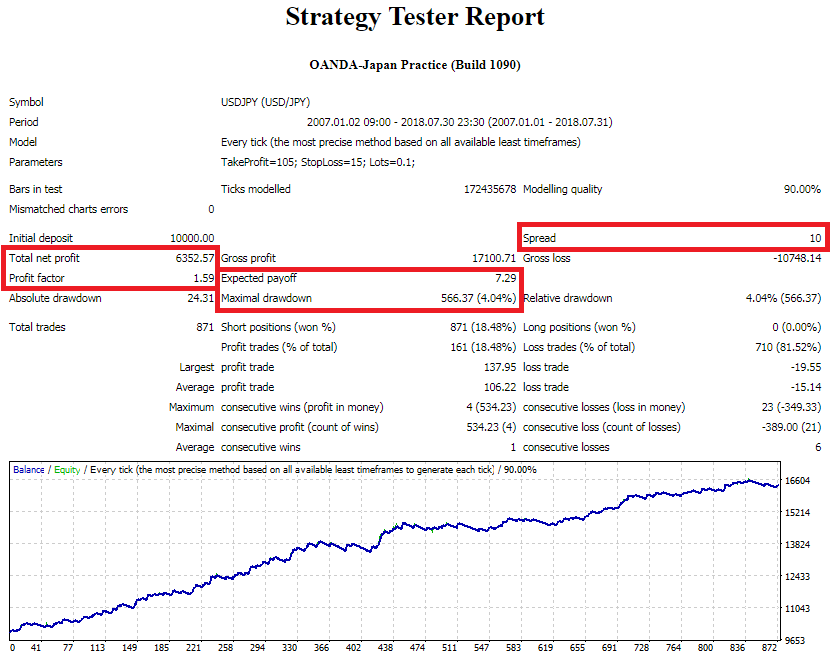
mBDSRplus was developed to improve the accuracy of pullbacks and returns by using three RCIs (RCI9, RCI26, RCI52).
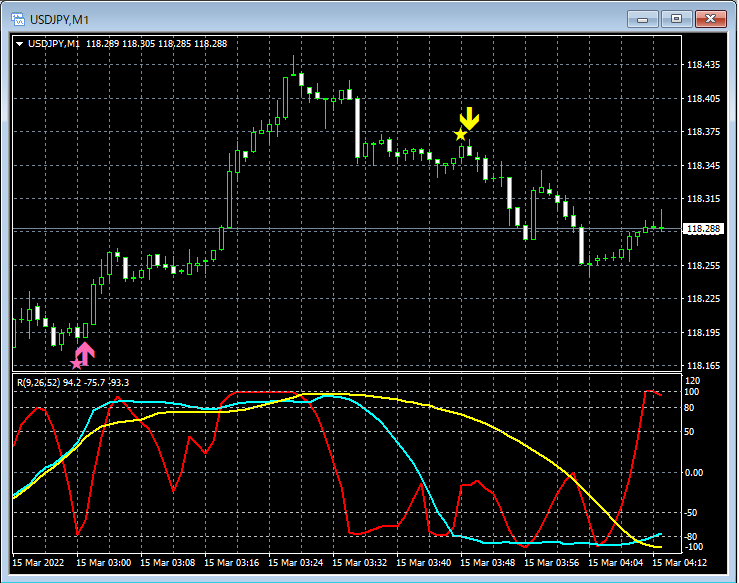
The figure below is an example of a pullback buy signal for the combination of “RCI three lines + mBDSRplus.”
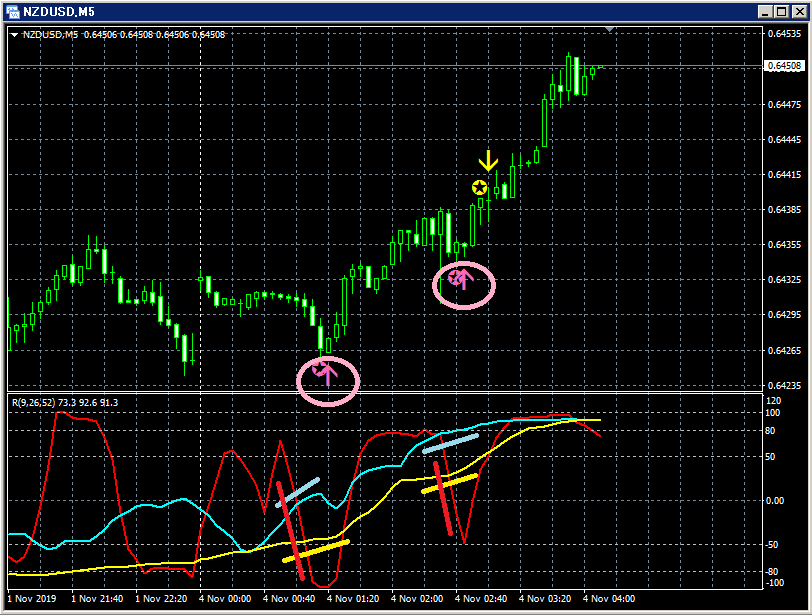
Of the three RCIs, only RCI9 is clearly declining.
If RCI9 reverses and rises, the three RCIs may all rise together.
In other words, the price could rise strongly.
In such a situation, two pullback buy signals (pink arrows encircled) from mBDSRplus light up.
In the above example, right after the first pullback buy signal lights up, there are five consecutive bearish candles. Also, for both pullback buy signals, the signal lights up when the candle two bars before the candle that confirms the reversal of the declining RCI9 has closed.
In other words, it captures the timing of the rebound very well without waiting for the confirmed reversal of RCI9.
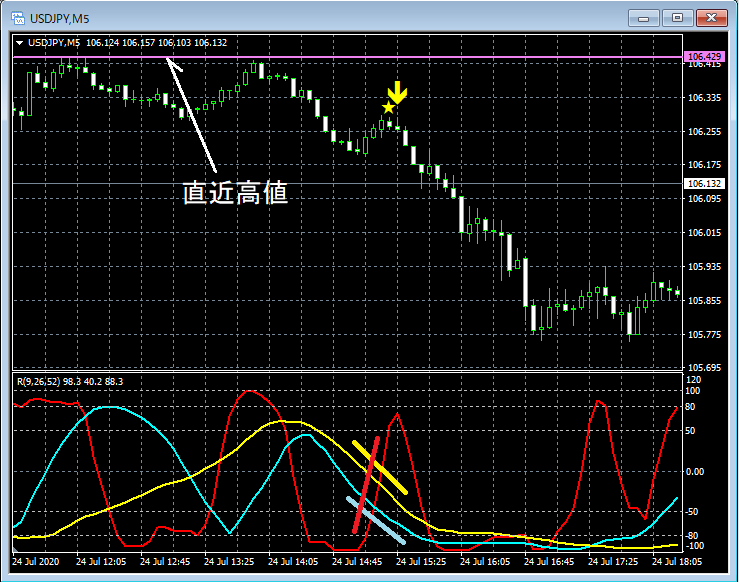
mBDSRplus was developed to improve the accuracy of pullback buys and pullback sells using the three-RCI method, but not only with RCI; to allow a wide range of uses in combination with other indicators, we had not previously considered adding filters.
However, due to user requests, we have created an arrow indicator that enters timing with mBDSRplus without opposing the direction of two or one RCIs: the “mBDSRplus RCI Filter Version.” This is the description of the “mBDSRplus RCI Filter Version.”
An arrow indicator that uses the direction of two or one RCIs to determine entry timing with mBDSRplus, without going against their direction.
By setting the period of the two or one RCIs that act as a filter, only signals from mBDSRplus that do not go against that RCI's direction are displayed.
mBDSRplus_2RCI_VAP_XXXXXXXX.ex4 : two RCIs act as filters
mBDSRplus_1RCI_VAP_XXXXXXXX.ex4 : one RCI acts as a filter
※The figure below shows RCIs for explanation, but please note that this indicator does not include an indicator that displays the three-line RCI on the chart.
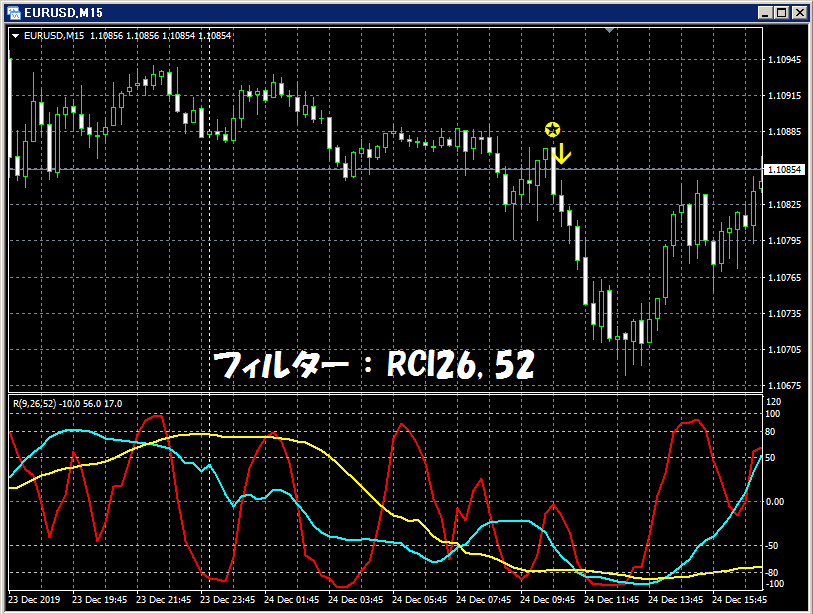
mBDSRplus signals (no filter)
Upper:
Unfiltered by RCI
mBDSRplus signals
Lower:
RCI three lines (RCI9, RCI26, RCI52)
Since there is no filter, all mBDSRplus signals are displayed.
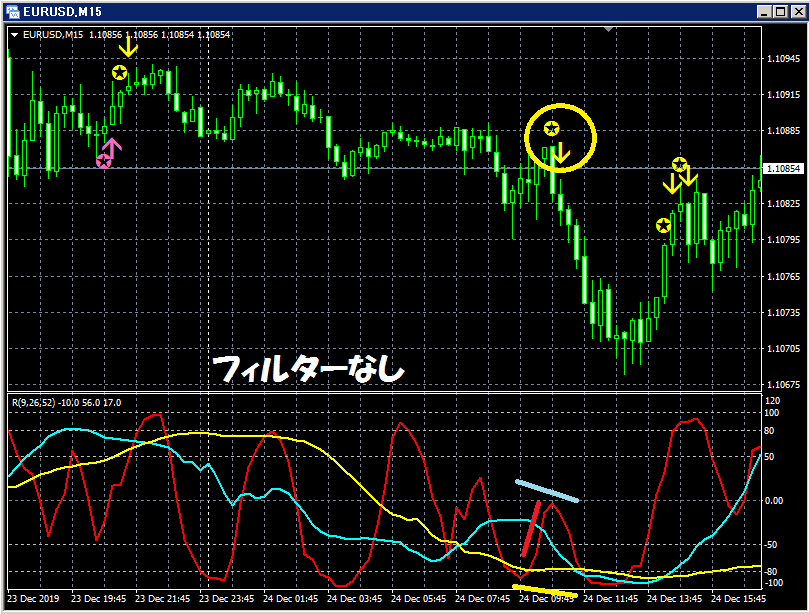
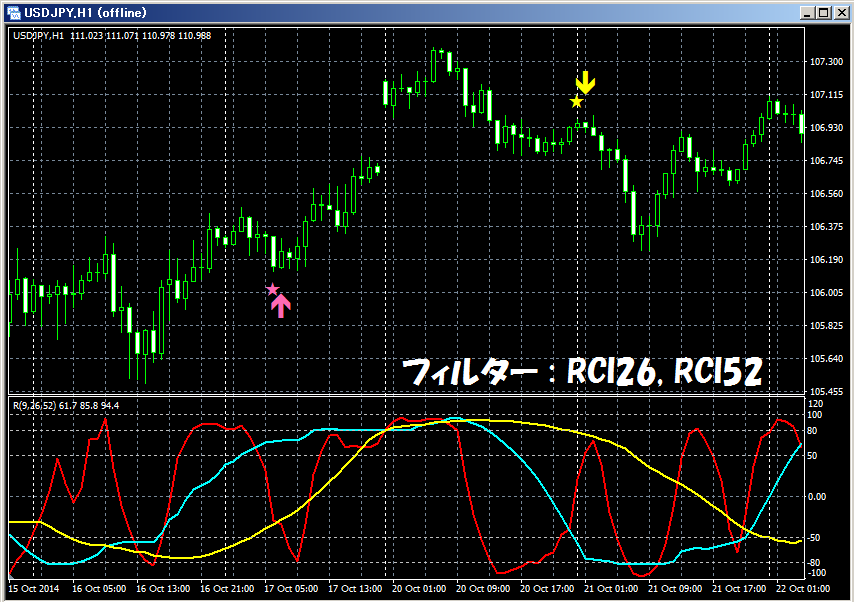
mBDSRplus signals (Filter: RCI26 and RCI52)
Upper:
First filter: RCI26
Second filter: RCI52
mBDSRplus signal selected by the two RCIs above
(signals that do not go against the direction of the two RCIs above)
Lower:
RCI three lines (RCI9, RCI26, RCI52)
When both RCI26 and RCI52 are flat or upward, only the upward mBDSRplus signal is displayed; when both are flat or downward, only the downward mBDSRplus signal is displayed.
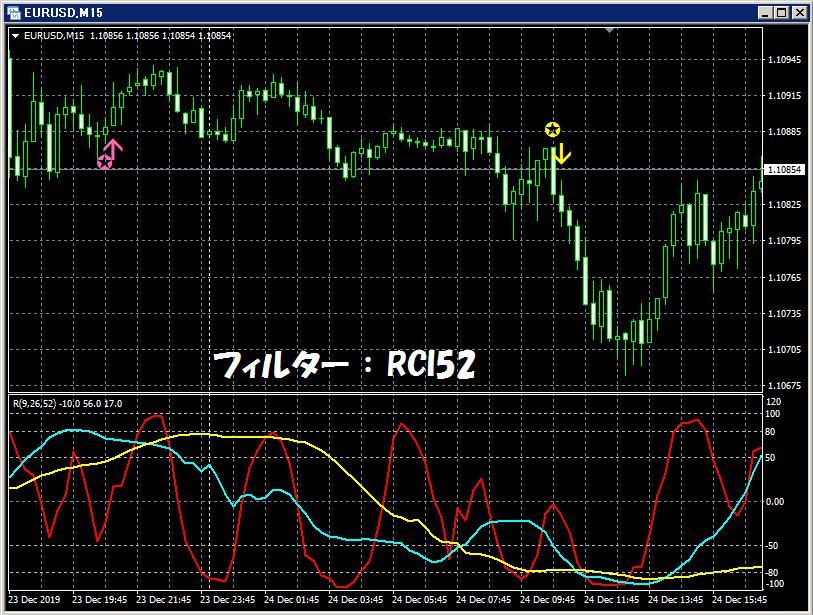
mBDSRplus signals (Filter: RCI52)
Upper:
Filter (one RCI only): RCI52
Signal selected by the single RCI above
(signals that do not go against the direction of the single RCI above)
Lower:
RCI three lines (RCI9, RCI26, RCI52)
When RCI52 is flat or upward, only the upward mBDSRplus signal is displayed; when RCI52 is flat or downward, only the downward signal is displayed.
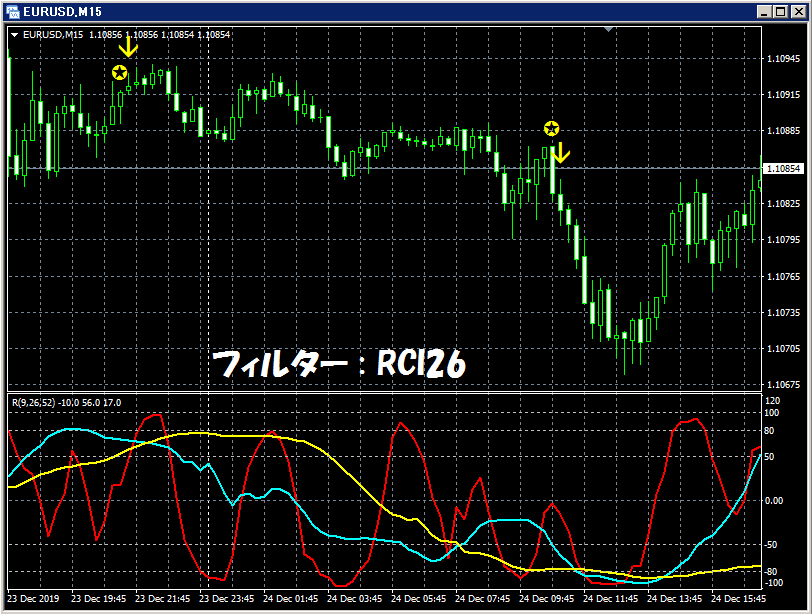
mBDSRplus signals (Filter: RCI26)
Upper:
Filter (one RCI only): RCI26
Signal selected by the single RCI above
(signals that do not go against the direction of the single RCI above)
Lower:
RCI three lines (RCI9, RCI26, RCI52)
When RCI26 is flat or upward, only the upward mBDSRplus signal is displayed; when RCI26 is flat or downward, only the downward signal is displayed.
The RCIs you want to use as filters may vary by user. Therefore, this indicator allows you to set the periods of two RCIs or one RCI on the user side.
As shown in the figure below, you need to check "Allow DLL imports".
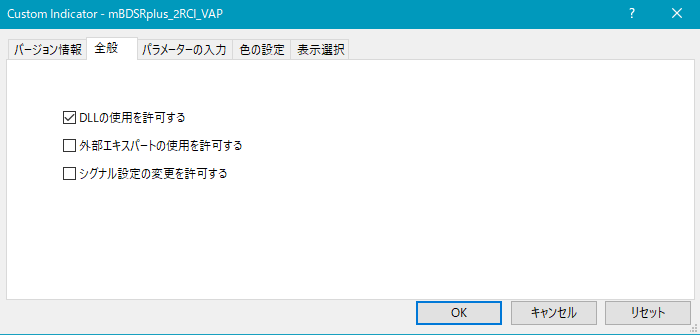
mBDSRplus_2RCI_VAP_XXXXXXXX.ex4
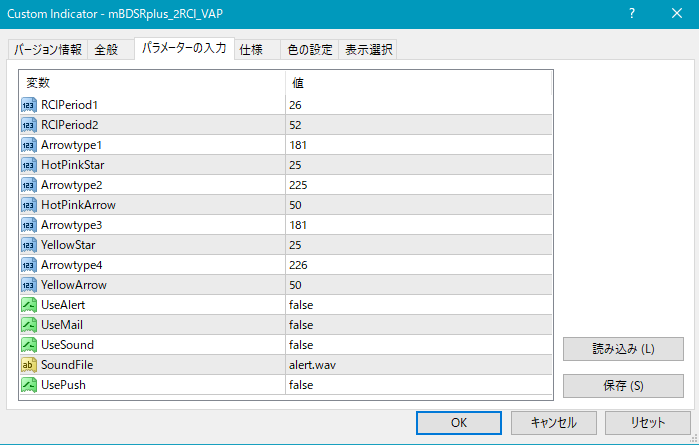
mBDSR_1RCI_VAP_XXXXXXXX.ex4
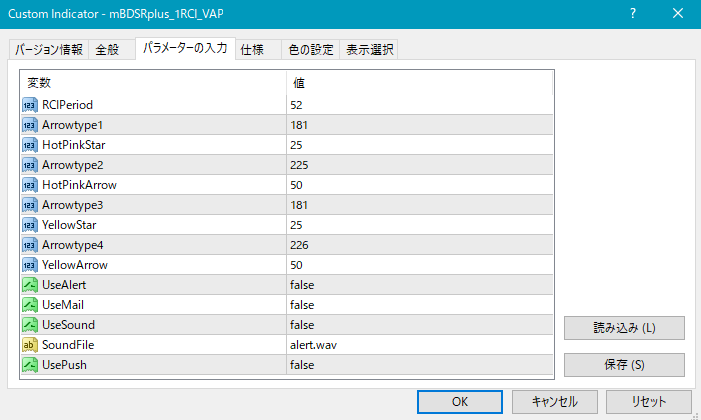
Settings for the occurrence of stars and arrows
○ For mBDSRplus_2RCI_VAP_XXXXXXXX.ex4 using two RCIs as filters
RCIPeriod1: period of the first RCI used as a filter
RCIPeriod2: period of the second RCI used as a filter
○ For mBDSRplus_1RCI_VAP_XXXXXXXX.ex4 using a single RCI as a filter
RCIPeriod: period of the RCI used as a filter
Settings for the display position of stars and arrows
If the display position of stars or arrows is too close to the candles and hard to see, or too far and may go off-screen, you can adjust the height of these markers using the values below. Larger values move the markers farther from the candles.
Star (pink) → HotPinkStar
Arrow (pink) → HotPinkArrow
Star (yellow) → YellowStar
Arrow (yellow) → YellowArrow
Additionally, you can change the shape of the stars and arrows by modifying the values below.
(Default pink) Star → Arrowtype1
(Default pink) Arrow → Arrowtype2
(Default yellow) Star → Arrowtype3
(Default yellow) Arrow → Arrowtype4
Settings for alerts
UseAlert:
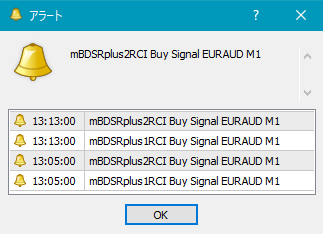
If you want to notify signals via an alert dialog as shown below, select true; otherwise select false.
UseMail:
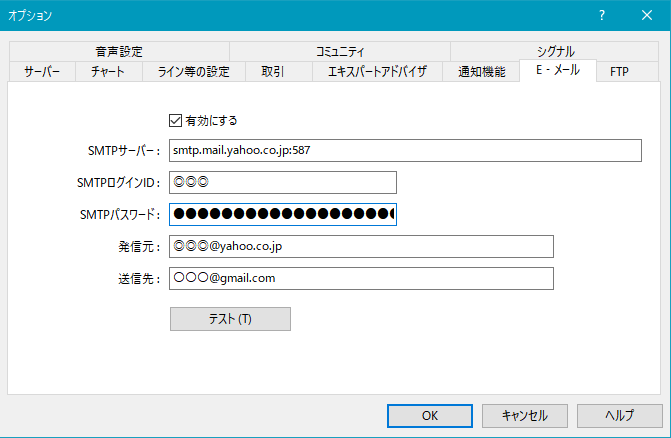
If you want to notify signals by email, select true; otherwise false.
UseSound:
If you want to notify signals with a sound, select true; otherwise false.
SoundFile:
Enter the filename of the sound to use for alerts.
UsePush:
If you want to notify signals via push notifications, select true; otherwise false.
An example of MT4 settings when using email notifications
Tools → Options → Email
Image
※It appears MT4 may need to be restarted after changing these settings.
※This indicator is included with the indicators listed below.
【mBDSRplus】
An indicator that demonstrates its power when used in combination with RCI and moving averages.
https://www.gogojungle.co.jp/tools/indicators/18191
※It is not sold standalone, so please be aware.
※Please note that the indicator included does not display the three-line RCI on the chart.
※In the charts shown in this article, for convenience, circles, lines, and rectangles may be drawn, so please understand this.