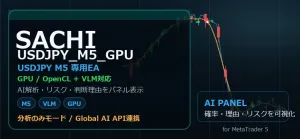
SACHI_USDJPY_M5_GPU(GPU対応の適応学習型EA)
- Whole period
- 2 years
- 1 year
- 6 months
- 3 months
- 1 month
Forward testing (Profit)
Monthly Statistics
- Jan
- Feb
- Mar
- Apr
- May
- Jun
- Jul
- Aug
- Sep
- Oct
- Nov
- Dec
Calendar for Months
About EA's Strategy
Translating...
SACHI_USDJPY_M5_GPU is an MT5 Expert Advisor designed for short-term trading on the USDJPY 5-minute chart.
This EA does not trade merely on simple indicator crosses or fixed conditions, but evaluates price movement, volatility, candlestick positions, short-term trends, range conditions, volume-equivalent information, recent win/loss tendency, spreads, and market state to determine whether to buy, sell, or stay out.
The development concept is not aiming for flashy one-shot profits, but to narrow trading according to market conditions, avoid forced entries, and reduce losses while increasing profits.
Especially on USDJPY M5, there are many situations where direction changes quickly, moves within a range with up and down fluctuations, and short-term volatility spikes that temporarily disrupt spreads and volatility. To reduce such short-term trading failures, this EA combines multiple guard features and market determination logic.
This EA supports extensions such as Local AI, GPU, and OpenBLAS-based L1 trend filters, but these are not mandatory.
Even in environments without AI or GPU, the core EA trading logic is designed to operate. Local AI does not completely replace trading decisions; it serves as auxiliary judgment, risk adjustment, additional chart evaluation, and monitoring of loss patterns.
This EA is adjusted for use on USDJPY M5.
Parameters can AUTO specify the symbol, but the logic, thresholds, volatility determination, news/intervention warnings, spread checks, and market regime determinations are mainly built around USDJPY 5-minute charts. Therefore, the recommended environment is USDJPY M5 chart.
Applying to other currency pairs or other timeframes is sometimes possible, but expected behavior and risk characteristics will change, so the sales page only states USDJPY M5-specific or USDJPY M5 recommended usage.
This EA classifies the market into major categories such as trend, range, high volatility, and unclear conditions, and selects the most suitable candidate at that time.
Entry candidates include pullbacks, mean reversion, short-term reversals, breakout-leaning candidates, and conservative candidates, with their priority adjusted according to the current market state.
For example, in a strong trend, it avoids simple counter-trend entries and prioritizes pullbacks and retracements in line with the flow.
Meanwhile, in a range with weak direction, it avoids aggressive breakout targets and excessively extended take-profit goals outside the range.
Also, after sudden moves or when spreads widen, judgments are made more cautiously than usual.
In entry decision, characteristic features for both buy and sell directions are calculated, and a comprehensive judgment is made based on probability, candidate score, market regime, recent profit/loss trend, AI adjustment, spread, volatility, and news/market state.v9.10 adds multi-layer entry assistance that checks M15 volume, M15 EMA20/60, H4 EMA50, ADX/RSI, and the last 14 weighted scores, in addition to the conventional candidate selection. This judgment is not a hard filter that mechanically stops trades but a soft filter that favorably evaluates candidates that meet conditions and cautiously adjusts insufficient candidates.
It is not built to enter trades based on a single condition; orders are only placed after passing multiple evaluations.
Design for Profit Preservation and Loss Limitation
This EA does not place stop-loss and take-profit solely based on fixed pips, but uses dynamic SL/TP based on ATR.
v9.10 adds Dynamic RR where, when H1 RSI, AI direction bias, market bias, L1 trend, and sufficient candidate probability are strong, the initial TP ATR multiplier is automatically increased. In normal conditions it maintains the traditional ATR-based TP, expanding only in situations with high potential for extension.
When market volatility is high, price ranges widen take-profit, and when volatility is low, it reduces take-profit, aligning the profit target with the market environment.
In the initial setup, stop-loss and take-profit are calculated by ATR multipliers.
Furthermore, during position holding, it aims to manage profits favorably by combining break-even, trailing stop, partial profit-taking, and additional profit extension processes.
In short-term trading, taking profits too early can cause missed upside, while waiting too long can erode profits. This EA manages risk gradually by considering volatility, current price, strength of candidates, range width, and current holding status rather than fixing a large range from the start.
Handling of range markets
In USDJPY short-term charts, there are many periods of flat movement within a certain range.
In such cases, setting take-profit that far exceeds the range may lead to reversal before reaching it and loss of profits.
This EA checks recent highs/lows, ATR, price position, and range progression, and when it detects a range market, it avoids excessive take-profit targets.
It does not set abnormally distant TP relative to the range width, aiming to reduce “unreachable take-profits” in flat markets.
Thus, it shifts to extending profits in trending markets while avoiding overextension in range markets.
Anti-surge and intervention warning logic for yen appreciation
This EA includes a yen intervention warning logic to detect USDJPY-specific rapid declines.
When the yen strengthens sharply within a short period, price movements can diverge from typical technical markets. A simple pullback or contrarian entry may risk being swept up in a sudden drop.
The EA detects sharp declines on the M5 chart through the extent of the drop, multiple consecutive down moves, changes in volume-equivalent, spread, and comparison with ATR.
If detected, it suppresses risk on existing long positions and temporarily controls regular entry judgments.
Also, after a drop, it does not merely stop trading; if there are signs of rebound near the bottom, it can evaluate buy-back candidates as well.
However, this is not a rule to buy on sharp declines unconditionally. It checks decline magnitude, rebound from the low, spread, and distance from the low to avoid jumping in during extreme drops.
Loss-streak suppression and re-entry logic
This EA includes guards to suppress forced re-entries during consecutive losses.
In short-term EAs, trading during times when market conditions do not fit the logic tends to enlarge losses. Therefore, after a certain number of consecutive losses, it switches to more cautious judgments.
On the other hand, if the loss-streak guard is too strong, opportunities after market changes may be missed.
Thus, this EA not only resets with date changes but also has a mechanism to release guards when chart conditions change.
It checks price range, volatility, recent price movement, and changes from highs and lows, and if it can determine that the market has shifted away from a loss-streak phase, it re-evaluates entry candidates again.
AI auxiliary features
This EA has functionality to connect with a local AI server.
The modeled assumption uses lightweight VLM models such as qwen2.5-vl-3b-instruct, and can utilize OpenAI-compatible local servers like LM Studio.
The role of AI is not to completely replace the EA’s own trading decisions.
The core remains the MQL5-based trading logic, and AI provides auxiliary judgments such as:
brief market explanations, risk adjustment, buy/sell directional bias, auxiliary evaluation of breakout versus pullback/reversal, decision to adopt or observe current candidates, monitoring loss patterns of held positions, etc.
Even if AI cannot connect, the EA’s core logic will operate.
When AI is connected, the panel displays AI status, AI reason, AI confidence, AI bias, and AI adopted, showing what auxiliary judgments AI is currently providing.
Loss pattern monitoring using chart images
The EA uses local AI’s image recognition to monitor the chart state of held positions.
If a losing trade occurs, the chart image and state at that time can be recorded and referenced as a loss pattern by the local AI.
During position holding, charts are periodically sent to the local AI to check if the current shape resembles past loss patterns.
If it is highly likely to be a loss pattern and the position is profitable, it can decide to secure profits.
This feature aims to assist in detecting “apparent breakdowns” or “past similar losses” that are difficult to capture with only numeric logic.
However, AI judgments are not absolute, so the EA’s core checks confidence and profit conditions to avoid overreaction.
Saving VLM learning data
The EA includes a feature to save information at the time an entry candidate is confirmed as VLM learning data.
Objects saved include symbol, direction, candidate ID, probability, regime, buying-direction features, selling-direction features, etc.
This allows later local AI or external analysis environments to review under what conditions the EA selected entry candidates.
It can be used in the future to enhance AI decision accuracy or to validate using chart images and numerical features together.
GPU / OpenCL support
This EA supports GPU usage via OpenCL.
In environments where GPU is available, feature evaluation and model calculations can be accelerated to reduce internal EA processing load.
It is designed to run without GPU as well, but for comfortable use of local AI and image recognition, a GPU such as NVIDIA RTX series is recommended.
For the EA’s standard logic alone, it can run on a typical MT5-compatible VPS.
OpenBLAS L1 trend filter support
The EA includes trend-detection using MQL5’s OpenBLAS-based L1 trend filter.
L1 trend filter not only smooths price like a simple moving average but also makes it easier to extract the market slope and turning points more naturally.
This feature allows the EA to evaluate current trend direction, slope strength, and turning signals while reducing overreaction to short-term noise.
Within the EA, results are reflected in candidate scores and features to suppress aggressive entries against the trend and to evaluate reversal candidates.
Risk management features
The EA includes multiple risk management features.
Main features include ATR-based SL/TP, break-even, trailing stop, partial profit-taking, maximum losing-streak guard, daily P/L and daily drawdown display, spread block, market close consideration, trading restrictions before/after news, and restrictions on additional entries during position holding.
The initial setting operates with a single position; it is not designed on the premise of excessive averaging down or Martingale.
Fixed lot operation is supported, but it is recommended to start with small lots according to account funds and strategy, and to verify with a demo account or strategy tester before live use.
This EA does not eliminate risk in short-term trading.
Market sudden changes, spread widening, order execution delays, server environment, local AI response delays, and communication conditions can affect actual results.
Panel display
An information panel displaying the EA’s status is shown on the right side of the chart.
The panel shows the current top blockers, operational status, GPU status, probability, candidate selection results, entry gate, learning status, final action, signals, number of candidates passed, selection probability, account balance, daily P/L, daily drawdown, spread, ATR, volume, consecutive losses, AI status, and AI reasons.
The panel consists of multiple pages, where you can also view detailed candidate evaluations, AI judgments, vision tests, and timestamp information.
Since it visualizes why the EA did not enter, which guard stopped it, and how AI is judging, it makes monitoring the running state easier. Also, due to the large amount of information,InpTradeExecutionSuppressMode(Trade execution suppress mode) set to truewill suppress automatic trading and allow use as an indicator for discretionary trading.
Recommended operating environment
When using only the standard logic, MT5 can operate on a stable Windows environment.
For full feature utilization, Windows 10/11 64-bit, latest MetaTrader 5, CPU with 6 cores or more, 32GB RAM or more, 20GB SSD free space or more, NVIDIA RTX 3060 12GB or more is recommended.
If you also use the local AI image recognition function, a GPU such as RTX 3090 24GB or greater is even more comfortable.
If using local AI, start a local server compatible with OpenAI such as LM Studio and use a VLM model like qwen2.5-vl-3b-instruct.
Also, you need to register the local AI server URL in the WebRequest allowed URLs in MT5 options.
GPU and local AI are not mandatory.
Even if these are disabled, the EA’s core logic will still operate.
※ Before using this EA, please read and agree to the disclaimers described in the manual. If you cannot agree, please refrain from use. It is strongly recommended to understand investment risks when using this EA.
Price: $558.67 (taxed)
¥89,000(taxed)
●Payment



Sales from : -
Price: $558.67 (taxed)
¥89,000(taxed)
●Payment
Just like discretionary trading, there are those that decide trading and settlement timings by combining indicators, those that repeatedly buy or sell at certain price (pips) intervals, and trading methods that utilize market anomalies or temporal features. The variety is as rich as the methods in discretionary trading.
To categorize simply,
・Scalping (Type where trades are completed within a few minutes to a few hours),
・Day Trading (Type where trades are completed within several hours to about a day),
・Swing Trading (Type where trades are conducted over a relatively long period of about 1 day to 1 week)
・Grid/Martingale Trading (Holding multiple positions at equal or unequal intervals and settling all once a profit is made. Those that gradually increase the lot number are called Martingale.)
・Anomaly EA (Mid-price trading, early morning scalping)
However, a substantial advantage of automated trading is its ability to limit and predict risks beforehand.
[Risk]
Inherent to forex trading are the trading risks that undeniably exist in automated trading as well.
・Lot Size Risk
Increasing the lot size forcibly due to a high winning rate can, in rare instances, depending on the EA, lead to substantial Pips loss when a loss occurs. It is crucial to verify the SL Pips and the number of positions held before operating with an appropriate lot.
・Rapid Market Fluctuation Risk
There are instances where market prices fluctuate rapidly due to index announcements or unforeseen news. System trading does not account for such unpredictable market movements, rendering it incapable of making decisions on whether to settle in advance or abstain from trading. As a countermeasure, utilizing tools that halt the EA based on indicator announcements or the VIX (fear index) is also possible.
[Benefits]
・Operates 24 hours a day
If there is an opportunity, system trading will execute trades on your behalf consistently. It proves to be an extremely convenient tool for those unable to allocate time to trading.
・Trades dispassionately without being swayed by emotions
There is an absence of self-serving rule modifications, a common human tendency, such as increasing the lot size after consecutive losses in discretionary trading or, conversely, hastily securing profits with minimal gains.
・Accessible for beginners
To engage in Forex trading, there is no prerequisite to study; anyone using system trading will achieve the same results.
[Disadvantages]
・Cannot increase trading frequency at will
Since system trading operates based on pre-programmed conditions, depending on the type of EA, it might only execute trades a few times a month.
・Suitability may vary with market conditions
Depending on the trading type of the EA, there are periods more suited to trend trading and periods more suited to contrarian trading, making consistent results across all periods unlikely. While the previous year might have yielded good results, this year's performance might not be as promising, necessitating some level of discretion in determining whether it is an opportune time to operate.
・MT4 (MetaTrader 4. An account needs to be opened with a Forex company that offers MT4.)
・EA (A program for automated trading)
・The operating deposit required to run the EA
・A PC that can run 24 hours or a VPS (Virtual Private Server), where a virtual PC is hosted on a cloud server to run MT4.
Additionally, there are both demo and real accounts available. You can experience trading with virtual money by applying for a demo account. After opening a real account, you select the connection server assigned by the Forex broker, enter the password, and log in to the account.
When you deposit money into your account using the method specified by the forex broker, the funds will be reflected in your MT4 account, and you can trade.
Firstly, download the purchased EA file from your My Page on GogoJungle. You will download a zip (compressed) file, so right-click to extract it and retrieve the file named ‘◯◯◯ (EA name)_A19GAw09 (any 8 alphanumeric characters).ex4’ from inside.
Next, launch MT4 and navigate to ‘File’ → ‘Open Data Folder’ → ‘MQL4’ → ‘Experts’ folder, and place the ex4 file inside. Once done, close MT4 and restart it. Then, go to the upper menu ‘Tools’ → ‘Options’, and under ‘Expert Advisors’, ensure ‘Allow automated trading’ and ‘Allow DLL imports’ are checked, then press OK to close.
The necessary currency pair and time frame for the correct operation of the EA are specified on the EA sales page. Refer to this information and open the chart of the correct currency pair time frame (e.g., USDJPY5M for a USD/Yen 5-minute chart).
Within the menu navigator, under ‘Expert Advisors’, you will find the EA file name you placed earlier. Click to select it, then drag & drop it directly onto the chart to load the EA. Alternatively, you can double-click the EA name to load it onto the selected chart.
If ‘Authentication Success’ appears in the upper left of the chart, the authentication has been successful. To operate the EA, you need to keep your PC running 24 hours. Therefore, either disable the automatic sleep function or host MT4 on a VPS and operate the EA.
If you want to use it with an account other than the authenticated one, you need to reset the registered account.
To reset the account, close the MT4 where the Web authentication is registered, then go to My Page on GogoJungle > Use > Digital Contents > the relevant EA > press the ‘Reset’ button for the registration number, and the registered account will be released.
When the account is in a reset state, using the EA with another MT4 account will register a new account.
Also, you can reset the account an unlimited number of times.
→ Items to Check When EA is Not Operating
1 lot = 100,000 currency units
0.1 lot = 10,000 currency units
0.01 lot = 1,000 currency units
For USD/JPY, 1 lot would mean holding 100,000 dollars.
The margin required to hold lots is determined by the leverage set by the Forex broker.
If the leverage is 25 times, the margin required to hold 10,000 currency units of USD/JPY would be:
10000*109 (※ at a rate of 109 yen per dollar) ÷ 25 = 43,600 yen.
・Risk-Return Ratio: Total Profit and Loss during the period ÷ Maximum Drawdown
・Maximum Drawdown: The largest unrealized loss during the operation period
・Maximum Position Number: This is the maximum number of positions that the EA can theoretically hold at the same time
・TP (Take Profit): The set profit-taking Pips (or specified amount, etc.) in the EA's settings
・SL (Stop Loss): The set maximum loss pips (or specified amount, etc.) in the EA's settings
・Trailing Stop: Instead of settling at a specified Pips, once a certain profit is made, the settlement SL is raised at a certain interval (towards the profit), maximizing the profit. It is a method of settlement.
・Risk-Reward Ratio (Payoff Ratio): Average Profit ÷ Average Loss
・Hedging: Holding both buy and sell positions simultaneously (Some FX companies also have types where hedging is not allowed)
・MT4 Beginner's Guide
・Understanding System Trading Performance (Forward and Backtesting)
・Choosing Your First EA! Calculating Recommended Margin for EAs
・Comparing MT4 Accounts Based on Spread, Swap, and Execution Speed
・What is Web Authentication?
・Checklist for When Your EA Isn't Working