Easy with adjustment values! How to build a gap-filling EA
Introduction
We are GogoJungle / Skijan, operated by GogoJungle Co., Ltd.
This time, for those who have understood the basic operations of EA Tsukuru, we will introduce the “correction value” used within the trading conditions of EA Tsukuru, including its overview and how to use it.
For those new to EA Tsukuru, please check the past articles from the links below.
・Basic operations and usage of EA Tsukuru
・Comprehensive explanation of trading conditions
・Learn about options
・Create a simple EA using the Golden Cross
・Try MACD
・Try averaging down and pyramiding
・Create an EA using a custom indicator
・Create a semi-discretionary EA and settlement EA
・Create an EA using Ichimoku Kinko Hyo
・Learn how to verify the created EA
Table of Contents
・What is a correction value
・Candlesticks
・Moving Averages
・How to use correction values
・Candlestick correction values
・Moving average correction values
・Using gaps and gap fills
・Conclusion
What is a Correction Value
A correction value is one of the items that can be specified in the conditions of EA Tsukuru.
By entering a value for the correction value, the numbers used when comparing the left-hand side and right-hand side of a condition can be adjusted by the specified number of pips.
If you want to adjust in a more negative direction, you can prefix the value with a minus (-) to treat it as a negative value.
There are two condition items to which a correction value can be applied.
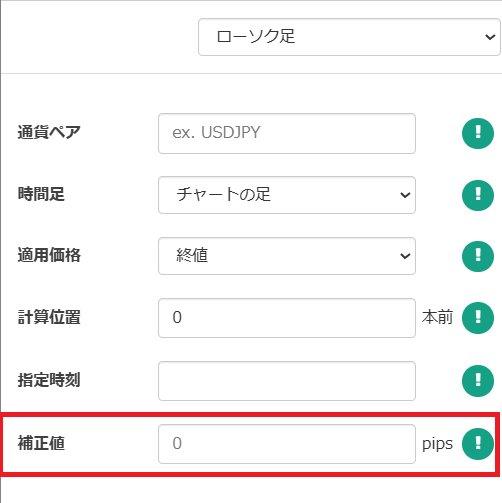
Candlesticks
You can add or subtract a correction value (pips) to the candlestick values.
By changing the applied price and calculation position, you can obtain values such as “the high of the previous candle + 20 pips.”
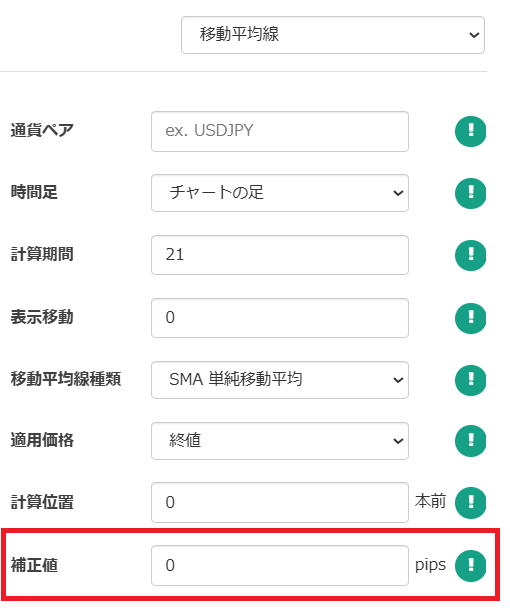
Moving Averages
The moving average values can also be adjusted by adding or subtracting correction values (pips).
By changing the type of moving average, applied price, calculation position, etc., you can set up more complex conditions.
How to Use Correction Values
Using these correction values allows you to implement more complex programs than before.
So, let's see what techniques can actually be implemented using these correction values.
Candlestick Correction Values
First, let's review the basic logic using correction values.
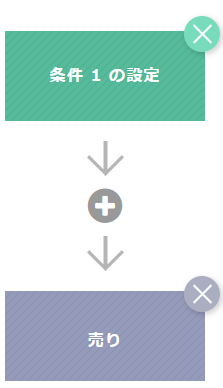
The following is an example where a sell entry is made when Condition 1 is met.
The left-hand side (candlestick) shows the current rate.
The right-hand side applies a correction of -10 pips to the open price of the current candle.
Thus, by setting the condition like this, you compare the current rate (close) with the open price minus 10 pips.
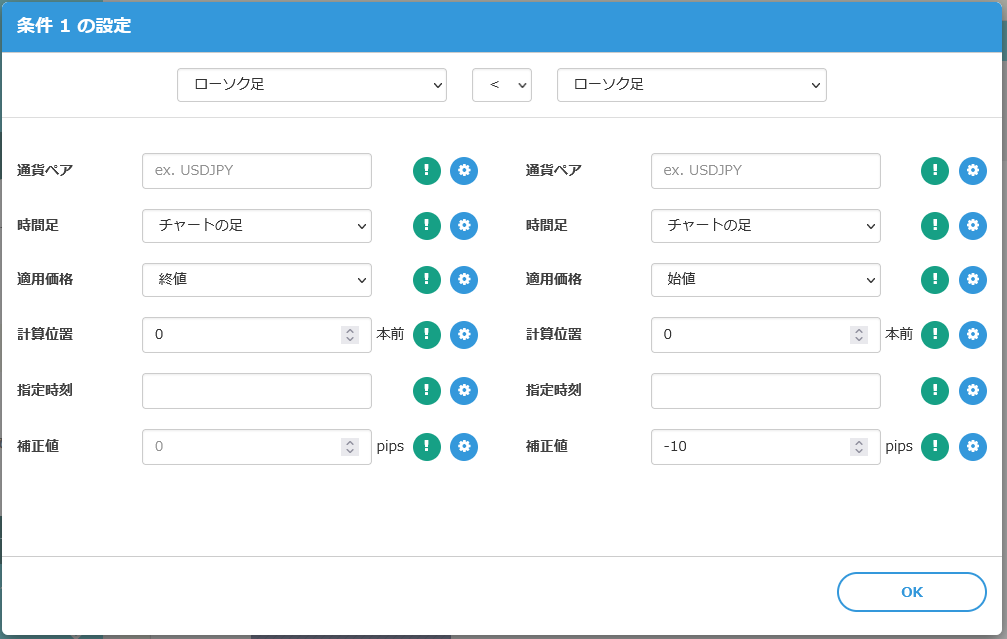
If the current rate (close) drops more than 10 pips below the open price, Condition 1 is considered met and a sell entry is made.
Moving Average Correction Values
Next, we will introduce methods using correction values for moving averages.
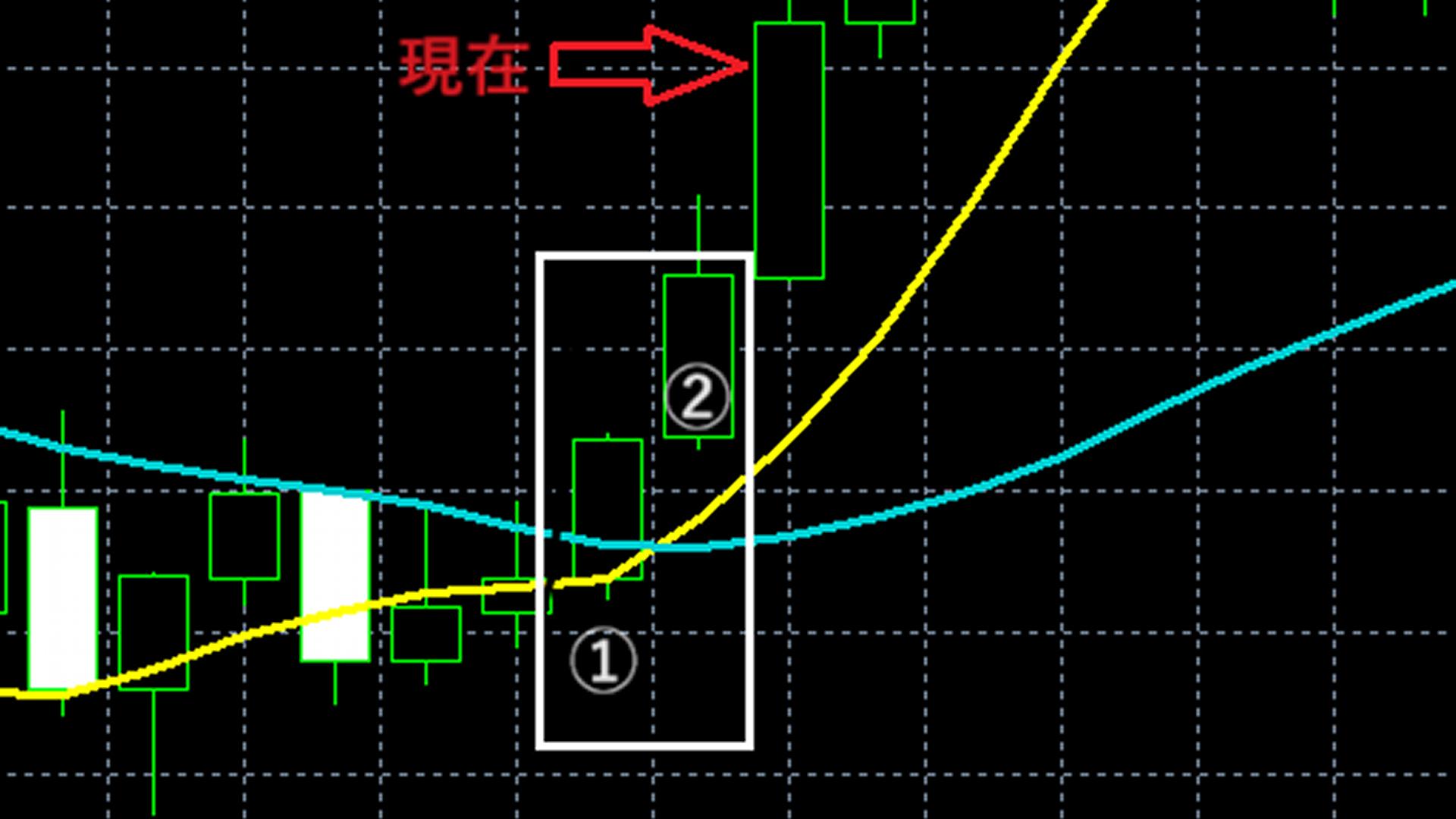
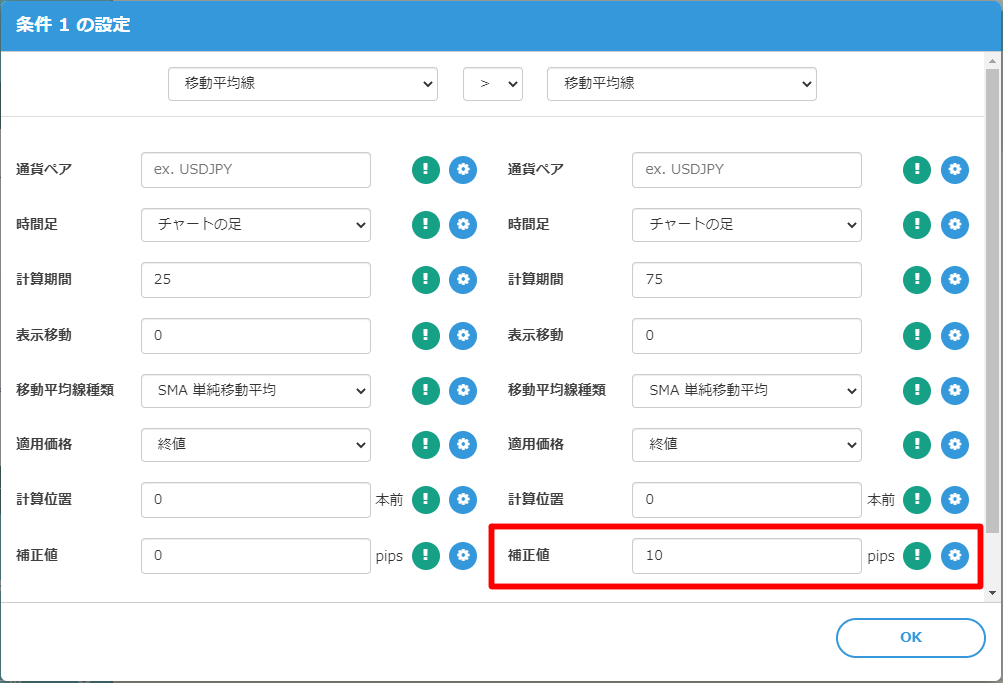
Using correction values on moving averages allows you to measure the divergence between moving averages and divergence from other indicator values.
The following is set as a signal to enter a buy when Condition 1 is met.
It checks whether the 25-period moving average is 10 pips higher than the 75-period moving average.
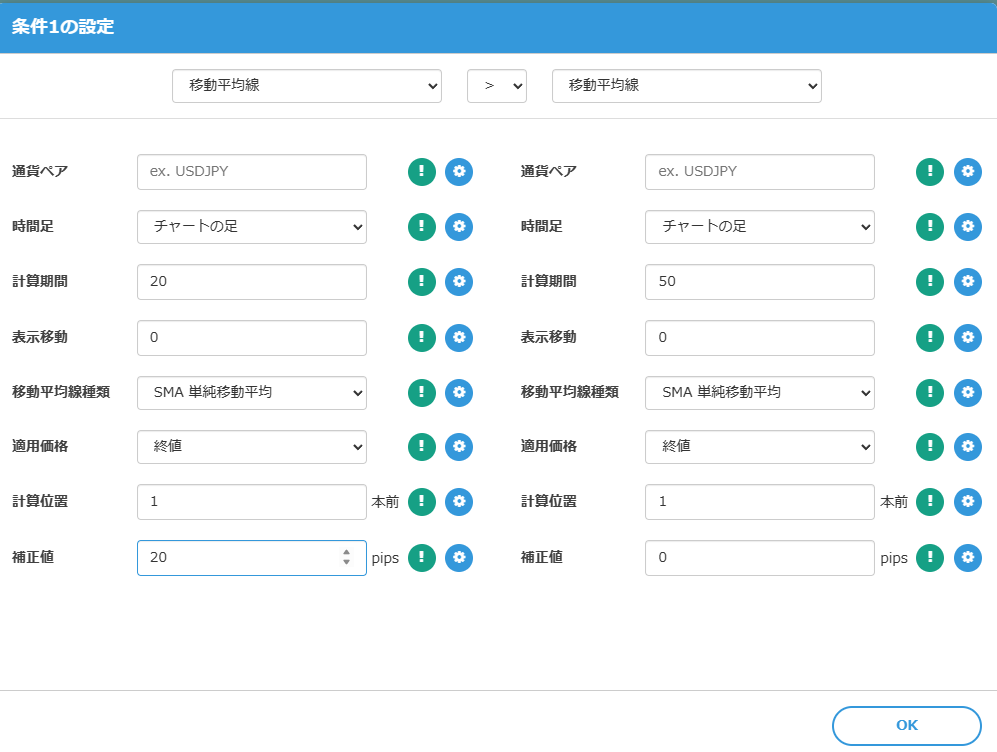
Also, the following is a condition that compares whether the 20-period moving average is greater than the 50-period moving average minus 50 pips.
There are many other options as well, so try combining with various indicators.
Using Gaps and Gap Fills
Next, let's learn how to set conditions that detect gap openings and gap fills using candlestick correction values.
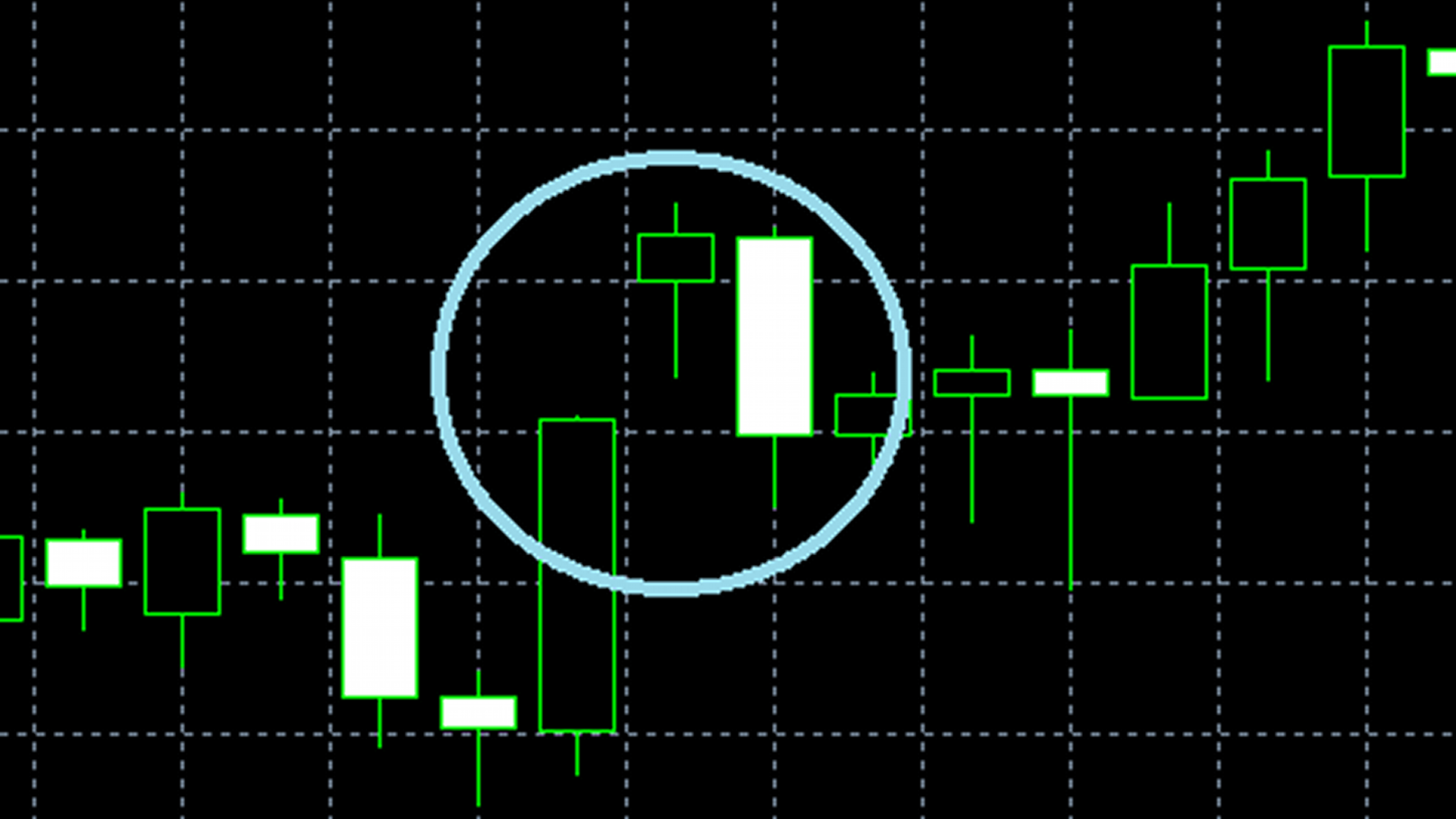
A “gap” refers to a price gap that occurs between adjacent candlesticks on a candlestick chart, also called a “gap opening.”
This gap opening often indicates market momentum or uncertainty and can be an important signal for investors and traders.
Conversely, “gap filling” means candles move to close the opened gap.
There is a stock market saying: “There are no gaps that will not be filled,” and gaps are expected to be filled eventually.
In EA Tsukuru, by applying correction values to the high or low of candlesticks, you can incorporate rapid “gap” moves into the logic.
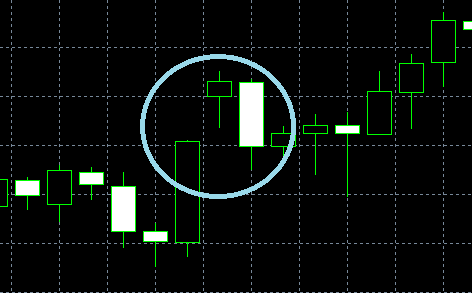
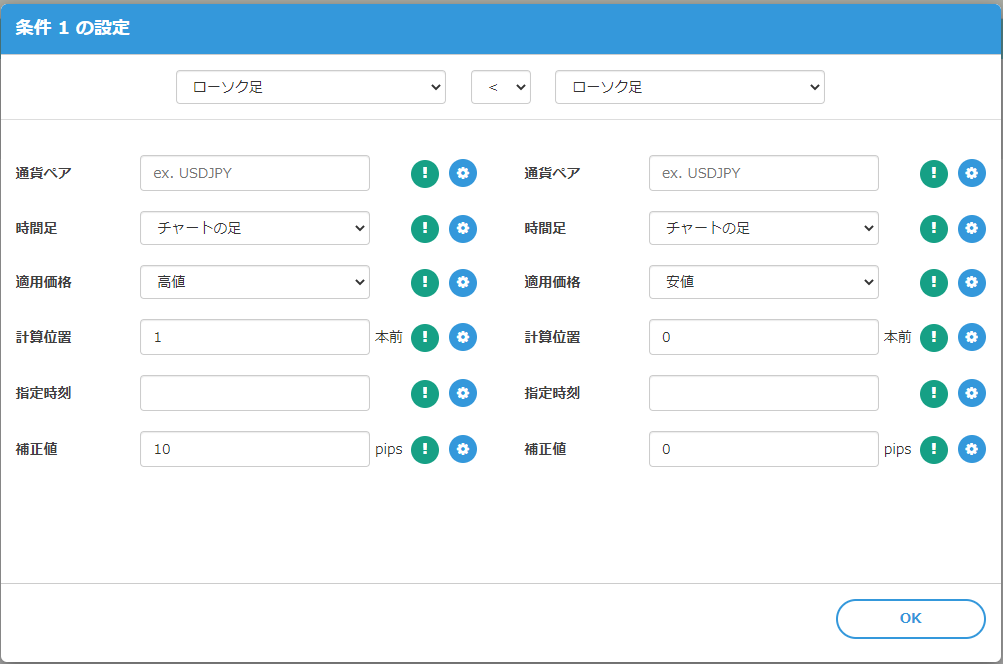
In an uptrend, the condition to determine whether a gap has occurred is as follows.
The left-hand side uses the “one candle back high” with a correction of 10.
The right-hand side uses the “current candle low,” sothe “one candle back high” + 10 pips isexceeded by the current candle low, allowing you to determine a gap.
Note: increasing the correction value can express a stronger gap.
In a downtrend, you can incorporate a gap by setting “the low of the previous candle (± correction) > the high of the current candle.”
Conclusion
That covers correction values and how to use them.
Entries are gaps, and exits can be a simple gap-fill EA that uses basic options such as “stop loss” and “take profit.” You can easily create it.
EAs created with EA Tsukuru may not operate exactly as intended for various reasons, such as combinations of conditions or mis-specification of conditions.
Please verify operation via backtests and a demo account before starting live trading on a real account.
We appreciate your continued support of “EA Tsukuru.”
Questions? Contact LABO!
 | GogoJungle LABO A Q&A service focused on programming for investing, including automated trading and indicators. In the EA Tsukuru category, we accept questions and consultations related to EA Tsukuru. |
Purchase Here!
 | “EA Tsukuru” compatible with MT4/MT5 No-code, anyone can easily develop EAs; with fully automatic or semi-automatic trading, make your trading a little easier! |