Let's create a simple EA using the Golden Cross
Introduction
We are GogoJungle / Skijan, operated by GogoJungle Co., Ltd.
This time, for those who understand the basics of using EA Tsukuru, we will walk you through the steps to create a simple EA using the classic technical indicator "Golden Cross," and also cover backtesting methods and results.
For those new to EA Tsukuru, please refer to past articles from the links below.
・Basic operations and how to use EA Tsukuru
・A thorough explanation of trading conditions
・Learn about options
Table of Contents
・What is Golden Cross?
・Setting basic items for the EA
・Setting the logic for trading conditions
・Perform backtests
・Try various settings
・Conclusion
What is Golden Cross?
First, we will introduce the chart analysis technique called "Golden Cross" that we will use for the trading logic this time.
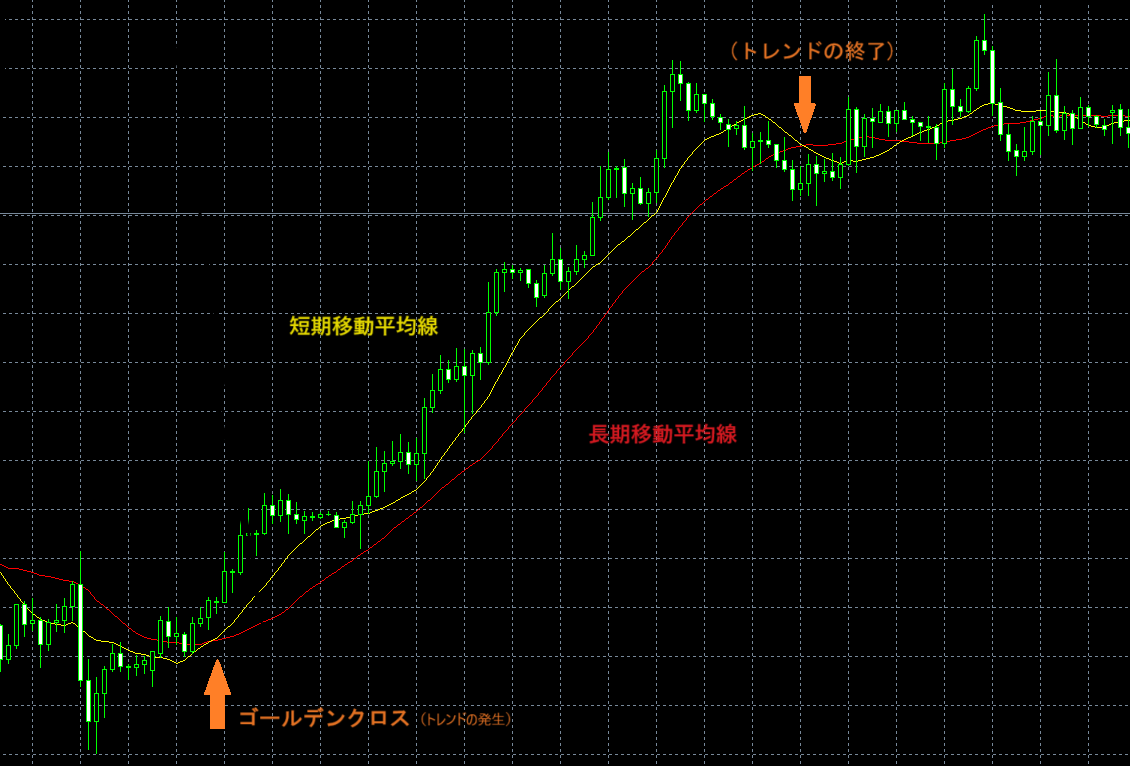
Golden Cross
Golden Cross is the moment when, displaying a long-term moving average along with a short-term moving average, the short-term moving average crosses the long-term moving average from below to above.
This is considered one of the buy signals indicating that the market may be entering an uptrend.
Dead Cross
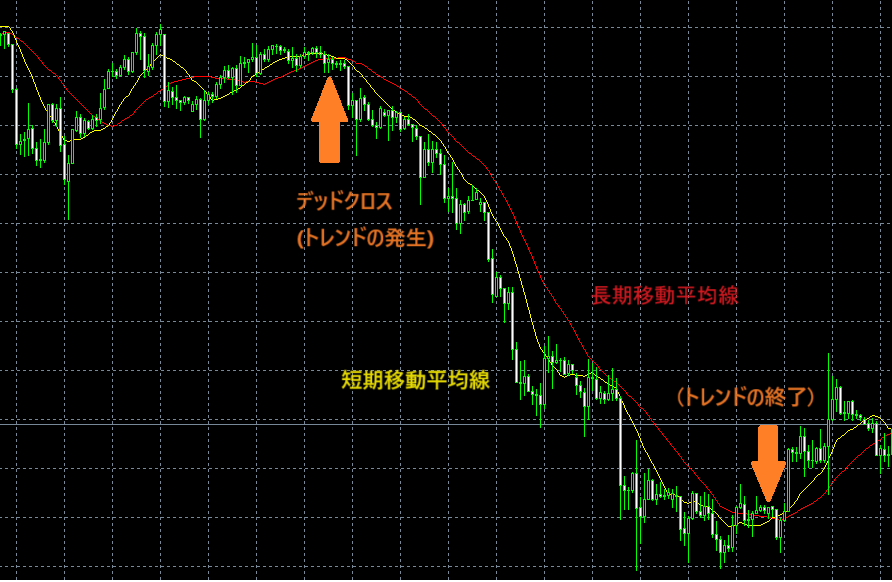
Conversely, when the short-term moving average crosses the long-term moving average from above to below, it is called a Dead Cross and is considered a sell signal.
Golden Cross and Trading Example
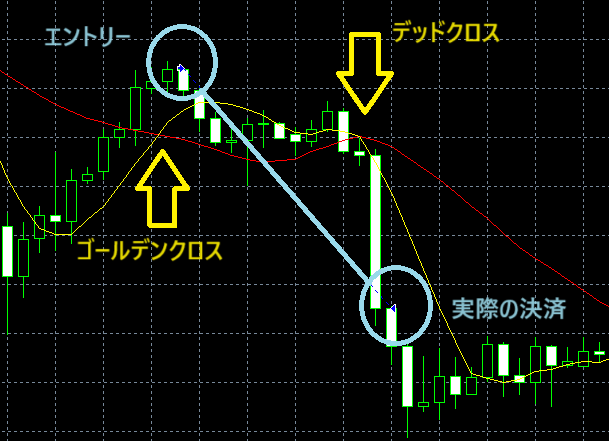
Let's take a look at an actual Golden Cross occurrence and an example of trades using the EA we will create.
We enter a buy when a Golden Cross occurs, and close the position when the moving averages cross back due to reversal.
Note: This uses the logic of entering/settling on the candle following the cross
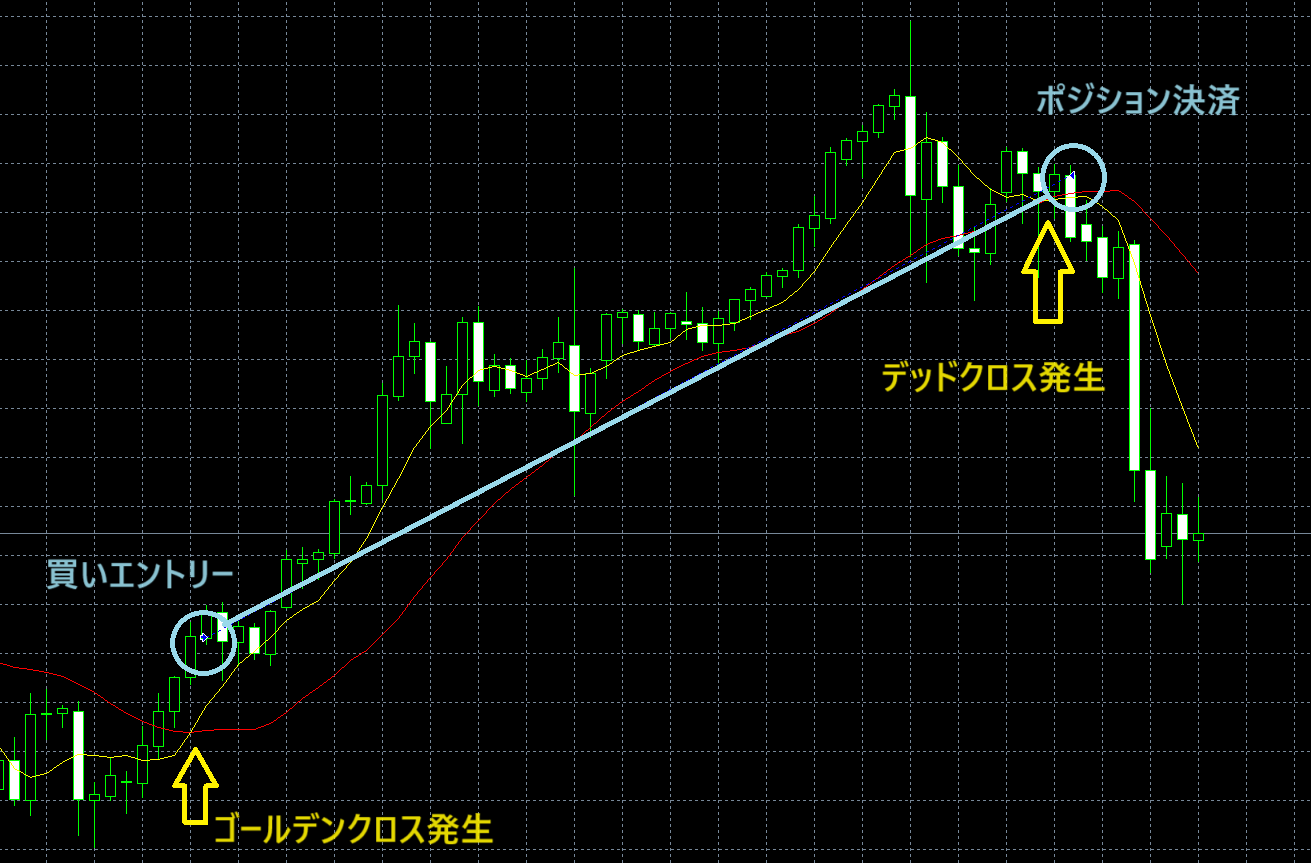
In this way, we build the logic with the aim of making profits by inferring the trend and placing orders.
Trend Judgment
However, these signals do not guarantee that an uptrend or downtrend will occur. They are evaluated as one of many factors when judging the market in combination with other information.
Also, moving averages take different shapes depending on the period length.
The longer the averaging period, the flatter the line becomes.
Additionally, methods include displaying moving averages shifted parallelly, judging by the depth of the cross angle, and showing other timeframes, among various factors to make judgments.
Performance depends on how well you can use these tools.
Setting the Basic Items for the EA
This time, we will build a logic that buys when a Golden Cross is detected and closes the position when a Dead Cross occurs.
For simplicity, at first, try creating the logic without setting stop-loss or take-profit.
EA Tsukuru -> Basic Items
For this EA, the basic items are set as follows.
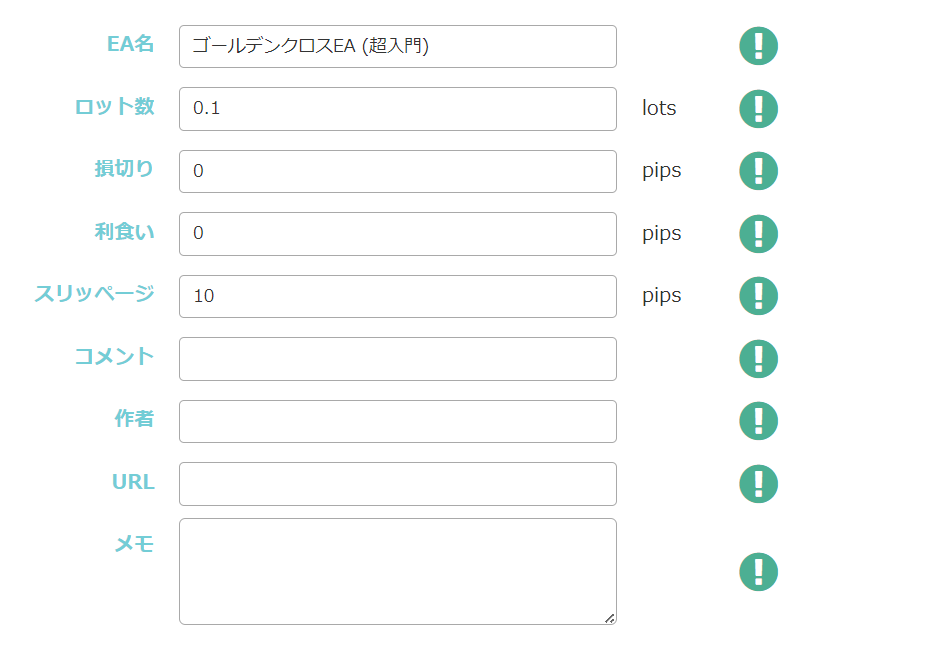
Definitions of lot and pips may vary by broker, so check your broker's website and set accordingly.
Also, as mentioned above, stop-loss and take-profit are set to zero for simplicity, and fixed stop-loss and take-profit are not enabled.
Setting the Trading Conditions Logic
Now, let's set up the trading conditions logic.
EA Tsukuru -> Trading Conditions
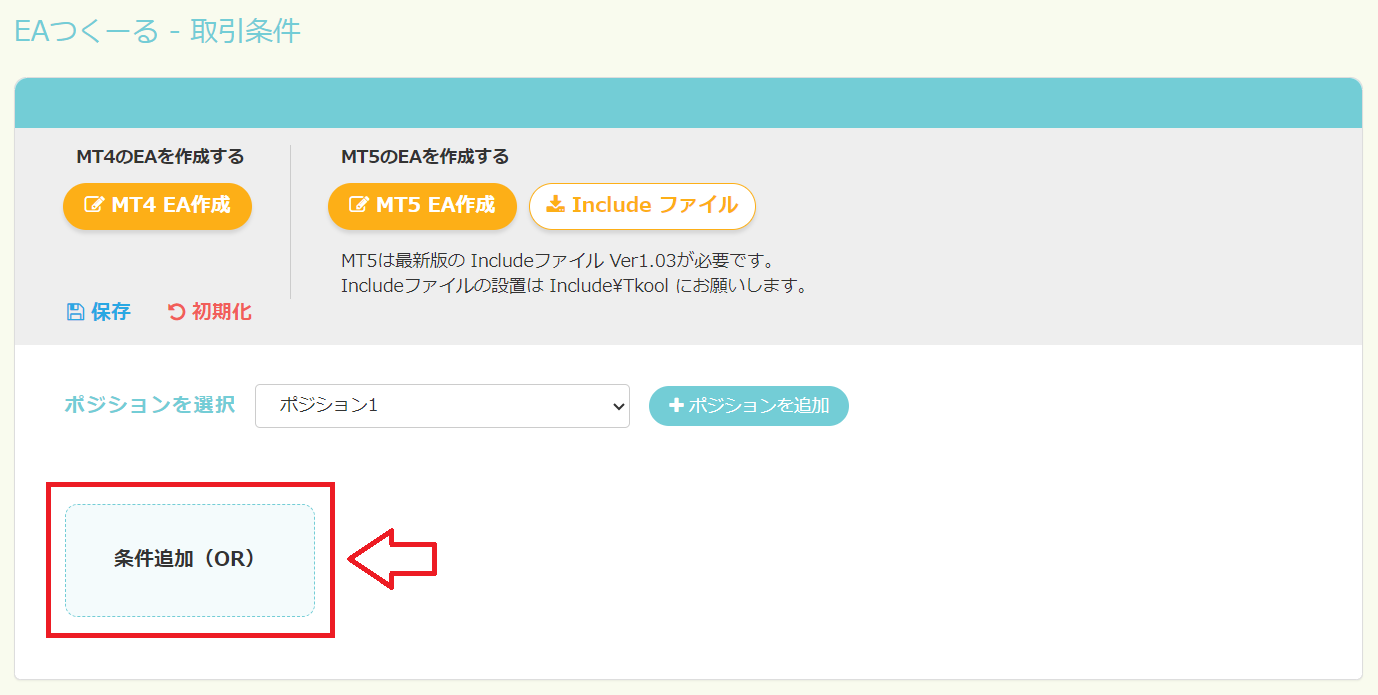
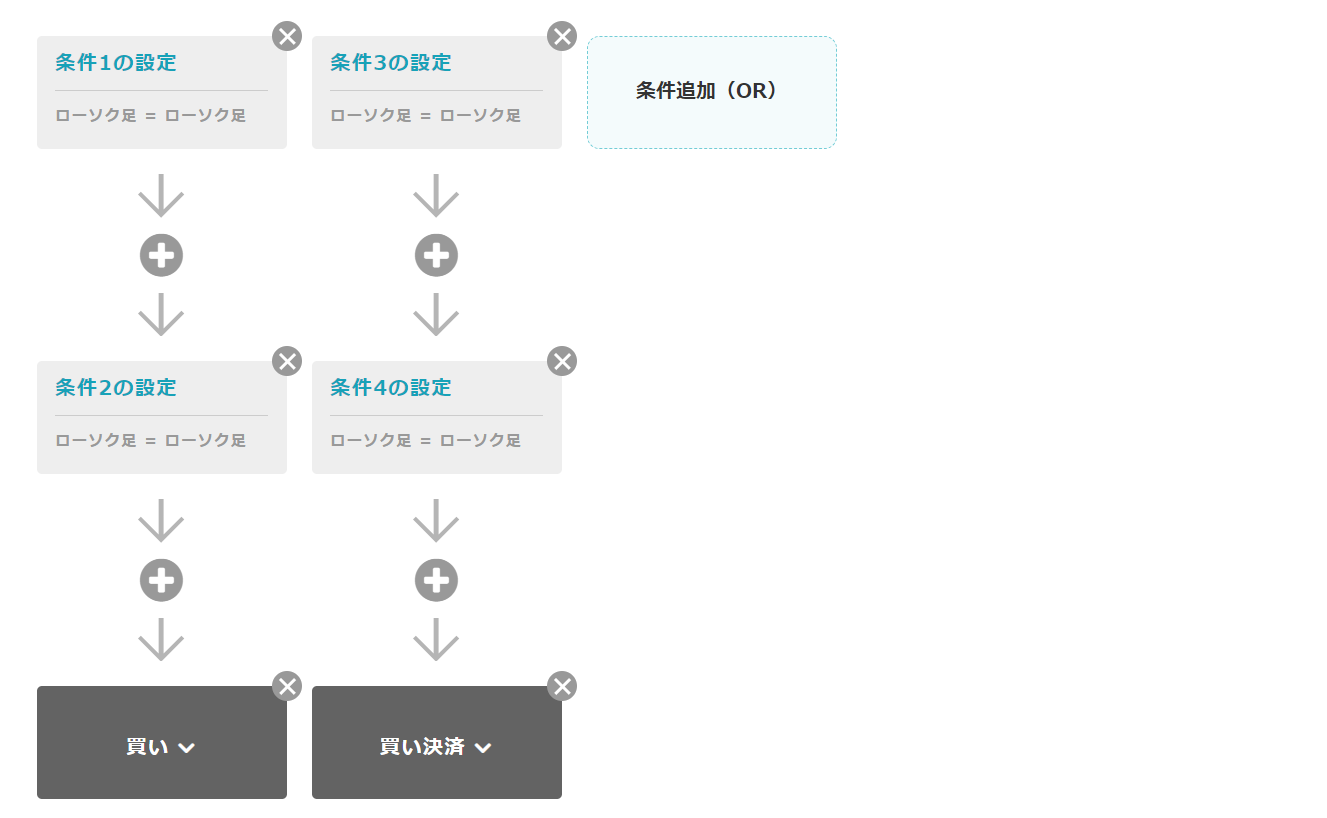
From here, press the "Add Condition (OR)" button to add conditions.
This time, two trading conditions are required: one for a buy order when a Golden Cross occurs and another for closing a buy position when a Dead Cross occurs, so add two OR conditions.
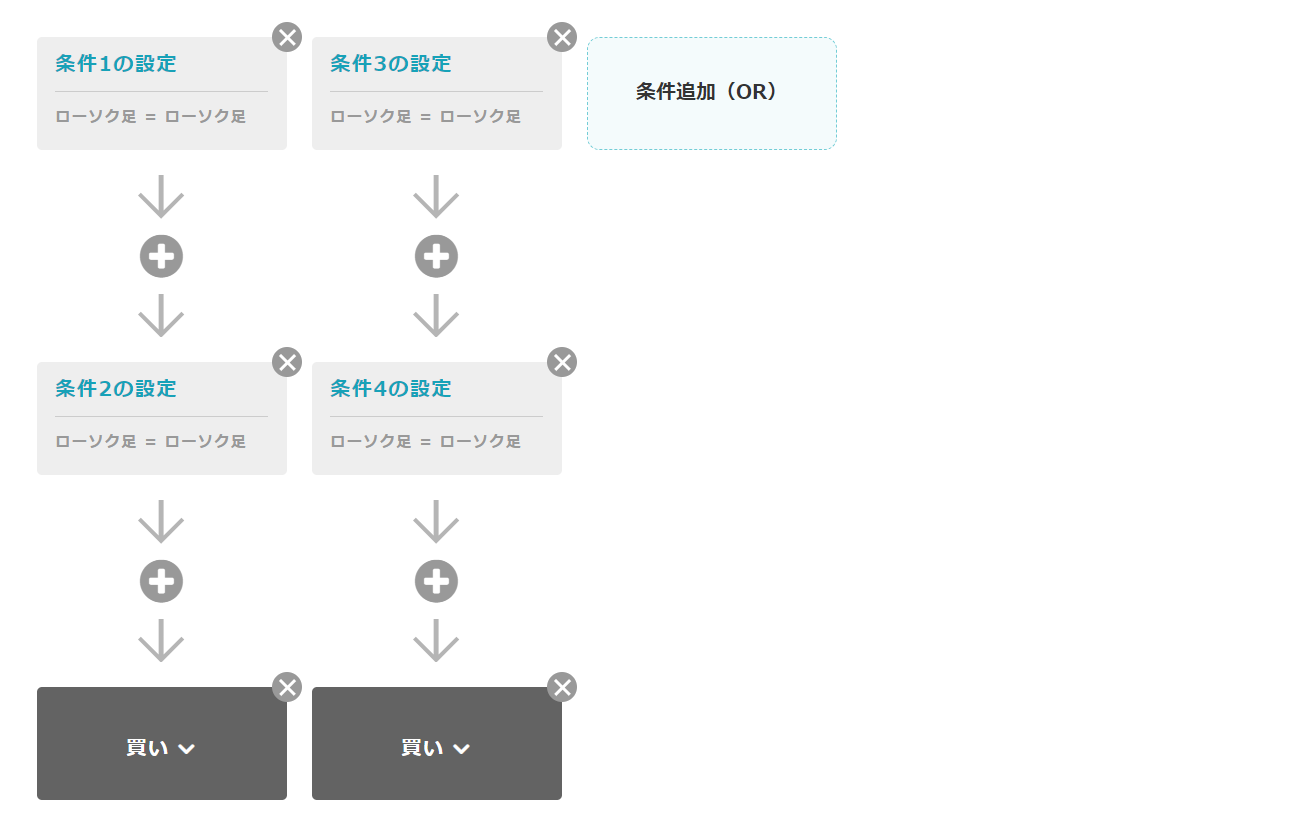
Also, to perform additional condition processing for entry and settlement, add one AND condition for each.
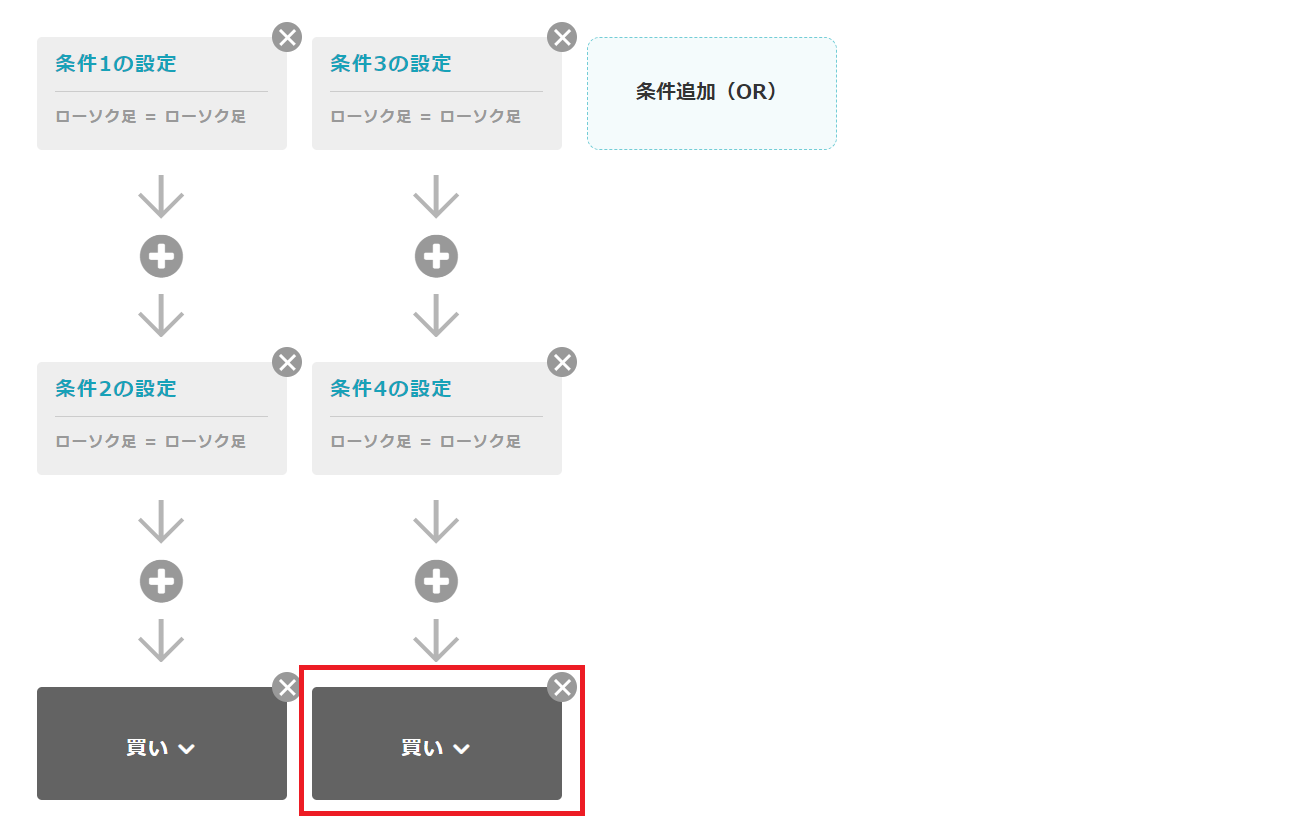
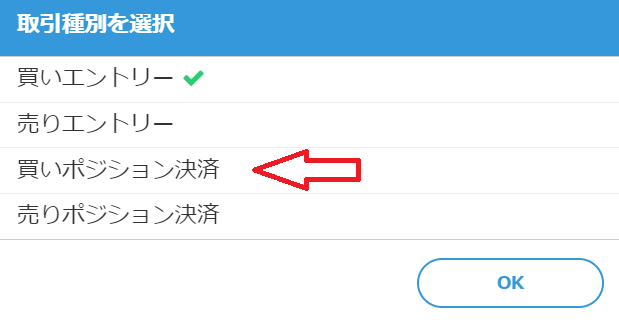
Click the right-side trading type button and change it to "Close Buy Position".
With this, once the items "Buy" and "Close Buy" appear, you are ready.
Setting Entry Conditions
First, set the conditions under which a buy order will be executed.
Since you cannot directly set the condition "when Golden Cross occurs," we use two conditions in series that compare the long-term and short-term moving averages.
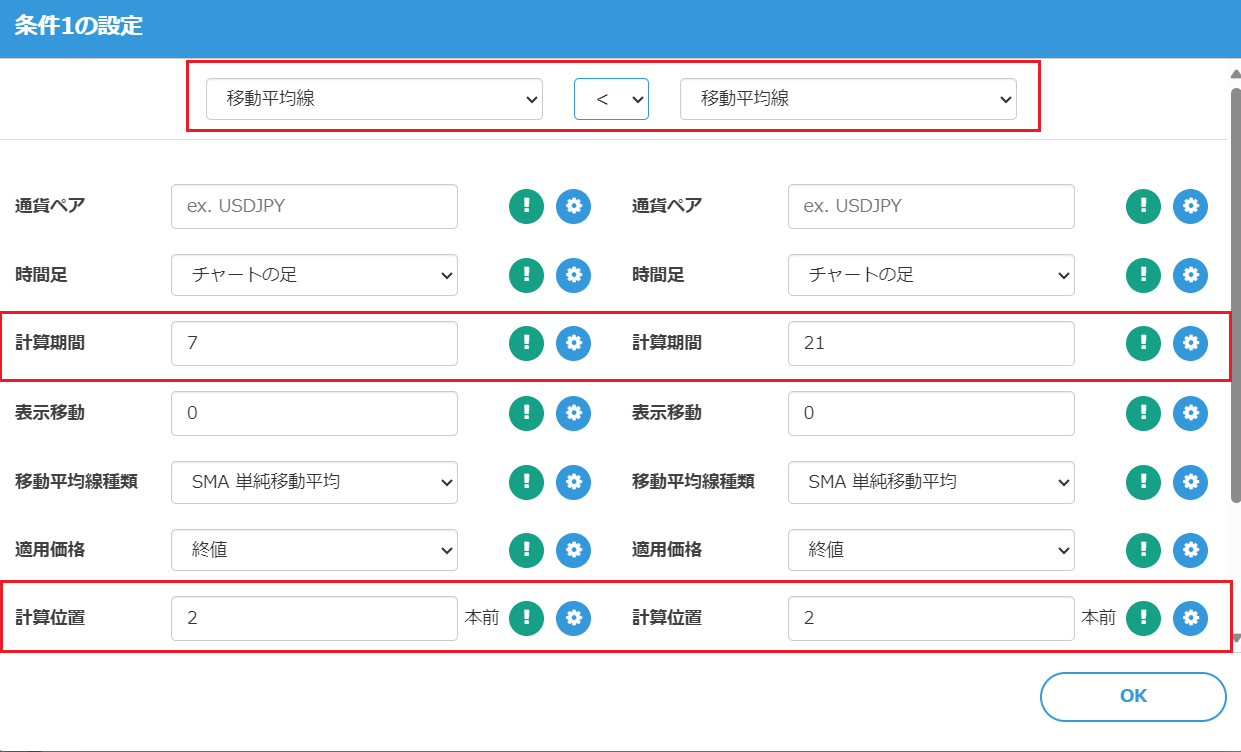
In this example, we consider the 7-period moving average as the short-term MA and the 21-period moving average as the long-term MA to build the logic.
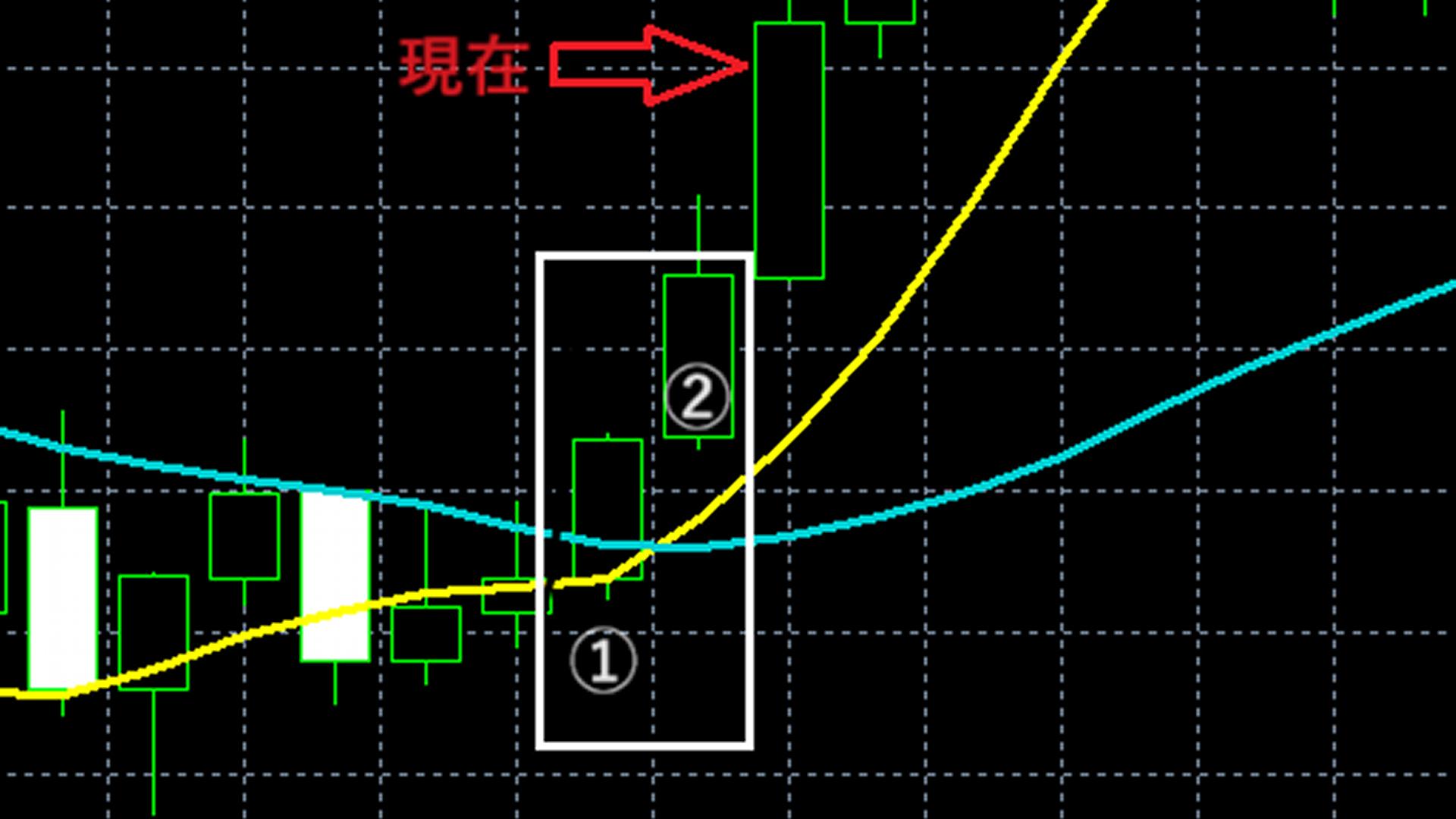
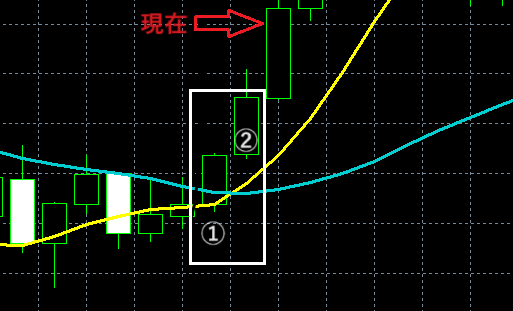
If you consider the arrows in the diagram as the current position,
① at time point (two candles ago), the short-term moving average is below the long-term moving average
② at time point (one candle ago), the short-term moving average is above the long-term moving average
then a Golden Cross is determined to have occurred.
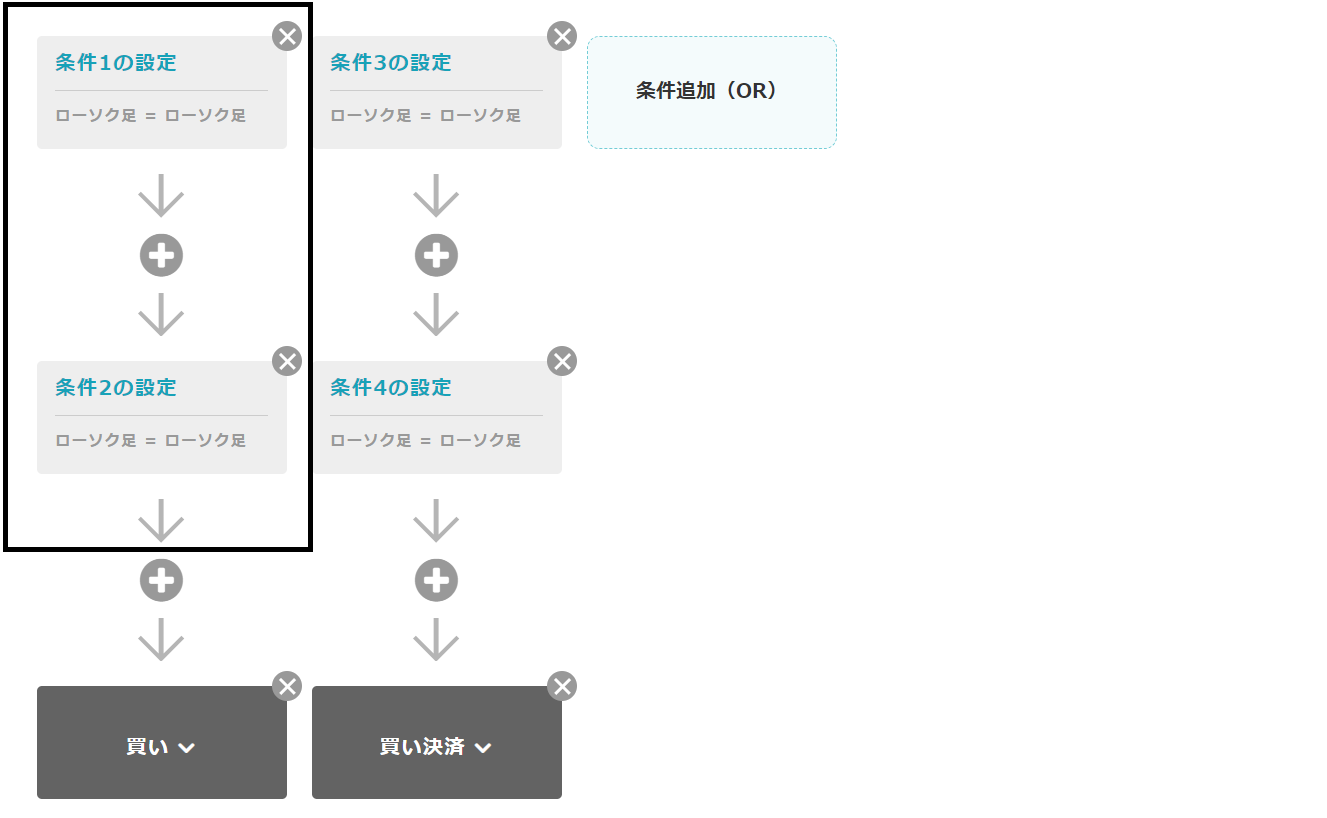
Now, let's actually set the buy entry conditions.
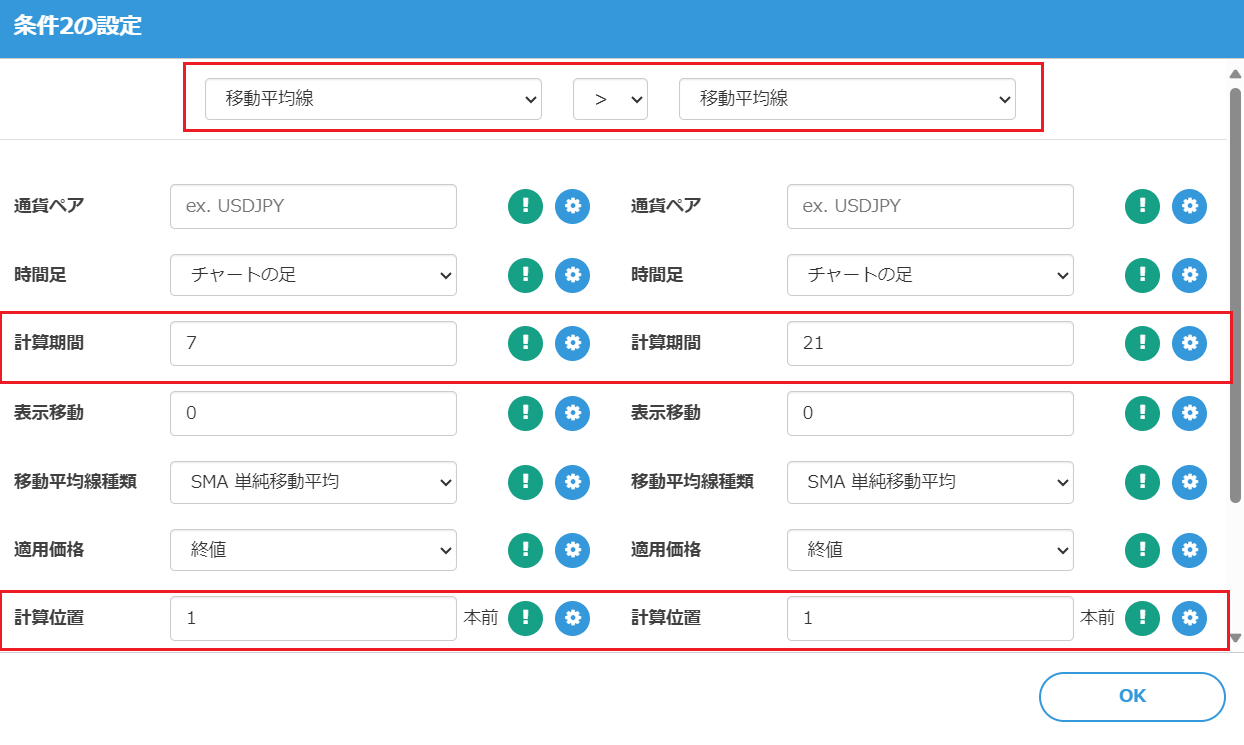
Press the "Set Condition 1" button to set the first buy entry condition. Pay attention to the calculation period, calculation base, and the direction of the inequality.
Set the second buy entry condition as shown below as well. Note that the direction of the inequality is reversed from the previous one.
Setting Exit Conditions
Next, set the condition to close the buy position when a Dead Cross occurs.
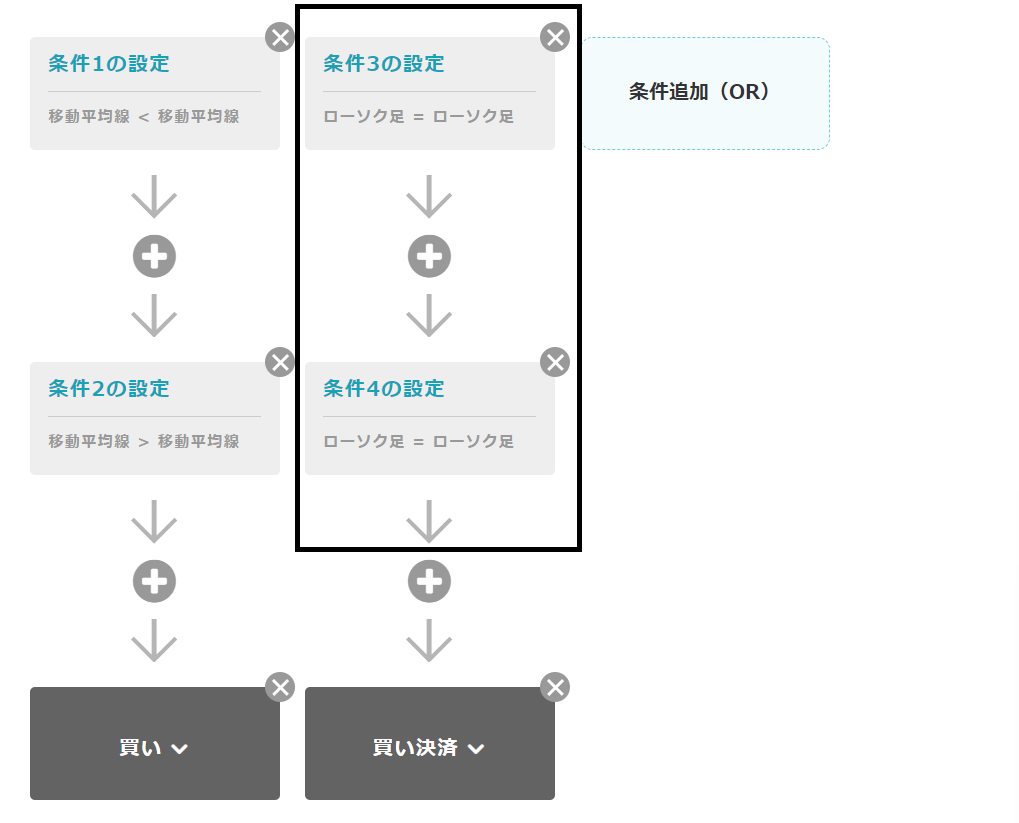
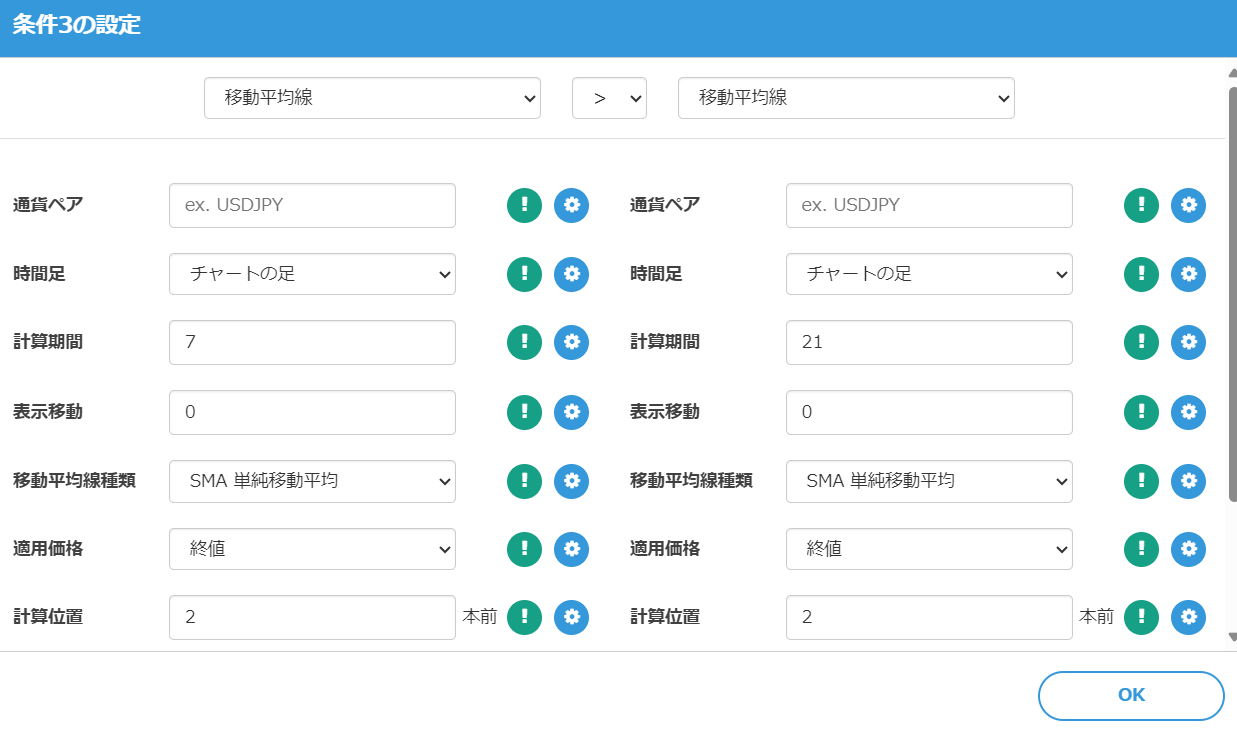
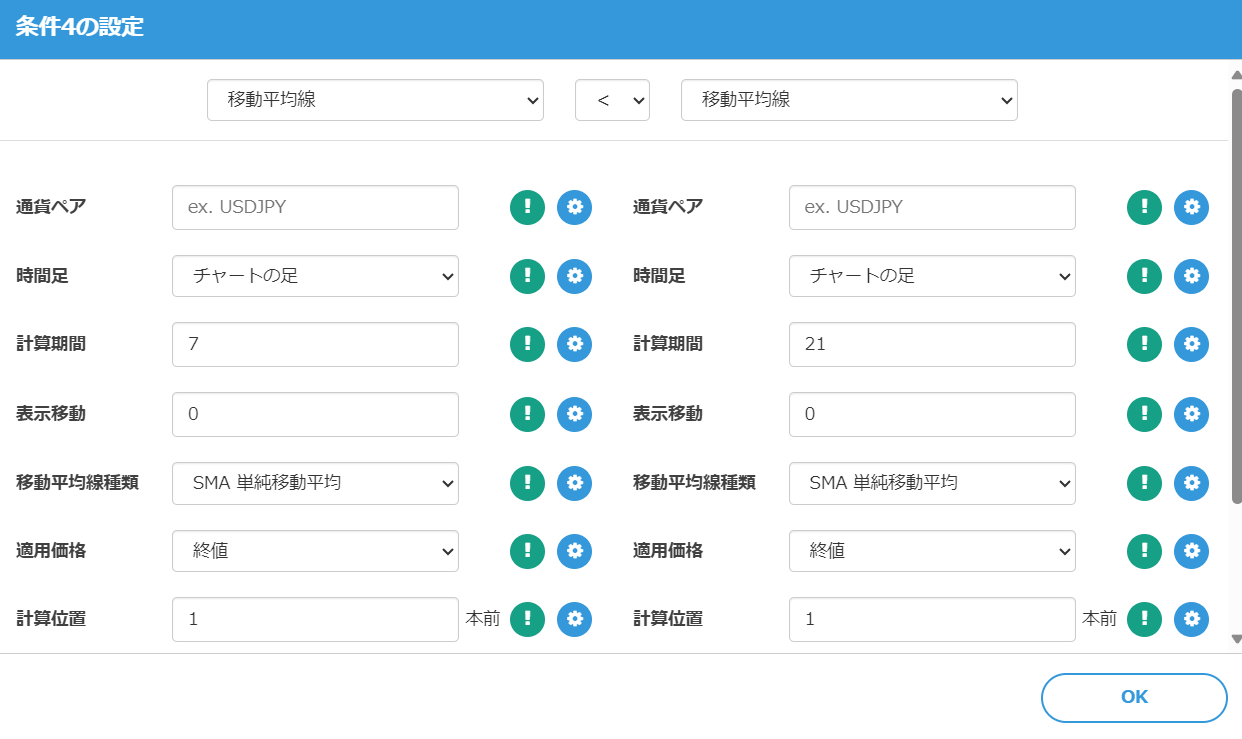
Similarly to Golden Cross, use two conditions to determine the Dead Cross.
Enter Conditions 3 and 4 as follows.
Perform Backtesting
Now, let's run a backtest on MT4 using the created program. Download the EA created by the "Create MT4 EA" button.
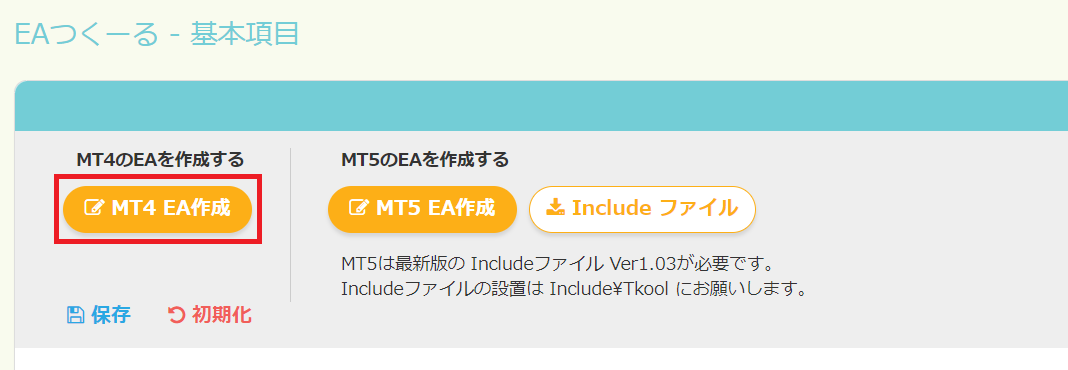
Compile the downloaded MQL file in MetaEditor and load it in MT4's Strategy Tester.
In ten years of backtesting on USD/JPY with a 1-hour timeframe, the results were as follows. Starting capital of 1,000,000 yen ended up at approximately 1,706,567 yen.

This result is not particularly stable, and it is thought to have benefited from yen depreciation trends, but you can see profits occur in this manner.
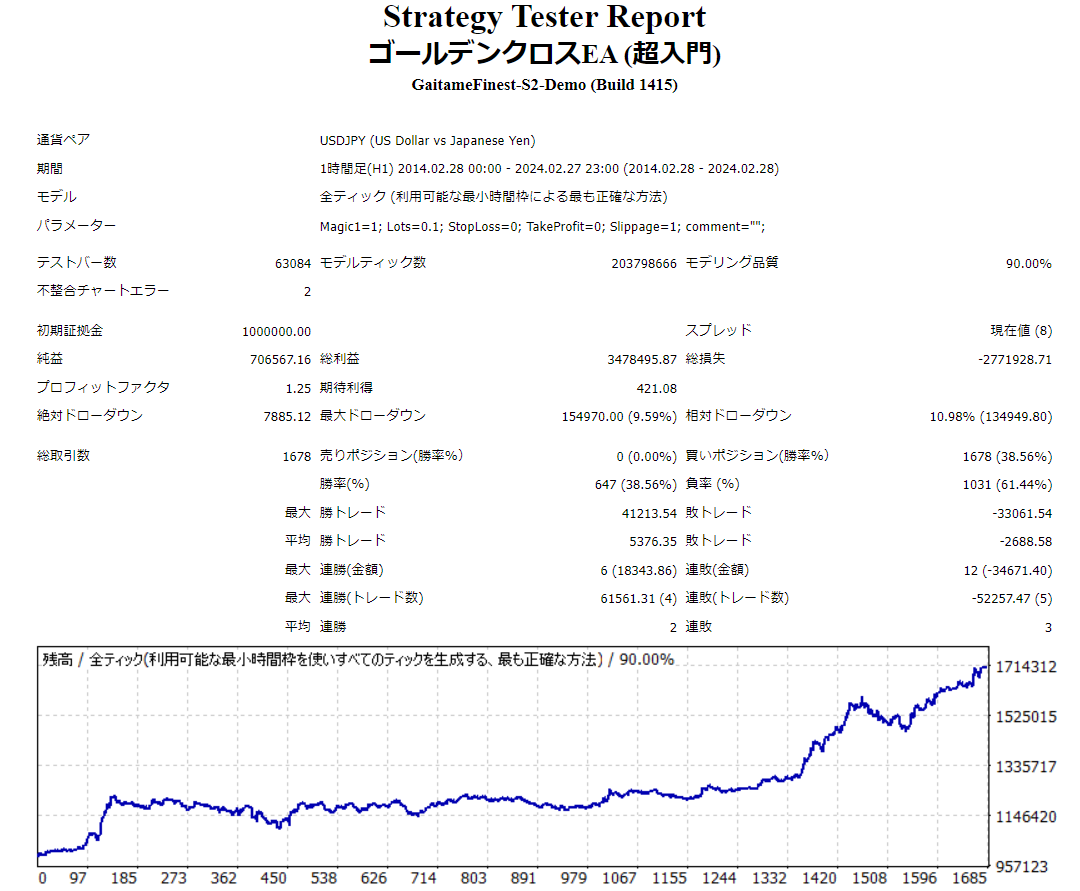
When you look at the details, these are the kinds of trades that were executed.
Example of Successful Logic
This is the trading example shown at the beginning. By placing a buy order when a Golden Cross occurs and a sell order when a Dead Cross occurs, the profit is clearly realized.
Example of Failed Logic
Price moves violently, delaying judgments of Golden Cross and Dead Cross, and entries or stops are made away from the cross intersection.
Try Various Settings
This EA, as created above, has a lot of room for improvement using the features of EA Tsukuru.
To simplify, try various mechanisms such as omitting stop-loss/take-profit settings and experimenting with different types and periods of moving averages to optimize.
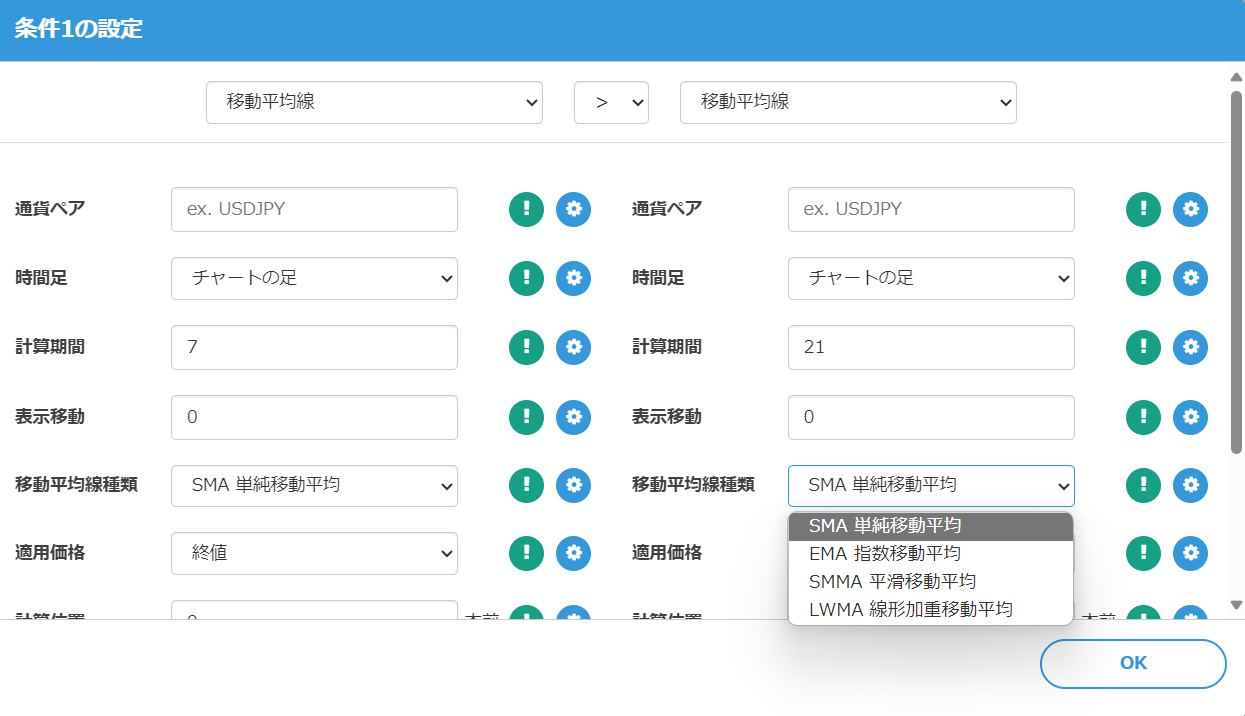
From the Conditions screen, you can choose moving average types such as Simple Moving Average, Exponential Moving Average, Smoothed Moving Average, and Linear Weighted Moving Average.
Conclusion
That concludes how to create an EA using Golden Cross.
This is a basic method; to create a "good EA" that can be sold, further detailed tuning and testing are required, which we will cover in future articles.
EAs created with EA Tsukuru may not operate as intended for various reasons, such as combinations of conditions or errors in condition specification.
Please verify operation via backtests and on a demo account before starting on a real account.
We appreciate your continued support of EA Tsukuru.
Questions? Contact LABO!
 | GogoJungle LABO A Q&A service focused on programming for investments, such as automated trading and indicators. In the EA Tsukuru category, we accept questions and consultations about EA Tsukuru. |
Purchase Here!
 | 'EA Tsukuru' MT4/MT5 compatible No-code development lets anyone create an EA easily; fully automatic or semi-automatic trading to make your trading a little easier! |