
Let's create an EA using Ichimoku Kinko Hyo
Introduction
We operate GogoJungle / Skijan, Gogojan Co., Ltd.
This time, for those who have understood the basic operations of EA Builder, we will introduce the steps to actually create a simple EA using the classic technical indicator "Ichimoku Kinko Hyo".
If you are new to EA Builder, please check the past articles from the links below.
・Basics of EA Builder and How to Use
・Thorough explanation of trading conditions
・Learn about Options
・Create a simple EA using the Golden Cross
・Try MACD
・Try Averaging Down / Pyramiding
・Create an EA using a Custom Indicator
・Create a Semi-Discretionary EA / Exit EA
Table of Contents
・What is Ichimoku Kinko Hyo?
・Ichimoku Conditions
・Creating an EA using Ichimoku
・In closing
What is Ichimoku Kinko Hyo?
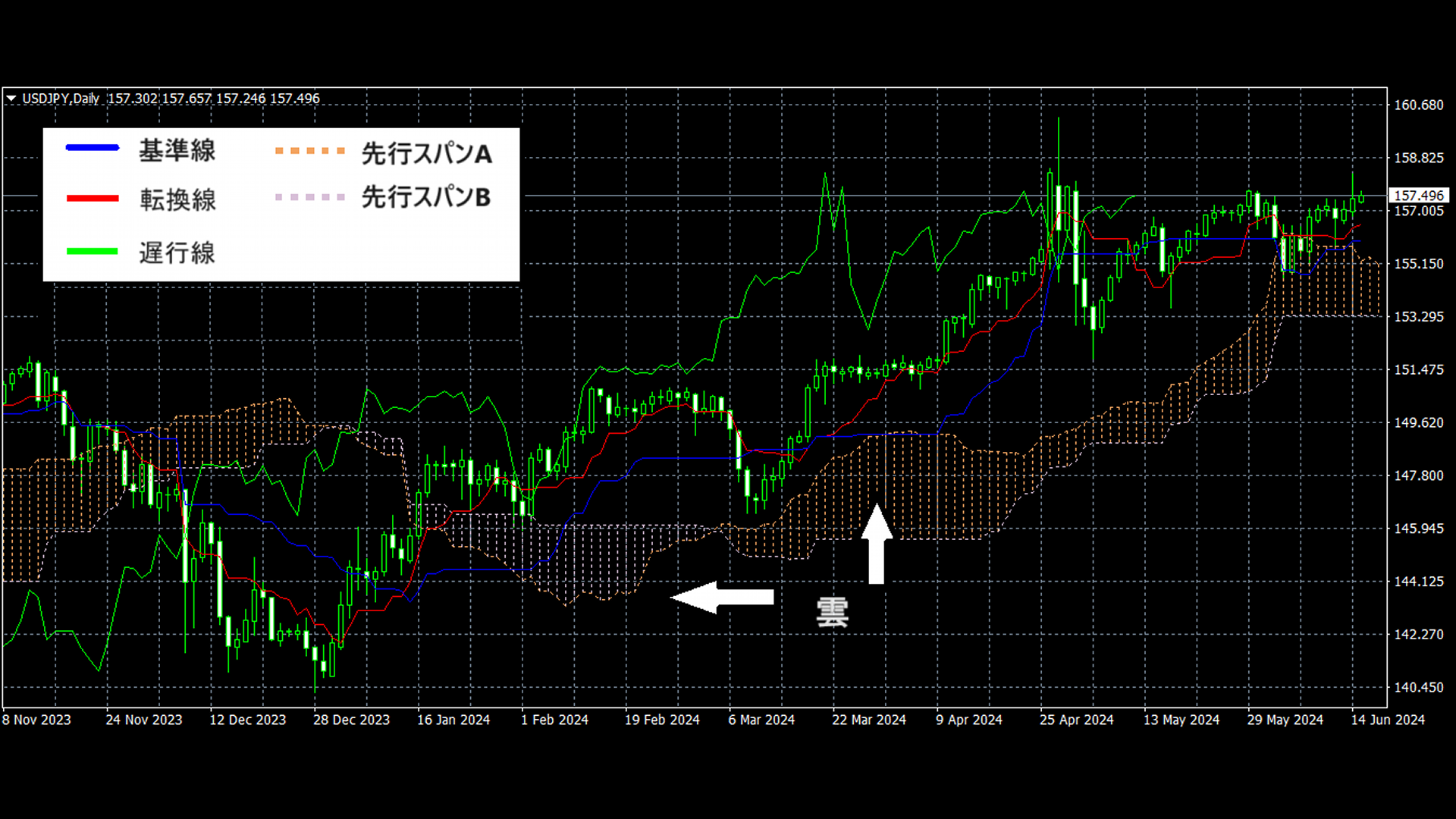
Ichimoku Kinko Hyo is a technical chart developed in Japan in 1936, originally a method to predict stock price movements.
The analysis method is based on the idea that markets move significantly when the balance between buyers and sellers breaks, so knowing which side is dominant at a glance is valuable.
It is one of the most popular technical indicators supported worldwide under the name "Ichimoku".
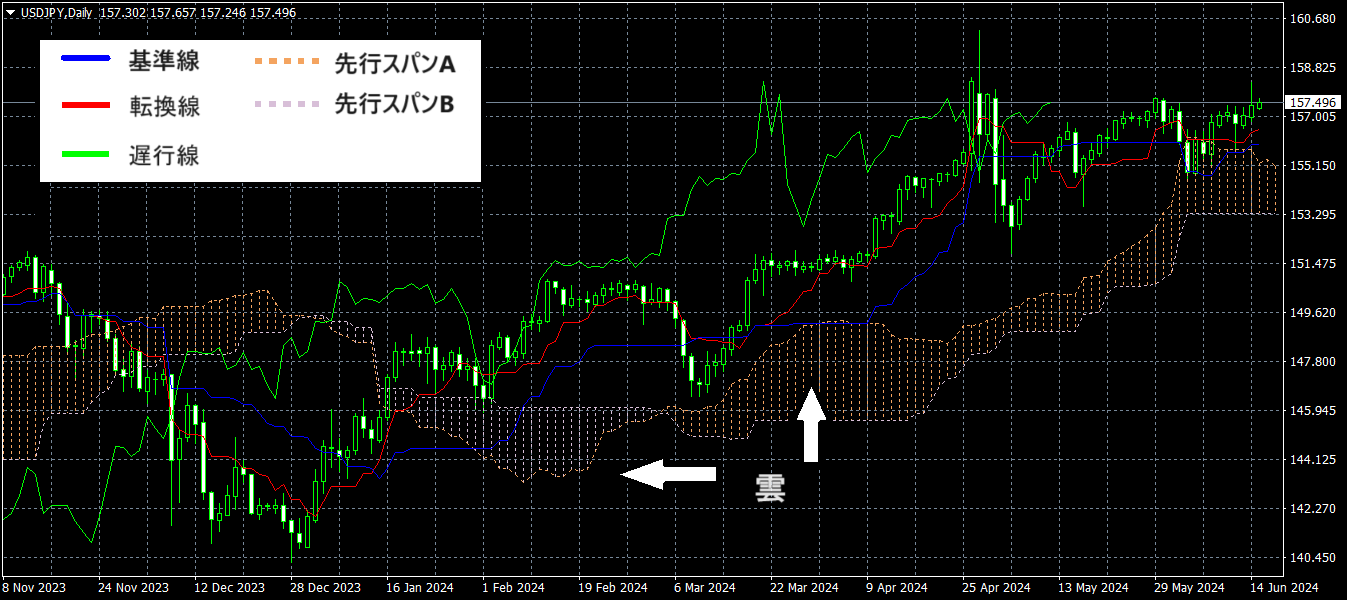
The Ichimoku chart is formed using candlesticks and five auxiliary lines (Tenkan-sen, Kijun-sen, Chikou Span, Senkou Span A, Senkou Span B).
In particular, the "Cloud" (Kumo) is a defining feature; by the cloud's size and the candlesticks' position relative to it, you can help predict future price movement.
Ichimoku Conditions
We will confirm the settings available in the condition setup screen of EA Builder.

Tenkan-sen: You can specify the number of candles used to calculate Tenkan-sen.
Kijun-sen: You can specify the number of candles used to calculate Kijun-sen.
Senkou Span B: You can specify the number of candles used to calculate Senkou Span B.
Mode: You can specify the type of Ichimoku to calculate as a condition.
Modes include "Tenkan-sen", "Kijun-sen", "Senkou Span A", "Senkou Span B", "Chikou Span".
Creating an EA using Ichimoku
Now, let's actually create an EA that uses Ichimoku as a condition.
As the basis for entry, we use signals known as the Three-Line Bullish/H3-Line Bearish Reversal.
Three-Line Bullish Reversal refers to the state where all three conditions are met: the Tenkan-sen has crossed above the Kijun-sen, the Chikou Span has crossed above the candlesticks, and the candlesticks have crossed above the cloud, which is a signal suggesting price will rise..
Three-Line Bearish Reversal is the opposite pattern and is used as a signal predicting price decline.
Buy Entry Conditions
Now, let's set the conditions on EA Builder to enter on the Three-Line Bullish Reversal.
First, add four conditions in series (AND), and input each condition as follows.
When Tenkan-sen crosses above Kijun-sen
Select Ichimoku on both sides, and set the modes to "Tenkan-sen" and "Kijun-sen" respectively.
Since we evaluate on already closed candles, set the calculation position to "1 bar ago".

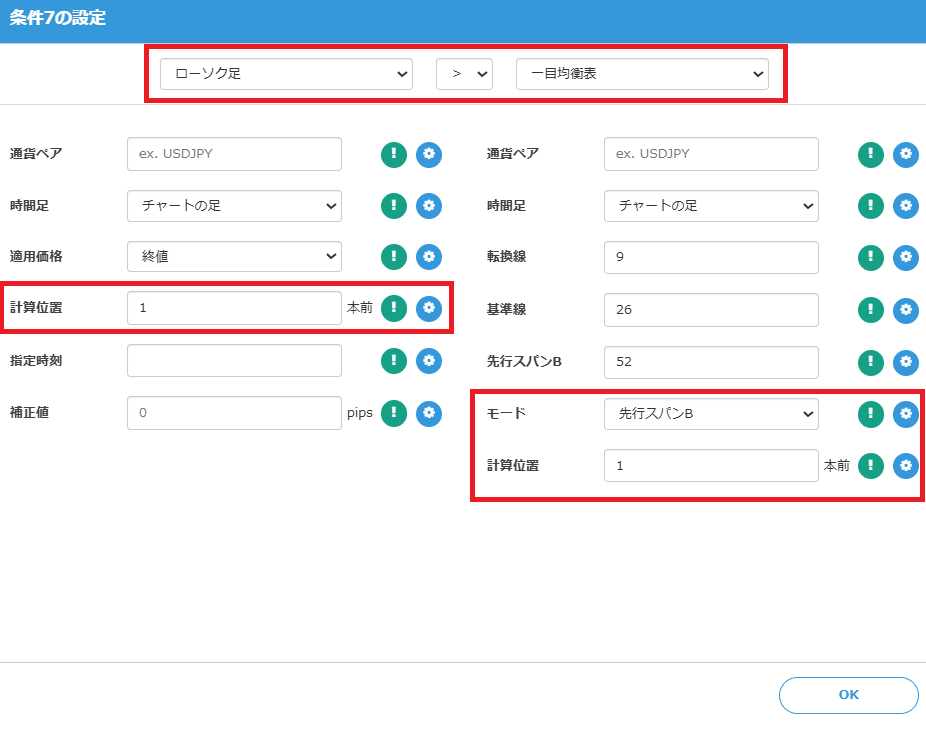
When Chikou Span crosses above the candlesticks
Similarly, set the left side to Ichimoku and the right side to select the candlesticks.
Because Chikou Span is plotted 26 bars behind, set the calculation position to "26 bars ago".
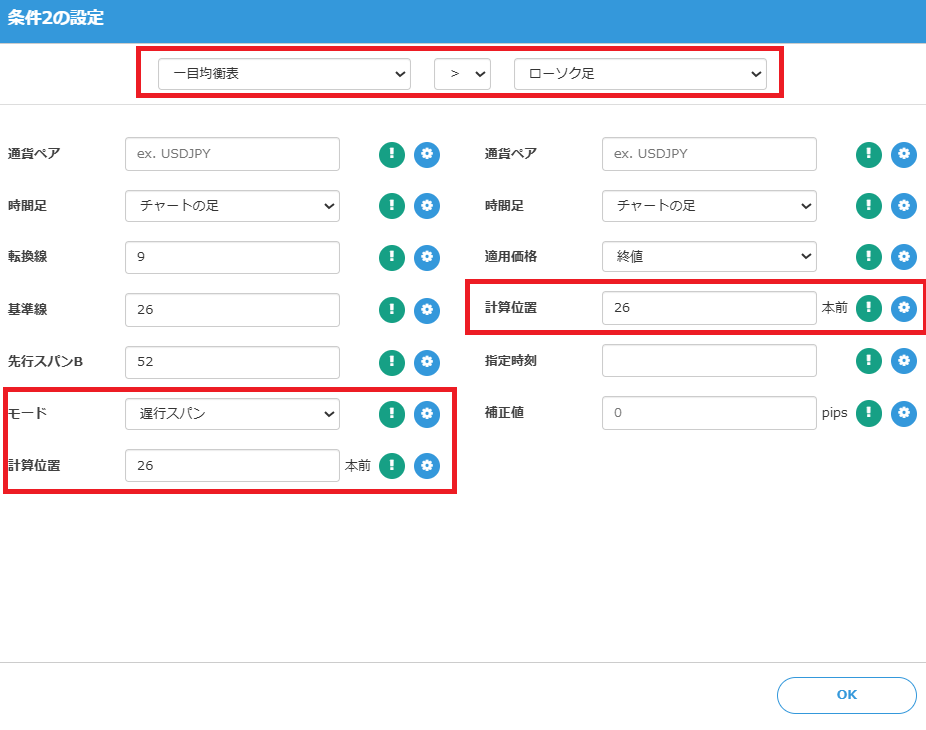
When candlesticks close above the cloud (Senkou Span A,B)
To determine that the candlestick has crossed above the cloud, evaluate conditions for Senkou Span A and Senkou Span B respectively.
As with the breakout of Tenkan-sen/Kijun-sen, evaluate on already closed candles, so set the calculation position to "1 bar ago".
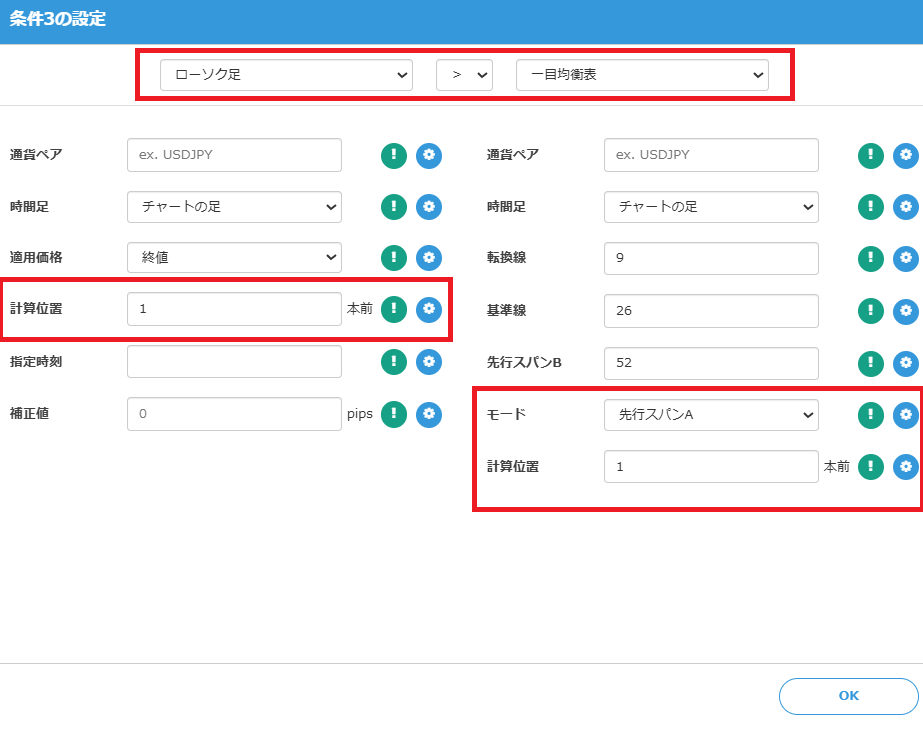
Setting Buy Exit
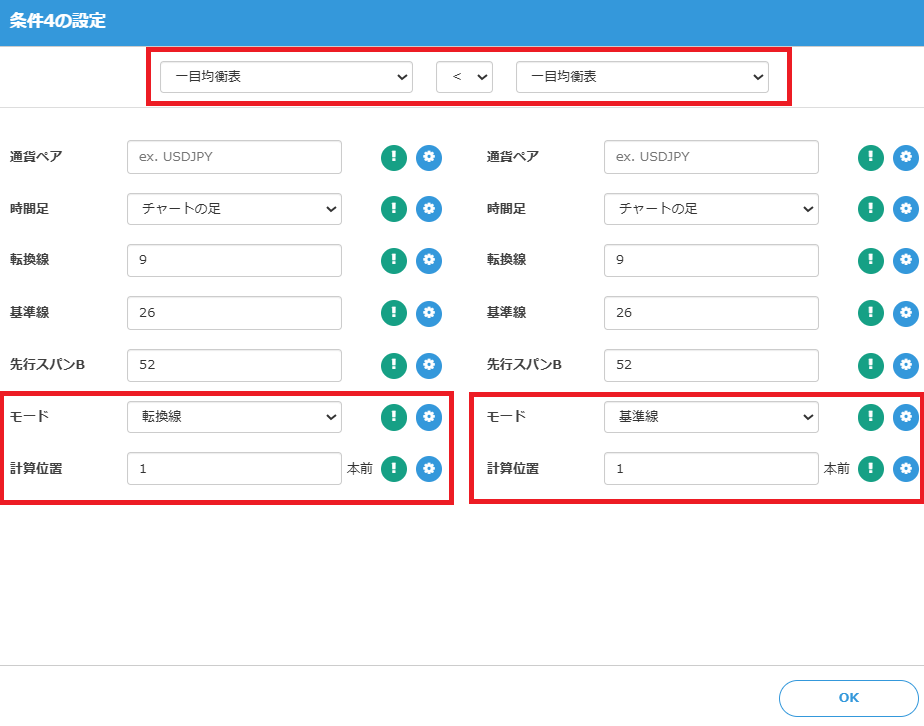
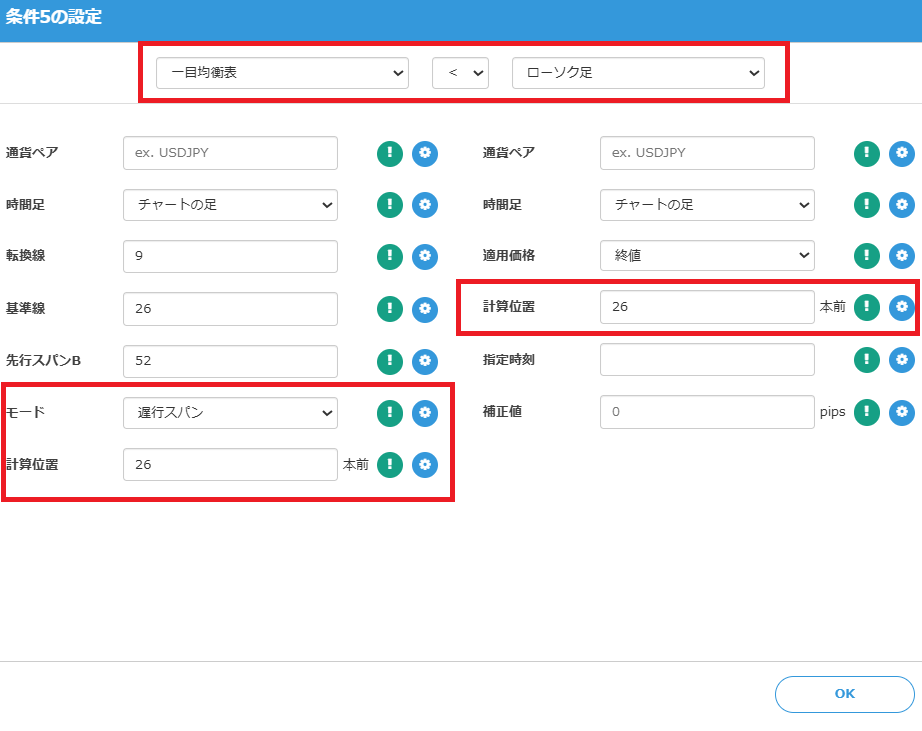
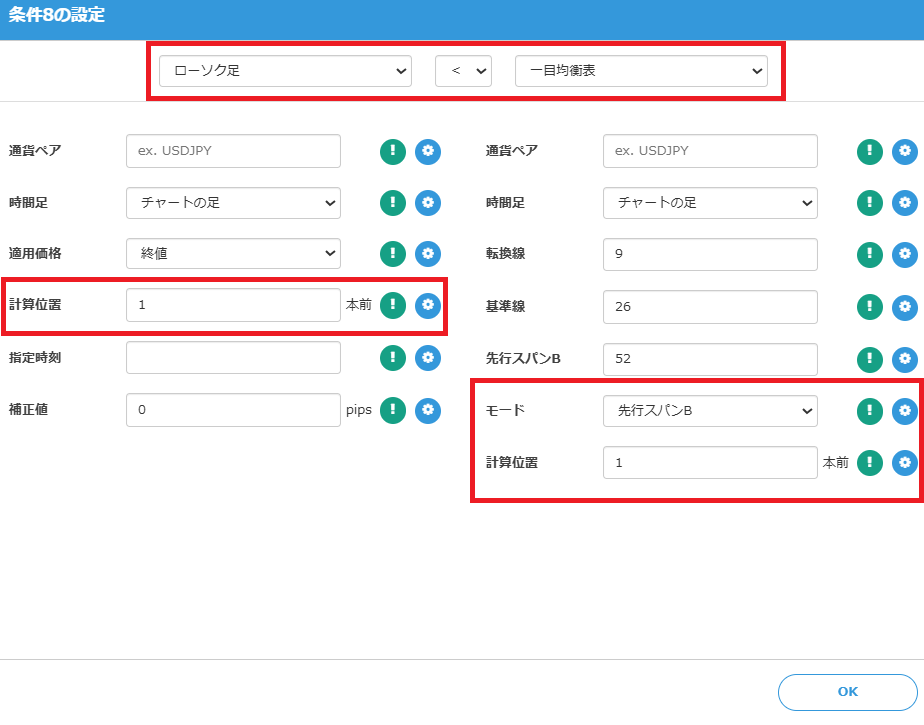
The exit is executed when that Three-Line Bullish Reversal condition is no longer valid.
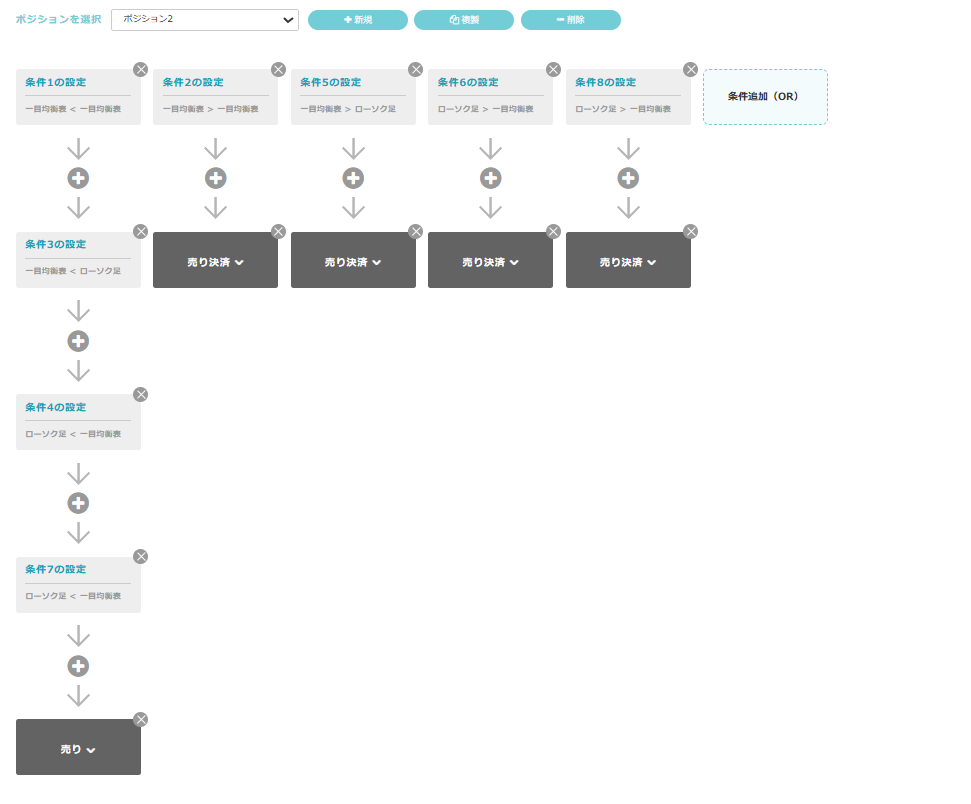
Prepare four OR conditions and set them as follows.


Sell Entry/Exit Conditions
For selling entry and exit, similarly set the conditions reversed from above.
Test Results
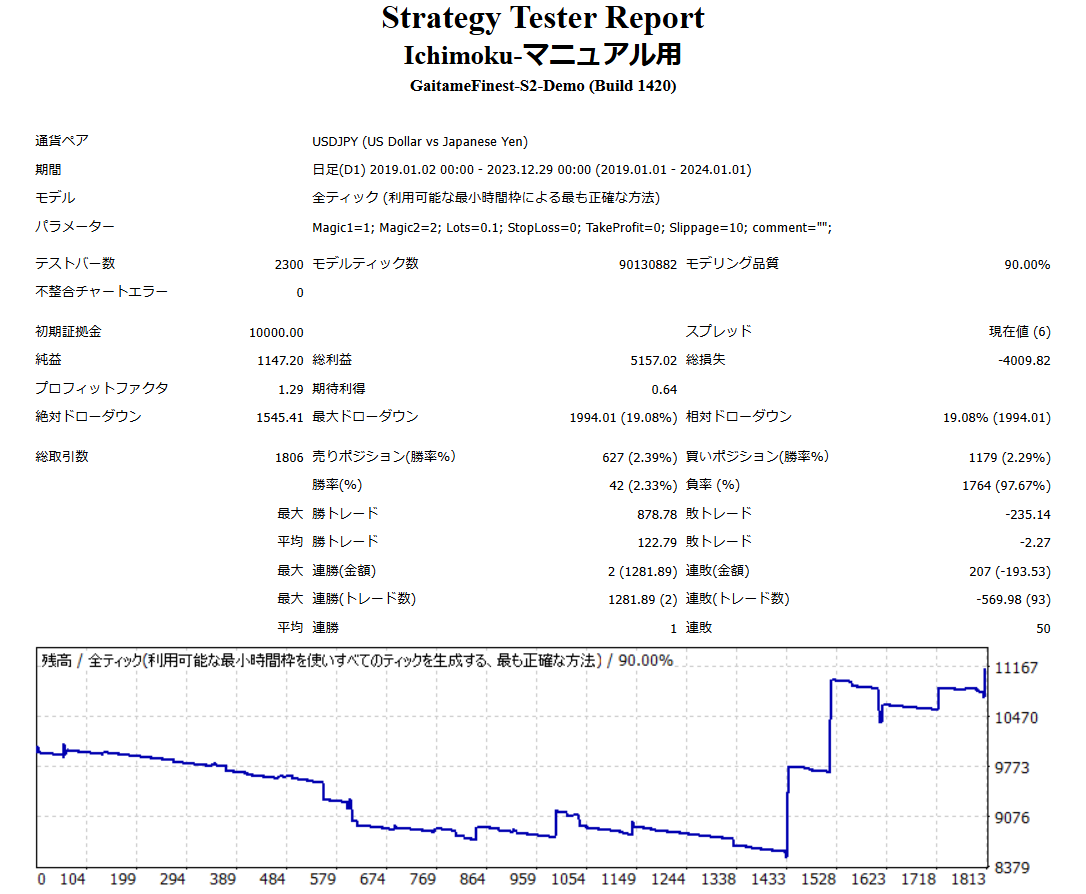
Now, test the EA created with the above settings.
Backtests for the period 2019-01-01 to 2024-01-01 are as follows.
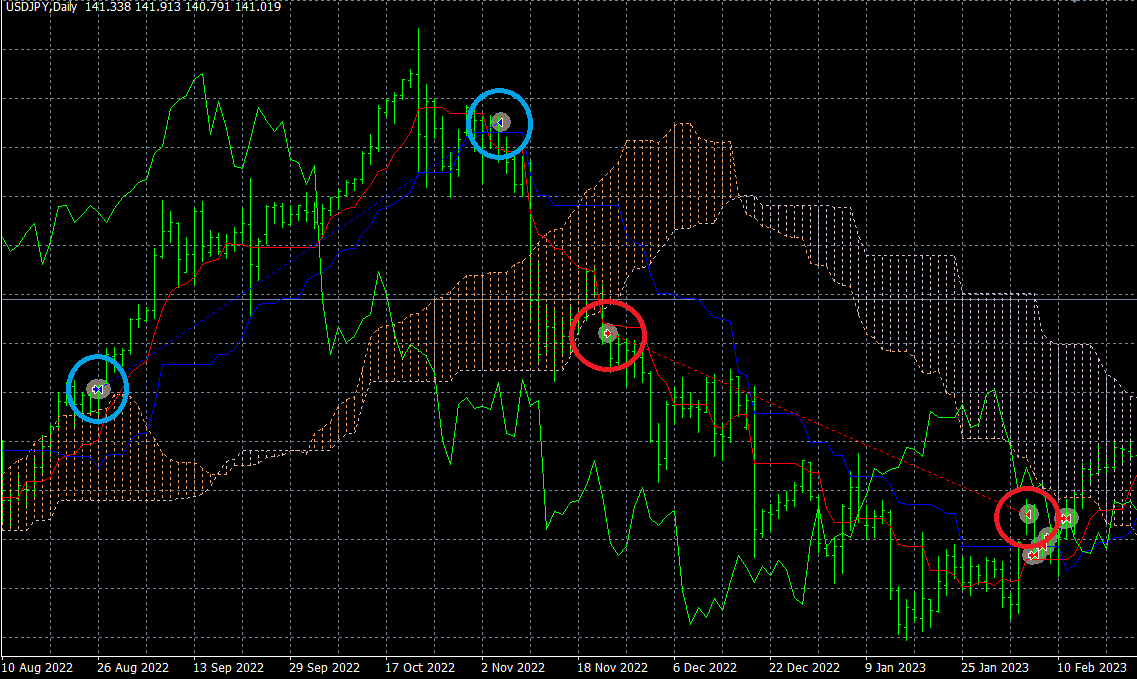
Let's review a trade example.
This is an example of a trade where the trend was captured well thanks to the Three-Line Bullish Reversal.
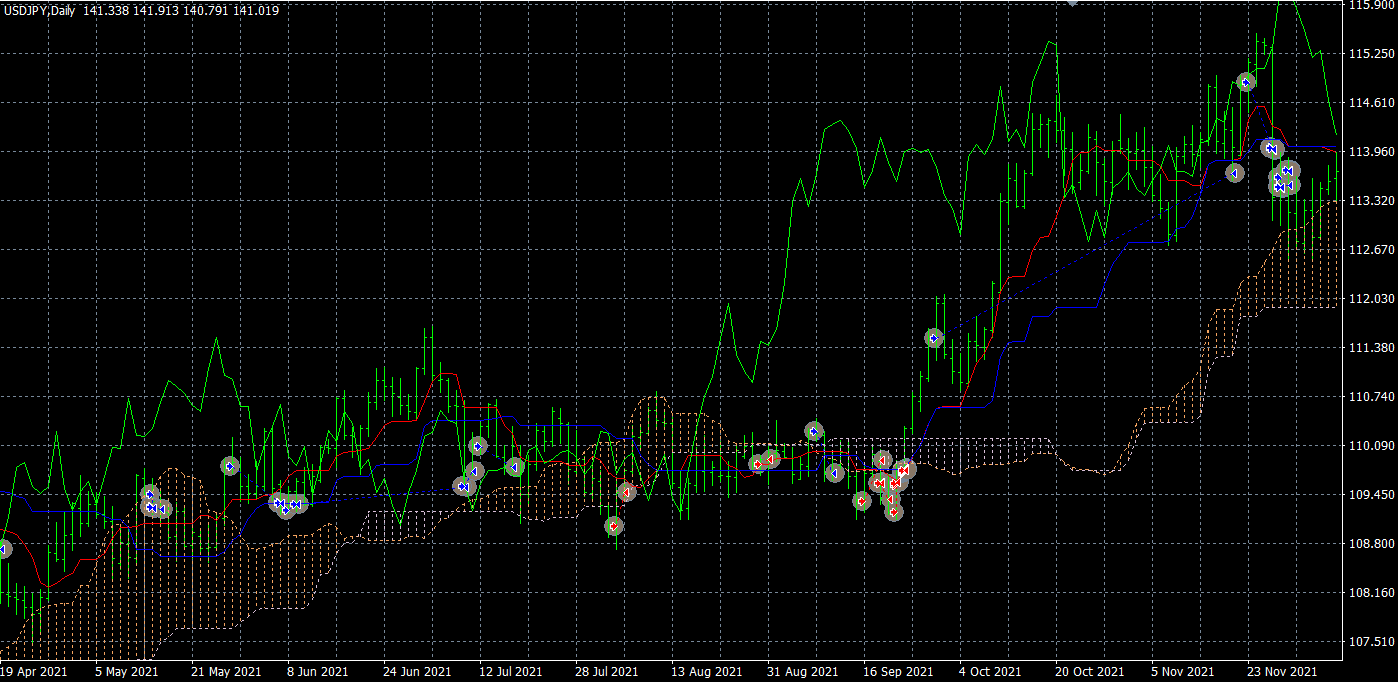
This is an example where an entry in a range market did not result in a good trade.
Thus, when actually running as an EA, some parts work well while others do not; achieving consistent profits is not easy.
However, by researching and using such indicators to trade with an edge, you can also create profitable EAs.
As one example, by adding RSI-based entry conditions to the above EA and changing the time frame to 1-hour, the results change as follows.
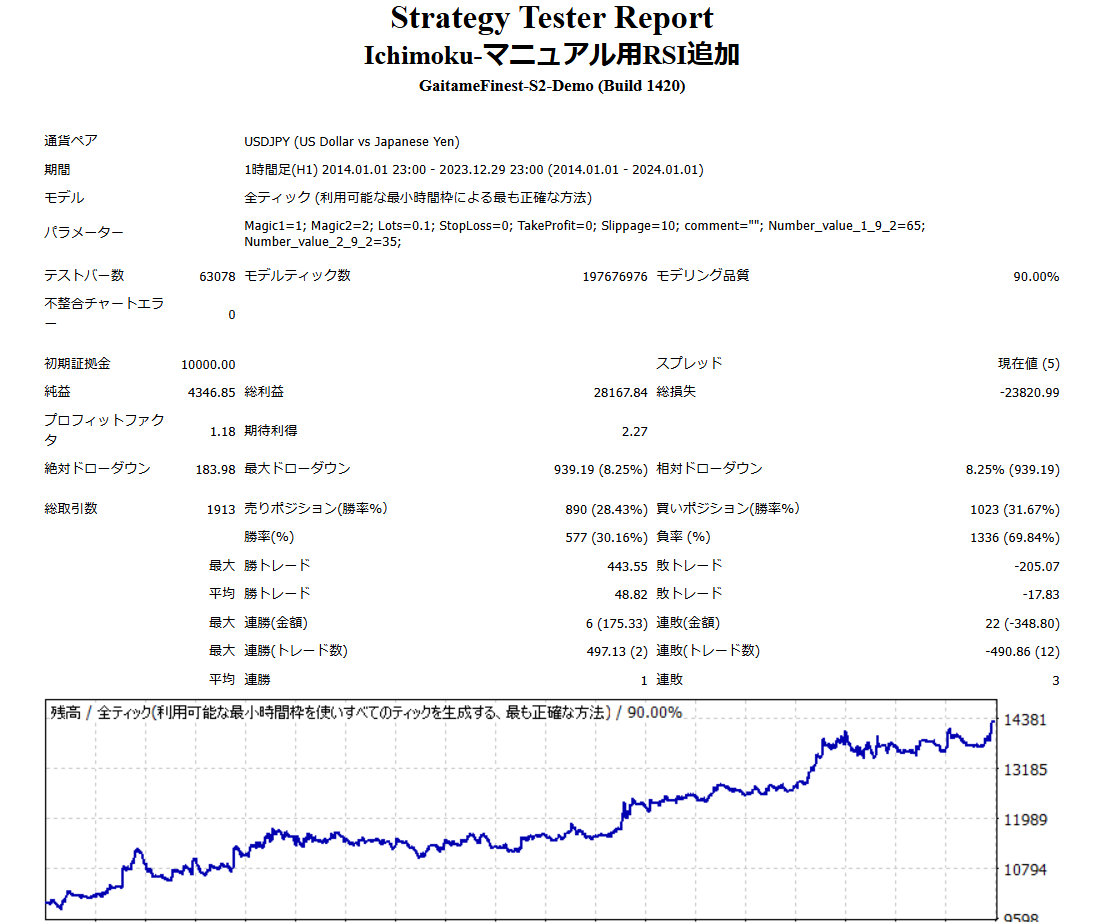
This does not mean it is universally correct, but you can see improved win rate and overall profitability compared to before.
In this way, by being inventive, you can create EAs by leveraging each technical indicator one by one, so please try EA Builder.
Conclusion
That covers the method for creating an EA using Ichimoku Kinko Hyo.
This is a basic approach; to produce a marketable "good EA," you will need more fine-tuning and testing.
EAs created with EA Builder may not operate exactly as intended for various reasons, such as combinations of conditions or mis-specifications of conditions.
Please verify operation via backtesting and a demo account before starting to trade on a real account.
We appreciate your continued use of EA Builder.
Questions? Head to LABO!
 | GogoJungle LABO An Q&A service focused on programming for automated trading, indicators, and other investment-related topics. In the EA Builder category, we accept questions and consultations related to EA Builder. |
Purchase Here!
 | 『EA Builder』 MT4/MT5 Compatible No-code EA development for anyone, with fully automatic or semi-automatic trading to make your trading a little easier! |