Let's try pyramiding by averaging down
Introduction
We are GogoJungle Co., Ltd., the operator of GogoJungle / Skijan.
This time, for those who understand the basic operations of EA Tsukuru, we will introduce how to create a simple EA using the optional features “Nanpin” (averaging down) and “Pyramiding,” as well as the backtesting methods and results.
If you are new to EA Tsukuru, please review the past articles from the links below.
・Basic operations and usage of EA Tsukuru
・Comprehensive explanation of trading conditions
・Learn about the options
・Let's create a simple EA using Golden Cross
・Try using MACD
Table of Contents
・What Nanpin is
・What Pyramiding is
・Nanpin and Pyramiding settings
・Sample EA using Nanpin
・Sample EA using Pyramiding
・Conclusion
Nanpin (Averaging Down) Explained
Nanpin is one of the traditional trading techniques.
When the market moves in a direction that incurs unrealized losses on already-held positions, this technique adds positions with the aim of lowering the break-even point.
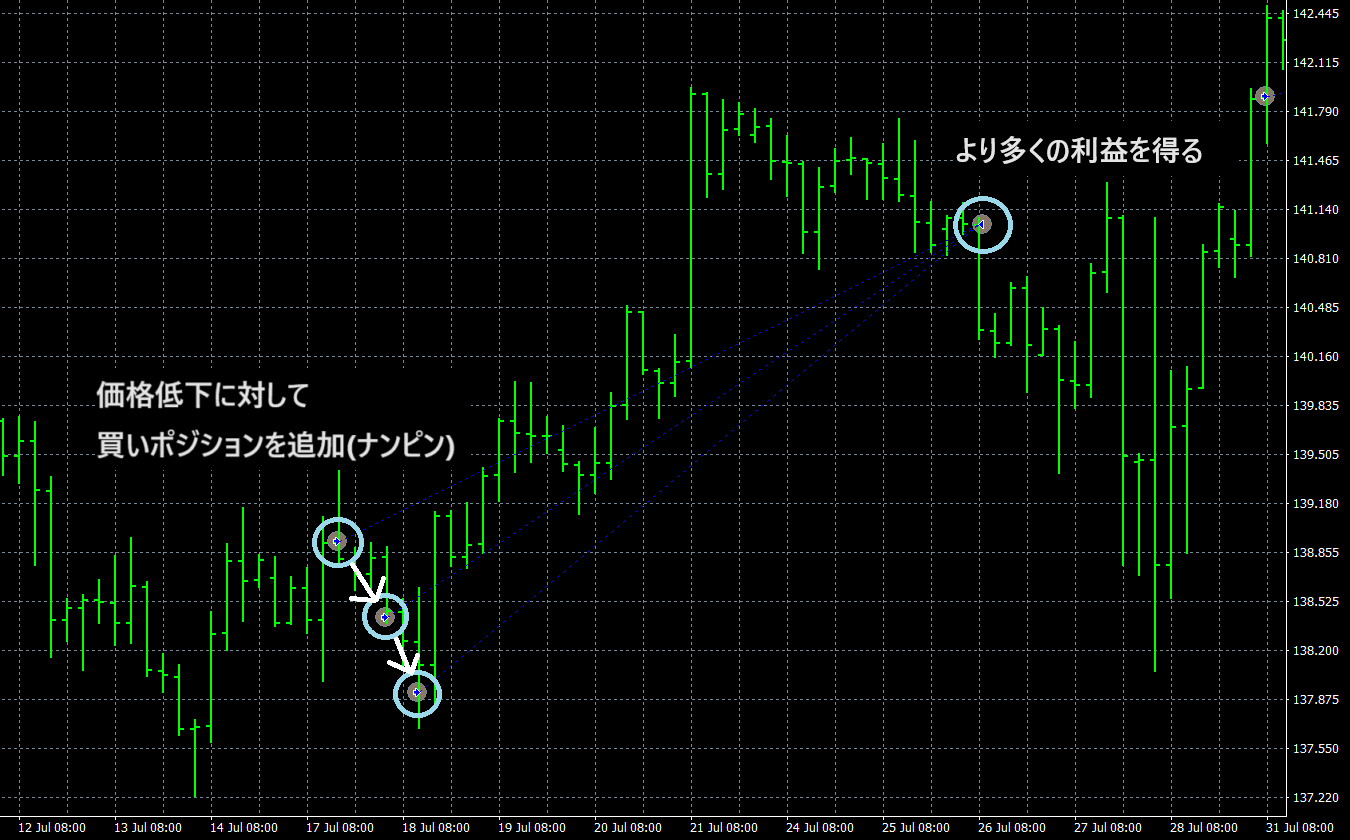
By lowering the overall average cost of the positions, you can more efficiently gain profits when the market moves in the direction of profit.
However, if the market worsens further after initiating Nanpin, losses can widen, so beginners should be especially cautious with this method.
Pyramiding
Pyramiding is another method of adding to positions, similar to Nanpin.
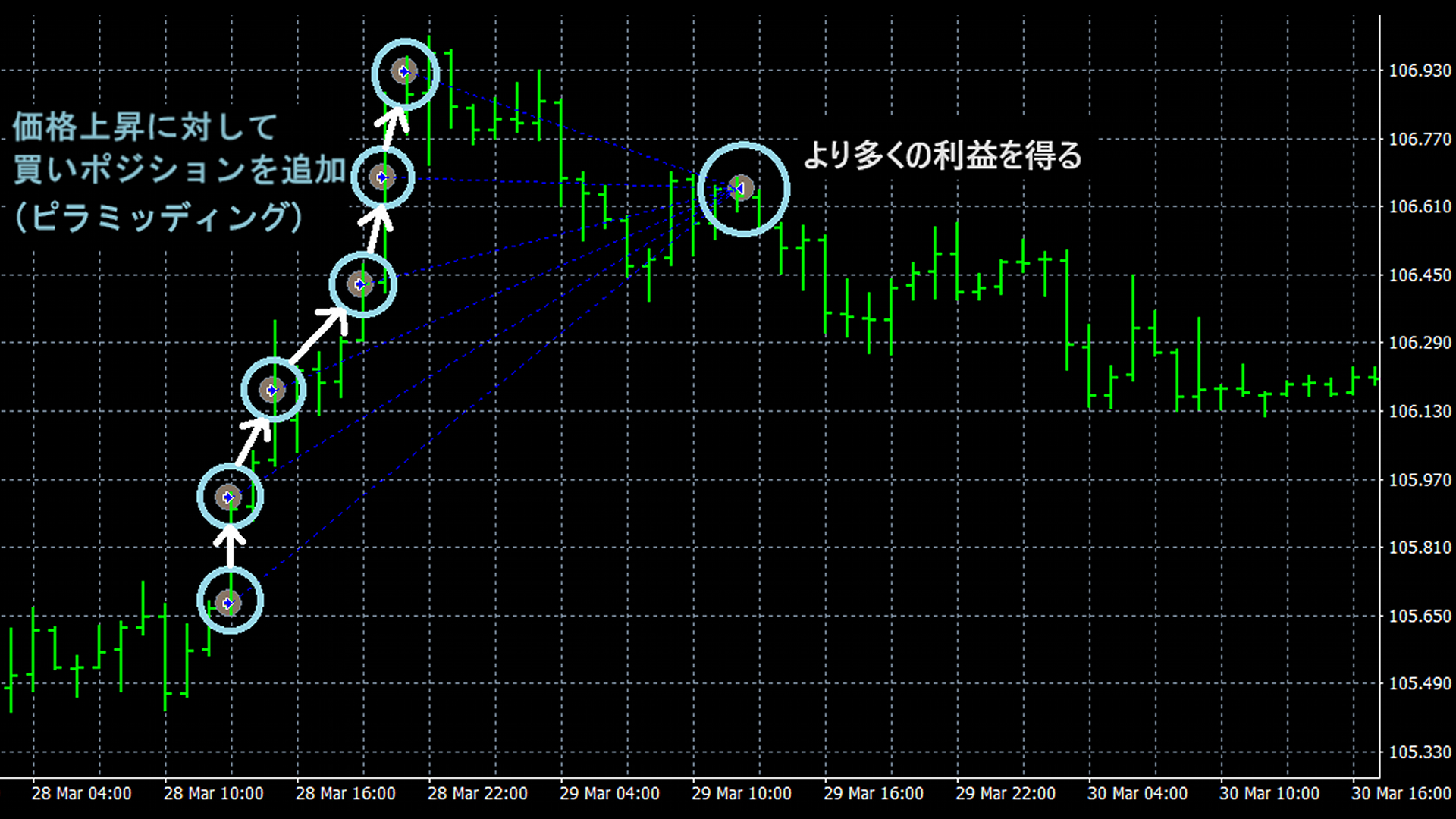
When the market moves in a direction that yields unrealized gains on the initial position, you add to positions to ride the trend.
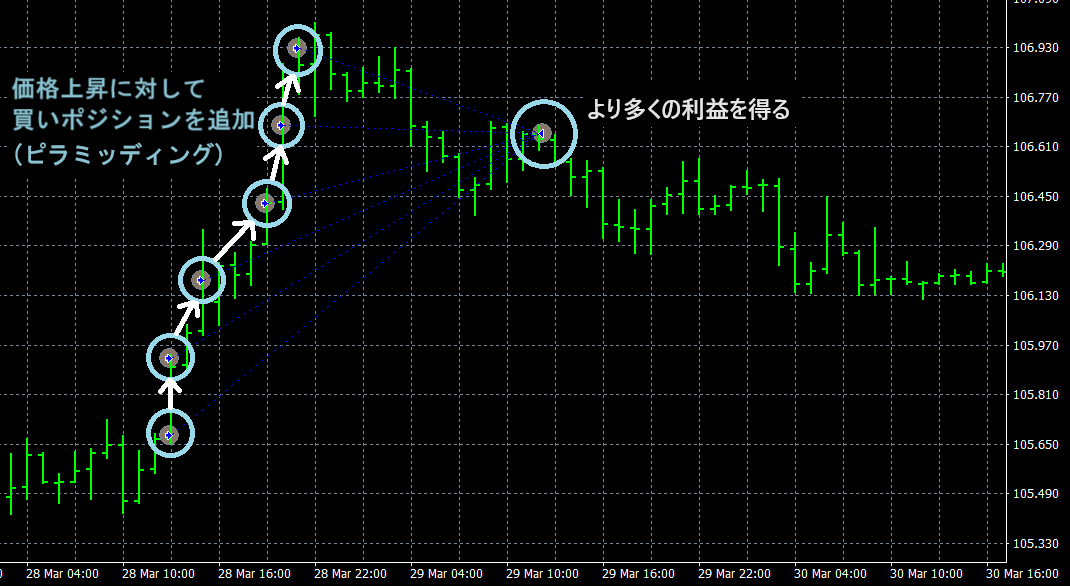
If you can ride the trend, you can profit efficiently, and entering in multiple steps helps to diversify risk.
On the other hand, since the overall average cost increases, if the market reverses, profits can be eroded and losses can widen.
Pyramiding is categorized by the method used to add to positions.
Sequential Pyramiding
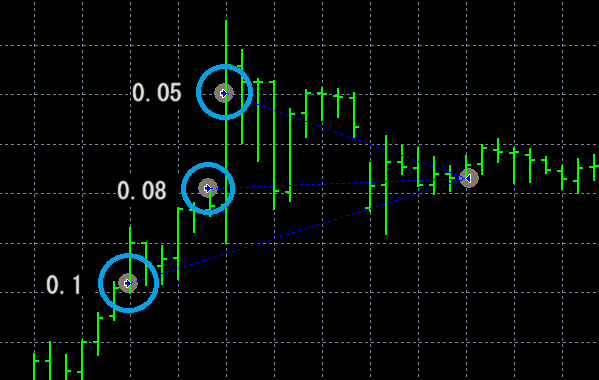
Sequential pyramiding (scale-down pyramiding) is a method where the lot size of additional orders gradually decreases. It is effective for risk diversification.
Inverse Pyramiding
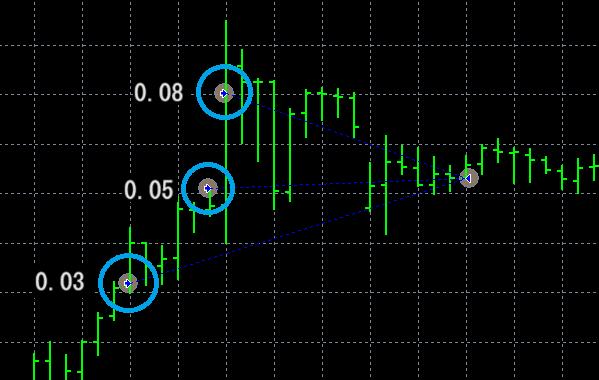
Inverse pyramiding gradually increases the lot size of additional orders. The initial position is relatively smaller. While you can add positions as you monitor the market, holding larger positions toward the end of a trend carries corresponding risk.
Rectangular Pyramiding
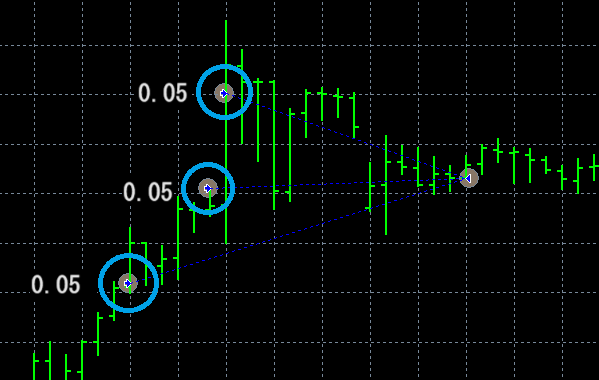
Rectangular pyramiding (equal-position pyramiding) adds to the position in the same quantity as the initial position. It sits between sequential and inverse pyramiding.
Nanpin and Pyramiding Settings
Now, let's actually review how to configure these settings.
The options settings are as follows.
Develop -> EA Tsukuru -> Options
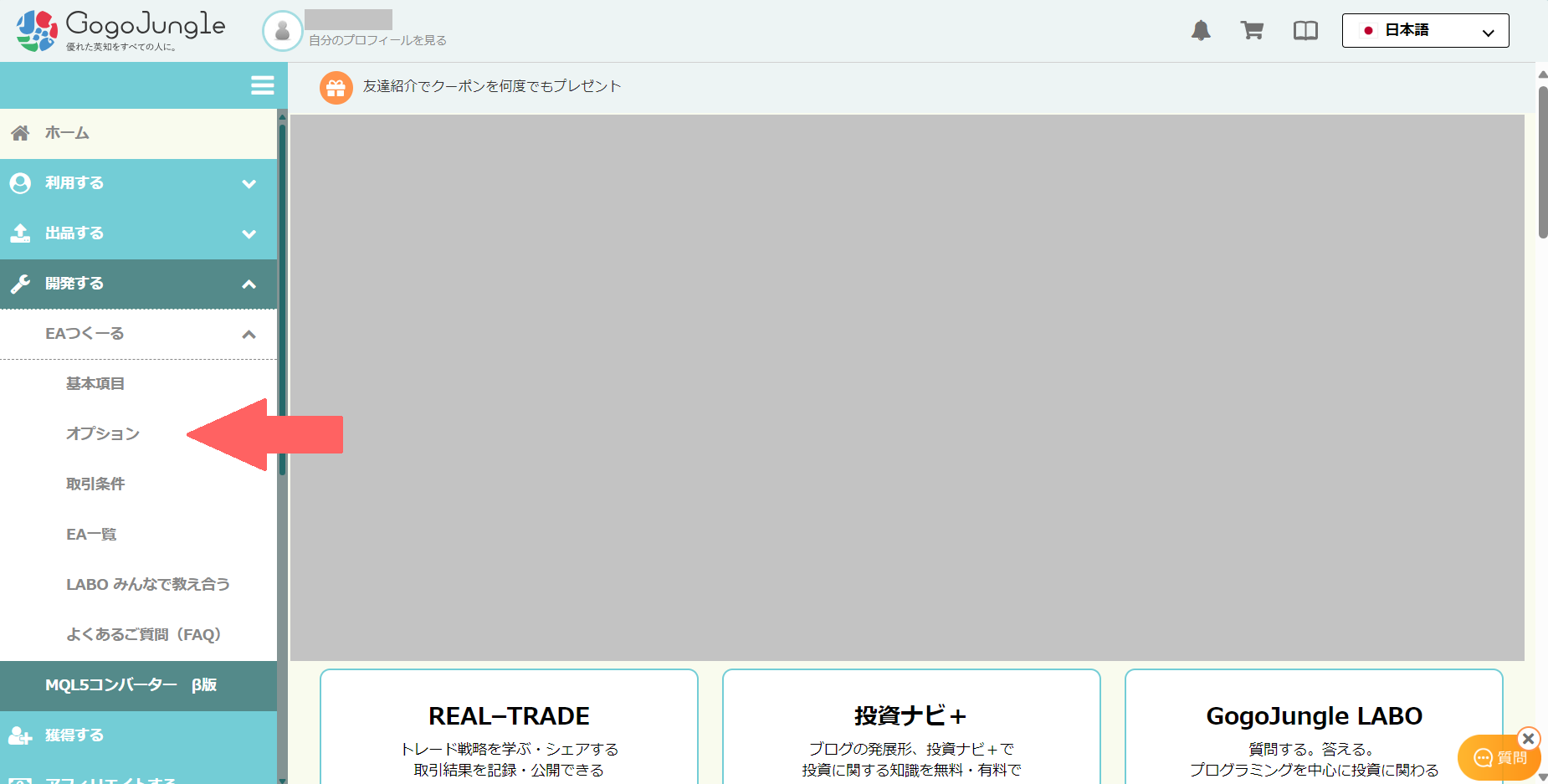
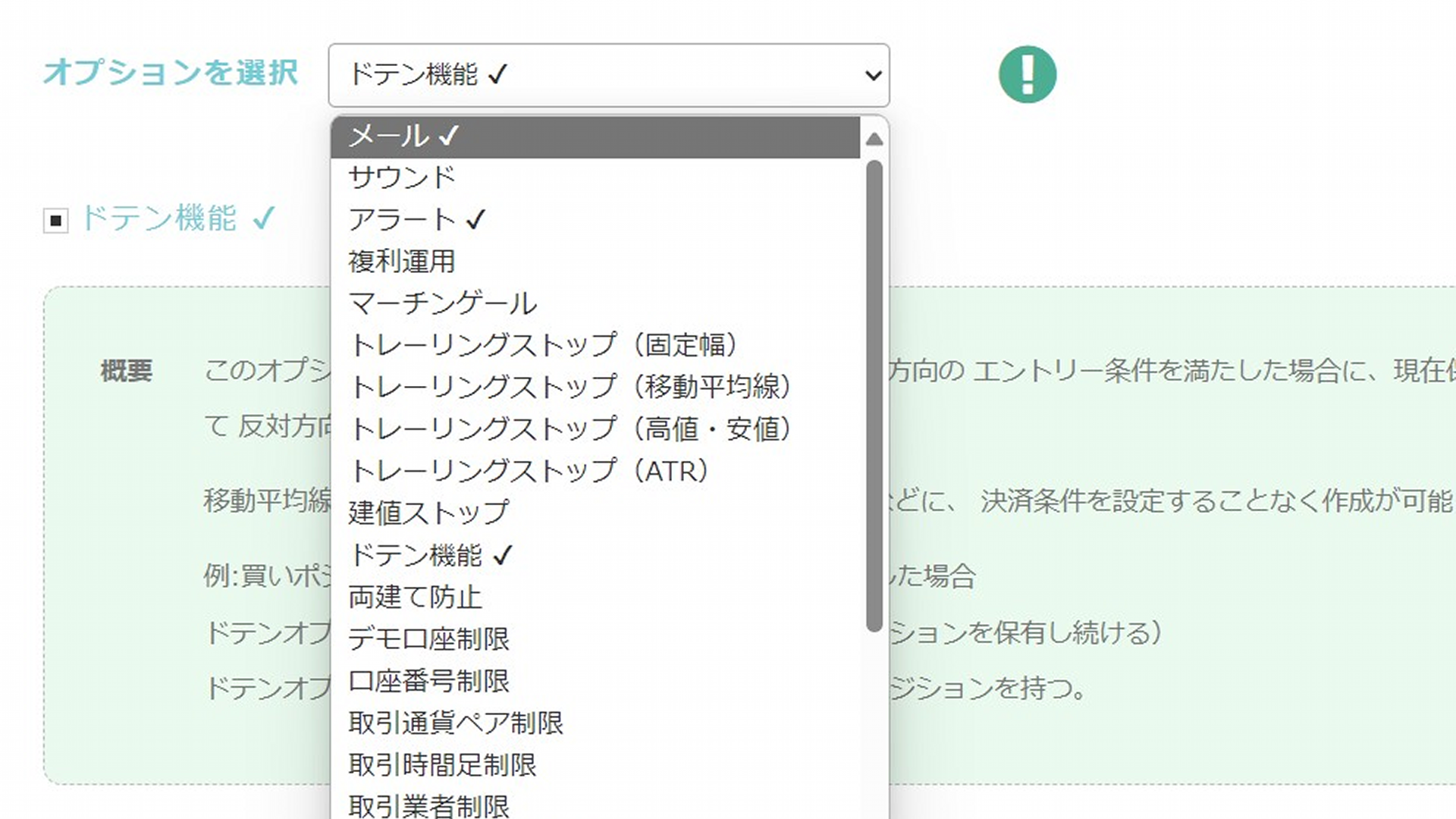
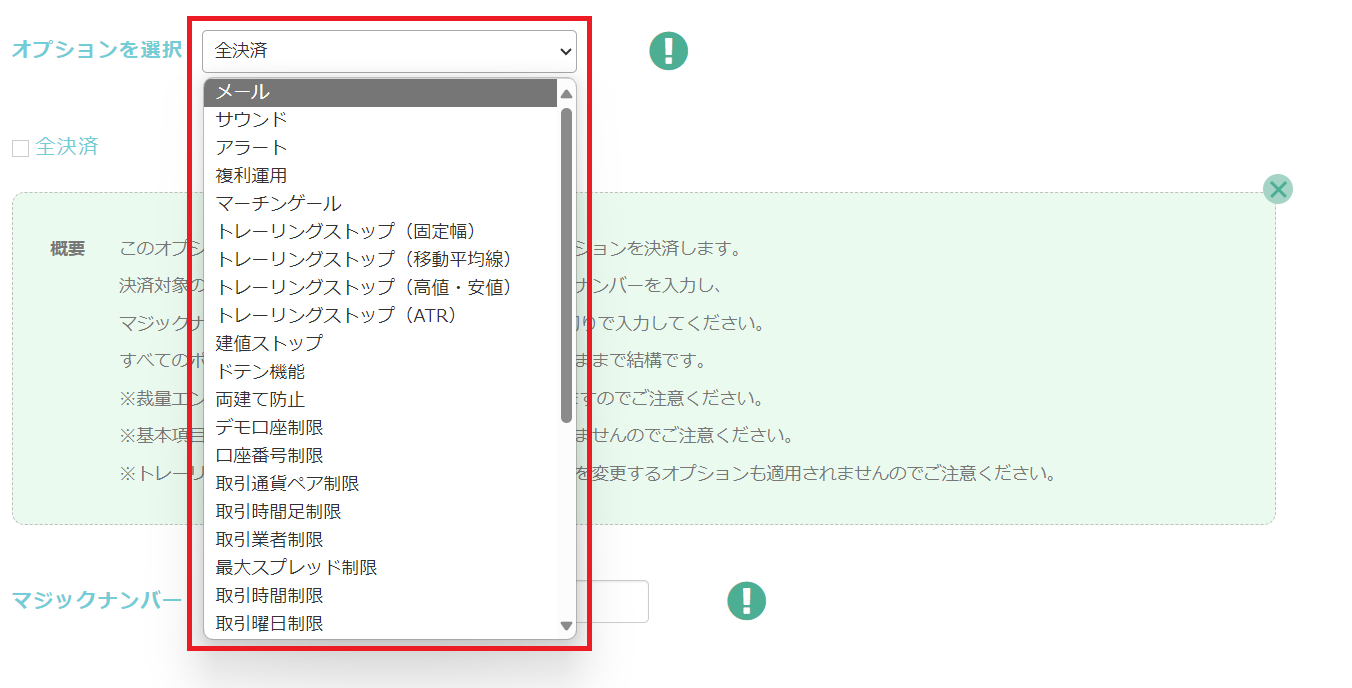
From “Choose Options,” select the Nanpin option.
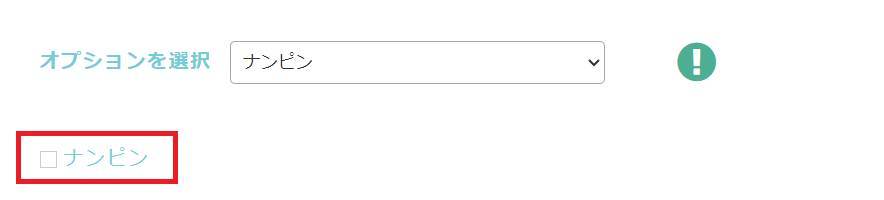
Check the checkbox.
※ Because Nanpin and Pyramiding involve holding multiple positions due to their logic, there are options that involve change orders“Trailing Stop” “Breakeven Stop”and cannot be used in combination, so please be careful
※ Also note that basic items like “Stop Loss” and “Take Profit” apply only to the initial entry
Nanpin Settings
We will actually review the numeric settings for the options.
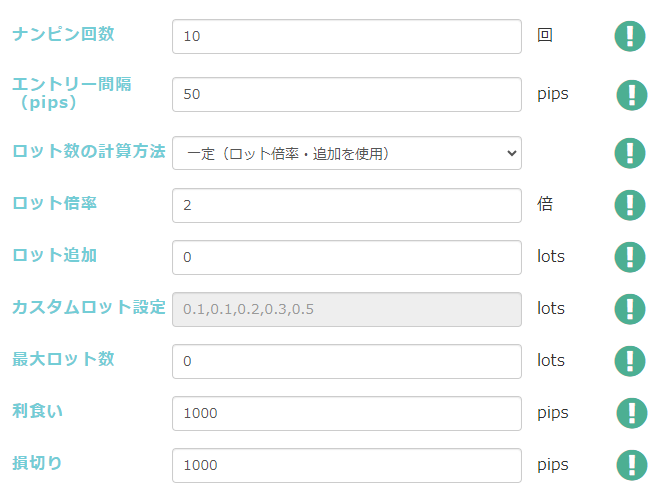
In EA Tsukuru, you can configure “Nanpin Count,” “Entry Interval(pips),” “Lot Calculation Method (Fixed/Variable)”, “Maximum Lot Size”, “Take Profit” and “Stop Loss.”
Nanpin adds positions each time the rate moves against you by the specified “Entry Interval (pips).”
The additional positions are executed up to the number specified by the “Nanpin Count,” and the combined profit/loss (in pips) of each position, if it exceeds the configured “Take Profit” or “Stop Loss,” will close the position.
There are two methods to calculate the lot size: Fixed (using Lot Multiplier and Add-on) and Variable (using Custom Lot Settings).
If you want the added lots to increase or decrease exponentially, you can implement it by setting a value for “Lot Multiplier.” If you want to decrease the number of lots with each Nanpin, enter a decimal (e.g., 0.9).
Also, if you want the added lot quantity to vary by a fixed amount, set the Lot Multiplier to 1 and enter a value for “Lot Add.”
※ If “Lot Multiplier” is not 1 and “Lot Add” is set, trading quantity becomes [Lot Multiplier + Lot Add].
If you want to specify lots not fixed but according to Nanpin count, select “Variable” in the “Lot Calculation Method” and configure the Custom Lot Settings, as shown below.
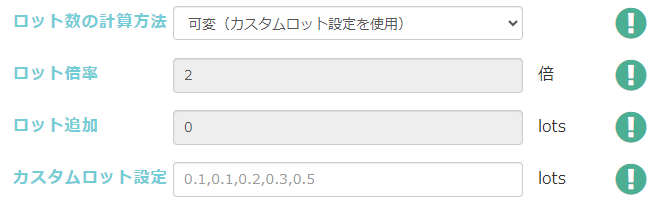
Custom Lot Settings are comma-separated; for example 0.1,0.1,0.2,0.3,0.5 would apply the configured lot size up to the fifth Nanpin position, and from the sixth position onward the last setting (0.5
※ If a “Maximum Lot Size” is configured (non-zero), it serves as the upper limit.
Pyramiding Settings
Next, let's review the numerical settings for pyramiding.
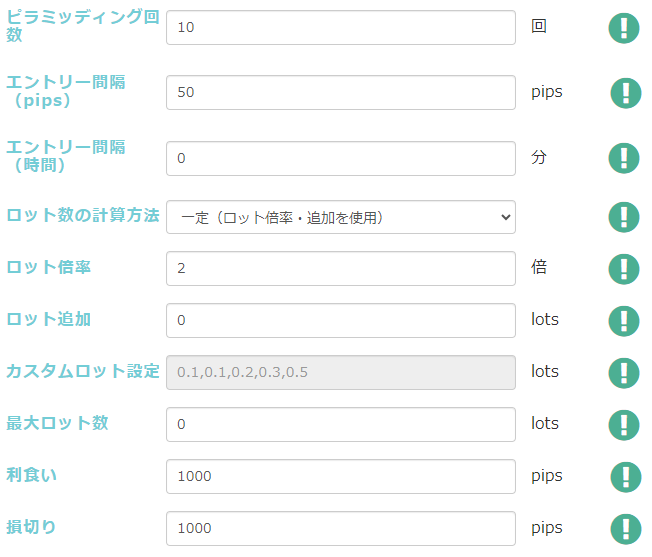
Pyramiding settings are largely the same as Nanpin, including “Pyramiding Count,” “Entry Interval (pips)” “Entry Interval (Time)” “Lot Calculation Method (Fixed/Variable)”, “Maximum Lot Size”, “Take Profit” and “Stop Loss” can be configured.
A difference from Nanpin is that you can determine the entry interval not only by price movement (pips) but also by time (minutes).
The addition of positions in pyramiding is performed up to the number specified by “Pyramiding Count.”
The concepts of “Lot Calculation Method” and “Take Profit”/“Stop Loss” are the same as those described for Nanpin above.
Sample EA Using Nanpin
Now, let's actually check the trading results of an EA that incorporates Nanpin and Pyramiding options.
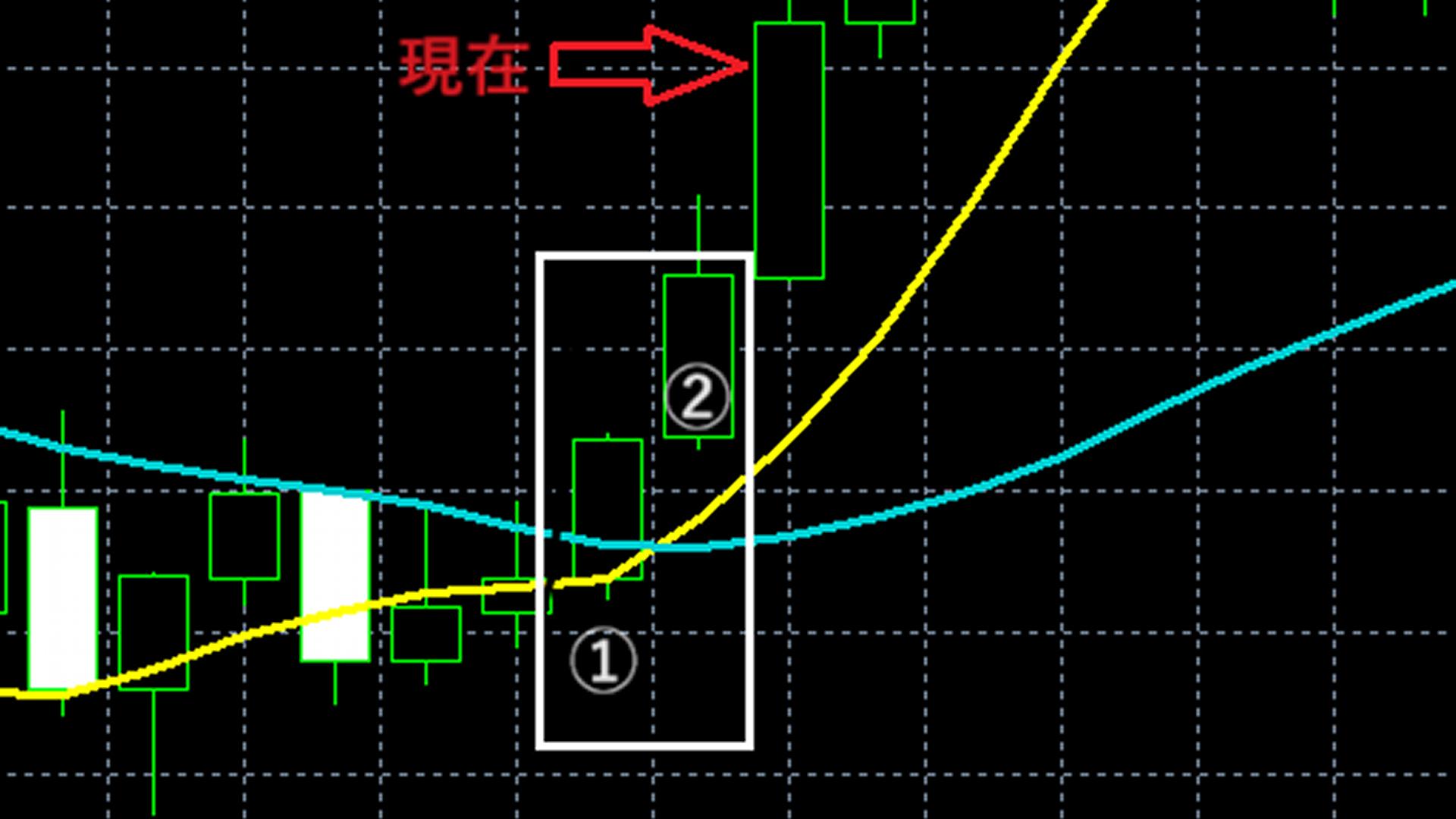
The logic uses the Golden Cross EA created in the previous articleLet’s Create a Simple EA Using Golden Cross.
※ Nanpin/Pyramiding options alone will not execute trades, so be sure to set entry conditions in the trading conditions screen
Options Settings
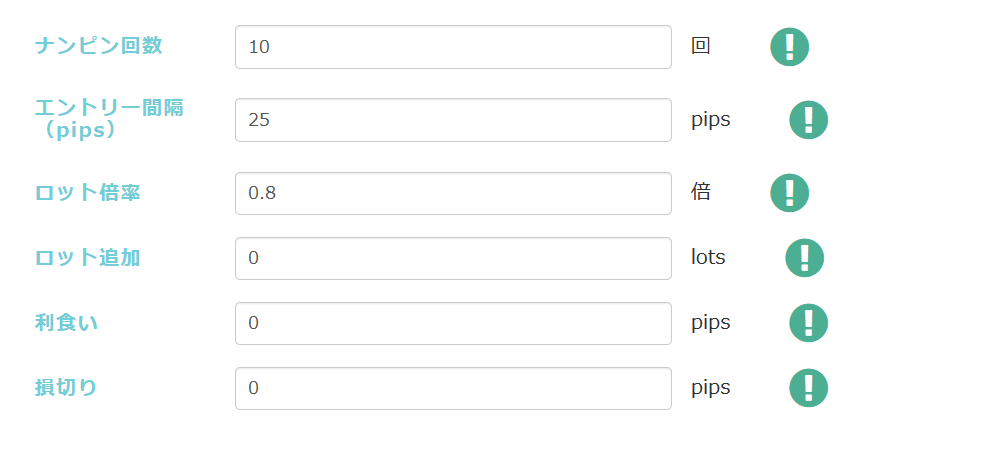
The Nanpin option was configured as follows. Nanpin occurs up to 10 times every 25 pips. Take profit and stop loss are not configured for simplification.
Backtest Results
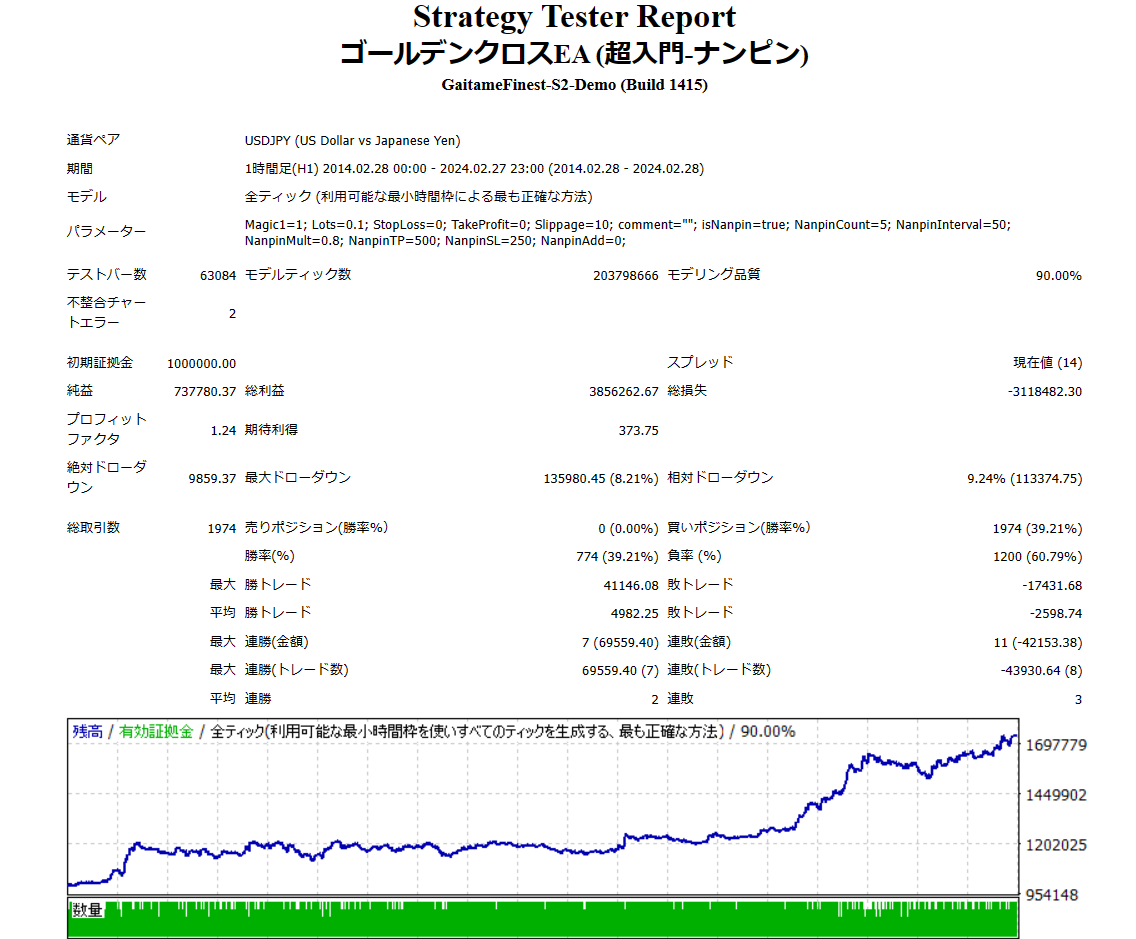
Over 10 years, USD/JPY, 1-hour chart backtest results are as follows.
Trading Examples
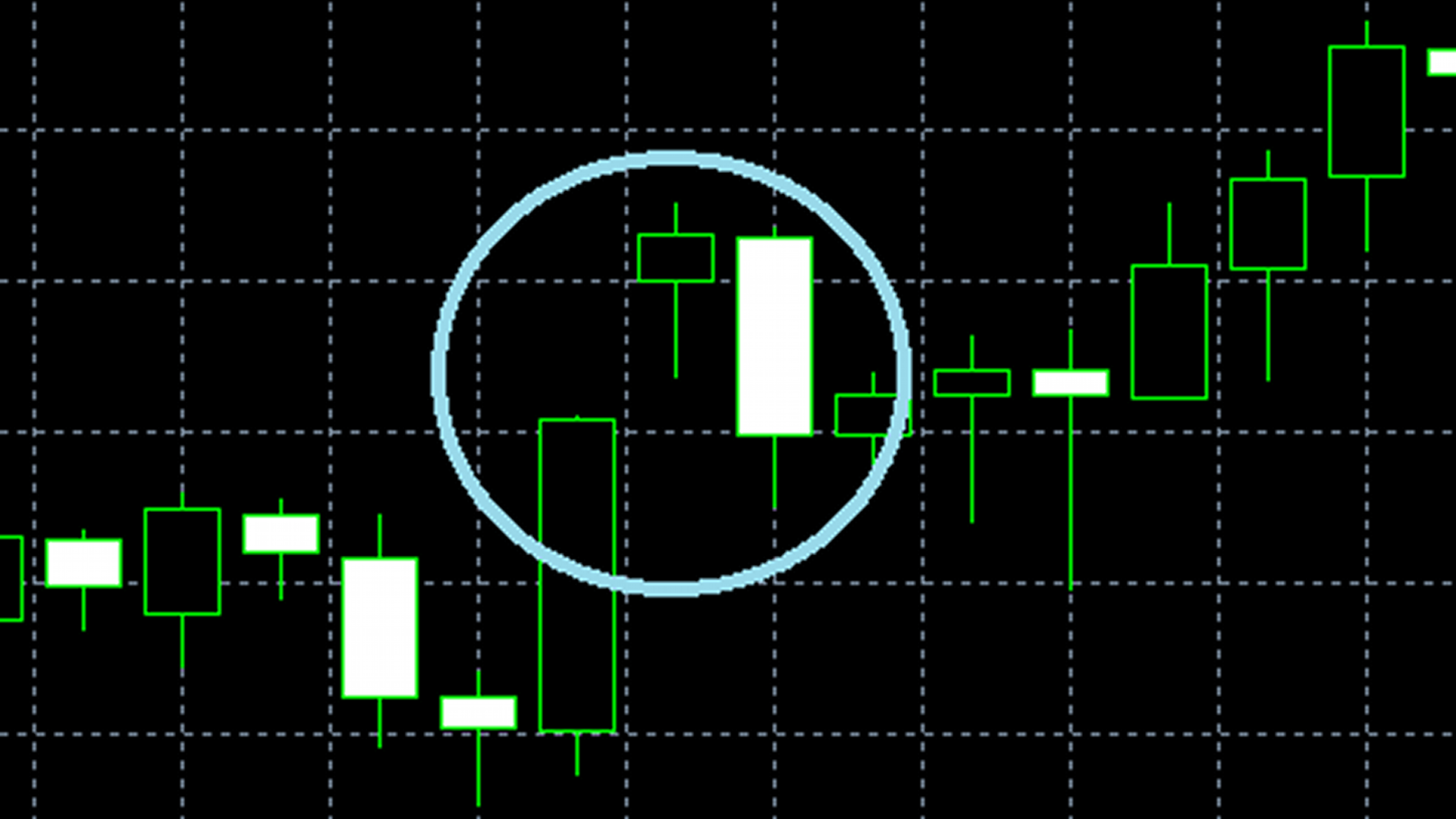
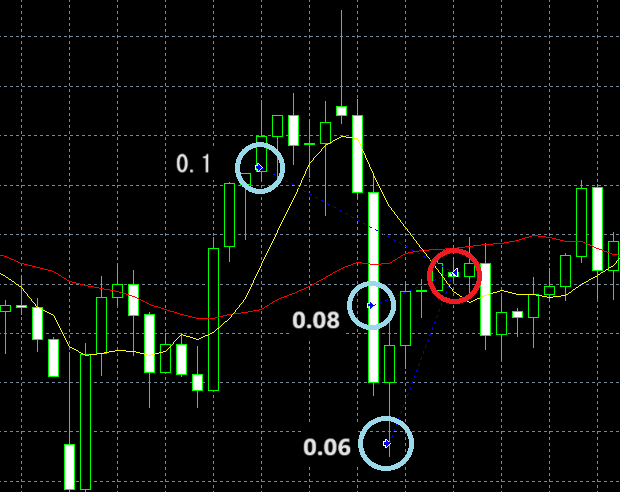
We made undesirable entries by missing the trend, but Nanpin helped to mitigate losses.
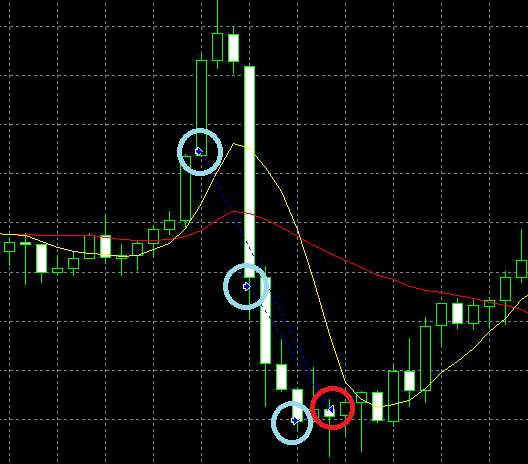
There are trades where careless Nanpin worsened losses.
Sample EA Using Pyramiding
Similarly, we added the Pyramiding option to the Golden Cross EA and performed a backtest.
Options Settings
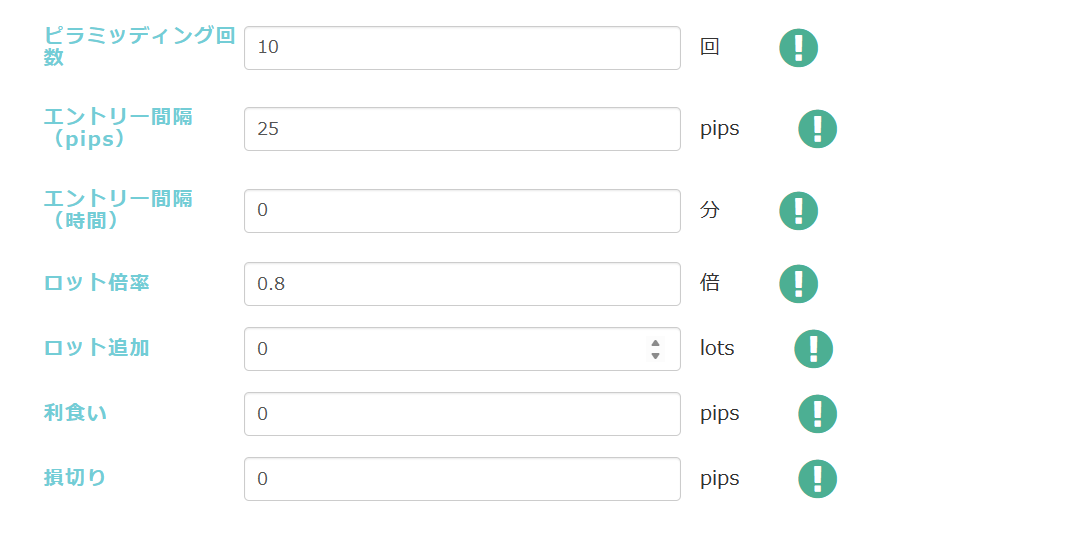
Pyramiding options were configured as follows.
We adopted Sequential Pyramiding, and like Nanpin, we did not configure Take Profit or Stop Loss for simplification.
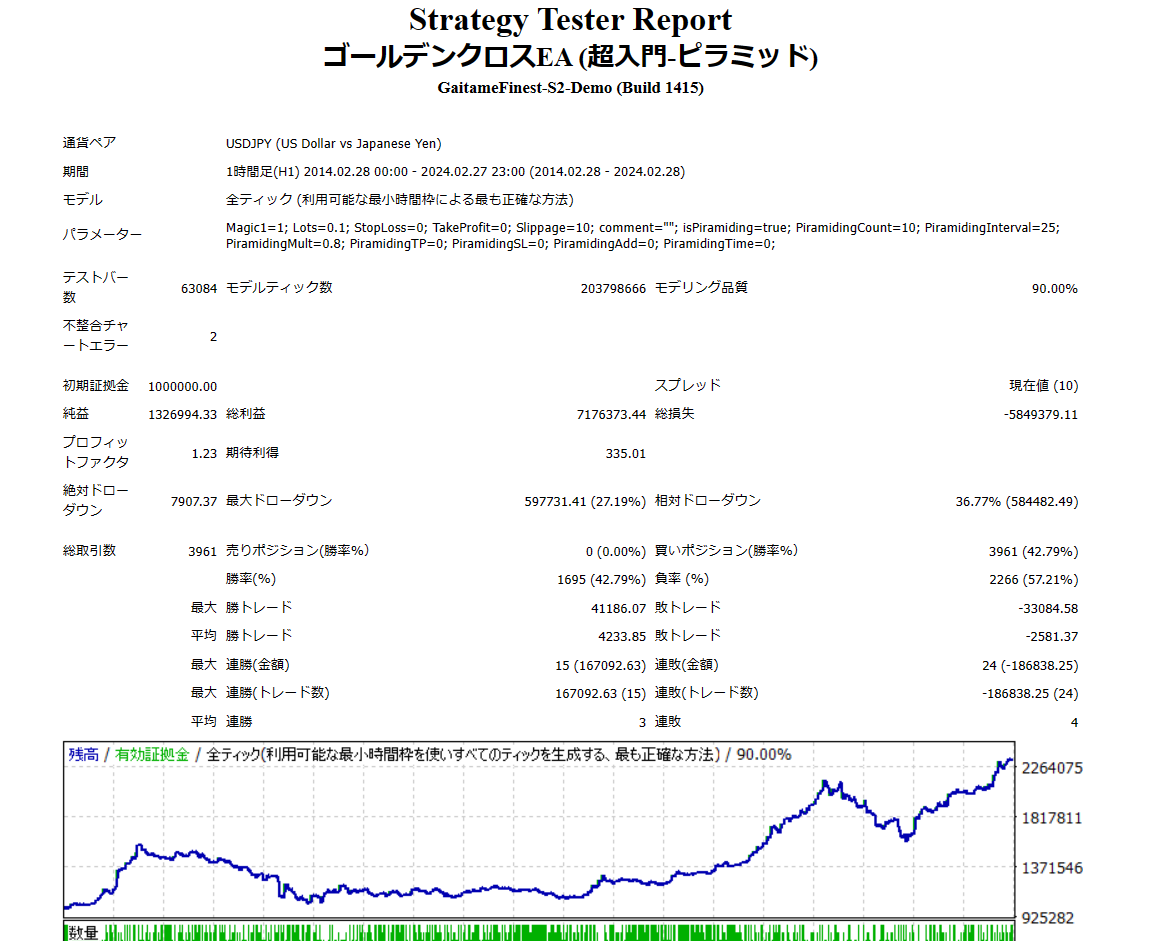
Backtest Results
Over 10 years, USD/JPY, 1-hour chart backtest results are as follows.
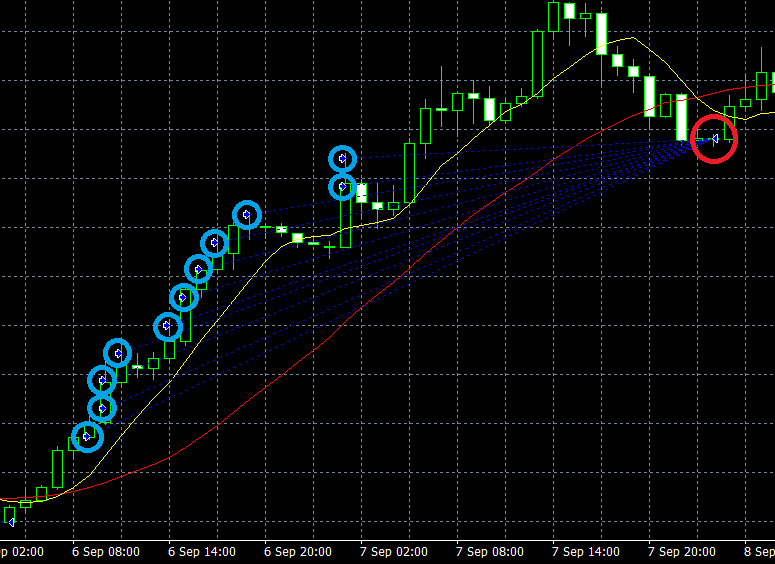
Trading Examples
As a result of pyramiding, profits can be accumulated efficiently.
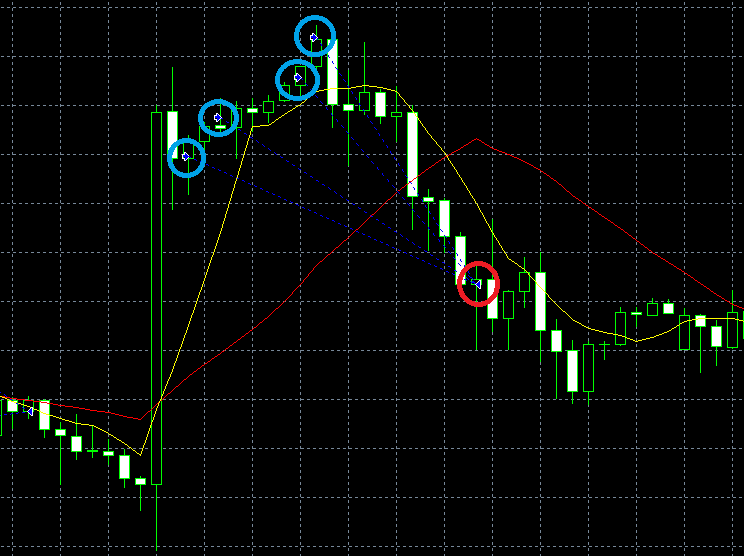
There are trades where losses are expanded due to pyramiding.
From the above results, profits appear to have increased, but when checking win rate, average gain, average loss, and the profit factor,the article created earlier, “Let’s Create a Simple EA Using Golden Cross,” shows that the EA without options did not necessarily perform better.
Also, because the total lot size held per entry varies, comparisons at the same level are difficult.
However, you can see from the trading examples that the nature of each trade changes to some extent, so by improving entry/exit accuracy and optimizing option settings, you can create an EA that performs better.
Conclusion
That concludes the introduction to Nanpin and Pyramiding.
This is only a basic usage introduction; for actual operation, more detailed settings will be required, so please be aware of that.
EA Tsukuru-created EAs may not operate exactly as intended due to various reasons such as combinations of conditions or mis-specification of conditions.
Please verify operation via backtests and a demo account before starting real trading.
We appreciate your continued use of EA Tsukuru.
Questions? Visit LABO!
 | GogoJungle LABO A Q&A service focused on programming for automated trading, indicators, and other investment-related topics. In the EA Tsukuru category, inquiries and consultations related to EA Tsukuru are accepted. |
Purchase Here!
 | 'EA Tsukuru' MT4/MT5 Compatible No-code development of EAs for anyone, with fully automated or semi-automated trading to make your trading a little easier! |