
Let's try using MACD
Introduction
We are Gogojan, Inc., the company operating GogoJungle / Skijan.
This time, for those who have understood the basic operations of EA Tsukuru, we will introduce how to create an EA using MACD (Moving Average Convergence Divergence) and its indicators.
If you are new to EA Tsukuru, please check out the past articles from the links below.
・Basic operations and usage of EA Tsukuru
・A thorough explanation of trading conditions
・Learn about options
・Create a simple EA using the Golden Cross
Table of Contents
・What is MACD
・MACD analysis methods
・MACD settings
・Logic using MACD
・Sample EA using MACD
・Conclusion
What MACD Is
First, we will introduce the MACD technical indicator, which is the topic of this article.
MACD stands for "Moving Average Convergence Divergence." As the name suggests, it is a technical indicator related to the convergence and divergence of moving averages.
MACD is one of oscillator-type indicators, and the chart generated from multiple time-series data helps in analysis across various situations, from market overheating to trend direction.
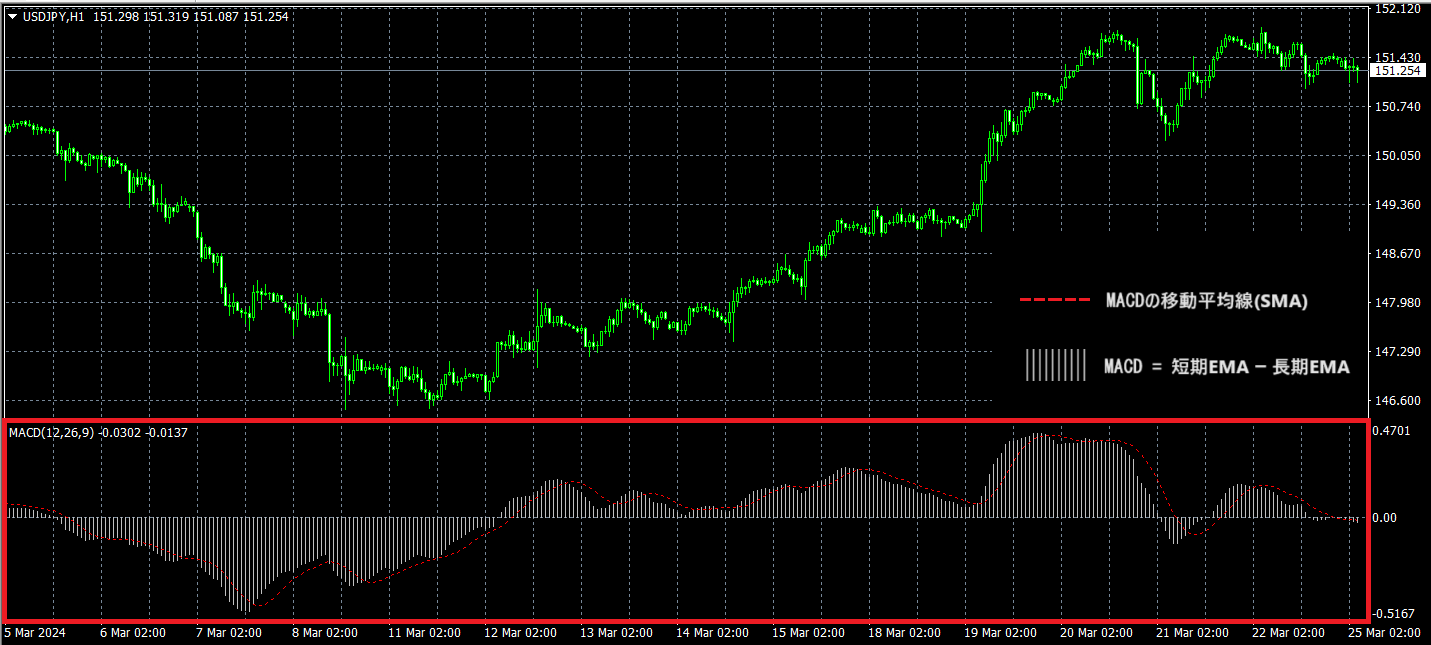
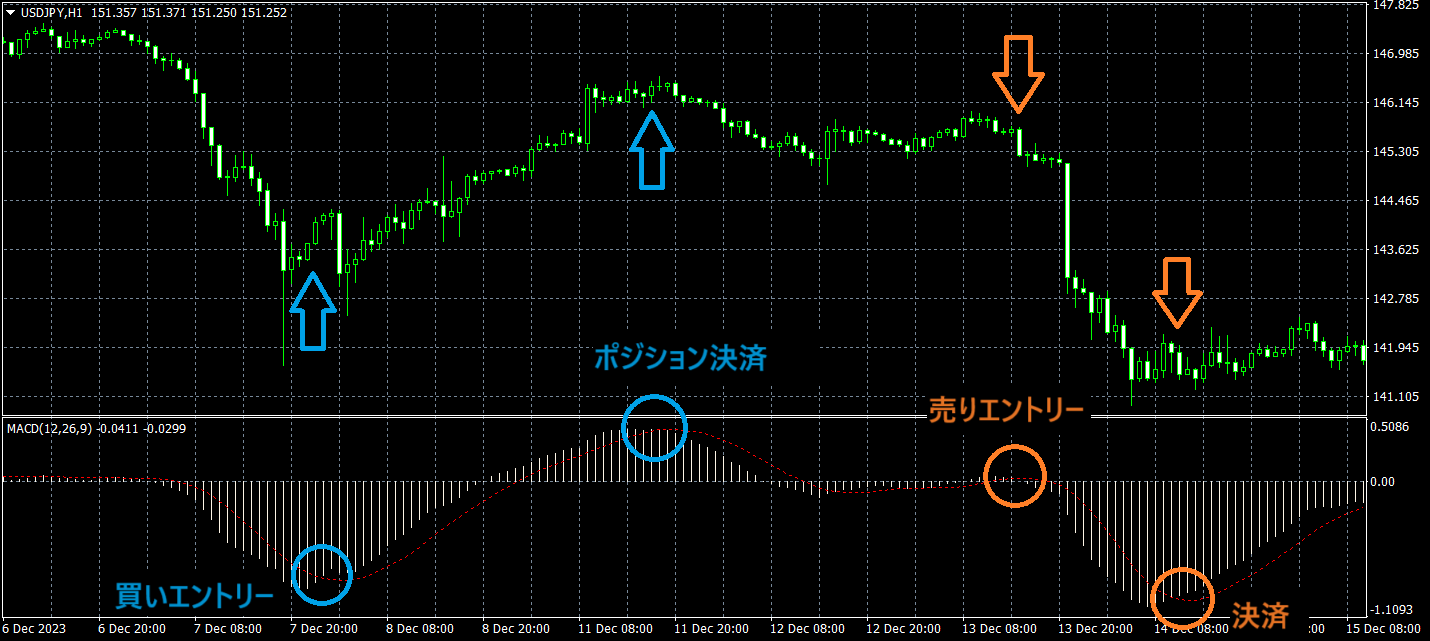
In MT4, the MACD (indicator) consists of a histogram representing the difference between the short-term EMA and the long-term EMA, and a signal line which is the moving average of the MACD shown by the histogram (the red dotted line in the figure above).
MACD is calculated using EMA rather than SMA, emphasizing newer data; this allows it to respond more flexibly to price moves and helps in predicting trends.
There are several variations of MACD, and when displayed in tools other than MT4, you may see versions different from the image above, so be careful.
Another typical representation is an indicator composed of three elements: two lines for MACD and the signal line, and the difference between them calculated as a histogram.
MACD Analysis Method
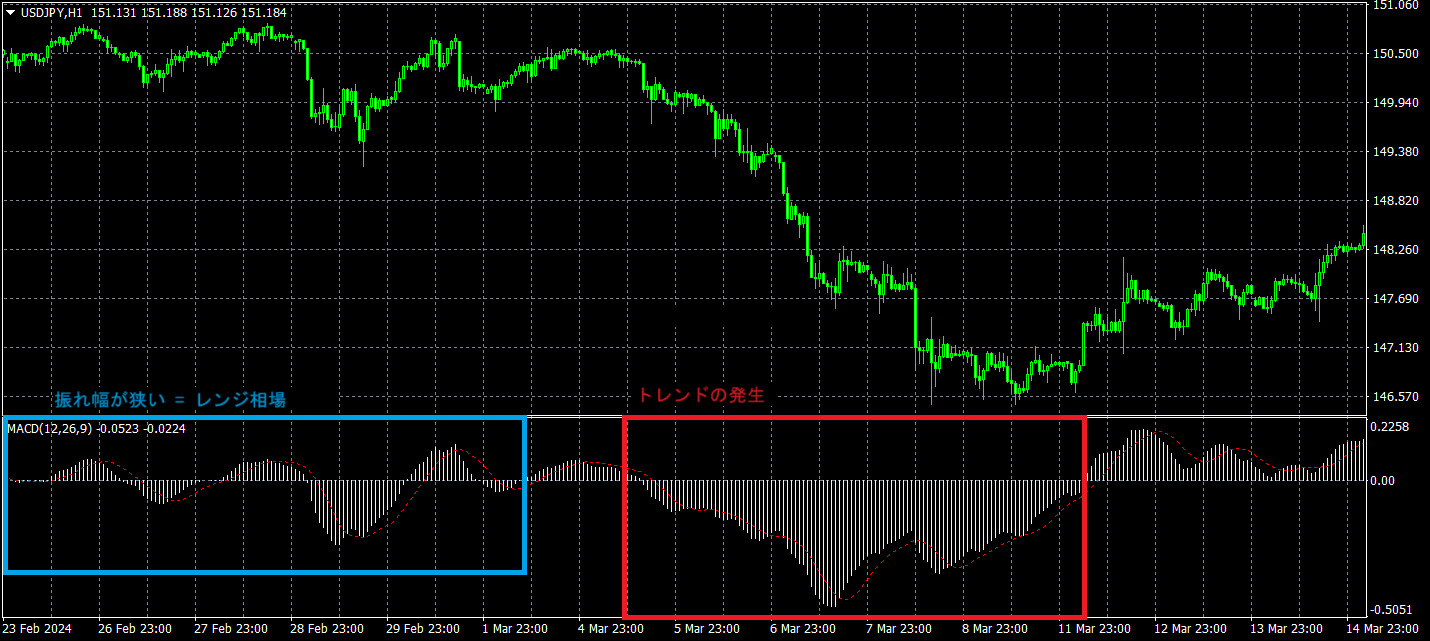
MACD, represented by a histogram, shows momentum based on its calculation. When the histogram's amplitude is large, short-term momentum is increasing; when small, it indicates waning momentum.
From this information, you cannot always decide solely on this data, but you can predict whether the market is ranging or trending.
Also, when MACD is 0, it means the short-term and long-term lines have crossed. This is equivalent to a Golden Cross or Dead Cross produced by moving averages (particularly EMA), and can be considered a signal of trend formation.
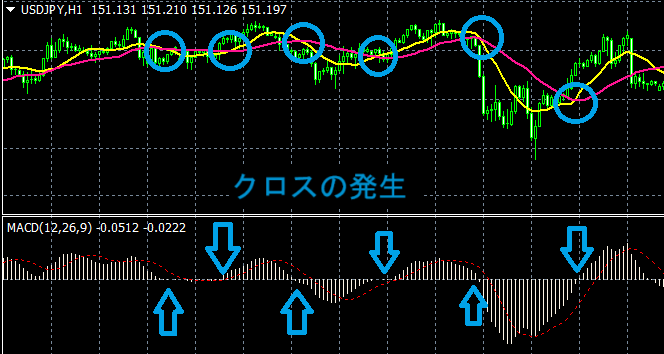
And since the signal line is the moving average of the MACD, it moves more smoothly than MACD and helps in inferring larger trends.
By comparing this signal line with MACD, and using their crossover points as a basis for entry decisions.
As described above, it is a very useful indicator for market analysis, but it can produce false signals, so be careful when using it in both EA and discretionary trading.
MACD Settings
MACD is composed as above by short-term EMA, long-term EMA, and the moving average of their difference. Therefore, when using MACD, there is room to consider the periods for these moving averages.
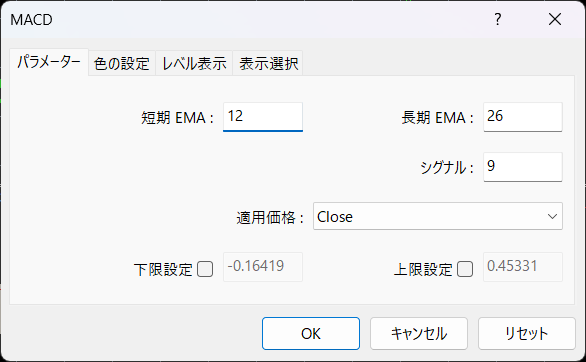
The periods for each indicator are commonly: short-term EMA 12, long-term EMA 26, and signal 9; MT4 standard settings also follow this.
When displayed as an indicator in MT4, the settings are provided as below.
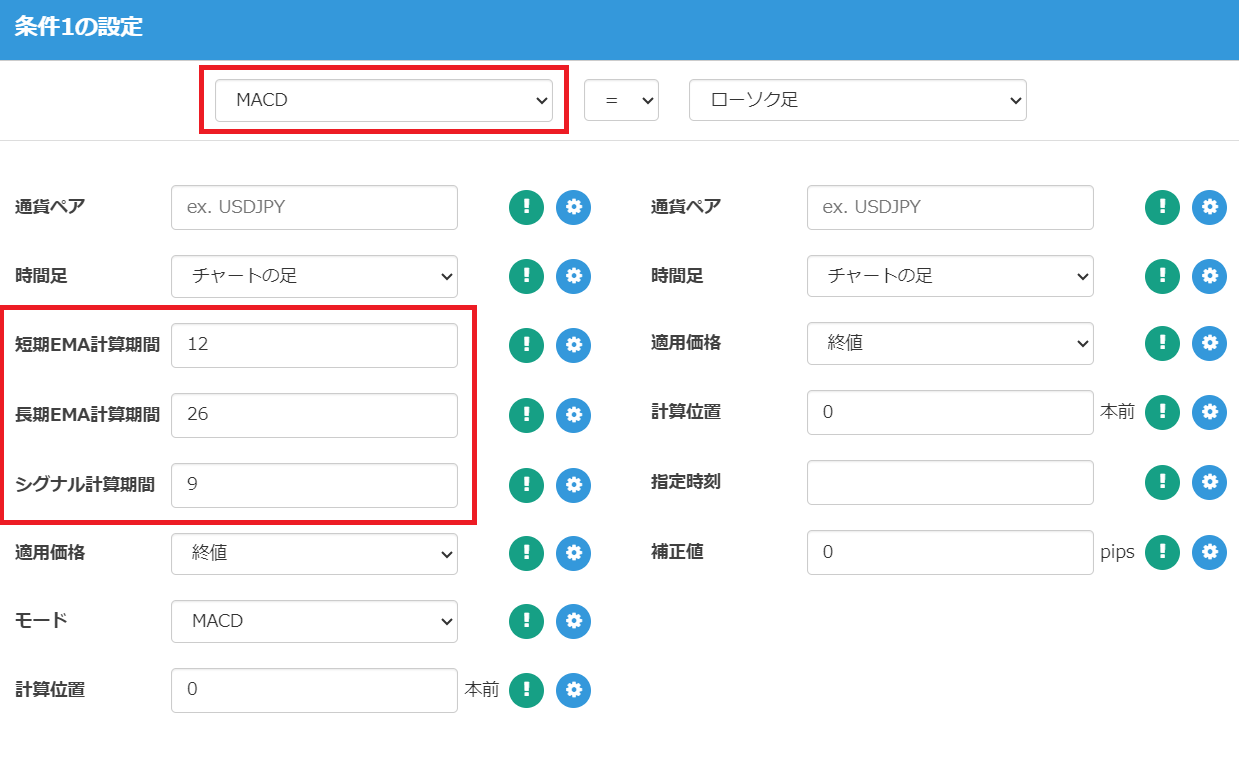
In EA Tsukuru's trading conditions, this is basically the same, and you can use these values as conditions by setting the moving average calculation periods.

MACD Logic
Now, let's actually create logic using MACD calculations in EA Tsukuru.
Because MACD contains several components, you can implement various logics depending on how you use it.
Golden Cross / Dead Cross Alternatives
For example, there is a method where entry is considered when MACD touches 0 and crosses from positive to negative, or from negative to positive.
However, such a logic is effectively the same as Golden Cross/Dead Cross programs using long-term and short-term moving averages, so we will skip it this time.
For details on implementing Golden Cross/Dead Cross-based logic, please refer to the article "Let's create a simple EA using the Golden Cross".Let's create a simple EA using the Golden Cross
If you want to use EMA, you can also change the moving average type in the trading conditions.
MACD and Signal Line Cross
Now, let's create a logic to enter on the cross of MACD and the signal line.
This cross is often distinguished from the typical Golden Cross using moving averages and is referred to as the "MACD Golden Cross" or "MACD Dead Cross".
We consider a buy scenario when the signal line is below the MACD, and a sell scenario when the signal line is above the MACD, entering at their crossover.
In setting the conditions, just like the article introduced above, decisions are made by comparing the MACD and the signal line on the first and second candles.
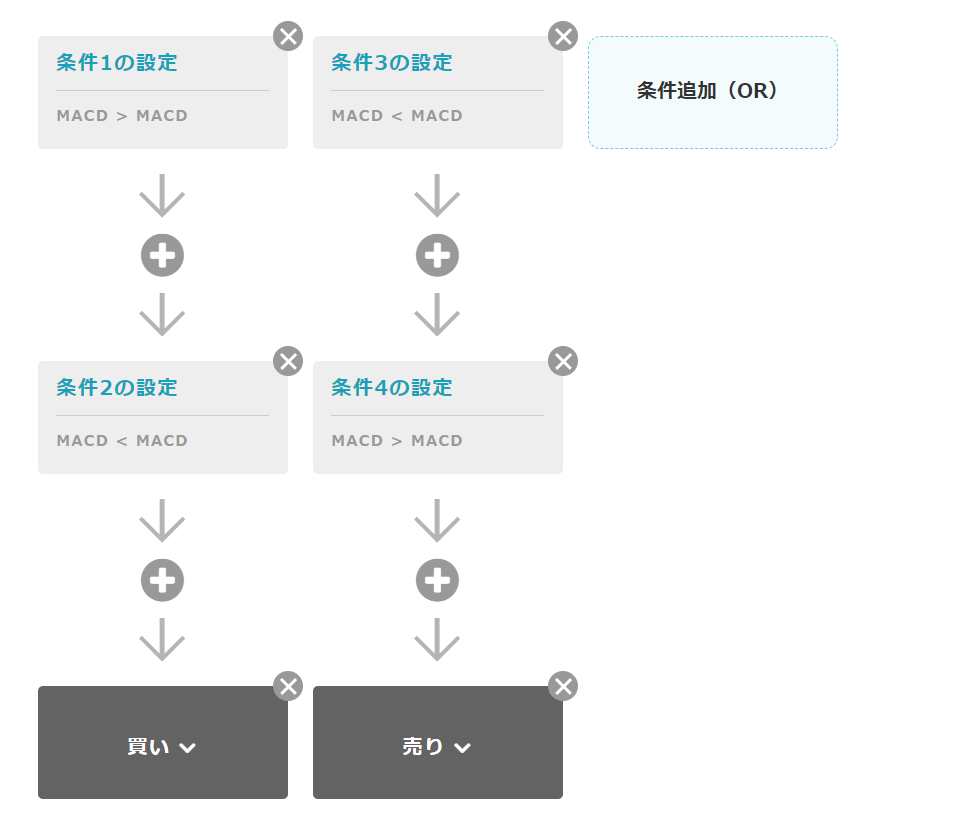
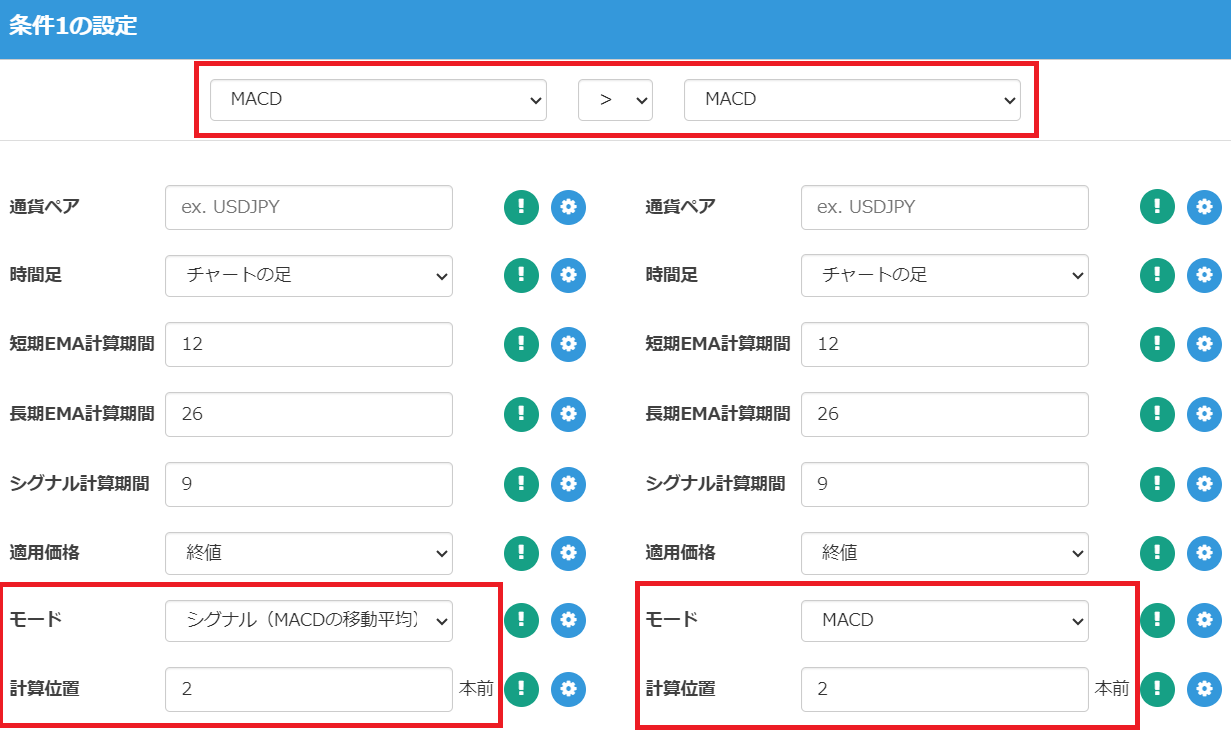
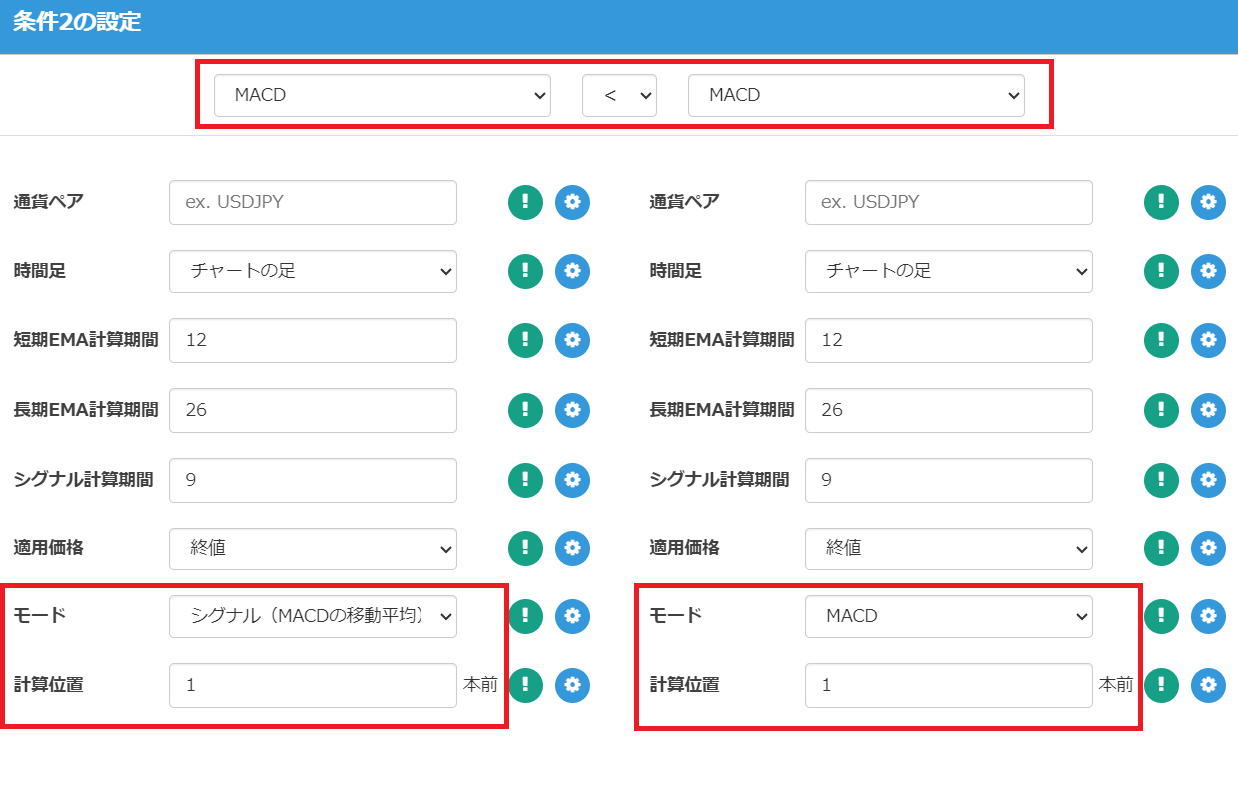
This setup does not include a exit strategy, so you should set your own exit conditions or enable the "Reverse" feature to operate.
Sample EA Using MACD
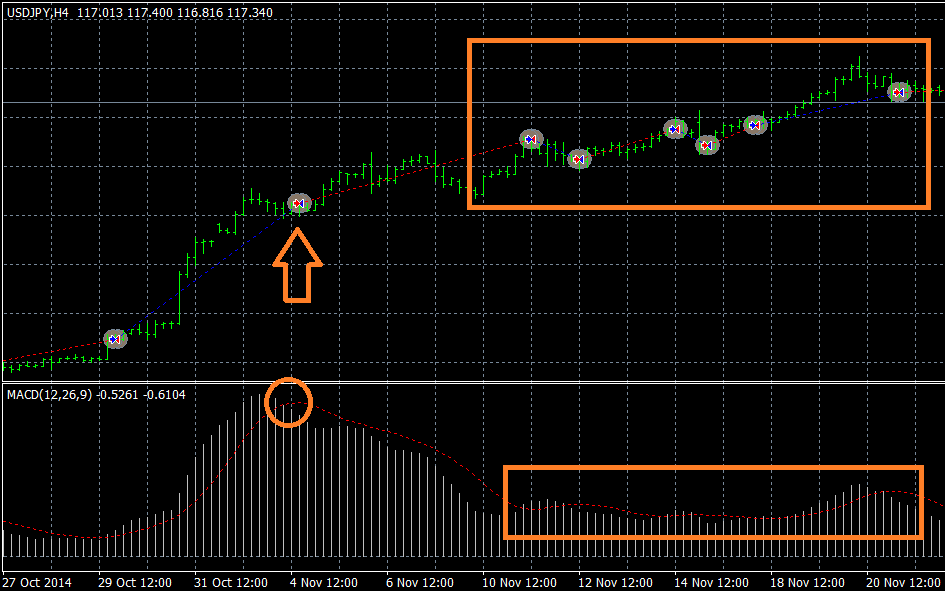
Using the above logic, we actually created an EA with the reverse-position feature and performed a backtest on USDJPY over 10 years on a 4-hour chart.
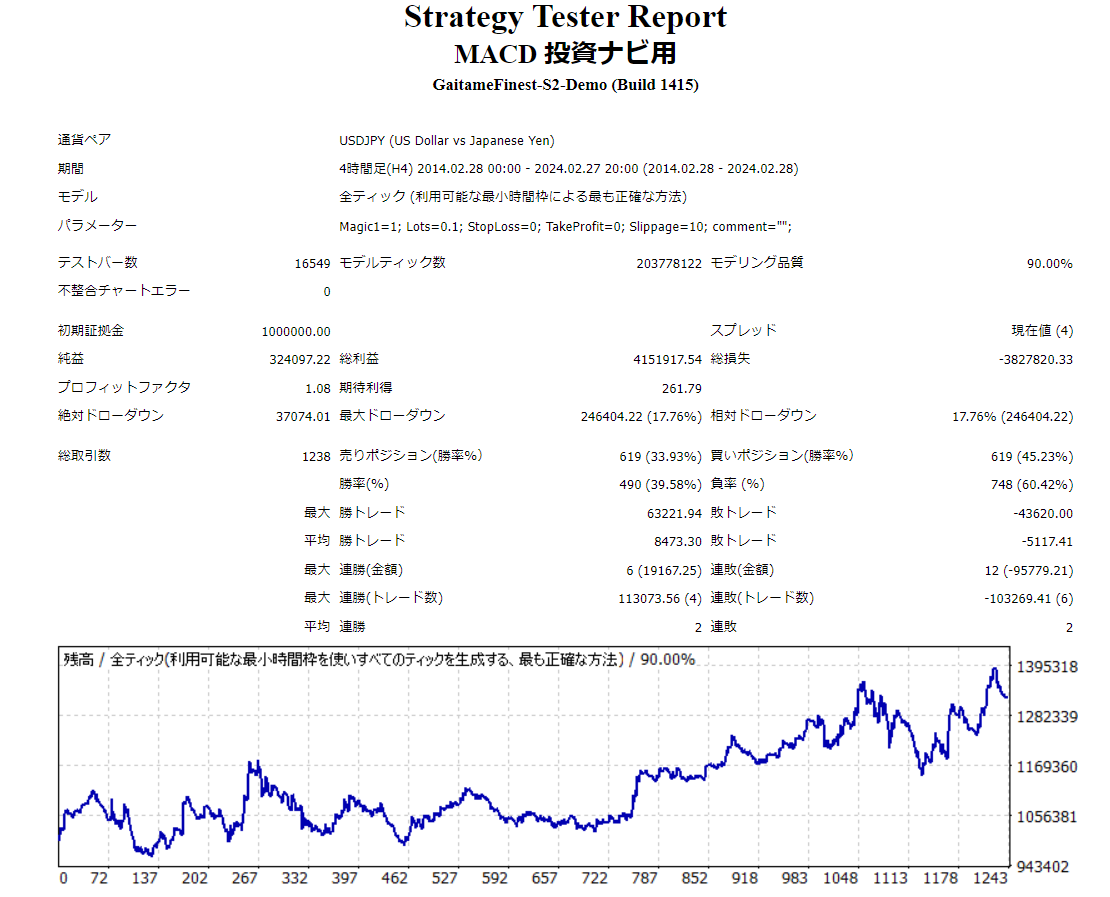
There were quite a few false signals, and because the logic uses time-series data from one to two candles before, trend judgment lagged and we could not achieve the desired profits.
Successful Trade Example
Trends were captured well and the reversal-based trades were effective.
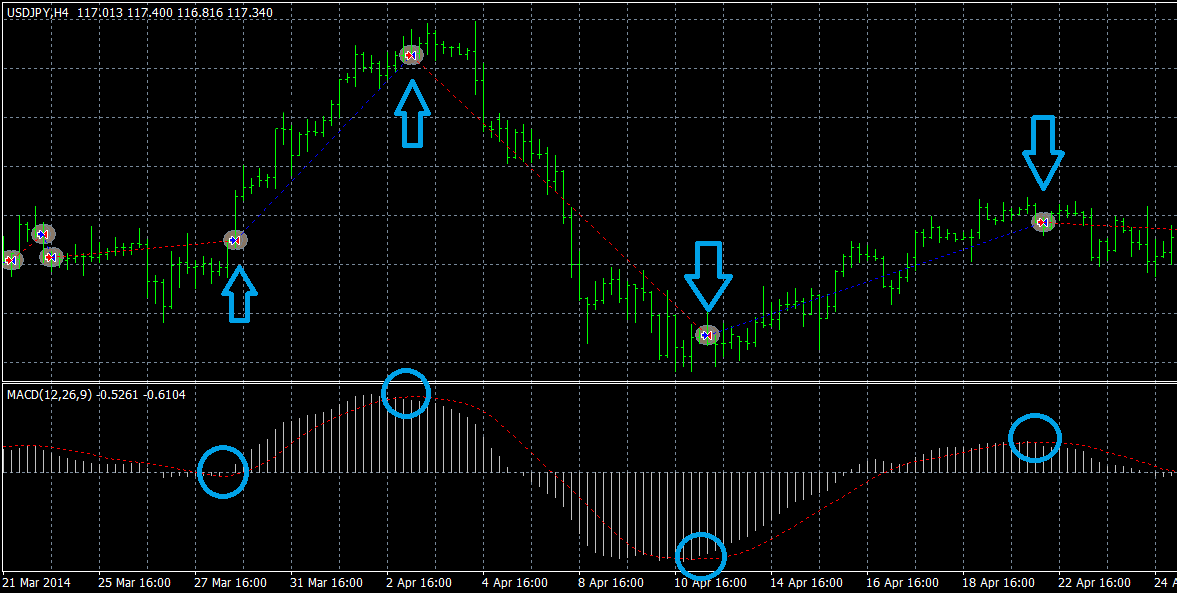
Failed Trade Example
MACD signals were false, and the market entered a range with no clear direction, leading to successive losses.
Conclusion
That is all for the explanation of MACD and how to use it.
By adjusting the moving average calculation periods and adding other technical indicators such as OSCI as an AND condition, you can improve entry precision, and by including stop-loss and take-profit and other elements, you can optimize the EA.
Please try implementing a higher-precision logic using this technical indicator than what was introduced today.
An EA created with EA Tsukuru may not operate exactly as intended for various reasons, such as combinations of conditions or mistakes in condition specification.
Please confirm operation with backtests and a demo account before starting on a real account.
Thank you for your continued support of EA Tsukuru.
Questions? To LABO!
 | GogoJungle LABO A Q&A service focused on programming for investment-related topics, such as automated trading and indicators. In the EA Tsukuru category, we accept questions and consultations related to EA Tsukuru. |
Purchase Here!
 | 'EA Tsukuru' MT4/MT5 compatible No-code development makes EA creation easy for anyone; fully automated or semi-automatic trading to make your trading easier! |