SL_SPD|Chart Boost #14 SPreaD

Product outline
Product Manual
Community(0)

SL_SPD|Chart Boost #14 SPreaD Indicators/E-books
SL_SPD|Chart Boost #14 SPreaD
今のスプレッドを、メイン or サブに表示。「〇.〇pips」で、値動きのたびに切り替わります。【MT4・MT5】のインジケーター
Sales Result 0 items
Reviews ★ 0.0 (0)
Category:
How to provide:
Indicator
Sales from:
10/25/2026
Last Updated:
-
Version:
-
Web Authentication:
Enable
Available company:

Seller's last login time: 10/27/2026 09:39:01
Read more seller information
¥3,980 (taxed)
5left
Next price: (Tax Inc.)
$undefined ¥4,980
Provider/Distributor:
Sales site:
GogoJungle

●Payment

Mastercard Visa JCB Bank FamilyMart D2 D1
Chart Boost シリーズ #14SL_SPD イメージ

SHENLONG LAB / MT4・MT5 INDICATOR

SL_SPD SPreaD

MT4/MT5 両対応

スプレッドが、
一目瞭然。

SL_SPDは、今のスプレッドを「〇.〇pips」でチャートに表示するアイテムです。値動きのたびに、表示も切り替わります。

エントリーの前に、
表示を見るだけ。

先着順 段階価格いち早く応援してくださる方へ、感謝を込めた早期価格です
1〜5本目3,980円早期価格
6〜10本目4,980円
11本目〜5,980円定価
※価格は販売本数に応じて自動で切り替わります。
現在の価格は、このページの購入欄でご確認ください。
1回のご購入で、MT4版とMT5版の両方をお使いいただけます。

PROBLEM

スプレッド、確かめてから入っていますか?

  • スプレッドが広い時に入ると、その分だけ損切りに近くなる
  • 数pipsを狙うトレードほど、スプレッドの差が結果に響く
  • それなのに、エントリーの前に確かめる習慣がない

SL_SPDは、この確認を表示を見るだけにします。

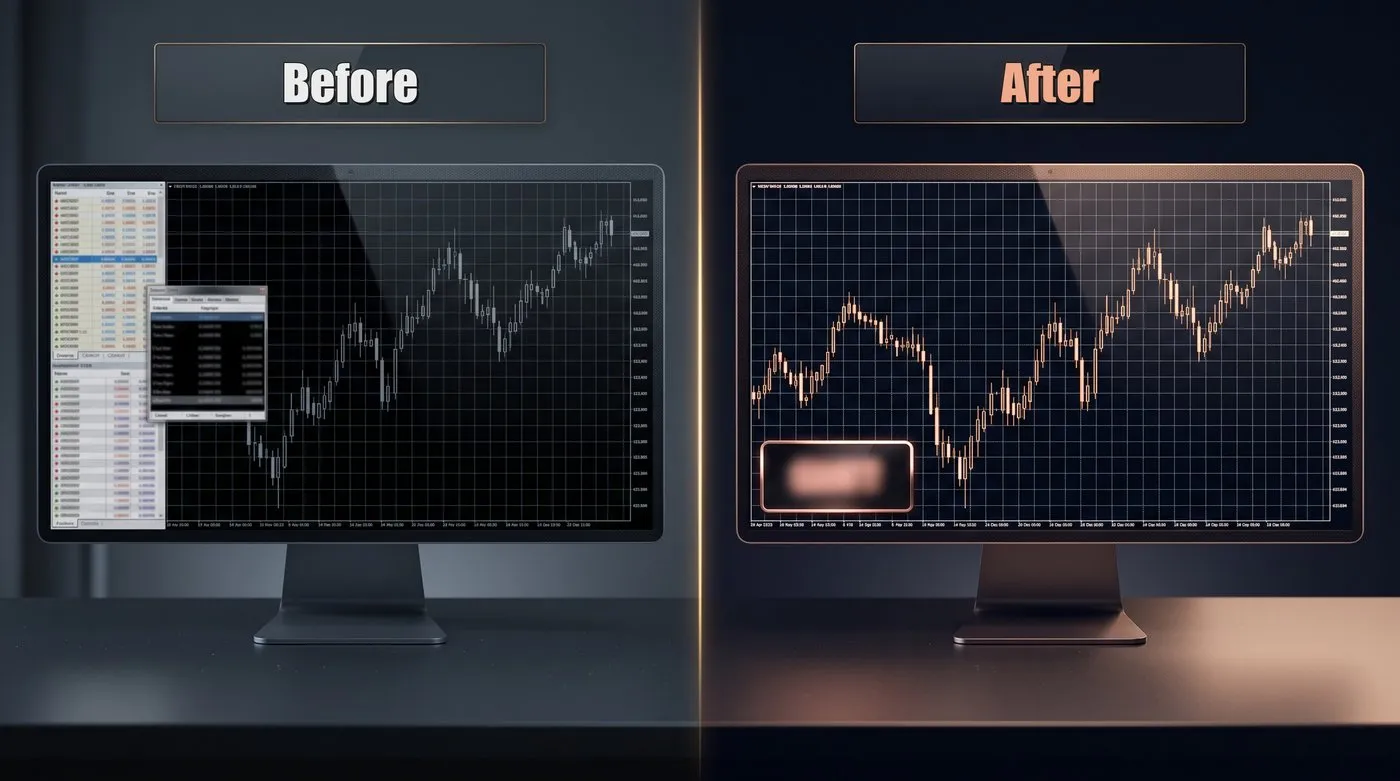
使う前:スプレッドを別の画面で確かめる/使った後:チャートに今のスプレッド

MOVIE

実際の動きをチェック

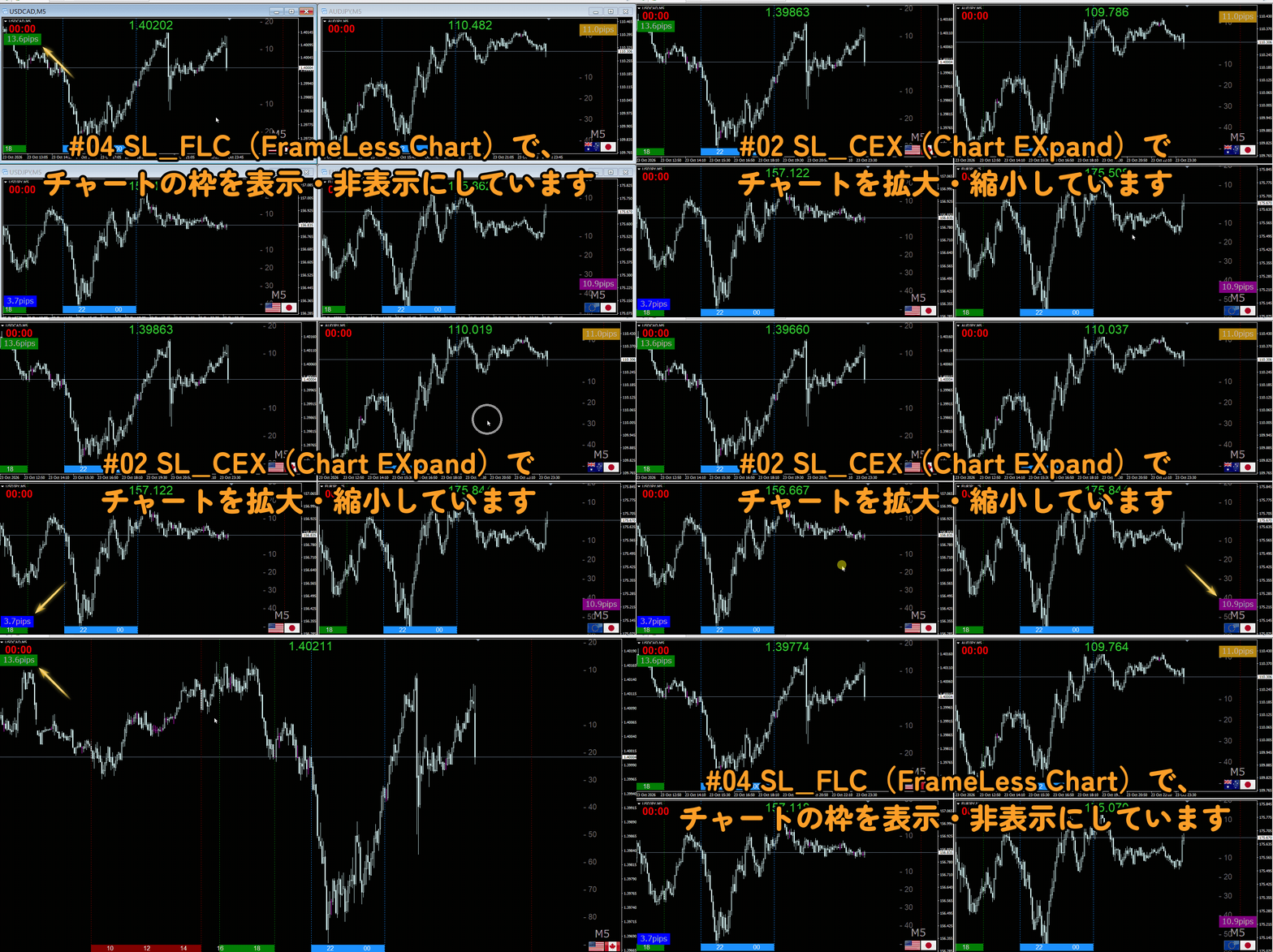
SL_SPDの動き:四隅に表示した今のスプレッド
① チャートに入れると、チャートに今のスプレッドが出る
② 値動きのたびに、表示が切り替わる
③ 表示する場所は、四隅から選べる動画内では、
・#02 SL_CEX(Chart EXpand)で、チャートを拡大し
・#04 SL_FLC(FrameLess Chart)で、チャートの枠を消し
・#05 SL_CFG(Currency FlaG)で、通貨ペアの国旗を表示し
・#06 SL_JTG(Japan Time Grid)で、日本時間を表示し
・#09 SL_MPV(Mouse Price View)で、マウスの位置の価格を表示し
・#11 SL_ETL(Entry Time Lines)で、決めた時刻に縦線を引き
・#12 SL_PRL(Pips RuLer)で、10pips単位の目盛りを表示し
・#13 SL_BCD(Bar CountDown)で、足の確定までの残り時間を表示し
・#15 SL_TFD(TimeFrame Display)で、時間足を表示しています

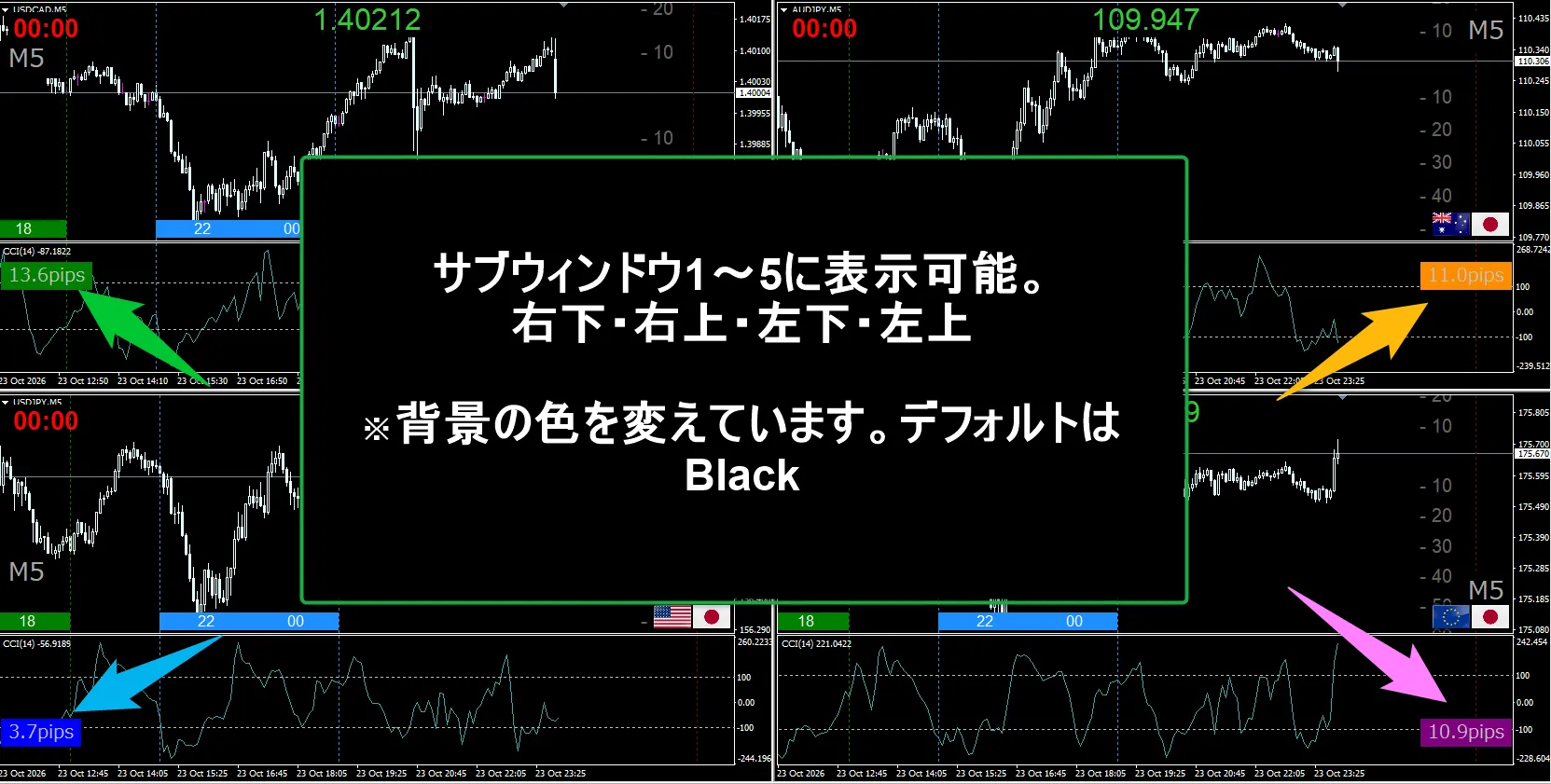
使用例:サブウィンドウに今のスプレッドを表示

FEATURES

SL_SPDの特長

チャートにスプレッドが出るイメージ

01 今のスプレッドを「〇.〇pips」で

今のスプレッドを、小数第1位までのpipsで表示します。値動きのたびに切り替わり、チャートを開いた時や窓の大きさを変えた時も、すぐに表示します。

02 表示する場所を選べる

左上・左下・右上・右下から選べます(初期設定は左下)。

03 サブウィンドウにも表示できる

メインのチャートのほか、上から1〜5番目のサブウィンドウにも表示できます。

04 背景付きで、ローソク足に隠れない

文字の大きさに合わせた背景を表示し、文字は背景の真ん中に出ます。背景を表示している間は、チャート設定の「ローソク足を前面に表示」を外し、文字がローソク足に隠れないようにします(インジケーターを外すと元に戻ります)。

05 文字と背景の色を選べる

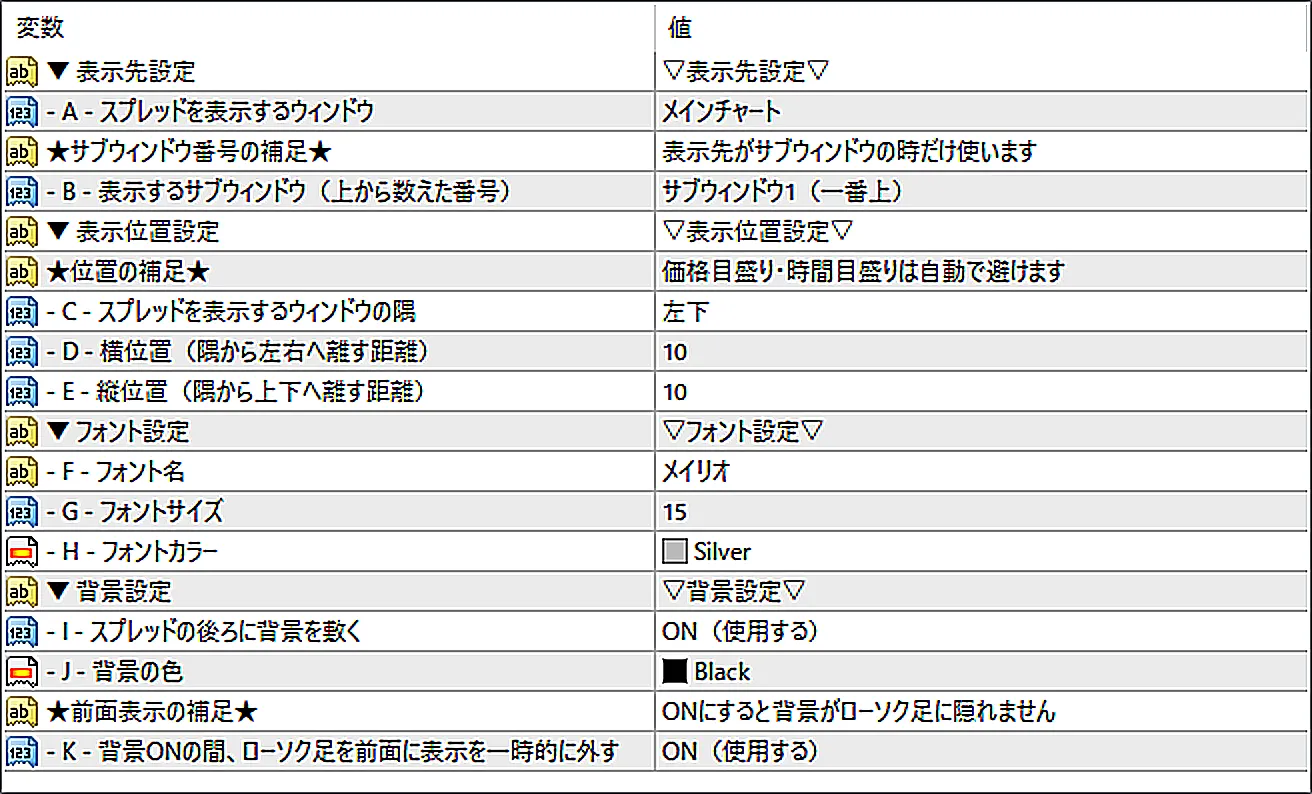
初期設定はメイリオ・15・銀色の文字に黒い背景。フォント・大きさ・色・背景の色を選べます。背景をなしにもできます。

06 パラメーターはすべて日本語

設定画面の項目名も説明も、すべて日本語で表記しています。初期設定のままでも、すぐに使えます。

SL_SPDのパラメーター画面

※MT4版のパラメーター画面です。

HOW TO USE

操作は3ステップ

1

チャートに入れる

2

チャートに今のスプレッドが出る

3

エントリーの前に
確認するだけ

導入の手順やパラメーターの詳しい説明は、このページ上部の「商品マニュアル」タブにまとめています。

NOTICE

ご購入前にご確認ください

■ MT4・MT5の両方でお使いいただけます
1回のご購入で、MT4版(.ex4)とMT5版(.ex5)の両方をダウンロードできます。ゴゴジャンのWeb認証により、同時にお使いいただける口座は1つだけです。MT4とMT5を切り替える時は、今お使いの口座をリセットしてからお使いください(手順は「商品マニュアル」タブにあります。口座の変更は何度でもできます)。

■ DLLの使用許可が必要です
ゴゴジャンのWeb認証のために必要です。チャートに入れた時に開くインジケーターの設定画面で、MT4は「全般」タブ、MT5は「仕様」タブの「DLLの使用を許可する」にチェックを入れてください。

■ 小数点以下が5桁(クロス円は3桁)の業社向けです
スプレッドは、業社のポイントの10分の1を1pipsとして計算しています。ゴールドなど、桁の少ない銘柄では、表示の値が実際のpipsと合わないことがあります。

■ 背景ONの間は、「ローソク足を前面に表示」の設定を一時的に外します
背景と文字がローソク足に隠れないようにするためです(パラメータで変更可能です)。SL_SPDを外すと、元の設定に戻ります。
もともと「チャートを前面に表示」をOFFにしているチャートでは、Kを切り替えても見た目は変わりません。

SUPPORT

サポート・免責事項

■ サポート
ご不明な点や、うまく動かない時は、商品ページの「質問する」からお気軽にお問い合わせください。一つひとつ確認して、お返事いたします。
いただいたご意見やご報告は、これからのアップデートの参考にさせていただきます。

■ 免責事項
ShenLong Labのアイテムは、チャートを見やすく・使いやすくするためのものです。投資の助言を行うものではなく、将来の利益をお約束するものでもありません。
実際のお取引は、ご自身の判断でお願いいたします。ご利用によって生じた損益について、開発者は責任を負いかねますので、あらかじめご了承ください。

ShenLong Lab 開発者

DEVELOPER

神龍 / ShenLong Lab

自作インジケーターで月次利益を出し続ける現役トレーダー×開発実績1,000本超のプログラマー。

SL_SPDは、私自身がエントリーの前に、チャートから目を離さずにスプレッドを確かめるために作りました。

言語化できるロジックは、すべてコードに宿る。
¥3,980 (taxed)
5left
Next price: (Tax Inc.)
$undefined ¥4,980
Provider/Distributor:
Sales site:
GogoJungle

●Payment

Mastercard Visa JCB Bank FamilyMart D2 D1
Product outline
Product Manual
Community(0)
Best Seller Ranking

For those using GogoJungle for the first time Easy 3 steps to use the product!

At GogoJungle, we provide services to enrich your investment life for our members. In addition, product purchases are limited to members. Why not register as a member now and make use of GogoJungle!

01
Enter user information and register as a member
02
Follow the instructions to make a purchase
03
Download from My Page
■ Important Matters and Risk Warnings Regarding Investment Products 【Financial Instruments Business Operator】
GogoJungle Inc.
Registration: Director-General of the Kanto Local Finance Bureau (Financial Instruments Business) No. 1960
【Member Association】
Investment Trusts Association, Japan
【Fees and Expenses】
The use of software, e-books, investment advisory services, etc., provided on our platform involves purchase prices determined for each product.
Additionally, when conducting actual financial instrument transactions (such as FX or CFD trading), costs such as transaction fees and spreads (the difference between the sell and buy price) may be incurred through the connected brokerage firms.
【Margin and Risk of Loss】
Transactions such as FX (Foreign Exchange Margin Trading) and CFD (Contract for Difference) allow for trading in amounts exceeding the deposited margin.
Therefore, due to sudden fluctuations in target indices (currency, commodity prices, etc.), there is a risk of incurring losses that exceed the deposited margin (loss exceeding principal).
Furthermore, financial instrument transactions involve risks such as price fluctuations, which may result in losses falling below or exceeding the initial investment principal.
【Nature of Services and Trading Entity】
The Company operates a platform (marketplace) providing investment software and information; we do not engage in the buying, selling, mediation, brokerage, or agency of financial instruments on behalf of customers.
The services and information provided are intended as reference for investment decisions and do not guarantee future profits or specific results.
While some services include investment advice, they do not constitute a mandate or solicitation to trade specific financial instruments.
Final investment decisions and the execution of trades must be made at the customer’s own risk and discretion.