
Product outline
Product Manual
Community(0)
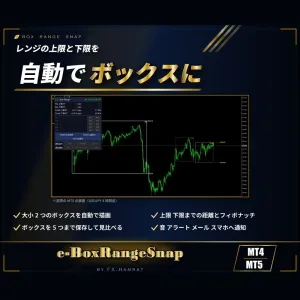
【無料お試し3日】MT4/MT5両方入り レンジの上限と下限をボックスで自動描画|上限・下限までの距離・フィボナッチ・ブレイクを通知・直近のボックスを5つまで保存【e-BoxRangeSnap】 Trial Version
MT4・MT5の両方入り。高値・安値が何度も止められた価格帯を自動で見つけ、大小2つのボックスで描画。今のレートが上限・下限のどこにいるか、抜けたかをひと目で確かめられます
Sales Result 0 items
Reviews ★ 0.0
(0)
Keywords:
Category:
How to provide:
Indicator
Sales from:
10/07/2026
Last Updated:
11/02/2026
Version:
1.02
Web Authentication:
Enable
Available company:


商品概要
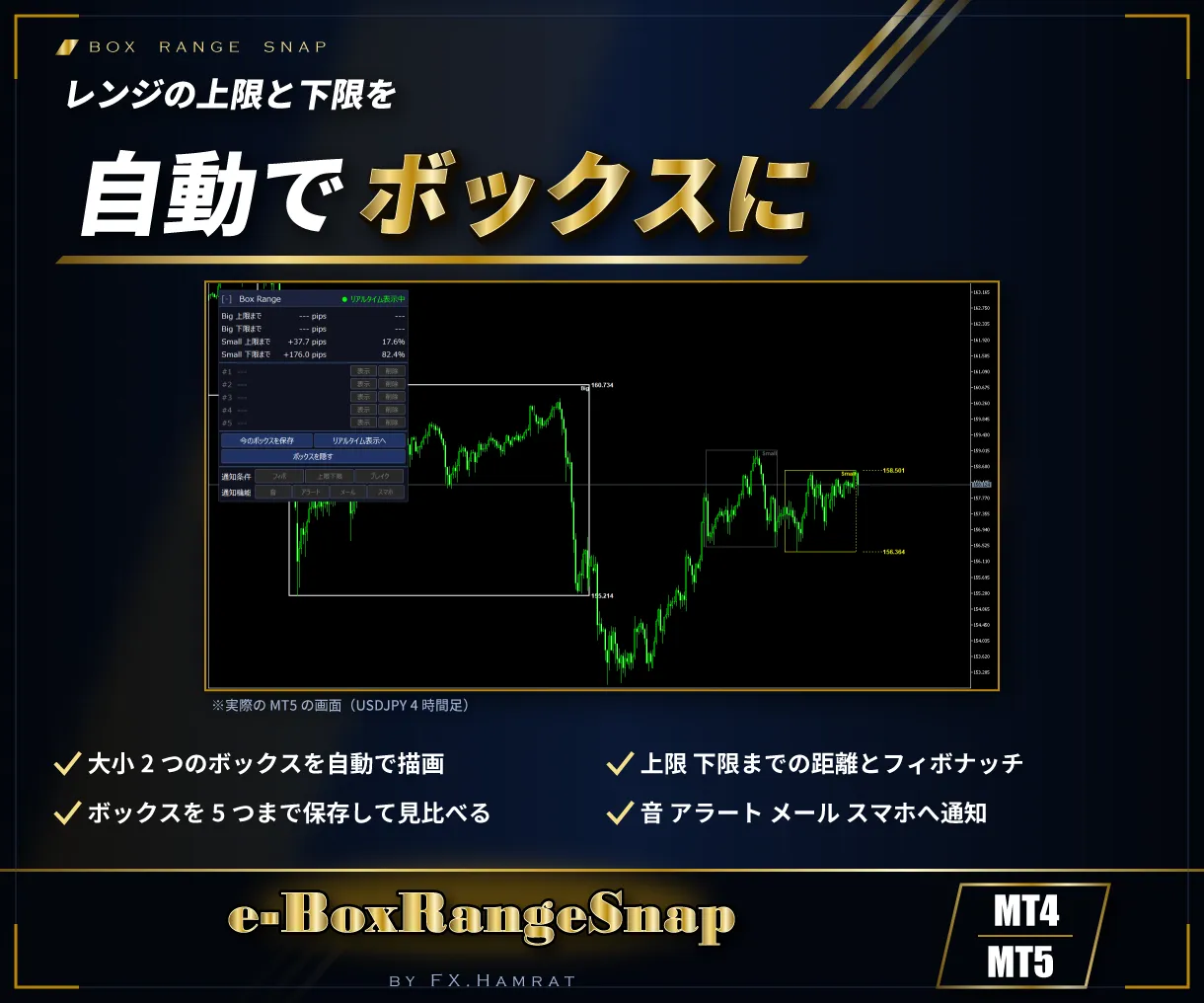
相場の多くの時間は、上下を行ったり来たりするレンジと言われます。e-BoxRangeSnap は、高値・安値が何度も止められた価格帯を自動で見つけ、ボックス(四角)で描くインジケーターです。今の価格がレンジの上限・下限のどこにいるか、レンジを抜けたかをひと目で確かめられます。
MT4版・MT5版の両方が入っています。
このような方におすすめ
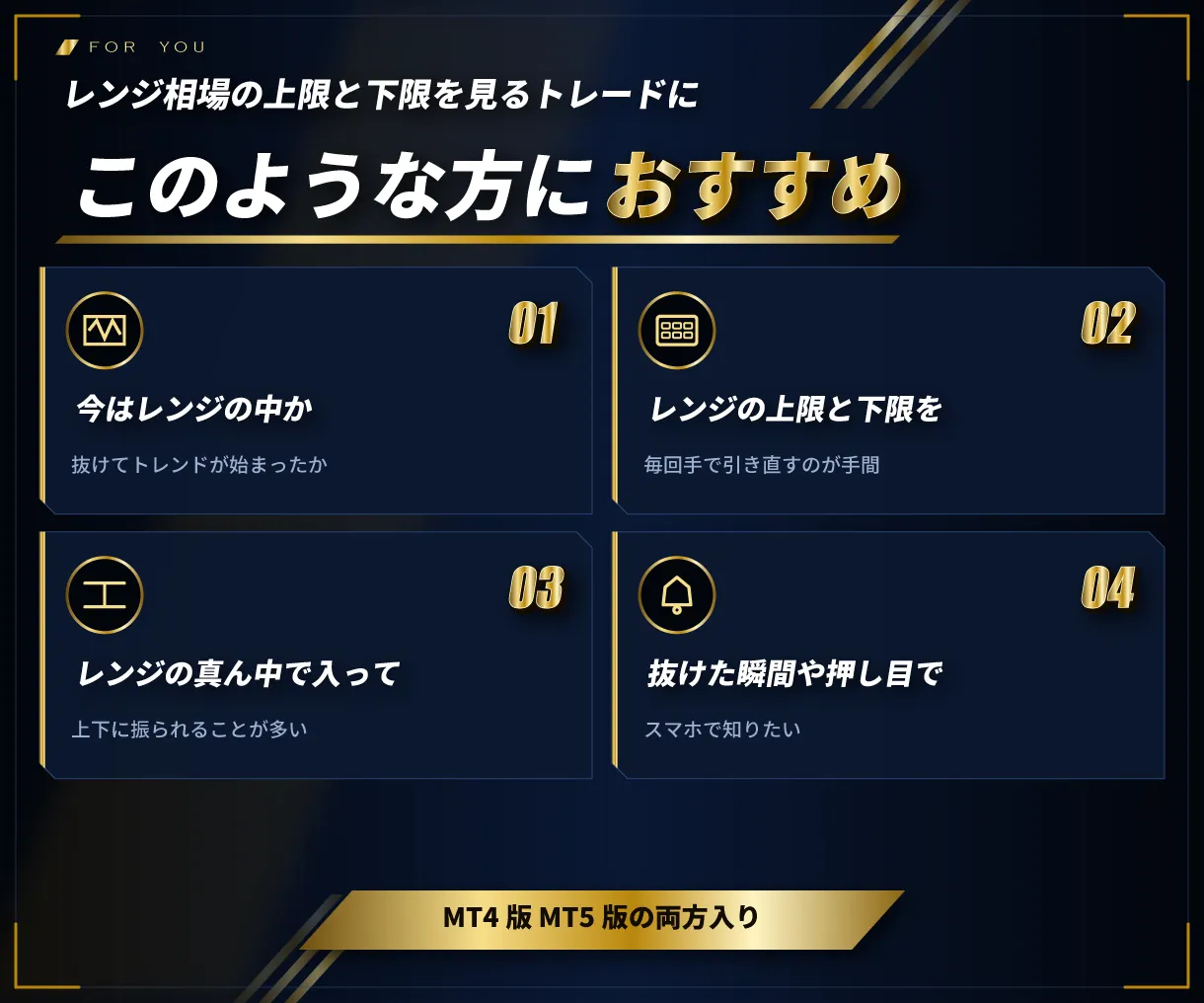
- 今がレンジの中なのか、抜けてトレンドが始まったのかを見分けたい
- レンジの上限・下限を毎回手で引き直すのが手間
- レンジの真ん中で入ってしまい、上下に振られることが多い
- 抜けた瞬間や、押し目・戻りの位置に来たときにスマホで知りたい
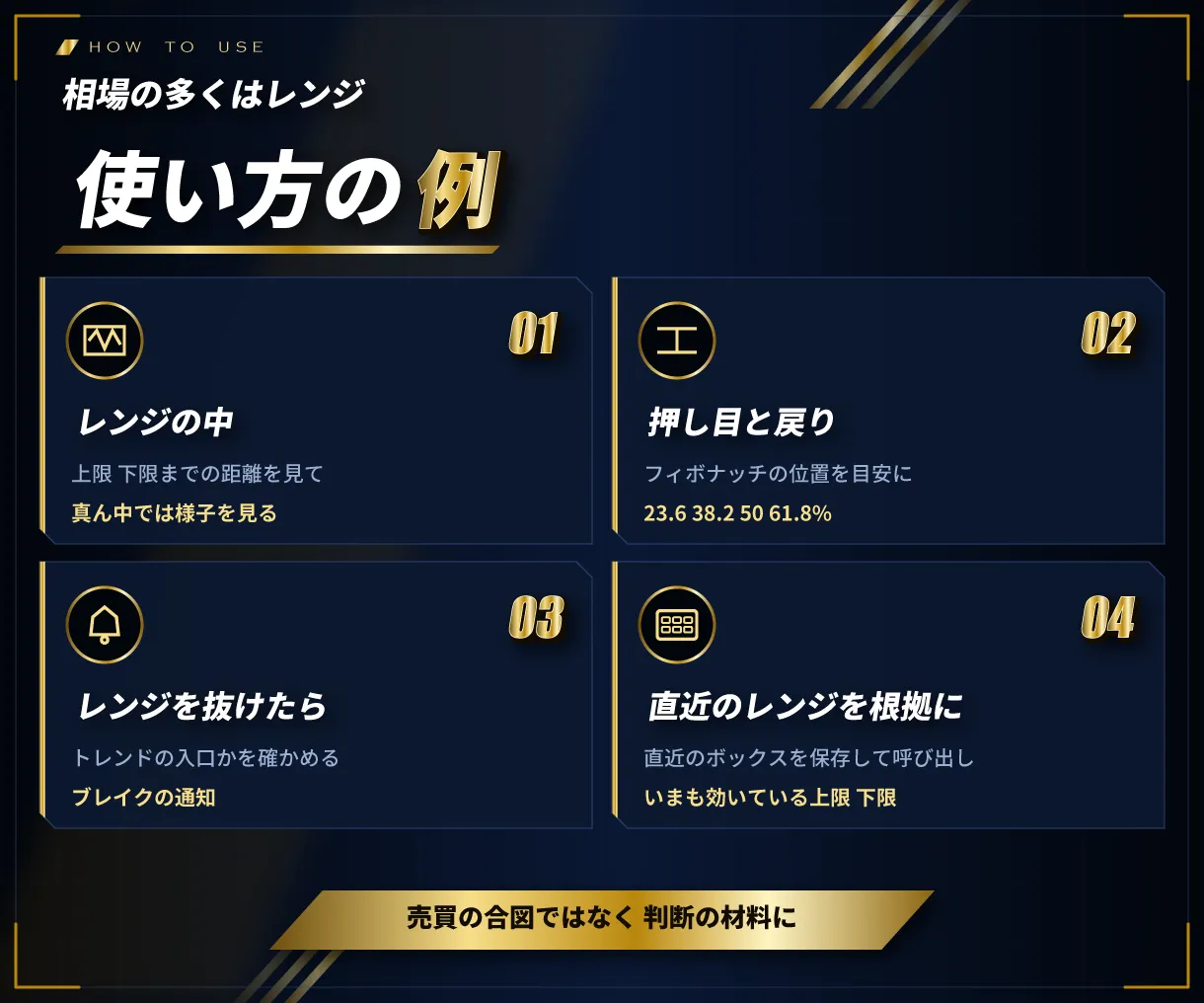
使い方の例
- レンジの中では、上限・下限までの距離を見て、真ん中では様子を見る
- 押し目・戻りは、フィボナッチの位置(23.6・38.2・50・61.8%)を目安にする
- レンジを抜けたら、トレンドの入口かを確かめる(ブレイクの通知)
- 直近のボックスを保存しておき、いまも効いている上限・下限・フィボナッチを根拠として確かめる
売買の合図を出すものではありません。判断の材料としてお使いください。
機能について
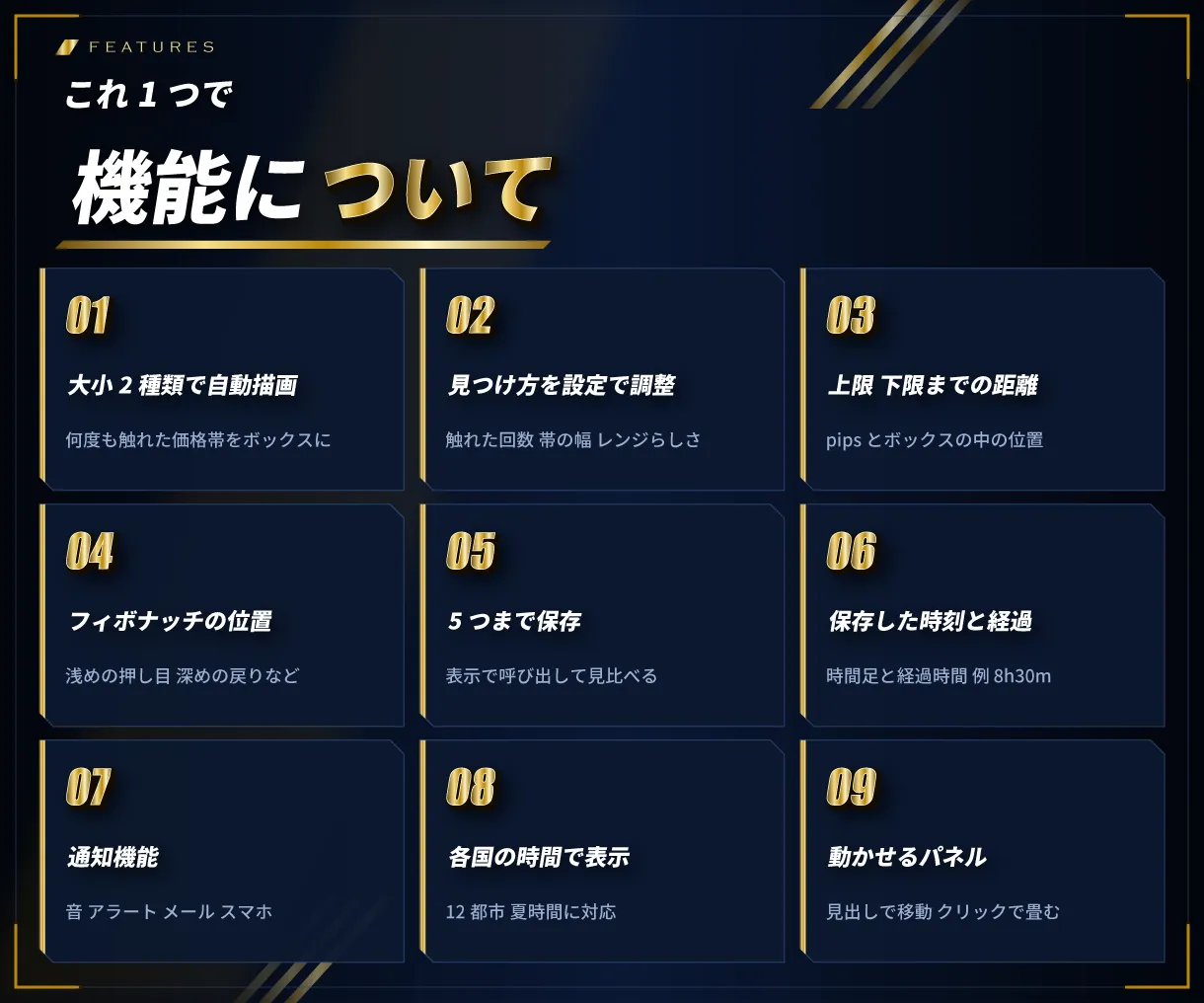
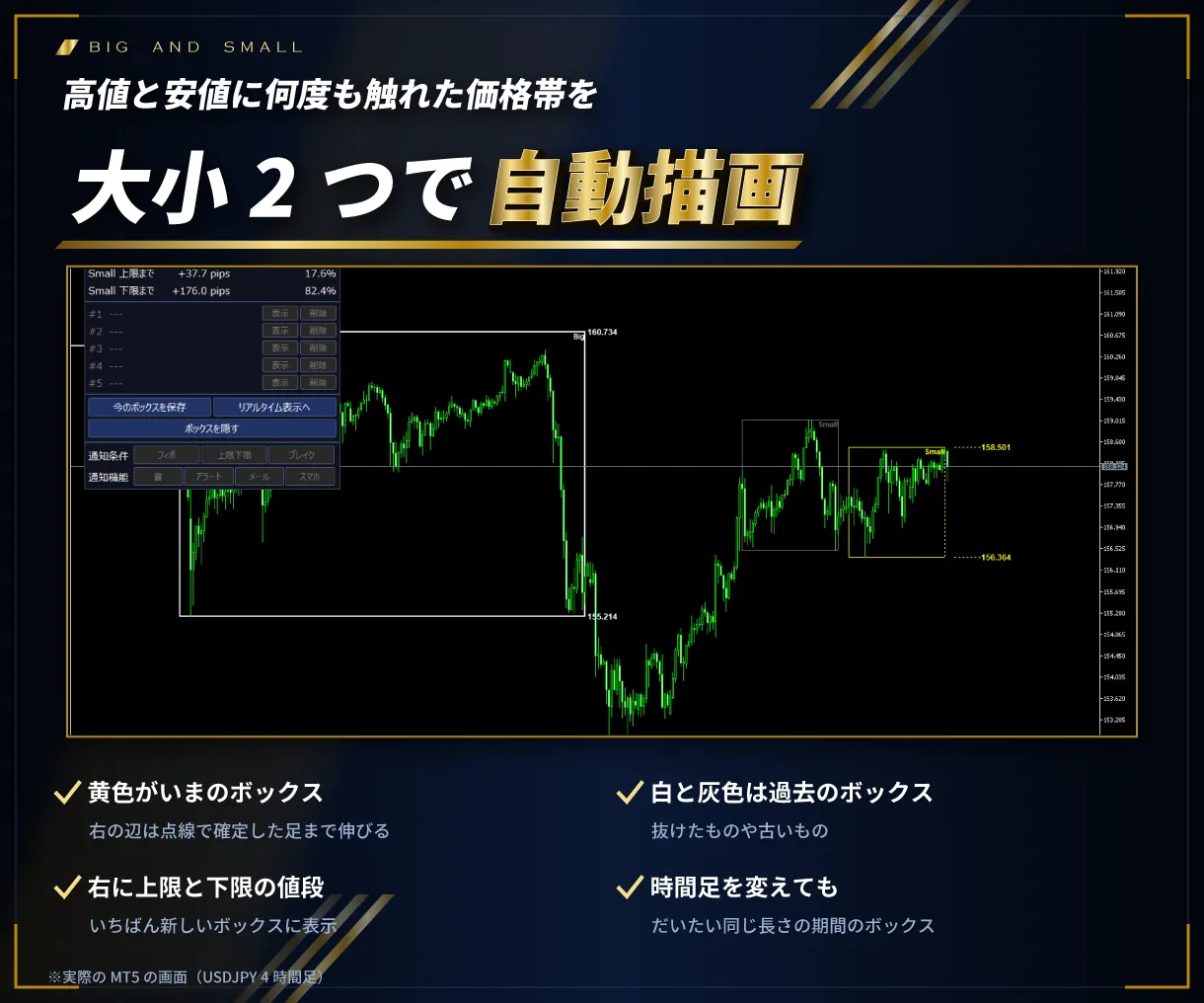
- ボックスレンジを大小2種類で自動描画:高値・安値に何度も触れた価格帯を見つけ、大きいボックスと小さいボックスを描きます
- 見つけ方を設定で調整:上限・下限に触れた回数、触れたとみなす帯の幅、レンジらしさを設定できます
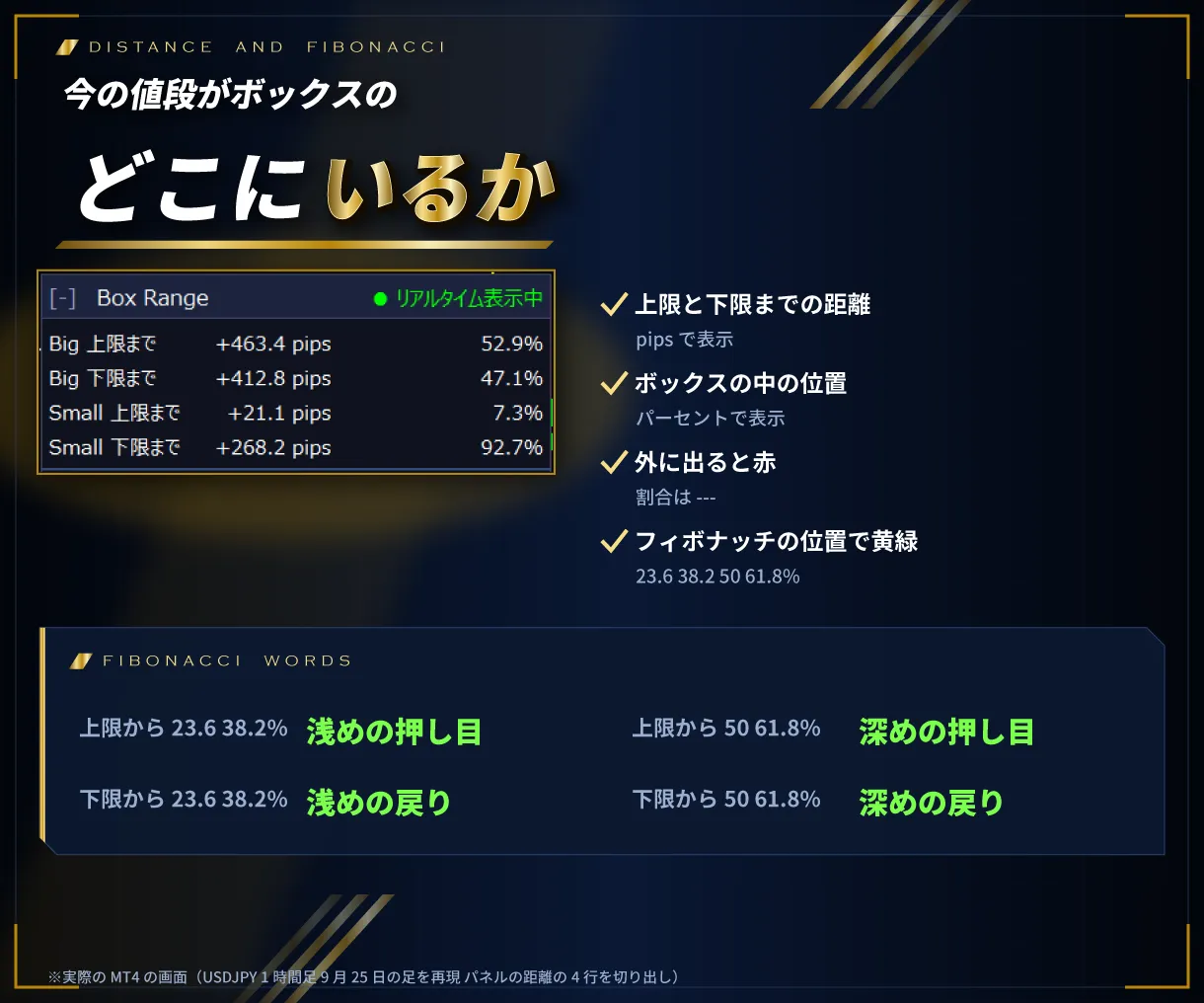
- 上限・下限までの距離をパネルに表示:今の価格から上限・下限までを、pips とボックスの中の位置(%)で表示します
- フィボナッチの位置を表示:23.6・38.2・50・61.8% の位置に来ると「浅めの押し目」「深めの戻り」などを表示します
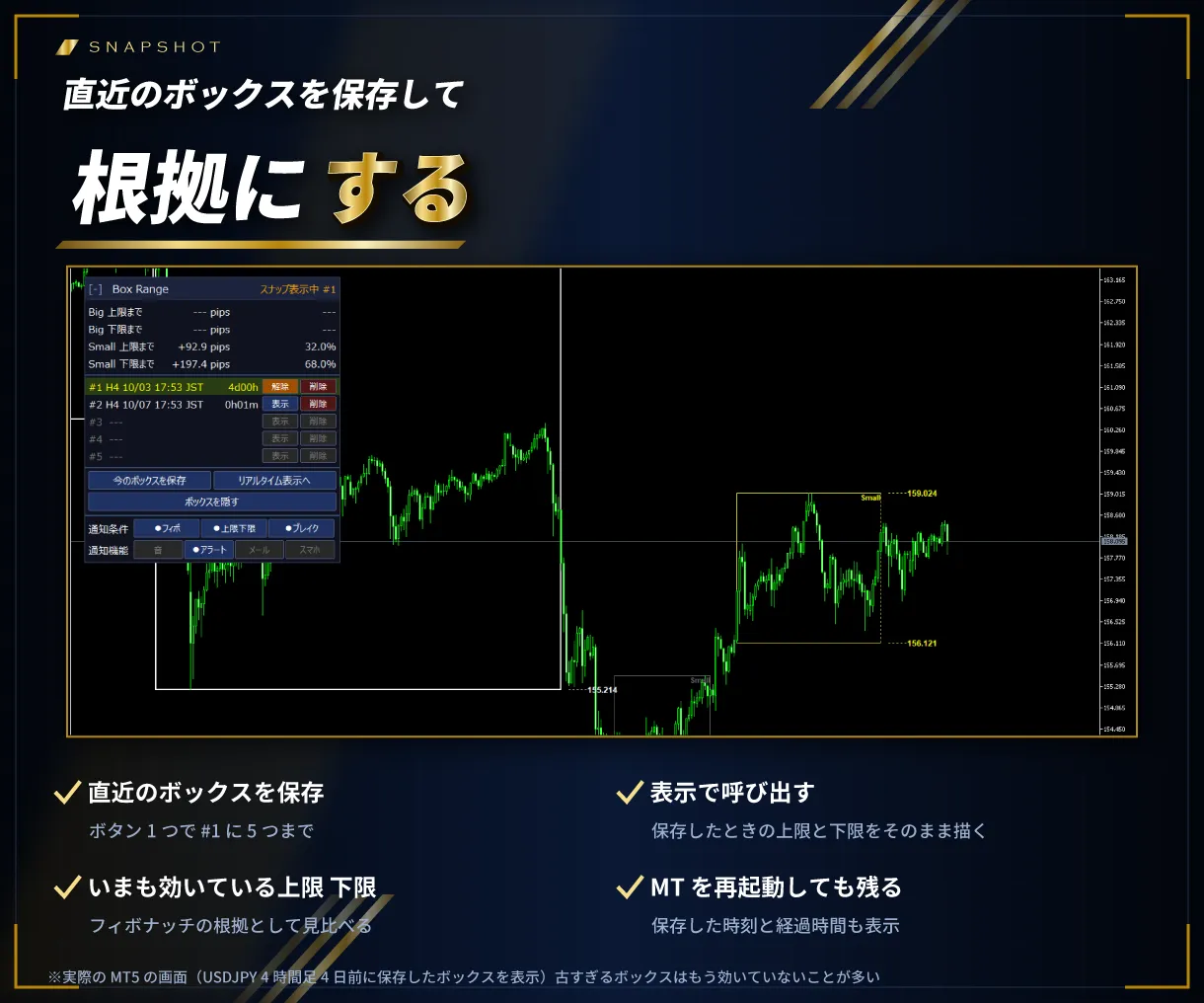
- ボックスを5つまで保存:直近のボックスを保存しておけば、効いている上限・下限を根拠に見比べられます。MT を再起動しても残ります
- 保存した時刻と経過時間を表示:時間足・保存した時刻・保存してからの時間(例 8h30m)を並べます
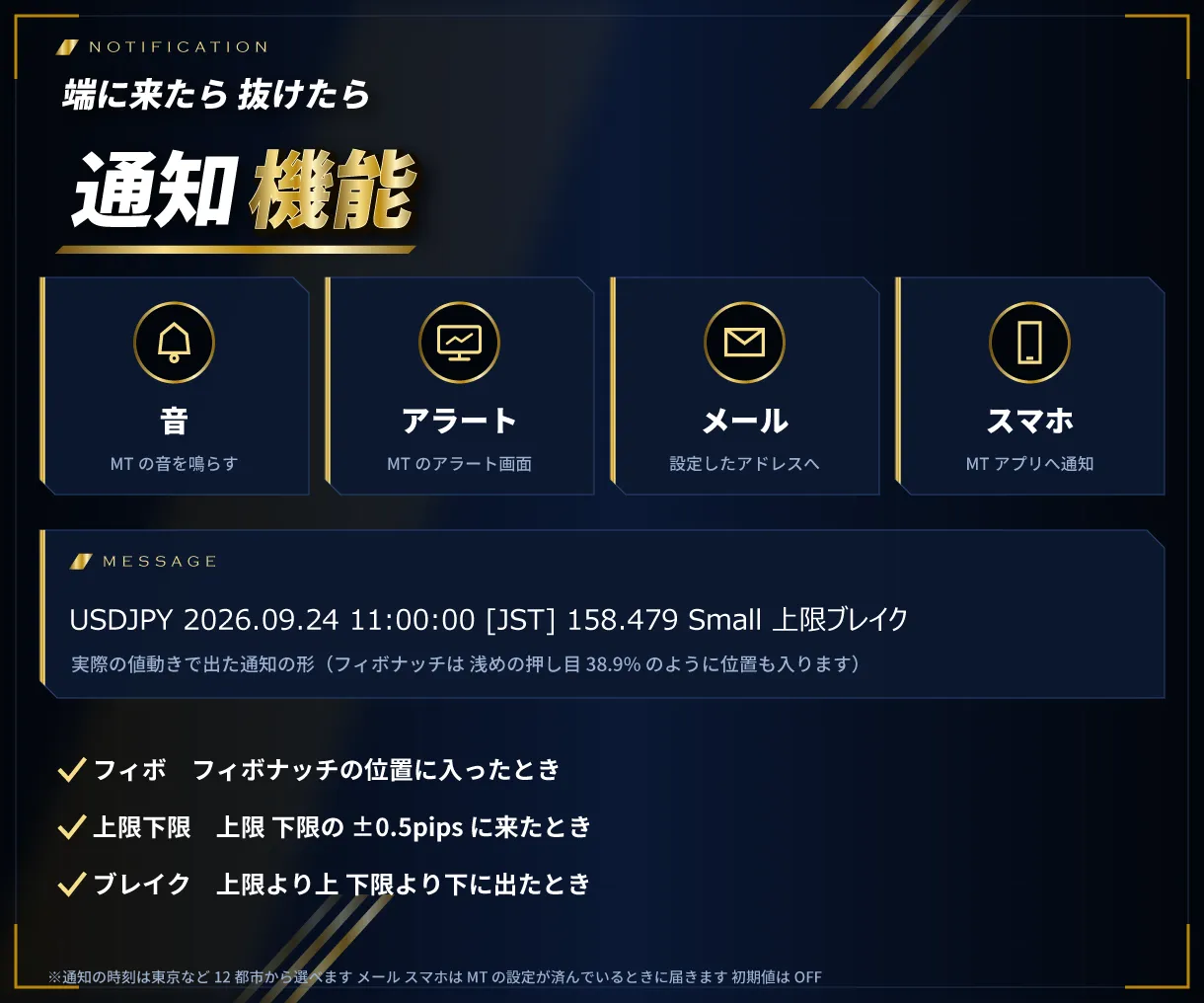
- 通知機能:フィボナッチ到達・上限/下限到達・ブレイクを、音・アラート・メール・スマホへ通知します
- 時刻を各国の時間で表示:東京・ロンドン・ニューヨークなど12都市の時刻に変換します(夏時間に対応)
- 動かせるパネル:見出しをつかんで移動、クリックで畳めます。画面の拡大表示(125%・150%)にも対応しています
ボックスの見つけ方
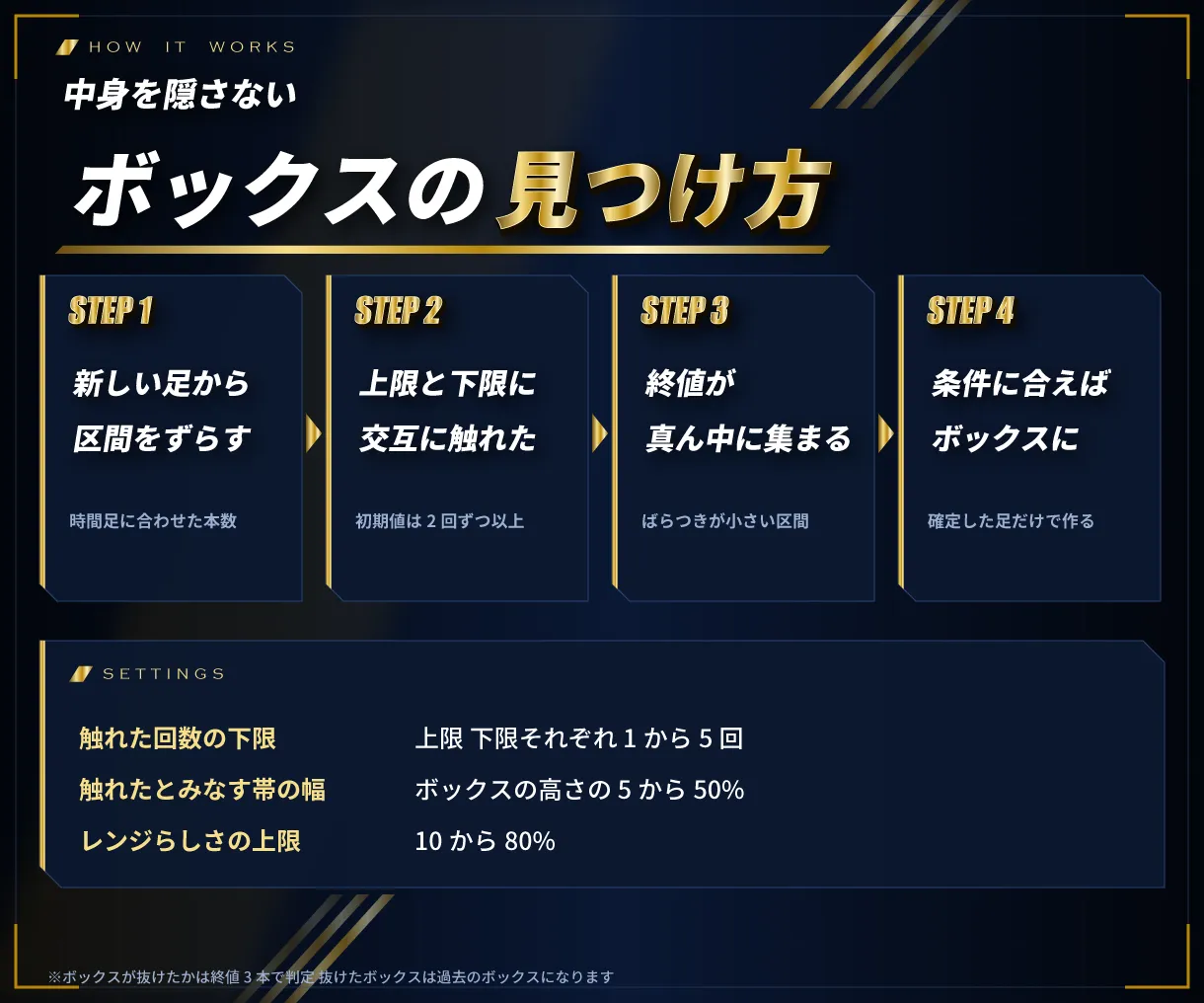
新しい足から古い足へ、一定の本数の区間を少しずつずらしながら見ていきます。区間の高値と安値を上限・下限にして、上限の近くと下限の近くに上下交互に2回ずつ以上触れていて、終値が真ん中に集まっている(ばらつきが小さい)区間をボックスにします。区間の本数は時間足に合わせて自動で決まるので、1時間足でも15分足でも、だいたい同じ長さの期間のボックスになります。ボックスは確定した足だけで作ります。
作者について
専用インジケーター、カスタマイズ EA を制作している FX.Hamrat が制作しています。
お届けするもの
- MT4版 本体
- MT5版 本体
- 取扱説明書 PDF(MT4版・MT5版)
ご購入から使えるまで
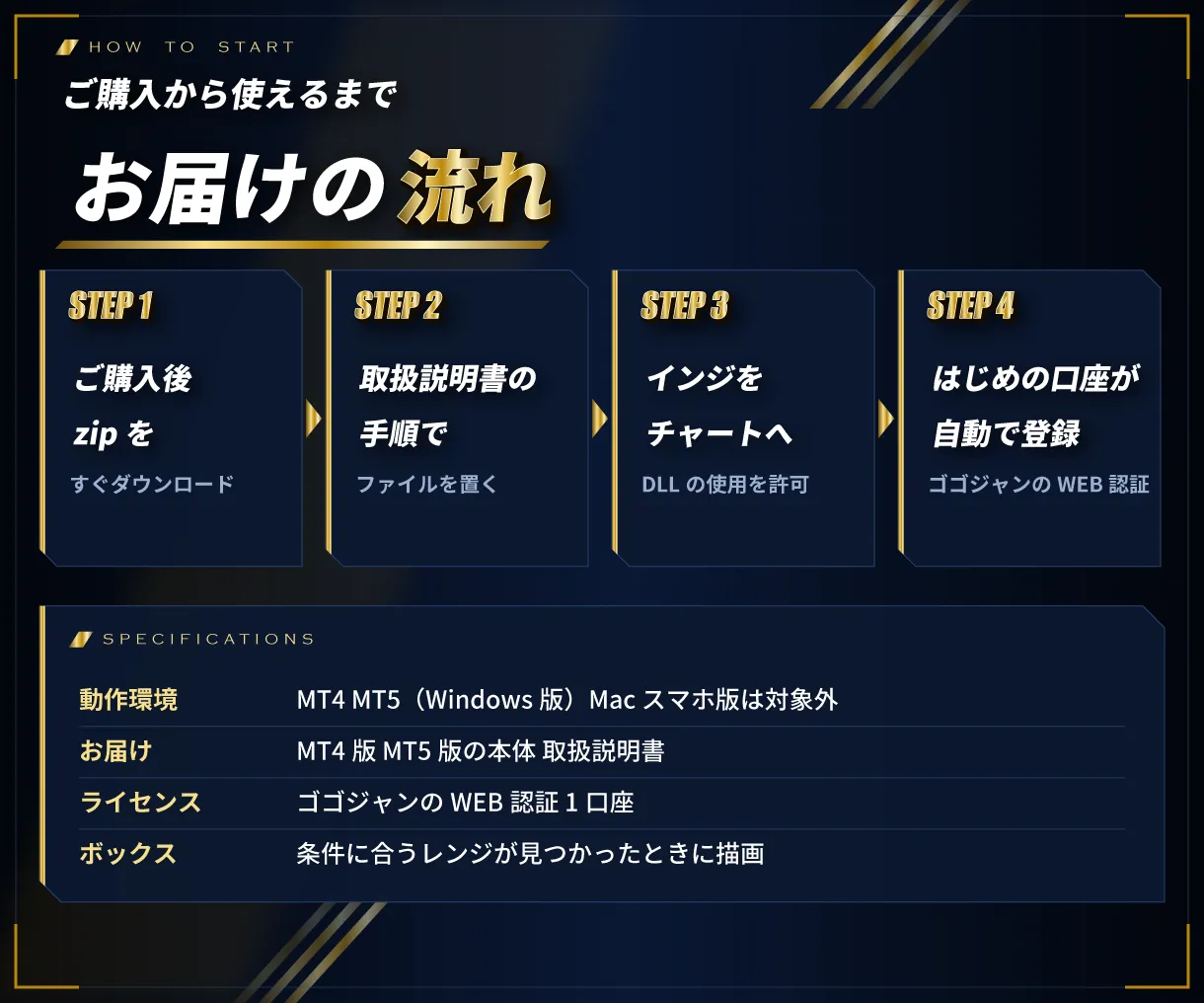
- ゴゴジャンでご購入のあと、マイページから zip をダウンロード
- zip の中の「MT4版」か「MT5版」のフォルダから、本体を取扱説明書の手順で置く
- 本体をチャートに入れ、「DLL の使用を許可する」にチェック。お使いの口座が自動で登録され、表示が始まります
動作環境・ご利用の条件
- MT4・MT5(Windows 版)で動きます。1つの zip に両方入っています。Mac 版・スマホ版では動きません
- ボックスは、条件に合うレンジが見つかったときに描かれます
- ゴゴジャンの WEB 認証で動きます。使えるのは登録した口座1つです(リアル・デモどちらでも)。口座の変更はマイページからできます
- 認証のため「DLL の使用を許可する」のチェックと、インターネットにつながった環境が必要です
- 投資家パスワード(読み取り専用)でログインした口座では動きません
- ファイル名(末尾の英数字を含む)は変えないでください
バージョン情報
最新バージョン:Ver 1.02(2026年10月7日)
- ゴゴジャンでの販売を開始(MT4版・MT5版の両方入り)
注意事項・免責事項
- 本商品はレンジ(ボックス)を表示するインジケーターです。投資の助言・勧誘を目的としたものではなく、利益を保証するものではありません
- 実際の取引はご自身の判断と責任で行ってください。本商品を使って生じた損失・損害について、販売者は責任を負いかねます
- 商品の性質上、ご購入後の返品・キャンセルはお受けできません
- 複製・改変・第三者への譲渡や販売・解析は禁止します
サポート
ご不明な点は、マイページの「出品者に質問する」からお問い合わせください。更新があったときは、無料でお使いいただけます。
3 days
No feature limitations! Try everything.
※After the period ends, it will automatically stop working.
Provider/Distributor:
Sales site:
GogoJungle
Product outline
Product Manual
Community(0)
Best Seller Ranking
For those using GogoJungle for the first time Easy 3 steps to use the product!
At GogoJungle, we provide services to enrich your investment life for our members. In addition, product purchases are limited to members. Why not register as a member now and make use of GogoJungle!
01
Enter user information and register as a member
02
Follow the instructions to make a purchase
03
Download from My Page
