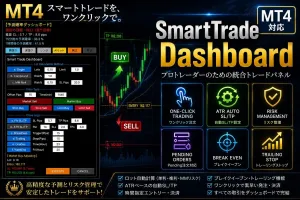

Product outline
Product Manual
Community(0)
MT4_SmartTrade_Dashboard Indicators/E-books
MT4_SmartTrade_Dashboard
「裁量トレードを、もっとスマートに。」
Reviews:
Category:
How to provide:
Indicator
Sales from:
07/16/2026
Last Updated:
07/16/2026
Version:
5.3
Web Authentication:
Enable
Available company:
Seller 複素数
Seller's last login time: 8/14/2026 21:45:01
Read more seller information
¥4,000 (taxed)
5left
Next price: (Tax Inc.)
$undefined ¥8,000
Provider/Distributor:
Sales site:
GogoJungle

Payment

Mastercard Visa JCB Bank FamilyMart D2 D1


SmartTrade_Dashboard」 取扱説明書

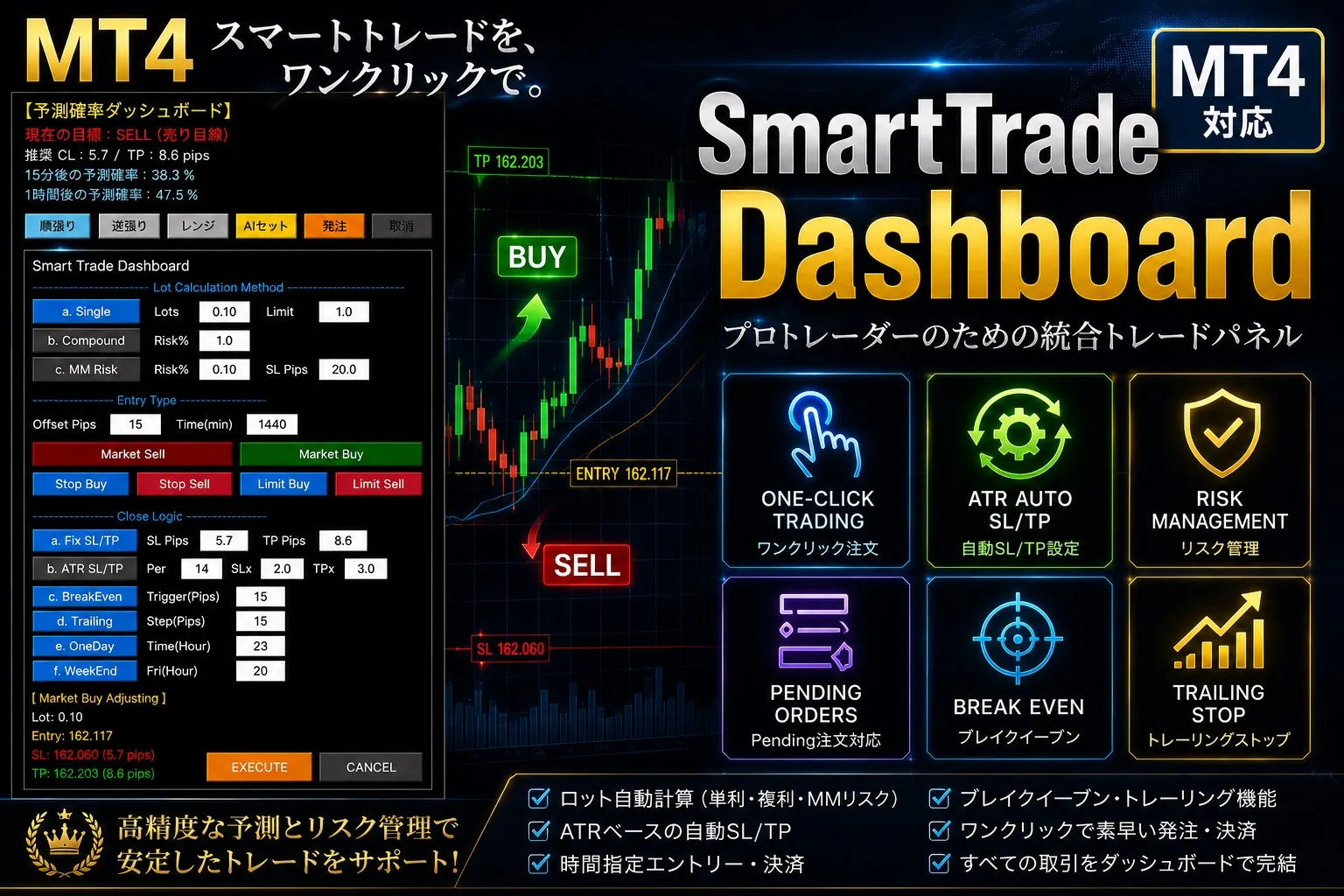
本ツールは、相場環境のリアルタイムな確率分析と、高度な注文管理機能を完全に統合したMT4専用のエキスパートアドバイザ(EA)です 。

1. 統合パネルの役割とレイアウト

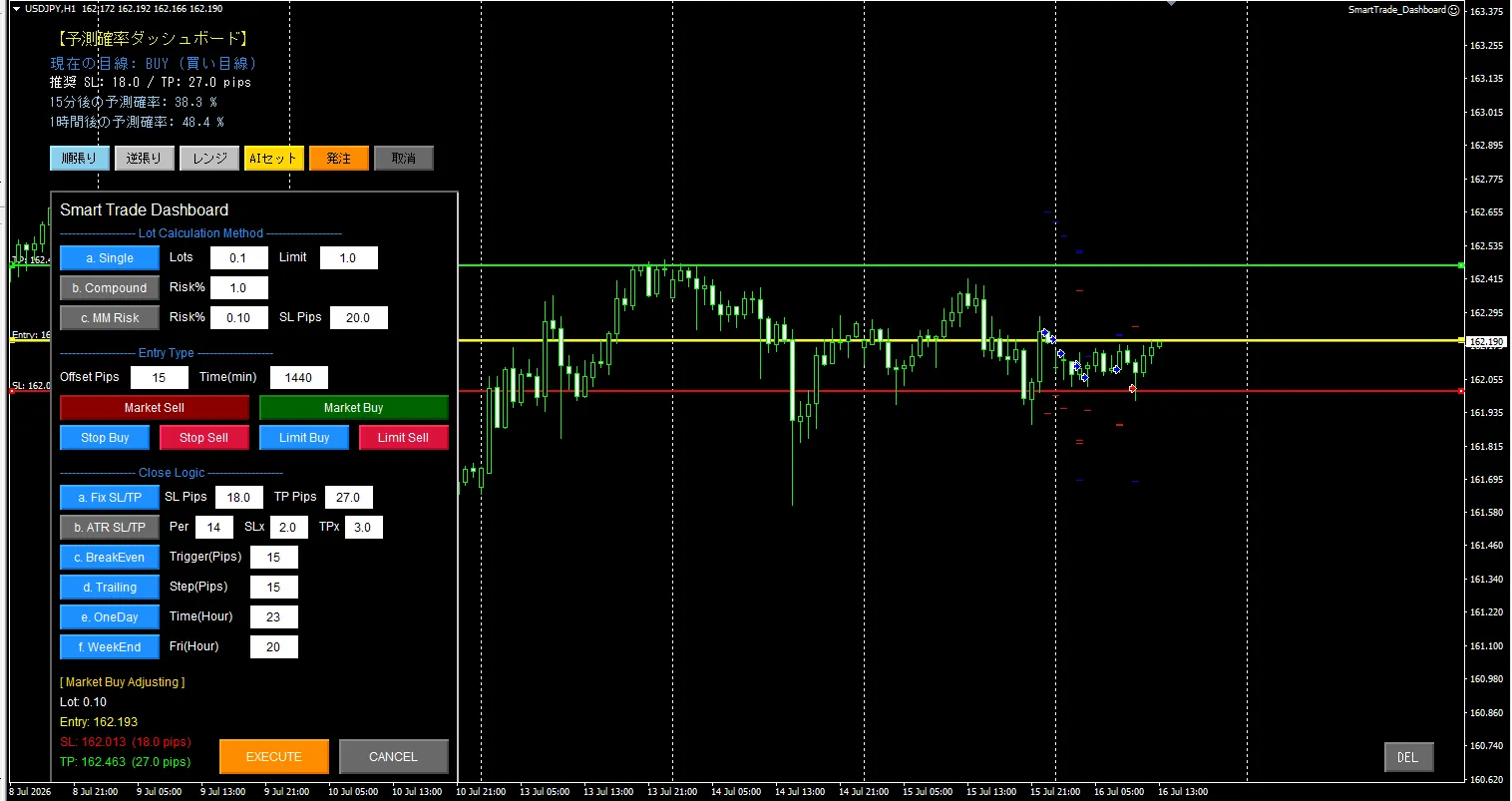
チャート左上に自動配置されるパネルは、大きく2つのセクションに分かれています 。

  • ダッシュボード部(上段・分析パネル)

  • モード切替: [順張り]・[逆張り]・[レンジ] の3つのボタンから、現在の相場に合わせた計算モードを即座に切り替えます 。

  • 現在の目線: 200MAを基準とした相場の方向性(BUY/SELL/ニュートラル)を表示します 。

  • 推奨SL/TP: 現在のボラティリティ(ATR)に基づき、最適な損切り幅と利確幅(pips)を自動算出します 。

  • 予測確率: 過去の統計に基づき、15分後・1時間後の勝率をパーセンテージでリアルタイム表示します 。

  • AI連携ボタン: [AIセット] を押すと、予測された目線と推奨SL/TPが下段の発注パネルへ一瞬で転送されます 。

  • SmartTrade部(下段・執行パネル)

  • Lot Calculation: 単利(Single)、複利(Compound)、資金管理リスク(MM Risk)からロット算出方式を選べます 。

  • Entry Type: 成行(Market)、指値(Limit)、逆指値(Stop)に加え、エントリーの有効期限(Expiration)やオフセットPipsも指定可能です 。

  • Close Logic: 固定Pips(Fix)、ATR連動、ブレイクイーブン(BE)、トレーリングストップ(TS)、時間指定決済(OneDay, WeekEnd)を組み合わせて自動決済を行えます 。

  • 表示切替(DELボタン)

  • チャート右下の[DEL]ボタンを押すと、チャート上の発注ラインを残したままパネルと文字を一時的に全非表示(SHOWに変化)にし、チャートを広く見ることができます 。

2. 基本的なトレードの流れ

  1. 環境確認: ダッシュボードの目線と各モードの勝率を見て、今の相場に合うモード(順張りなど)を選択します 。

  2. AIセット: [AIセット] ボタンをクリックします。推奨値が発注パネルに自動入力され、チャート上にエントリー・SL・TPの操作ライン(黄・赤・緑)が表示されます 。

  3. 微調整: 必要に応じてチャート上のラインをドラッグするか、発注パネル上でPipsの数値を微調整します 。

  4. 実行: パネルの [EXECUTE(発注)] ボタンを押し、エントリーを確定させます 。


「SmartTrade_Dashboard」 詳細仕様書

開発者視点でのテクニカルなシステム仕様です。


DownLoad プログラムはMT4 Expert(エキスパート フォルダ)に入れてください。 さらに、DLLのチェックも必要となります。


1. システム構成と基本パラメーター

  • プラットフォーム: MT4 (MQL4) 。

  • 計算エンジン: 事前計算キャッシュ方式。過去のローソク足データを裏側で一括計算し、モード切替時のUIレスポンスを0.001秒以下に短縮しています 。

  • 計算対象本数 (InpCalcBars): プロパティ画面から過去データの計算本数を変更可能です。小(500本: 直近感度重視)、中(1000本: バランス型)、大(3000本: 長期信頼性重視)から選択します 。

2. 相場分析と確率算出ロジック

「順張り」「逆張り」「レンジ」の3モードを搭載し、過去データ(M15およびH1)から勝率を算出します 。

  • 環境認識(目線判定): 現在の価格が200期間の移動平均線(MA)より上なら「1(BUY)」、下なら「-1(SELL)」と判定します 。

  • 順張り(MODE_TREND): トレンド方向へ価格が再発進した瞬間を狙います。RSI(14)が中央の50ラインをトレンド方向へ突き抜けた瞬間がエントリーの起点(トリガー)です 。

  • 逆張り(MODE_REVERSAL): 買われすぎ・売られすぎからの反発を狙います。RSIが70以上から下抜け、または30以下から上抜けした瞬間をトリガーとします 。

  • レンジ(MODE_RANGE): ボックス相場での反発を狙います。RSIが上限の60を下抜け、または下限の40を上抜けした瞬間をトリガーとします 。

3. リスク管理・AIセット仕様

  • SL/TP動的算出: ATR(14)を採用し、相場のボラティリティに完全適応します。デフォルト係数はSLがATRの2.0倍、TPが3.0倍です 。

  • AI連携と方向判定: [AIセット] 実行時、現在の目線が「1(BUY)」かつ順張りモードの場合は「MODE_BUY」へ、逆張りモードやレンジモードの場合は「MODE_SELL」へ自動で論理反転させて発注モードをアクティブ化します 。

  • 数値ズレの排除: AIセットボタン押下時の計算タイミングによる誤差を防ぐため、文字列データから直接数値を読み込み、完全なPips値として転送します 。

4. 運用上の重要事項

  • インストール: 実行ファイル(.ex4)またはコンパイル済みのファイルをMT4の MQL4\Experts フォルダに格納してください 。

  • 自動売買の有効化: チャートに適用する際、パラメーター設定の「全般」タブにて「自動売買を許可する」に必ずチェックを入れてください。チェックがないとEXECUTEボタンを押しても発注が弾かれます 。

  • 表示の重複回避: UIオブジェクトは「ST_UI_」等の接頭辞で管理されています。表示がおかしくなった場合は、一度EAを削除するか、右下の「DEL」ボタンでリセットを行ってください 。


¥4,000 (taxed)
5left
Next price: (Tax Inc.)
$undefined ¥8,000
Provider/Distributor:
Sales site:
GogoJungle

Payment

Mastercard Visa JCB Bank FamilyMart D2 D1
Product outline
Product Manual
Community(0)
Best Seller Ranking
Recommended Products (Campaigns)

For those using GogoJungle for the first time Easy 3 steps to use the product!

At GogoJungle, we provide services to enrich your investment life for our members. In addition, product purchases are limited to members. Why not register as a member now and make use of GogoJungle!

01
Enter user information and register as a member
02
Follow the instructions to make a purchase
03
Download from My Page
■ Important Matters and Risk Warnings Regarding Investment Products 【Financial Instruments Business Operator】
GogoJungle Inc.
Registration: Director-General of the Kanto Local Finance Bureau (Financial Instruments Business) No. 1960
【Member Association】
Japan Investment Advisers Association
【Fees and Expenses】
The use of software, e-books, investment advisory services, etc., provided on our platform involves purchase prices determined for each product.
Additionally, when conducting actual financial instrument transactions (such as FX or CFD trading), costs such as transaction fees and spreads (the difference between the sell and buy price) may be incurred through the connected brokerage firms.
【Margin and Risk of Loss】
Transactions such as FX (Foreign Exchange Margin Trading) and CFD (Contract for Difference) allow for trading in amounts exceeding the deposited margin.
Therefore, due to sudden fluctuations in target indices (currency, commodity prices, etc.), there is a risk of incurring losses that exceed the deposited margin (loss exceeding principal).
Furthermore, financial instrument transactions involve risks such as price fluctuations, which may result in losses falling below or exceeding the initial investment principal.
【Nature of Services and Trading Entity】
The Company operates a platform (marketplace) providing investment software and information; we do not engage in the buying, selling, mediation, brokerage, or agency of financial instruments on behalf of customers.
The services and information provided are intended as reference for investment decisions and do not guarantee future profits or specific results.
While some services include investment advice, they do not constitute a mandate or solicitation to trade specific financial instruments.
Final investment decisions and the execution of trades must be made at the customer’s own risk and discretion.
