
AI Zone Radar-サポレジ自動検出&強度★5段階評価

Product outline
Community(0)
AI Zone Radar-サポレジ自動検出&強度★5段階評価 Indicators/E-books
AI Zone Radar-サポレジ自動検出&強度★5段階評価
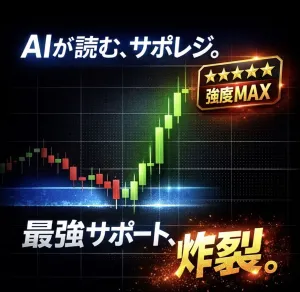
サポレジの強さを5段階で確認。ライン+ゾーン、移動できる日本語パネル、通常/簡易表示に対応|MT4・MT5
Sales Result 7 items
Reviews ★ 0.0 (0)
Category:
How to provide:
Indicator
Sales from:
03/01/2026
Last Updated:
-
Version:
-
Available company:
Seller's last login time: 11/27/2026 11:00:13
Read more seller information
¥14,800 (taxed)
Already 7 users using!
Provider/Distributor:
Sales site:
GogoJungle

●Payment

Mastercard Visa JCB Bank FamilyMart D2 D1

AI ZONE RADAR / v2.10

ラインの強さを、
ゾーンで見る。

サポート・レジスタンスの位置、相対的な強さ、今の価格からの距離をひとつの画面に。Windows版 MT4・MT5対応。

2026年10月13日更新|AI ZONE RADAR v2.10
元の強度評価の考え方を引き継ぎ、ゾーン表示・パネル操作・表示の安定性を更新しました。

通常表示と簡易表示を見比べる

右下パネルを、情報をまとめて見られる通常表示と、必要な項目に絞った簡易表示で切り替えられます。
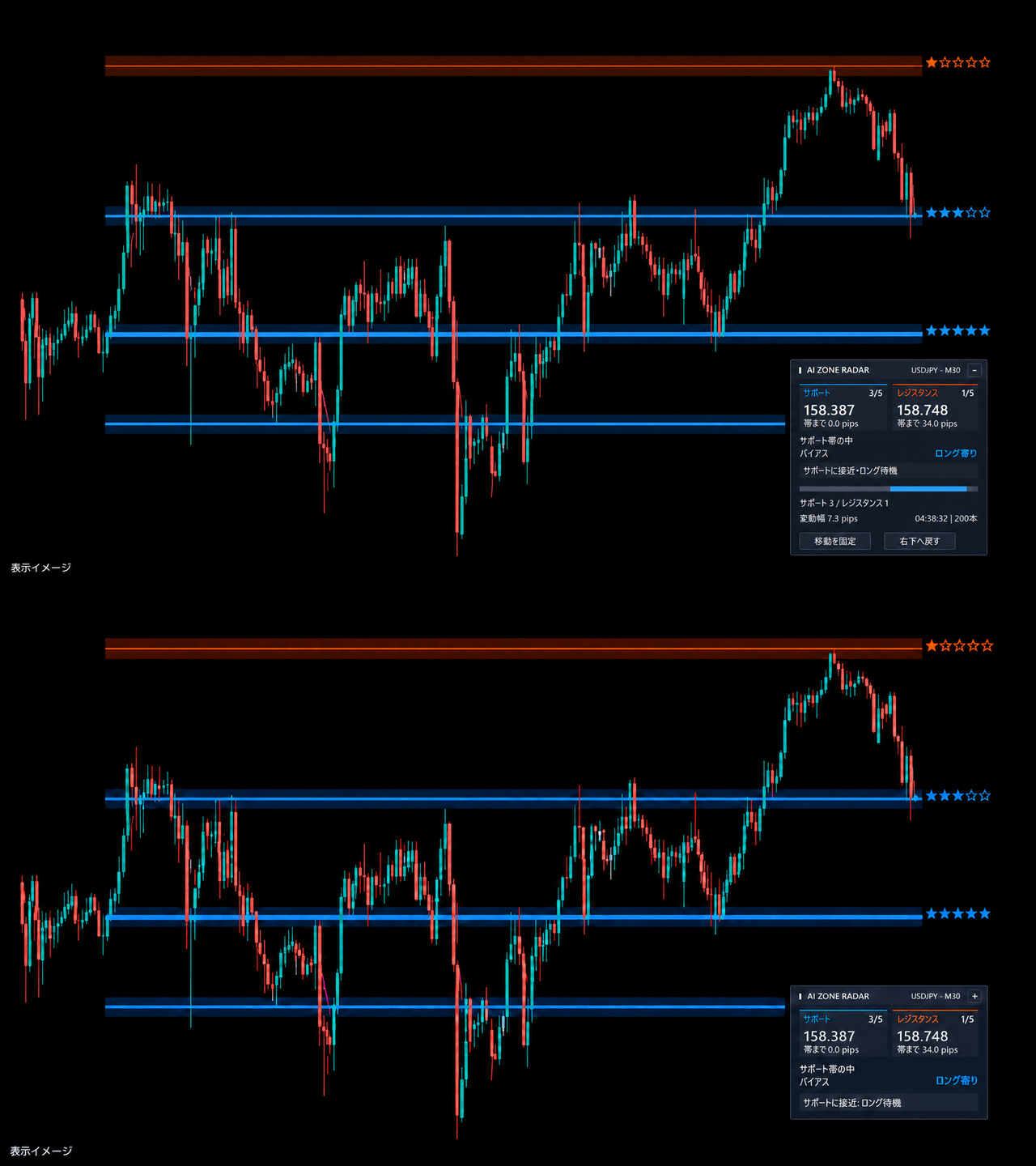
AI ZONE RADARの通常パネルと簡易パネルを4秒ごとに切り替える表示イメージ

通常 → 簡易を4秒ごとに表示するアニメーションです。MAなし。実際の画面を参考に加工・生成した説明用画像であり、相場の動きや売買成績を示す動画ではありません。

前回の配布版から変わったこと

1|ラインの周囲に、ゾーンを追加

中心ラインに加えて周囲の価格帯を表示。線の太さと5段階の強度を残しながら、注目する範囲を面で確認できます。チャート上の文字を整理し、MT5は星、MT4は「3/5」などの数値で強度を表示します。

2|右下から、好きな位置へ

パネルの初期位置は右下。タイトル部分をドラッグして移動でき、位置の保存、移動の固定、右下へ戻す操作にも対応しています。KGSと一緒に使うときも、パネル同士が重ならない位置へ調整できます。

3|小窓に合わせて、自動で小さく

分割チャートではパネルを自動縮小。小さくした状態でも移動できます。「+/−」ボタンで通常・簡易表示を切り替えられます。極端に小さいチャートでは、表示領域に応じて操作や表示が制限されます。

4|価格・pips・現在位置を日本語で

通貨ペア名と時間足、近いサポート/レジスタンスの価格と強度、帯までのpips、現在位置、バイアス、状況を表示。どのチャートの情報かをパネル上部で確認できます。

5|配色の調整と、表示の安定化

サポート/レジスタンスの色を変更すると、ライン・ゾーン・強度表示・パネルが連動。帯の濃さや表示の有無も調整できます。

同じ足の途中で価格がラインを行き来しても、ラインの色・区分は切り替わりません。距離はリアルタイムで更新し、帯を通過した場合は「帯を通過・次の更新を待機」と表示します。新しい足や再読み込み時には区分が変わることがあります。

再計算と描画処理も整理し、時間足切り替えなどの負荷を抑えました。履歴の読み込み状況や、併用するインジケーターによって動作速度は変わります。

2種類のパネル表示

通常パネル|詳しく確認したいときに
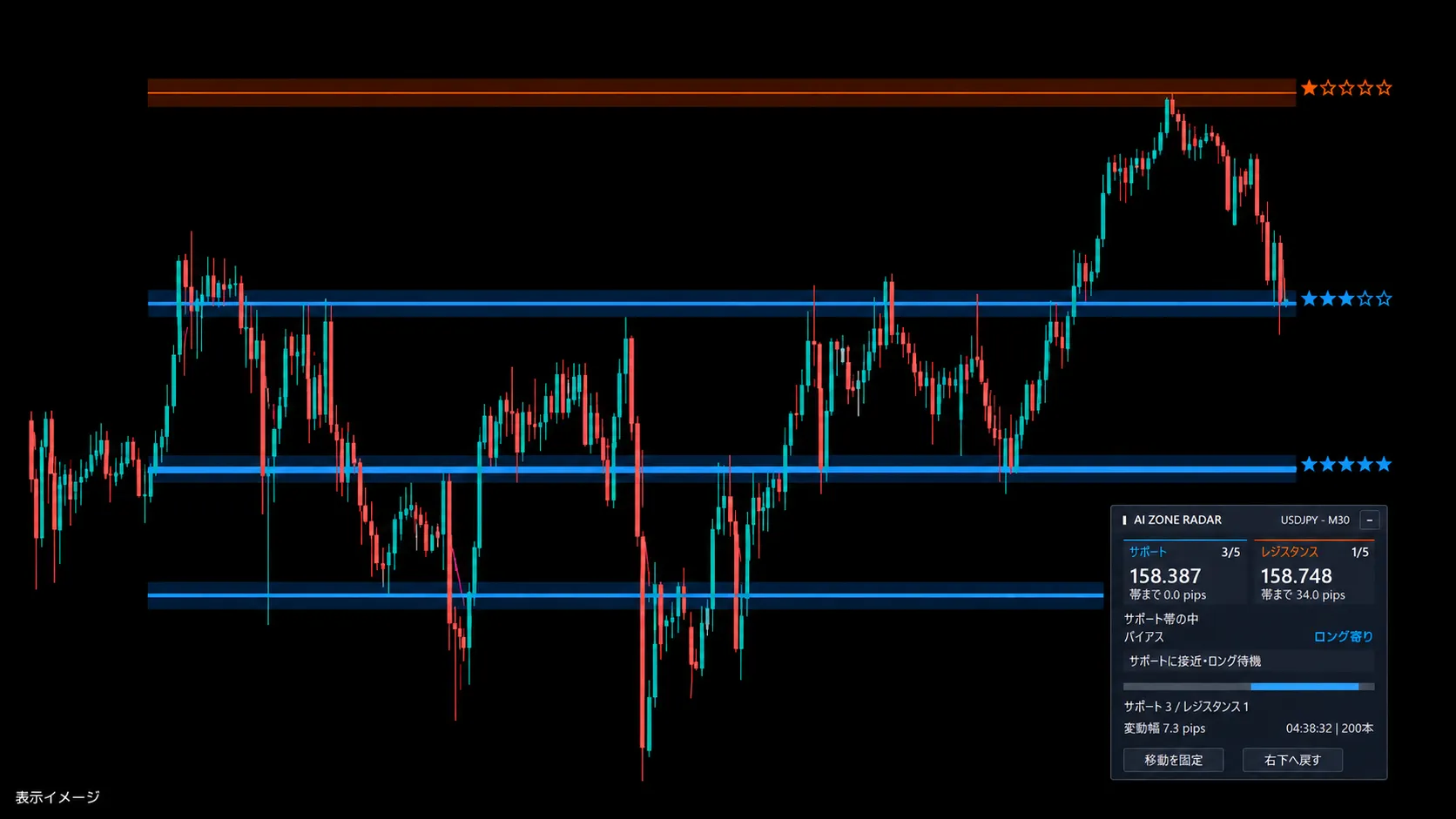
MAなしのAI ZONE RADAR通常パネル表示イメージ

価格・強度・距離・状況に加え、バイアスゲージ、ゾーン数、変動幅、分析時刻を確認できます。移動の固定や右下へ戻すボタンも表示します。

簡易パネル|チャートを広く使いたいときに
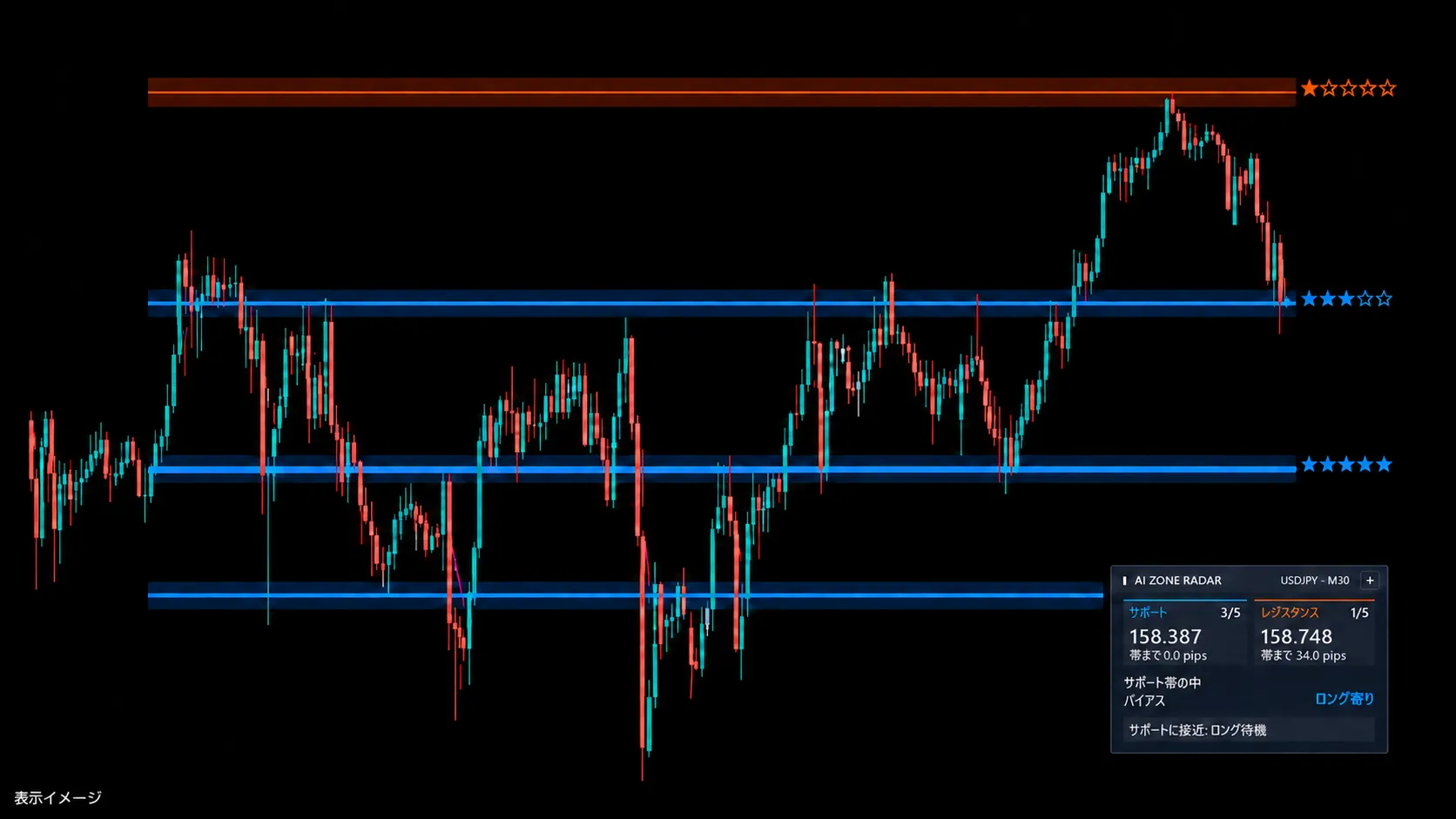
MAなしのAI ZONE RADAR簡易パネル表示イメージ

通貨ペア・時間足、価格・強度・帯までのpips、現在位置、バイアス、状況を残してコンパクトに。簡易表示でもタイトル部分をドラッグして移動できます。移動の固定などのボタンは通常表示に切り替えて操作します。

上の2枚も加工・生成した表示イメージです。実際の配色・サイズ・表示値は設定や相場によって異なります。

パネルの見方

  • サポート/レジスタンス:近くに表示されているラインの価格と強度。
  • 帯まで ○ pips:現在のチャート価格からゾーンまでの距離。帯の中では0.0 pipsです。
  • 現在位置:「サポートとレジスタンスの間」「サポート帯の中」などを表示。
  • バイアス・状況:監視の参考情報です。売買の確定指示ではありません。

強度1〜5は相対的な目安です。「5なら必ず反発する」という意味ではありません。今回の更新は、勝率や反発精度の向上を保証するものではありません。

KGSとの併用・お好みの設定

KGSのパネルやローソク足に重なる場合は、AI ZONE RADARのタイトルをドラッグして配置を調整してください。両ツールの分析は独立しています。

ライン・ゾーンの色、帯の濃さ・幅・表示/非表示、強度表示、パネルの背景色・文字色、自動縮小、位置の保存などを設定できます。標準のゾーン濃さは20です。FX以外でpipsの表示単位を合わせる場合は「1pipの価格幅」を設定してください。

配布ファイルと更新方法

最新版のZIPには、MT4用EX4・MT5用EX5・日本語PDFマニュアルの3点を同梱しています。ソースコードは含みません。

  1. 購入者向けダウンロードから最新版ZIPを取得し、展開します。
  2. MetaTraderの「ファイル → データフォルダを開く」を選択。
  3. MT4はMQL4/IndicatorsにEX4、MT5はMQL5/IndicatorsにEX5をコピーします。
  4. ナビゲータを更新し、チャートから旧AI ZONE RADARだけを外して最新版を追加します。
  5. 色やパネル位置を確認します。以前の設定を変更している場合は更新前に控えてください。

ご利用前に

Windows版MT4・MT5向けです。スマートフォン版MetaTraderには追加できません。自動売買・DLL・外部通信の許可は不要です。このインジケーターは注文や決済を行いません。

過去のすべてのラインを固定保存するツールではありません。時間足、履歴、設定、相場の変化によりラインの数や位置は変わります。業者や銘柄によって価格履歴が異なり、同じ時間足でも表示結果が一致するとは限りません。

サポレジの確認を支援するツールであり、将来の値動きや利益を保証するものではありません。すべての業者・銘柄・併用環境で不具合がないことを保証するものではありません。

Reversal Sniperとのセットもあります

ゾーンの位置とサインを合わせて確認したい方向けのセット商品です。

AI Zone Radar+Reversal Sniper セットを見る


関連商品

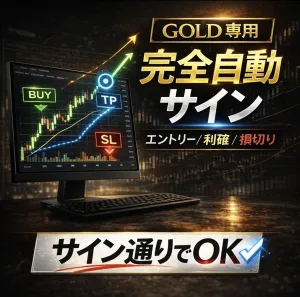
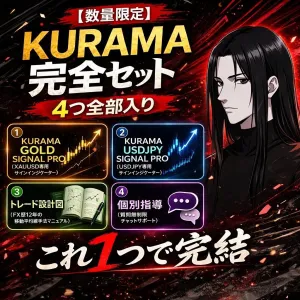
KURAMA GOLD SIGNAL PROGogoJungleKURAMA GOLD SIGNAL PROゴールド専用サインツール|TP・SL全自動表示|MT4・MT5対応商品ページを見る →最強セット|インジ+教材+個別指導GogoJungle最強セット|インジ+教材+個別指導GOLD×ドル円のインジケーター・教材・個別指導をまとめたセット。商品ページを見る →
¥14,800 (taxed)
Already 7 users using!
Provider/Distributor:
Sales site:
GogoJungle

●Payment

Mastercard Visa JCB Bank FamilyMart D2 D1
Product outline
Community(0)
Best Seller Ranking

For those using GogoJungle for the first time Easy 3 steps to use the product!

At GogoJungle, we provide services to enrich your investment life for our members. In addition, product purchases are limited to members. Why not register as a member now and make use of GogoJungle!

01
Enter user information and register as a member
02
Follow the instructions to make a purchase
03
Download from My Page
■ Important Matters and Risk Warnings Regarding Investment Products 【Financial Instruments Business Operator】
GogoJungle Inc.
Registration: Director-General of the Kanto Local Finance Bureau (Financial Instruments Business) No. 1960
【Member Association】
Investment Trusts Association, Japan
【Fees and Expenses】
The use of software, e-books, investment advisory services, etc., provided on our platform involves purchase prices determined for each product.
Additionally, when conducting actual financial instrument transactions (such as FX or CFD trading), costs such as transaction fees and spreads (the difference between the sell and buy price) may be incurred through the connected brokerage firms.
【Margin and Risk of Loss】
Transactions such as FX (Foreign Exchange Margin Trading) and CFD (Contract for Difference) allow for trading in amounts exceeding the deposited margin.
Therefore, due to sudden fluctuations in target indices (currency, commodity prices, etc.), there is a risk of incurring losses that exceed the deposited margin (loss exceeding principal).
Furthermore, financial instrument transactions involve risks such as price fluctuations, which may result in losses falling below or exceeding the initial investment principal.
【Nature of Services and Trading Entity】
The Company operates a platform (marketplace) providing investment software and information; we do not engage in the buying, selling, mediation, brokerage, or agency of financial instruments on behalf of customers.
The services and information provided are intended as reference for investment decisions and do not guarantee future profits or specific results.
While some services include investment advice, they do not constitute a mandate or solicitation to trade specific financial instruments.
Final investment decisions and the execution of trades must be made at the customer’s own risk and discretion.