商品概要
コミュニティ(0)
水平線をカットするインジケーター「HLineCut」
水平線の左側の邪魔な部分をカットします
販売実績 2 本
レビュー ★ 0.0
(0)
キーワード:
カテゴリ:
提供方法:
インジケータ
販売開始日:
2022/01/29
更新日時:
2024/06/30
バージョン:
1.1
ご利用可能会社:


チャートの見た目を整える
水平線の左側の不要な部分をカットすることでチャートの見た目を整えることができます。
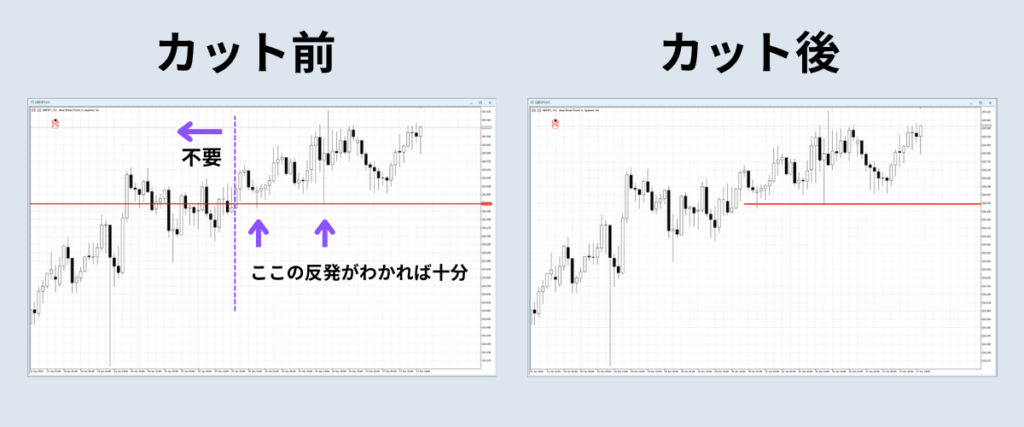
使い方は簡単
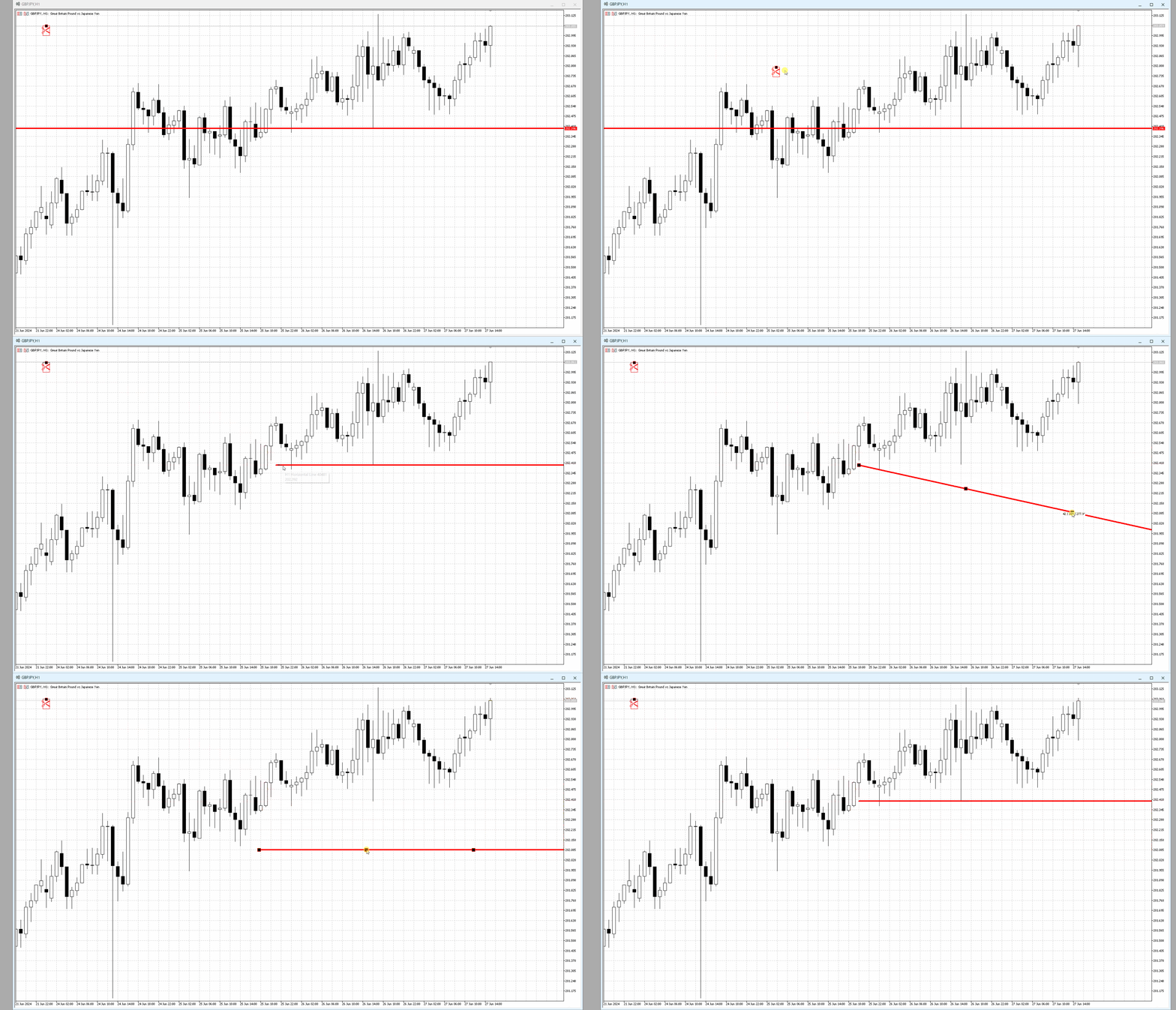
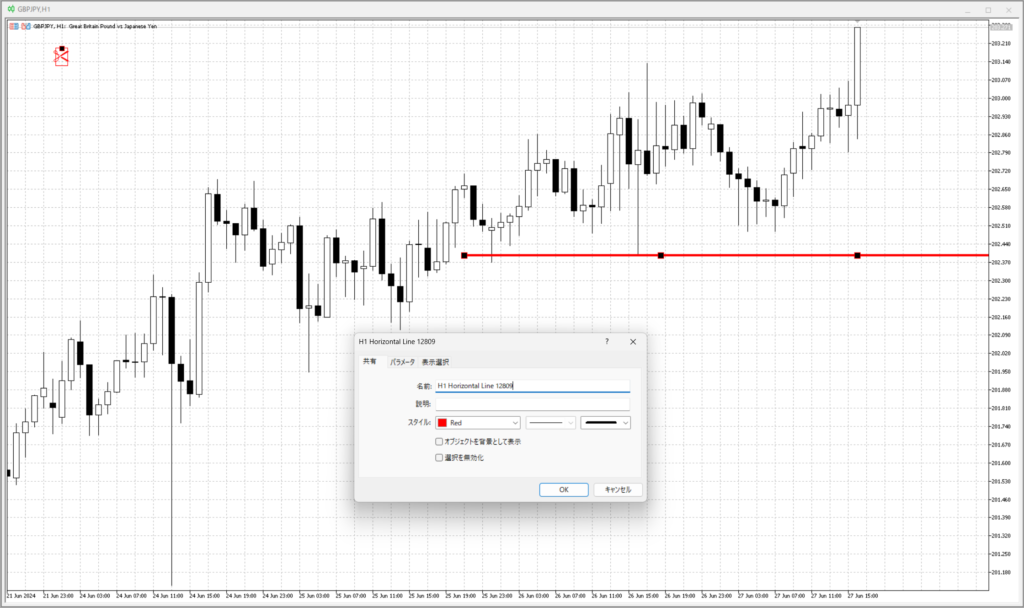
- ハサミマーク(インジケーター挿入時に出現)を水平線のカットさせたい部分に移動させると、ハサミの左側部分がカットされます。
- カット後、ハサミはデフォルト位置に戻ります。
- 誤って斜めにしても自動で水平に戻してくれます(カットしたラインのみ)。
- ラインの中央部を選択→ドラッグで移動できます。
- インジケーターを削除すると、チャートからハサミマークが削除され、水平に戻す機能もなくなります
ラインの色、スタイルなどのプロパティ情報は切断前のものを引き継ぎます。
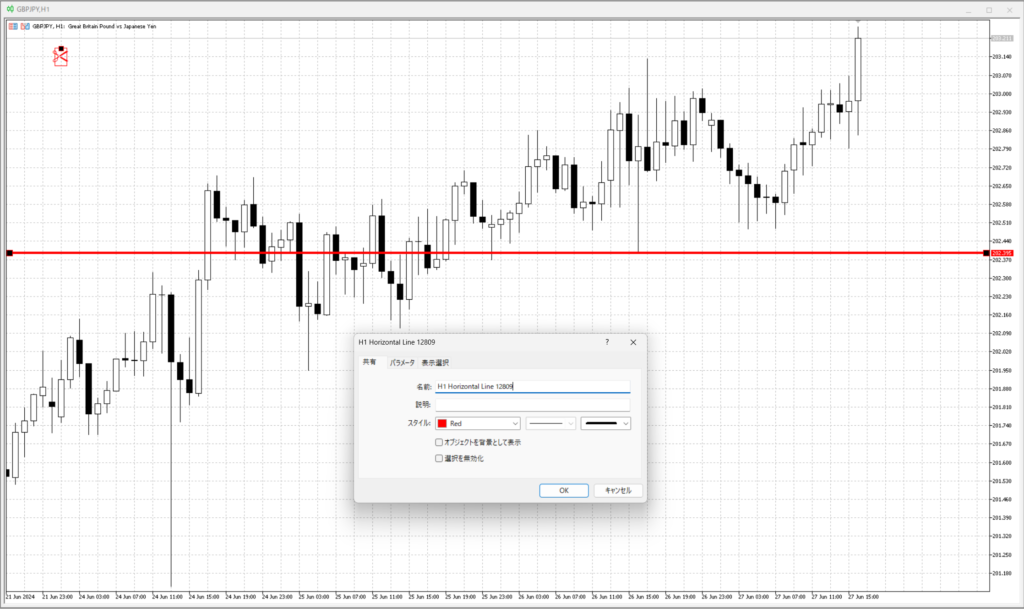
パラメーター
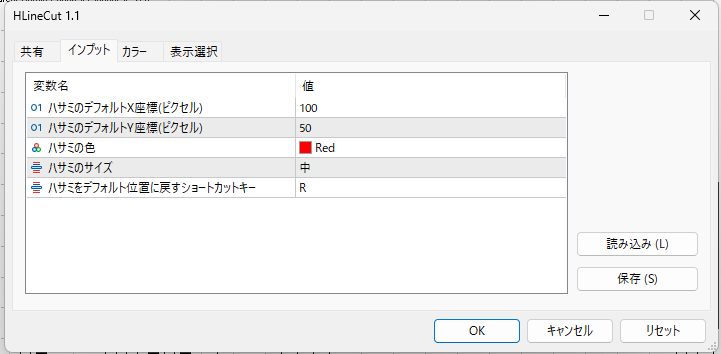
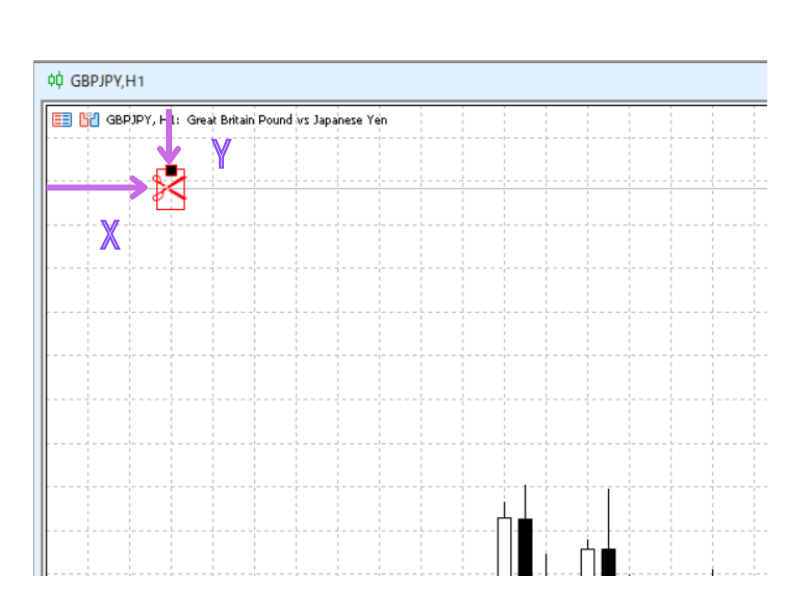
ハサミの位置はパラメーターで指定します。
基本的には固定位置ですが、チャートの右側移動や時間足切り替えで画面外にはみ出てしまうので、
ショートカットキーで元の位置に戻すことができます。
¥850 (税込)
すでに 2 人が利用中!
提供元 / 販売元:
販売サイト:
GogoJungle
●お支払い方法





商品概要
コミュニティ(0)
人気商品ランキング
おすすめ商品(キャンペーン商品)
GogoJungleを初めてご利用する方へ 商品のご利用まではかんたん3ステップ!
GogoJungleでは、会員様向けに、あなたの投資生活を豊かにするサービスをご用意しております。また、商品をご購入いただけるのは、会員様のみとなっております。今すぐ会員登録をして、GogoJungleを活用してみませんか!
01
ユーザー情報を入力し会員登録
02
案内に従い購入
03
マイページからダウンロード
