
Product outline
Community(0)

AMM
損益価格の可視化・リスクリワード計算
Reviews:
Category:
How to provide:
Indicator
Sales from:
06/17/2021
Last Updated:
-
Version:
-
Web Authentication:
Enable
Available company:

Free
Already 22 users using!
Provider/Distributor:
Sales site:
GogoJungle

【AMM機能紹介】
・ボタンクリックでエントレイー・ストップ・ターゲットのラインを表示
・エントリーからストップまでの距離・金額の計算
・エントリーからターゲットまでの距離・金額の計算
・リスクリワード自動計算
資金管理に関するブログ記載しまいた。
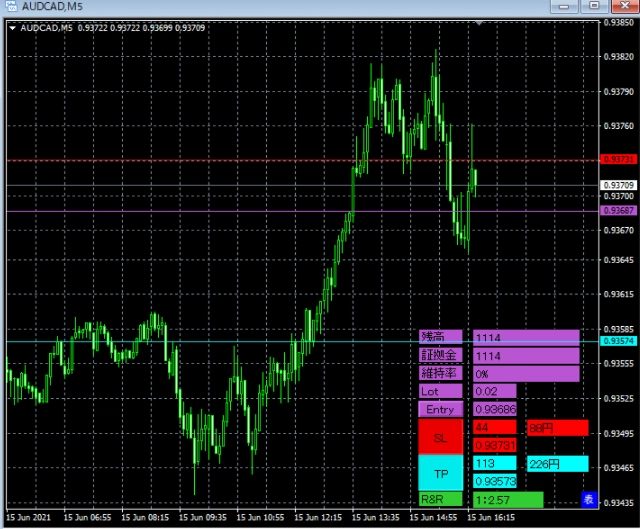
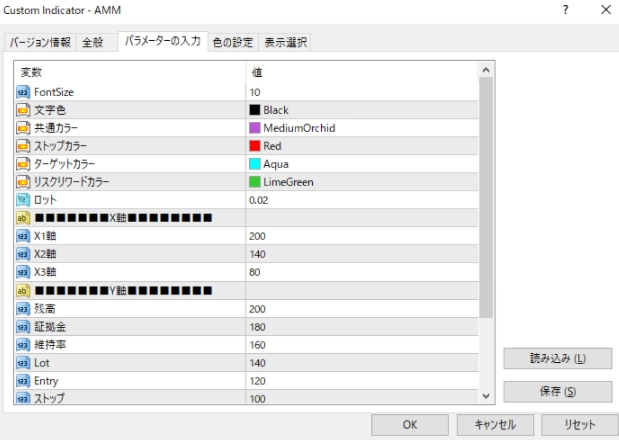
パラメータ紹介
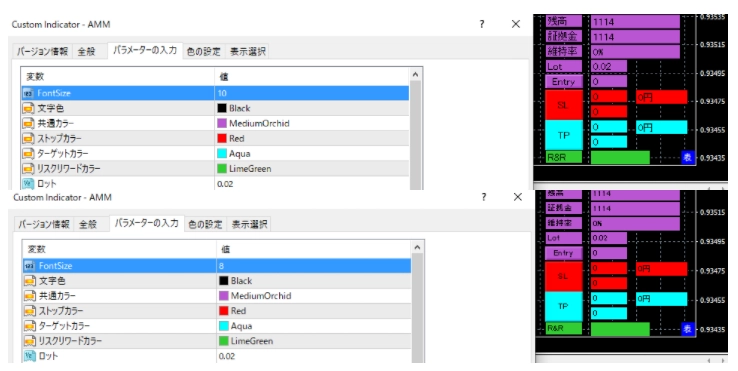
FontSize
FontSizeはオブジェクト内の文字の大きさを変更します。
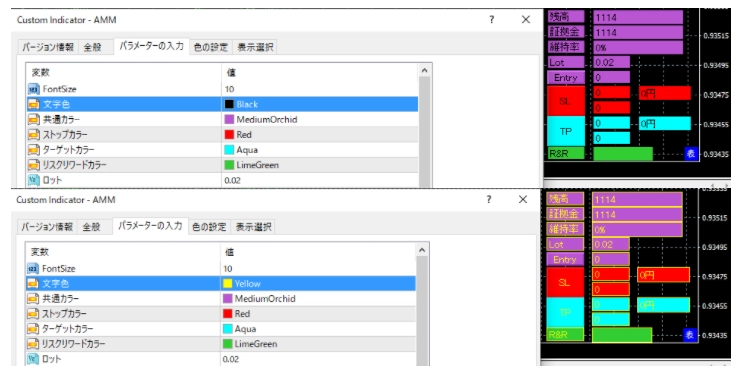
文字色
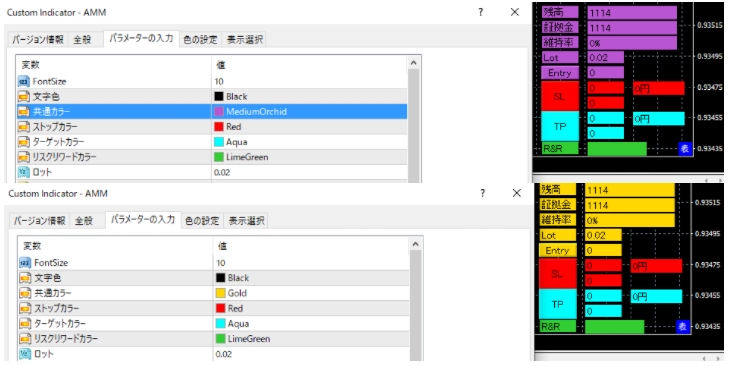
共通カラー
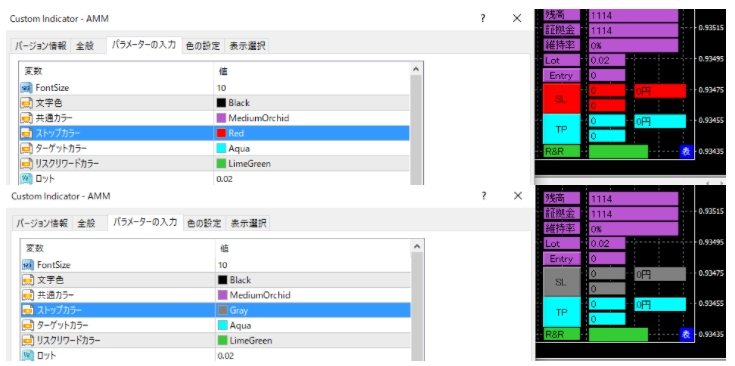
ストップカラー
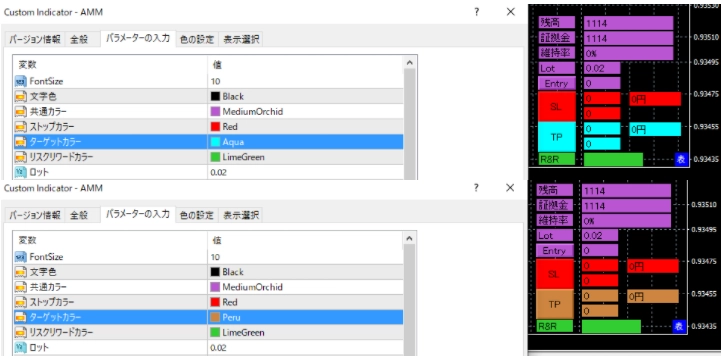
ターゲットカラー
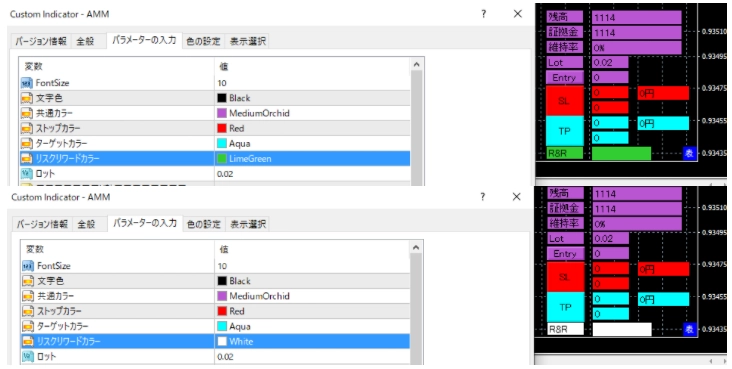
リスクリワードカラー
ロット
ロットを変更することでストップ金額とターゲット金額がロット数に応じて変更されます。
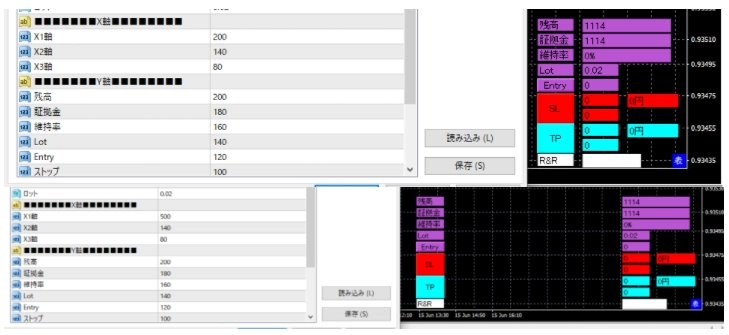
X軸
X軸1~3の数値を大きくすることで各項目群が左方向に移動します。数値を小さくすれば右方向に移動します。
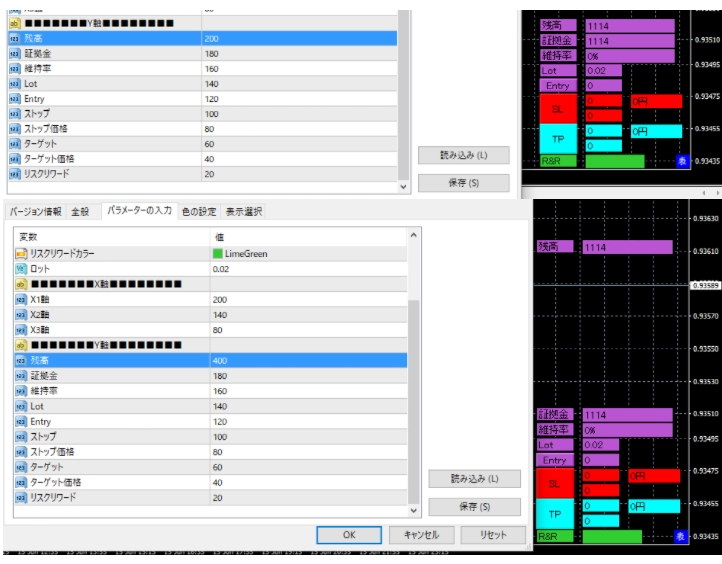
Y軸
残高~リスクリワードの数値を大きくすることで各項目群が上方向に移動します。数値を小さくすれば下方向に移動します。
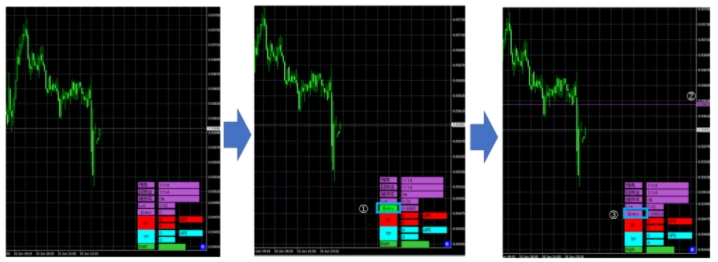
エントリーラインの設定
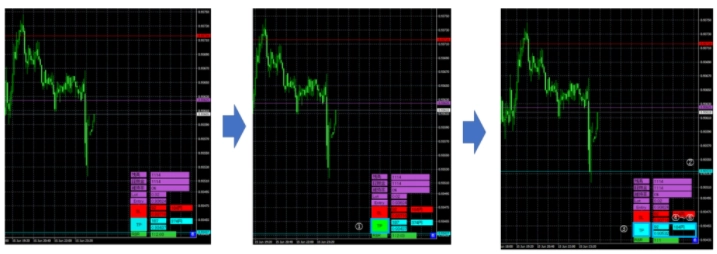
- エントリーボタンを押すとボタンの色が反転します。
- チャート上の任意の場所をクリックするとその位置にエントリーラインを引きます。
- エントリーボタンが元の色に戻りボタンの横の項目にライン表示した価格が表示されます。
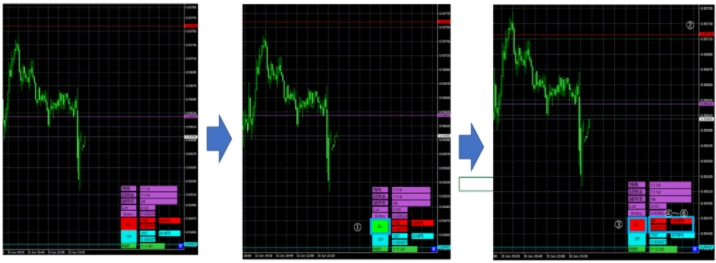
ストップラインの設定
- SLボタンを押すとボタンの色が反転します。
- チャート上の任意の場所をクリックするとその位置にストップラインを引きます。
- SLボタンが元の色に戻ります。
- エントリーからストップまでの距離をポイント表示で表示します。
- ストップポイントとLotの値を参照にストップにかかった場合の金額を表示します。
- ストップの価格を表示します。
ターゲットポイントの設定
- TPボタンを押すとボタンの色が反転します。
- チャート上の任意の場所をクリックするとその位置にエントリーラインを引きます。
- TPボタンが元の色に戻りボタンの横の項目にライン表示した価格が表示されます。
- エントリーからターゲットまでの距離をポイント表示で表示します。
- ターゲットポイントとLotの値を参照にターゲットまで到達した場合の金額を表示します。
- ターゲットの価格を表示します。
リスクリワードの表示
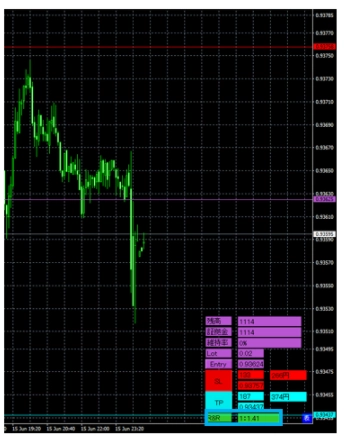
ターゲットポイントとストップポイントの比率を表示しています。
※ティックが動くと再計算されます。
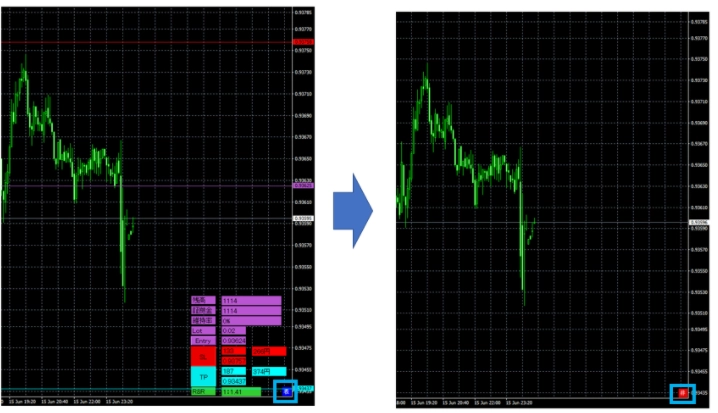
非表示機能
インジケーターの項目がチャートに被ってしまい、インジケーターを非表示にしたいときに使います。
- インジケーターが表示状態で表ボタンをクリックします。
- 表ボタンの色が赤色になり非ボタンに変わります。
- 非ボタン以外の項目は非表示となります。
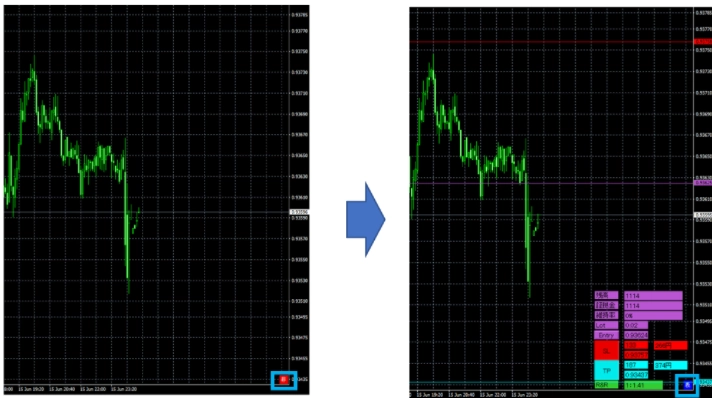
表示機能
表示機能は非表示になったものを再度表示させたいときに使用します。
- インジケーターが非表示状態で非ボタンをクリックします。
- 非ボタンの色が青色になり表ボタンに変わります。
- 非表示状態になる前の表示が再度表示されます。
Free
Already 22 users using!
Provider/Distributor:
Sales site:
GogoJungle
Product outline
Community(0)
Best Seller Ranking
Recommended Products (Campaigns)
For those using GogoJungle for the first time Easy 3 steps to use the product!
At GogoJungle, we provide services to enrich your investment life for our members. In addition, product purchases are limited to members. Why not register as a member now and make use of GogoJungle!
01
Enter user information and register as a member
02
Follow the instructions to make a purchase
03
Download from My Page
