该商品现在未出售。
商品简介
产品交流(0)
LIZ AutoPilot
BUY&SELL サインツール(トレーディングビューで表示できるインジケーターです)
评论:
关键词:
提供的方式:
Indicator
销售开始日期:
2020/06/24
更新日期和时间:
2023/10/21
版本:
1



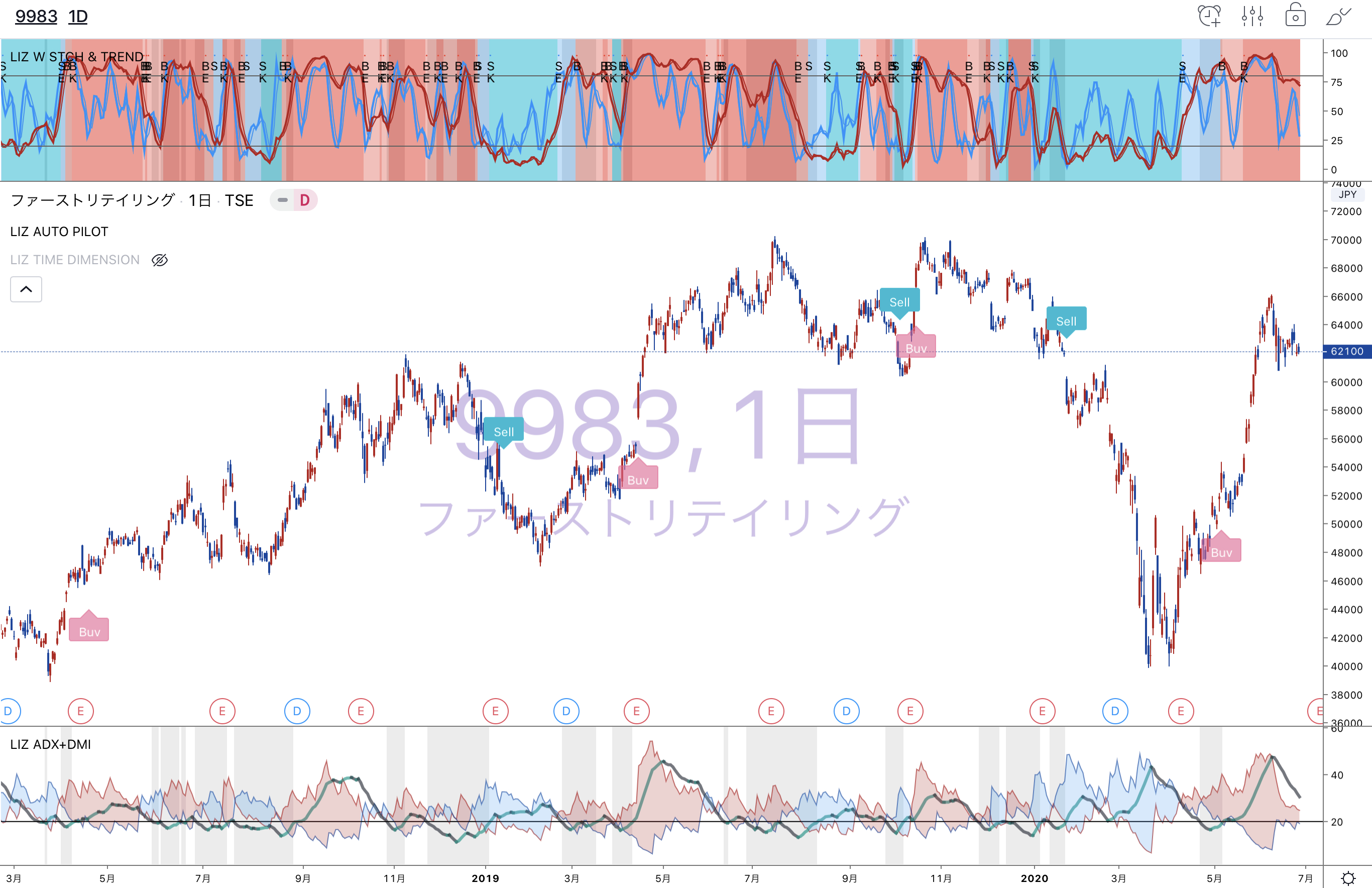
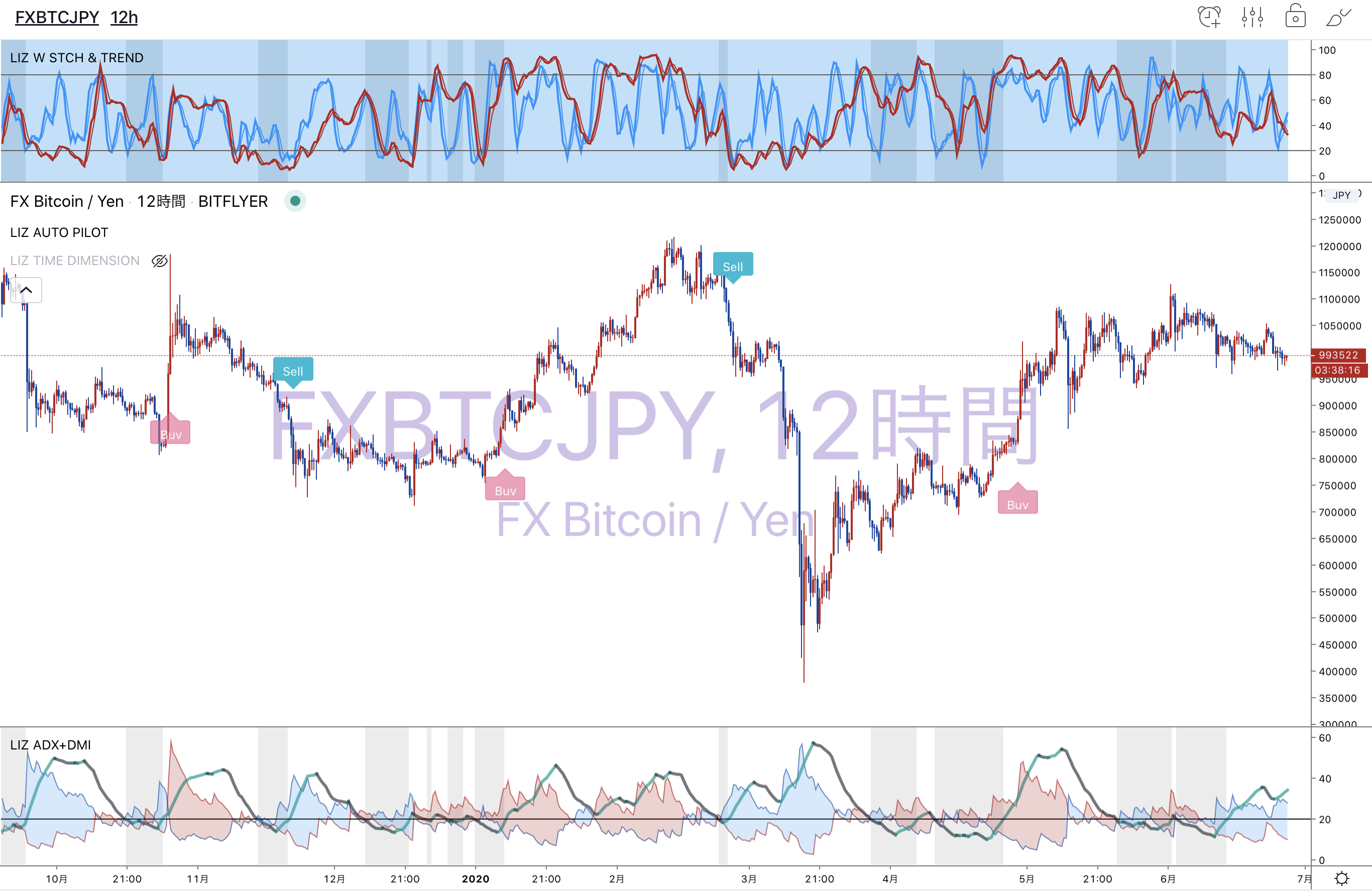
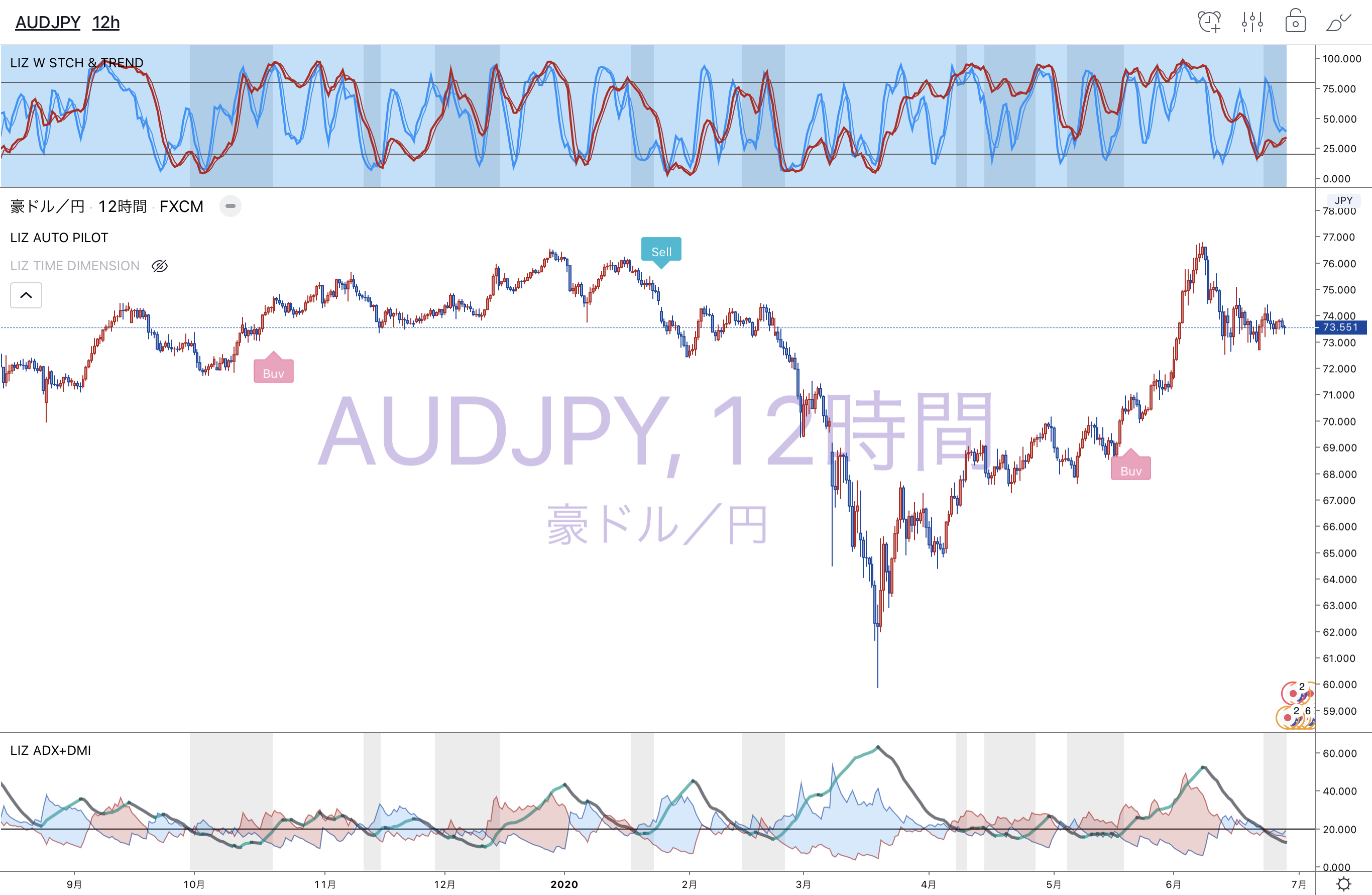
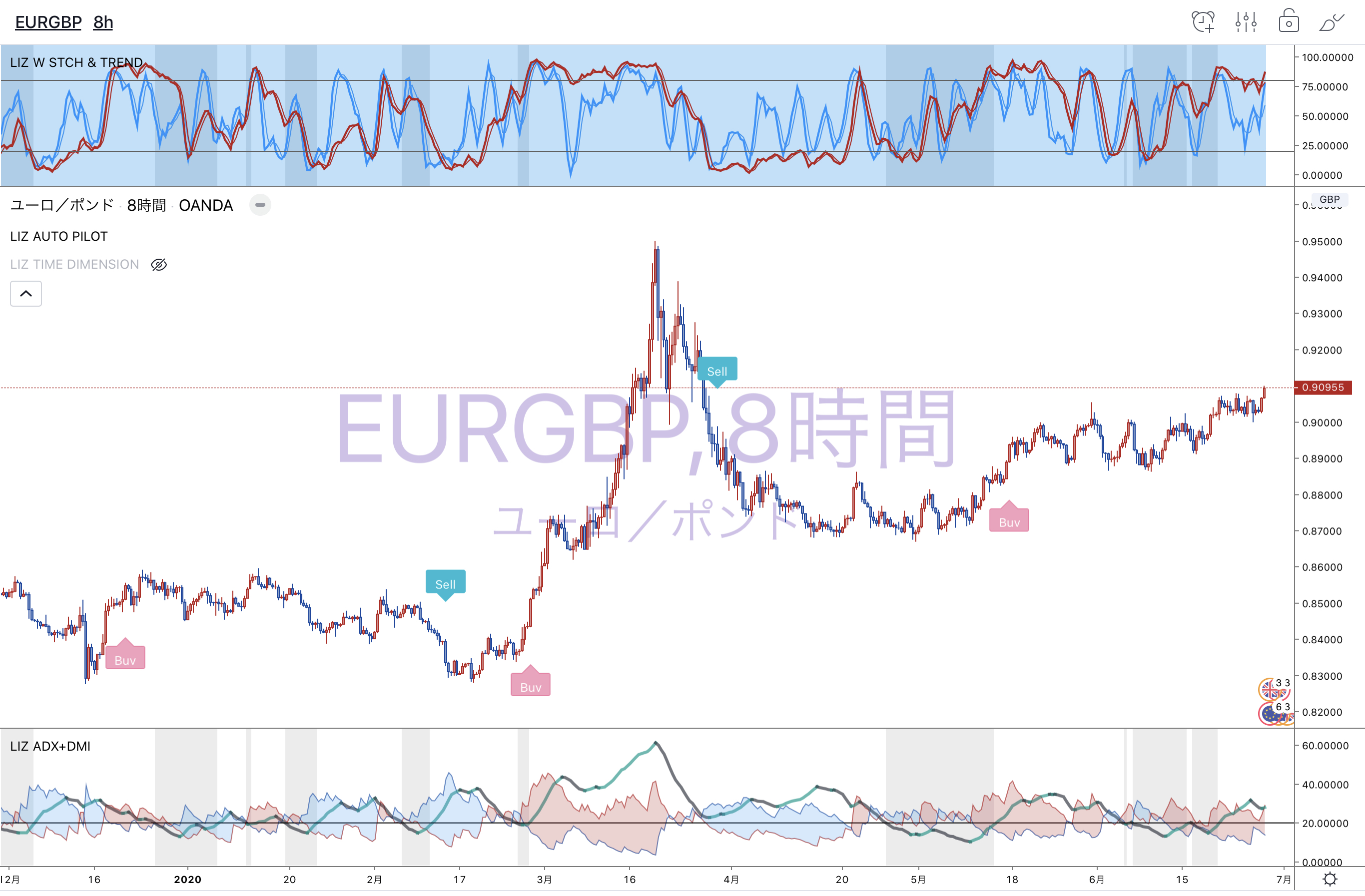
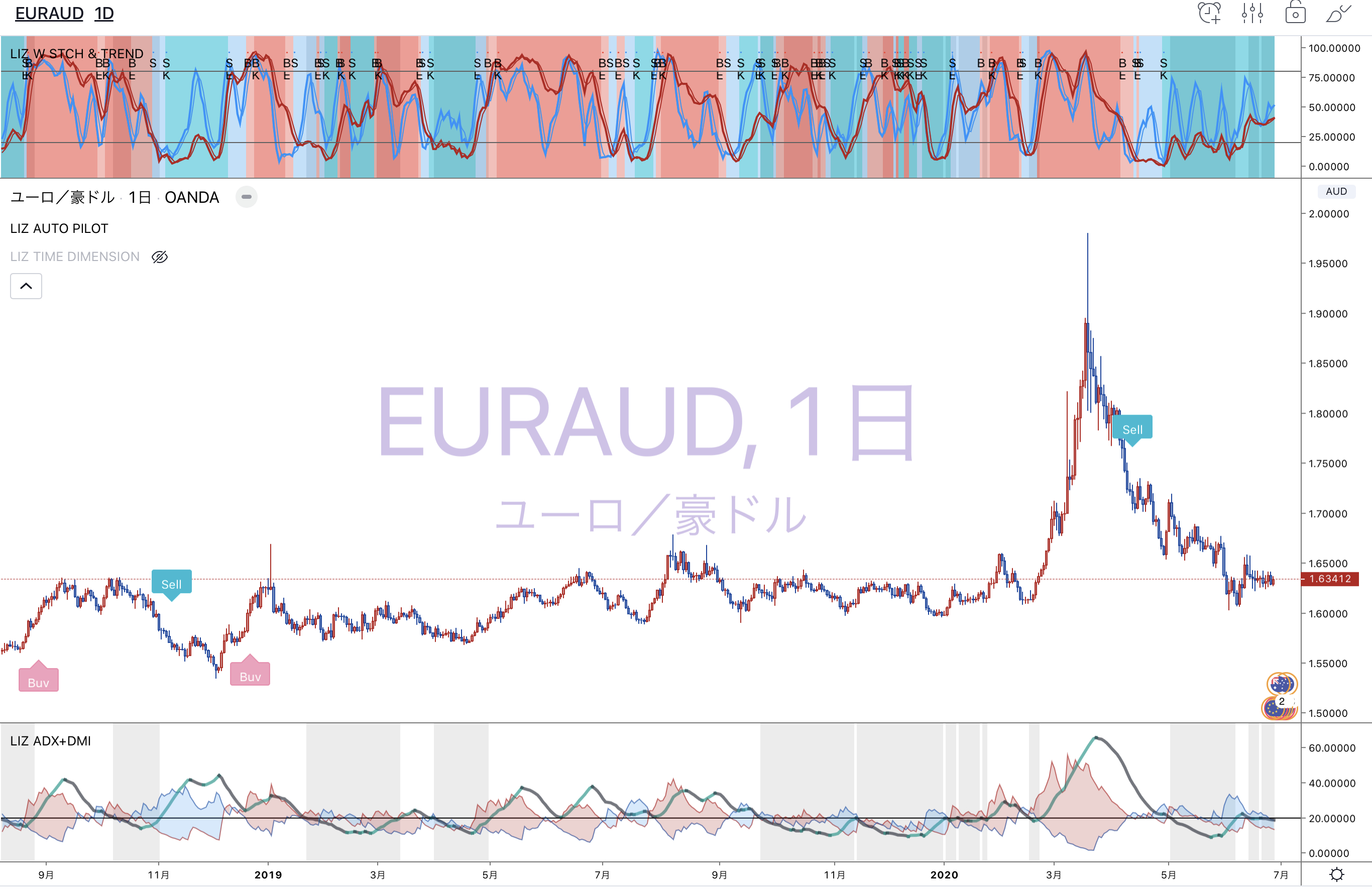
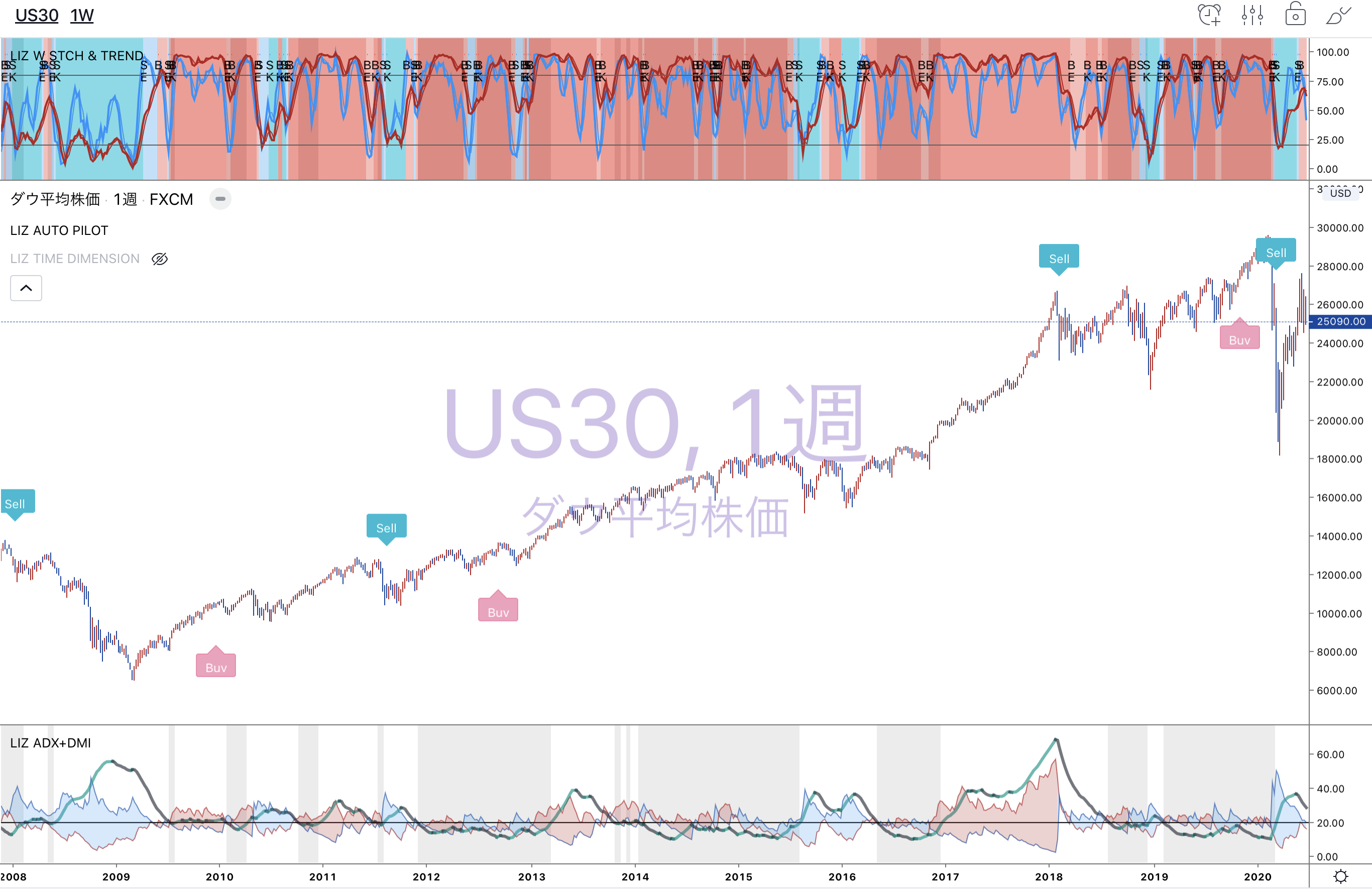
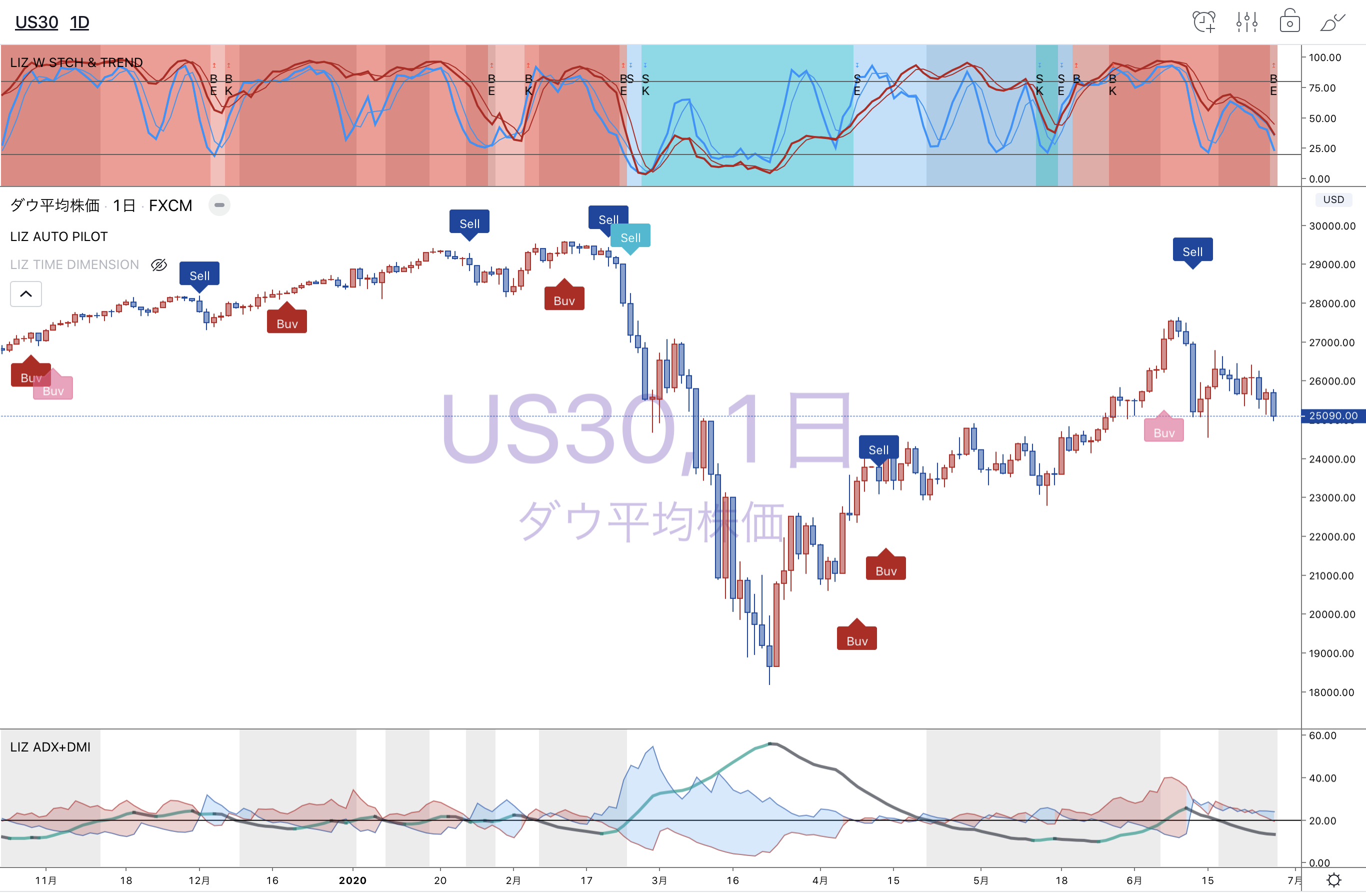
Tradingviewで表示できるBUY&SELLサインツールです。どの時間足にも対応しています。
トレンドが変化してもおかしくない値幅を検知してサインが点灯するよう設定されています。
長期・中期・短期の3つの選択が可能です。
オススメの設定は長期をオンにする形です。
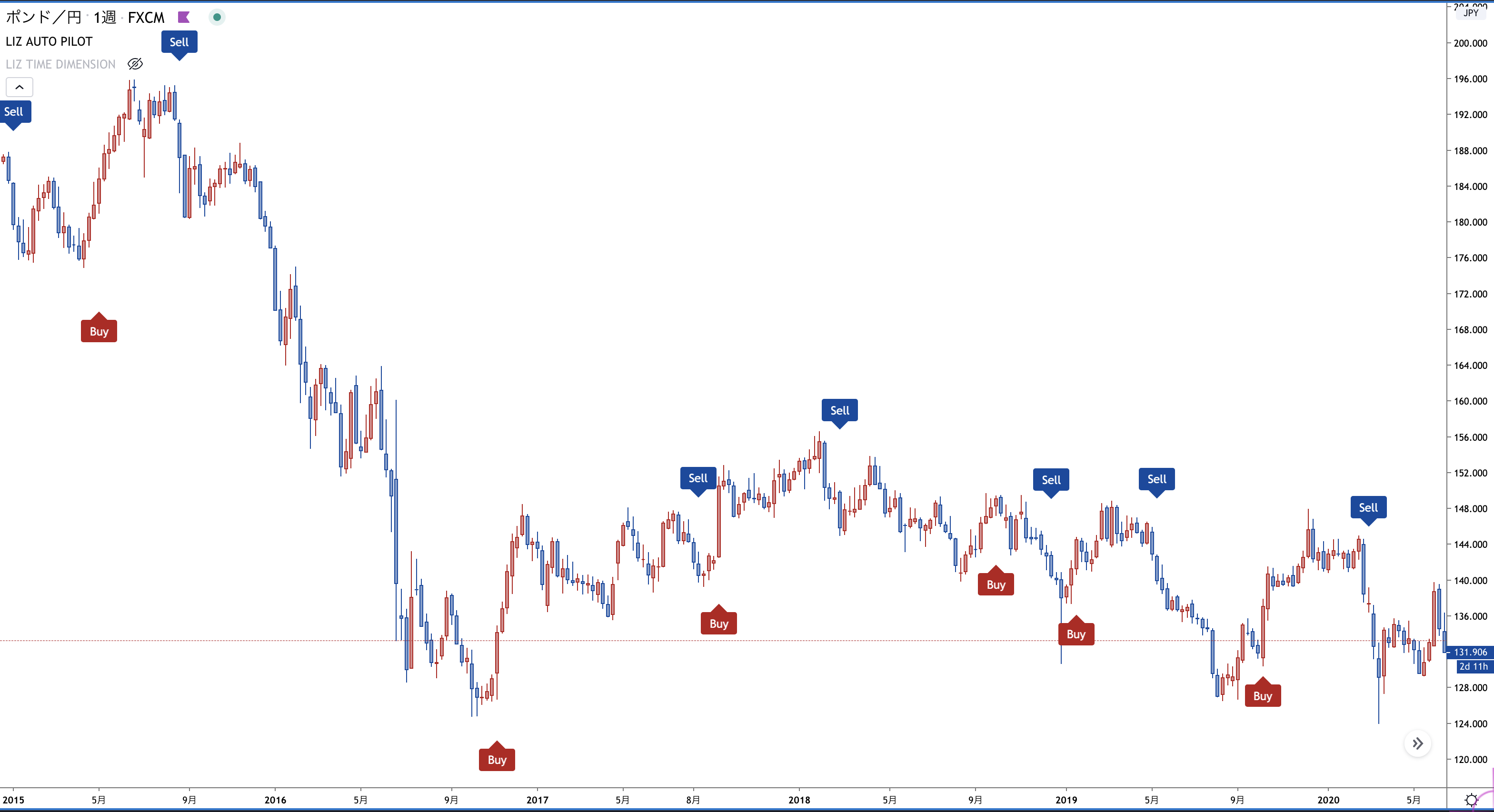
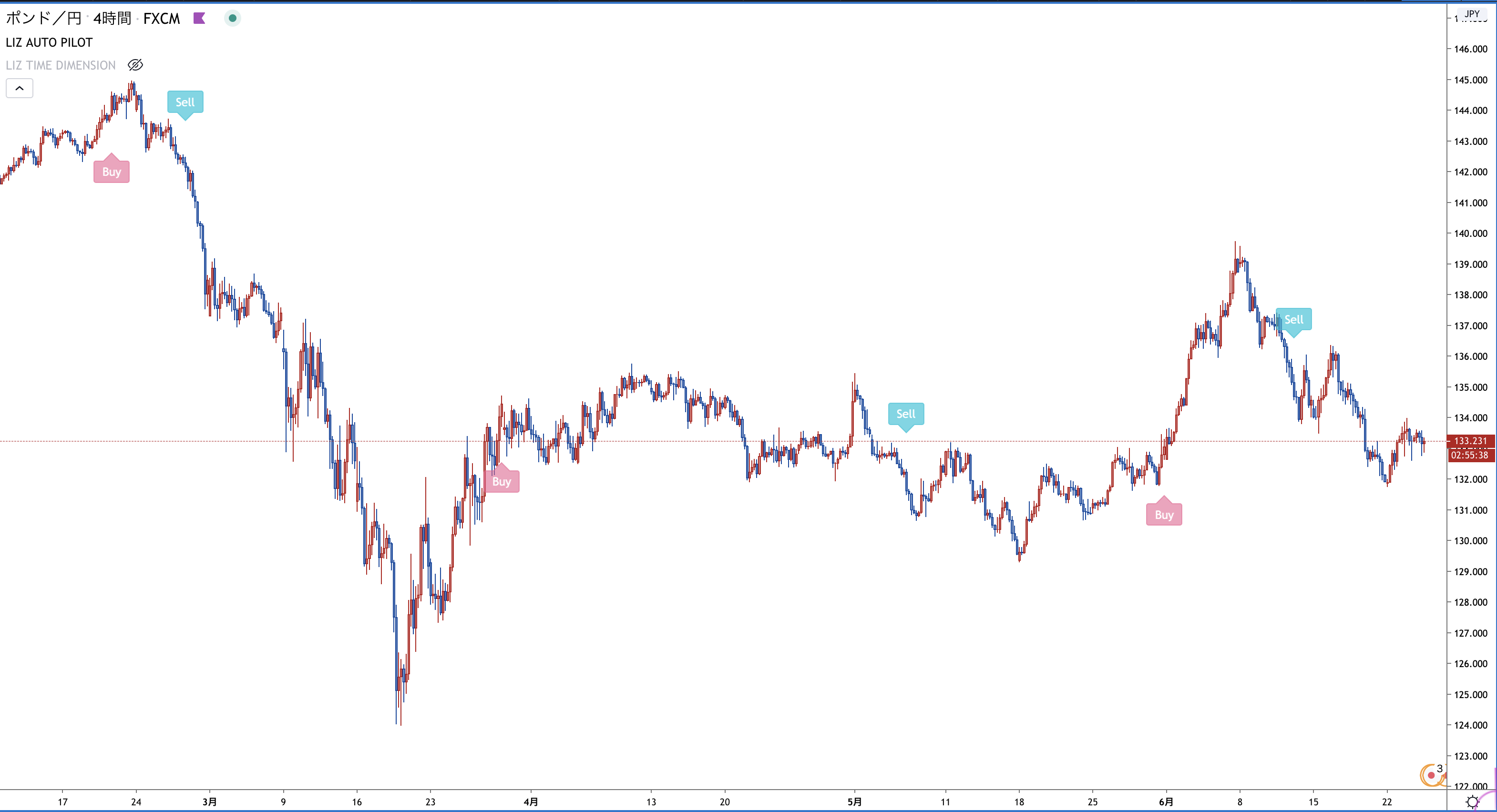 日足や週足など長期足では短期や中期のサインをオンにし、アジャストしてみて下さい。
(下のチャートは短期をオンにした状態です。)
日足や週足など長期足では短期や中期のサインをオンにし、アジャストしてみて下さい。
(下のチャートは短期をオンにした状態です。)
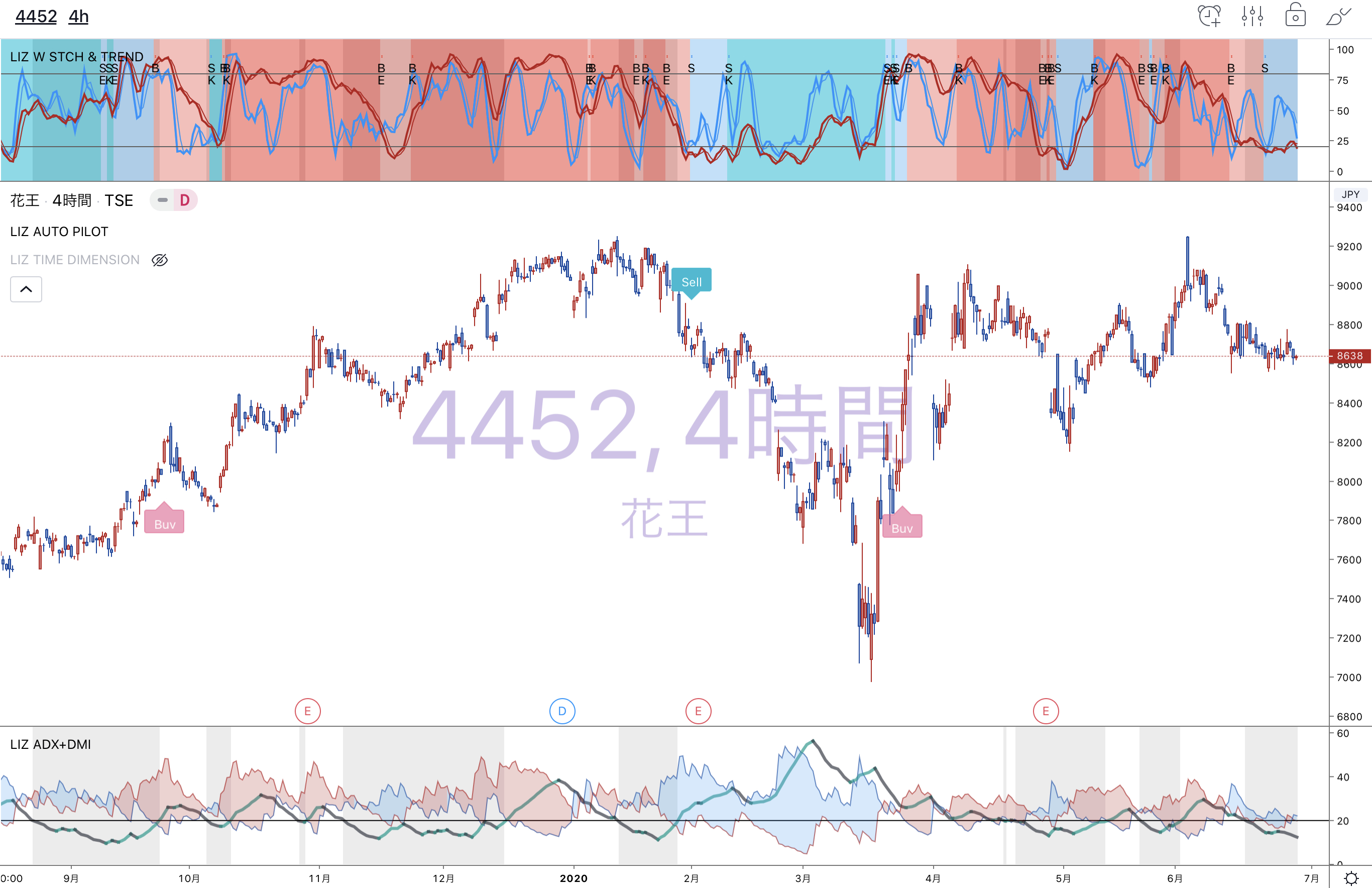
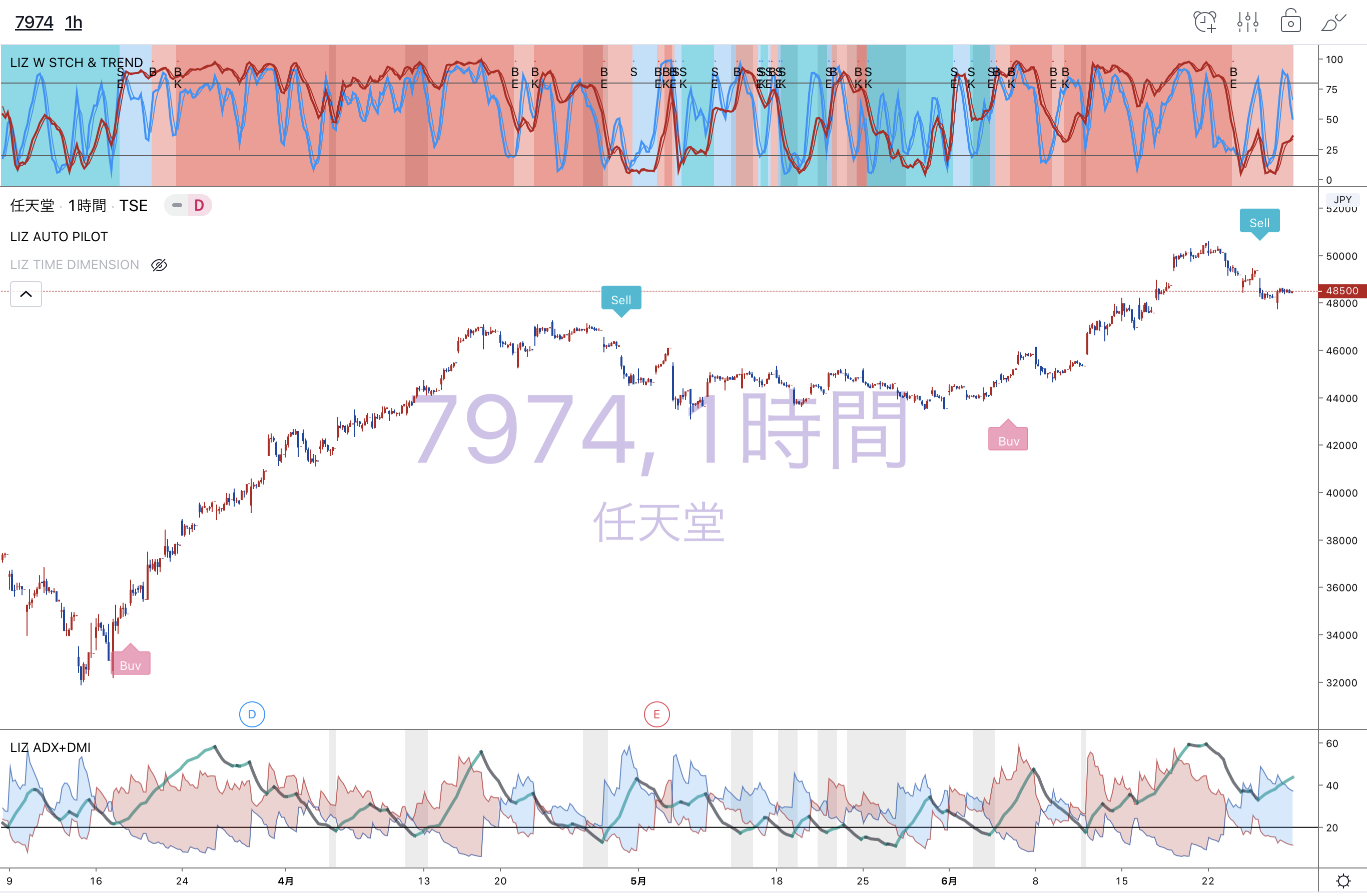
 中期サインは、短期や長期サインと同時点灯した際、邪魔になりにくいよう、文字サインではなく、平均足のようにローソクのカラーで買い相場か売り相場かがわかるよう表示されます。
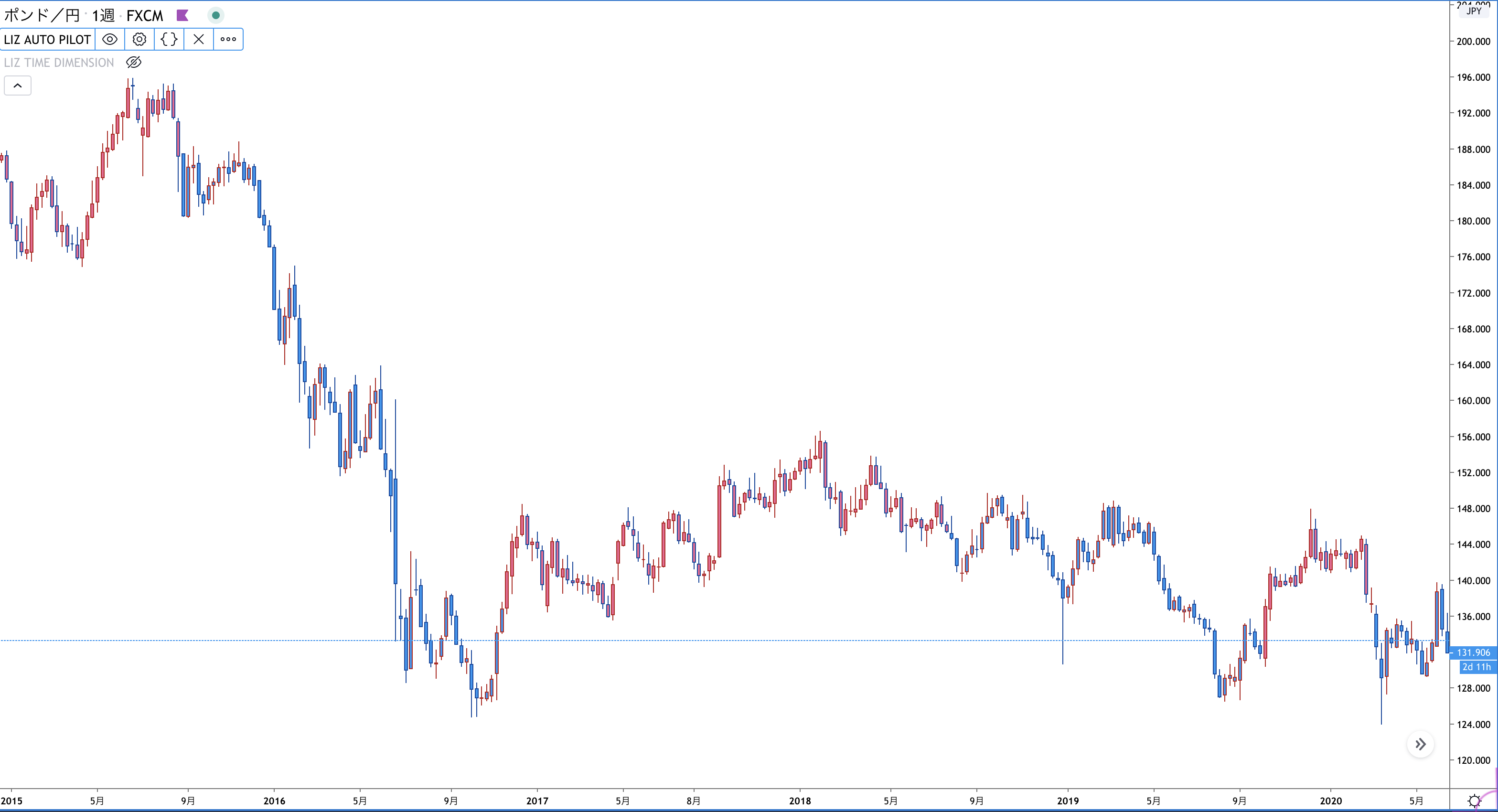 オススメの設定は中期と長期を両方オンにする設定です。長期による「BUY]「SELL」の文字サインが出る前に、中期のローソク色によるサインがその予兆を知らせてくれます。
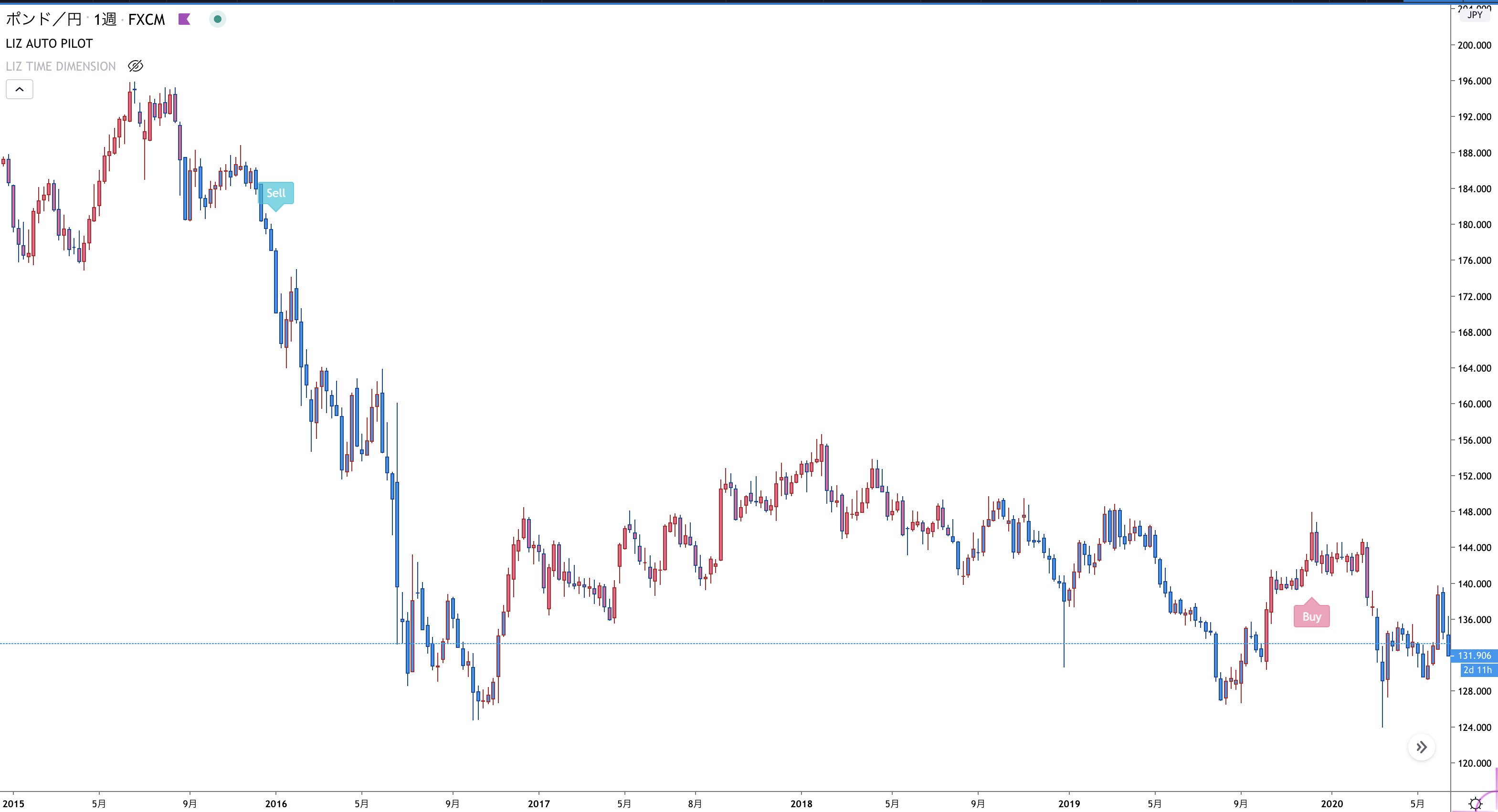 これまでどのようにサインが点灯したかはTwitterで多数公開しておりますので参考にご覧ください。
https://twitter.com/chartadviser
(「メディア」を見て頂くとチャートなど画像情報だけを見る事ができます。)
後日リリースする予定の、他のインジケーターと一緒に表示していますが、単独でもお使いになれます。
また、このサインツールが点灯した事を知らせるアラートサービスも予定しており、(有料になります)ディスコードで試験運用中です。
ご興味がある方は以下の招待状からアカウント作成の上、ログイン頂き、ご覧ください。(現在無料公開中です。)
https://discord.gg/aMm7zEa
サインツールがどのように表示されているか、様々な銘柄、時間足のチャートを確認した動画を作りましたので参考にして下さい。設定の仕方や使い方のコツなどもお話ししています。
https://youtu.be/RZgDxrtwrvs
サインツール以外のインジケーターと併用してはいますが、更に高度な使い方を説明した動画もありますので参照ください。
https://youtu.be/i7zGOiyhFB8
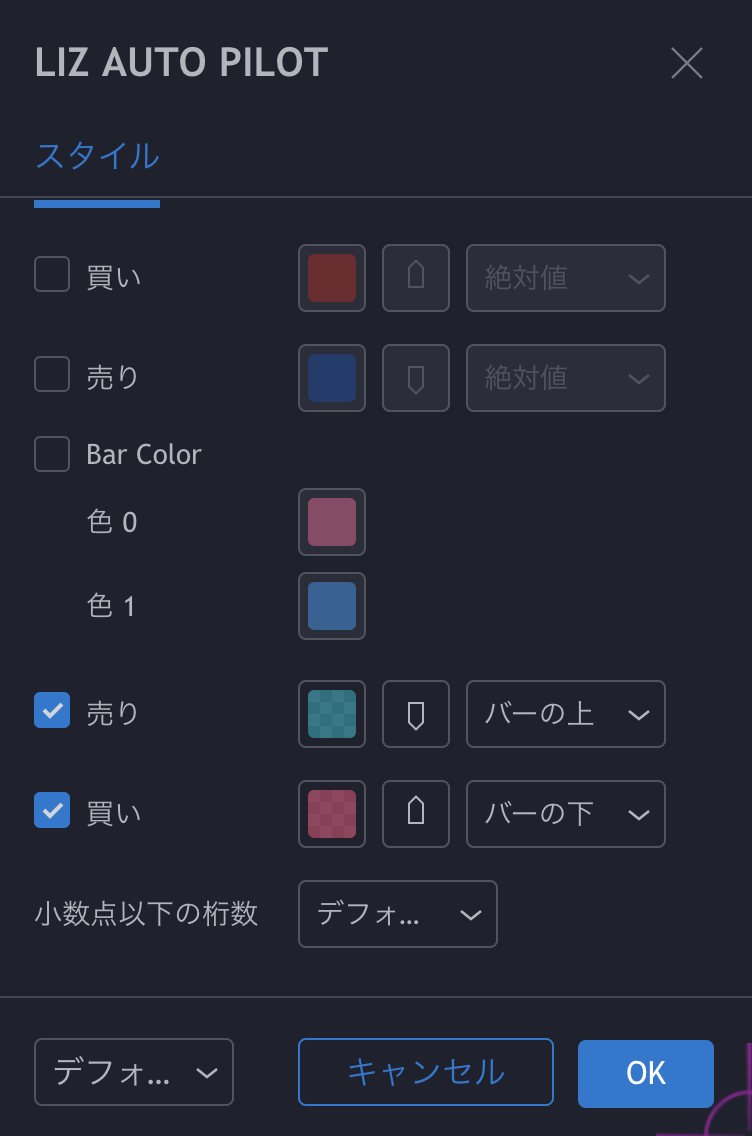
サインツールの設定画面画像はこちら
(上2つが短期サインのオンオフ、その次の1つが中期サインのオンオフ、下2つが長期サインのオンオフです。)
これまでどのようにサインが点灯したかはTwitterで多数公開しておりますので参考にご覧ください。
https://twitter.com/chartadviser
(「メディア」を見て頂くとチャートなど画像情報だけを見る事ができます。)
後日リリースする予定の、他のインジケーターと一緒に表示していますが、単独でもお使いになれます。
また、このサインツールが点灯した事を知らせるアラートサービスも予定しており、(有料になります)ディスコードで試験運用中です。
ご興味がある方は以下の招待状からアカウント作成の上、ログイン頂き、ご覧ください。(現在無料公開中です。)
https://discord.gg/aMm7zEa
サインツールがどのように表示されているか、様々な銘柄、時間足のチャートを確認した動画を作りましたので参考にして下さい。設定の仕方や使い方のコツなどもお話ししています。
https://youtu.be/RZgDxrtwrvs
サインツール以外のインジケーターと併用してはいますが、更に高度な使い方を説明した動画もありますので参照ください。
https://youtu.be/i7zGOiyhFB8
サインツールの設定画面画像はこちら
(上2つが短期サインのオンオフ、その次の1つが中期サインのオンオフ、下2つが長期サインのオンオフです。)
日足や週足など長期足では短期や中期のサインをオンにし、アジャストしてみて下さい。
(下のチャートは短期をオンにした状態です。)
中期サインは、短期や長期サインと同時点灯した際、邪魔になりにくいよう、文字サインではなく、平均足のようにローソクのカラーで買い相場か売り相場かがわかるよう表示されます。
オススメの設定は中期と長期を両方オンにする設定です。長期による「BUY]「SELL」の文字サインが出る前に、中期のローソク色によるサインがその予兆を知らせてくれます。
これまでどのようにサインが点灯したかはTwitterで多数公開しておりますので参考にご覧ください。
https://twitter.com/chartadviser
(「メディア」を見て頂くとチャートなど画像情報だけを見る事ができます。)
後日リリースする予定の、他のインジケーターと一緒に表示していますが、単独でもお使いになれます。
また、このサインツールが点灯した事を知らせるアラートサービスも予定しており、(有料になります)ディスコードで試験運用中です。
ご興味がある方は以下の招待状からアカウント作成の上、ログイン頂き、ご覧ください。(現在無料公開中です。)
https://discord.gg/aMm7zEa
サインツールがどのように表示されているか、様々な銘柄、時間足のチャートを確認した動画を作りましたので参考にして下さい。設定の仕方や使い方のコツなどもお話ししています。
https://youtu.be/RZgDxrtwrvs
サインツール以外のインジケーターと併用してはいますが、更に高度な使い方を説明した動画もありますので参照ください。
https://youtu.be/i7zGOiyhFB8
サインツールの設定画面画像はこちら
(上2つが短期サインのオンオフ、その次の1つが中期サインのオンオフ、下2つが長期サインのオンオフです。)
商品简介
产品交流(0)
热门商品排名
推荐商品(促销活动产品)
给第一次使用GogoJungle服务的人 简单3步骤开始使用该产品!
GogoJungle提供一系列服务,旨在丰富您的投资生活。这些服务仅限会员专享。立即注册,开始使用GogoJungle的各项服务!
01
输入用户信息并注册成为会员
02
根据提示进行购买
03
从我的页面下载
