

?Forex Tester vs One-Click FX Training MAX|FX practice software & verification software thorough comparison
This article is created using information researched and generated with AI. We strive to present the content as close as possible to the original AI research text. In places where errors were found during verification,strikethroughandsupplemented in redare added. Please note that you should verify the content of this article against official original information before making any judgments.
To improve FX trading skills, practical practice and strategy verification are indispensable. As tools for this purpose, the popular domestic Japanese tool “One-Click FX Training MAX” and the internationally acclaimed “Forex Tester” are attracting attention.
One-Click MAX is defined as a “practice software,” while Forex Tester is defined as a “verification software,” with differences in purpose and features. This article thoroughly compares and explains the characteristics of both tools, virtual trading features, data usage, pricing, and the appropriate user base!
1. Overview of One-Click FX Training MAX and Forex Tester
One-Click FX Training MAX(hereinafter One-Click MAX) is a FX trading practice tool geared to the Japanese market, based on MetaTrader 4 (MT4). On the official site, it is positioned as “FX trading practice software,” specializing in sharpening discretionary trading skills.The price is ¥9,800, offering good cost performance and is supported by MT4 users from beginner to intermediate levels.Features include fast playback, same-day data review, and multi-chart support enabling practical practice.
On the other hand, Forex Tester is an internationally oriented backtesting and verification software for FX, defined on its official site as a “tool for validating trading strategies.” There are two plans: Starter ($249, about ¥37,350 at 1 USD = 150 JPY) and Pro ($419, about ¥62,850), featuring high-precision tick data and multi-market support (FX, cryptocurrencies, indices, etc.).It is designed for professional traders and strategy developers, with strong detailed analytics features.
2. Basic Function Comparison
Below is a comparison table of the main features of the two tools.
| Item | One-Click FX Training MAX | Forex Tester |
|---|---|---|
| Price | ¥9,800 (one-time purchase) | Starter: $249, Pro: $419 (lifetime license) |
| Platform | MT4 required (operates as an indicator) | Desktop version (Windows) or online version (browser) |
| Main features | Speed playback (2× to 1024×), recording, economic indicators display, Excel export, multi-chart (unlimited), MT4 indicator support | Tick data, multi-chart (Pro unlimited), AI analysis, EA support (Pro) |
| Data | MT4 generated tick data (standard) + supports third-party tick data | Tick data (paid Super Data), automatic download |
| Multi-chart | Unlimited display of different timeframes of the same currency pair or other currency pairs | Starter: up to 3 charts, Pro: unlimited |
| Target users | Beginners to intermediates, MT4 users | Intermediate to pro, emphasis on strategy verification and multi-market analysis |
Features of One-Click MAX
- High-speed playback: Play back historical data at 2× to 1024× speed, enabling many trades in a short time.
- Same-day/previous-day review:Real-time practice using MT4 data on the current or previous day’s charts.
- Multi-chart support:Unlimited display of different timeframes for the same currency pair (e.g., USD/JPY 5-min and 1-hour) and other currency pairs. Leverages MT4 flexibility to analyze correlations and verify strategies across multiple charts.
- Tick data support:Uses MT4 standard generated tick data (from 1-minute feet and interpolated). Third-party high-precision tick data (e.g., Dukascopy) can also be used due to MT4 versatility.
- MT4 indicators/signals tools:Fully utilize MT4’s rich custom indicators and signals tools (e.g., moving averages, RSI, EA signals) in virtual trading.
- Economic indicators display:Shows economic indicator timings on the chart to recreate real trading conditions.
- Excel export:Export trade history to Excel for AI analysis and review.
- Cost performance:Purchasable at ¥9,800. Regular updates add features like save slots per currency pair, which is well received.
Features of Forex Tester
- Tick data:Provides tick-level high-precision data with paid Super Data. Ideal for scalping and short-term strategies.
- Multi-market support:Starter supports FX, Pro supports 530+ symbols (FX, cryptocurrencies, indices, commodities, etc.).
- AI analysis:Pro version includes AI-driven trade pattern analysis and statistical features.
- Customizability:Pro supports custom EA, indicators, and timeframes. Unlimited multi-chart (Pro) for testing multiple strategies simultaneously.
- Prop Firm support:Specialized for Prop Firm challenges (e.g., max drawdown 5%).

3. Differences in Virtual Trading Features
Both tools support virtual trading, but they differ in focus and usability.
Virtual trading in One-Click MAX
- Strengths:
- Uses MT4 interface, intuitive basic operations like buy/sell, SL/TP settings.
- Multi-chart: unlimited display of different timeframes of the same currency pair or other pairs.Example: trade while viewing EUR/USD 5-min and GBP/USD 1-hour charts simultaneously.
- Tick data: uses MT4 standard generated tick data (interpolated from 1-minute). Can also use third-party high-precision tick data via MT4 compatibility (e.g., import Dukascopy data).
- MT4 indicators/signals:Rich MT4 indicators(e.g., Bollinger Bands, MACD) and signal tools used in virtual trading. EA signals can be displayed (EA does not run during playback).
- Training can use today’s/previous day’s data for near real-time feel.
- High-speed playback (2–1024×) to efficiently repeat trading patterns.
- Save feature (3 slots per currency pair) to pause and resume practice.
- Weaknesses:
- MT4 standard generated tick data is interpolated from 1-minute bars, so accuracy may be lower than Forex Tester’s paid tick data.
- Manual setup required for third-party tick data, which can be challenging for beginners.
- Fixed control panel may have lower visibility.May be hard to use if you’re not MT4-proficient.
Forex Tester virtual trading
- Strengths:
- Paid Super Data providestick-level high-precision datafor scalping and high-frequency trading.
- Pro supports custom EA and indicators, enabling automated trading in virtual trading.
- Multi-chart (Starter: up to 3, Pro: unlimited) allows testing multiple markets and strategies simultaneously.
- Drawing tools (lines/boxes) are excellent for visual strategy verification.
- Auto-save and cloud storage facilitate managing multiple projects.
- Weaknesses:
- Cannot use today/previous day data; latest data is up to previous week. Not suitable for real-time practice.
- MT4 indicators and signals are not supported (Pro allows custom indicators).
- Too feature-rich for beginners, high learning curve.

4. Practice Software vs Verification Software: Different Fit
One-Click MAX is defined as a “practice software,” and Forex Tester as a “verification software,” due to differences in their suitability.
Suitability of One-Click MAX (Practice Software)
- Purpose:Repetitive practice to hone the “feel” of discretionary trading. Learn entry/exit timing while viewing charts.
- Example:“Practice entering on moving average crossovers on 5-minute charts,” using EUR/USD and GBP/JPY in multi-chart views, and refer to MT4 indicators (e.g., RSI) to cultivate trading sense.
- Ideal user:
- MT4 users who want to practice on a budget (¥9,800) from beginner to intermediate levels.
- People who want to practice across multiple currency pairs and timeframes using multi-chart and MT4 indicators.
- Those who want to develop a real-time feel using today’s/previous day data.
- Strengths:
- Excellent cost performance. Fully utilizes MT4 indicators and signal tools.
- Flexible practice environment with unlimited multi-chart.
- Supports third-party tick data to improve accuracy.
- Weaknesses:
- Standard tick data is interpolated and may be less accurate than Forex Tester paid data.
- Setting up third-party data can be cumbersome.
Suitability of Forex Tester (Verification Software)
- Purpose:Data-driven verification and optimization of trading strategies. Refine strategies with statistics and AI analysis.
- Example:Test a “1-minute RSI and Bollinger Bands strategy” with tick data to analyze win rate and drawdown. Verify custom EAs in Pro.
- Ideal user:
- Professional traders, EA developers, intermediates to advanced aiming for Prop Firm challenges.
- People needing tick data and multi-market verification (FX, cryptocurrencies, etc.).
- Those wanting detailed statistics and deep customization.
- Strengths:
- Tick data (paid) enables high-precision verification.
- Pro supports multi-market and EA/custom indicators for flexibility.
- AI analysis and multi-chart (Pro unlimited) allow deep verification.
- Weaknesses:
- High prices (Starter $249, Pro $419). MT4 indicators not supported.
- Cannot use today data; not suitable for real-time practice.
5. Starter vs Pro: Plan Comparison
Forex Tester offers two plans, Starter and Pro, selectable according to virtual trading and verification needs.
| Item | Starter ($249) | Pro ($419) |
|---|---|---|
| Market coverage | FX (currency pairs only) | 530+ symbols (FX, cryptocurrencies, indices, etc.) |
| Timeframes | Standard timeframes (M1, H1, etc.) | Custom timeframes (M2, H3, etc.) |
| EA/Indicators | Not supported | Supports custom EA/indicators |
| Multi-chart | Up to 3 charts | Unlimited |
| AI analysis | Basic analysis | Advanced AI analysis (pattern optimization) |
| Prop Firm | Basic compatibility | Advanced Prop Firm challenges support |
- Starter suitability: FX-focused, suitable for beginners to intermediates who want simple backtesting and virtual trading.
- Pro suitability: For professionals needing multi-market support, EA development, and custom analyses.

6. Which Should You Choose? A Tailored Fit for Your Needs
Who should choose One-Click MAX
- Budget-conscious: ¥9,800 for a feature-rich practice tool.
- MT4 user: Want to leverage MT4 indicators and signals with flexible practice across multi-charts.
- Tick data support: Use third-party high-precision tick data to improve accuracy (for those comfortable with setup).
- Real-time practice: Want to sharpen real-trading feel with today’s/previous day data.
- Beginner to intermediate: Emphasize practice of discretionary trading.
Recommended scenario:“Want to watch EUR/USD 5-minute and 1-hour charts simultaneously and practice day trading using RSI and moving averages” and “practice while checking economic indicator movements with MT4 indicators.”
Who should choose Forex Tester
- Need high-precision validation: Test scalping and short-term strategies with paid tick data.
- Multi-market support: Not only FX but also cryptocurrencies and indices (Pro).
- Professional-oriented: Develop EAs, aim for Prop Firm challenges, and optimize strategies with AI analysis.
- Intermediate to advanced: Require detailed statistics and deep verification with custom settings.
Recommended scenario:“Verify win rate of scalping strategies with tick data” and “develop EA that clears Prop Firm rules.”
8. Practice or Verification, What is Your Goal?
One-Click FX Training MAX and Forex Tester are both excellent FX trading tools, but their purposes and suitability differ. One-Click MAX is best as a “practice software,” leveraging MT4’s versatility to sharpen discretionary trading feel with multi-chart and indicators, and supports third-party tick data for flexibility. Forex Tester is a “verification software” for professionals using tick data and AI analysis to verify strategy effectiveness.
- If you value budget and MT4 utilization, One-Click MAX (¥9,800) offers superior cost performance.
- If you seek professional-level verification and multi-market support, Forex Tester (especially Pro) provides investment value.
Neither offers a free trial, but Forex Tester includes a 30-day money-back guarantee. Check the official site for the latest information to match your trading style and goals!
Are you the type who wants to “sharpen discretionary trading feel on MT4”? Or the type who wants to “thoroughly verify strategies with data”? I hope this article helps you take the first step in improving your trading!
Editor’s Note
This article is created from publicly available information using AI tools such as xAI’s Grok. This time, we focused on comparing Forex Tester and One-Click FX Training MAX from the perspective of a “practice tool.”One-Click FX Training MAX and Forex Tester have their respective strengths.
Both products have their advantages, but the latest features and trading methods are evolving daily. New workflows such as integrated signals, entry assistance, partial take profits, trailing with volatility, optimization and AI judgment are emerging one after another. Also, a practice environment built on MT4 makes it easier to quickly combine community-based indicators, EAs, and signal tools, andkeep up with evolving trading styles as a practical advantage.
In that sense, there is value in practicing in an environment that mirrors actual trading rather than separating practice from verification. Consider evaluating products not as mere practice tools, but as tools that directly connect to real trading outcomes.
A completely risk-free trade simulator for free practice and verification!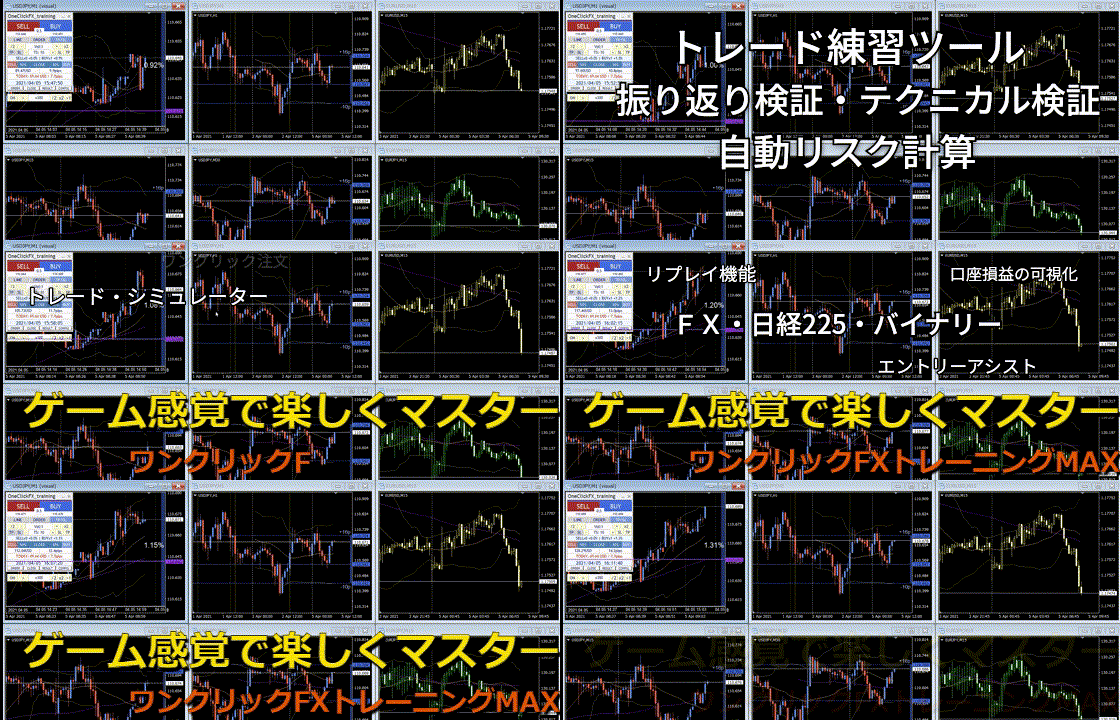
Details page for One-Click FX Training MAX