

?FX: Have MT4 discretionary trading practice-kun Premium 2 and One-Click FX Training MAX compared by AI
This article is based on a comparative study automatically generated using the ChatGPT agent feature. The content reflects information at the time of generation, but for parts where errors were found during verification,strikethroughorred texthas been added as a supplementPlease verify the official original information before making decisions based on this article.
In this document, we compare the FX trading practice toolsOne-Click FX Training MAX (hereafter MAX) andMT4 Discretionary Trading Practice-kun Premium 2 (hereafter Practice-kun). We整理 the features obtained from official sites and review articles, and summarize them by category. Note that this information is current as of August 2025 and does not include subsequent updates.
Feature Comparison Table
| Feature Category | One-Click FX Training MAX | Practice-kun Premium 2 |
|---|---|---|
| Speed Control | Flexible speed settings including speed adjustments and high-speed skip | 7 levels20 levels of speed changes |
| Entry / Orders | Automatic lot calculation from risk %, partial close, limit/stop orders | Market orders, limit orders and TP/SL settings,automatic lot calculation by risk % is presumably available. |
| Exit / Trailing | Strategic Close and flexible trailing stops, multiple exit strategies | Only basic Exit functions |
| Chart Synchronization / Time Manipulation | There is a rewind function for past charts, but practicality is limited※Currently believed to be improved | |
| Analysis / Evaluation | Aggregate past backtests, daily reports,MT4 Strategy Tester report output | MT4 Strategy Tester’s report output, ranking feature |
| Assistance / AI | Entry support bar and AI judgment data output | ForexDog chart showing bankruptcy probability |
| Reports / Saving | Screenshots saved automatically at entry/exit, Excel output | Automatic saving of chart images and history preservation |
| Economic Indicators | Overlay display of economic indicators calendar supported | No economic indicators displayProduct page includes economic indicators feature |
| Price | Public price unknown (review mentions about 10,000 yen)9,800 yen | Sold at 29,800 yen |
Glossary
Past ViewerPast Verification Viewer– A feature to pause the chart at desired points, rewind with future candlesticks hidden, and analyze.Time Leap– A feature to save practice state and restart anytime. Useful for comparing different strategies.
Strategic Close / Trailing Stop– A settlement strategy that can set multiple scenarios for taking profits, cuts, and partial closures.
ForexDog Bankruptcy Probability– A monitor-installed feature that calculates and displays the probability that the balance will reach zero.
Overview in Graphs
Both products support the same nine categories, but the richness of features in each category differs. The graph below compares the number of categories with advanced features.Vertical axis shows the number of feature categories, the graph’s right side is Practice-kun, and the title is likely Feature Comparison.
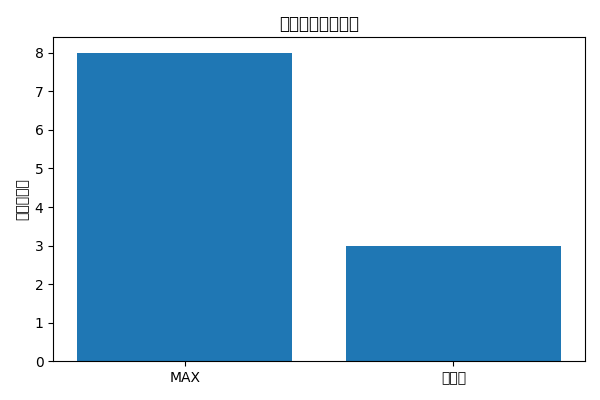
From this graph, MAX provides advanced features in almost all categories, whereas Practice-kun remains at basic features like speed changes, orders, and report outputs.
Discussion
Feature Richness– MAX offers high-speed skip, rich exit strategies, multi-chart synchronization, AI integration, etc., providing comprehensive support for trade practice as well as verification and consideration. Practice-kun focuses on the minimum necessary features, emphasizing simplicity and low load.
Flexibility of Verification– MAX’s Past Viewer and Time Leap allow free navigation through past charts, enabling repeated replays of the same scene to compare strategies. Practice-kun also has rewind, but reviews note limited usability.
Risk Management and AI– MAX actively uses risk-based lot calculation and AI judgment data output for risk management and external AI integration. Practice-kun shows ForexDog bankruptcy probability, but other AI features are not confirmed.
Price and Support– MAX’s official price is not disclosed; reviews mention around 10,000 yen, and it appears to include email support. Practice-kun is sold at 29,800 yen with unlimited free updates and email support.
Conclusion
One-Click FX Training MAXprovides a high-functioning training environment across many categories and is suitable for those who take trading skills seriously and prioritize verification work. Meanwhile, Practice-kun Premium 2 is pricier but seems designed to be easy to use for beginners who want to practice quickly on MT4. Choose based on your goals and budget.
That’s all
Recently, there have been more questions about the differences betweenOne-Click FX Training MAXand Practice-kun Premium 2. Here, we’ve compiled a comparison table evaluating actual features and specs using AI (ChatGPT agent).
However, in this convenient era, this comparison document was created using ChatGPT’s agent feature. AI support drastically reduces the time needed to organize information and create tables.
Moreover,the One-Click FX seriespublishes everything publicly including the post-purchase support page, and manuals and feature explanations can be checked before purchase. In contrast, many information-product tools do not reveal detailed information unless purchased, and public information and review articles are the main sources.
Therefore, features that actually exist may not be reflected in this comparison if they are not listed on the sales page or in reviews. Of course, final content has been checked and supplemented, but there is a possibility of omissions or misinterpretations, so please treat this as a reference material.
This comparison is objective information整理 by AI and aims to verify features. When purchasing or using, please always check the official latest information. If you notice any errors, please point them out.
Practice freely with a completely risk-free trading simulator!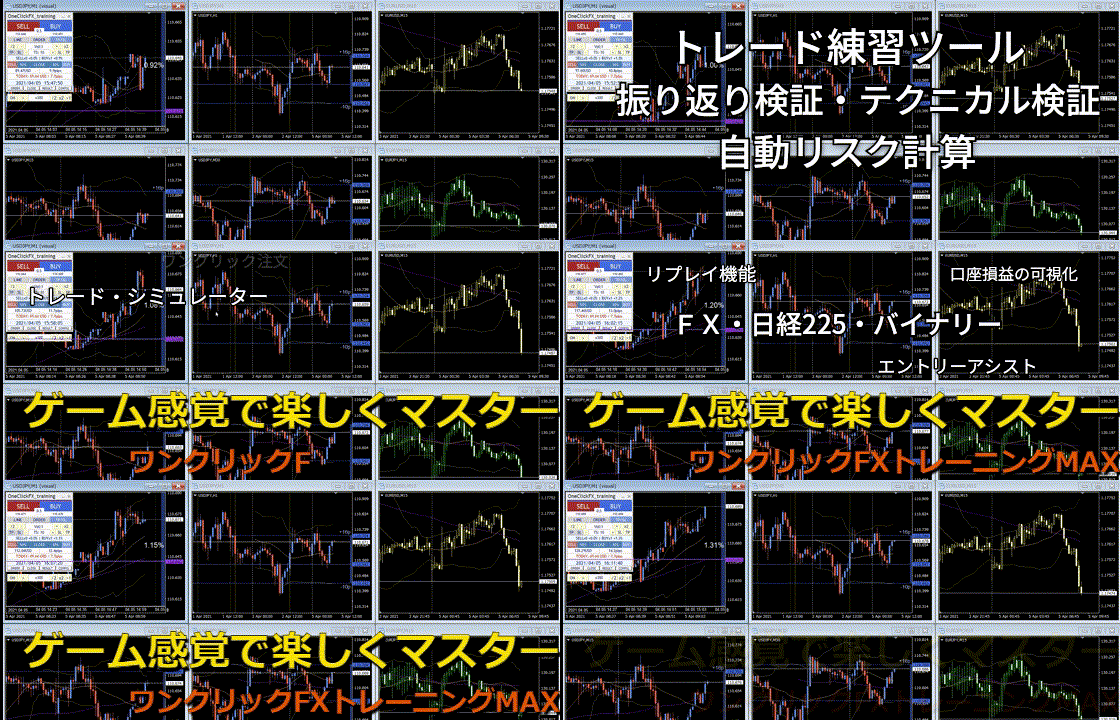
Detailed page for One-Click FX Training MAX