

How to perform fast forward skip by date specification, One-Click FX Training MAX
This article explains how to skip directly to a specific date on a chart by specifying the date.One-Click FX TrainingBy combining the fast skip feature of the MT4 Strategy Tester with the skip function, you can move to the specified date. Useful when you want to quickly access the desired time period during trade simulations or verifications.
■ Steps for Fast Skip by Date Specification
1. Lower the tester speed
In the tester window, lower the speed slider next to the Visual Mode from the maximum value (32). If the skip runs too fast, you lose control, so lowering the speed in advance allows smooth skipping.
Then open the subpanel from the CONFIG button and press the GO button.
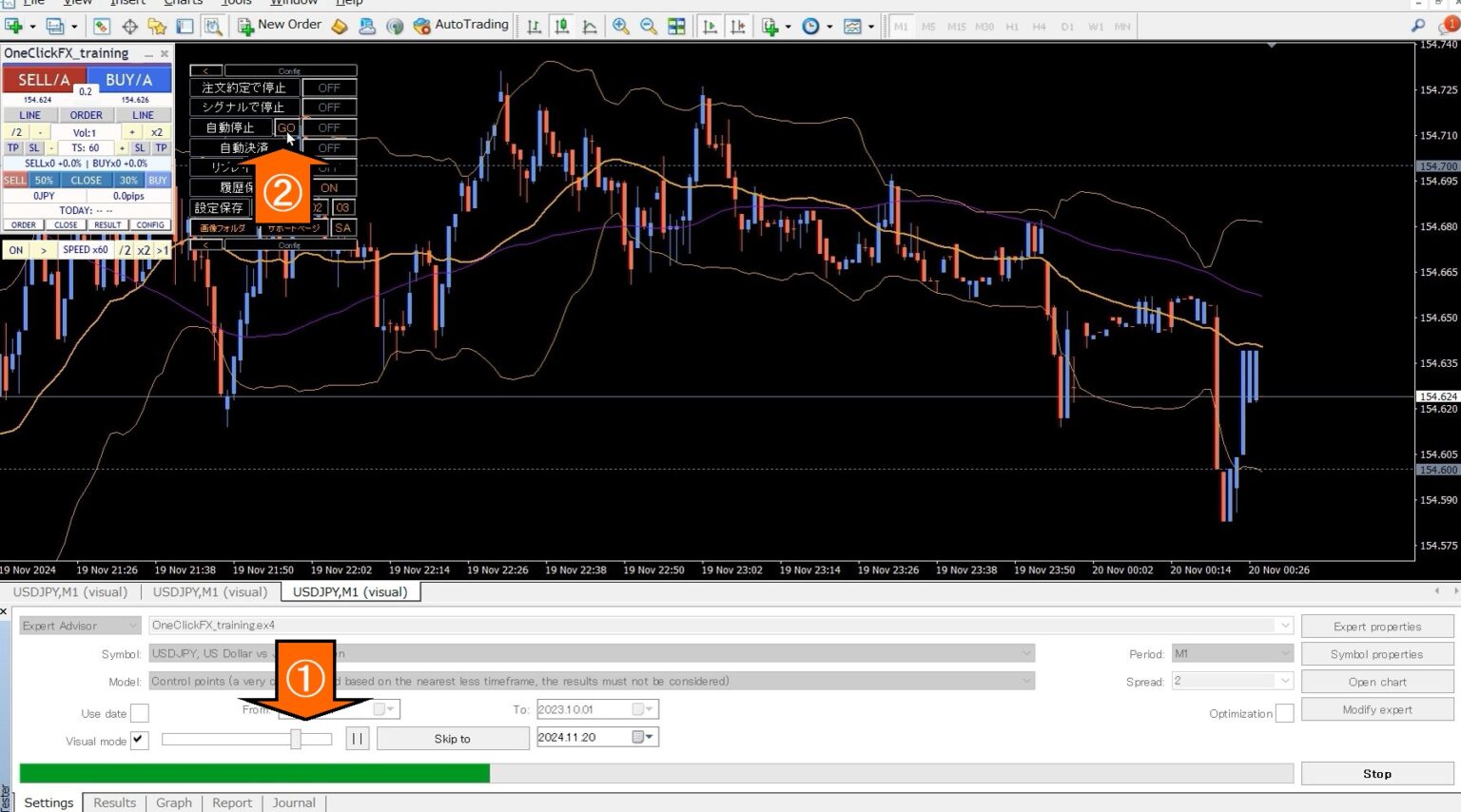
2. Open the date specification panel
Specify the desired date from the panel. If you select a date earlier than the current date, nothing will happen.
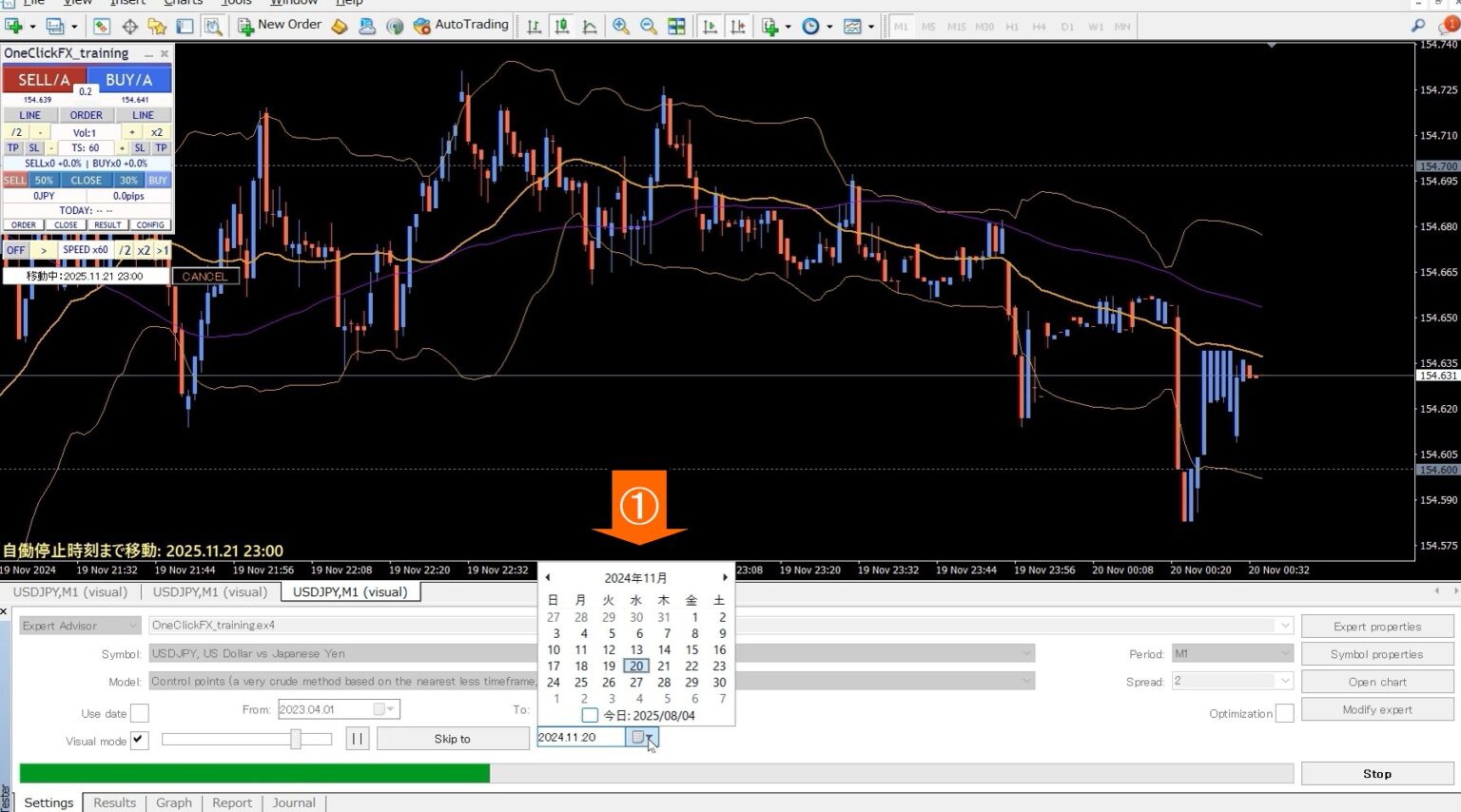
3. Press the “Skip to” button
Press the “Skip to” button and the chart will move to that date, and after the movement is complete, use theOne-Click FX Trainingto end the fast skip.
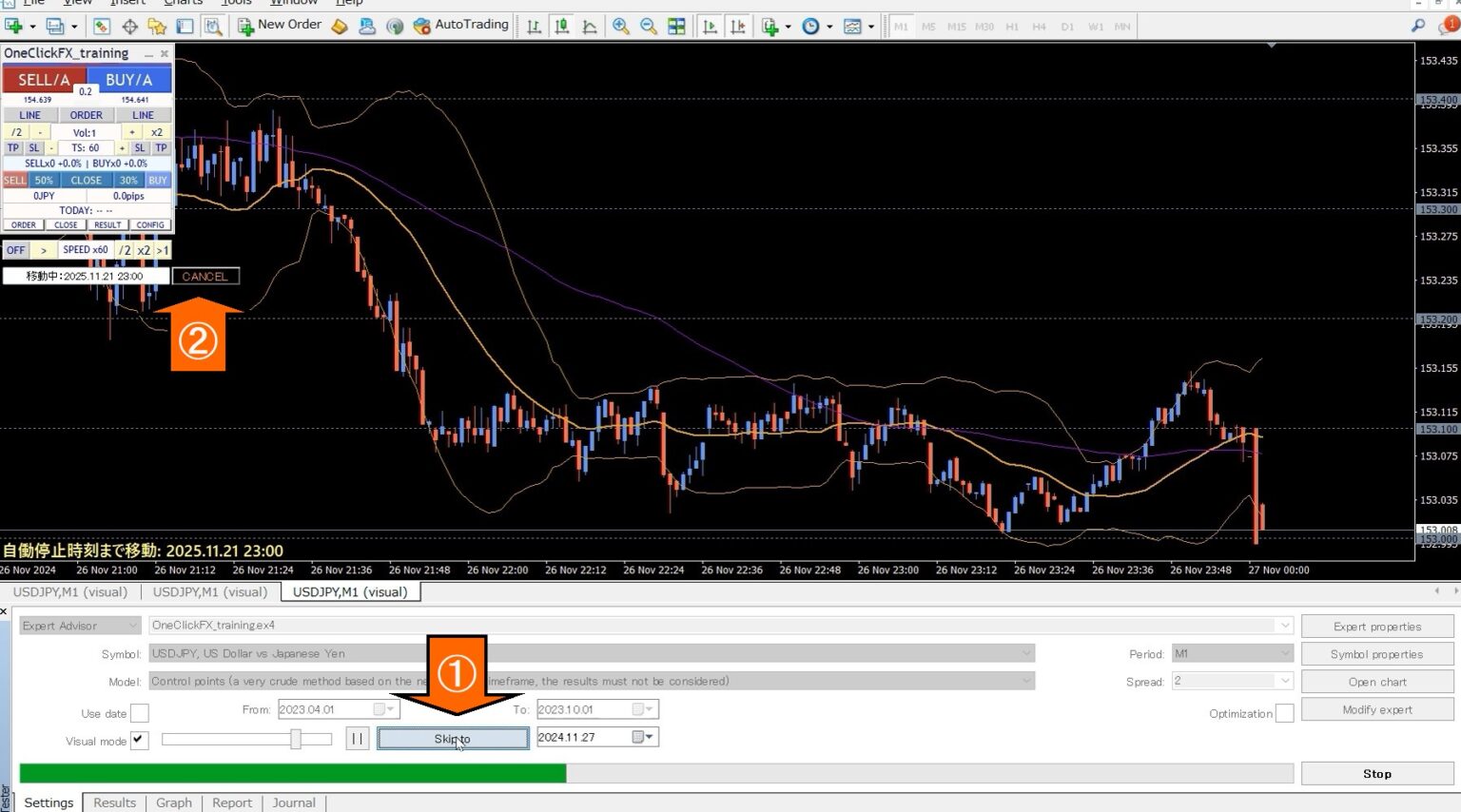
4. Return the speed slider
One-Click FX Trainingis in its speed control paused, so move the speed slider on the Visual Mode to 32 and click the play button to resume from pause.
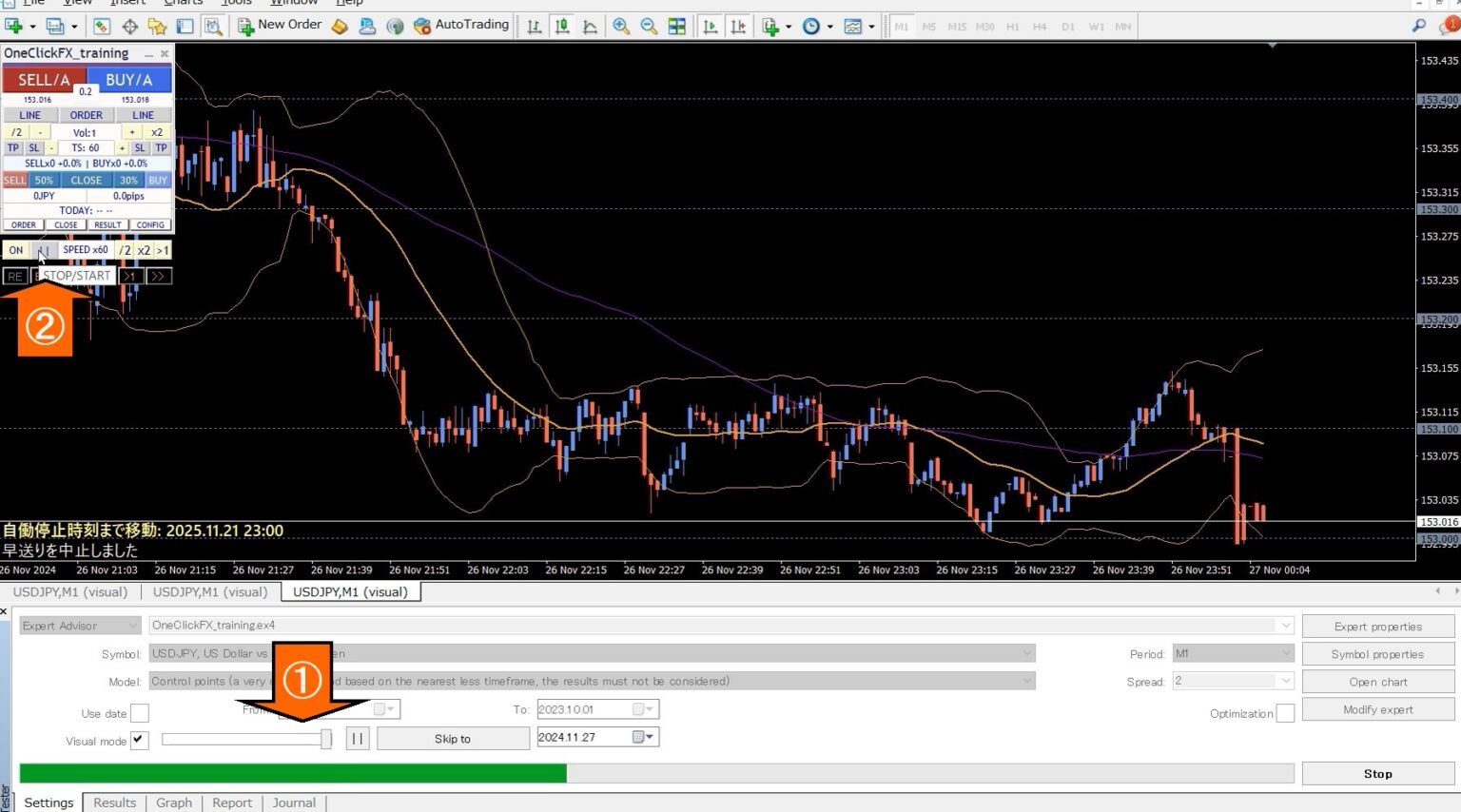
With these steps, you can skip to the specified date.
Notes
・During skip processing, trades and operations cannot be performed. Other buttons are disabled except CANCEL.
・The TP/SL settlements for positions held before the skip are controlled locally by One-Click FX, so they are not executed during the skip.
・Server orders such as limit orders and stop orders are processed on the MT4 server, so they are filled even during the skip.
Practice and validate freely with a completely no-risk trade simulator!
Details for One-Click FX Training MAX