

Method to automatically calculate a 1% loss based on the stop-loss line and enter
In trading, it is very important to understand “how much price movement will cause what level of loss” and “how much profit or loss will result from entering at a certain lot size.” There are various methods for these calculations, but performing them manually each time is laborious and can cause you to miss optimal entry timing.
One-Click FXMAX andOne-Click FX Training MAXautomatically calculate the entry lot size based on the margin risk ratio (%) and place the order directly. This feature is a common method for experienced traders, but it is designed to be easy to practice.
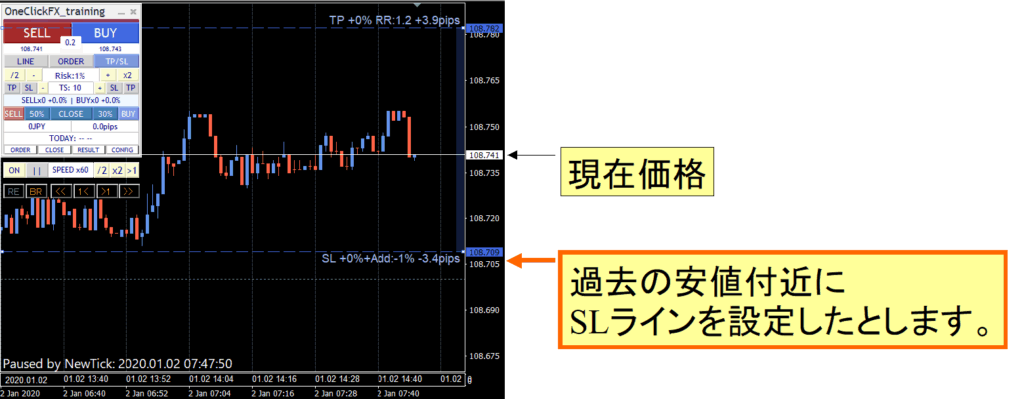
First, set the stop-loss line (SL line). The initial value is specified by the parameter "▼Basic Settings" under "Stop-Loss Line," and it is set in pips.
In this example, the most recent low is set as the SL line. When you press the LINE button, the SL line is displayed with a dashed line, so you can freely drag that line with your mouse to your desired location.
With preparations complete, set the risk to 1% and enter a buy position.
In actual entry, the lot size is ordered in the minimum unit, so it is difficult to set the risk exactly to 1%, and in practice it is often less than 1%. In this example, it comes to about 0.99%.
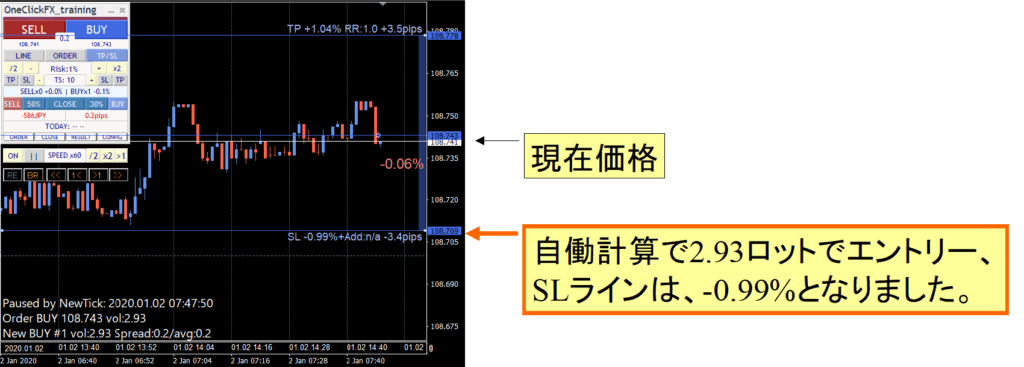
The farther the distance from the current price to the SL line, the more likely calculation errors will occur in the lot size based on risk%. Especially when margin is small, orders are placed in units of lots, so there may be a slight discrepancy from the actual risk%. Essentially, the maximum lot size is automatically calculated within the specified risk% limit.
In this example, after entry the chart moves sharply, resulting in a loss at completion that slightly exceeds 1%, about 1.03%.
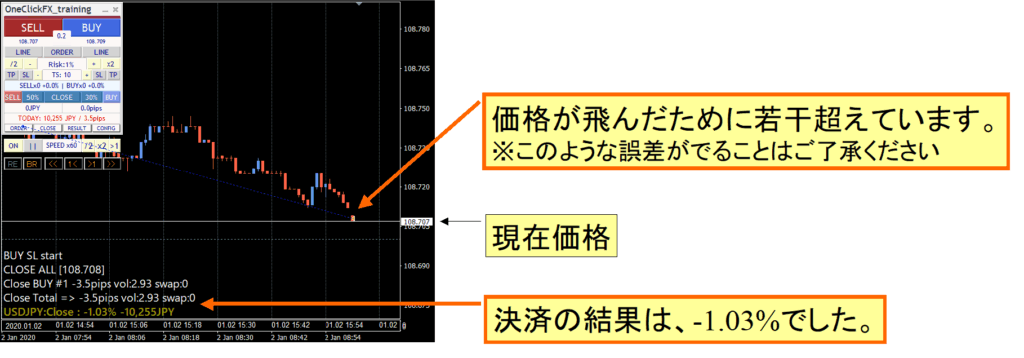
In actual charts, price moves do not always occur in 1-point increments, and since orders are placed after detecting that fluctuation, please understand that there may be some slight discrepancies.
In this example, the SL line is displayed before entering, but if you press the order button without displaying the SL line, the lot size will be automatically calculated based on the value of the parameter "Stop-Loss Line."
When using additional orders like pyramiding, initially set the risk to 0.3%, adjust the SL line, then gradually increase to 0.5% and finally to 1%, maintaining a total maximum risk of 1% while enabling flexible entries.
If you increase the risk% and place additional orders, the accumulated risk% of all orders is automatically recalculated, so the trader does not need to calculate it each time.
Thus, by using One-Click FX, you can automate margin risk management while achieving more precise lot adjustments and entries. It greatly reduces the burden of entry and position management, making it a highly effective tool for those who want to focus on discretionary trading or build an efficient practice environment.
Practice and verify freely with a completely no-risk trade simulator!
Detailed page for One-Click FX Training MAX