
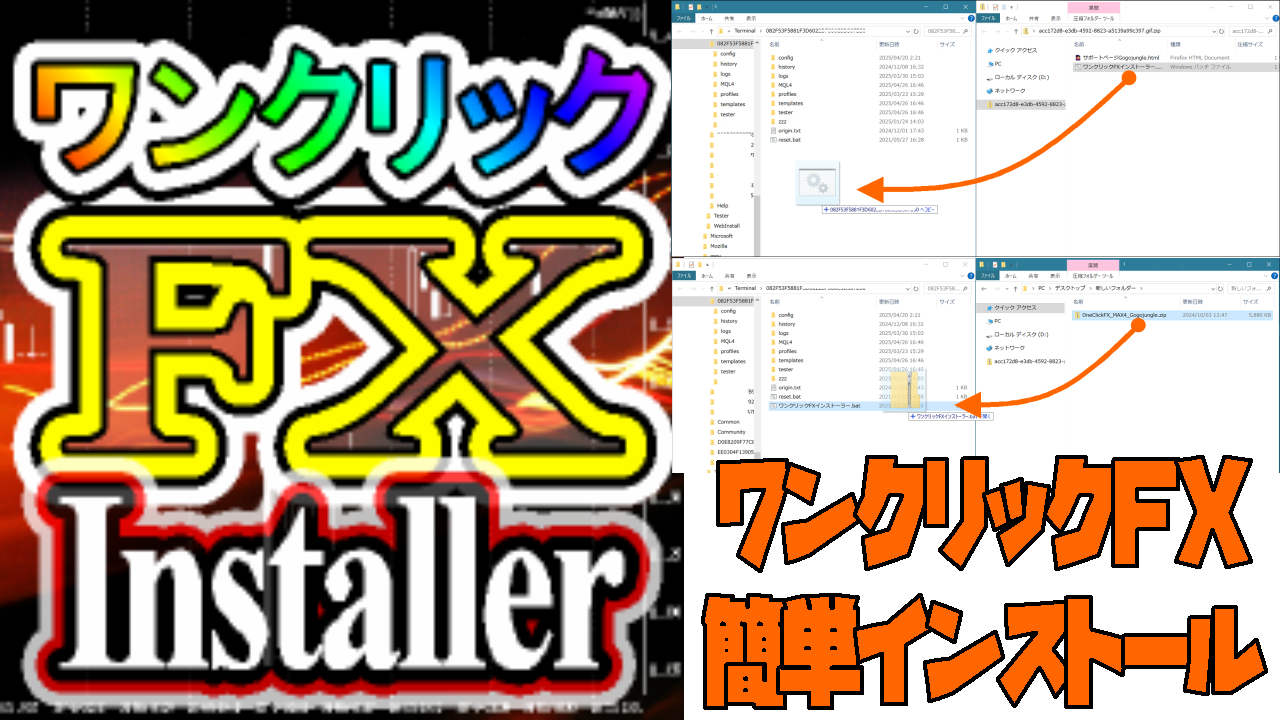
Simple setup: One-click FX installer usage guide
Without worrying about MT4/MT5 folder structure, installation is completed just by drag & drop. Extremely easyOne-Click FX Series installation is possible!
This installer simply extracts files in place. It does not modify programs or perform external communications in any way, so you can use it with confidence, please feel free to use.
Target products:One-Click FX MAX、One-Click FX Training MAX、One-Click BO Trainingを含むOne-Click FX Series全て、Japanese time、Signal Arrow Tool、MA Dance Band Signalなどの indicators も簡単インストールを行うことができます。
【注意事項】
If you have customized folder structures, please do not use this installer and perform manual copying. If templates (standard charts) or other predefined charts have been customized, be aware that settings will revert to defaults.
How to use
1. Download the installer ZIP
One-Click FX Installer:OneClickFX_Installer.zip
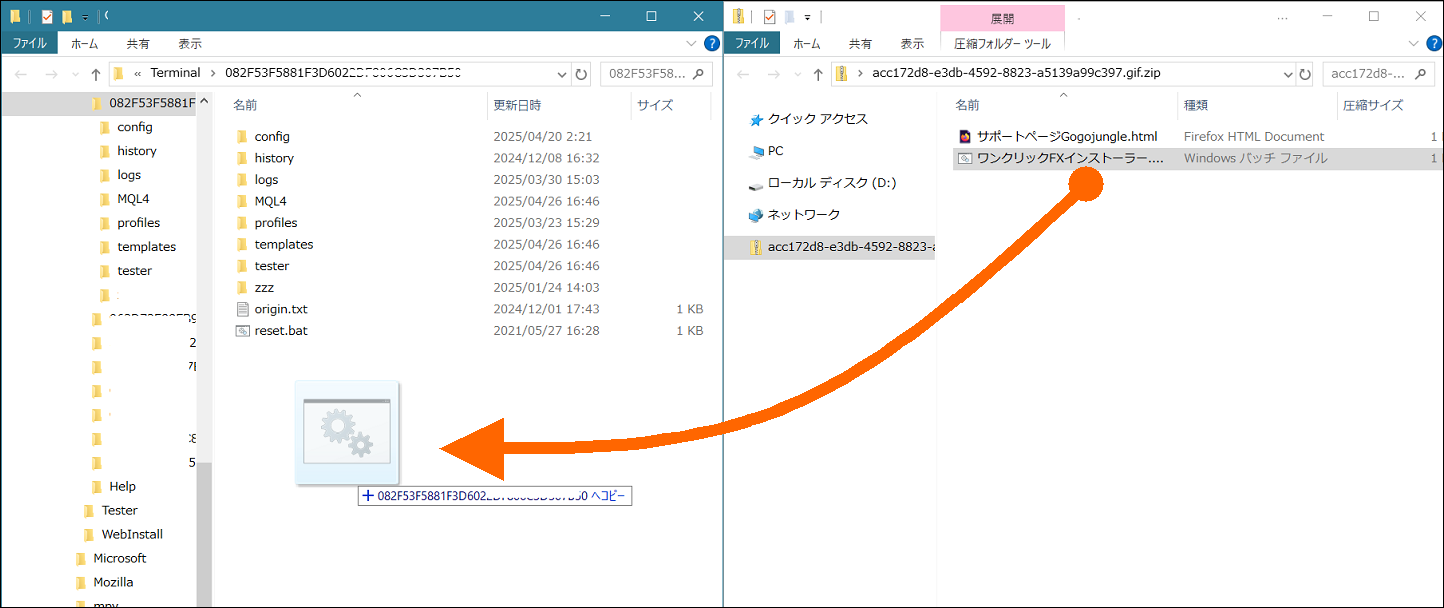
2. Open MT4 data folder and copy “One-Click FX Installer.bat”
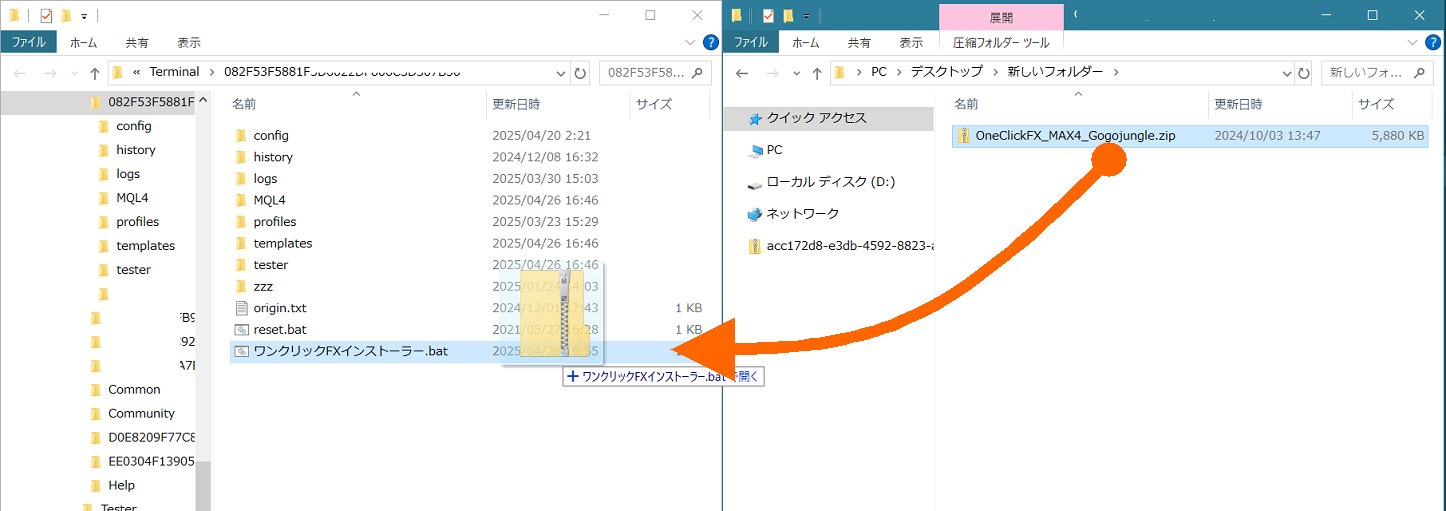
3. Download the product ZIP and drag & drop onto “One-Click FX Installer.bat”
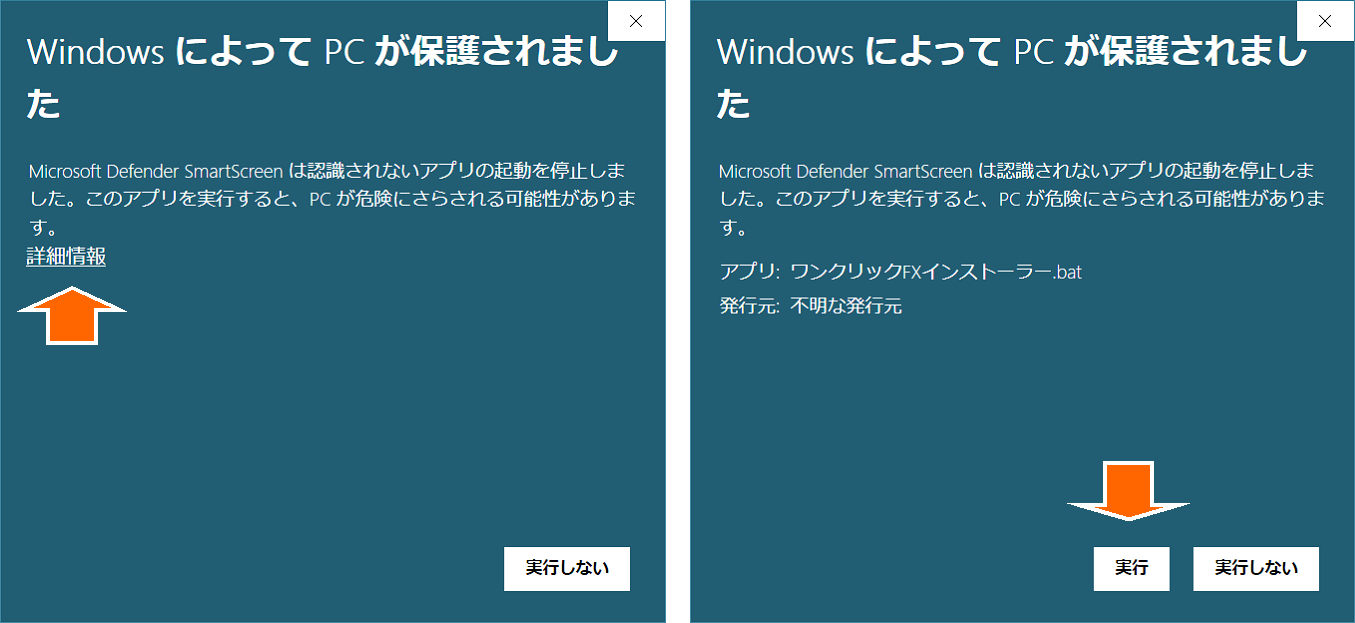
4. If a security warning appears
Click “More info” → press the “Run anyway” button.
5. When you see “Copy complete”, restart MT4
Installation is complete! You can use it immediately
【How the installer works】
-
Be sure to place the installer.bat inside the MT4 data folder
-
Just drag & drop the ZIP file to automatically expand to the required locations
-
No need to worry about folder structure! Setup completes quickly
If you have any questions, please feel free to contact us.