
[MT5 Version Beta] About mBDSR (No Filter, RCI Filter, MA Filter)
◆ Introduction
【Mastering RCI!!】
Indicator 【BODSOR・mBDSR】 that shines when combined with RCI
and technique/case studies (PDF) ★GogoJungle AWARD2020 winner★
https://www.gogojungle.co.jp/tools/indicators/11836

The above product includesIndicator【mBDSR】which wasMT4 versiononly, but this timeLimited-time offerasMT5 version (beta)has been released.
Please note that MT4 and MT5 versions cannot be used simultaneously.
mBDSR (Product ID 11836) Purchase Bonus】 MT5 version indicator (beta) “mBDSR (no filter, RCI filter, MA filter)”
https://www.gogojungle.co.jp/tools/indicators/56765
【MT5版】mBDSR(CI2本フィルター)のサインの例
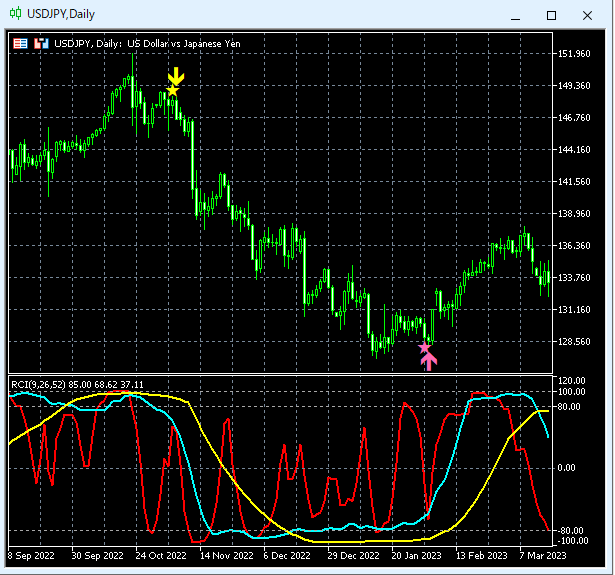
※Please note that this indicator (mBDSR) does not include an indicator that displays 3-line RCI.
To use the indicators included in this bonus, you first need to rename the files.
For details, please refer to the help file included in the download.
mBDSR_MT5_special_offer_help20250101.txt
The MT5 version indicators released this time are the four below. This article explains the settings for these four indicators.
(1) mBDSR_PreAlert2_MT5_XXXXXXXXX.ex5
No filters
(2) mBDSR_1RCI_PreAlert2_MT5_XXXXXXXXX.ex5
One RCI as a filter
(3) mBDSR_2RCI_PreAlert2_MT5_XXXXXXXXX.ex5
Two RCIs as filters
(4) mBDSR_MA2_PreAlert2_MT5_XXXXXXXXX.ex5
Two MAs as filters
Currently, the above (1)–(4) indicators are provided as beta versions.
◆ Settings for the four indicators
Here we explain the settings for the aforementioned (1)–(4) indicators.
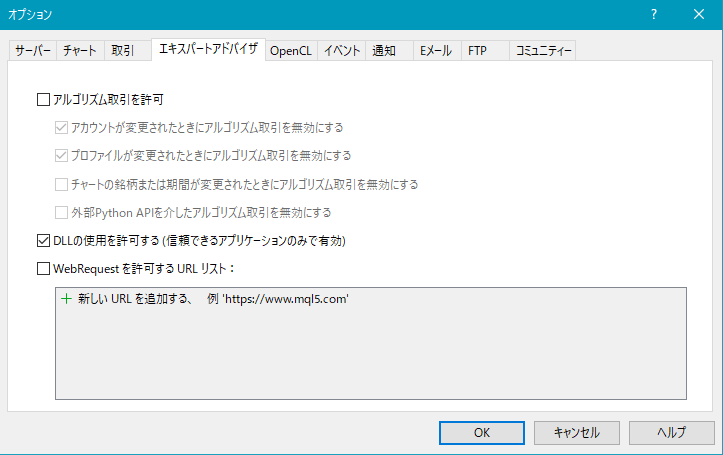
As shown in the figure below, you need to check “Allow DLL imports.”
Tools → Options → Expert Advisors
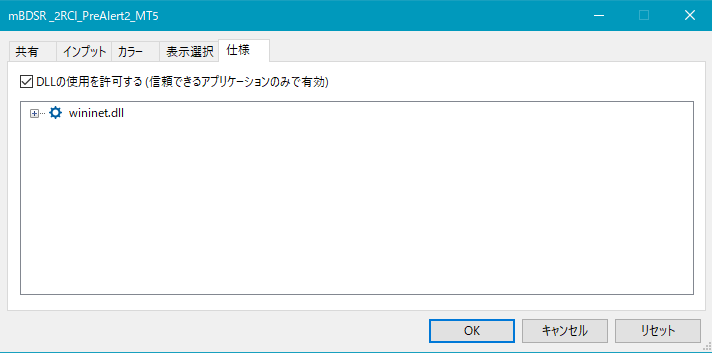
For mBDSR_PreAlert2_MT5_XXXXXXXXX.ex5
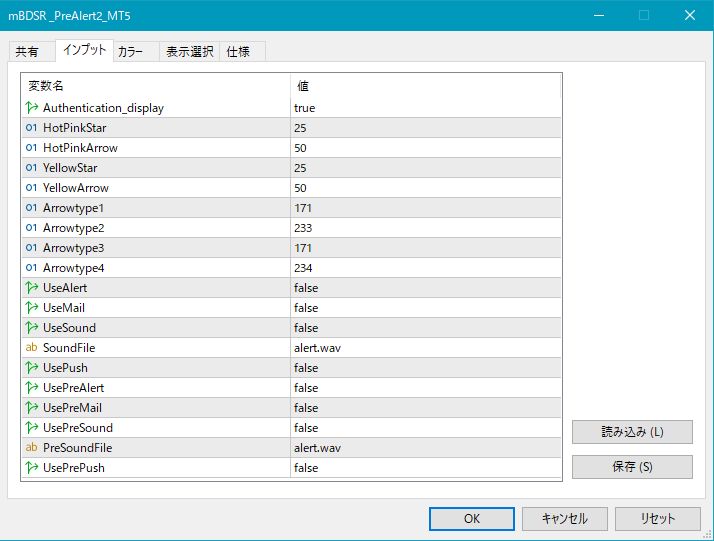
For mBDSR_1RCI_PreAlert2_MT5_XXXXXXXXX.ex5
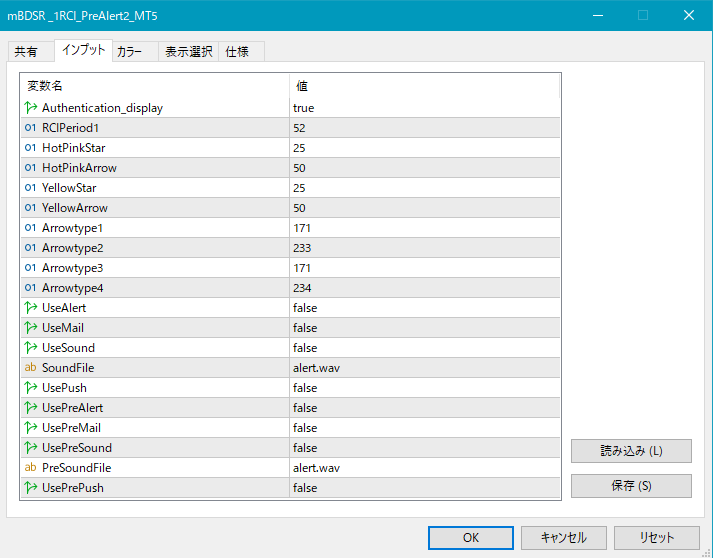
For mBDSR_2RCI_PreAlert2_MT5_XXXXXXXXX.ex5
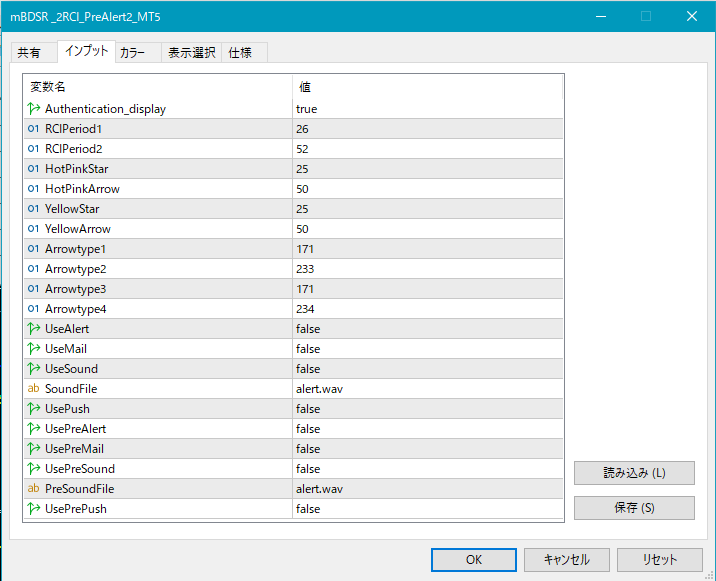
For mBDSR_MA2_PreAlert2_MT5_XXXXXXXXX.ex5
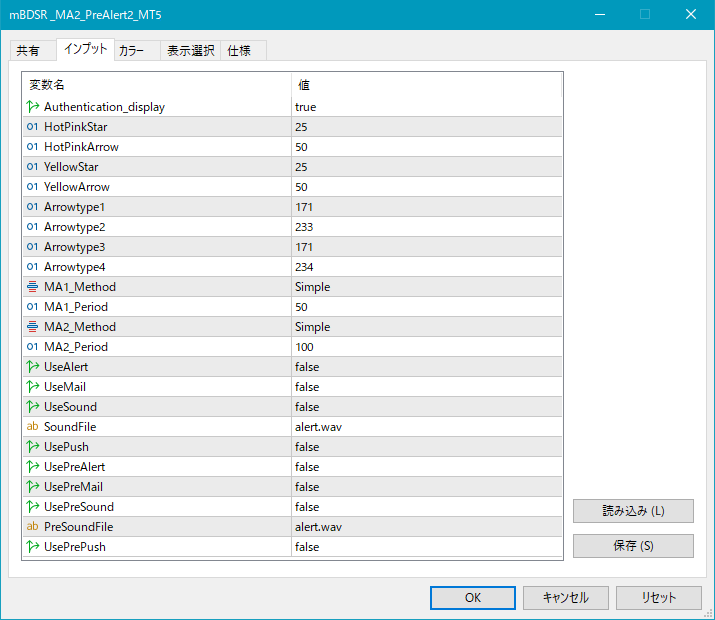
Settings for GoGoJungle Web Authentication Result Display
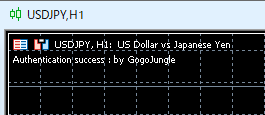
Authentication_display:
If you want to display the result of GoGoJungle Web authentication in the upper-left of the chart, choose true; if not, choose false.
Authentication_display = true
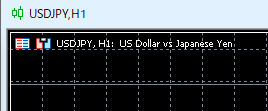
Authentication_display = false
Settings for the position of stars and arrows
If the stars or arrows are too close to the candlesticks and hard to see, or too far away such that they may be off-screen, you can adjust the height at which these marks are displayed using the following settings. The larger the value, the farther from the candlesticks the marks are.
Star (pink) → HotPinkStar
Arrow (pink) → HotPinkArrow
Star (yellow) → YellowStar
Arrow (yellow) → YellowArrow
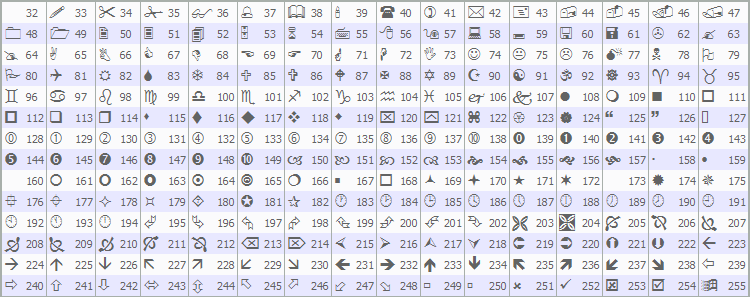
By changing the values below, you can change the shape of the stars and arrows.
Pink star → Arrowtype1
Pink arrow → Arrowtype2
Yellow star → Arrowtype3
Yellow arrow → Arrowtype4
Also, the symbols that can be used in place of stars/arrows and their corresponding numbers are as follows in the table below.
Settings for alert features
[1] Alerts when the arrow sign lights up
UseAlert:
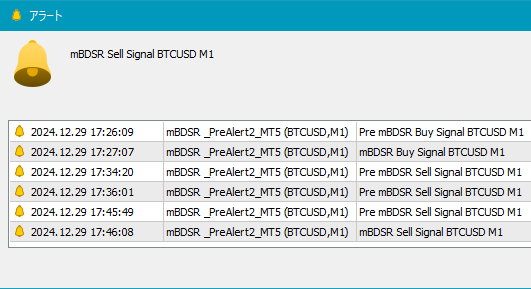
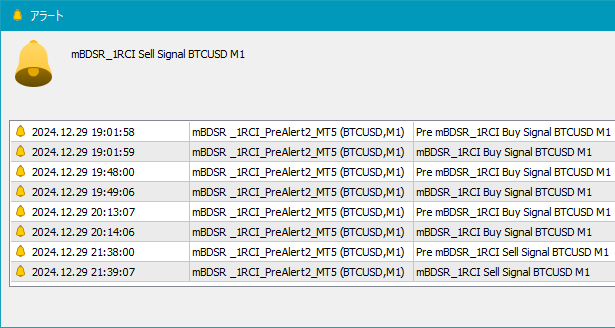
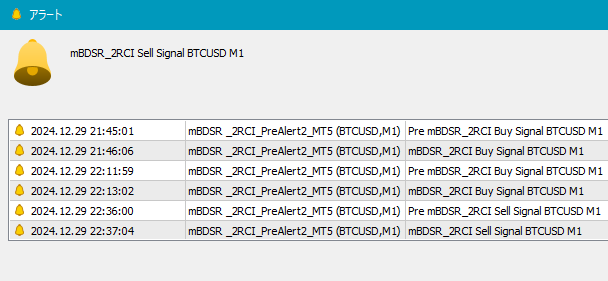
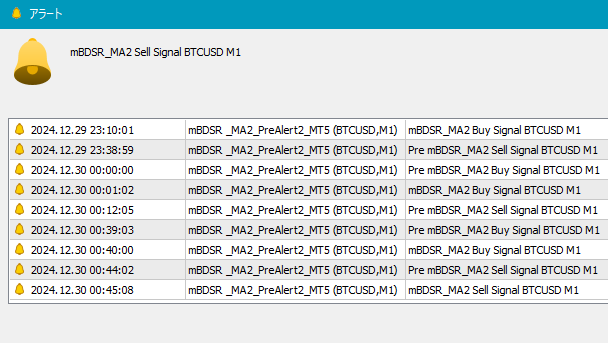
If you want to use the alert dialog that notifies sign generation as shown below, choose true; if not, choose false.
(1) For mBDSR_PreAlert2_MT5_XXXXXXXXX.ex5
(2) For mBDSR_1RCI_PreAlert2_MT5_XXXXXXXXX.ex5
(3) For mBDSR_2RCI_PreAlert2_MT5_XXXXXXXXX.ex5
(4) For mBDSR_MA2_PreAlert2_MT5_XXXXXXXXX.ex5
UseMail:
If you want to notify sign generation by email, choose true; if not, choose false.
UseSound:
If you want to notify sign generation by alert sound, choose true; if not, choose false.
SoundFile:
Enter the file name of the sound to use for the alert.
UsePush:
If you want to notify sign generation by push notification, choose true; if not, choose false.
[2] Alerts when the star sign lights up for the first time
UsePreAlert:
If you want to notify sign generation by alert dialog, choose true; if not, choose false.
UsePreMail:
If you want to notify sign generation by email, choose true; if not, choose false.
UsePreSound:
If you want to notify sign generation by alert sound, choose true; if not, choose false.
PreSoundFile:
Enter the file name of the sound to use for the pre-alert sound.
UsePrePush:
If you want to notify sign generation by push notification, choose true; if not, choose false.
Settings related to filters
(1) About mBDSR_PreAlert2_MT5_XXXXXXXXX.ex5
In mBDSR_PreAlert2_MT5_XXXXXXXXX.ex5 there are no filters.
(2) About mBDSR_1RCI_PreAlert2_MT5_XXXXXXXXX.ex5
In mBDSR_1RCI_PreAlert2_MT5_XXXXXXXXX.ex5 you can set one RCI as a filter as follows.

RCIPeriod1: The period of the first RCI used as a filter
(3) About mBDSR_2RCI_PreAlert2_MT5_XXXXXXXXX.ex5
In mBDSR_2RCI_PreAlert2_MT5_XXXXXXXXX.ex5 you can set two RCIs as filters as follows.

RCIPeriod1: The period of the first RCI
RCIPeriod2: The period of the second RCI
(4) About mBDSR_MA2_PreAlert2_MT5_XXXXXXXXX.ex5
In mBDSR_MA2_PreAlert2_MT5_XXXXXXXXX.ex5 you can set two moving averages as filters as follows.

MA1_Method: Select the type of the first moving average
Simple (SMA: Simple Moving Average)
Exponential (EMA: Exponential Moving Average)
Smoothed (SMMA: Smoothed Moving Average)
Linear weighted (LWMA: Linear Weighted Moving Average)
MA1_Period: The period of the first moving average
MA2_Method: Select the type of the second moving average
Simple (SMA: Simple Moving Average)
Exponential (EMA: Exponential Moving Average)
Smoothed (SMMA: Smoothed Moving Average)
Linear weighted (LWMA: Linear Weighted Moving Average)
MA2_Period: The period of the second moving average
◆ About Blacksun Indicators (List)
Blacksun Indicators (List)arePlease see this article on Investment Navi+.https://www.gogojungle.co.jp/finance/navi/articles/33779