
MACD signal support page
Thank you for using this product.
The latest version is 2.01.
Upgrades for purchasers are free ⇒Download
Product contents
MACD (Moving Average Convergence Divergence) is abbreviated as MACD, and in Japanese it is called 移動平均収束拡散法. It is a trading indicator used in stock technical analysis, created by Gerald Appel in the late 1970s. It is designed to reveal changes in the strength, direction, momentum, and duration of a stock price trend. From Wikipedia
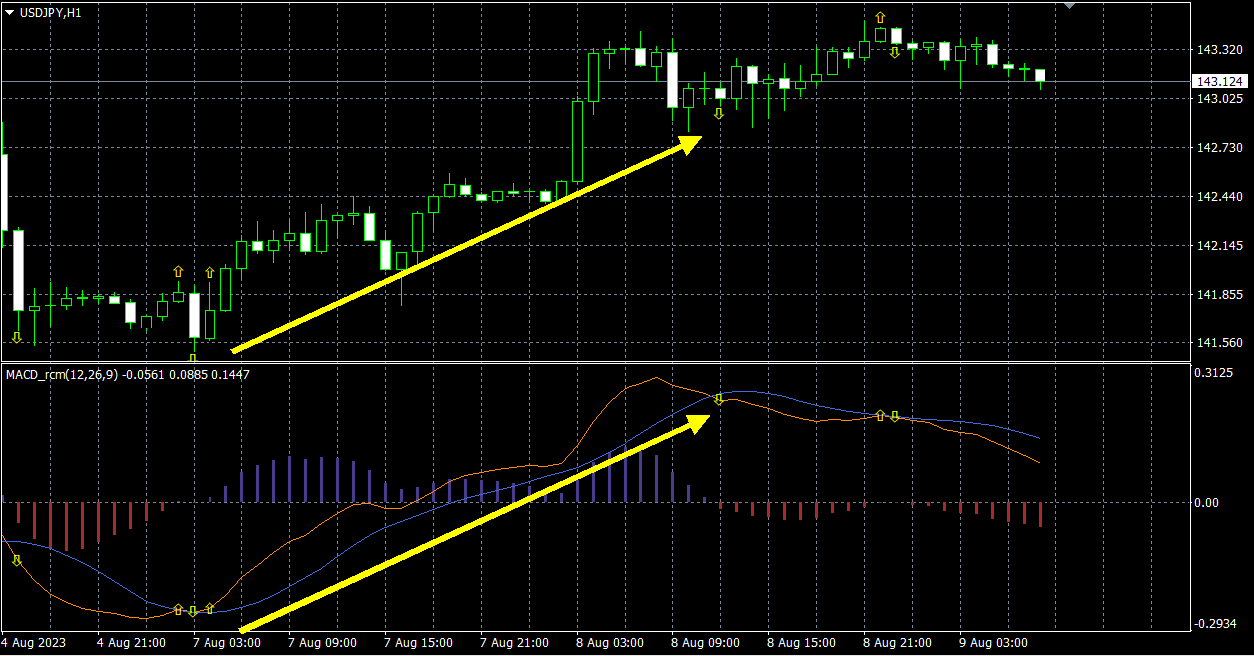
The orange line represents MACD, the blue line MACD signal, and the difference is displayed as a bar chart.
By comparing the MACD line with the MACD signal line, when MACD is above, the trend is upward; when MACD is below, the trend is downward. This tendency can be seen in the bar graph. If the bar graph is above 0, it is an uptrend; if below, a downtrend.
When the trend changes, the MACD line and MACD signal line cross each other, forming a golden cross or dead cross at that point, and the bars invert direction, with messages and arrows displayed.
It is easier to understand than the built-in MACD in MT4, and since there are arrows and messages, anyone can use it.
How to install
1) In MT4/MT5, select “Open Data Folder” from the File menu.
2) Copy everything inside this product’s MQL4/MQL5 folder to the MQL4 folder.
3) Restart MT4 and open any chart.
4) Double-click or drag-and-drop the MACD_rcm indicator onto the chart.
5) The settings screen will appear; press OK to display it.
6) It also runs on a demo account and in Strategy Tester.
Settings page
MACD short-term exponential moving average period: 12
MACD long-term exponential moving average period: 26
MACD signal line period: 9
▼ Arrow settings
Show arrows: true = show
Additional string for the arrow: appended to the name of the arrow object. Use this string to identify in integrations.
In addition, you can specify arrow size, color, shape, etc.
Maximum value for the target bar: sets the maximum value of bars displayed.
▼ Notification settings
Notification settings [Common]
Signal integration
This signal tool supports one-click arrow linked orders, making it extremely easy to place automated orders with the One-Click FX series.
Linking with objects
Target tools:One-Click FX、One-Click FX Training、One-Click 225 Training、One-Click BO Training
1. Please place the indicator on the same chart.
2. Turn ON the sign linkage buy/sell buttons.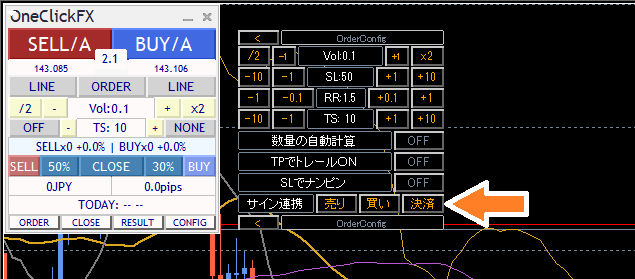
With that, arrows will automatically enter trades according to signal linkage.
Linkage by index
Target tools:One-Click FX、One-Click FX Training、One-Click 225 Training
Please refer to the following to set parameters.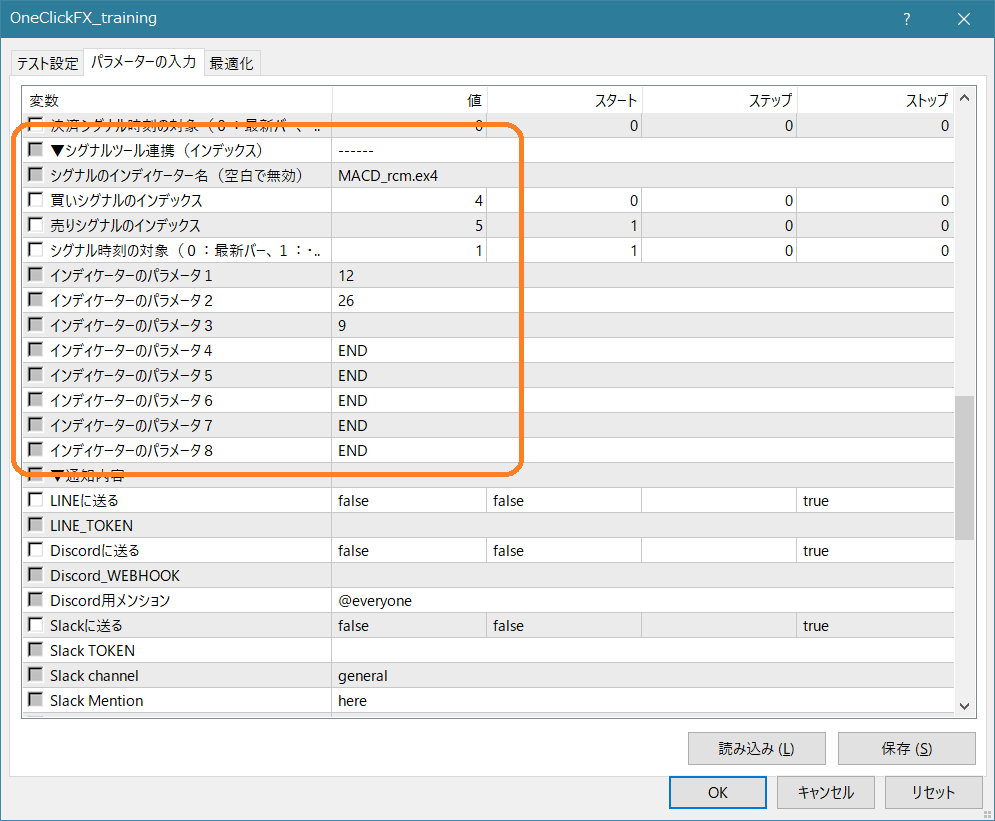
Linkage with the signal arrow tool
※Signal Arrow Tool (ArwByIdx) can also be integrated with the One-Click FX series.
Please refer to the following to set parameters.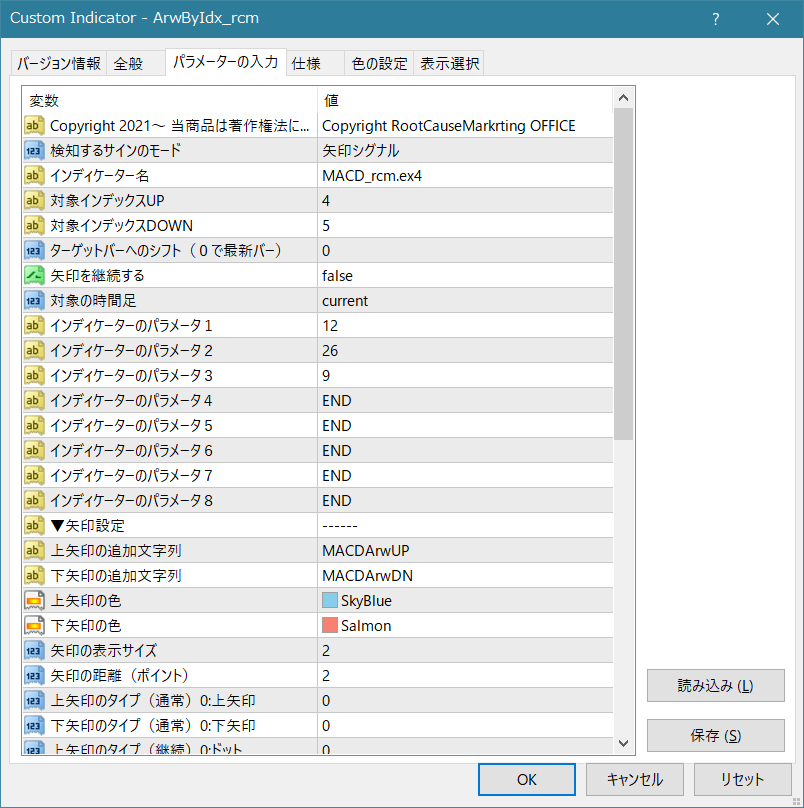
You can create many patterns with different lines or combinations.
If you’re having trouble
If it’s not functioning properly, acting strangely, or stopping immediately, please first check this location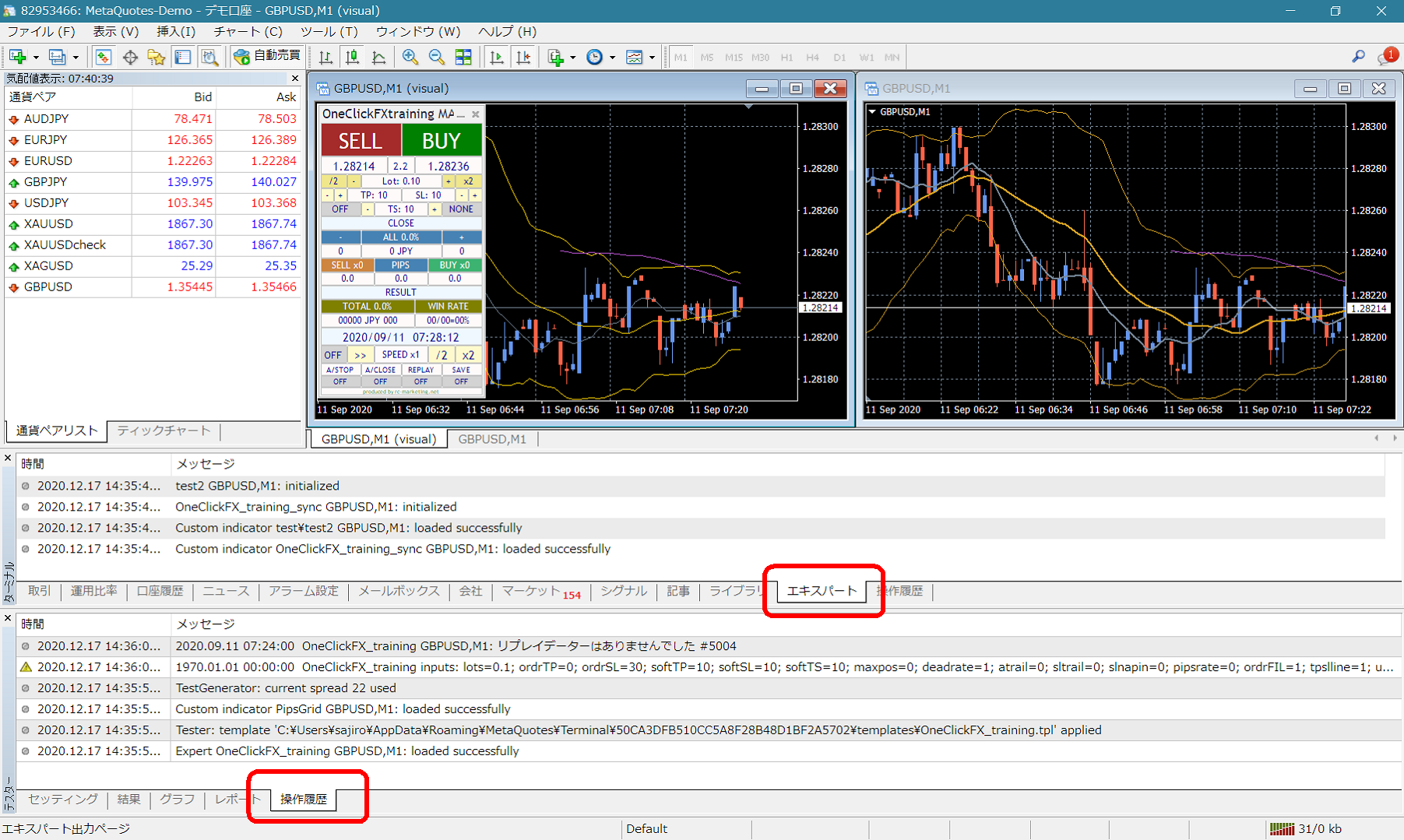
If you see error messages in the terminal’s expert or tester history, please let us know those details to help us respond smoothly.
Thank you for your cooperation.
Notes
When using this tool, please understand its performance and use it at your own risk.