

Synchronize Chart Time [ChartSyncs] Support Page
Thank you for using ChartSyncs.
If you do not have the product yet, click here,
https://www.gogojungle.co.jp/tools/indicators/22970
※ The latest version is 2.02.
■ Product Contents
A tool that synchronizes the display time and zoom level of multiple charts operating on MT4/MT5.
It can synchronize any currency regardless of the currency pair type.
When you scroll the chart to the past, automatic scrolling is turned off, and when you return to the beginning, automatic scrolling is turned on.
This automates the annoying control of automatic scrolling.
■ How to Install
1) In MT4, select “Open Data Folder” from the File menu.
2) Copy everything inside this product’s MQL4/MQL5 folder into the MQL4/MQL5 folder.
3) Restart MT4/MT5 and open any chart.
4) Double-click (or drag & drop) the indicator “ChartSyncs”.
5) The settings screen will appear; please configure the parameters.
6) Synchronization will occur on the installed charts.
■ Parameter Settings
| Parameter | Description |
|---|---|
| Display scale (zoom) synchronization | The sub-chart also synchronizes the zoom level with the main chart. |
| Synchronized line position (number from the right edge of the chart) | Specifies the location of the bars to synchronize. If set to 0, synchronization will occur, but the synchronization line may disappear. |
| Synchronization line color (NONE uses grid color) | Please specify your preferred color. |
| Synchronization line thickness | Please choose your preferred thickness. |
| Show synchronization line on top | If true, it will be displayed on the front with the date/time shown underneath; if false, only the line will be displayed. |
■ Auto-Scroll (Right Edge Movement) Auto-Off
The auto-off feature for right-edge movement prevents automatic scrolling from forcing the latest bar when you scroll the main chart to view past data.
Conversely, if you manually scroll to the latest bar, automatic scrolling turns on. The same behavior occurs when you enable auto-scroll from the toolbar.
■ Use in Strategy Tester
This tool can also be used in MT4 Strategy Tester.
The usage is the same as normal, but in Strategy Tester, another chart will synchronize with the tester’s chart, and the tester’s chart will not follow the other chart’s movements.
■ Frequently Asked Questions
▼ Synchronization line does not display
The synchronization line does not appear on the chart that shows the latest bar. Also, if there is no chart with a compatible date/time for synchronization, you can only go back to the oldest point. Please provide historical data.
■ When you’re in trouble
If it is not operating properly, behaving oddly, or stopping immediately, please first check this location
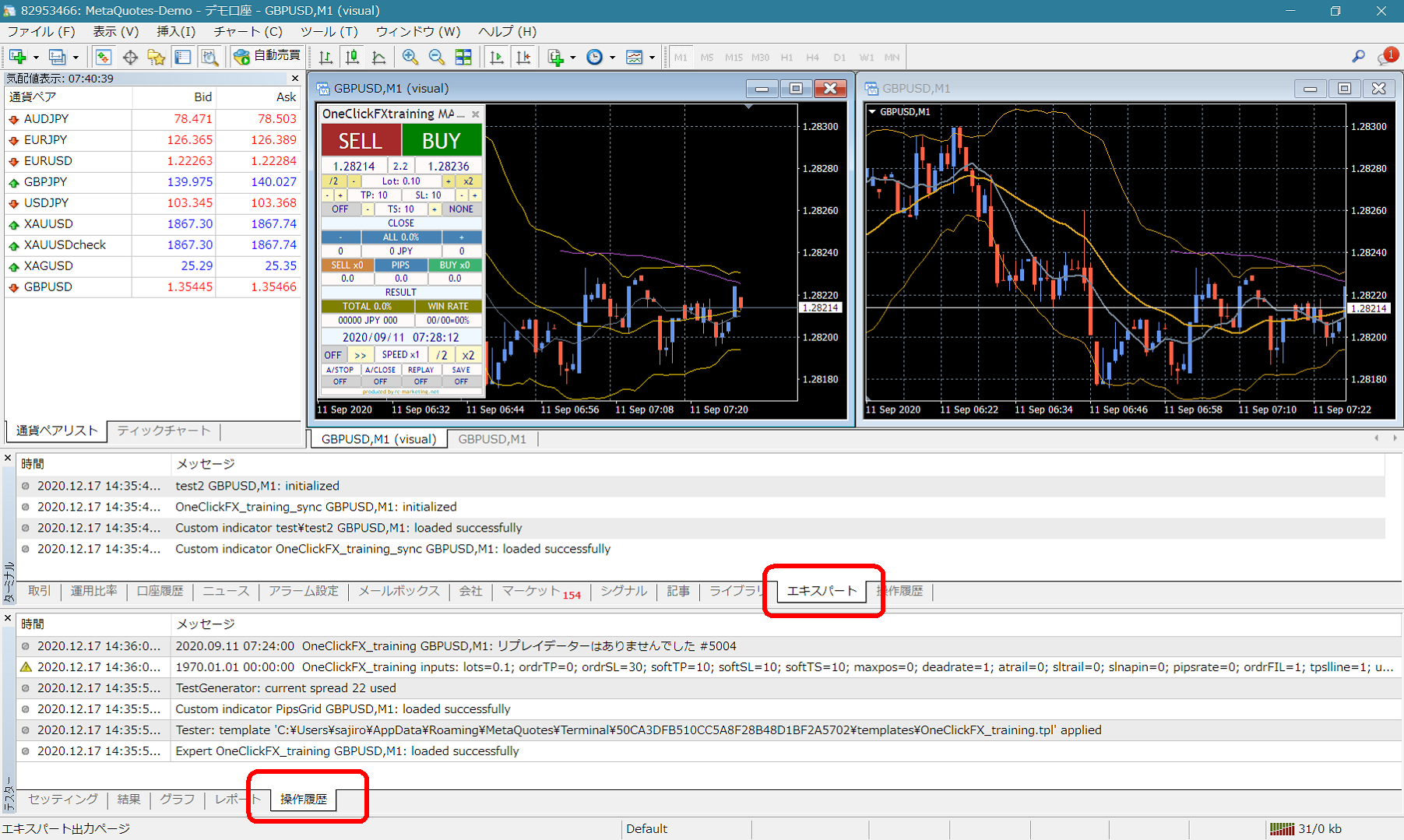
If there are error messages in the Terminal’s Expert or Tester log, please share them to help us resolve the issue more smoothly.
Thank you for your cooperation.
■ Cautions
When using this tool, please understand the tool’s performance and use it at your own risk.
× ![]()