【Until 1/3】Long-term forward-testing EA performing well. Backtest Free Edition Giveaway Campaign
Campaign Overview
Download period: 2020-12-15 to 2021-01-03 23:59
Trial version EA specifications: Backtesting only
(No trading will occur on real or demo accounts.)
Expiration date: 2021/01/31
(Web authentication will expire, and backtests will also be unavailable.)
Download conditions: Users who have previously purchased paid products on GogoJungle
Target EAs













See the results

How to perform a backtest
The reason for performing a backtest is that by knowing the maximum drawdown within a specified period, you can determine the appropriate operating capital.
Holding a position size that is too large relative to your account balance can lead to the risk of account ruin, so it's important to understand the risk of the EA through proper backtesting.
Obtain historical data for the period needed for backtesting
There are two ways to obtain historical data as follows.
1) Download historical data directly provided by MetaQuotes from MT4
2) Download historical data published by FX companies and use it for offline charts
Details are described in more detail on the following sites, so please check them.
▶MT4 Historical Data Download Source and Import Procedures
https://autofx-now.com/first-mt4/mt4-histroicaldata
▶MT4 EA Verification Backtest and Parameter Optimization Procedures
https://autofx-now.com/first-mt4/ea-backtest
As a bonus, we attach the “Period_Convert_Alltimeflames” required for backtesting with offline charts of option 2.
This script can synthesize offline charts for all timeframes by applying it to the 1-minute offline chart.
⇒Download PeriodConverterAllTimeframes.zip
Backtest in Strategy Tester
Please refer to the following article for how to use Strategy Tester.
▶Video: How to perform a backtest
https://www.gogojungle.co.jp/post/1/287
Download backtest data (htm files) and review results
After backtesting, you can right-click from the "Reports" to download the Strategy Report.
This is the commonly seen backtest data (Strategy Report).
▶The following is a reference on how to read backtest data
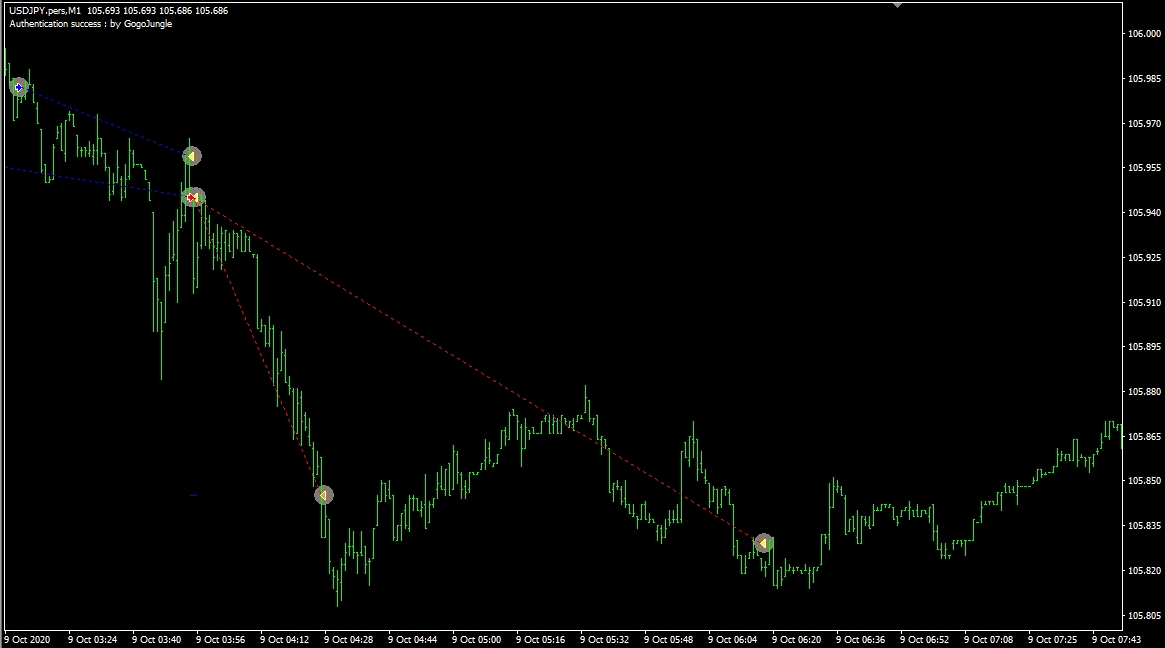
See trades in real-time with Visual Mode during backtest!
When backtesting, if you check "Visual Mode," you can see at what timings entries and exits occur on the chart.
Whether it is contrarian or trend-following, whether settlements are TP or trailing, whether multiple positions are closed together, etc., you can better understand the EA's characteristics.
Also, when you want to assemble a portfolio, you can use this to check whether entry timings between EAs overlap.
Understand the EA's features (briefly)
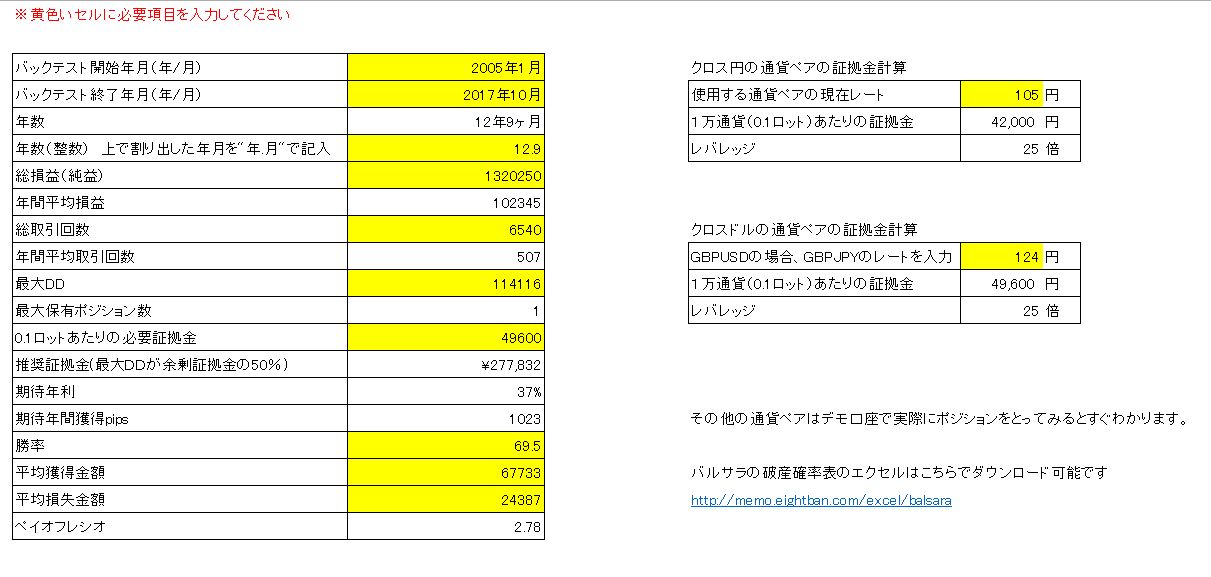
You can quickly see expected annual return and annual number of trades!
We will give you a Simple Backtest Evaluation Sheet!
You will learn about recommended margin, expected annual return, and annual number of trades.
Additionally, by calculating the payoff ratio from average gain and average loss and combining with win rate,
you can roughly gauge the EA's stability using Balsera's probability of ruin table.
(Note: Balsera's probability of ruin table is downloadable from a separate site.)
▼Download Simple Backtest Evaluation Sheet
EA Simple Performance Calculation Sheet.zip
Understand the EA's features (Detailed)
QuantAnalyzerUsing this tool, you can view monthly and yearly performance in detail.
You can install the free version by registering your email address.
Related sites:
▶Thorough guide to using Quant Analyzer — 2020 Edition
What makes a good EA?
When evaluating an EA, metrics such as PF (Profit Factor = profit ÷ loss) or the risk-return rate (return ÷ maximum drawdown) are often used, but ultimatelyPayoff ratio (average profit ÷ average loss) × win rateis what I think matters.
As you can see from Balsera's probability of ruin, by considering payoff ratio, win rate, and the risk per trade relative to capital, you can roughly assess whether the EA will consistently accumulate profits or whether losses will pile up.
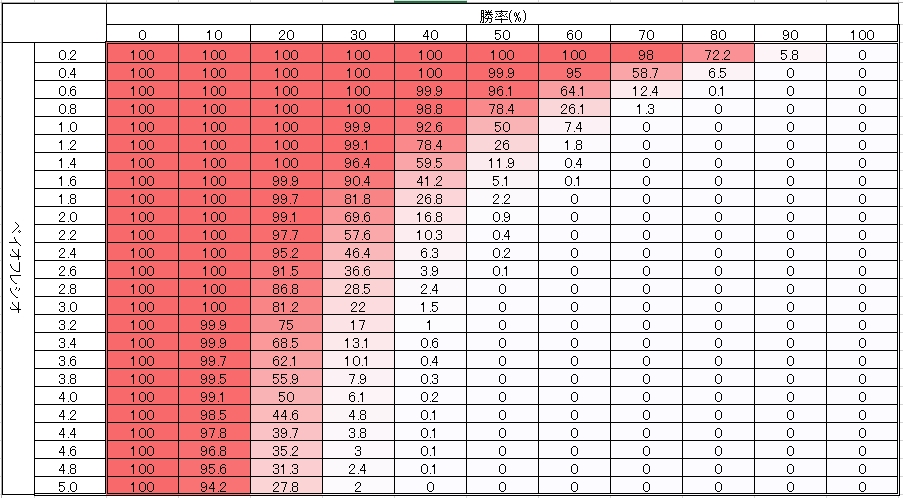
If the ruin probability is near 100%, even if current results look good, losses may accumulate in the future.
Related articles:Assess EA safety using Balsera's probability of ruin
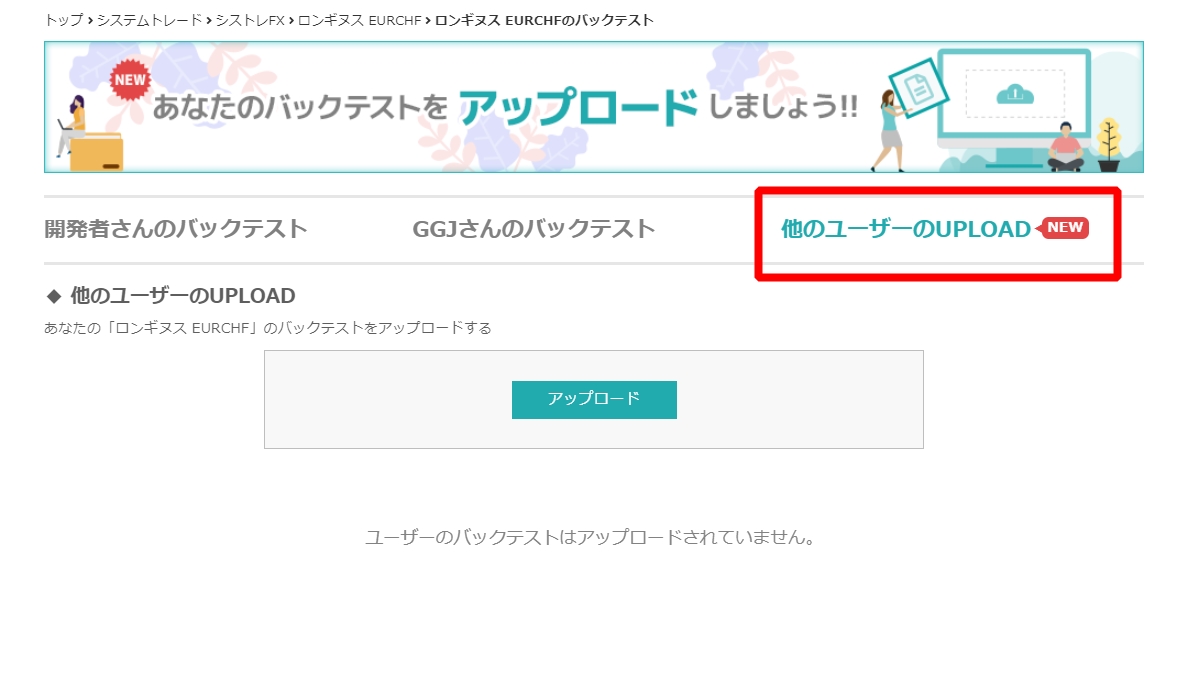
Please also use user-submitted backtest uploads.
If you run a backtest and find optimization parameters or compound interest backtest data not listed officially,
you can upload the backtests on the sales page for the corresponding EA, so please use this feature.
Bonus here!
▶Simple Backtest Evaluation Sheet
Written by Tera GogoJungle Marketing.