First-time EA backtest! You can backtest popular EAs with the "Backtest-Free EA (Only one live instance) Campaign" 【11/13~11/25】

Campaign Overview
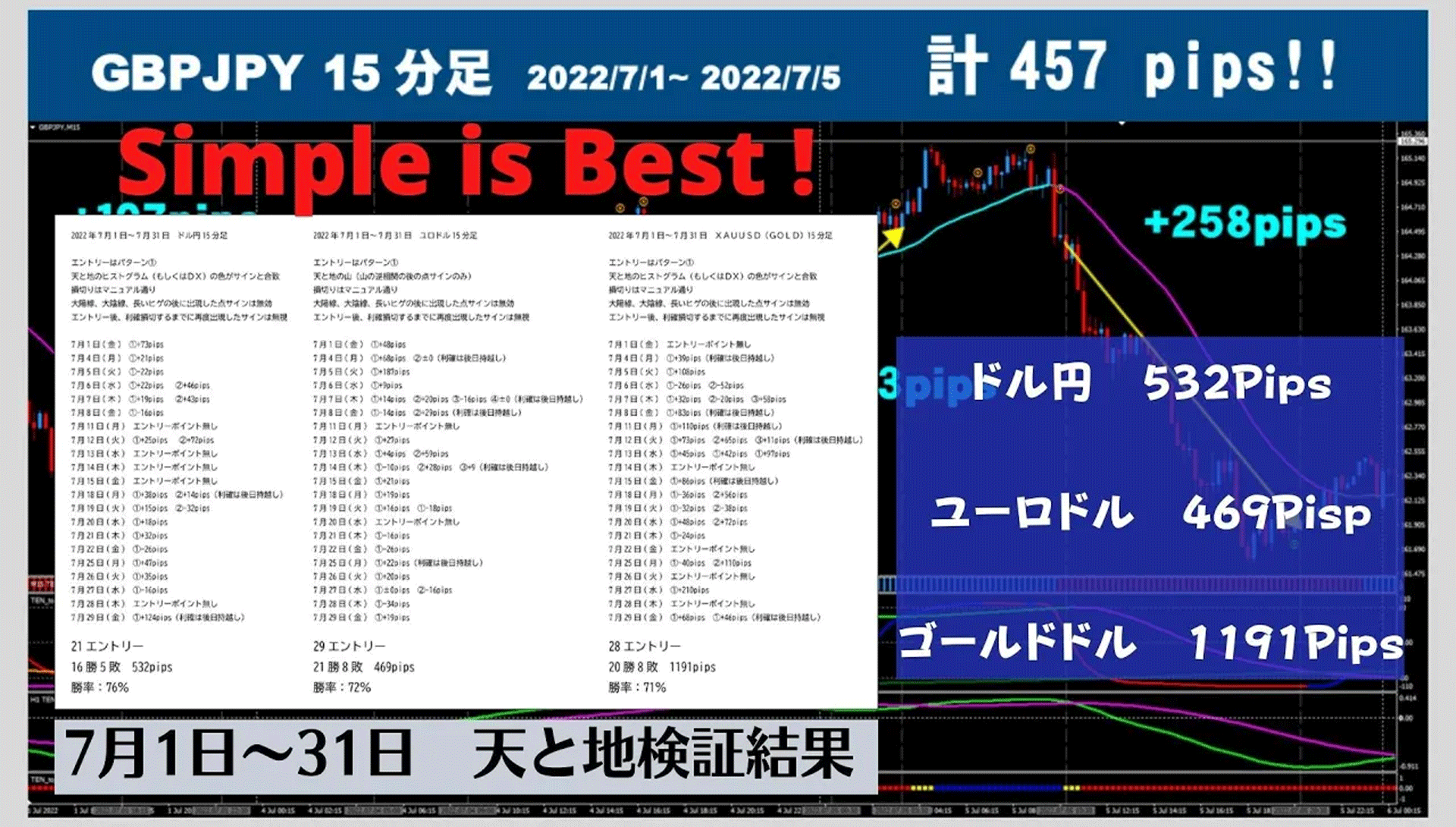
Free version of the popular EA backtest is available for free!
During the campaign period, any GogoJungle member can download the eligible EAs for free.
Period: 2020 November 13 (Fri) 18:00~ November 25 (Wed) 23:59
Operating condition for the Free Backtest EA: an EA that operates only by backtesting until December 31, 2020 with a restriction.
There will be no trading on real or demo accounts.
※Only MT4-Ryzeen-Scalper-Free-Style allows real account operation with a lot size of 0.01 lots and only the EURUSD pair.
We introduce steps and required tools to make backtesting easy even for those new to backtesting.
Please learn backtesting and try to find a “good EA” and a “your preferred EA”!
Eligible EAs
※0.01ロット取引可能 |

































※2020/11/17 Exy-2 third が追加されました
How to Perform a Backtest
The reason to backtest is that by knowing the “maximum drawdown” within a specified period, you can determine the appropriate operating capital.
Holding an excessively large lot relative to your account balance can lead to ruin risk, so it is important to properly understand the EA’s risk through backtesting.
Obtain Historical Data for the Required Backtest Period
There are two ways to obtain historical data below.
1) Download historical data directly from MT4 provided by MetaQuotes
2) Download historical data published by FX companies and use it for offline charts
For details, please check the following sites, as they explain things in detail.
▶MT4 Historical Data Download Destination and Import Procedures
https://autofx-now.com/first-mt4/mt4-histroicaldata
▶Steps to Validate MT4 EA with Backtesting and Parameter Optimization
As a bonus, we attach the “Period_Convert_Alltimeflames” needed for backtesting on offline charts (method 2).
This script, when applied to a 1-minute offline chart, can synthesize offline charts for all timeframes.
⇒Download PeriodConverterAllTimeframes.zip
Backtest Using the Strategy Tester
Please refer to the following article for how to use the Strategy Tester.
https://www.gogojungle.co.jp/post/1/287
Download Backtest Data (htm files) to Check Results
After the backtest is finished, you can download the Strategy Report by right-clicking in the “Reports”.
This is the backtest data (Strategy Report) you commonly see.
▶The following is a reference on how to read the backtest data
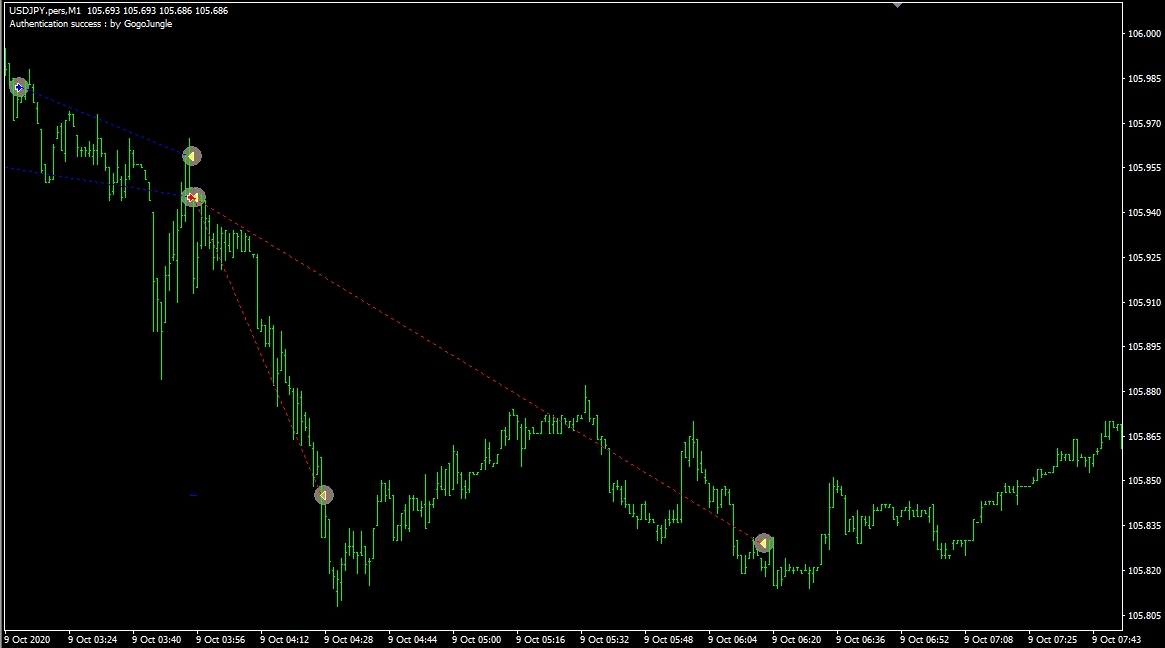
Visual Mode Backtesting Lets You See Trades More Realistically!
When backtesting, checking “Visual Mode” allows you to see exactly when entries and exits happen on the chart.
You can determine whether it is contrarian or trend-following, whether the exit is TP or trailing, whether multiple positions are closed together, and more, giving a clearer sense of the EA’s characteristics.
Also, when building a portfolio, you can use it to verify that entry timings between EAs do not overlap.
Understanding the EA’s Characteristics (Briefly)
You can immediately know expected annual return and number of trades per year!
We’ll give you a Simple Backtest Evaluation Sheet!
You can see the recommended margin, expected annual return, and annual number of trades.
Also, by calculating the payoff ratio from average profit and average loss and combining with win rate
you can roughly gauge the EA’s stability using Balsera’s ruin probability table.
(Note: Balsera’s ruin probability table is downloaded from another site)
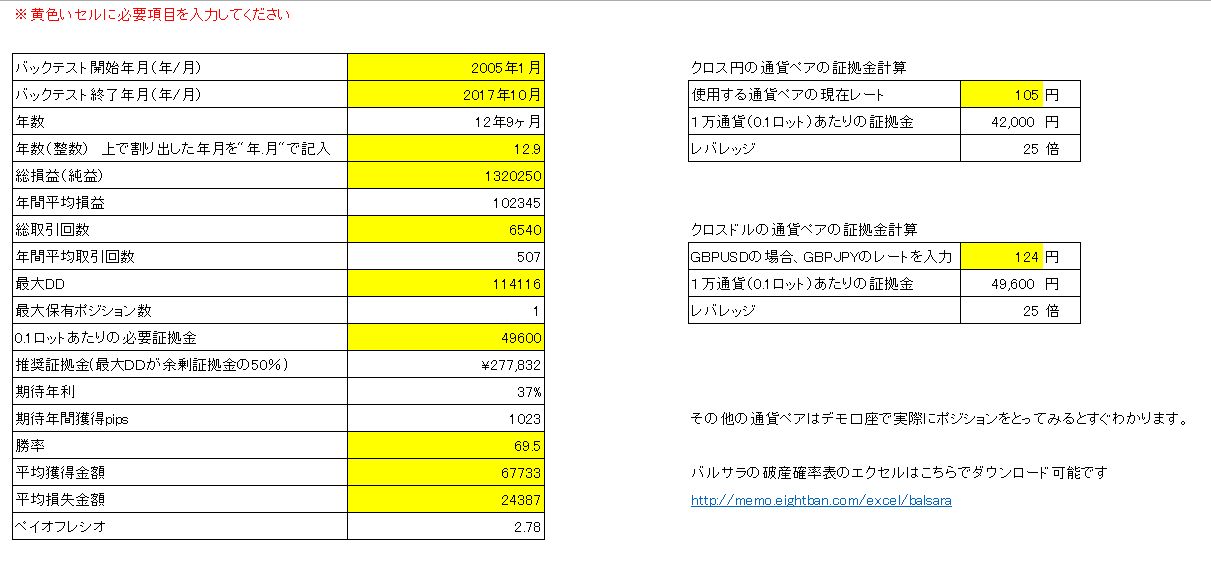
▼Download the Simple Backtest Evaluation Sheet
EA Simple Performance Calculation Sheet.zip
Understanding the EA’s Characteristics (Detailed)
QuantAnalyzerUsing this tool lets you know monthly and yearly performance in detail.
You can install the free version by registering your email address.
Related sites:
▶A Thorough Guide to Using Quant Analyzer | 2020 Edition
What Makes a Good EA?
When evaluating EAs, people often use PF (Profit Factor = profit / loss) and the risk-return rate (return / maximum drawdown), but ultimatelythe payoff ratio (average profit / average loss) × win ratemight be what matters.
From Balsera’s ruin probability, you can see that by considering the payoff ratio and win rate, along with the per-trade risk relative to capital, you can roughly assess whether an EA will continually accumulate profits or whether losses will accumulate over time.
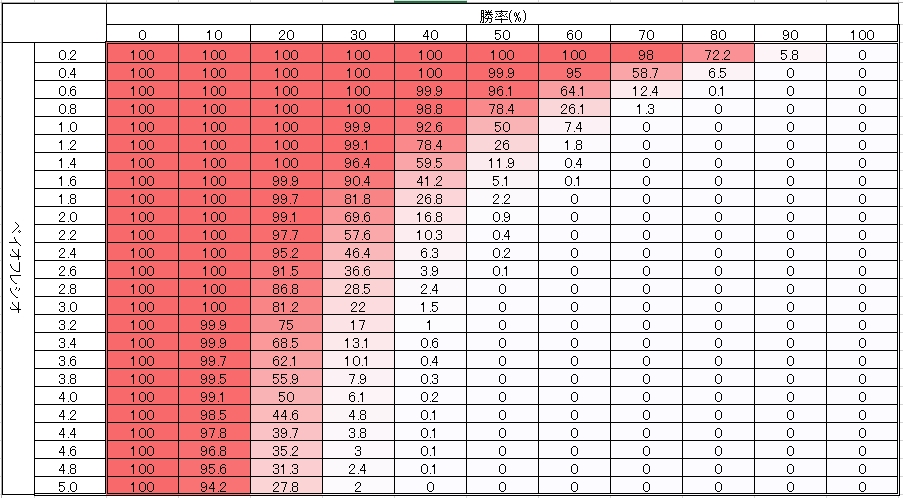
If the ruin probability is close to 100%, even if the current results look good, losses may accumulate in the future.
Related articles:Using Balsera’s ruin probability to assess EA safety
Please also consider user-submitted backtests.
This can make backtesting even more convenient!
Backtesting for multiple EAs can be fully automated in up to 8 parallel runs.
Including multiple currencies and timeframes, you can set up batch processing with complex settings, saving time and enabling advanced analysis