
[MT4] Introduction of a new feature for optimal lot calculation!
Version 4.00 New Features
Added a feature to display the optimal lot size for FX other than CFDs, indices, futures, etc.!
Features
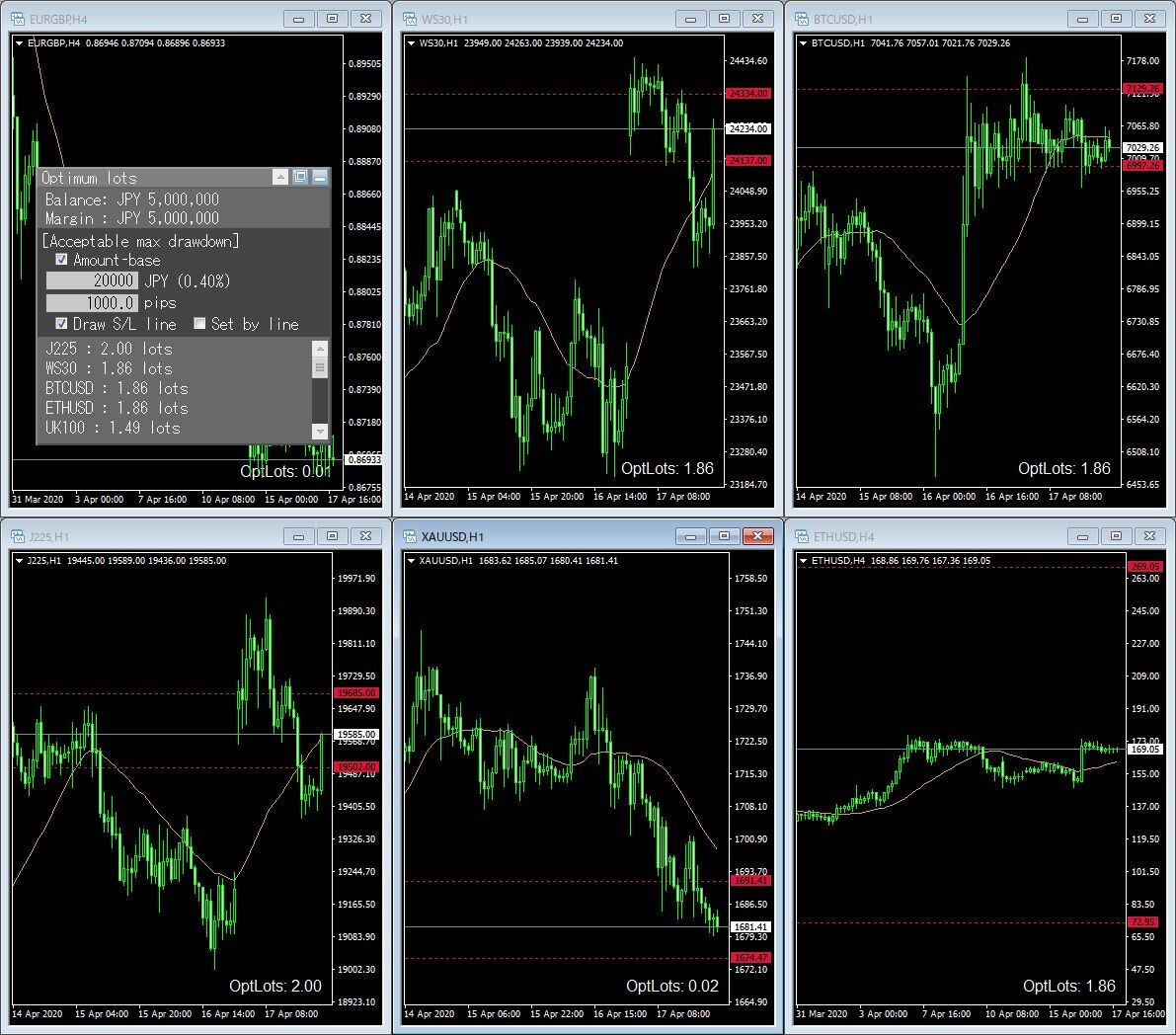
This tool provides real-time automatic calculation and display of the optimal lot size up to the point where a tolerable drawdown (loss) is reached in a single trade.
For each currency pair, it automatically calculates and displays in real time the optimal lot size up to the point where your tolerable drawdown is reached.
For example, if you limit losses to 1% of excess funds and the stop loss defined in your trading plan is 20 pips, it calculates what the optimal lot size should be.
For each currency pair, it automatically calculates and displays in real time the optimal lot size up to the point where your tolerable drawdown is reached.
For example, if you limit losses to 1% of excess funds and the stop loss defined in your trading plan is 20 pips, it calculates what the optimal lot size should be.
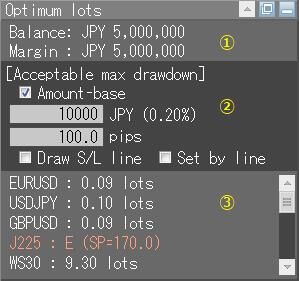
| ① | Balance | Account balance (net worth) |
| Margin | Free funds (assets other than those tied up by holding positions) | |
| ② | Acceptable max drawdown | The range of losses you can tolerate in your capital management ・Amount-base: switch acceptable loss from percentage to amount ・Acceptable loss input box: the allowable drawdown amount percentage or amount from free funds ・Acceptable loss pips input box: the allowable drawdown (pips) ・Draw S/L line: draw lines at positions a specified number of pips above and below the current price ・Set by line: specify stop position by moving the line |
| ③ | Optimal lot | Real-time display of the lot size calculated from the acceptable loss and pips to stop based on the input in ②, for each settlement currency If the calculation result is an error, the error content is displayed |
Visually determine stop position
★ Show stop position
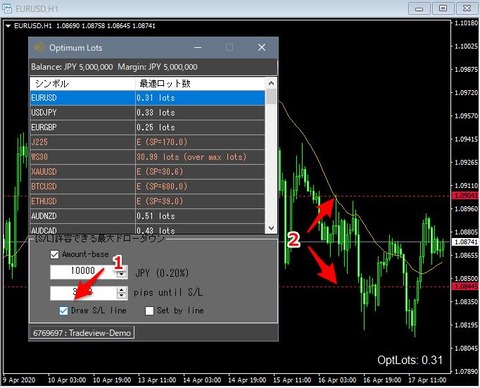
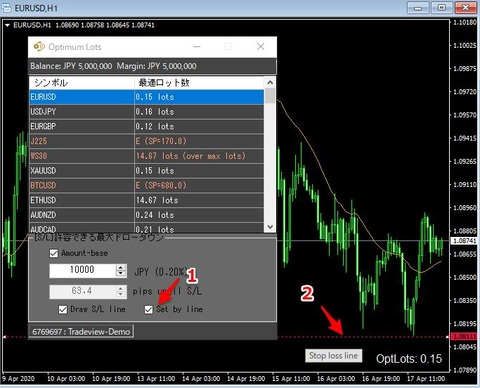
If you check “Show S/L line” at the arrow 1 in the figure below, horizontal lines (arrow 2) will be displayed at positions a set number of pips away from the current price on all MT4 charts.
As you adjust the pips, the horizontal lines move in real time, making it easy to measure the distance to the stop position.
★ Move the horizontal line to adjust the stop position
If you check “Set by line” at the arrow 1 in the figure below, horizontal lines that can move up and down will be displayed on all MT4 charts at the current price.
In this state, you cannot input the pips to the stop from external applications, and by moving the line you can set a stop position that is independent of the current price.
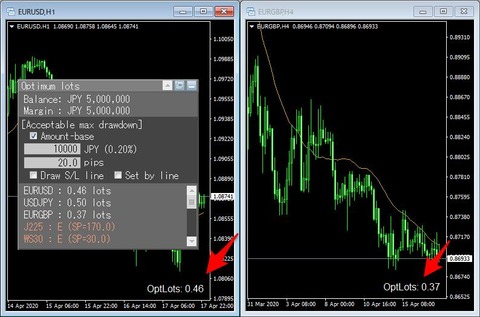
Display optimal lot on each chart
On each chart, you can display the optimal lot size for each symbol calculated by the tool.
External application mode
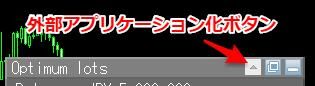
Among the three buttons at the top right of the GUI, pressing the ▲ button makes the automatic calculation tool run as an external application.
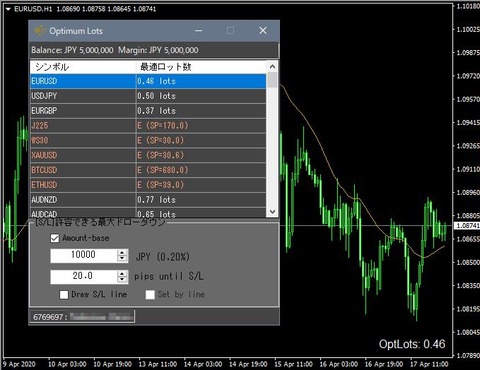
This external application is configured to stay always on top, so the UI will not hide behind the MT4 window even when MT4 is active.
Please use this when the UI on the chart interferes with your work.
When you close the external application, the GUI on the chart automatically returns.
× ![]()