
Intensive Course for People with Zero Programming Knowledge Who Want to Create Automated Trading: "EA Make-Your-Own" — Session 2: I Want to Create the MACD Method

To create an automated trading program, programming knowledge is required, and such a task may seem impossible to you! …Are you one of those who have given up on creating automated trading for that reason? However, there is no need to give up. This is because there is a support tool called "EA Tool" that fills in the gaps in knowledge. In this series, we interview the developers of the software and share how to use it in detail.
Keisuke Iwabuchi Profile
Keisuke Iwabuchi. Born in Heisei 1. After graduating from Fukushima College of Technology, Department of Materials Engineering, he transferred to Niigata University of Technology. While a graduate student, he got hooked on FX and started using MT4.
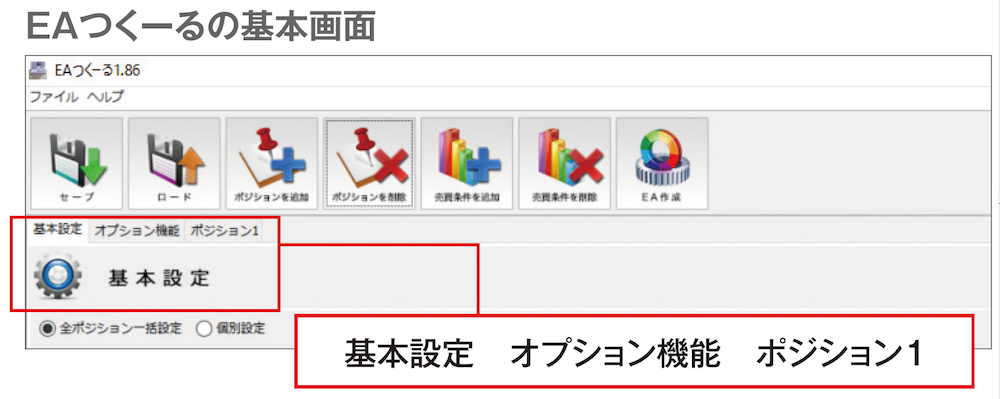
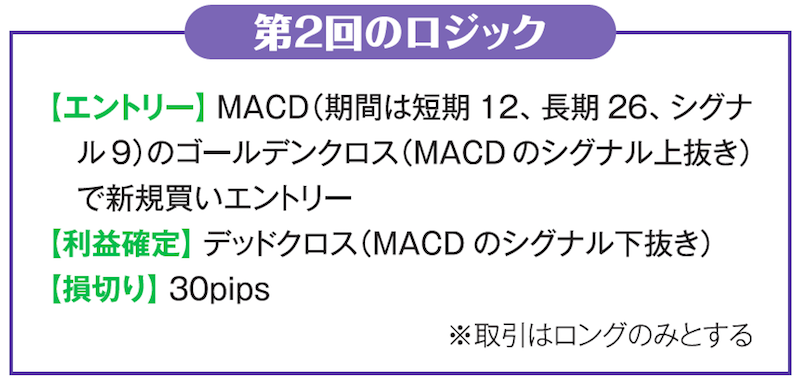
Editorial Department: This time we prepared a logic using the MACD golden cross and dead cross, so please tell us the steps to create it with EA Tool.
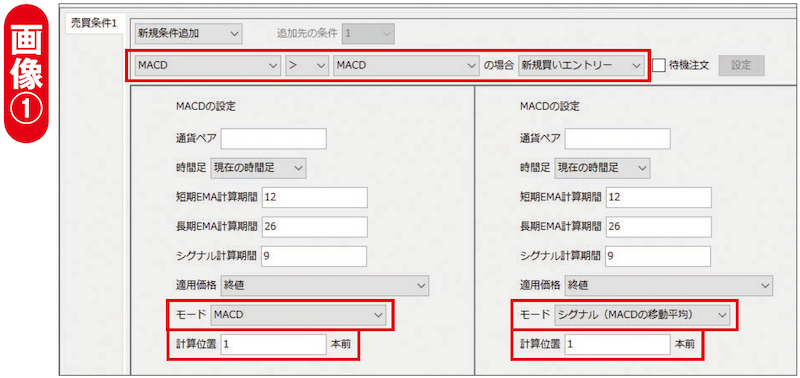
IwabuchiFirst, set the entry. Open the tab for Position 1's Buy/Sell Condition 1 (see Image ①), and on the leftmost and the second-from-right positions among the four dropdown lists, set to "MACD," and set the rightmost to "New Buy Entry." Leave the MACD settings on the left as default (short 12, long 26, signal 9), and change the mode and calculation position. The mode is the item to choose whether the MACD main line or signal is used; here set it to the main line "MACD."

The official site of the only monthly FX specialty magazine in Japan, "FX Tactics.com" can be found here