

How to open a Trade Station
Last time,
“Why TradeStation?”
So,
I introduced the features of TradeStation.
This time,
• How to open a TradeStation account
will be introduced.
<How to open a TradeStation account >
If you have opened accounts for FX, stocks, banks, etc. before, as you know,
literallyyou just input simple information,
and submit the required documentsto complete the procedures.
Easy, isn’t it!!
However, in the case of FX,driver’s license and other identity documentsare often uploaded as files or attached by email,
in the case of TradeStation,
it seems to be by mail.
That said,if you do not have a Monex Securities account,
“Only license holders with no updated address on the back”
anduploadcan be accepted via“Easy Opening”
as an option.
In the old days, mail was the norm...
Even recently, is mailing still the norm at securities firms?
A bank I opened with a while ago used mail as well...
Therefore, exchanging documents by mail takes
a few days.
So,opening an account promptly is wise.
It might be better to open the account even before reading this series (lol). So, let me introduce the opening method.
Well, it’s a very simple matter, so there’s hardly any need for explanation.
By the way,account opening campaignsoffera choice among three strategies
to receive.
I,selected the Breakout Strategy.
According to what I’ve heard, more people tend to choose the
trend-following strategy.
So,I will introduce the account opening procedure.
First, click the banner image above.
A screen like this will appear.
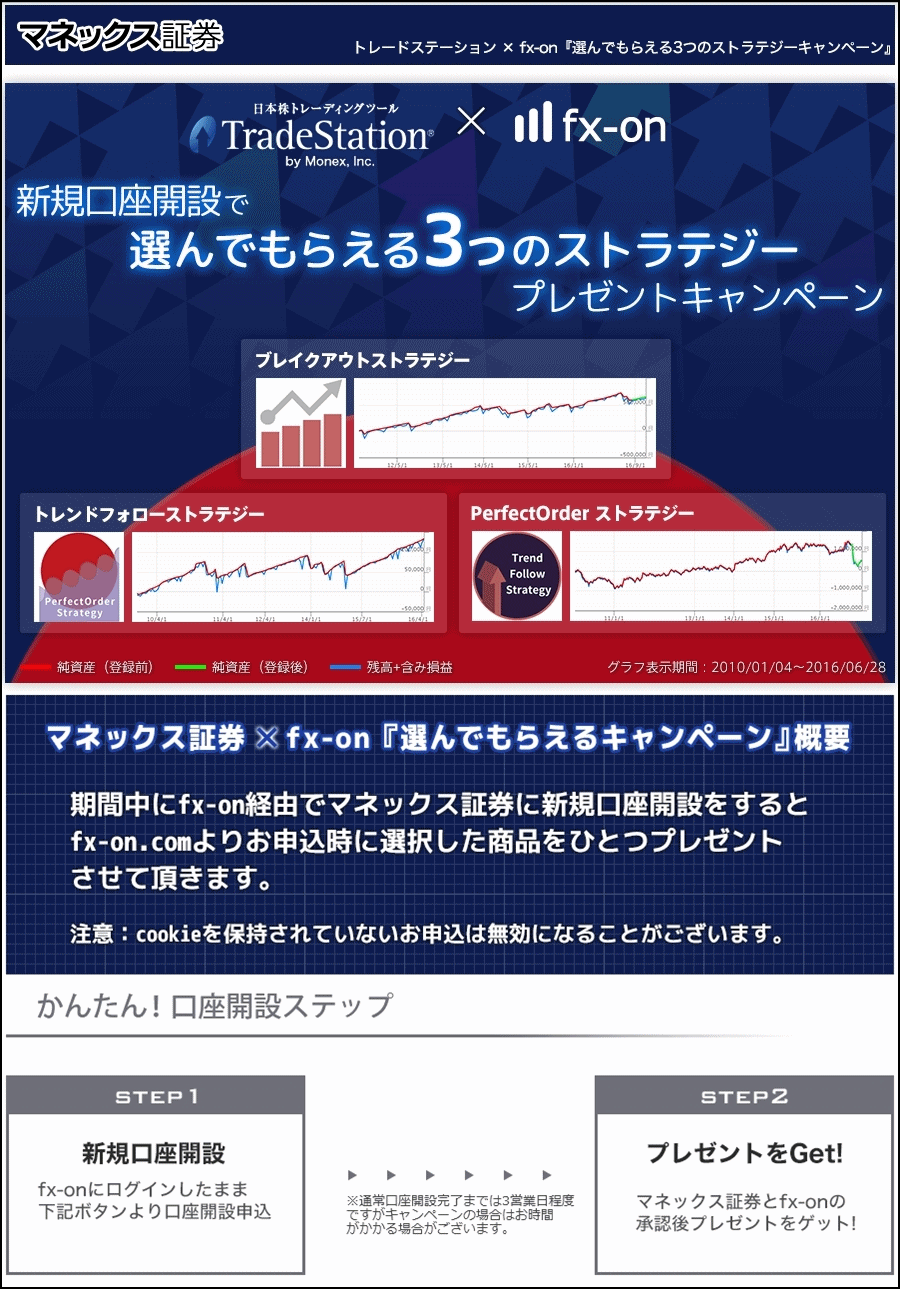
If you scroll down, you’ll see a screen like the one below.
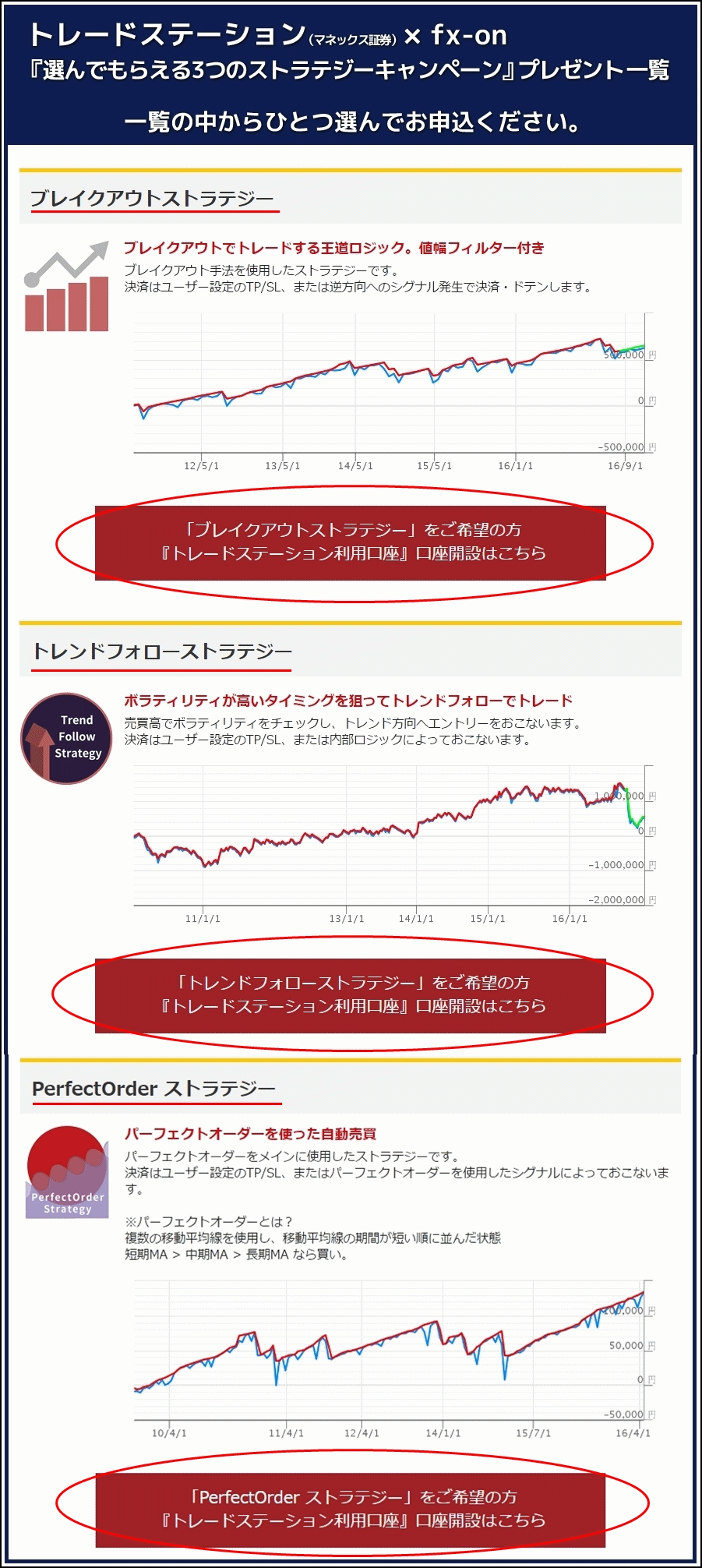
Here,select one of the three,below the relevant strategythe
“TradeStation Use Account」 account opening here”
Click that.
Then you’ll see the following screen.
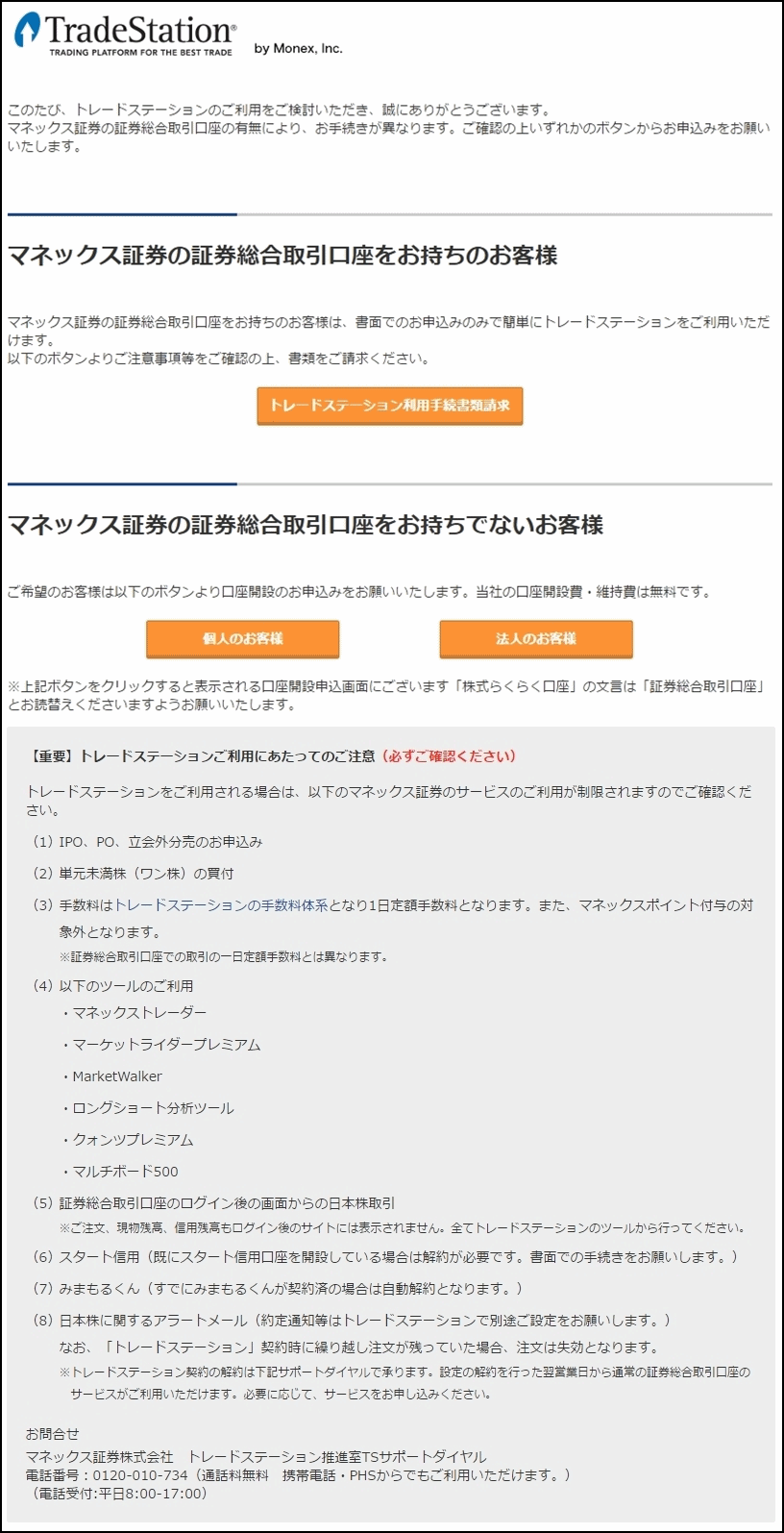
Here,people who already have a Monex Securities Securities General Trading Accountand
people who have notopened itwill be separated.
For those who have opened the “Monex Securities Securities General Trading Account,”click the button on the above screenthat says
“Request documents for TradeStation use procedures”
and
“Apply here”.
(Gray may make you wonder if the button is active, but
there is no problemhere
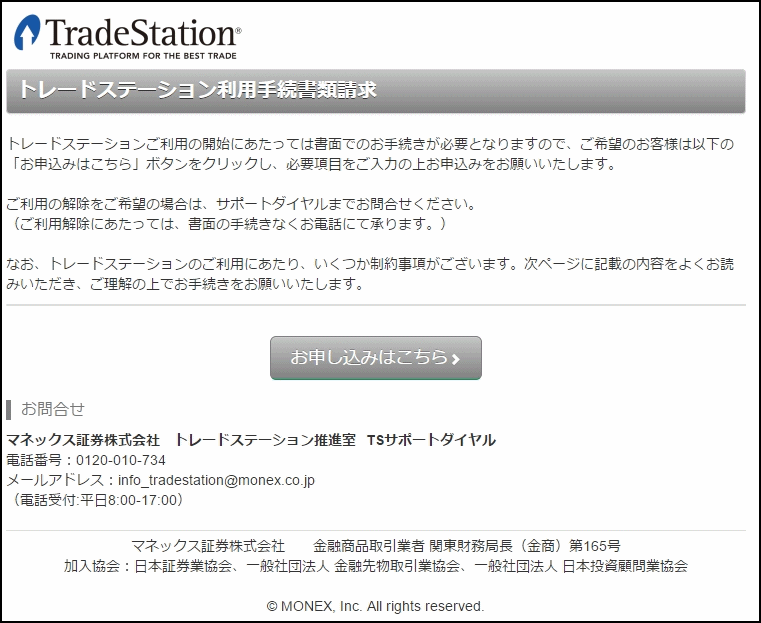
Then,the screen for requesting TradeStation use procedureswill be displayed.
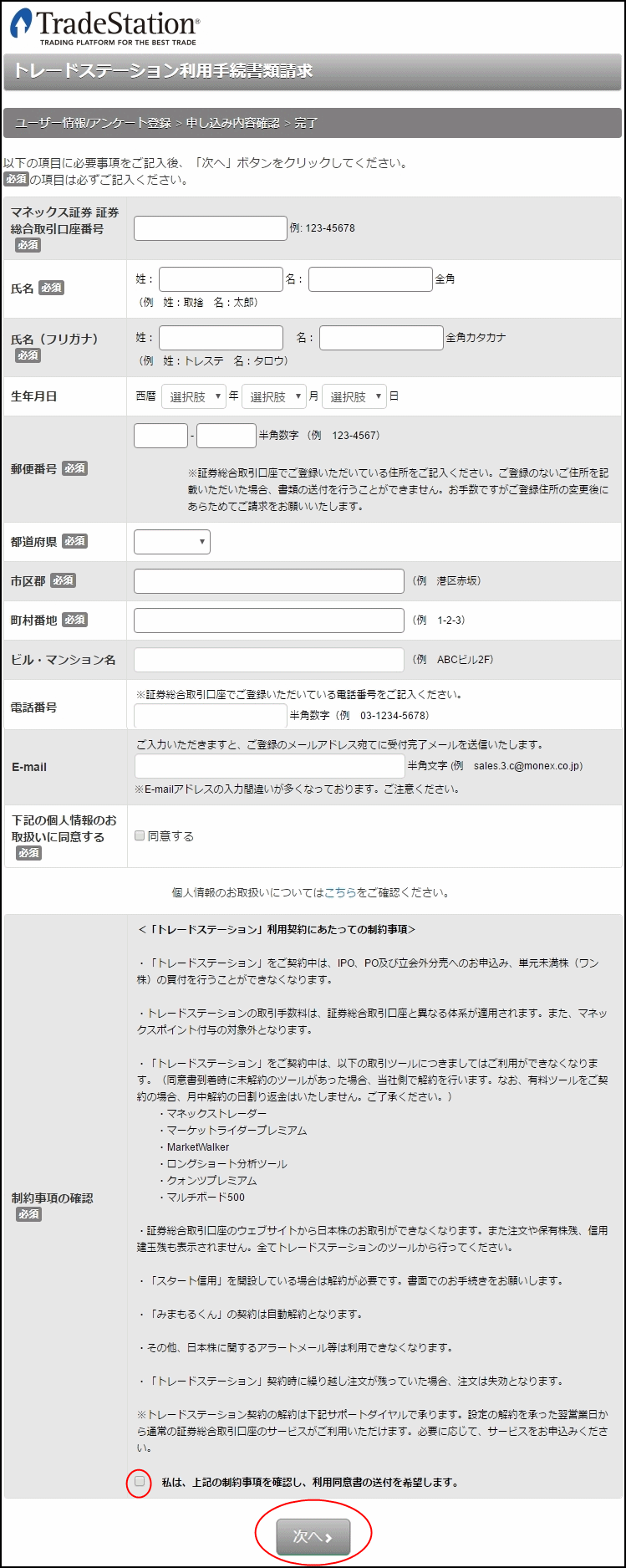
“Monex Securities Securities General Trading Account Number”may not appear immediately
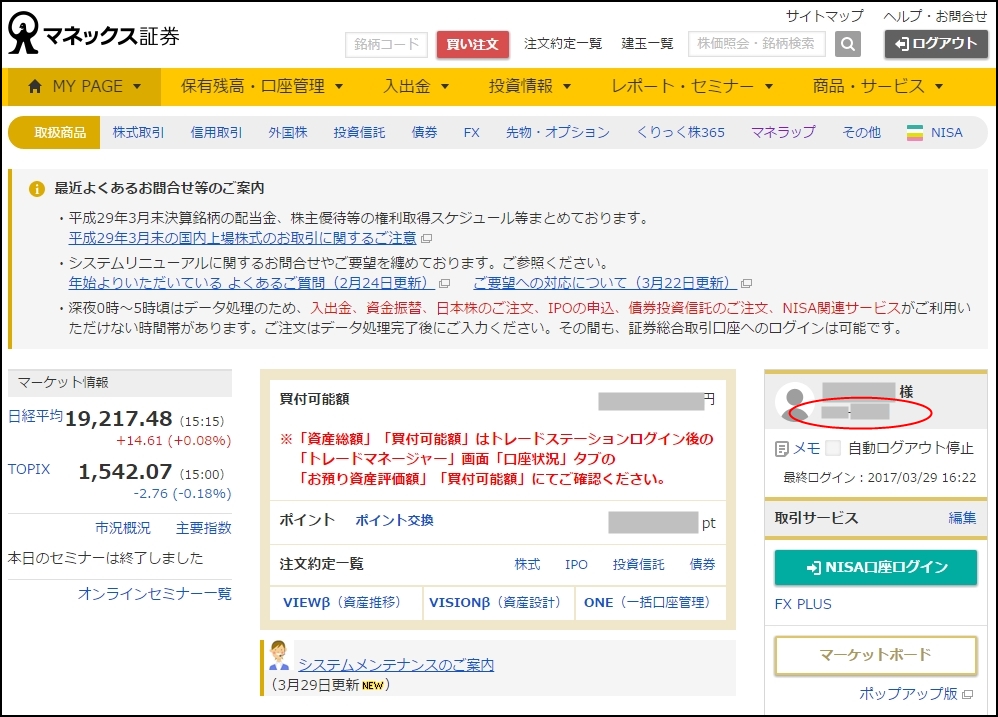
but don’t panic,log in to the Monex Securities WEBand
on the upper right of the screen,under your namea number is displayed,
thatis the account number.
Then, enter all the displayed items and at the bottom of the WEB page,
click the“Next”button, and you’ll be almost done.
However,the “Terms of Use”will be mailed to you as well, and after youreturnit
you can finally download TradeStation...which takes time
so that is the procedure and it will take longer.
According to web information,it is said that within one or two days after the documents reach the other party,
and so on.
In my case, it was around that timing as well.
The mailing destination was surely Aomori Prefecture,
The notification timing when download becomes possibleis not viewable unless you login to Monex Securities
.
and you must login to Monex Securities WEB and check.
So you need to login to Monex Securities WEB to confirm.
Now,for those who have not yet opened a Monex Securities Securities General Trading Account
,
there are captured screens, so I’ll紹介します.
Again, click on “Individual customers” at the bottom left of the above image screen.
Of course, for corporations it is “Corporate customers.”
Then you’ll see a screen like this.
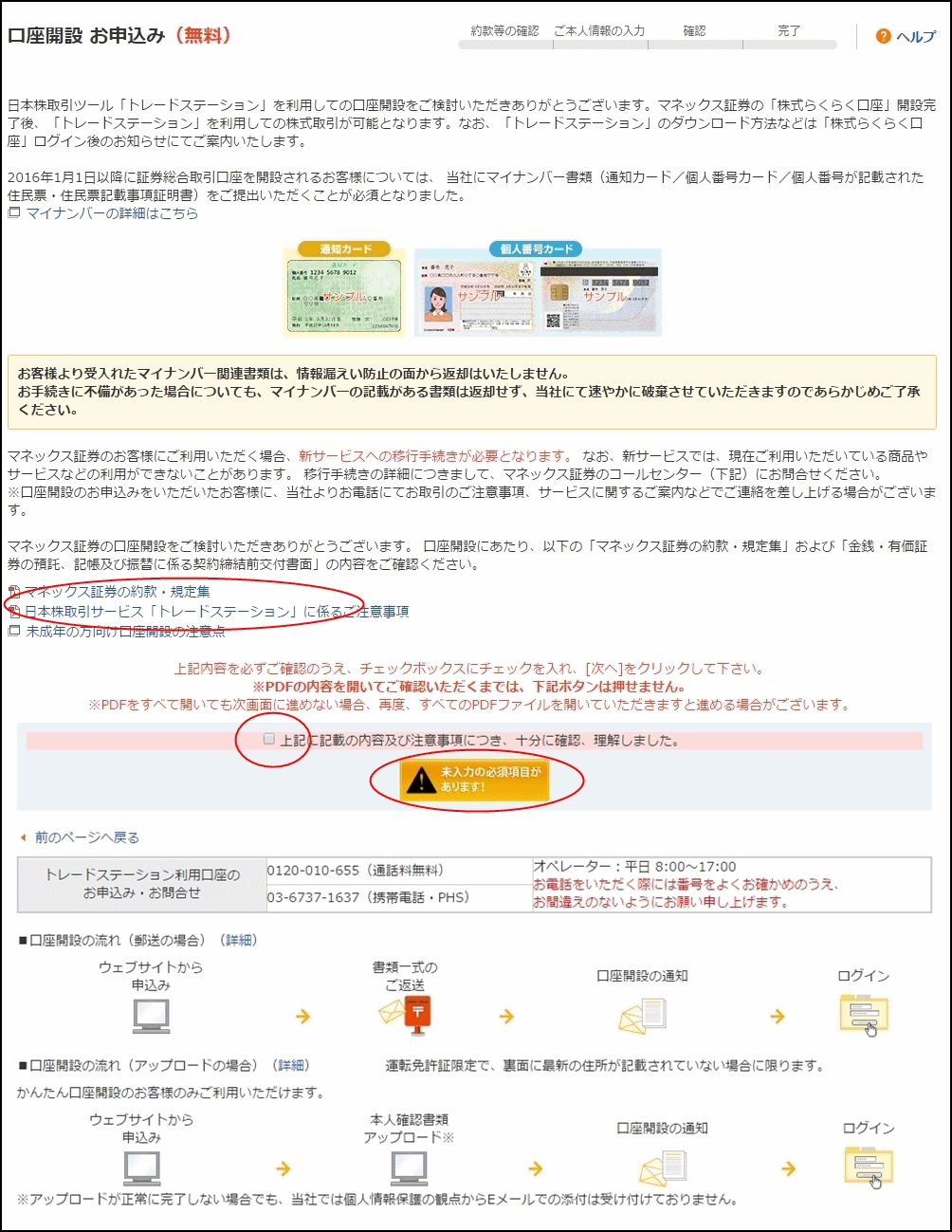
Here, there are two things to do.
1. Click and open the names of two PDF files
Monex Securities Terms and Conditions
Important notes regarding the Japanese stock trading service “TradeStation”
These twoneedto be opened.
2. Check the box「I have carefully read and understood the contents and notes above」
After that, initiallyit showed “Required fields not filled!”but it will
change to “Next (Securities General Trading Account / Open account)”
Also, at the bottom of that screen there is a flow for account opening.
“If mailing”and“If uploading”are separated.
However, the uploading option is only possible if you submit the driver’s license,andif the back side does not show your latest address
In other words, you must have updated your address after moving and license update.
Next screenis for.
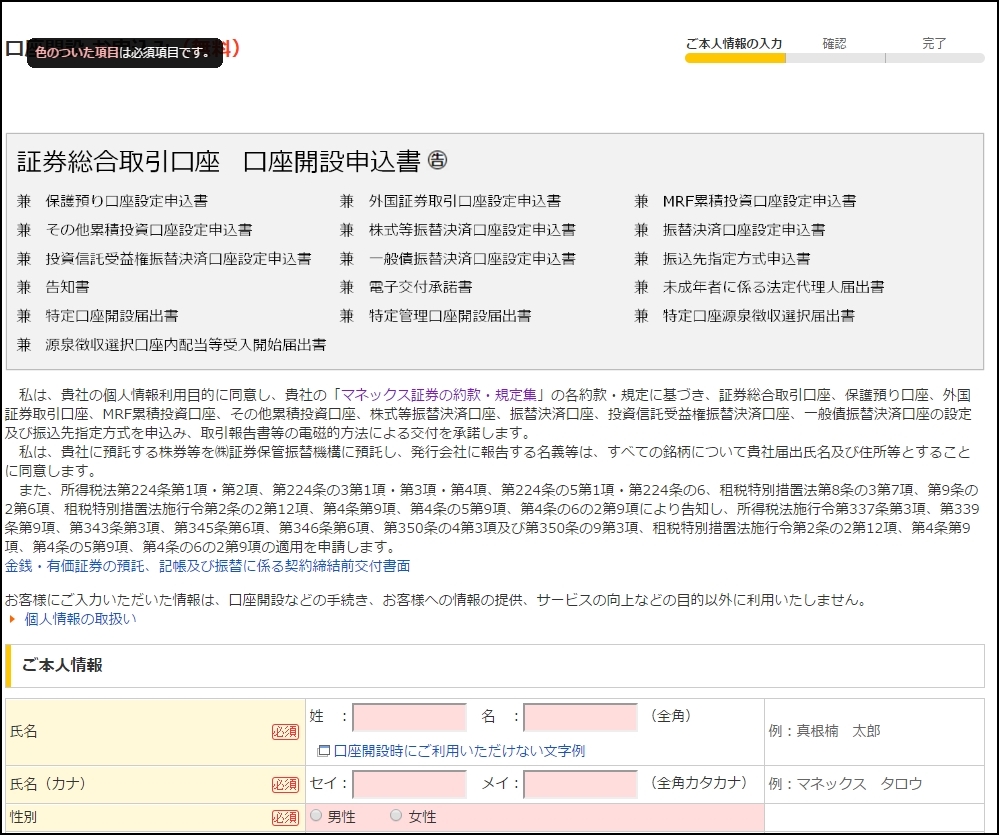
There are some somewhat formal fields, but you can enter without any problem.
This time, I introduced the TradeStation account opening method..
Next time, I will introduce the trading environment..
‘FX Auto Trading for Stable Income’ blogalso discusses TradeStation
in relation to stock trading progress using TradeStation.