How to Find High Configuration Values in Z-OST Pro Part 2 ~ Example Using EMA Filter ~
This time as wellZ-OST Prohas added after an update, here is an explanation of the role of the filters.
As an example,EURJPY M30 chart screen
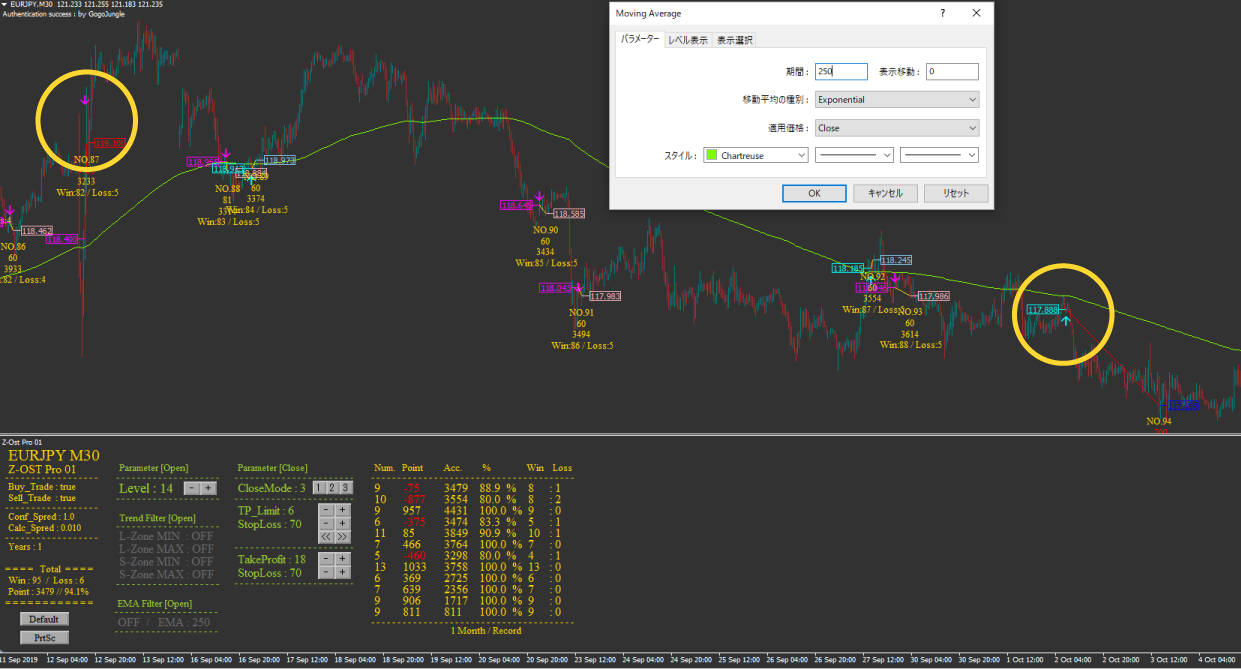
First, please select “Indicators” → “Trend” → “Moving Average” and apply it to the main chart.
The applied screen is here (set withEMA250).
On the screen,there are two losing trades.
So, we will try the newly introducedEMA Filter.
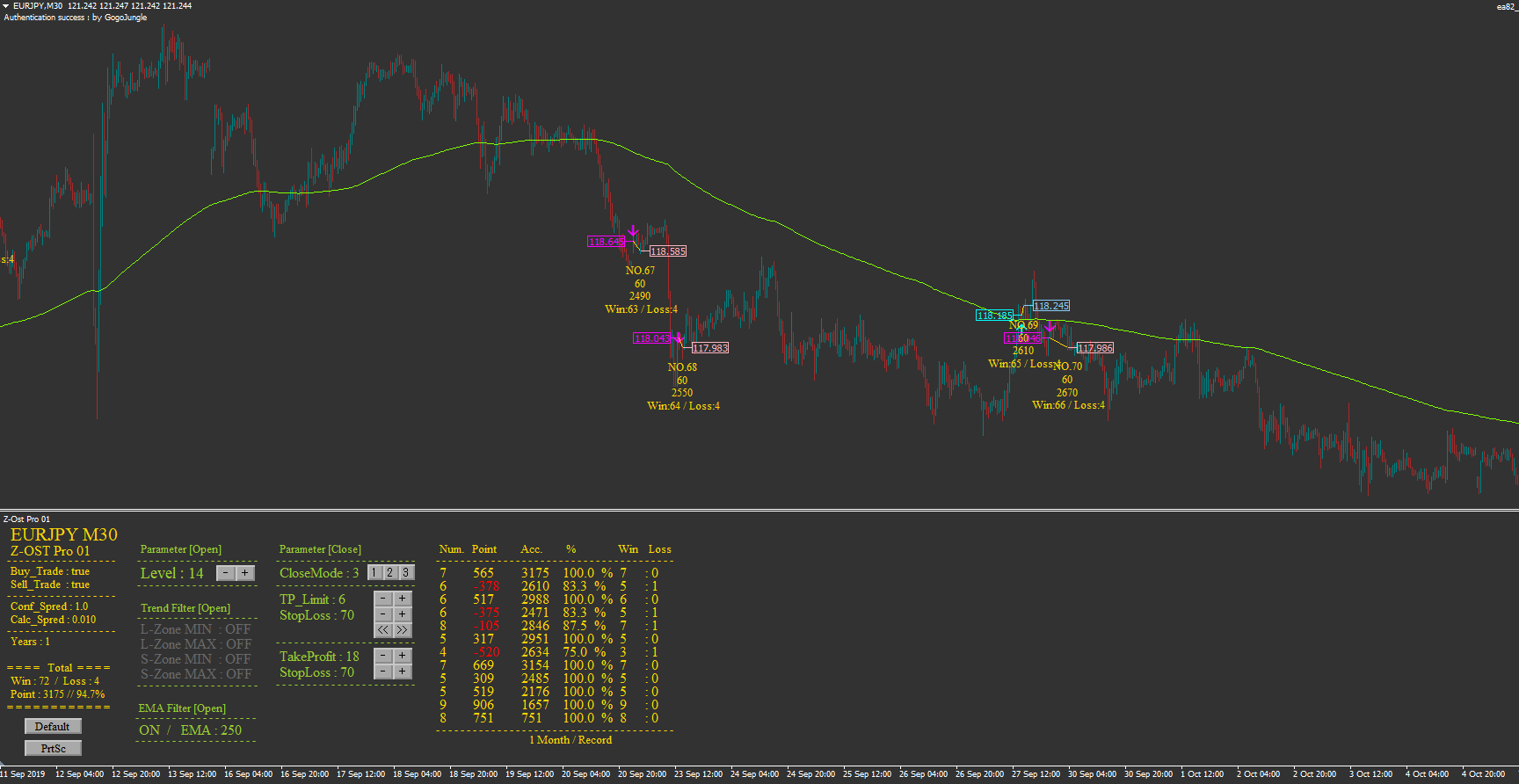
In this scenario, as shown below, by turning EMA Filter ON,both losing trades could be suppressed.
That is all for now.
A verification tool that makes it easy for anyone to find high-win-rate, high-profit entry points.
☆ “Z-OST Pro” is here!
https://www.gogojungle.co.jp/tools/indicators/19750
Automate the high-parameter values found with Z-OST Pro using automated trading!
☆ “Z-OST Pro EA” is here!
https://www.gogojungle.co.jp/systemtrade/fx/20494
Both are being distributed as bonuses via Avail Blog ☆
https://avail-fx.work/
And, the status of the Z-OST Pro EA currently entering with the bonus high settings is being streamed on Avail Twitter ♪
Please follow us m(_ _)m
= + = + = + = + = + = + = + = + = + = + = + = + = + = + = + = + = + = + = + = + =
☆ Z-OST Pro evolved with a major update
“A verification tool that finds optimal entry points across 5 currency pairs and different timeframes”
https://www.gogojungle.co.jp/tools/indicators/19750
= + = + = + = + = + = + = + = + = + = + = + = + = + = + = + = + = + = + = + = + =
☆ “Z-OST Pro EA” is here! A high-parameter-entry automated trading tool found with Z-OST Pro!
Trade using the strategy you found yourself!
https://www.gogojungle.co.jp/systemtrade/fx/20494
= + = + = + = + = + = + = + = + = + = + = + = + = + = + = + = + = + = + = + = + =