
★★ Easy to draw zigzag lines ★★
Zigzag Line Drawing Feature
This original feature easily draws zigzag lines using the standard MT4 trend lines.
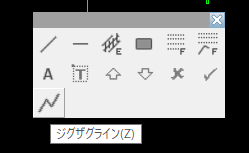
Select “Zigzag Line” from the Object Palette or press the shortcut key (default is Z) to switch to Zigzag Line drawing mode.
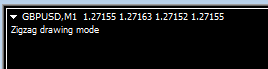
In Zigzag Line drawing mode, the following text is displayed at the top-left of the screen.
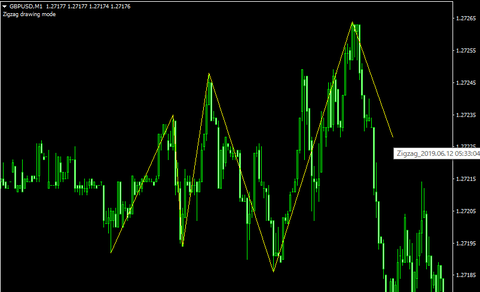
In this mode, each left-click sets a pivot point for the zigzag line, and lines are drawn between consecutive pivots as trend lines.
To exit Zigzag Line drawing mode, press the right mouse button or the ESC key.
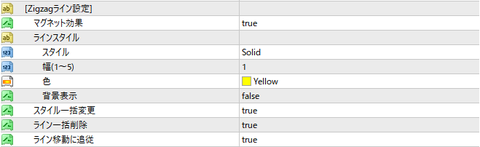
Zigzag Line Properties
-
Magnet Effect
-
When the cursor is brought close to a candle, it snaps to the high or low of that candle
-
-
Line Style
-
Configure the style of the Zigzag Line.
-
-
Batch Style Change
-
When using the Assist Tool's style change feature, apply the style change to all lines drawn in a single operation
-
-
Batch Line Deletion
-
If a portion of the zigzag lines drawn as Zigzag Line is deleted, this feature will delete all zigzag lines that comprise that line in one go
-
-
Follow Line Movement
-
If you move one pivot of a zigzag line's constituent trend line, preceding and following zigzag lines will follow that movement
-
× ![]()