

MT5 AI assistant makes program development super easy! No way, "AI ran wild and erased the code"
?This article was posted on September 29, 2026=>Latest related articles?
“I started creating signal tools using an AI assistant,” and more people may be doing this, right?
If you use MT5’s AI assistant, you can just tell it “make an indicator that judges under these conditions” and “add this logic,” and the AI will write the code for you.
Moreover, it’s not only easy to create even without programming experience.The AI assistant helps with testing the created program and identifying issues.
For beginner programmers, the barrier to development has become quite low.
However, because it’s convenient, some risks can also occur.

?FX New Generation: One-Click FX Training
?Did AI “forget the latest code”?
On September 27, I used an AI assistant to create conditions judgment for a certain signal tool.
When checked on the 28th, many bugs and logic issues were found, and manually corrected. The judgment logic parts were complex, making it difficult to have AI explain and generate them.
And on the 29th. This time, because there was a contradiction in how the comments were expressed, we decided to revise the comments in consultation with AI.
However, the base for the修正 wasnot the currently manually corrected program on September 28, but the program from September 27.
As a result, the adjustments made manually on the 28th disappeared.
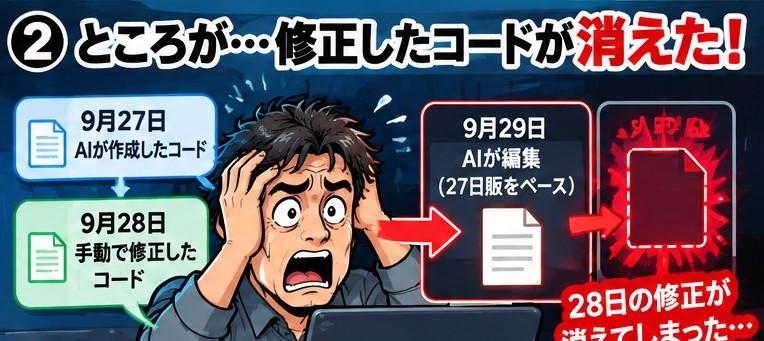
Even if you shout in anger “undo it!” to the AI, of course, you can’t restore it.What the AI understood was the code it wrote itself, and it did not know about the manual changes made by humans afterward.
Fortunately, the source code Undo history remained.
One Undo restored it. And another Undo returned to the state including the 28th changes.
This time we were saved, but the AI did not restore it for us.We were saved simply because an Undo history existed.
If MT5 had been closed in the middle, it might not have been recoverable in the same way.

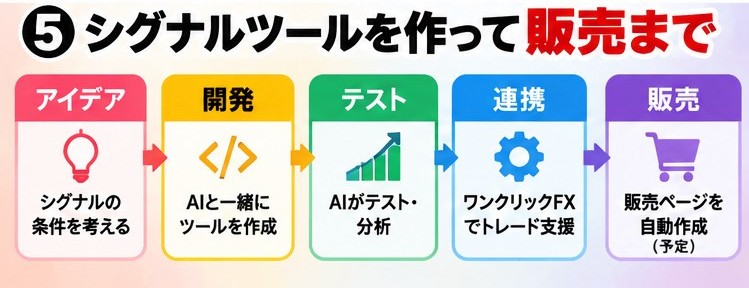
?From “build, test, and use” a signal tool
On the other hand, AI assistants are already starting to greatly change signal tool development itself.Also, we are preparing tools to develop using AI assistants.
For example, tell AI rules like “three〇〇 reach this condition -> BUY” or “〇〇 and 〇〇 do〇〇, then there’s a signal,” and create tools step by step.
Then test the created tools, fix any issues, and the finished signalswill be integrated with One-Click FX and used to support actual trading.
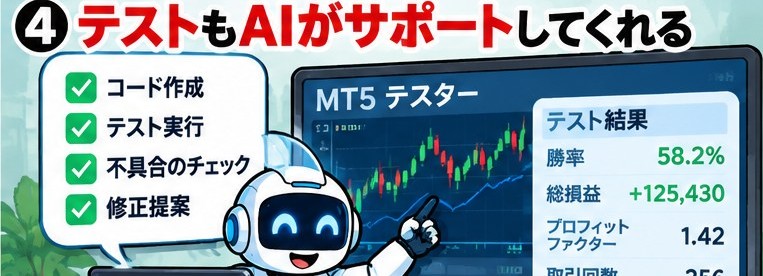
We are also preparing a mechanism that can guide this entire development process from the tool side.
Furthermore, we plan to automatically create a support page to sell finished signal tools.
In other words, from brainstorming ideas to signal tool development, testing, integration with One-Click FX, and preparation for sale.
We aim to create an environment where tasks that used to require expertise can be carried out as simply as possible by combining AI and tools.
We will contact you again when ready.
?AI is convenient, so it needs “rules”
With AI assistants, the barrier to program development has dropped significantly. However, because it’s convenient, AI may run amok in ways you don’t intend.
AI is convenient, but it can run amok.
That’s why it’s important to enforce rules such as backing up edits beforehand and using the current file as a baseline.
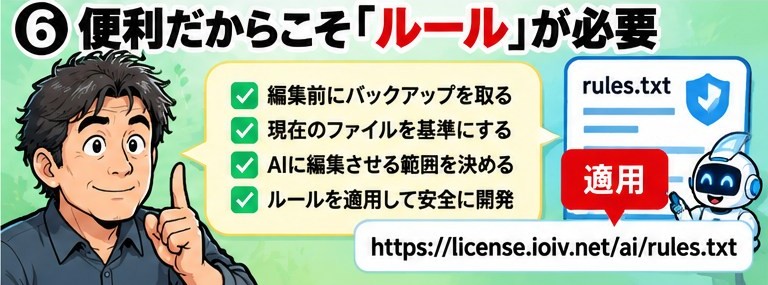
Applying rules to AI can also create a safer development environment. The development environment becomes stronger by applying the prompts below.
Apply https://license.ioiv.net/ai/rules.txt
Copy and paste the above prompt into the MT5 MetaEditor AI assistant and run it. Before editing, verification is performed, and a backup is made. When editing, comment out the original code, leave the modifications as comments to create a history, and include general development-environment rules.
AI assistants are convenient and will create more if you support them, but if you’re not careful, what you created can disappear suddenly, so please use the prompts.
Completely risk-free trading simulator for freely practicing and validating!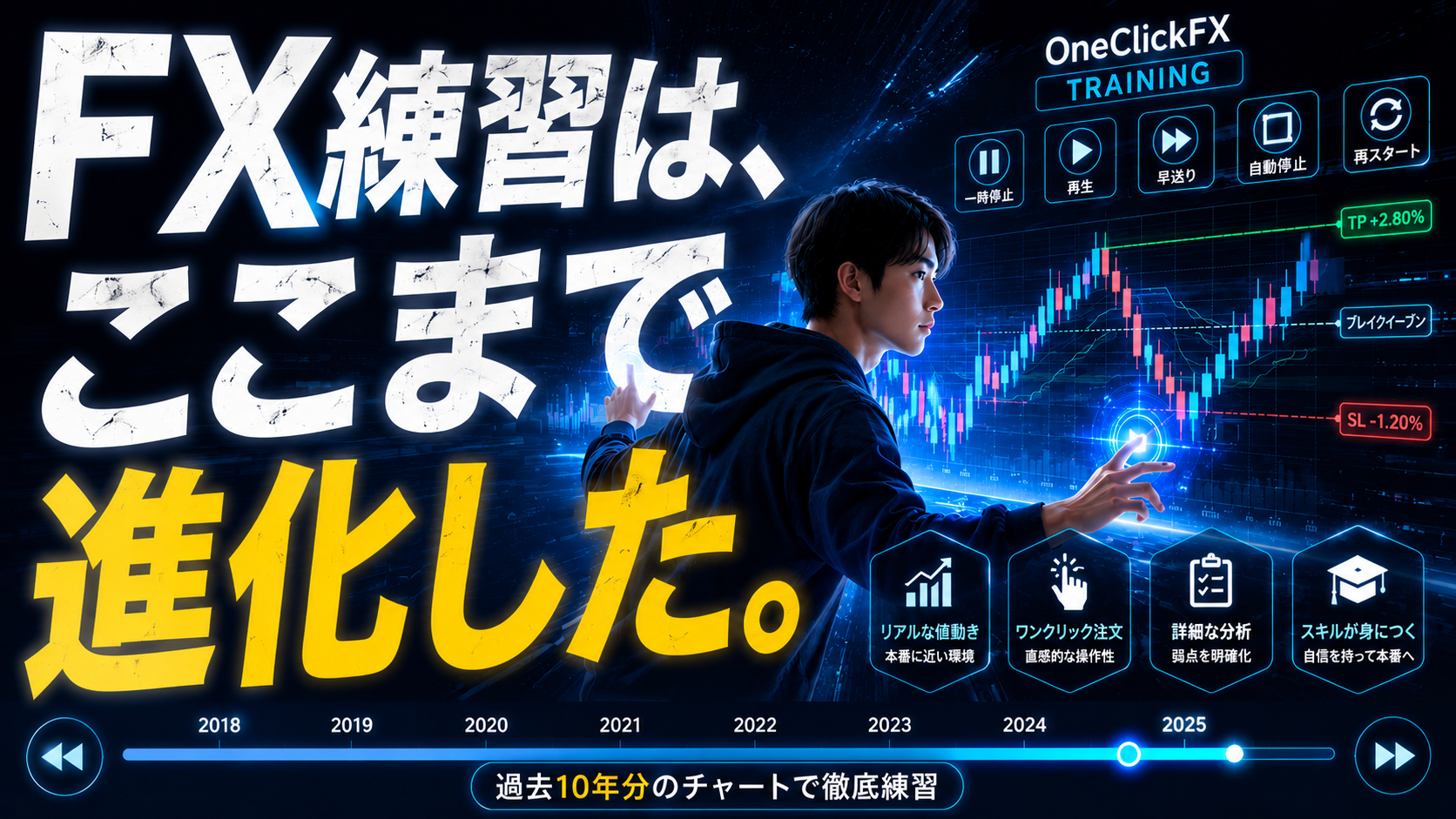
Details page for One-Click FX Training