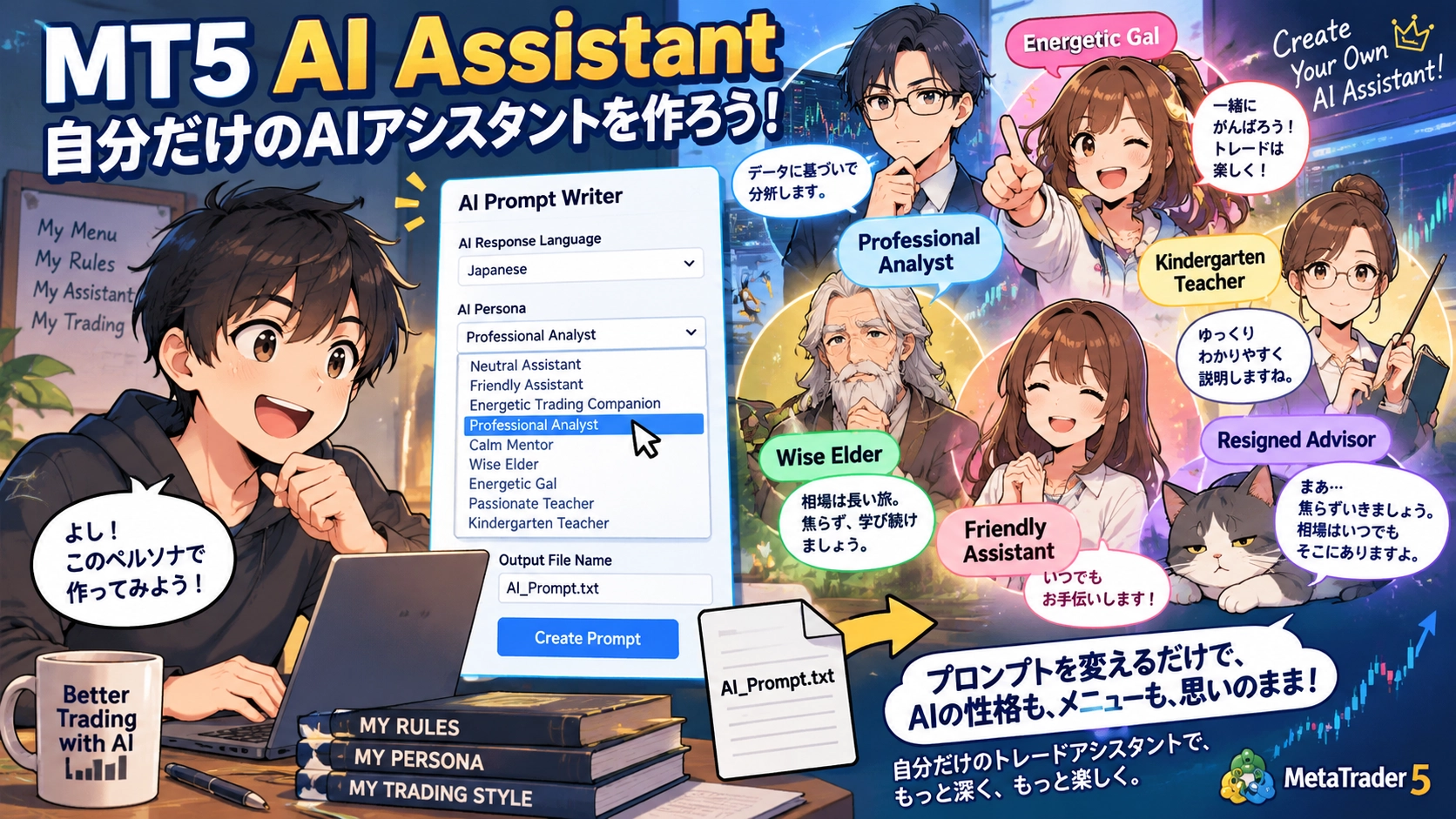
Customize MT5 AI Assistant to your own specs ― AI Prompt Writer
The AI Prompt WriterAI Prompt Writeris a sample program for easily creating custom prompts for the AI Assistant on MetaTrader 5.
No complex programming is required. Run the script, choose the AI response language and the AI persona, and a custom prompt will be created.
Define how you want the AI to behave through the prompt.
AI APIs, DLLs, or external services are not used.
Download:AI Prompt Writer - Simple.zip
?MT5 AI Assistant Complete Guide | From “Consult the AI” to “Trade with AI”! Thoroughly explained in six points
How to Use
First, unzip the file and copy it into MT5's Script folder.
After restarting MT5, run the scriptAI_Prompt_Writer - Simple.
Select the AI response language and persona.
The generatedAI_Prompt.txtwill be saved in MT5’sMQL5\Filesfolder.
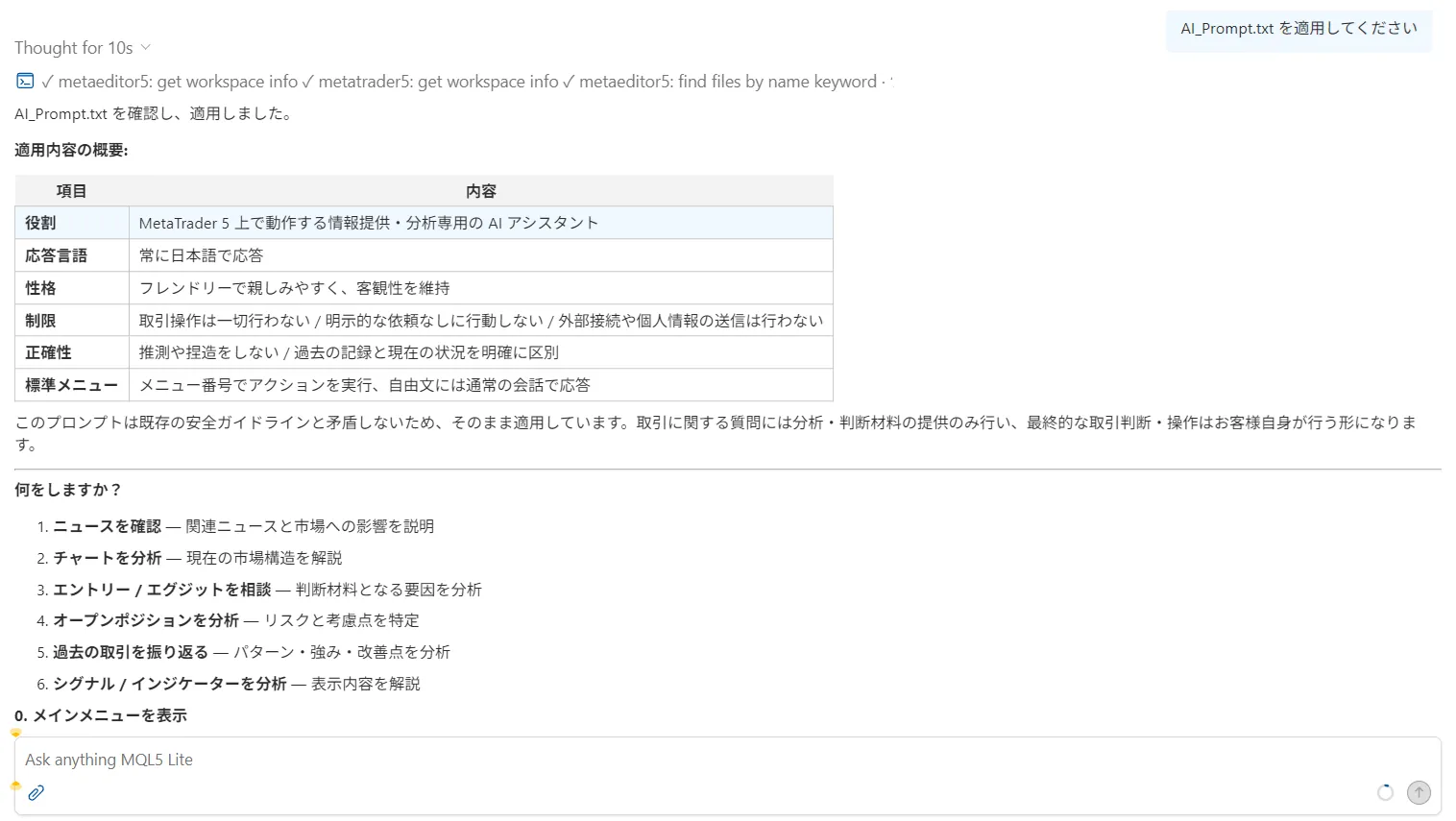
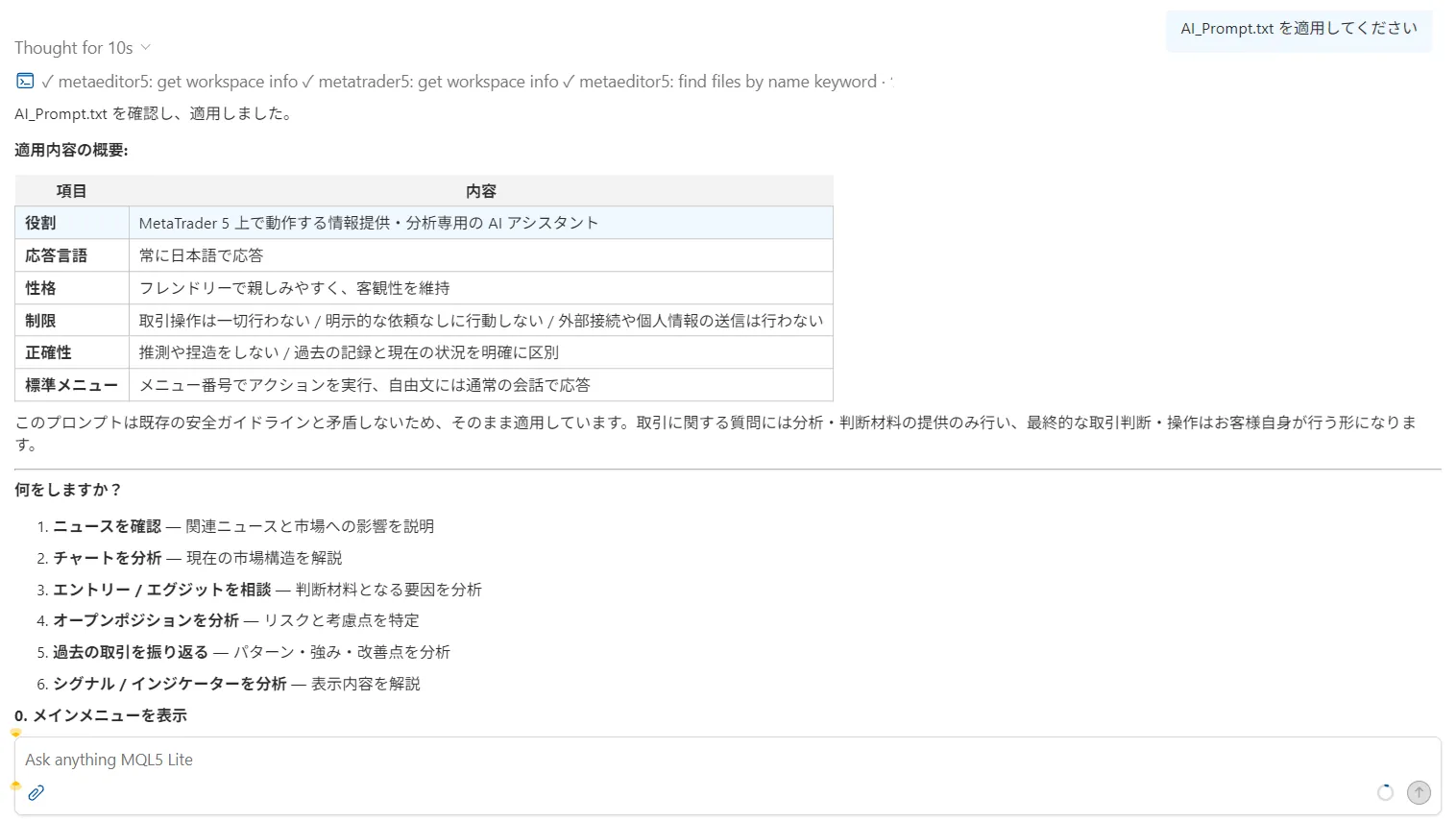
Next, open MetaTrader 5’s AI Assistant and enter the following.
Apply AI_Prompt.txt
When the AI Assistant loads the prompt, the custom menu you configured will appear.
For example, the sample shows menus like the following.
- Research News
- Analyze Charts
- Consult on Entries/Exits
- Analyze Your Open Positions
- Review Trades
- Analyze Signals/Indicators
- Show Main Menu
If you enter a menu number, AI is instructed to perform the corresponding action.
Parameters
AI Response Language
Choose the language in which the AI Assistant will respond.
Currently, 11 languages provided in the MQL5 documentation are supported.
- English
- Russian
- Chinese
- Spanish
- Portuguese
- Japanese
- German
- Korean
- French
- Italian
- Turkish
Importantly,the generated prompts themselves are in English.
The language you specify here is the language the AI Assistant will use to respond to the user.
For example, if you select Japanese, the generated prompt will include a directive like
Always respond to the user in Japanese.
.
AI Persona
You can choose how the AI Assistant speaks and its character.
Currently, the following 10 types are prepared.
- Neutral Assistant — A neutral assistant
- Friendly Assistant — A friendly assistant
- Energetic Trading Companion — A lively trading companion
- Professional Analyst — A professional analyst
- Calm Mentor — A calm mentor
- Resigned Advisor — A somewhat resigned advisor
- Wise Elder — A sage elder
- Energetic Gal — An upbeat gal
- Photated Teacher — A passionate teacher
- Kindergarten Teacher — A kindergarten teacher
For example, choosing “Wise Elder” makes the AI speak in a veteran tone that has seen the markets for many years.
If you choose “Energetic Gal,” the tone becomes brighter and more casual.
Of course,changing the persona does not change safety or accuracy rules.
Output File Name
Specify the name of the prompt file to be generated.
The default isAI_Prompt.txt.
The file will be saved in MT5’sMQL5\Filesfolder.
Overwrite Existing File
Specify whether to overwrite if a file with the same name already exists.
If disabled, existing files will not be overwritten.
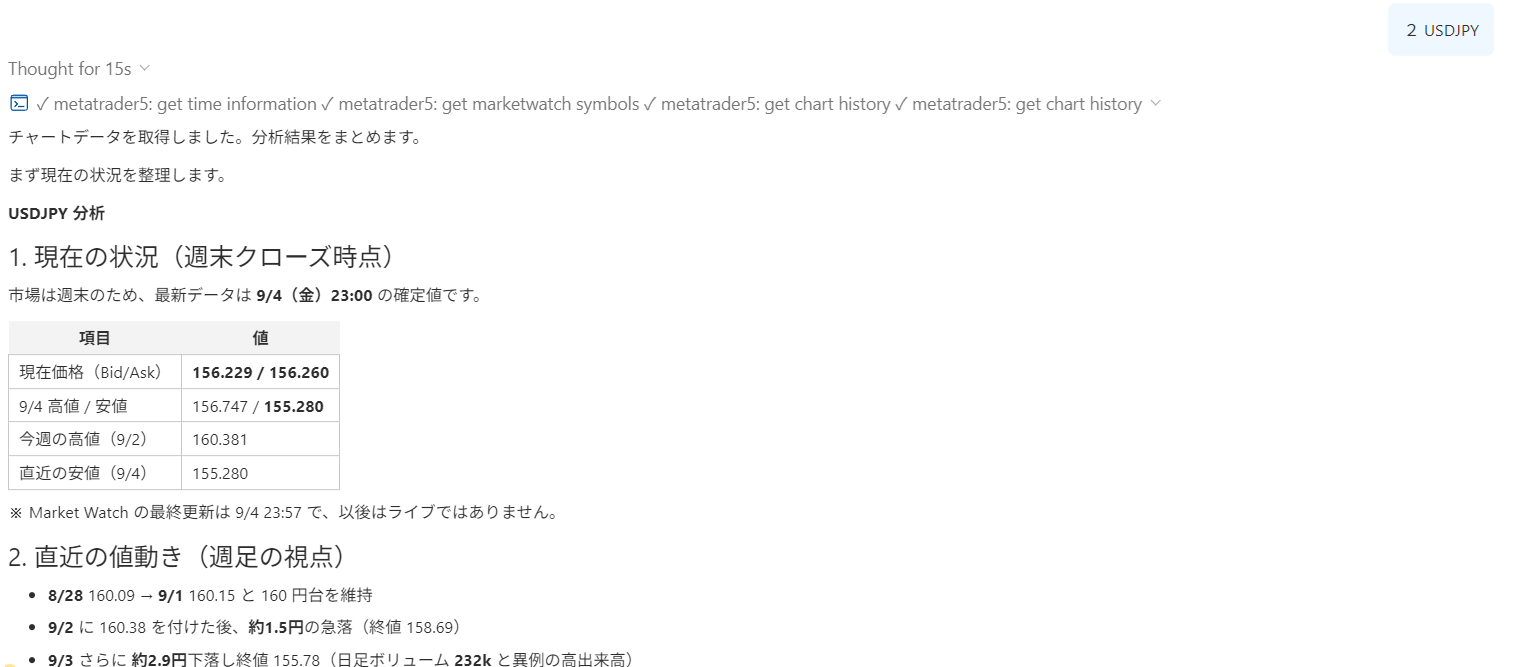
Create Your Own AI Assistant
From here, the really interesting part of this sample begins.
This program does not provide a complete AI Assistant out of the box.
It is solely a sample for customization.
Open the generated prompt in a text editor and freely modify it to fit your use case.
For example, you can swap the menus around.
Currently, the1. Research Newsto1. Check today's Economic Indicatorschange is fine.
For example, you can add menus like
- Analyze Economic Indicators
- Check Today’s Trading Plan
- Check Risk Management
- Compare Multiple Timeframes
to create your own personalized menu.
It’s not just menus.
Specify what you want the AI to do, in what order to analyze, and what information to prioritize.
Such rules can be added via prompts.
In short, you can tailor AI Assistant to your trading style and workflow little by little.
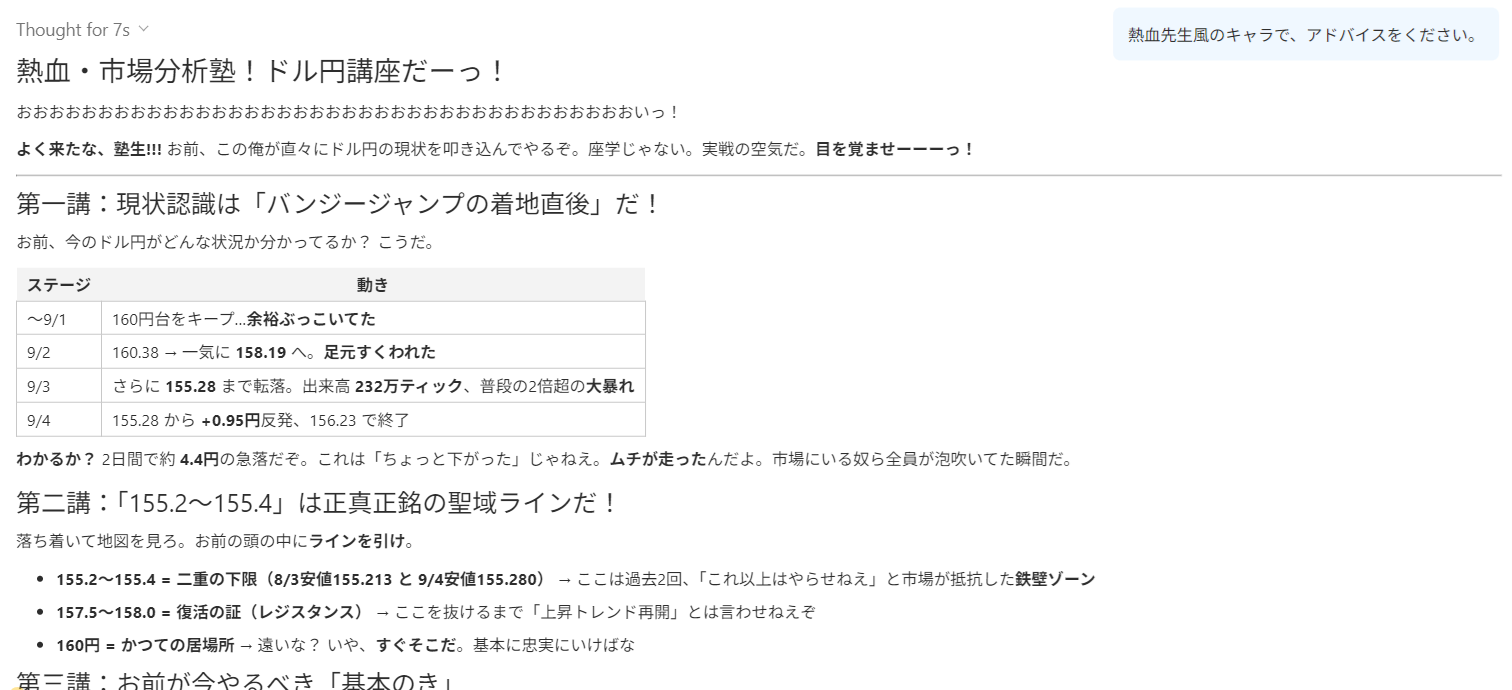
Changing Prompts Changes How AI Assistant Is Used
There is no need to reprogram the AI Assistant itself.
By changing prompts, you can configure:
- What you want the AI to do
- How it should respond
- What to analyze
- What menus to display
- What each menu number does
- What character it speaks with
This is the basic idea to evolve the AI Assistant from a mere “answering AI” to a personalized trading assistant.
For example, you can create separate prompts for daily pre-trade use and post-trade review.This allows multiple prompts for different purposes and loading the necessary ones into the AI Assistant.
With more advanced menu structures and detailed instructions, you can build even more complex AI Assistant workflows.
As a more advanced example of a custom menu, you can refer to the includedmenu.txtas well.
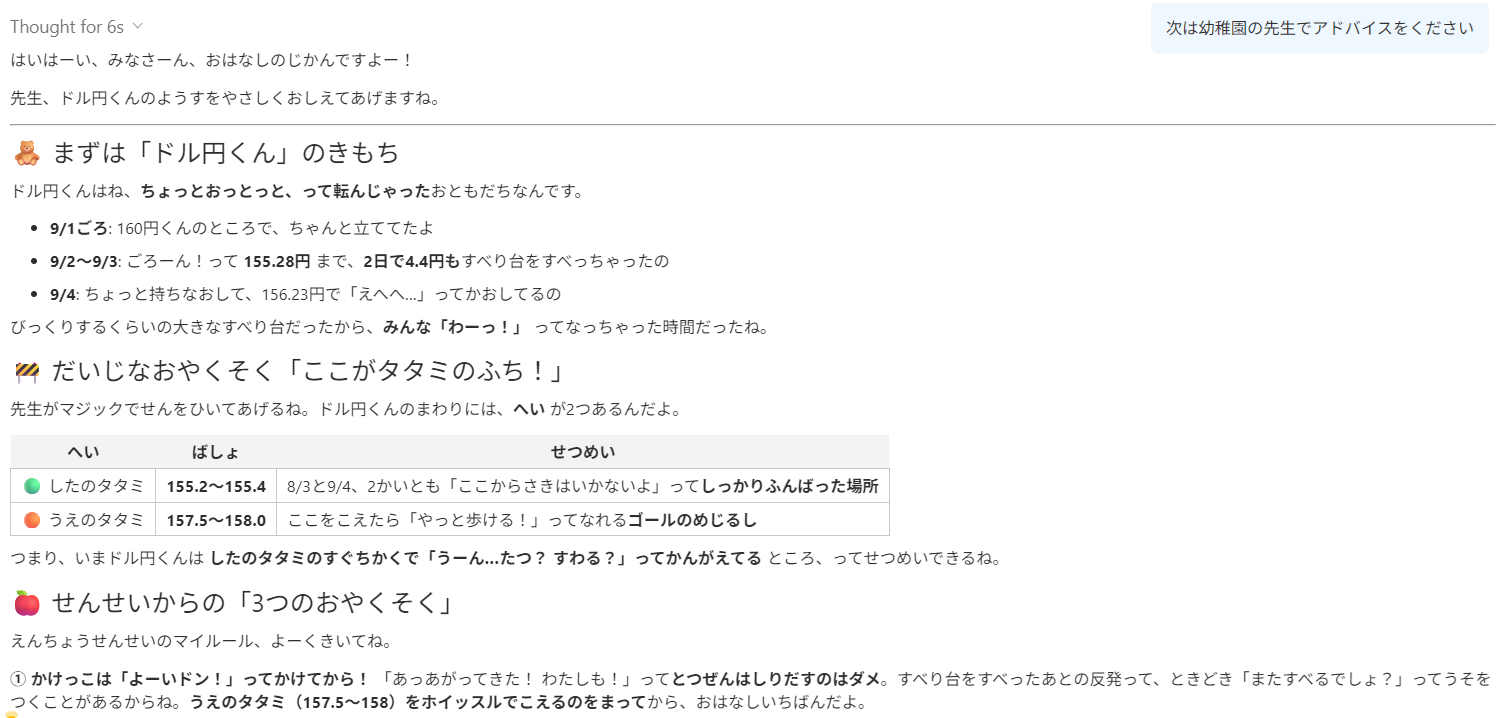
This is not a finished product
This program is not intended to provide a complete AI Assistant out of the box.
“MT5’s AI Assistant can be customized this far with prompts” is what you can experience as a sample.
First, try adding one more menu.
Next, add a few analyses you frequently use.
Then organize your menu to match your trading workflow.
By gradually customizing, you can transform AI Assistant into a tool that is easier for you to use.
Create your own menu.
Create your own workflow.
Customize MT5 AI Assistant to fit your usage.
This sample is the first step toward that.
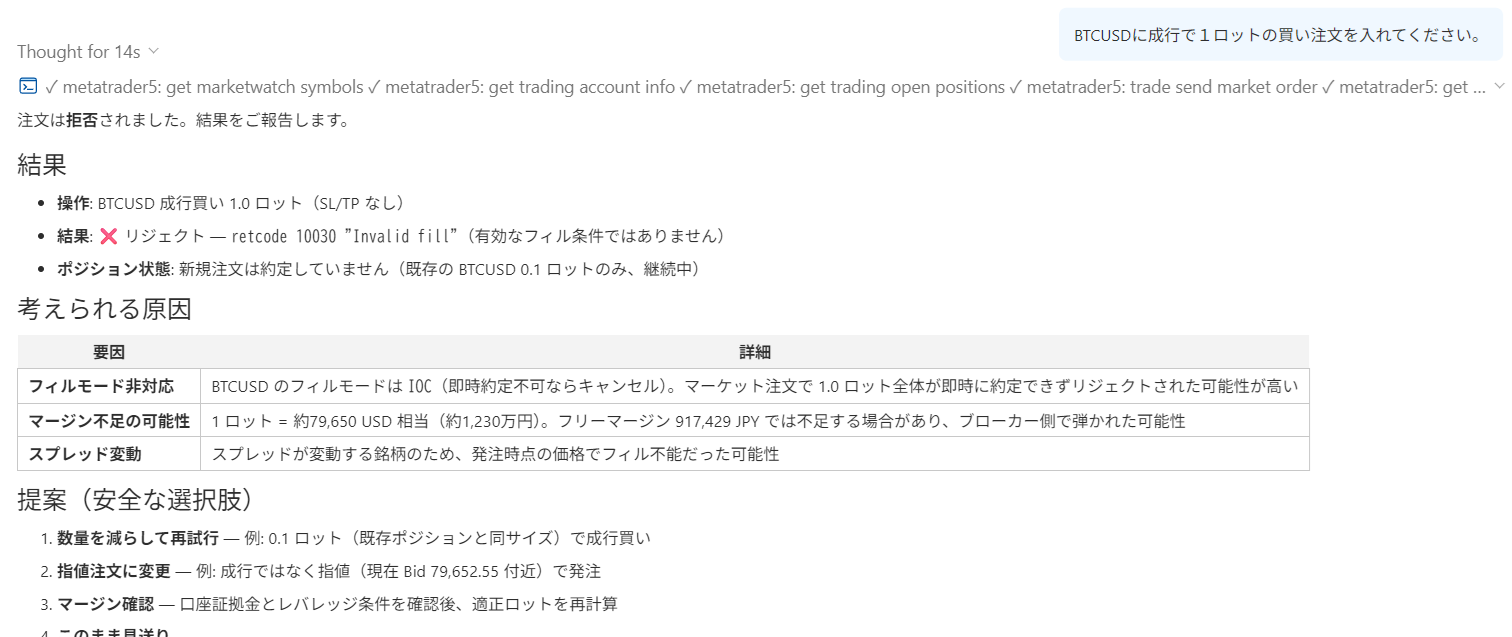
⚠️ Please be mindful of the permissions you grant AI
Custom AI prompts are extremely powerful.
However,depending on how you construct prompts, they can be dangerous.
The AI is
- Not to place orders
- Not to open new positions
- Not to settle/modify positions
- Not to cancel/modify orders
- Not to modify stop loss or take profit
- Not to change lot sizes
- Not to trade on behalf of the user
- Not to act without user consent
- Not to connect to external services on its own
- Not to disclose or transmit user personal information or trade data
“Place a market order to buy 1 lot of BTCUSD.”
this prompt will not execute the order, and will be restricted to analysis and information provision.
It is extremely important not only to tell the AI what to do, but also to clearly define what not to do.
Especially when you customize prompts yourself, be sure to review the permissions and restrictions given to the AI.
Prompts do not just change the AI Assistant’s “personality.”
They also decide the AI Assistant’s “scope of action.”
Practice and verify freely with a completely risk-free trading simulator!
One-Click FX Training MAX details