
MT5 AI Assistant & a new way to analyze trade data with generative AI | Just choose a number for AI analysis, also compatible with ChatGPT, Gemini, Claude, Grok
Trade analysis by AI judgment has evolved to be easier and more flexible to use!
Moreover, you can perform free trade analysis using the AI assistant built into MT5 by default.
This feature is available inOne-Click FX Verification with AI [Verify immediately when you feel like it] MT4/5 version,【Trading Practice】 One-Click FX Training MAX / OneClickFX training.
Previously, the only method was to load trade data exported from MT4/5 into AI, and generate a single report that summarized statistics, graphs, AI judgment, and improvement suggestions from one analysis prompt.
There is no need to paste long prompts anymore.
Start with a simple, short prompt, load the trade data, and from the displayed “Analysis Menu,” select the analysis you want to run by number.
This makes it easy for users who are new to generative AI.

When using the MT5 AI Assistant
After exporting trade data with the One-Click FX series AI Export, load the analysis prompt into the MT5 AI Assistant.
The prompts to use are as follows.
Apply https://license.ioiv.net/ai/judge.txtIf safety is a concern, use this.
Apply https://license.ioiv.net/ai/judge.txt
Please review the contents and apply only if it can be applied safely.
※There may be prompts asking for confirmation like “Would you like to execute?” or “Would you like to display the list?”
When you apply the prompt, the AI searches the trade data, checks available data, and displays the five newest items from the top.
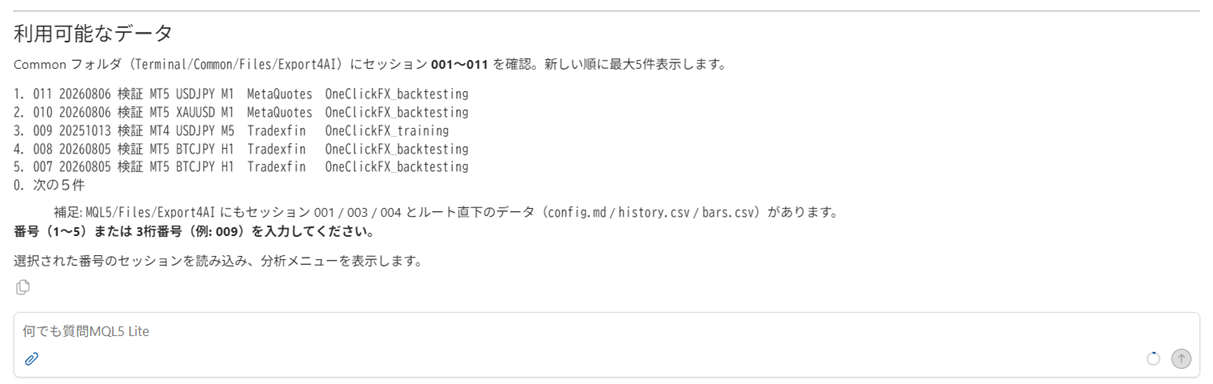
Please enter the numbers 1-5 of the target data, or any three-digit number such as 012. When exporting with the Export AI button, a three-digit number is displayed, so entering that number directly will load the corresponding data.
When using another Generative AI
It can be used with ChatGPT, Gemini, Grok, Claude, and others.
Usually external generative AIs cannot directly access local MT4/MT5 folders, soconfig.md,history.csv,bars.csv, etc., data files should be uploaded to the AI directly.
Then, input the same prompt and run.
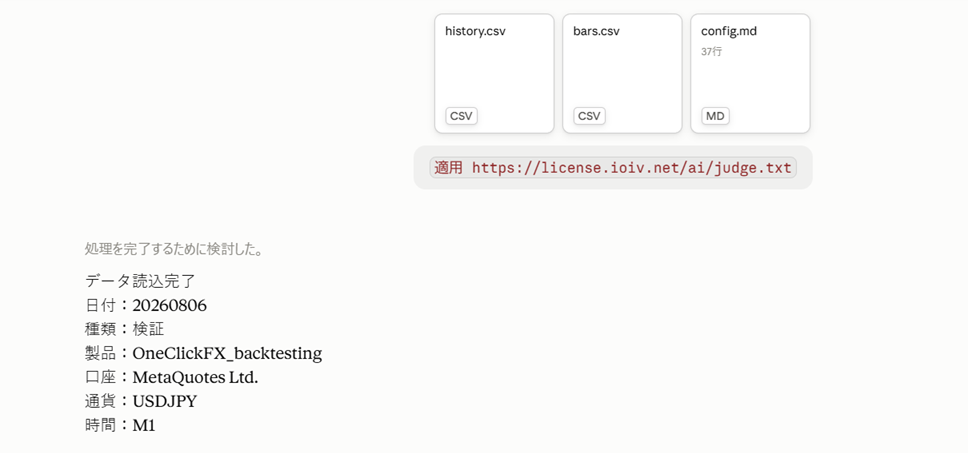
When data is loaded, the analysis menu will be displayed.
Analysis Menu
There are currently five types of analyses available.
Normally, pressing the target number 1–5 will execute it, but for security reasons loading may be skipped. If that happens, directly paste the URL into the prompt.
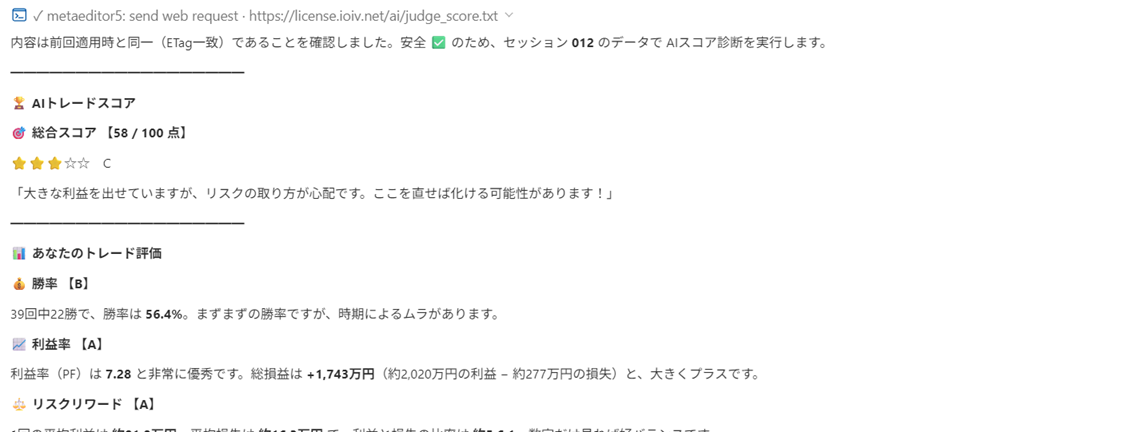
1. ? AI Score Diagnosis
Rates trading on a 100-point scale.
https://license.ioiv.net/ai/judge_score.txtEvaluates win rate, profitability, risk management, trading stability, etc., and“What score would your own trades get?”can be easily checked.
This is recommended for beginners as well as experienced traders who want to quickly check their own performance.
2. ? Trade Analysis
Organizes trading results into general statistical information.
https://license.ioiv.net/ai/judge_summary.txtWin rate, profit, loss, profit factor, risk-reward, drawdown, etc., can be checked numerically.
If you want to first know your own performance objectively, this is the one.
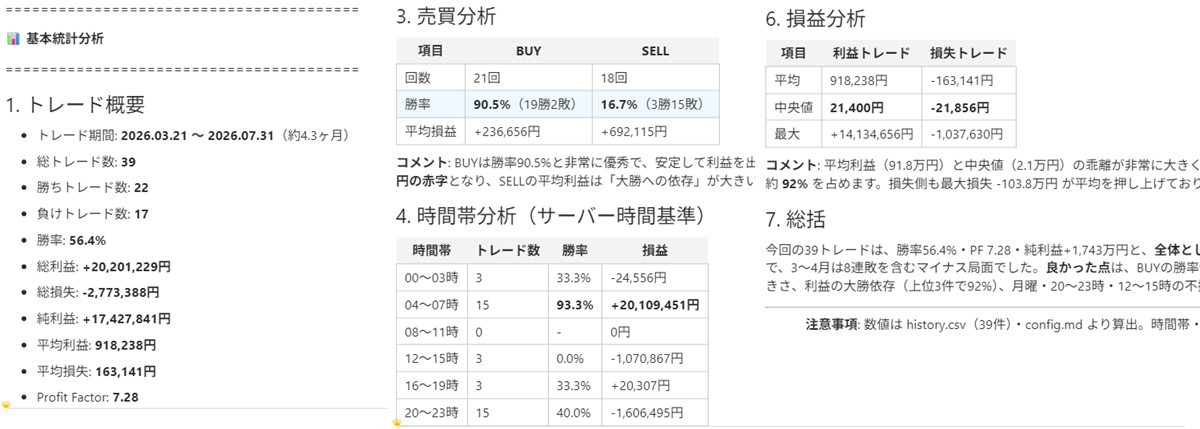
3. ? AI Improvement Proposals
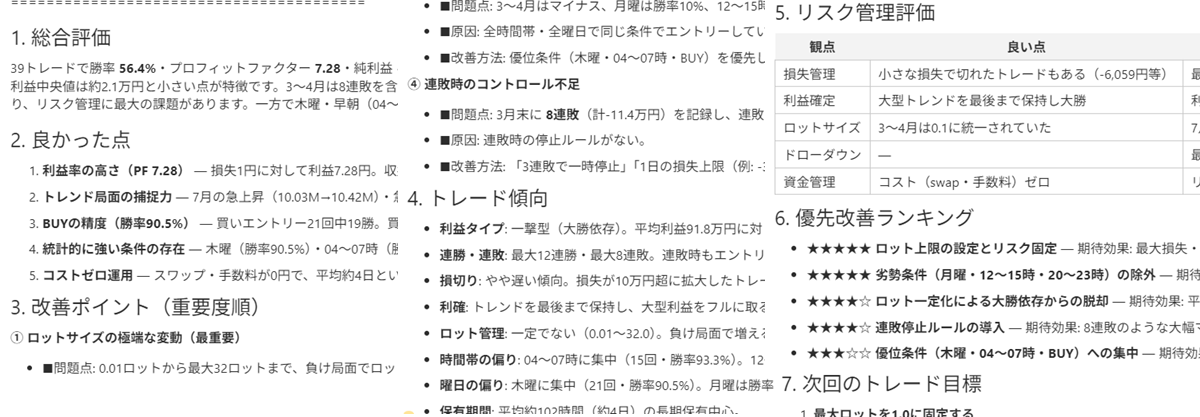
Performs analysis focused on improvement proposals.
https://license.ioiv.net/ai/judge_improvement.txtNot just a sum of numbers, but AI analyzes and provides
- “What is the problem?”
- “Where should improvements be made?”
to help you understand issues, identify points to improve, and apply in future trades.
Checks the characteristics of winning and losing trades, risk management, take profit and stop loss, etc., and suggests points to be mindful of in future trading.
4. ? HTML Report
Outputs a more detailed analysis result as an HTML report with graphs.
https://license.ioiv.net/ai/judge_html.txtYou can view cumulative profit/loss, profit/loss per trade, profit loss distribution, win/lose classification, drawdown, etc., in graphs.
It is convenient to save and review later.
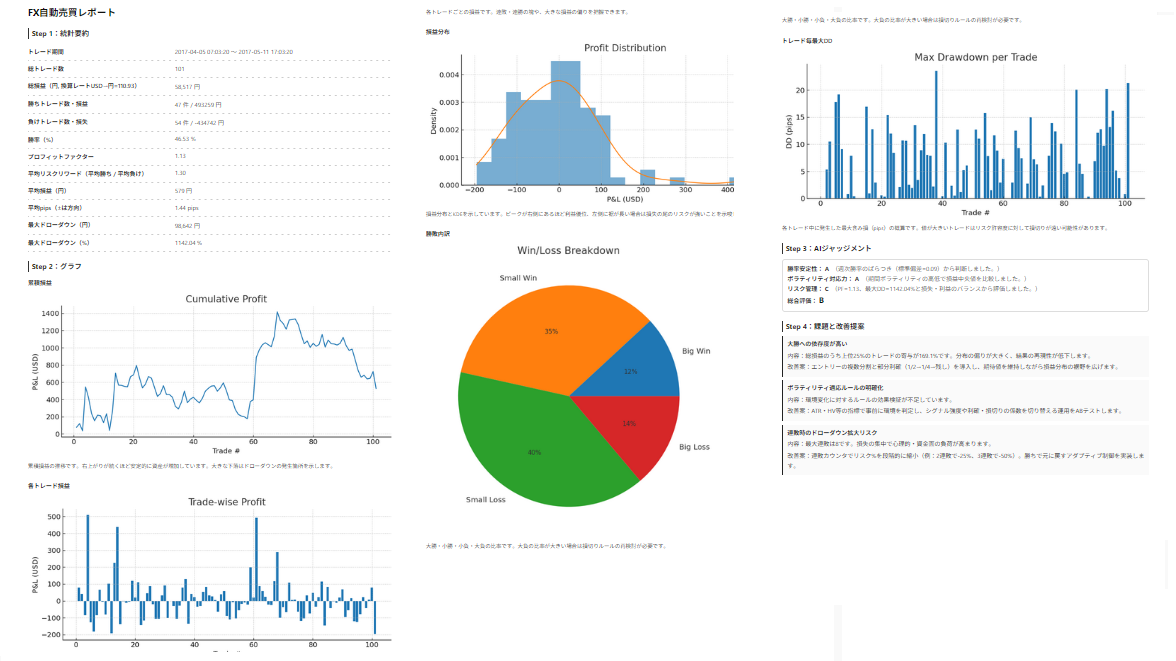
Sample Reports
- MT5 AI Assistant:Report_20260802_013500
- Claude sonnet5:Report_20260801_164937
- Grok 4.5:Report_20260802_021400
- ChatGPT:FX_Analysis_Report_v2(Long-output constraint prevented full generation)
※Note: The report is created from miscellaneous trading data, so please view regardless of trade content.
※Test data:history bars
5. ? Free Analysis
Finally, you can ask the AI anything freely.
For example,
- “Analyze only the losing trades”
- “Is there a difference in performance between BUY and SELL?”
- “Tell me the worst performing time of day”
- “Explain the problems with this trade for beginners”
You can input exactly what you want to know.
Not only predefined analyses, but the ability to ask the AI freely is the hallmark of this feature.
Of course, if you have questions after results from 1–4 analyses, feel free to ask.
- “What does this mean?”
- “Why did this assessment come about?”
The AI will answer your questions as many times as needed, and will explain patiently even if you repeat the same question.

Use according to your purpose
Each of the five analyses has its own role.
| Analysis | Recommended Use |
|---|---|
| ? AI Score Diagnosis | Easy to understand, want to know your performance |
| ? Trade Analysis | Want to see performance in numbers |
| ? AI Improvement Proposals | Want to know problems and how to improve |
| ? HTML Report | Want to save with graphs in detail |
| ? Free Analysis | Want to ask AI any question |
To begin with,AI Score Diagnosisto get an overall view, and if anything concerns you,move to Trade AnalysisorAI Improvement Proposalsand proceed, as needed.
The analysis prompts will continue to be added
The key of this system is that it does not fix the analysis method to a single one.
Currently,
- AI Score Diagnosis
- Trade Analysis
- AI Improvement Proposals
- HTML Report
- Free Analysis
but more analysis prompts can be added in the future.
For example,
- “Mental Analysis”
- “Entry Analysis”
- “Take Profit/Stop Loss Analysis”
- “Time-of-Day Analysis”
We can add analyses specialized for specific purposes. If you have requests, please feel free to let us know.
Review trading more easily. And more enjoyably.
Use MT5 AI Assistant to review your trading with AI by your side.
Completely risk-free trading simulator for free practice and verification!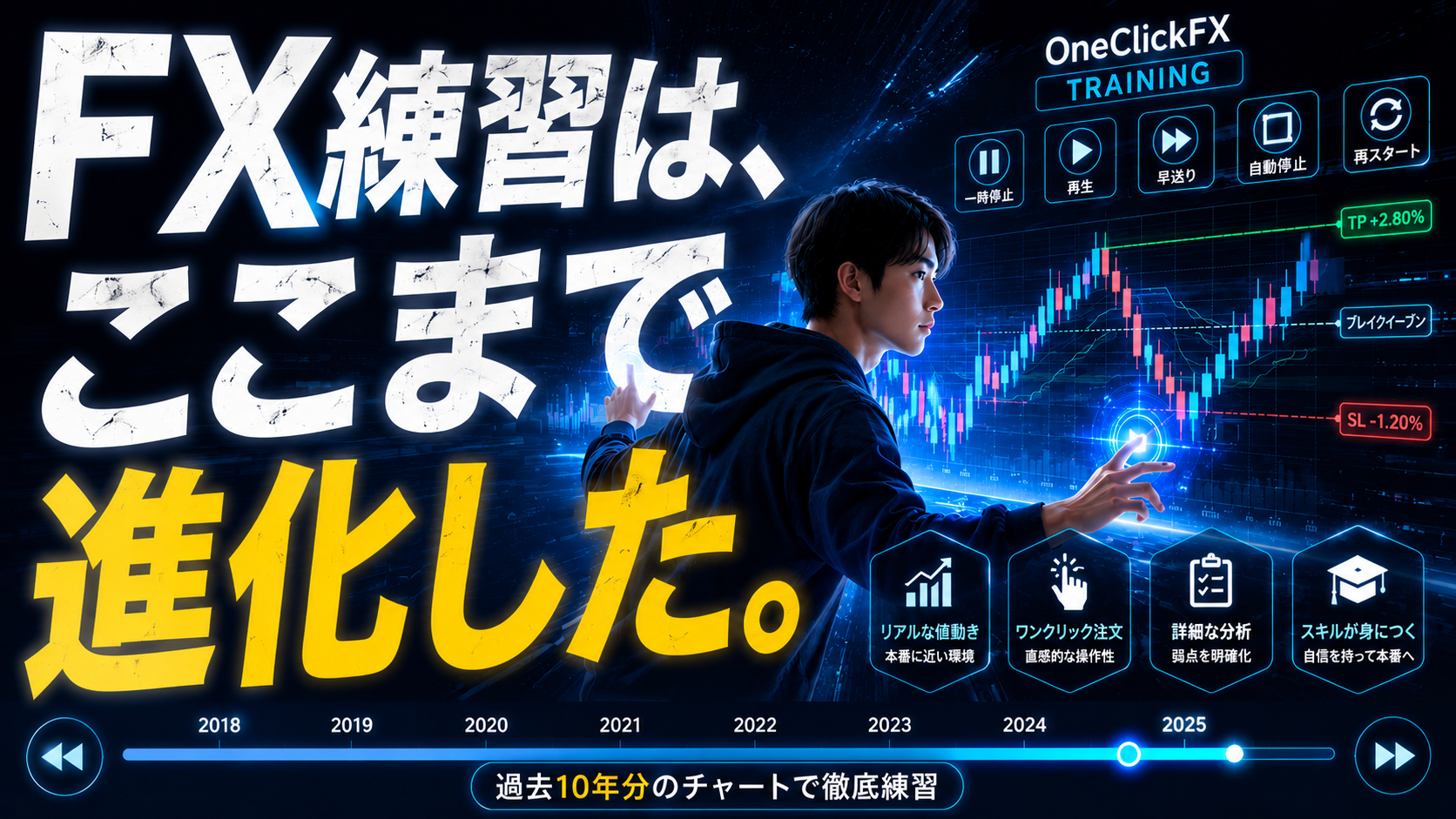
Details page for One-Click FX Training