
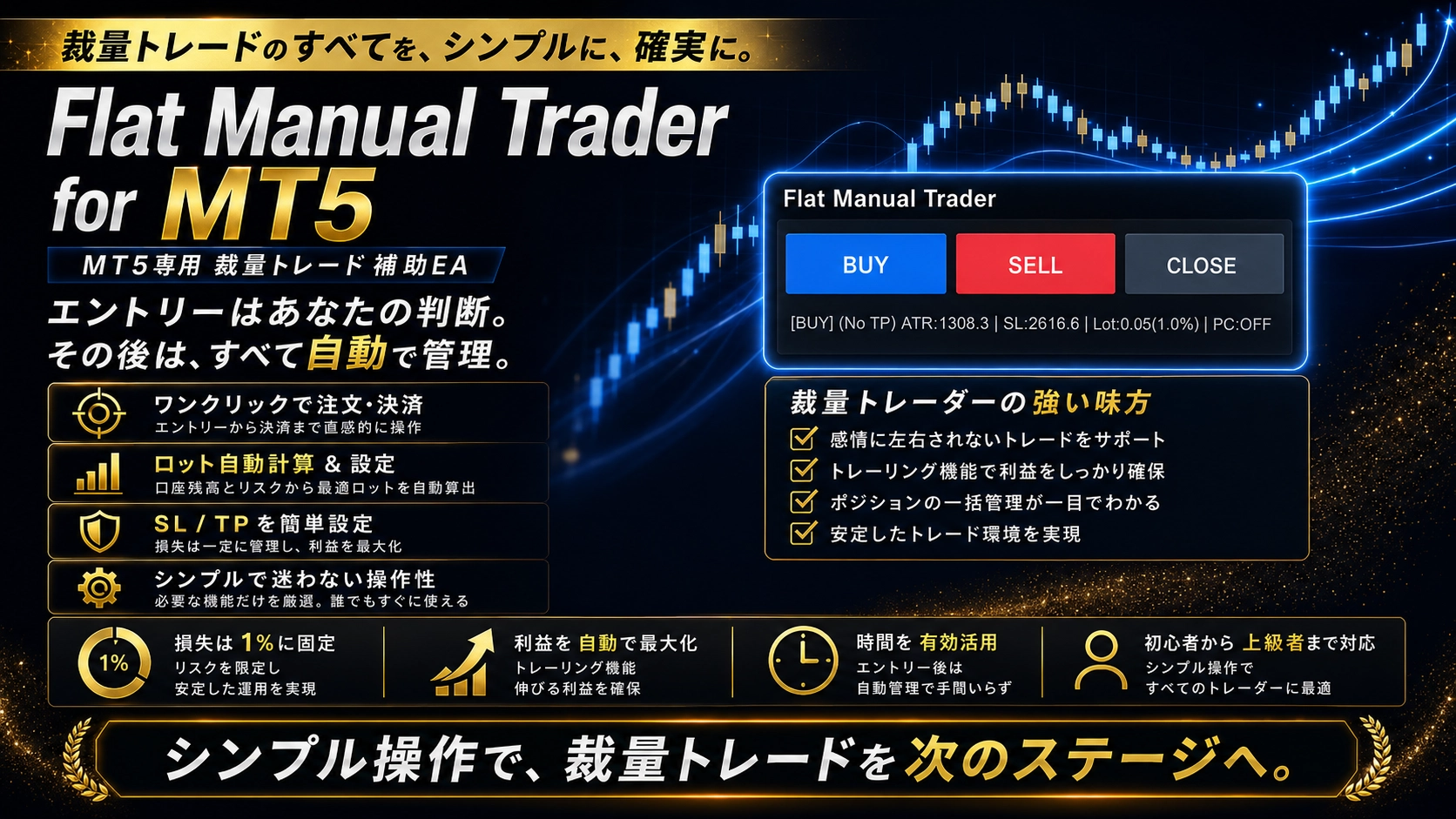
To focus on discretionary trading decisions. Order management and risk management streamlined with Flat Manual Trader
After making the decision to enter here, you can quickly and accurately set up lot size, SL, TP, trailing, and partial exits in a short time.
In discretionary trading, this order-related work is also an important process.
However, just before entry you are making judgments while watching the market, so you can be distracted by inputting numbers and calculations.
Flat Manual Trader is not an EA that automatically makes entry decisions.
Where to buy, where to sell, whether to pass.
That is decided by the trader themselves.
Based on that, it is a discretionary support EA for MT5 that makes the post-entry management—lot calculation, SL/TP, price basis movement, partial exits, and trailing—easy to handle according to pre-set rules.
Decide for yourself, manage according to rules
What Flat Manual Trader values is separating “judgment” from “execution management.”
In discretionary trading, entry rationale differs from person to person.
Horizontal lines, moving averages, price movement, time of day, multi-timeframe context—methods and how you combine them are not the same for everyone.
The EA does not decide that part; you enter based on your own rationale.
For example, what percentage of balance or usable margin will be risked.
How to determine lot size relative to the distance to SL.
Where to partially exit when profits grow, and at what point to close at cost.
At what distance to move to break-even and how far to trail.
The role of Flat Manual Trader is to make these management rules easy to handle by pre-setting them, rather than deciding each time by intuition.
A compact panel that does not get in the way of chart analysis
As features increase, discretionary assistant EAs can become large, blocking the crucial chart view.
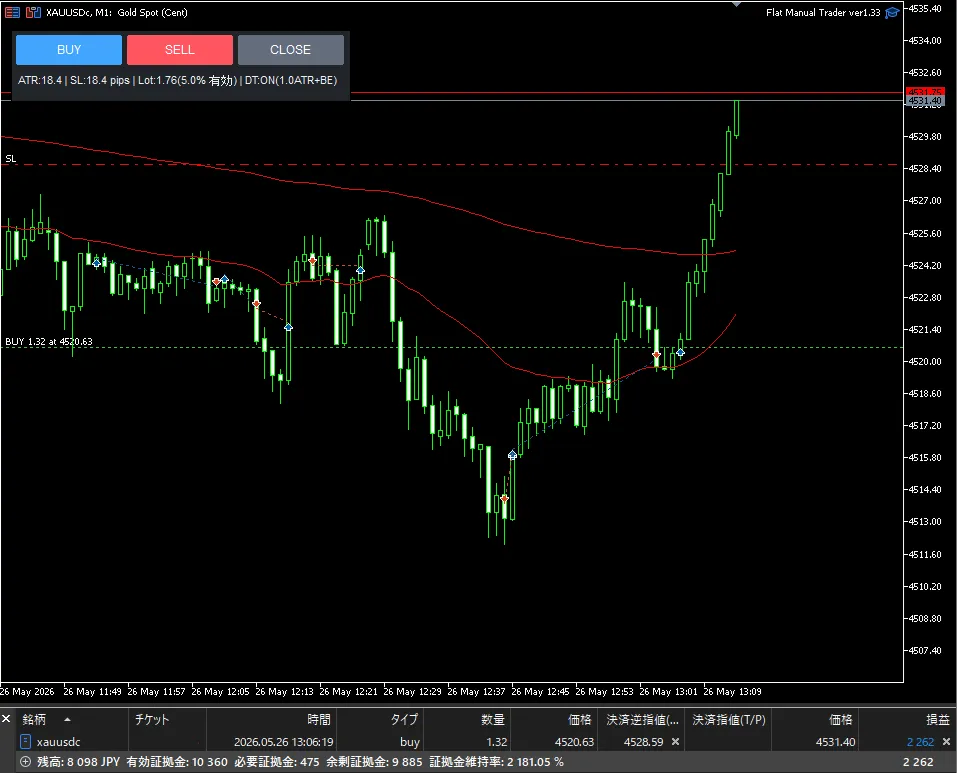
Flat Manual Trader uses a compact control panel centered on BUY, SELL, and CLOSE.
You can confirm ATR, SL distance, lot size, and delayed trailing status, and execute orders based on your own judgment.
By looking at the panel, you can easily grasp what SL distance and lot size will be with the current settings, without excessively occupying your analysis space.
Choose management methods to fit your trading style
The distance for SL/TP can be selected from ATR multiple or fixed distance.
If you want to adjust distance according to price movement, use ATR multiple.
If you want to manage with a preset price range, use fixed distance.
For profit-side management, you can combine partial exits, move to break-even, normal trailing, and delayed trailing after reaching targets.
“If it extends a little, take half and let the rest run above break-even.”
“I don’t want to move SL until a certain R multiple is reached.”
“I will use trailing, but don’t want to react to too rapid price movement.”
We have designed the management rules to align with these approaches.
You do not need to use all features.
Enable only what you need for your trades, and start with simple settings to confirm.
Easier management of positions opened from your phone
There are times when you analyze on a PC and place orders from a smartphone.
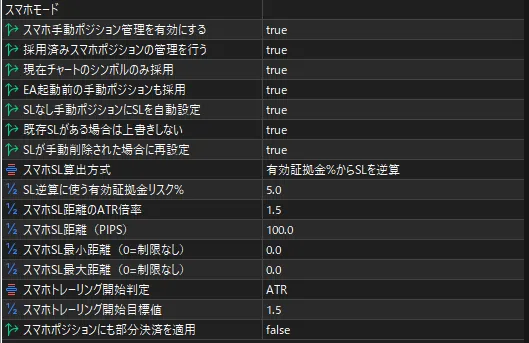
Flat Manual Trader includes a smartphone mode, and it supports SL settings and management for positions opened from MT5 mobile on the PC side as well.
You can choose, according to your operation, whether to respect existing SL, re-set if SL is removed, or apply partial exits to smartphone positions.
Actual testimonials from purchasers
A mere list of features does not convey how it feels when actually applied to a chart.
Flat Manual Trader is developed not to replace discretionary trading judgments but to streamline post-entry management as an EA.
Therefore, we have valued panel size, ease of setting, flexibility of SL/TP/lot calculations, and whether trailing and partial exits can be integrated into my rules.
Users who have actually used it have given feedback on its compact operability and the ability to tailor management methods to discretionary trading.
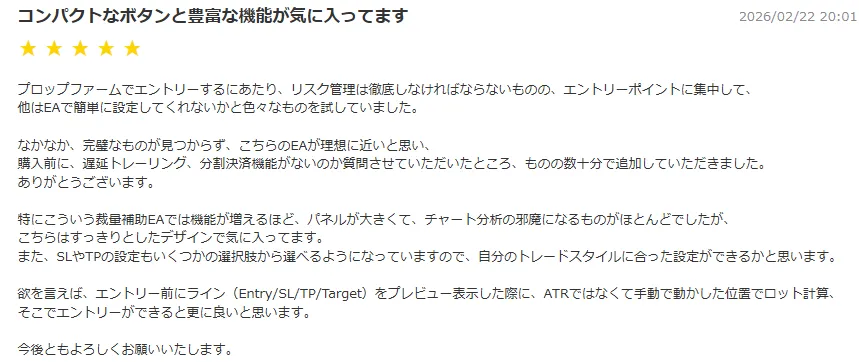
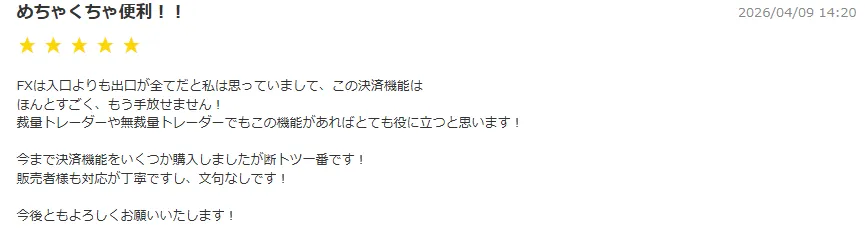
As the reviews show, Flat Manual Trader is not only for “quick entry” but also for those who want to tailor post-entry management to their own trading rules.
For example, determine lot size based on risk percentage, set SL/TP by ATR multiple or fixed distance.
When a certain profit is reached, perform partial exits, and manage the rest with break-even moves or delayed trailing.
We aim to systematize this sequence as a pre-set rule rather than building it manually every time.
Of course, there is no single correct setting.
Even with the same method, suitable settings vary depending on the instrument, timeframe, acceptable loss, and take-profit philosophy.
That is why Flat Manual Trader allows you to enable only the necessary features and build management methods that suit your discretionary style.
Note: The reviews shown are the personal impressions of the posters. We do not guarantee all environments or results. The review content is as of the posting time.
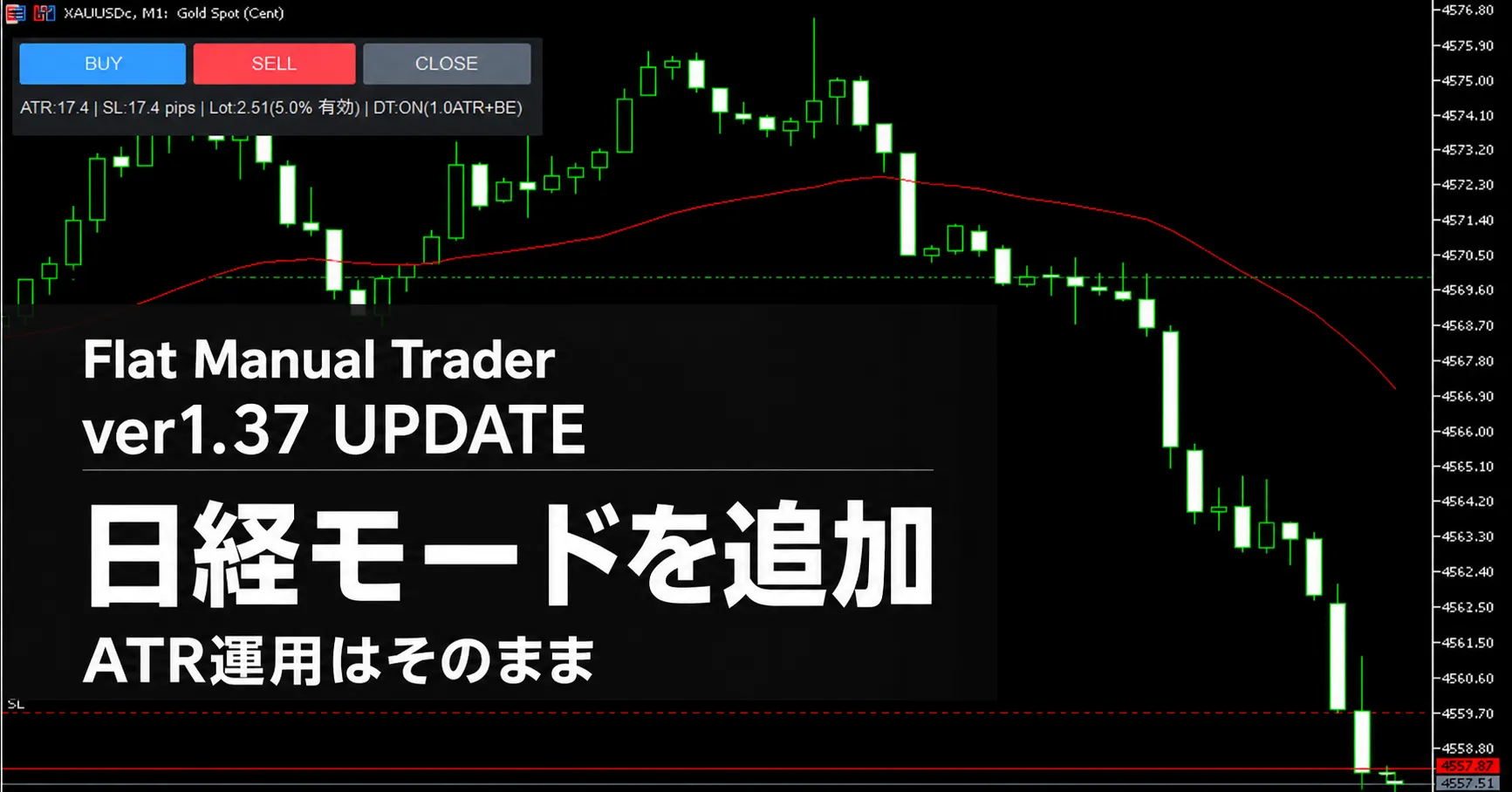
Added Nikkei mode in ver1.37
In this version 1.37, we added “Nikkei mode” for those dealing with Nikkei 225 CFDs such as JP235.
Nikkei 225-type instruments may have digit counts and pip conversions that differ from the currencies or gold you usually use.
When Nikkei mode is enabled, the SL/TP/delay trailing start values used in fixed-distance mode can be entered in price points (pt).
For example, if you want to place an SL 100.00 points away from price, in Nikkei mode you enter “100.”
Nikkei mode supportsJP225,NI225,JPN225,JAPAN225,N225,NIKKEI, which are included in the instrument names.
Note that Nikkei mode is not an ATR-absent setting.
SL/TP settings by ATR multiple, ATR trailing, and ATR-based delayed trailing remain available when Nikkei mode is enabled.
Nikkei mode is a feature to make the input sensation easier when dealing with fixed-distance settings.
Additionally, if the calculated lot hits the maximum risk cap for safety, the panel will display “CAP.”
It becomes easier to confirm that the order quantity is restricted by the safety cap.
Recommended for whom
・I want to determine entry reasons myself
・I want to reduce the burden of calculating lots and setting SL each time
・I want to use partial exits and trailing as rules
・I don’t want a large panel obscuring the chart
・I trade discretionary in gold, forex, Nikkei 225 CFDs, etc.
・I want to manage positions using both PC and smartphone
Flat Manual Trader is not an EA that chooses your trading method for you.
Enter based on your own judgment.
Then shape risk management into a less hesitant form.
This is a compact MT5 support EA for those looking to rethink discretionary trading execution environment.
On the product page, you can confirm settings and the latest update contents.
https://www.gogojungle.co.jp/tools/indicators/76108
※Before use, please be sure to verify the instrument specifications, required margin, and potential loss at SL reach in your broker via a demo environment or small lots.