

One-Click FX Past Data Support Page
One-Click FX Historical Data can be used to easily set up MT4 historical data.
Please download from the links below.
<Currently available for community download>
Terms of Useagree to. ※One-Click FX Seriesusers who have not purchased cannot use this.
▼ January 05, 2026 v1.01.20260105
Bug fixes that do not overwrite, version number display,
※This tool is planned to be included with the latest version of theOne-Click FX Seriesin sequence.
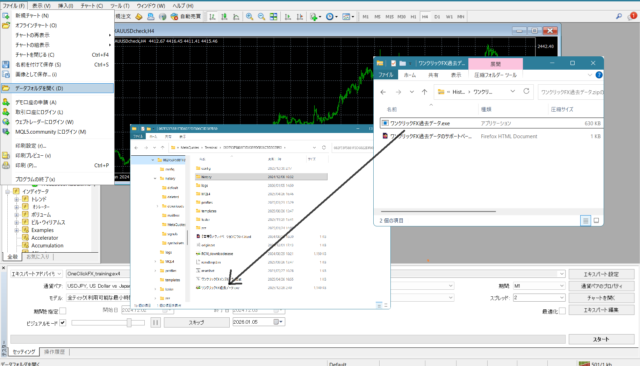
ZIP file “One-Click FX Historical Data” isto be copied directly into MT4’s data folder. It only runs when placed directly in the data folder.
About Security Warnings
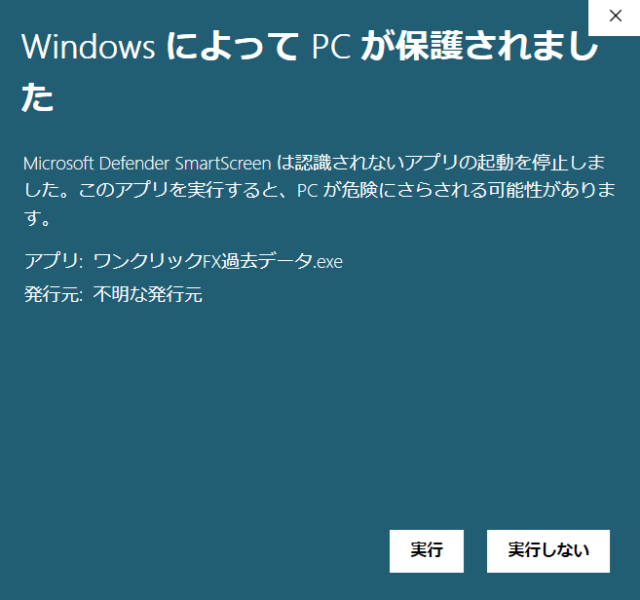
When running the tool, you may see warnings like the following. This is for
- Applications not registered in the Microsoft Store
- Applications without code signing (approval fee)
that Windows displays uniformly, andoften appears only on first run. Also, this tool
- downloads historical data files from the internet
- expands ZIP files
- copies files
may trigger warnings from some security software, butyou can use it without problems. If you have any issues or concerns, please contact us.

Procedure
■Setting the Maximum Bar Count
By performing the settings below, about 10 years of historical data will be reflected.
Recommended values:
- Maximum bars in history: 4000000 (six zeros) or 10000000
- Maximum bars on chart: 4000000 (six zeros)
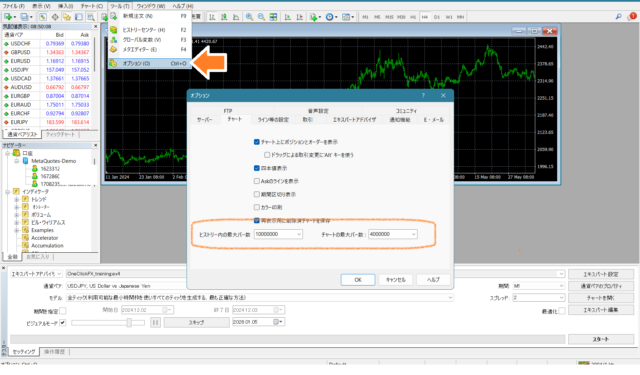
After setting,close MT4.
■Setting Three Items
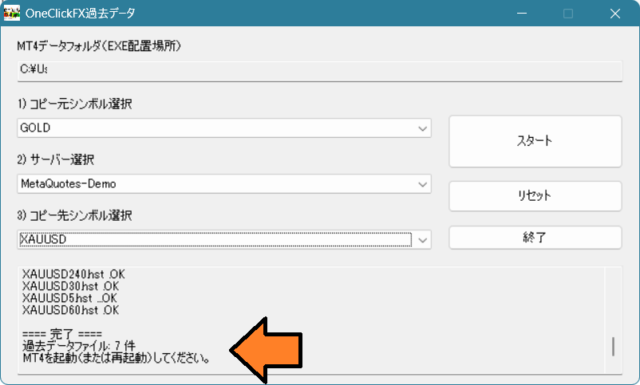
From One-Click FX Historical Data, configure the following three items.
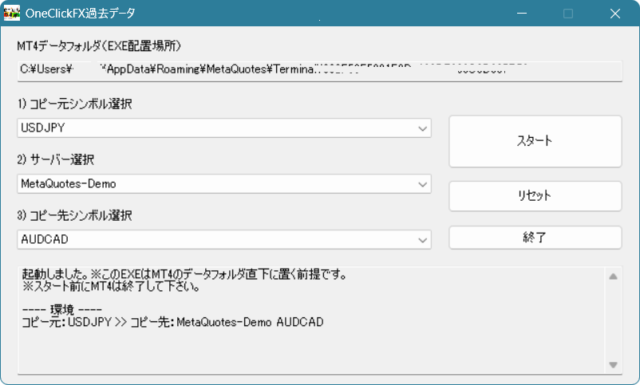
1) Copy Source Symbol: select from the list of downloadable currency pairs and symbols.
2) Server Selection: choose the server name of the FX account where you are setting up.
3) Copy Destination Symbol: select the currency pair/symbol name used in MT4.
Be careful not to misconfigure (e.g., USDJPY → USDJPYm, GOLD → XAUUSD, etc.).
■Download Start
When you press the “Start” button, the download of historical data and setup to MT4 will be performed automatically. When it displays “Completed”, launch MT4 and check the charts.
Frequently Asked Questions
There is no desired currency pair in the source: The historical data that can be set up is limited to those shown in the list.
Target currency pair not shown in the destination: Open the chart for the relevant currency pair in MT4 once beforehand. Currency pairs that have never appeared will not be shown in the destination list.
Latest historical data is not included: The tool’s historical data covers about 10 years and does not include the most recent data. Please understand.
Completed shows but historical data is not reflected: Please check the server name you are using. A single MT4 can have multiple servers. If MT4 is running, copying will not overwrite; please close MT4.
Maximum bar count automatically becomes 10,000,000: MT4 may automatically increase the maximum bar count when loading historical data. In that case, do not change it and use as is.
Free practice and verification with a completely risk-free trading simulator!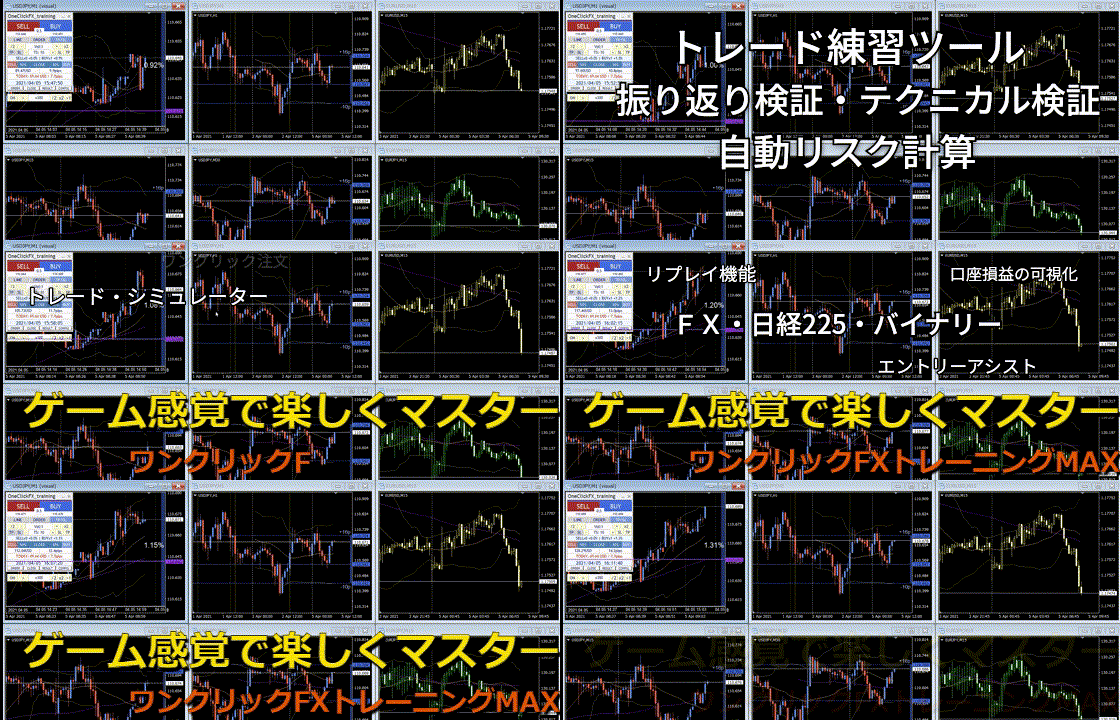
One-Click FX Training MAX details page