One-Click FX Past Data Support Page
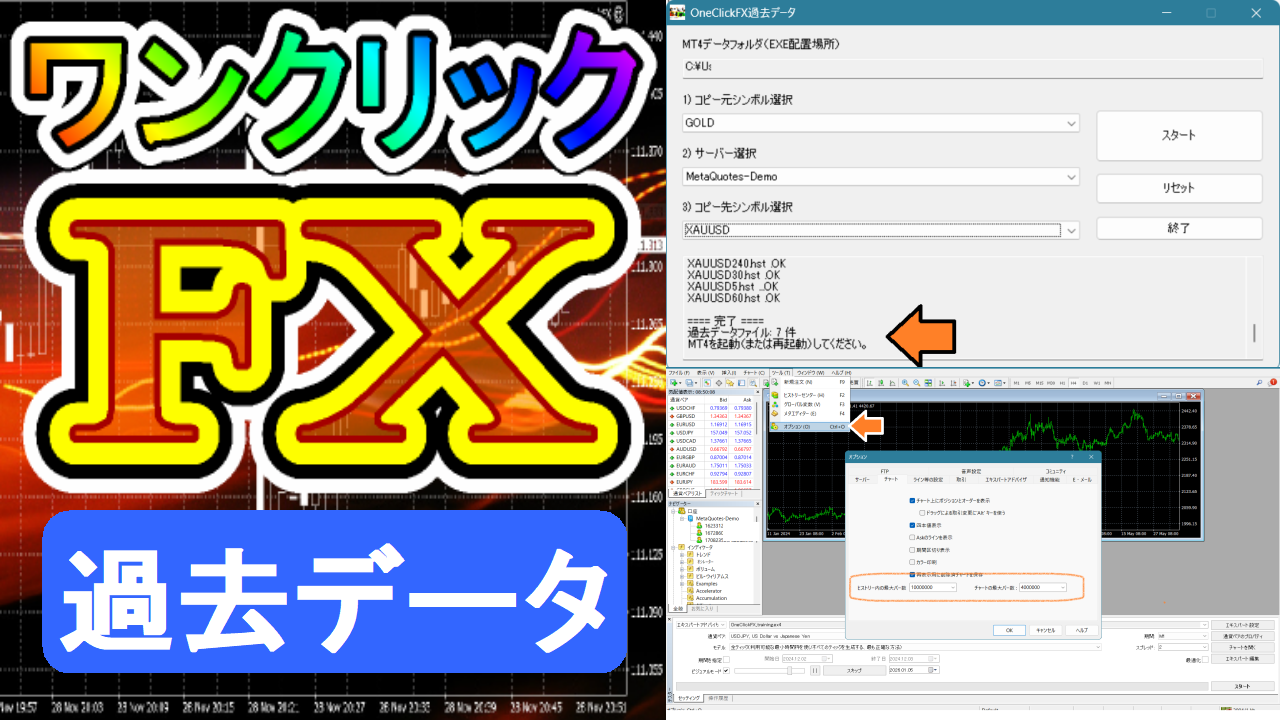
One-Click FX Historical Data can be used to easily set up MT4 historical data.
We have developed a tool to automate the preparation of historical data, which has been tedious until now. Just select the source and destination, and the download and setup of historical data will be completed. One-Click FX series purchasers can use it for free.
Please download from the links below.
<Currently available for download from the community>
Terms of Useare agreed upon.※One-Click FX Seriespurchasers only can use this.
▼2026-01-05 v1.01.20260105
Bug fix that does not overwrite, display of version number,
※This tool will be sequentially included with the latest version of theOne-Click FX Series
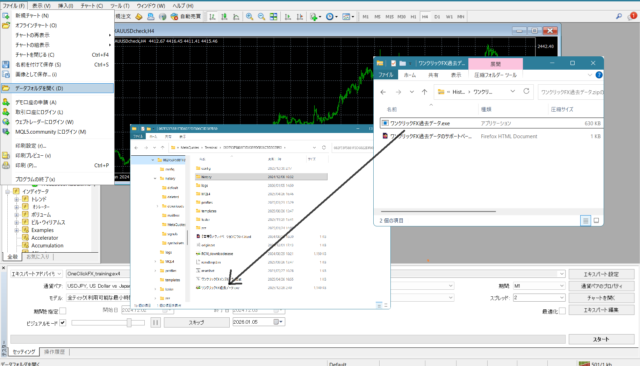
ZIP file “One-Click FX Historical Data” isto be placed directly under the MT4 data folder.※ It only works when placed directly under the data folder.
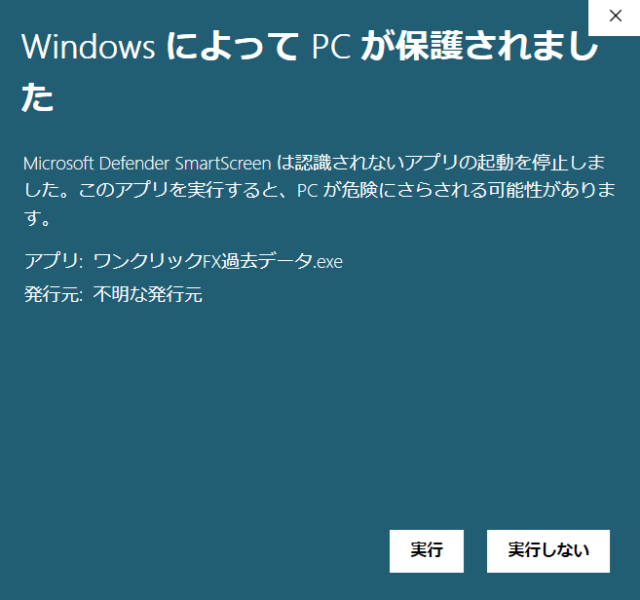
About Security Warnings
When you run the tool, you may see warning messages like the following. This is for
- Apps not registered in the Microsoft Store
- Apps without code signing (certification cost)
warnings that Windows displays uniformly,and mostly appear only on first run. In addition, this tool
- downloads historical data files from Internet
- extracts ZIP files
- copies files
, so some security software may show warnings, butyou can use it without problems. If you experience issues or have concerns, please contact us.

Processing Steps
■Setting the Maximum Bar Count
By configuring the following, about 10 years of historical data will be reflected.
Recommended values:
- Maximum bars in history: 4000000 (six zeros) or 10000000
- Maximum bars on chart: 4000000 (six zeros)
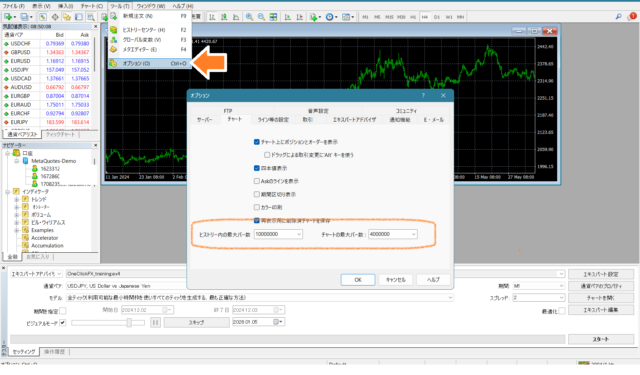
After setting,close MT4.
■Setting Three Items
From One-Click FX Historical Data, set the following three items.
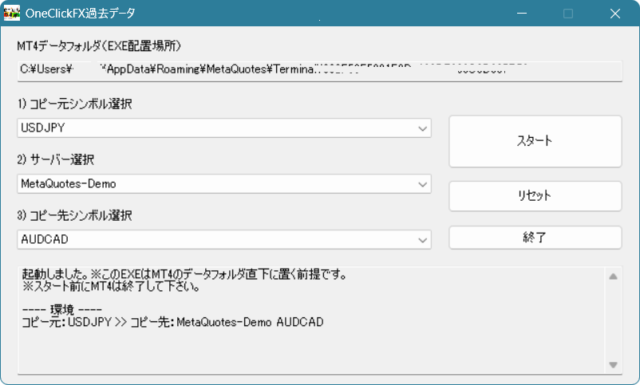
1) Source Symbol: Please select from the list of downloadable currency pairs and symbols.
2) Server: Select the name of theFX account serveryou are setting up.
3) Destination Symbol: Please select the currency pair/symbol name used in MT4.
Be careful not to set incorrectly. (Example: USDJPY → USDJPYm, GOLD → XAUUSD, etc.)
■Start Download
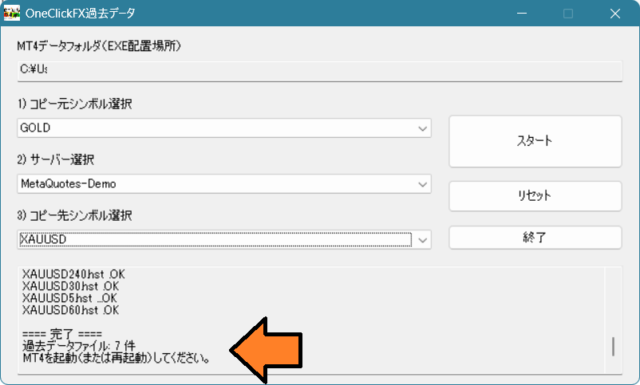
When you press theStart button, the process from historical data download to MT4 setup will be performed automatically. When You seeCompleted, start MT4 and check the charts.
Frequently Asked Questions
No desired currency pair in source: The historical data that can be set up is limited to those listed.
No target currency pair shown in destination: Please open the chart for the corresponding currency pair in MT4 once in advance. Pairs that have never been displayed will not appear in the destination list.
Latest historical data not included: The historical data in this tool covers about 10 years and does not include the most recent data. Please understand.
Completed shows but historical data not reflected: Please confirm your server name. Multiple servers may exist for one MT4. If MT4 is running, copies cannot overwrite, so please close MT4.
Maximum bar count automatically becomes 10,000,000: MT4 may automatically increase the maximum bar count when loading historical data. If this happens, do not change it and continue using as is.
Completely risk-free trader simulator to freely practice & verify!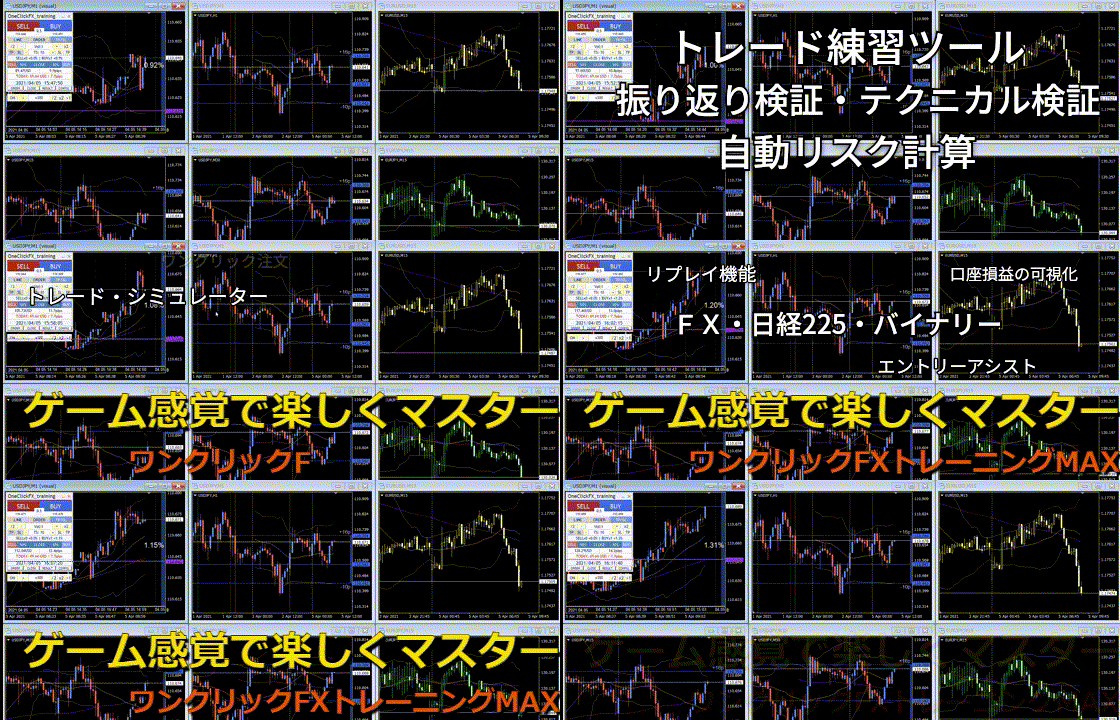
Details page of One-Click FX Training MAX