

【MT4】各市場時間帯色分けインジケーター SessionDayBox

Product outline
Community(0)
【MT4】各市場時間帯色分けインジケーター  SessionDayBox Indicators/E-books
【MT4】各市場時間帯色分けインジケーター SessionDayBox
市場時間も、日毎の区切りも視覚化。チャートを見やすくするインジケーター
Sales Result 0 items
Reviews ★ 0.0 (0)
Category:
How to provide:
Indicator
Sales from:
10/30/2026
Last Updated:
10/30/2026
Version:
1.00
Web Authentication:
Enable
Available company:

Follow 0 ❘ Followers 0
Seller's last login time: 11/1/2026 07:28:01
Read more seller information

東京・欧州・NYの値幅が、チャート上の「箱」で一目でわかる。

市場ごと・日ごとの高値と安値を、箱で囲んでpipsまで表示。
時間帯は日本時間で入力するだけ。サーバー時間への変換と夏時間の切り替えは自動です。
2つの見せ方を、ワンクリックで切り替え

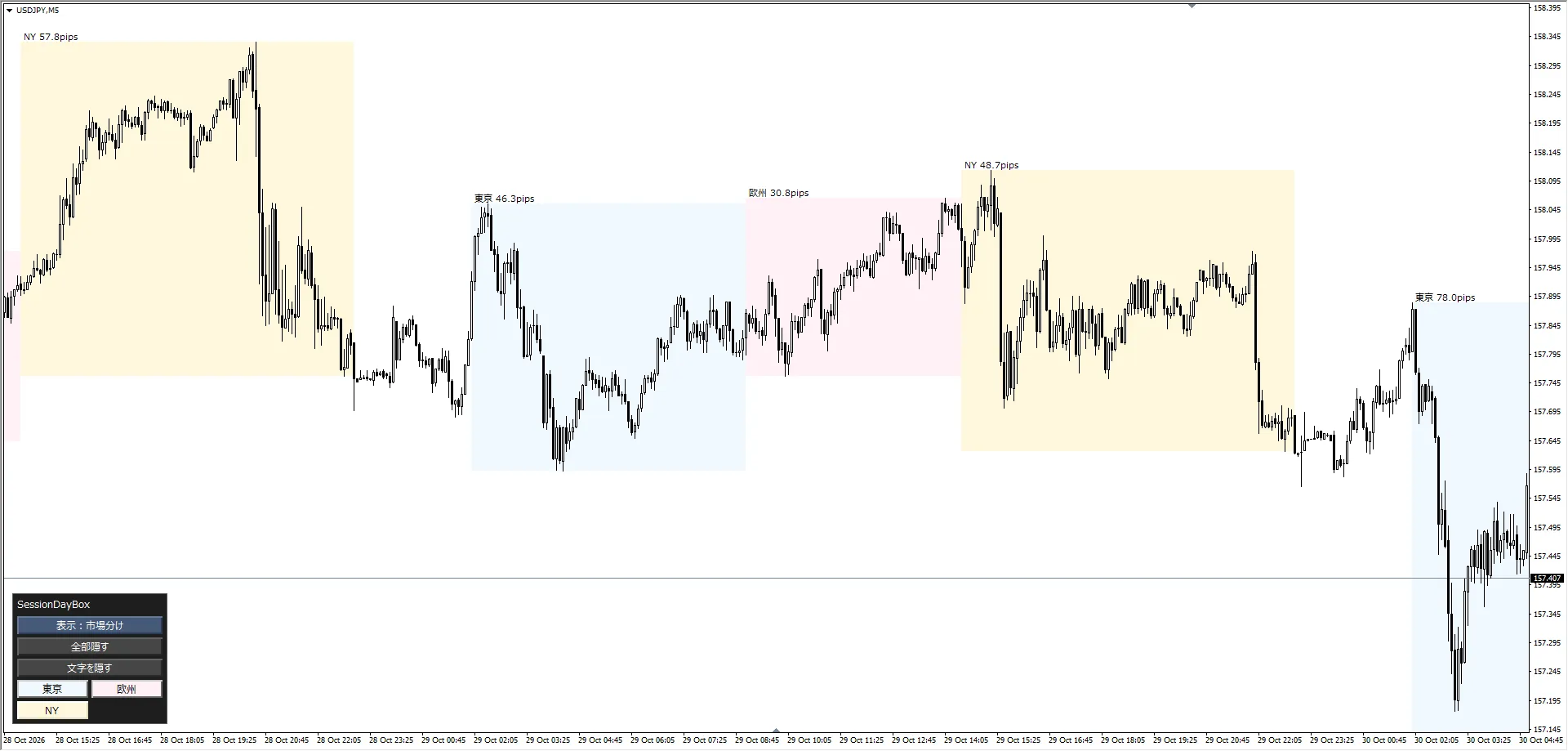
市場分け東京・欧州・NYなどの時間帯ごとに、高値〜安値を箱で囲む(最大4市場)
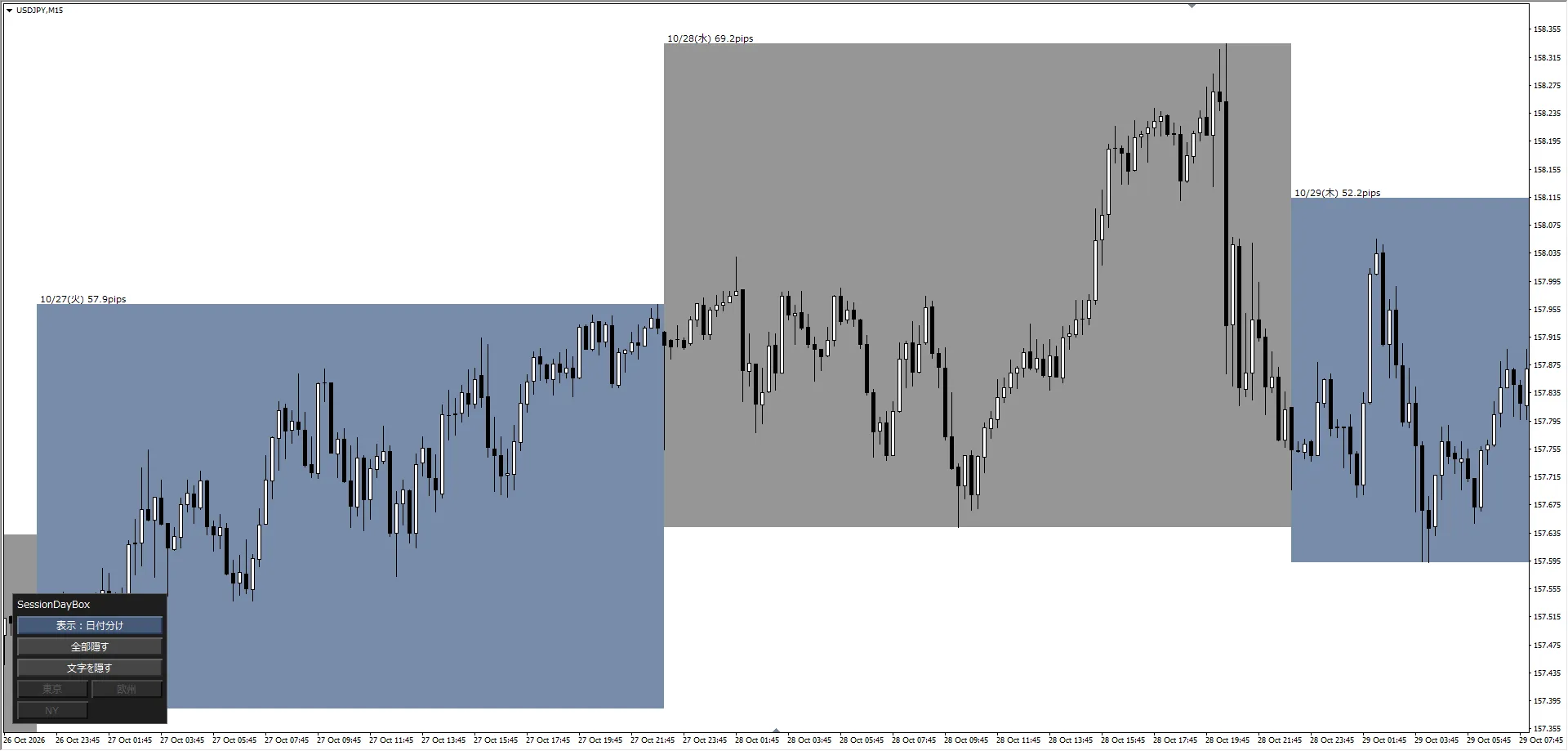
日付分けNYクローズで区切った1日分を1つの箱で表示。「10/27(火) 120.5pips」のように日ごとの値幅がわかる

使い方は3ステップ

①MT4の「インディケータ」フォルダにファイルを入れる
②ナビゲーターからチャートへドラッグして、OKを押す
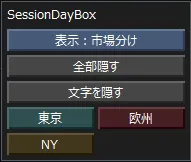
③箱が出ます。表示の切り替えは、左下のパネルのボタンで

■ 特徴

① 値幅がpipsで見える

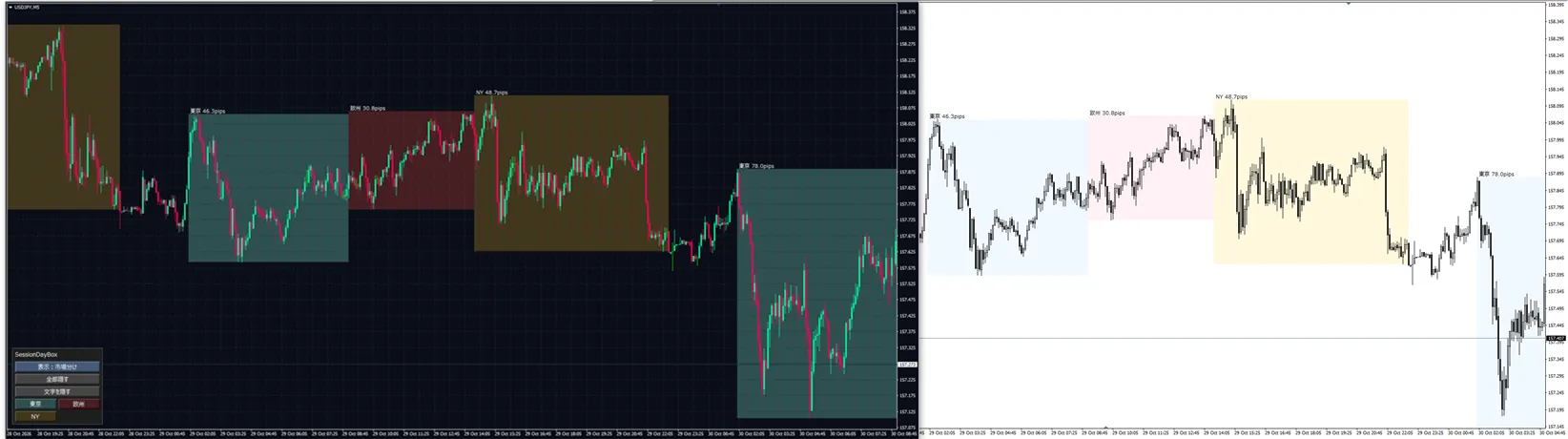
箱の上に「東京 45.2pips」と表示。名前+値幅/名前だけ/値幅だけ/なしから選べます。
進行中の箱は、高値・安値の更新に合わせてリアルタイムに広がります。

※pips=値動きの幅の単位です。ドル円なら1pips=0.01円です

② 時間は日本時間で入れるだけ

初期値は東京・欧州・NYの3市場。時間帯・名前・色は変えられます。
時間帯は夏時間の期間と冬時間の期間で別々に日本時間で入れられ、切り替えは自動です。
業者のサーバー時間との時差は自動で判定します。合わない業者は、手入力に切り替えられます。

③ パネルで、見たいものだけ表示

「市場分け/日付分け」の切り替え、「全部隠す」、「文字を隠す」、市場ごとの表示・非表示をワンクリックで。
状態は、時間足を切り替えてもMT4を開き直しても残ります。
④ 白い背景にも、黒い背景にも

設定画面の「配色」で、白い背景用/黒い背景用を選べます。文字の色は、箱の明るさに合わせて黒か白に自動で切り替わります。
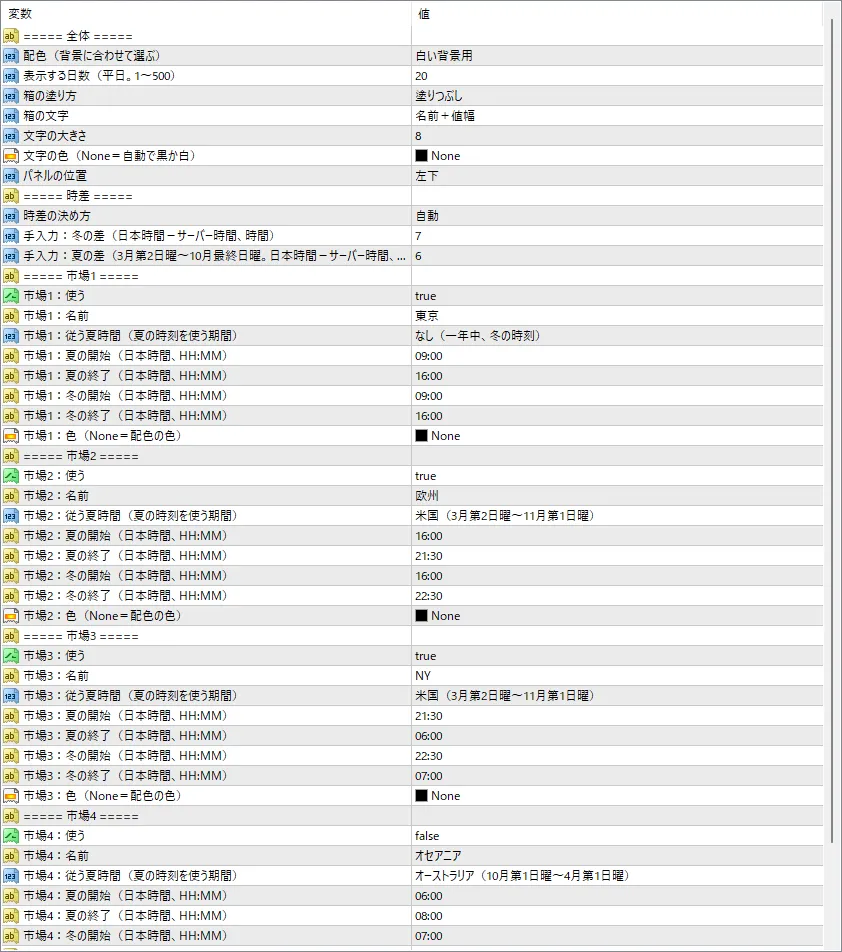
⑤ 好みに合わせて設定

項目内容
表示する日数1〜500日(初期値20日)
箱の塗り方塗りつぶし/枠線だけ
文字の大きさ・色初期値は箱の色に合わせて自動
パネルの位置左上/右上/左下/右下
市場ごとの設定使う/名前/従う夏時間/夏・冬の開始と終了/色

■ こんな方におすすめ

  • 東京・欧州・NY、それぞれの時間の値動きの幅を、一目で見たい方
  • 日ごとの値幅を、NYクローズ基準でそろえて見たい方
  • 1分足〜1時間足で、時間帯ごとのクセを検証したい方

■ 使うときの注意

必ずお読みください

  • 利用認証のため、MT4側で「DLLの使用を許可」にしてください。設定画面の「全般」タブにチェックを入れます
    DLL(外部の小さなプログラム)は、購入確認(利用認証)のためだけに使います
  • ダウンロード時にファイル名の末尾へ英数字が付きます。認証に使うため、ファイル名は変更せずそのままお使いください
  • 1つのチャートに付けられるのは1つだけです。2つ目は自動で外れます
  • テンプレートでは付けられません。ナビゲーターから手でチャートに付けてください
  • 表示は1時間足以下です。4時間足以上では箱を隠し、パネルに「この時間足では表示しません」と出ます
  • 売買の合図(サイン)やアラートは出しません。箱と値幅の表示だけを行うインジケーターです

仕様についての補足

  • 初めて付けるときは、平日の相場が動いている時間に付けてください(時差を自動判定するため)。付けた直後、最大60秒ほど「時差を確認中です」と出ることがあります
  • 初めて開く通貨ペアは、過去の値動きの読み込みに時間がかかることがあります。読み込まれると、足りなかった日の箱が後から出ます
  • 夏時間のない業者は、設定画面で時差を「手入力」にしてください(手順はマニュアルに記載)
  • 表示日数を200日より多くするときは、MT4の「チャートの最大バー数」を増やしてください
  • 金・株価指数などは、pipsの数え方が一般的な表示と違うことがあります

■ 動作環境

  • 対応:MT4(MetaTrader 4)のみ。MT5では動きません
  • ファイル形式:ex4
  • 導入方法・設定の詳細は、付属のマニュアルをご覧ください

※Windows専用です。Mac・Linuxでは動作を確認していないため、ご購入はお控えください。


本インジケーターは高値・安値の表示を補助するツールであり、利益を保証するものではありません。投資はご自身の判断でお願いします。

¥500 (taxed)
Provider/Distributor:
Sales site:

●Payment

Mastercard Visa JCB Bank FamilyMart D2 D1
Product outline
Community(0)
Best Seller Ranking

For those using GogoJungle for the first time Easy 3 steps to use the product!

At GogoJungle, we provide services to enrich your investment life for our members. In addition, product purchases are limited to members. Why not register as a member now and make use of GogoJungle!

01
Enter user information and register as a member
02
Follow the instructions to make a purchase
03
Download from My Page
■ Important Matters and Risk Warnings Regarding Investment Products 【Financial Instruments Business Operator】
GogoJungle Inc.
Registration: Director-General of the Kanto Local Finance Bureau (Financial Instruments Business) No. 1960
【Member Association】
Investment Trusts Association, Japan
【Fees and Expenses】
The use of software, e-books, investment advisory services, etc., provided on our platform involves purchase prices determined for each product.
Additionally, when conducting actual financial instrument transactions (such as FX or CFD trading), costs such as transaction fees and spreads (the difference between the sell and buy price) may be incurred through the connected brokerage firms.
【Margin and Risk of Loss】
Transactions such as FX (Foreign Exchange Margin Trading) and CFD (Contract for Difference) allow for trading in amounts exceeding the deposited margin.
Therefore, due to sudden fluctuations in target indices (currency, commodity prices, etc.), there is a risk of incurring losses that exceed the deposited margin (loss exceeding principal).
Furthermore, financial instrument transactions involve risks such as price fluctuations, which may result in losses falling below or exceeding the initial investment principal.
【Nature of Services and Trading Entity】
The Company operates a platform (marketplace) providing investment software and information; we do not engage in the buying, selling, mediation, brokerage, or agency of financial instruments on behalf of customers.
The services and information provided are intended as reference for investment decisions and do not guarantee future profits or specific results.
While some services include investment advice, they do not constitute a mandate or solicitation to trade specific financial instruments.
Final investment decisions and the execution of trades must be made at the customer’s own risk and discretion.