


狙った高値・安値に、クリックで印を。
高値・安値に階層ごとの印を付けられる、MT4用インジケーターです。
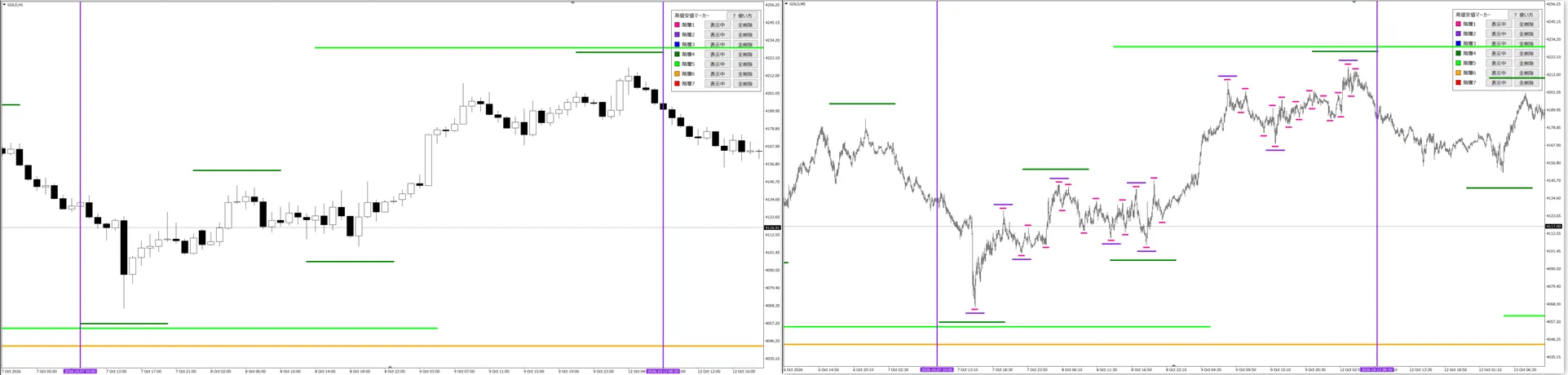
印なし
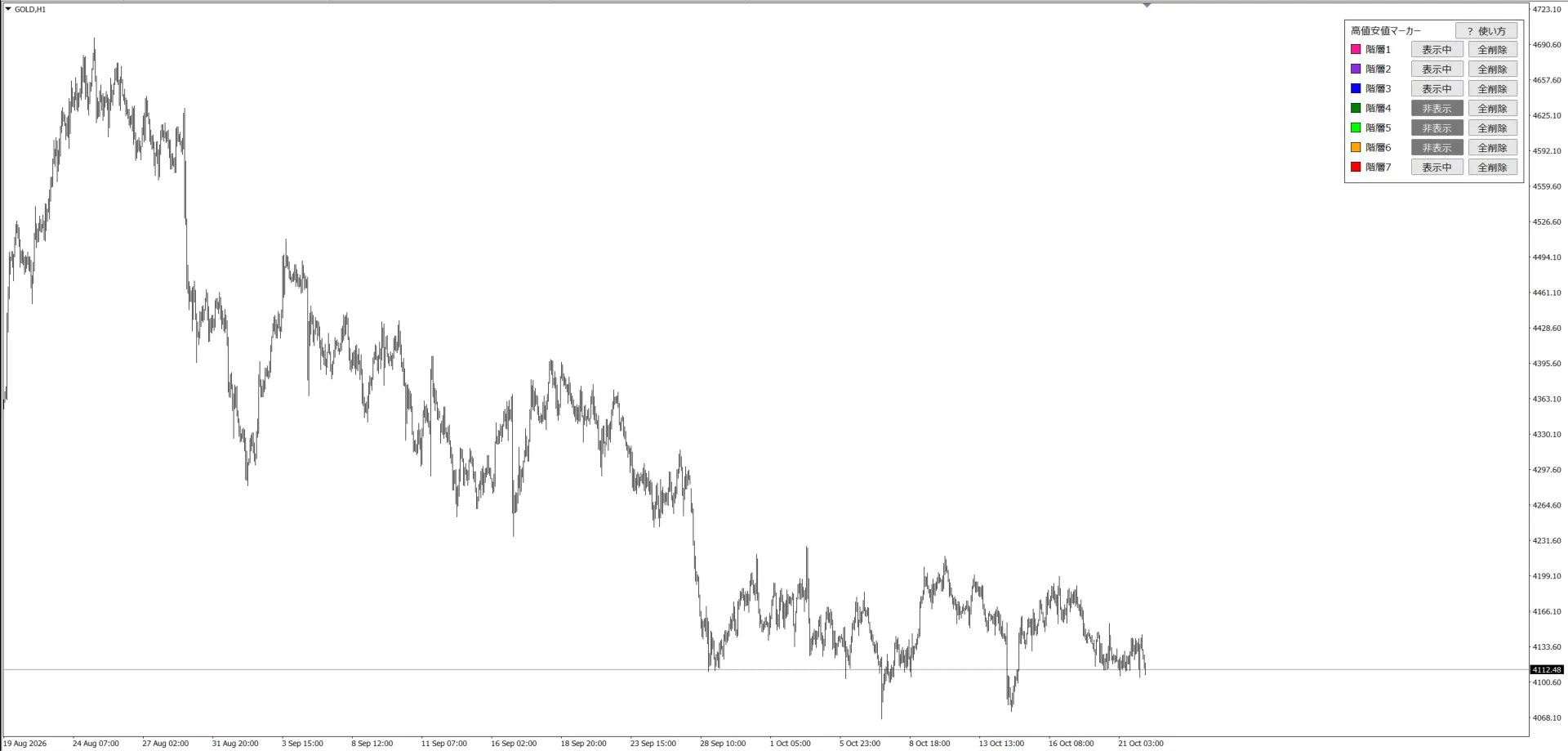
▼
印あり
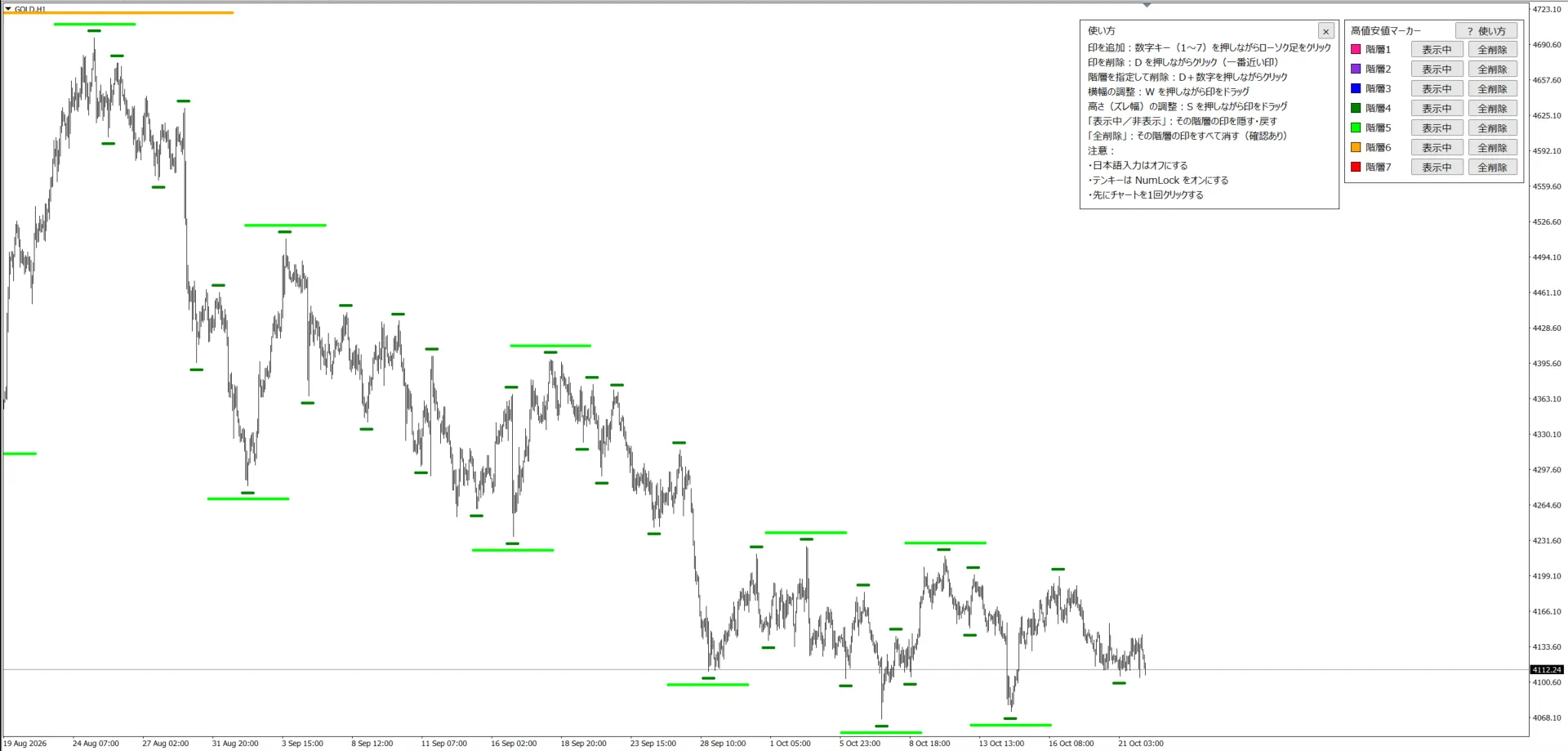
どこが大きな高値・安値で、どこが小さな高値・安値か。
階層ごとの色で、ひと目で分かります。
高値と安値は、分析の土台
ダウ理論は高値と安値の切り上げ・切り下げを見ます。フィボナッチは高値と安値を結んで引きます。トレンドラインも水平線も、基準は高値と安値です。
このインジケーターは、その高値と安値を階層ごとに見えるようにして、分析の補助にするためのものです。
高値・安値を自動で判定するインジケーターは手軽ですが、どこを高値・安値とみるかまでは、自分の見方に合わせてくれません。だから、印は自分の手で付ける作りにしました。
3つのポイント
1. キーを押しながらクリックするだけ
数字キーを押しながらローソク足をクリックすると、近くの高値・安値に印が付きます。少しずれた所をクリックしても、一番高い(安い)足に合わせて付きます。
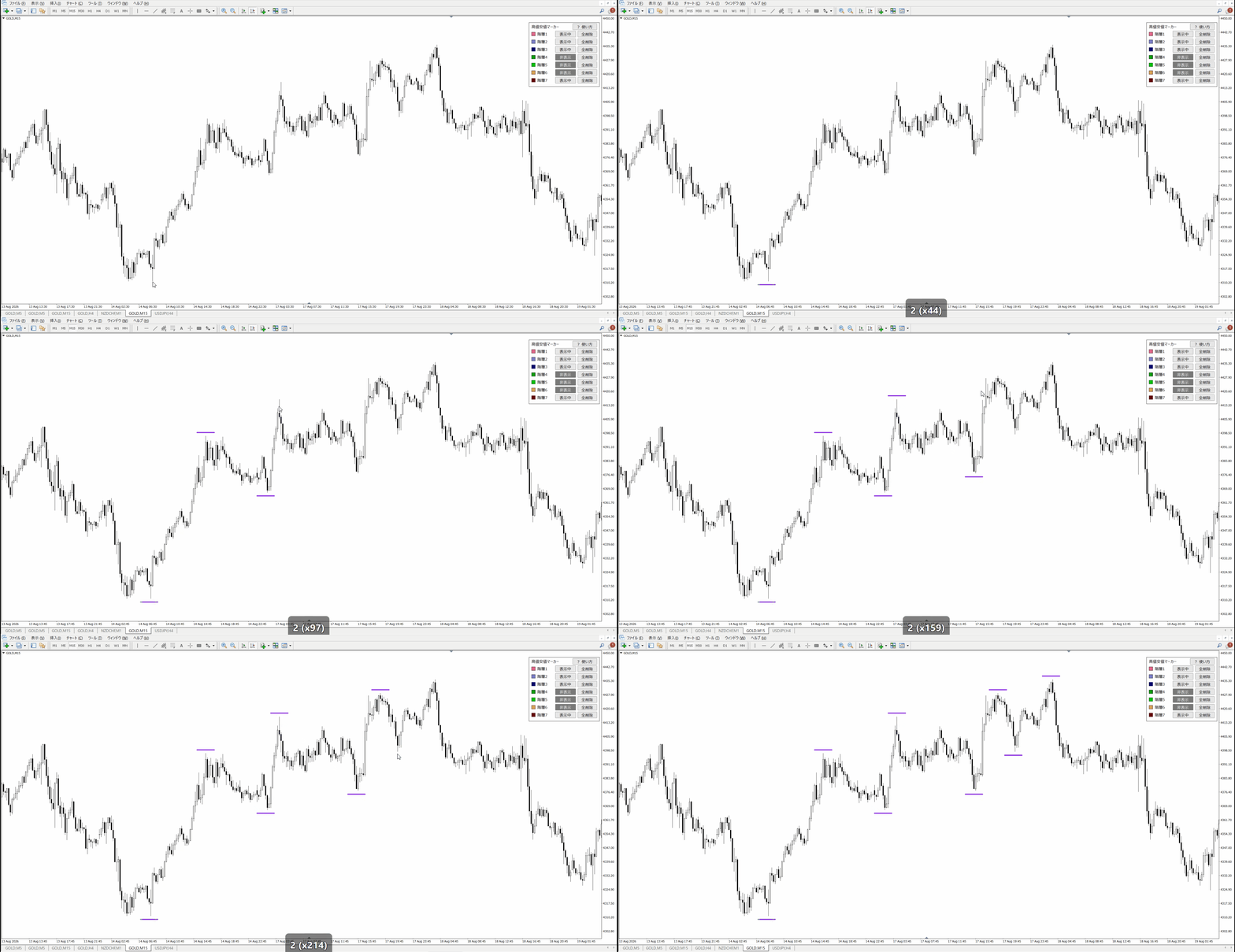
2. 7つの階層で、波の大きさを分けられる
階層ごとに色・太さ・線の長さを決められます。小さな波の印は短い時間足だけに出るので、長い時間足のチャートが印でごちゃつきません。時間足を切り替えても、印の位置はズレません。
3. 隠す・まとめて消すもボタンひとつ
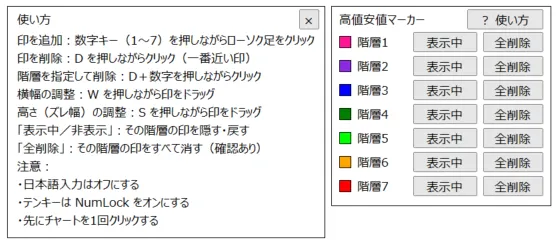
チャート右のパネルで、階層ごとに印を隠したり、まとめて消したりできます。印はMT4を再起動しても残ります。
操作はこれだけ
| 1~7 + クリック | 印を付ける(数字が階層) |
| D + クリック | 一番近い印を消す |
| D + 数字 + クリック | その階層の印だけを消す |
| W + ドラッグ | 印の横幅を変える |
| S + ドラッグ | 印の高さ(ローソク足からの距離)を変える |
※操作を忘れても、パネルの「? 使い方」でいつでも確認できます。
入れ方
- MT4の「ファイル」→「データフォルダを開く」
- 「MQL4」→「Indicators」フォルダに、ダウンロードしたex4ファイルを入れる
- MT4を再起動して、ナビゲーターの「HighLowMarker_(英数字)」をチャートにドラッグ
- 設定画面の「全般」タブで「DLLの使用を許可する」にチェックを入れて「OK」
※「DLLの使用を許可する」は、GogoJungleでご購入いただいた方かを確かめる認証に使います。
※ダウンロードしたファイルの名前は変えないでください(認証に使います)。
設定できること
階層ごとに、次の5つを設定できます。
| 階層 | 色 | 上下ズレ幅 | 横幅 | 太さ | 表示する最大の時間軸 |
|---|---|---|---|---|---|
| 1 | ピンク | 50 | 10本 | 5 | M5 |
| 2 | 紫 | 200 | 10本 | 5 | M15 |
| 3 | 青 | 400 | 10本 | 5 | M30 |
| 4 | 緑 | 650 | 10本 | 5 | H1 |
| 5 | 黄緑 | 1000 | 10本 | 5 | H4 |
| 6 | オレンジ | 1500 | 10本 | 5 | D1 |
| 7 | 赤 | 8000 | 10本 | 5 | W1 |
| 色 | 印の色。好きな色に変えられます(「なし」を選んだときは、その階層の初期の色になります) |
| 上下ズレ幅 | 高値(安値)から線までの距離。単位はポイント(ドル円なら1ポイント=0.001円) |
| 横幅 | 線の長さ。「表示する最大の時間軸」の足で何本分か |
| 太さ | 線の太さ(1~5) |
| 表示する最大の時間軸 | この時間足までのチャートに印が出ます |
| 調整値をリセット | W・Sで変えた幅や高さを、設定画面の値に戻します |
使うときの注意
- インターネットにつながっていて、MT4に口座でログインしている状態で使ってください(認証のため)
- 使うときは日本語入力をオフにしてください(オンだとキーが反応しません)
- テンキーを使うときは NumLock をオンにしてください
- 印はチャートごとに保存されます。インジケーターを外したり、チャートを閉じたりすると、そのチャートの印は消えます
- MT4が強制終了したときは、最後に正常終了したあとに付けた印が消えることがあります
- 1つのチャートに入れるのは1つだけにしてください
商品ファイル
- 商品本体(ex4ファイル)
- 取扱説明書(PDFファイル)
動作環境
以下の環境で動作確認済みです。
- CPU:Intel Core i7-1360P 2.20GHz
- メモリ:16GB
- Windows 11 Home
- MT4 Build 1492
※Windows専用です。Mac・Linuxでは動作を確認していないため、ご購入はお控えください。
●Payment





For those using GogoJungle for the first time Easy 3 steps to use the product!
At GogoJungle, we provide services to enrich your investment life for our members. In addition, product purchases are limited to members. Why not register as a member now and make use of GogoJungle!
