SL_PRL|Chart Boost #12 Pips RuLer

Product outline
Product Manual
Community(0)

SL_PRL|Chart Boost #12 Pips RuLer Indicators/E-books
SL_PRL|Chart Boost #12 Pips RuLer
今の価格から、何pips離れているか。今の価格から上下に、10pipsごとの目盛りをチャートの右寄りに表示。【MT4・MT5】のインジケーター
Sales Result 0 items
Reviews ★ 0.0 (0)
Category:
How to provide:
Indicator
Sales from:
10/23/2026
Last Updated:
-
Version:
-
Web Authentication:
Enable
Available company:

Seller's last login time: 10/27/2026 09:39:01
Read more seller information
¥3,980 (taxed)
5left
Next price: (Tax Inc.)
$undefined ¥4,980
Provider/Distributor:
Sales site:
GogoJungle

●Payment

Mastercard Visa JCB Bank FamilyMart D2 D1
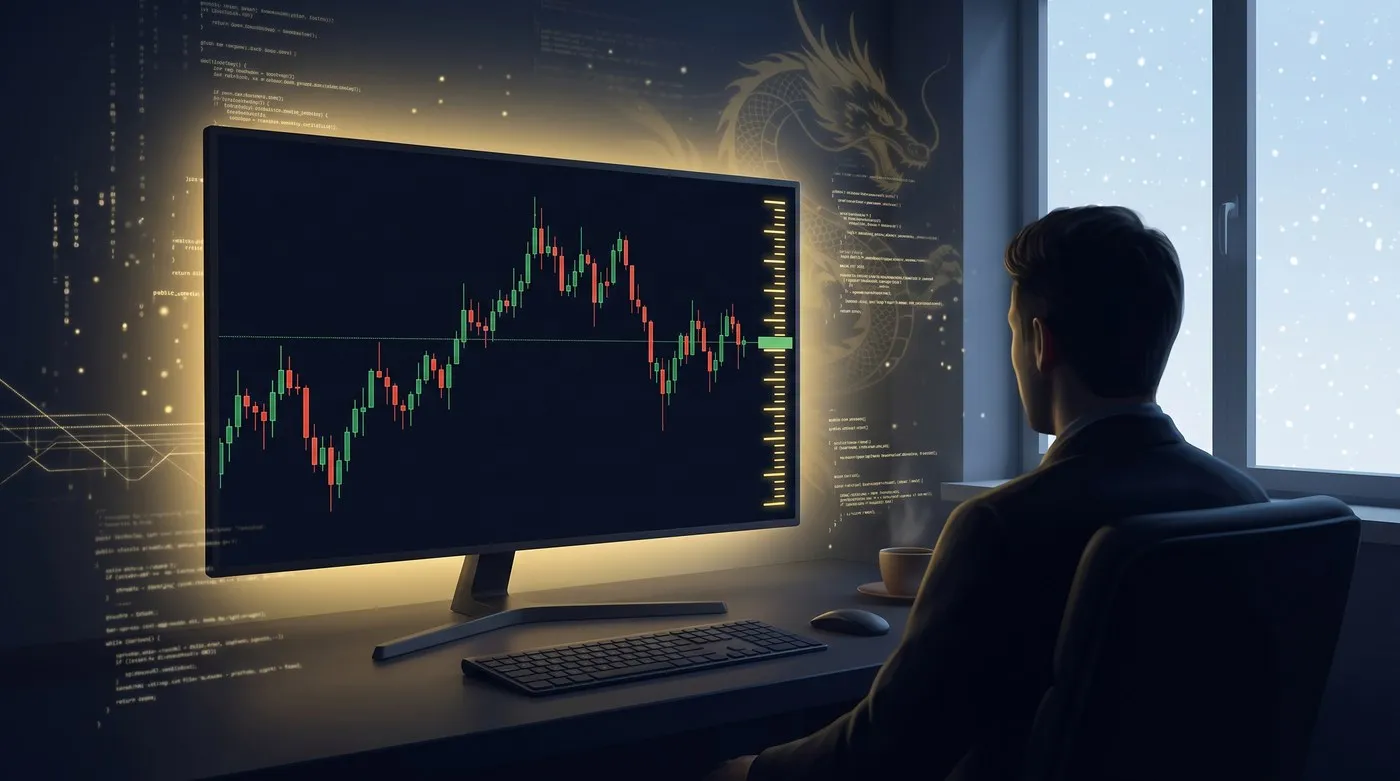
Chart Boost シリーズ #12SL_PRL イメージ

SHENLONG LAB / MT4・MT5 INDICATOR

SL_PRL Pips RuLer

MT4/MT5 両対応

今の価格から、
何pips離れているか。

SL_PRLは、今の価格から上下に、10pipsごとの目盛りを
チャートの右寄りに表示するアイテムです。

利確・損切りまでの距離が、
ひと目で分かります。

先着順 段階価格いち早く応援してくださる方へ、感謝を込めた早期価格です
1〜5本目3,980円早期価格
6〜10本目4,980円
11本目〜5,980円定価
※価格は販売本数に応じて自動で切り替わります。
現在の価格は、このページの購入欄でご確認ください。
1回のご購入で、MT4版とMT5版の両方をお使いいただけます。

PROBLEM

そこまで、何pipsありますか?

  • 利確・損切りの幅を決める時に、価格を引き算してpipsを出している
  • 右端の価格の目盛りは、pipsの単位で並んでいない
  • Pipsを測るたびに、十字線を引いて確かめている

SL_PRLは、この計算を目盛りを見るだけにします。

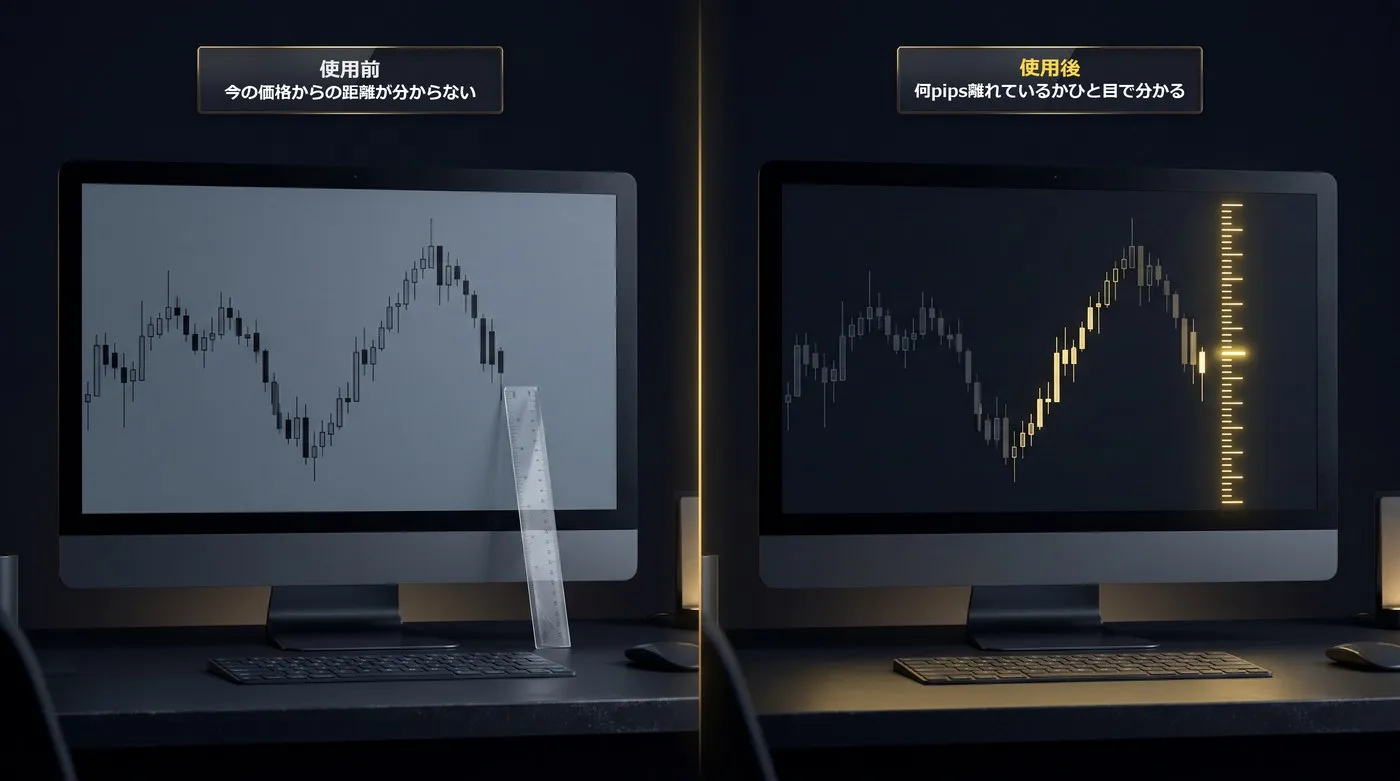
使う前:何pips離れているか分からない/使った後:今の価格から10pipsごとの目盛り

MOVIE

実際の動きをチェック

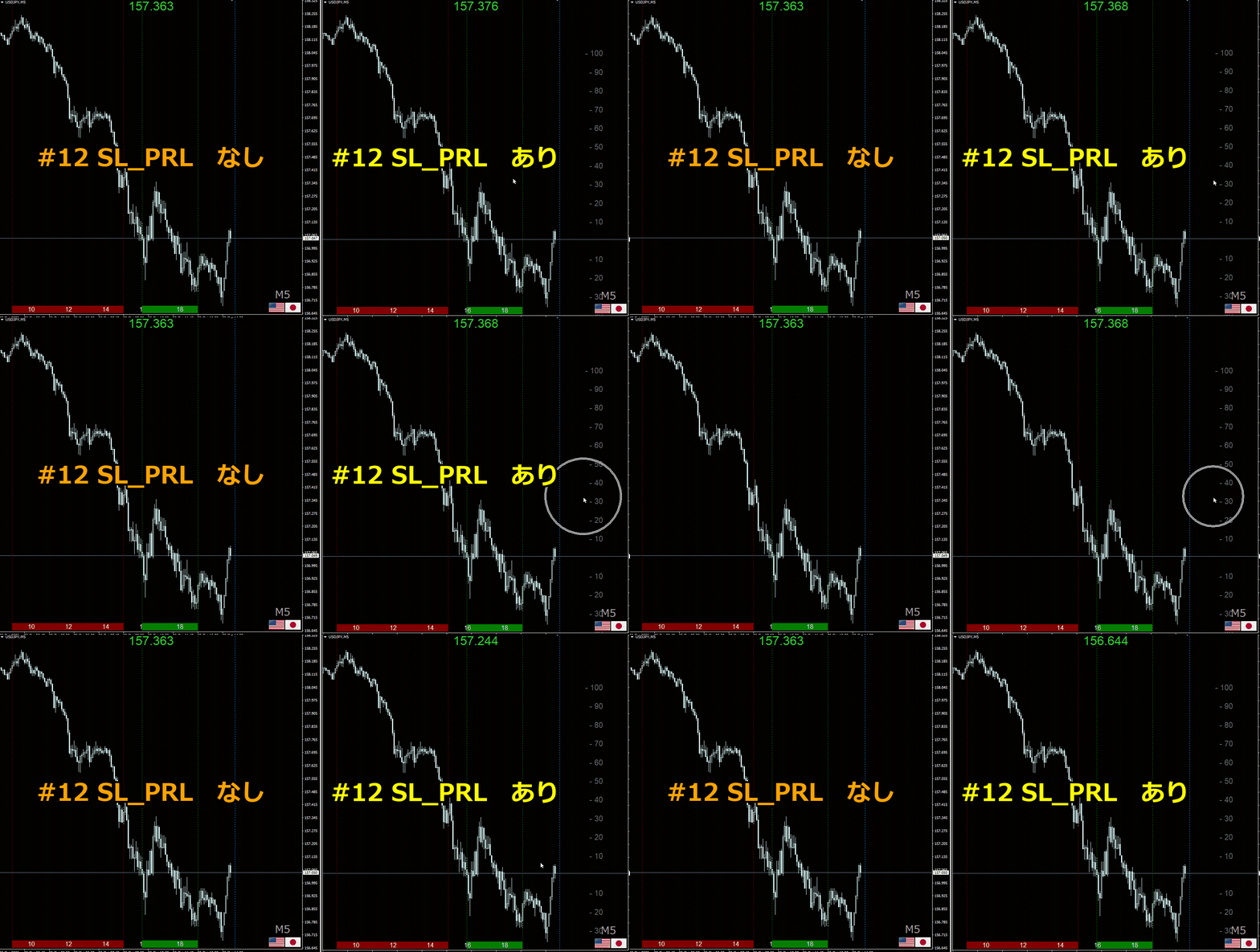
SL_PRLの動き:SL_PRLなしのチャートと、今の価格からpipsの目盛りが出ているSL_PRLありのチャート
① チャートに入れる
② 今の価格から上下に、10pipsごとの目盛りが出る
③ Qキーで、表示・非表示を切り替える動画内では、
・#04 SL_FLC(FrameLess Chart)で、チャートの枠を消し
・#05 SL_CFG(Currency FlaG)で、通貨ペアの国旗を表示し
・#06 SL_JTG(Japan Time Grid)で、日本時間を表示し
・#09 SL_MPV(Mouse Price View)で、マウスの位置の価格を表示し
・#11 SL_ETL(Entry Time Lines)で、決めた時刻に縦線を引き
・#15 SL_TFD(TimeFrame Display)で、時間足を表示しています

FEATURES

SL_PRLの特長

キー1つで、ものさしを出し入れするイメージ

01 今の価格から、pipsの目盛り

今の価格から上下に、「10」「20」…と10pipsごとの目盛りを表示します。価格が動くと、目盛りも一緒に動きます。

02 間隔と本数を選べる

目盛りの間隔(初期10pips)と、上下に出す本数(初期各10本)を決められます。スキャルピングなら5pips、デイトレードなら20pips、のように使い分けられます。

03 Qキー(ホットキー)で、表示・非表示

Qキーを押すたびに、目盛りが表示・非表示に切り替わります。ホットキーは、英字26キーと単独・Ctrl・Shiftの3通りを組み合わせた78パターンの中から選べます。

04 表示する時間足を選べる

1分足〜月足の時間足ごとに、表示する・しないを選べます。初期設定では、4時間足・日足・週足・月足は表示しません(ONにできます)。

05 5桁・3桁のFX業社(ブローカー)でも、正しいpips

小数点以下が5桁(クロス円は3桁)の業社でも、1pipsを正しく計算して目盛りを出します。

06 パラメーターはすべて日本語

設定画面の項目名も説明も、すべて日本語で表記しています。初期設定のままでも、すぐに使えます。

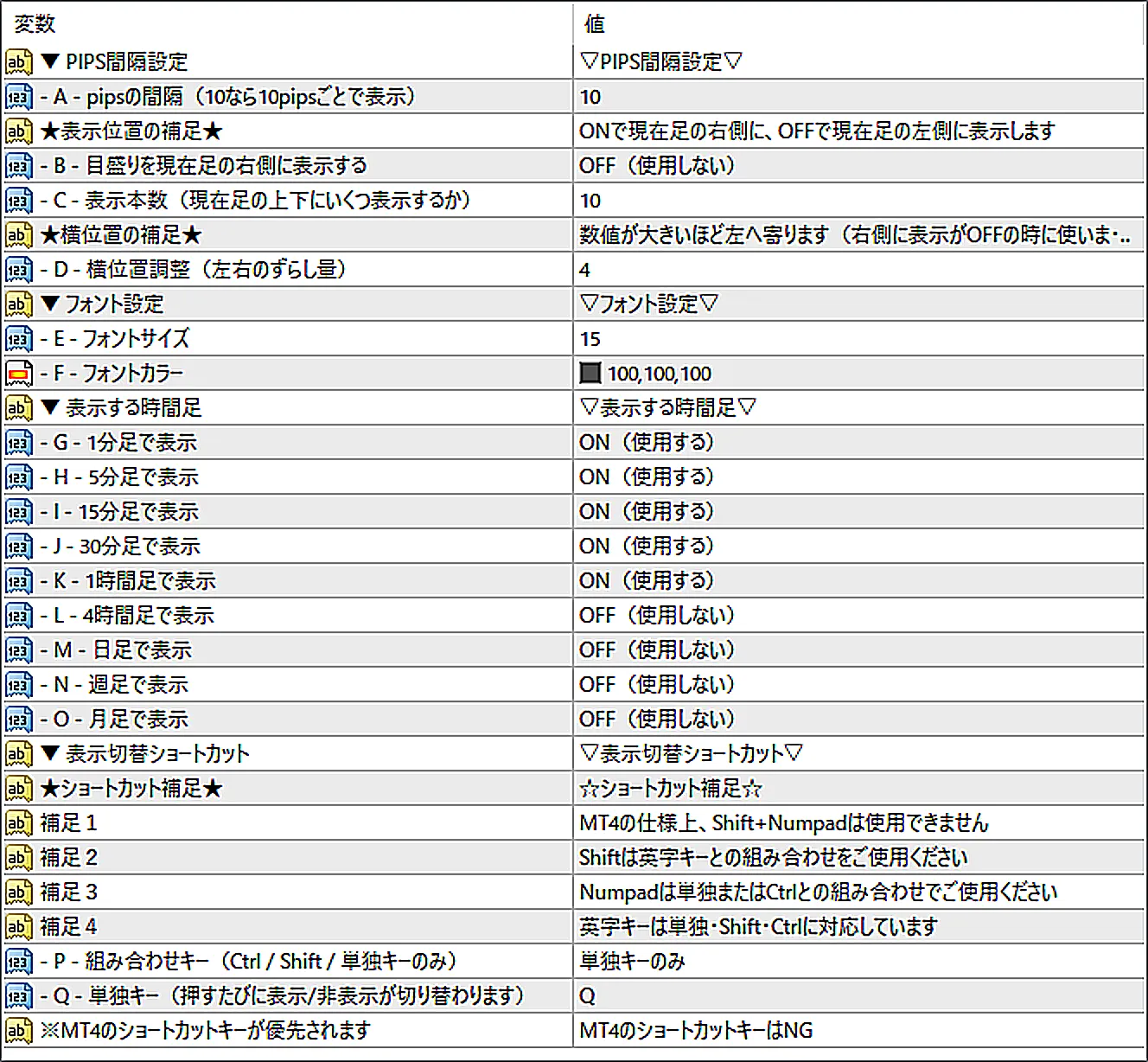
SL_PRLのパラメーター画面

※MT4版のパラメーター画面です。

HOW TO USE

操作は3ステップ

1

チャートに入れる

2

今の価格から
pipsの目盛りが出る

3

Qキーで
表示・非表示

導入の手順やパラメーターの詳しい説明は、このページ上部の「商品マニュアル」タブにまとめています。

COMBINATION

チャートブーストシリーズ #01「SL_CHC」と一緒に

SL_CHCは、十字線で2点の間のpipsを測ります。SL_PRLは、今の価格からのpipsを目盛りで見せます。過去の値幅はSL_CHC、これからの距離はSL_PRL、と使い分けられます。

NOTICE

ご購入前にご確認ください

■ MT4・MT5の両方でお使いいただけます
1回のご購入で、MT4版(.ex4)とMT5版(.ex5)の両方をダウンロードできます。ゴゴジャンのWeb認証により、同時にお使いいただける口座は1つだけです。MT4とMT5を切り替える時は、今お使いの口座をリセットしてからお使いください(手順は「商品マニュアル」タブにあります。口座の変更は何度でもできます)。

■ DLLの使用許可が必要です
ホットキーの判定とゴゴジャンのWeb認証のために必要です。チャートに入れた時に開くインジケーターの設定画面で、MT4は「全般」タブ、MT5は「仕様」タブの「DLLの使用を許可する」にチェックを入れてください。

■ 4時間足以上は、初期設定で表示しません
時間足ごとの設定(G〜O)で、表示するようにできます。

■ MT4・MT5本体のショートカットキーが優先されます
MT4・MT5本体ですでに使われているキーを選ぶと、本体の動きが優先され、SL_PRLが反応しないことがあります。

SUPPORT

サポート・免責事項

■ サポート
ご不明な点や、うまく動かない時は、商品ページの「質問する」からお気軽にお問い合わせください。一つひとつ確認して、お返事いたします。
いただいたご意見やご報告は、これからのアップデートの参考にさせていただきます。

■ 免責事項
ShenLong Labのアイテムは、チャートを見やすく・使いやすくするためのものです。投資の助言を行うものではなく、将来の利益をお約束するものでもありません。
実際のお取引は、ご自身の判断でお願いいたします。ご利用によって生じた損益について、開発者は責任を負いかねますので、あらかじめご了承ください。

ShenLong Lab 開発者

DEVELOPER

神龍 / ShenLong Lab

自作インジケーターで月次利益を出し続ける現役トレーダー×開発実績1,000本超のプログラマー。
SL_PRLは、私自身が利確・損切りの幅を決める時に、今の価格から何pips離れているかを瞬時に確認するために作りました。

言語化できるロジックは、すべてコードに宿る。
¥3,980 (taxed)
5left
Next price: (Tax Inc.)
$undefined ¥4,980
Provider/Distributor:
Sales site:
GogoJungle

●Payment

Mastercard Visa JCB Bank FamilyMart D2 D1
Product outline
Product Manual
Community(0)
Best Seller Ranking

For those using GogoJungle for the first time Easy 3 steps to use the product!

At GogoJungle, we provide services to enrich your investment life for our members. In addition, product purchases are limited to members. Why not register as a member now and make use of GogoJungle!

01
Enter user information and register as a member
02
Follow the instructions to make a purchase
03
Download from My Page
■ Important Matters and Risk Warnings Regarding Investment Products 【Financial Instruments Business Operator】
GogoJungle Inc.
Registration: Director-General of the Kanto Local Finance Bureau (Financial Instruments Business) No. 1960
【Member Association】
Investment Trusts Association, Japan
【Fees and Expenses】
The use of software, e-books, investment advisory services, etc., provided on our platform involves purchase prices determined for each product.
Additionally, when conducting actual financial instrument transactions (such as FX or CFD trading), costs such as transaction fees and spreads (the difference between the sell and buy price) may be incurred through the connected brokerage firms.
【Margin and Risk of Loss】
Transactions such as FX (Foreign Exchange Margin Trading) and CFD (Contract for Difference) allow for trading in amounts exceeding the deposited margin.
Therefore, due to sudden fluctuations in target indices (currency, commodity prices, etc.), there is a risk of incurring losses that exceed the deposited margin (loss exceeding principal).
Furthermore, financial instrument transactions involve risks such as price fluctuations, which may result in losses falling below or exceeding the initial investment principal.
【Nature of Services and Trading Entity】
The Company operates a platform (marketplace) providing investment software and information; we do not engage in the buying, selling, mediation, brokerage, or agency of financial instruments on behalf of customers.
The services and information provided are intended as reference for investment decisions and do not guarantee future profits or specific results.
While some services include investment advice, they do not constitute a mandate or solicitation to trade specific financial instruments.
Final investment decisions and the execution of trades must be made at the customer’s own risk and discretion.