
Product outline
Community(0)
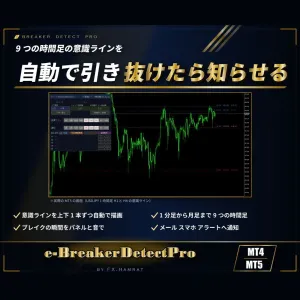
【無料お試し3日】MT4/MT5両方入り 9つの時間足の意識ラインを自動で描画|抜けた瞬間をブレイクアウトとして通知・ダウ目線・スナップショット【e-BreakerDetectPro】 Trial Version
MT4・MT5の両方入り。高値・安値が何度も止められた価格帯(意識ライン)を1分足〜月足の9つの時間足で自動で引き、価格が抜けた瞬間をブレイクアウトとして知らせます
Sales Result 0 items
Reviews ★ 0.0
(0)
Keywords:
Category:
How to provide:
Indicator
Sales from:
10/08/2026
Last Updated:
10/15/2026
Version:
4.00
Web Authentication:
Enable
Available company:


商品概要
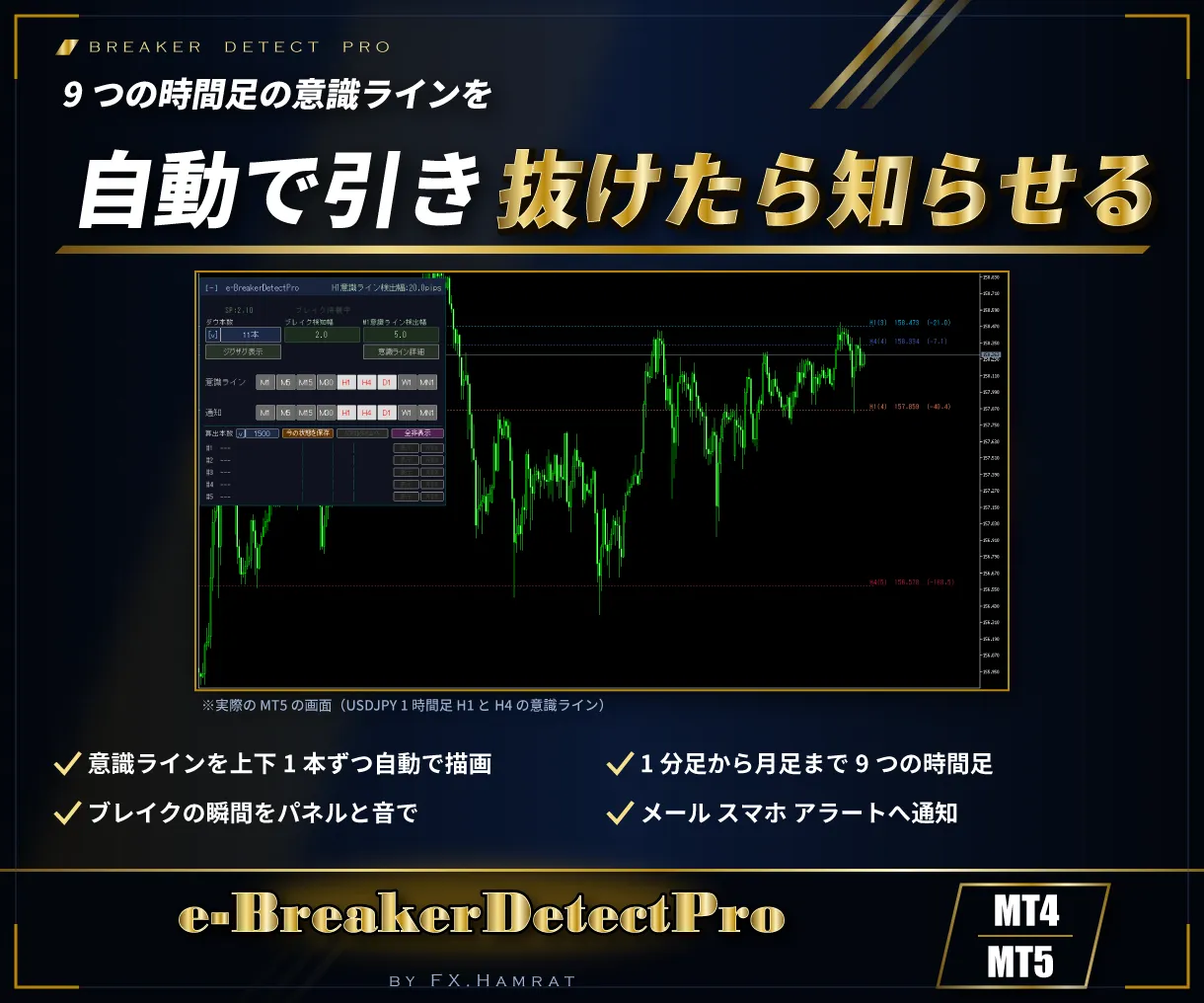
高値・安値が何度も止められた価格帯は、多くのトレーダーが意識している意識ラインです。e-BreakerDetectPro は、この意識ラインを1分足から月足までの9つの時間足で自動で引き、価格が抜けた瞬間をブレイクアウトとして知らせるインジケーターです。
MT4版・MT5版の両方が入っています。
このような方におすすめ
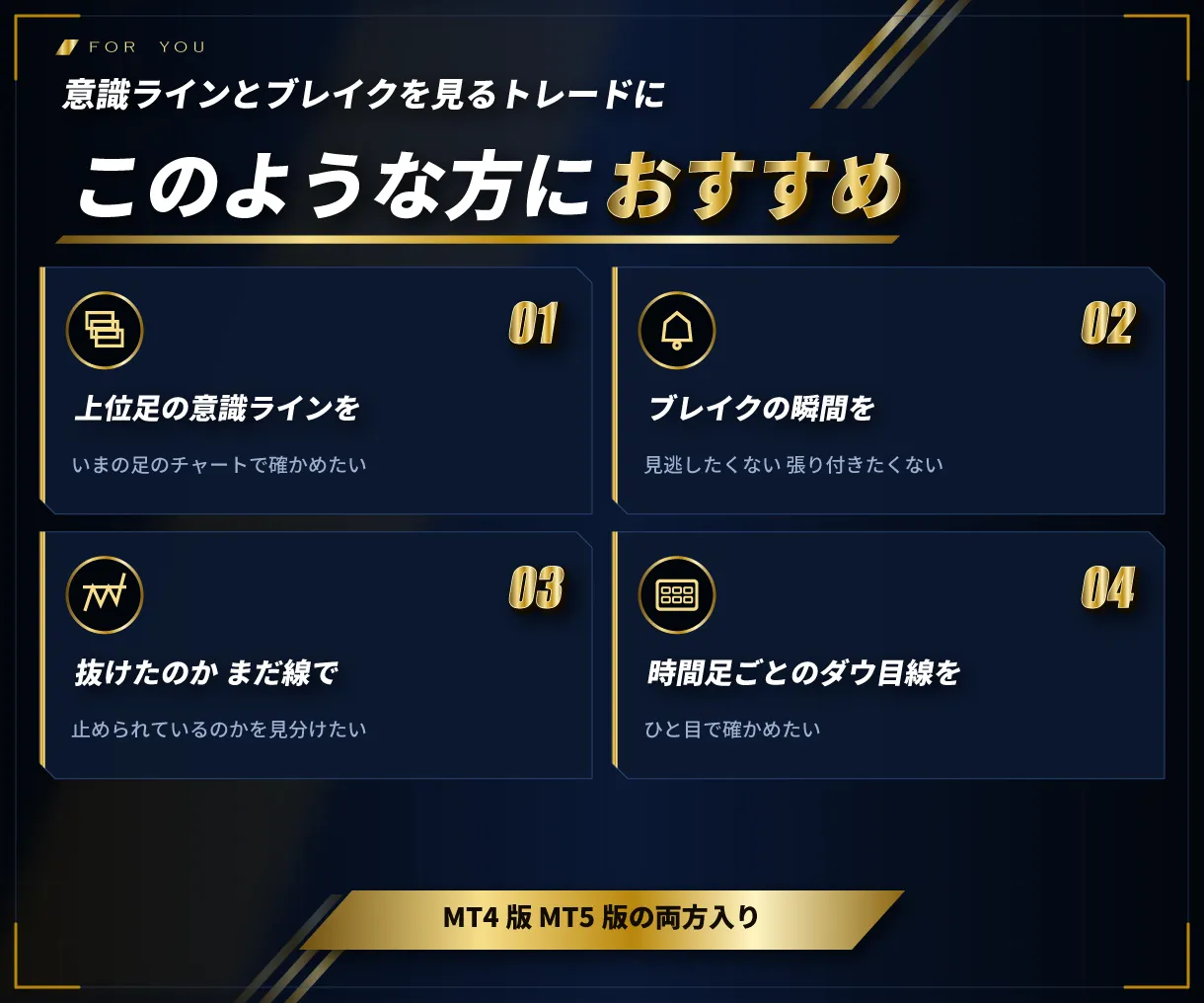
- 上位足の意識ラインを、いま見ている足のチャートで確かめたい
- ブレイクの瞬間を見逃したくない、チャートに張り付きたくない
- 抜けたのか、まだ線の近くで止められているのかを見分けたい
- 時間足ごとのダウ目線を、ひと目で確かめたい
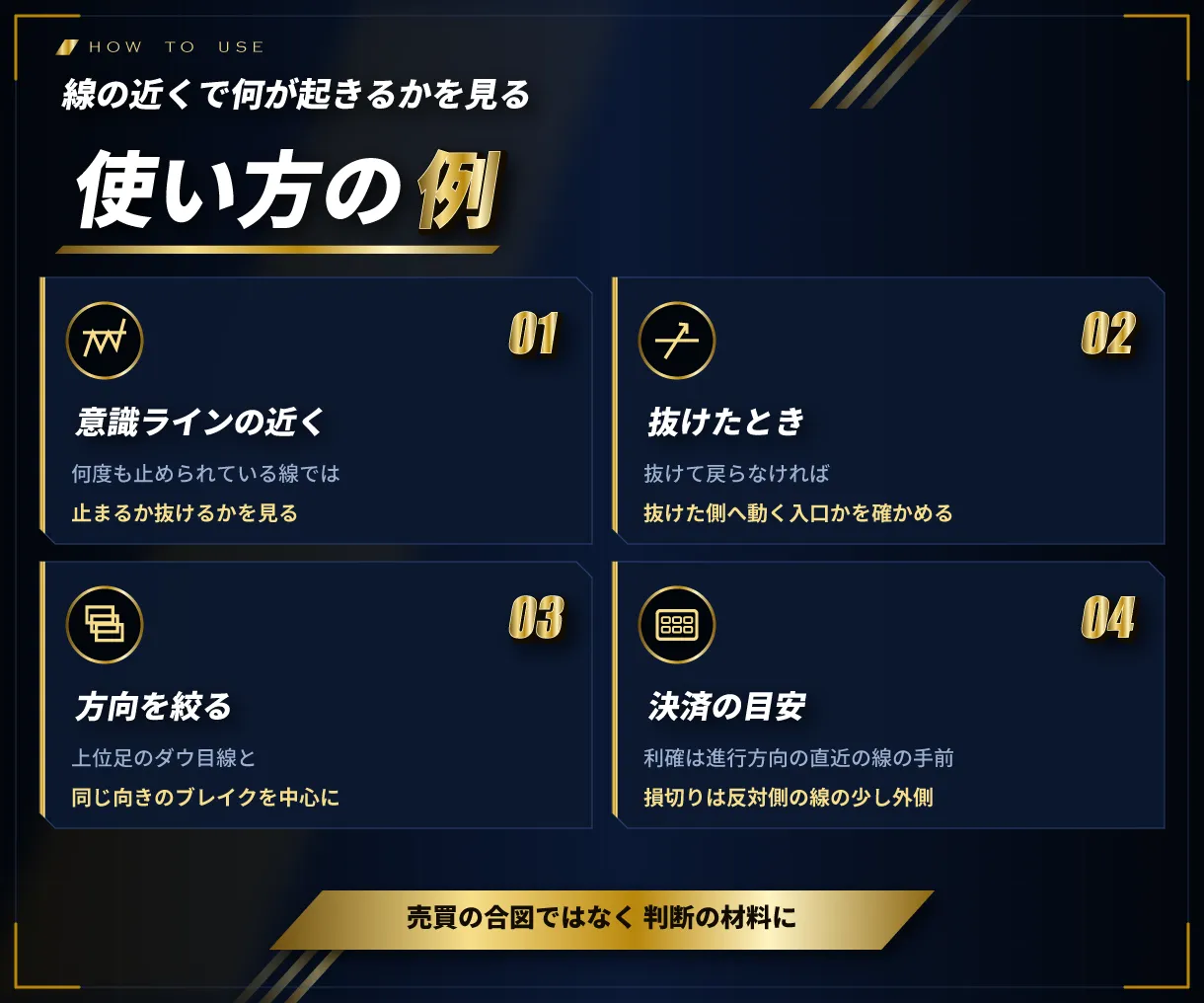
使い方の例
- 何度も止められている意識ラインの近くでは、止まるか抜けるかを見る
- 抜けて戻らなければ、抜けた側へ動く入口かを確かめる(ブレイクの通知)
- 上位足のダウ目線と同じ向きのブレイクを中心に見る
- 利確は進行方向の直近の意識ラインの手前、損切りは反対側の意識ラインの少し外側を目安にする
売買の合図を出すものではありません。判断の材料としてお使いください。
機能について
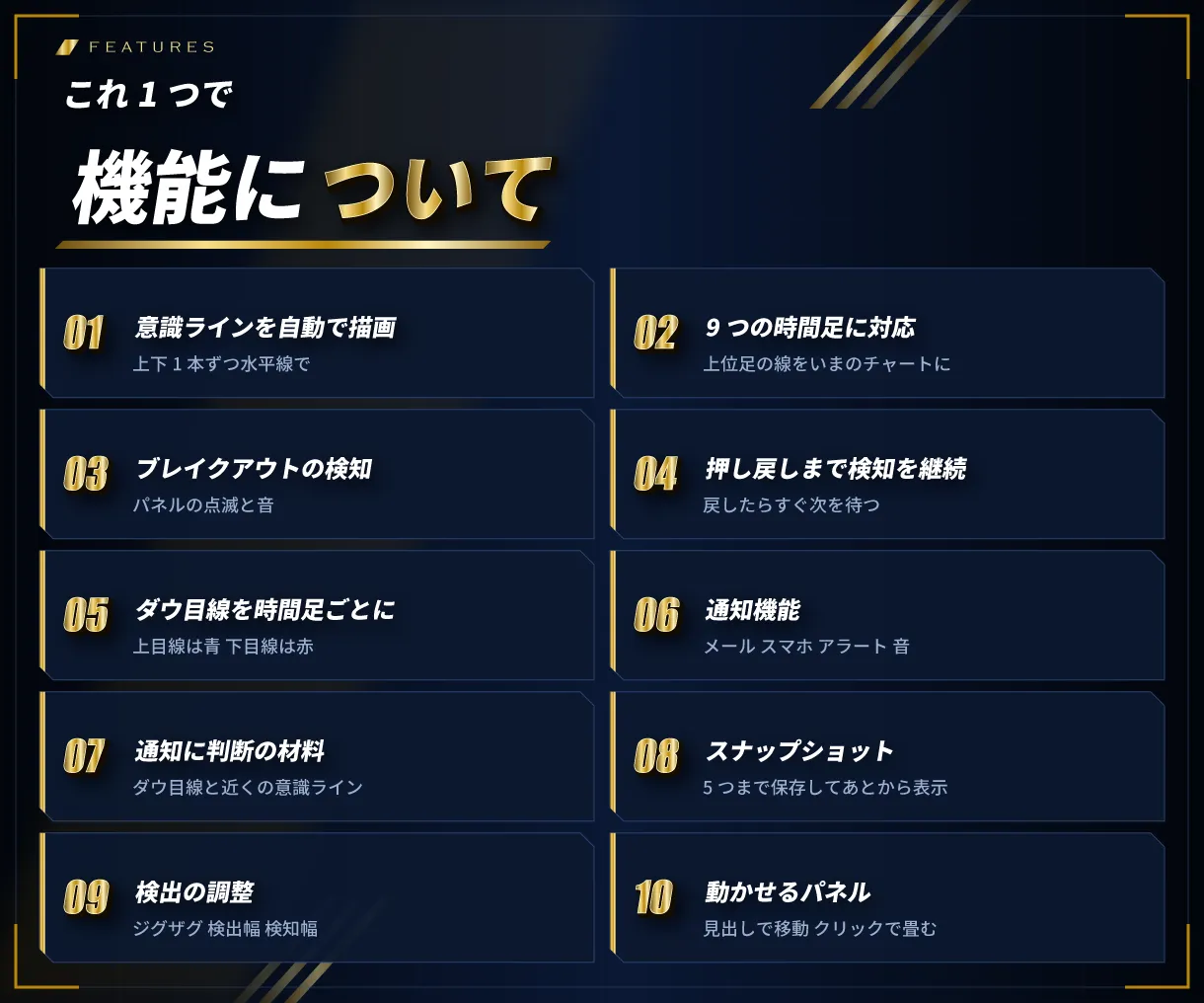
- 意識ラインを自動で描画:高値・安値が集まった価格帯を見つけ、上下1本ずつ水平線で描きます
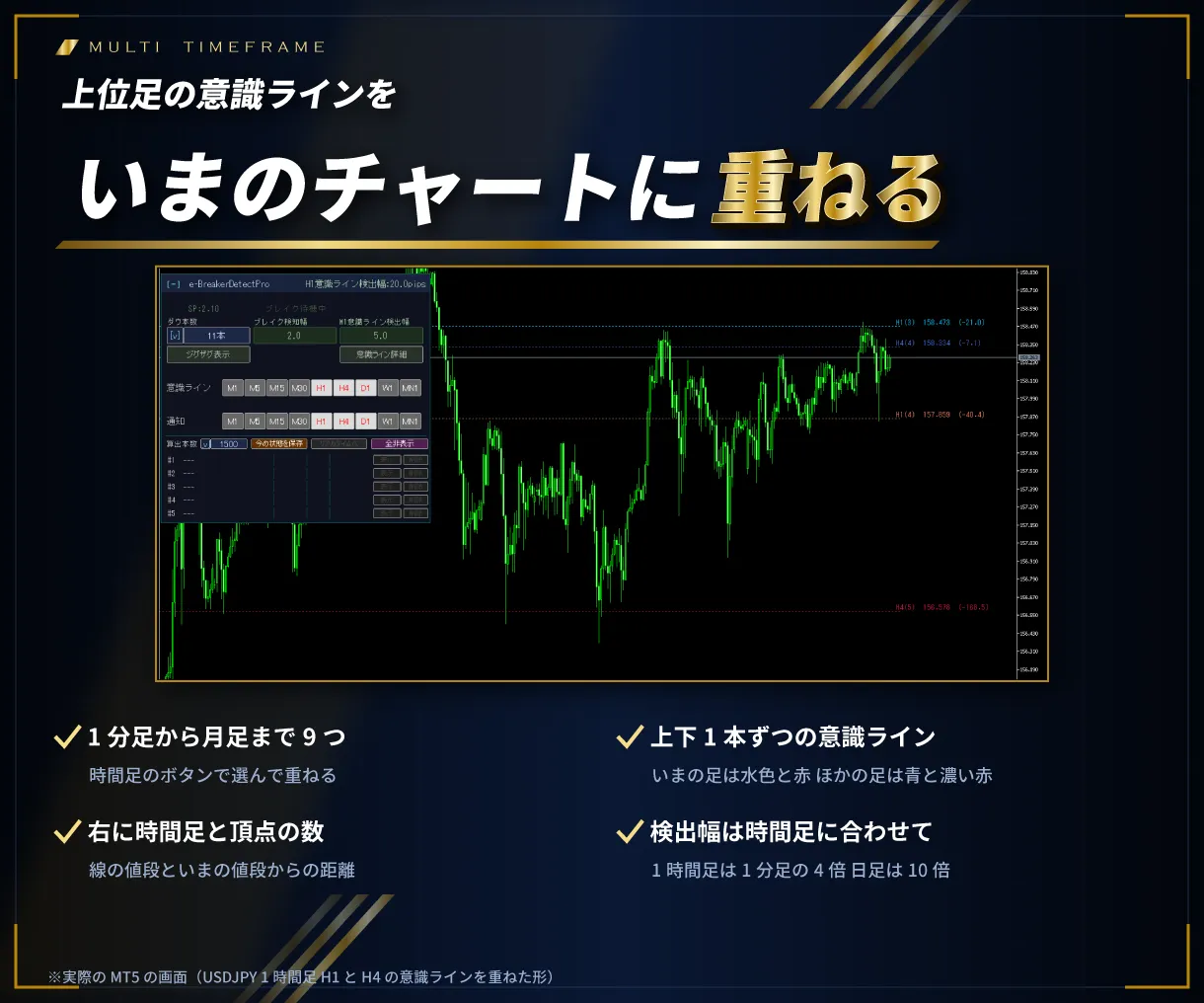
- 9つの時間足に対応(マルチタイムフレーム):1分足〜月足の意識ラインを、ボタンで選んでいまのチャートに重ねます
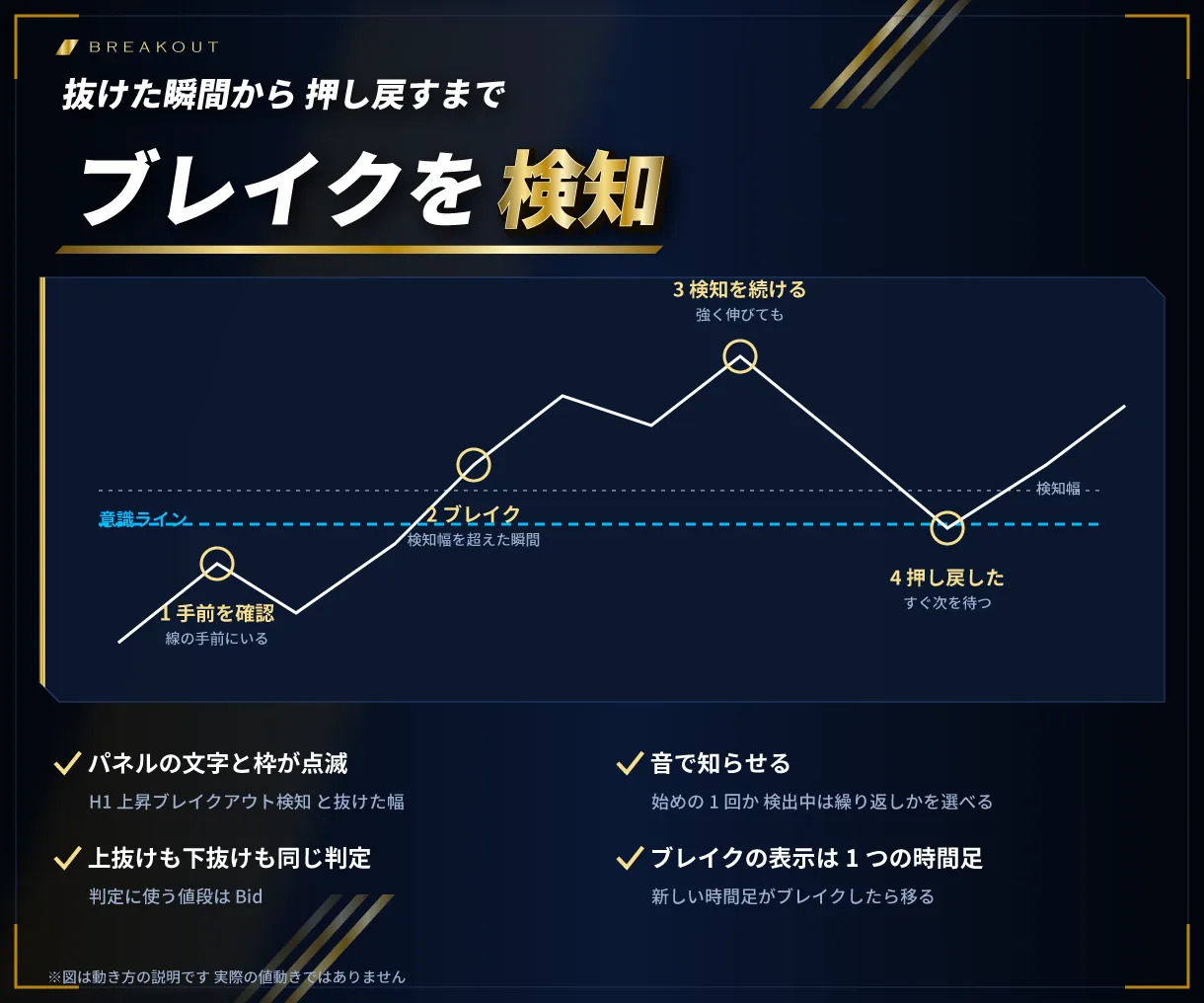
- ブレイクアウトの検知:意識ラインを検知幅以上抜けた瞬間、パネルの点滅と音で知らせます
- 押し戻しまで検知を継続:強く伸びても検知を続け、押し戻したらすぐ次のブレイクを待ちます
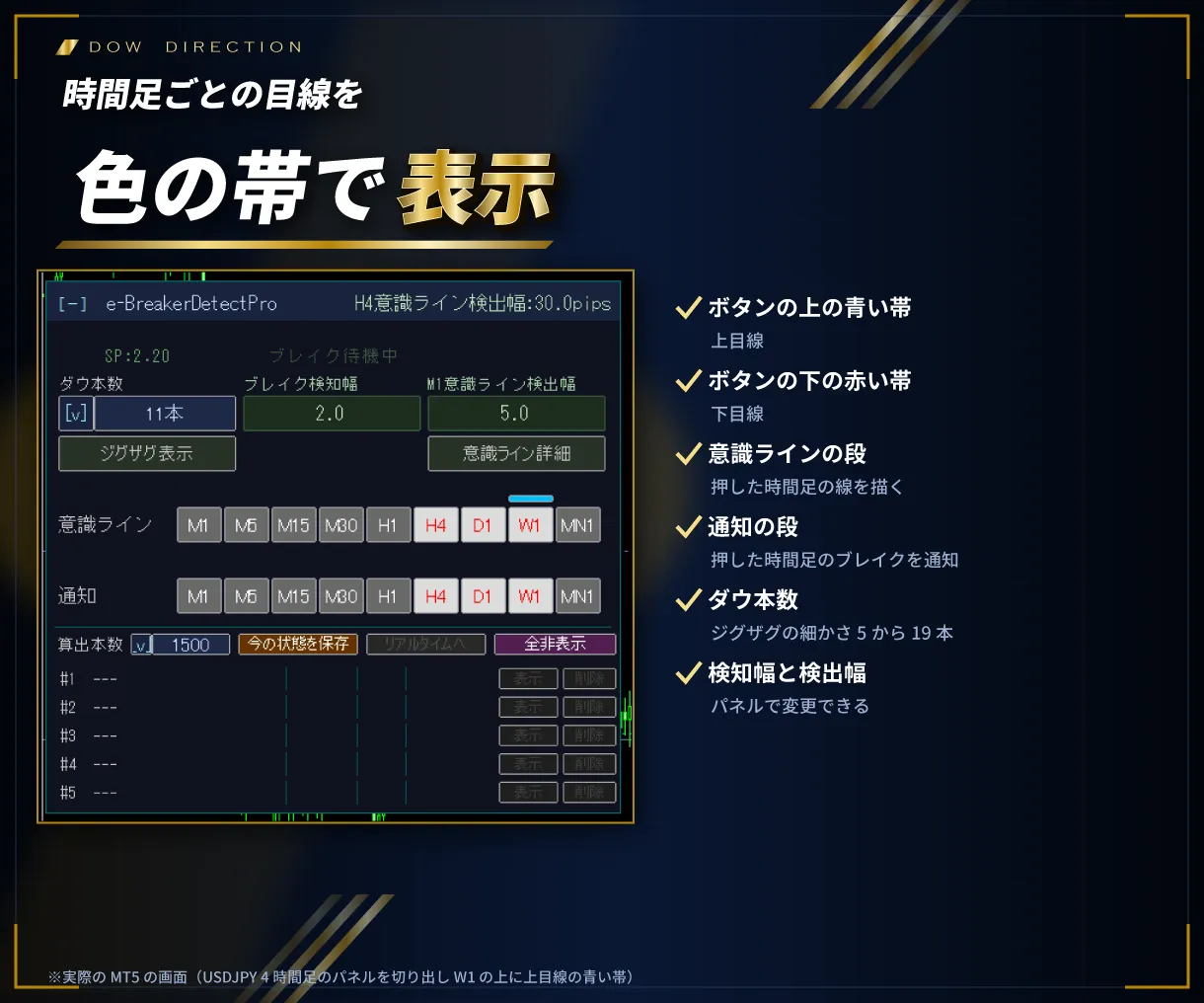
- ダウ目線を時間足ごとに表示:上目線は青、下目線は赤の帯で、時間足のボタンの上下に表示します
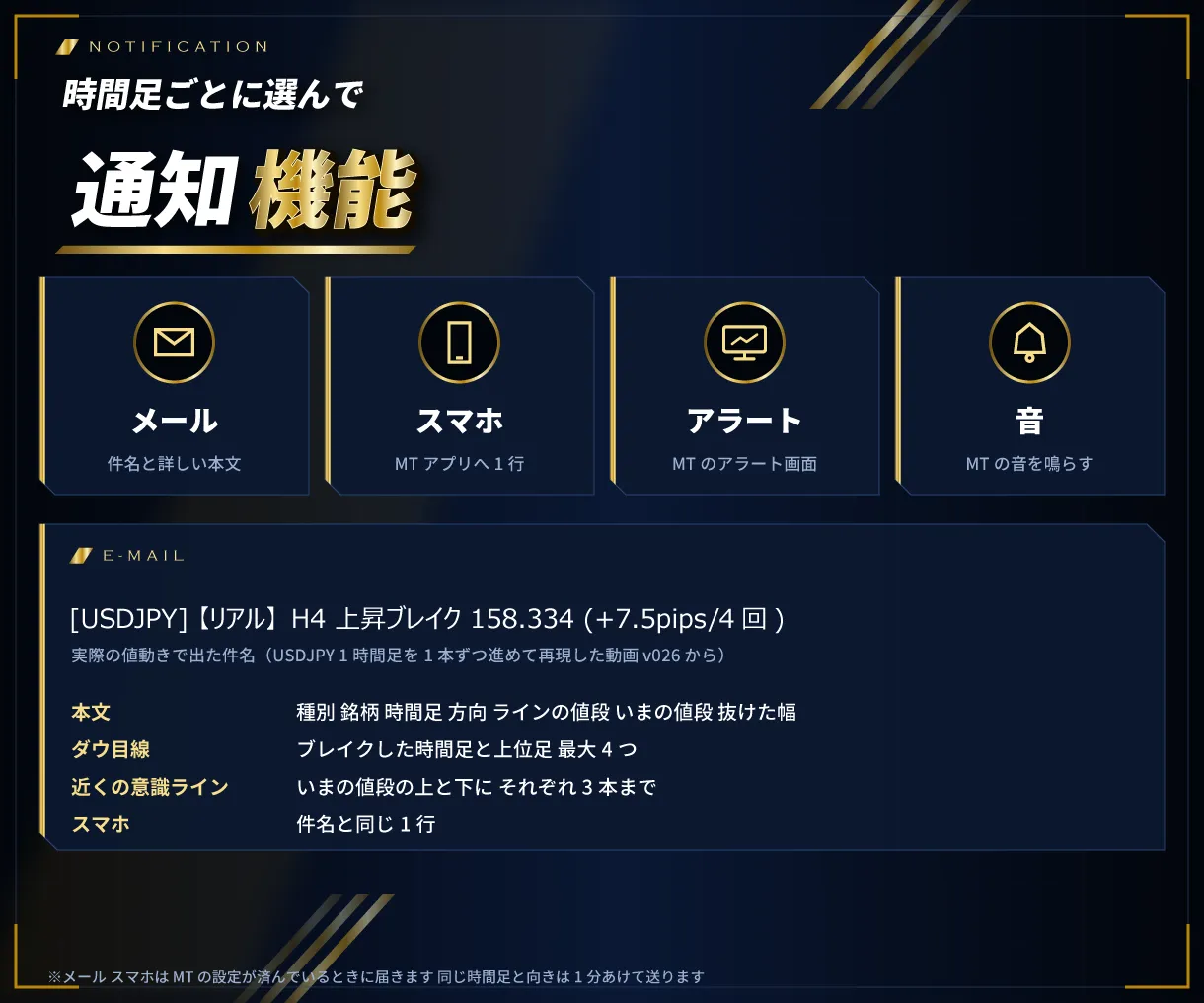
- 通知機能:時間足ごとに選んで、メール・スマホ・アラート・音へ通知します
- 通知に判断の材料を記載:メールにダウ目線と、近くの意識ライン(上下3本まで)を載せます
- スナップショット:いまの意識ラインとダウ目線を5つまで保存し、あとから表示できます。MT を再起動しても残ります
- 検出の調整:ジグザグの本数・意識ラインの検出幅・ブレイクの検知幅をパネルで変更できます
- 動かせるパネル:見出しをつかんで移動、クリックで畳めます。画面の拡大表示(125%・150%)にも対応しています
意識ラインの見つけ方
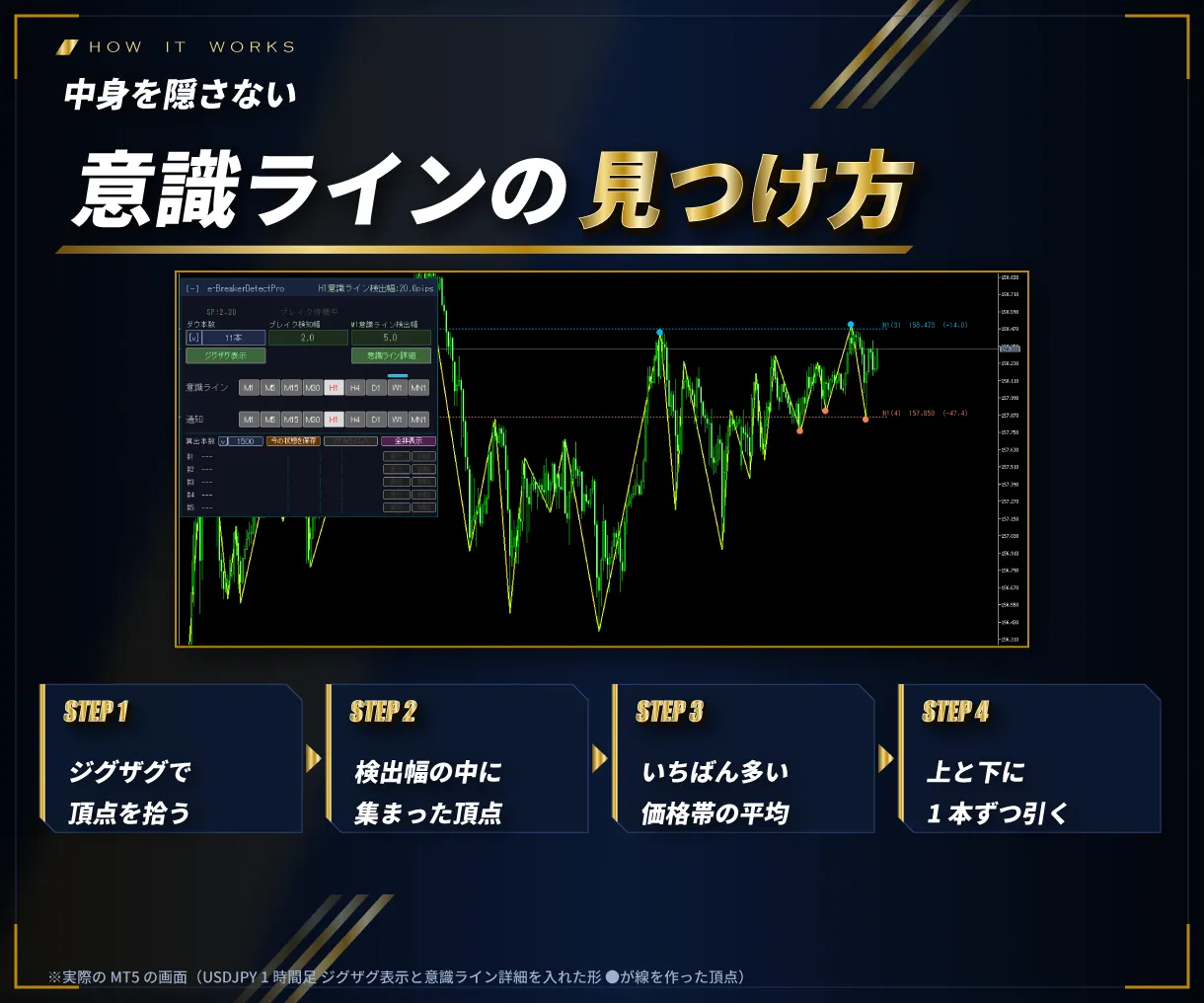
ジグザグで高値・安値の頂点を拾い、頂点どうしを突き合わせて、検出幅の中に集まった頂点の数がいちばん多い価格帯を探します。その価格帯の平均を意識ラインとして、上と下に1本ずつ引きます。検出幅は時間足が大きいほど広くなります(1分足を基準に、1時間足で4倍、日足で10倍)。意識ラインは確定した値動きから作ります。
作者について
専用インジケーター、カスタマイズ EA を制作している FX.Hamrat が制作しています。
お届けするもの
- MT4版 本体
- MT5版 本体
- 取扱説明書 PDF(MT4版・MT5版)
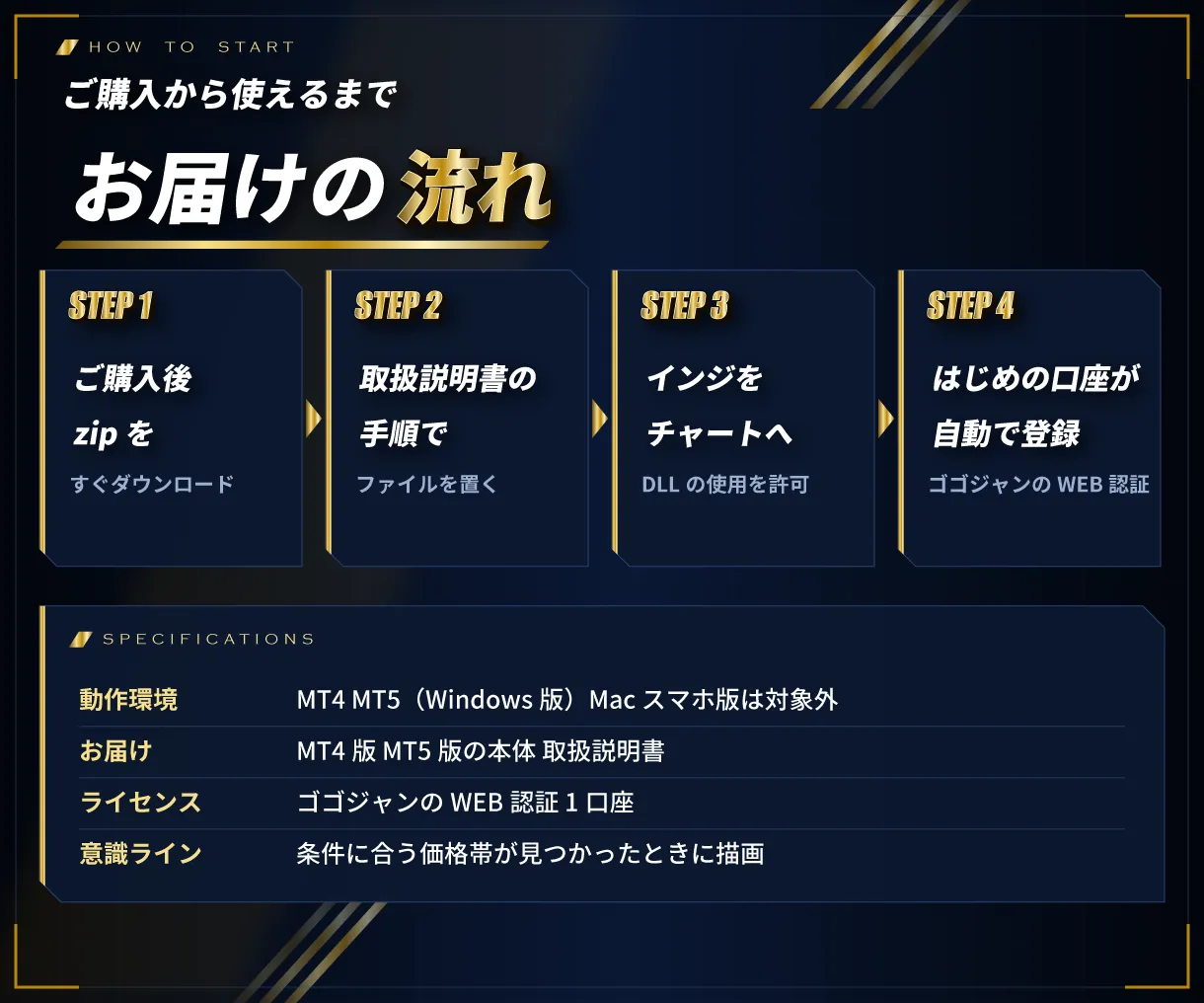
ご購入から使えるまで
- ゴゴジャンでご購入のあと、マイページから zip をダウンロード
- zip の中の「MT4版」か「MT5版」のフォルダから、本体を取扱説明書の手順で置く
- 本体をチャートに入れ、「DLL の使用を許可する」にチェック。お使いの口座が自動で登録され、表示が始まります
動作環境・ご利用の条件
- MT4・MT5(Windows 版)で動きます。1つの zip に両方入っています。Mac 版・スマホ版では動きません
- 意識ラインは、条件に合う価格帯が見つかったときに描かれます
- ゴゴジャンの WEB 認証で動きます。使えるのは登録した口座1つです(リアル・デモどちらでも)。口座の変更はマイページからできます
- 認証のため「DLL の使用を許可する」のチェックと、インターネットにつながった環境が必要です
- 投資家パスワード(読み取り専用)でログインした口座では動きません
- ファイル名(末尾の英数字を含む)は変えないでください
バージョン情報
最新バージョン:Ver 4.00(2026年10月8日)
- ゴゴジャンでの販売を開始(MT4版・MT5版の両方入り)
注意事項・免責事項
- 本商品は意識ラインとブレイクアウトを表示するインジケーターです。投資の助言・勧誘を目的としたものではなく、利益を保証するものではありません
- 実際の取引はご自身の判断と責任で行ってください。本商品を使って生じた損失・損害について、販売者は責任を負いかねます
- 商品の性質上、ご購入後の返品・キャンセルはお受けできません
- 複製・改変・第三者への譲渡や販売・解析は禁止します
サポート
ご不明な点は、マイページの「出品者に質問する」からお問い合わせください。更新があったときは、無料でお使いいただけます。
3 days
No feature limitations! Try everything.
※After the period ends, it will automatically stop working.
Provider/Distributor:
Sales site:
GogoJungle
Product outline
Community(0)
Best Seller Ranking
For those using GogoJungle for the first time Easy 3 steps to use the product!
At GogoJungle, we provide services to enrich your investment life for our members. In addition, product purchases are limited to members. Why not register as a member now and make use of GogoJungle!
01
Enter user information and register as a member
02
Follow the instructions to make a purchase
03
Download from My Page
