
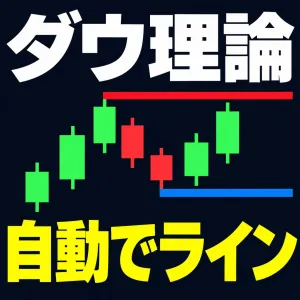


そのトレンド、まだ続いていますか?
ラインの色を見るだけで、わかります。
「高値を切り上げているか、安値を切り上げているか」
ダウ理論の考え方はシンプルです。ところが実際のチャートでは、どこが高値でどこが安値なのかを目で追って、頭の中で比べ続けることになります。通貨ペアや時間足を切り替えるたびに、また最初からやり直しです。
SEI_Dow_Line は、その作業をまるごと引き受けます。
チャートに入れるだけで高値・安値を自動で見つけてラインを引き、ダウ理論が成立しているかどうかを色で知らせます。
MT4版は累計2,400ダウンロード超(2026年10月時点)。ご要望にお応えして、MT5版ができました。
■ 見るのは、色だけ
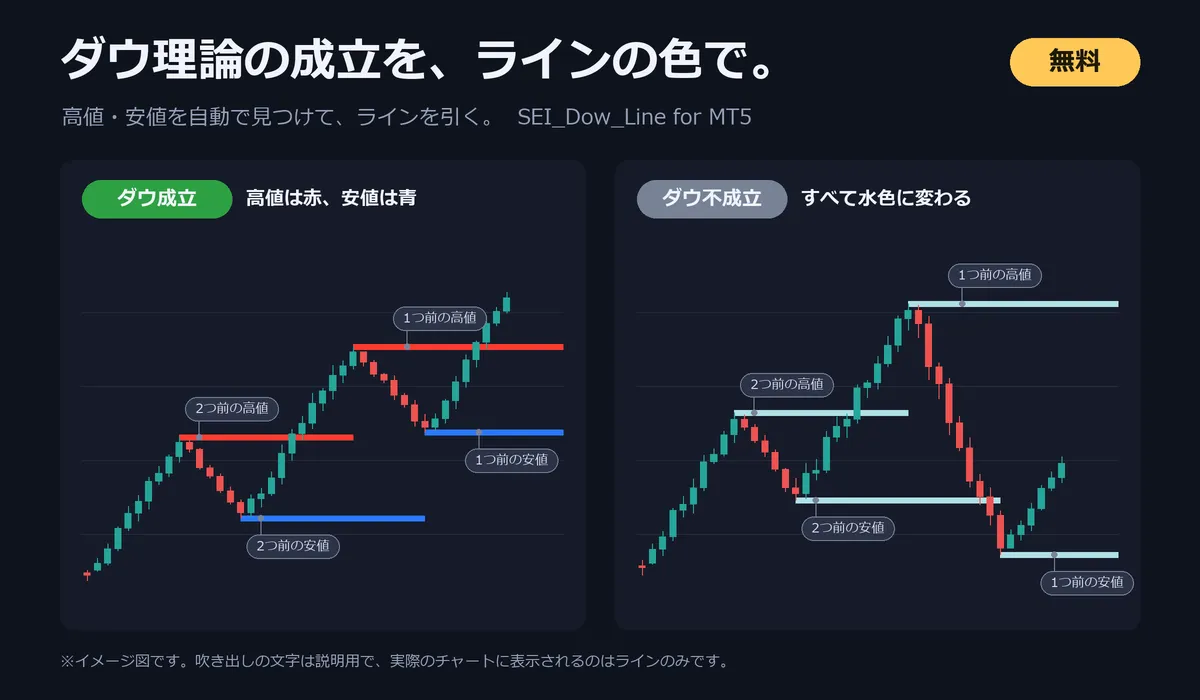
━━ 赤 と ━━ 青 のライン → ダウ理論が成立しています(トレンド継続中)
━━ 水色 のライン → ダウ理論が成立していません(トレンドが崩れた、またはまだ出ていない)
ラインは、直近の高値・安値と、その1つ前の高値・安値の合計4本です。チャートを開いた瞬間に、いまの状況がつかめます。
■ 3つのポイント
1. 入れるだけで使える
チャートに入れた時点でラインが引かれます。むずかしい設定は必要ありません。
2. 高値・安値を探す手間がなくなる
高値・安値はインジケーターが自動で見つけます。自分で水平線を引き直す必要はありません。
3. 時間足を変えても、すぐに引き直す
時間足や通貨ペアを切り替えると、そのチャートの高値・安値でラインを引き直します。上位足から下位足まで、同じ基準で順番に確認できます。
■ こんな方におすすめ
✔ ダウ理論を勉強したが、実際のチャートでは高値・安値の判断に迷う
✔ トレンドが続いているのか崩れたのかを、ひと目で知りたい
✔ 複数の通貨ペア・時間足を、短い時間でチェックしたい
✔ MT4版「SEI_Dow_Line」を使っていて、MT5でも同じものを使いたい
■ ダウ理論の判定方法
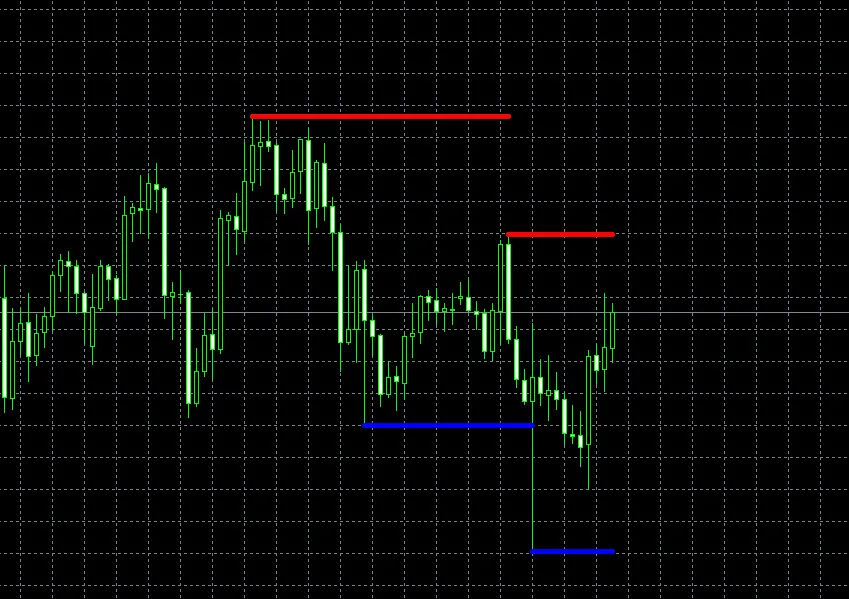
高値・安値の取得にはZigZagを使用しています。直近の高値・安値を2つずつ(合計4つ)取得し、次のどちらかに当てはまるときを「ダウ成立」としています。
上昇のダウ成立
・2つ前の高値 < 1つ前の高値(高値の切り上げ)
・2つ前の安値 < 1つ前の安値(安値の切り上げ)
・1本前の足の終値が、1つ前の安値より上にある
下降のダウ成立
・2つ前の高値 > 1つ前の高値(高値の切り下げ)
・2つ前の安値 > 1つ前の安値(安値の切り下げ)
・1本前の足の終値が、1つ前の高値より下にある
※形成中の最新の山・谷は使わず、その手前の山・谷から判定します。
※取得しているのは直近の高値・安値です。押し安値・戻り高値ではありません。
※ZigZagの設定で小さい山谷が出来ないようにすると、押し安値・戻り高値に近い状態になります。
■ 設定項目
・高値ライン・・・ダウ成立時の高値ラインのカラー(初期値:赤)
・安値ライン・・・ダウ成立時の安値ラインのカラー(初期値:青)
・ダウ不成立時・・・ダウ不成立時のラインのカラー(初期値:水色)
・ライン幅・・・ラインの太さ(初期値:5)
・ZigZagの設定・・・Depth(初期値:12)、Deviation(初期値:5)、Backstep(初期値:3)
チャートの背景色に合わせて、見やすい色と太さに変更できます。
■ 導入方法(3分で完了)
STEP 1 ダウンロードしたzipファイルを解凍します
STEP 2 MT5のメニューから「ファイル」→「データフォルダを開く」を選びます
STEP 3 「MQL5」→「Indicators」フォルダに「SEI_Dow_Line.ex5」を入れます
STEP 4 MT5を再起動します
STEP 5 ナビゲーターの「指標」から「SEI_Dow_Line」をチャートにドラッグします
■ よくあるご質問
Q. ラインの位置は、あとから変わりますか?
A. 高値・安値の取得にZigZagを使っているため、相場の動きに応じてラインが引き直されることがあります。新しい高値・安値ができると、ラインもそれに合わせて移動します。
Q. 売買サインやアラートは出ますか?
A. 出ません。ダウ理論の成立状況をラインの色で表示するインジケーターです。エントリーの判断は、ご自身の手法と合わせて行ってください。
Q. MT4でも使えますか?
A. この商品はMT5専用です。MT4をお使いの方は、下記のMT4版をご利用ください。
Q. インジケーターを外すと、ラインはどうなりますか?
A. ラインも一緒に消えます。チャートに残りません。
■ その他インジケータご紹介(MT4用)
・MTFでパーフェクトオーダー状況を一目で判断!チャート切り替えも自由自在!!
https://www.gogojungle.co.jp/tools/indicators/29392
・SEI_Entry:一度使ったら手放せなくなる全9機能
https://www.gogojungle.co.jp/tools/indicators/26687
・SEI_PrintTime:FXチャートを定期的に自動で画像保存するインジケーター
https://www.gogojungle.co.jp/tools/indicators/26659
・SEI_RemainingTime:残り時間を1秒毎にカウントダウン表示!残り〇秒で色と大きさが変わるインジケーター
https://www.gogojungle.co.jp/tools/indicators/26750
・SEI_ChangeSymbol:チャートの通貨をボタンで自在に切り替え!ボタンの数、ボタンの配置も自由自在!
https://www.gogojungle.co.jp/tools/indicators/26780
■ 注意事項
・MT5専用です。MT4では動作しません
・完璧なダウ理論を保証する物ではありません
・Gold、先物、ビットコインなど特殊な物は補償致しかねます
・本インジケーターを使用して発生したいかなる損失についても、当方は責任を負いません。ご自身の判断でご利用ください
・再配布、販売、リコンパイルは禁止です
For those using GogoJungle for the first time Easy 3 steps to use the product!
At GogoJungle, we provide services to enrich your investment life for our members. In addition, product purchases are limited to members. Why not register as a member now and make use of GogoJungle!
