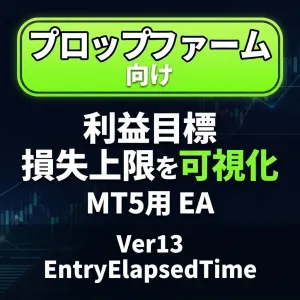


【MT5】資金管理・プロップファーム口座の利益目標・最大損失を見える化、ポジション決済もできるツール

Product outline
Community(0)
【MT5】資金管理・プロップファーム口座の利益目標・最大損失を見える化、ポジション決済もできるツール Indicators/E-books
【MT5】資金管理・プロップファーム口座の利益目標・最大損失を見える化、ポジション決済もできるツール
プロップファームの利益目標・損失上限をチャート上で可視化。目標までの進捗と、守るべきリスクを一目で確認。ポジション一括決済も可能。
Sales Result 0 items
Reviews 0.0 (0)
Category:
How to provide:
Indicator
Sales from:
09/18/2026
Last Updated:
09/18/2026
Version:
1.3
Available company:
Seller kazuki.*
Seller's last login time: 9/21/2026 12:50:05
Read more seller information
¥1,000 (taxed)
Provider/Distributor:
Sales site:
GogoJungle

Payment

Mastercard Visa JCB Bank FamilyMart D2 D1

商品説明文

ポジションの経過時間や損益をチャート上に表示するMT5用EA

EntryElapsedTime Ver13は、MT5のチャート上にポジション情報や損益状況を表示するEAです。

ポジションごとの売買方向、ロット数、保有経過時間、損益額を一覧で確認できるほか、各ポジションの個別決済や、全ポジションの一括決済にも対応しています。

今回のバージョンでは、表示項目を設定画面から1つずつON/OFFできるようになりました。

不要な情報を非表示にすることで、自分の取引スタイルに合わせたシンプルな表示に変更できます。


主な機能

チャート上に以下の情報を表示できます。

  • ポジションの一覧
  • BUY/SELL表示
  • ロット数
  • ポジションの経過時間
  • ポジションごとの損益額
  • 各ポジションの「×」決済ボタン
  • ポジション合計
  • 一括決済ボタン
  • ポジションがない場合の「ポジションなし」表示
  • 本日の損益状況
  • 全体の損益状況
  • 利益目標
  • 残高
  • 有効証拠金

表示項目を個別にON/OFF可能

設定画面の「表示項目(ON/OFF)」から、各項目を個別に表示・非表示へ変更できます。

すべての項目は初期状態で表示されます。

ON/OFFできる項目

  • ポジションの一覧
    • BUY/SELL
    • ロット数
    • 経過時間
    • ポジションごとの損益額
    • 「×」決済ボタン
  • 合計
    • 一括決済ボタン
  • ポジションなし
  • 本日
  • 全体
  • 目標
  • 残高
  • 有効証拠金

項目をOFFにすると、非表示にした行の分だけ表示が詰められます。

区切り線も、上に表示項目がある場合のみ表示される仕様です。


決済ボタンについて

各ポジション行に表示される「×」ボタンを使って、ポジションごとの個別決済ができます。

また、「合計」を表示している場合は、合計行に「一括決済」ボタンが表示されます。

注意点

  • 「合計」をOFFにすると、「一括決済」ボタンも表示されません。
  • 「×」ボタンと「一括決済」ボタンの両方をOFFにすると、決済ボタン用の欄がなくなります。
  • 決済ボタン欄がなくなることで、チャート上の表示幅も狭くなります。

損失上限の表示について

「1日の最大損失」または「全体の最大損失」を設定している場合、現在の損益状況を確認できます。

最大損失を「0」に設定した場合は、これまでのように行が消えるのではなく、「上限なし」として扱われます。

  • 最大損失を0にする
    → 行は表示されたまま、警告色は付きません。
  • 行自体を非表示にする
    → 設定画面で「本日」または「全体」をOFFにしてください。

なお、「利益目標」を0にした場合は、これまでどおり目標の行は表示されません。


リセット機能

本日の損益をリセットする設定が用意されています。

設定画面の「口座ルール」内にあるリセット設定から、本日の集計をリセットできます。

また、日本時間を基準に、本日の損益を自動リセットする時刻も設定可能です。

手動リセットの使用方法

  1. チャート上で右クリックします。
  2. 「エキスパートアドバイザ」から「プロパティ」を開きます。
  3. リセット設定を有効にします。
  4. 「OK」を押して設定を反映します。
  5. 本日の損益が0%・0円から再計算されます。

リセットに関する注意

  • リセットが実行されるのは、すでにチャートへ設定されているEAのプロパティを変更してOKを押した場合です。
  • EAを新しくチャートへ設定する際、最初からリセット設定を有効にしても、リセットされません。
  • 同じ設定が有効なまま、別の設定を変更してOKを押した場合もリセットされます。
  • 手動リセット後は、必要に応じて設定を無効に戻してください。

口座ルールの確認用にも利用可能

本日の損益、全体の損益、利益目標、最大損失などをチャート上で確認できるため、口座ルールや資金管理の状況を確認する用途にも利用できます。

ポジションの保有時間と損益を同時に確認できるため、短期売買や複数ポジションを管理する際にも便利です。


ファイル構成

  • EntryElapsedTime_v13_EA.mq5
  • EntryElapsedTime_v13_EA.ex5

コンパイル確認済みです。

  • エラー:0
  • 警告:0

導入方法

  1. ダウンロードしたファイルをMT5のデータフォルダ内にある以下のフォルダへコピーします。
MQL5\Experts
  1. MT5を再起動するか、ナビゲーター上でエキスパートアドバイザを更新します。
  2. EntryElapsedTime_v13_EAをチャートへセットします。
  3. 必要に応じて設定画面から表示項目を変更します。

すでに旧バージョンのEAをチャートへ設定している場合は、.ex5ファイルを上書きしたあと、EAをいったんチャートから外して再度セットしてください。


注意事項

  • 本EAはポジション情報や損益状況をチャート上に表示・管理するためのツールです。
  • 自動売買を行うEAではありません。
  • 決済ボタンを使用する場合は、操作内容を十分に確認してください。
  • 証券会社や口座タイプ、取引環境によって表示や決済動作が異なる場合があります。
  • 実際のチャート環境、すべての証券会社・口座タイプでの動作を保証するものではありません。
  • ご利用前にデモ口座などで動作をご確認ください。
  • MT5やMQL5の仕様変更などにより、将来的に動作が変わる可能性があります。
¥1,000 (taxed)
Provider/Distributor:
Sales site:
GogoJungle

Payment

Mastercard Visa JCB Bank FamilyMart D2 D1
Product outline
Community(0)
Best Seller Ranking
Recommended Products (Campaigns)

For those using GogoJungle for the first time Easy 3 steps to use the product!

At GogoJungle, we provide services to enrich your investment life for our members. In addition, product purchases are limited to members. Why not register as a member now and make use of GogoJungle!

01
Enter user information and register as a member
02
Follow the instructions to make a purchase
03
Download from My Page
■ Important Matters and Risk Warnings Regarding Investment Products 【Financial Instruments Business Operator】
GogoJungle Inc.
Registration: Director-General of the Kanto Local Finance Bureau (Financial Instruments Business) No. 1960
【Member Association】
Investment Trusts Association, Japan
【Fees and Expenses】
The use of software, e-books, investment advisory services, etc., provided on our platform involves purchase prices determined for each product.
Additionally, when conducting actual financial instrument transactions (such as FX or CFD trading), costs such as transaction fees and spreads (the difference between the sell and buy price) may be incurred through the connected brokerage firms.
【Margin and Risk of Loss】
Transactions such as FX (Foreign Exchange Margin Trading) and CFD (Contract for Difference) allow for trading in amounts exceeding the deposited margin.
Therefore, due to sudden fluctuations in target indices (currency, commodity prices, etc.), there is a risk of incurring losses that exceed the deposited margin (loss exceeding principal).
Furthermore, financial instrument transactions involve risks such as price fluctuations, which may result in losses falling below or exceeding the initial investment principal.
【Nature of Services and Trading Entity】
The Company operates a platform (marketplace) providing investment software and information; we do not engage in the buying, selling, mediation, brokerage, or agency of financial instruments on behalf of customers.
The services and information provided are intended as reference for investment decisions and do not guarantee future profits or specific results.
While some services include investment advice, they do not constitute a mandate or solicitation to trade specific financial instruments.
Final investment decisions and the execution of trades must be made at the customer’s own risk and discretion.
