
Product outline
Community(0)
TraderCanvas for MT4 Indicators/E-books
TraderCanvas for MT4
図形・テキスト・ラインを自由に描画できるシンプルなチャート分析用インジケーター!
Sales Result 0 items
Reviews ★ 0.0 (0)
How to provide:
Indicator
Sales from:
08/31/2026
Last Updated:
-
Version:
-
Web Authentication:
Enable
Available company:

Follow 0 ❘ Followers 0
Seller marcy
Seller's last login time: 11/1/2026 11:22:30
Read more seller information
DRAWING TOOL FOR MT5 / MT4
Trader
Canvas
思いついた分析を、
その場でチャートに。

「Trader Canvas」は、MetaTrader 4のチャートに、思いついた分析をその場で描き込める描画ツールです。縦一列のアイコンパネルから、ライン・図形・文字、そしてなめらかな手描きまでワンクリック。

DLL不使用EAと同時に使えるインジケーター型40色パレット
Trader Canvasの画面
PANEL
必要な道具だけを、縦一列に。

チャート左上に並ぶ14個のアイコンがすべてです。ツールを選ぶと、その右に太さや色のサブメニューが開きます。

SHOW表示・選択
目
クリックでパネルを隠す/表示。ドラッグでパネルごと好きな位置へ移動できます。
カーソル
選んでいるツールを解除して、ふだんのチャート操作に戻ります。
DRAW描く
矢印MT5
ドラッグで矢印付きの線を引きます。
水平線
クリックした価格に水平線。
垂直線
クリックした時間に垂直線。
トレンドライン
ドラッグで直線。Ctrl+クリックで点をつないで連続描画。
四角形
ドラッグでゾーンを塗りつぶしで囲みます。
楕円
平たい楕円を描いてから、ハンドルで形を整えます(MT4標準の仕様)。
お絵かきペン
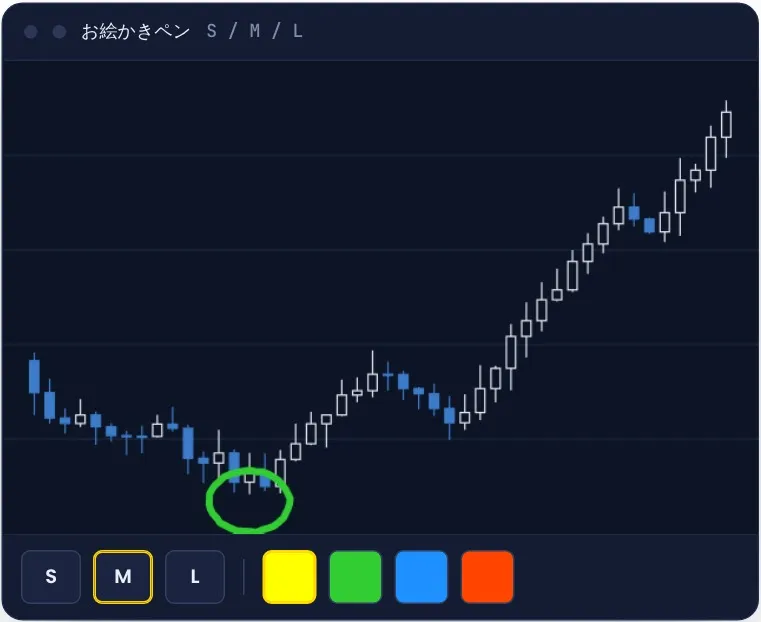
フリーハンドでなめらかに手描き。太さはS・M・Lの3段階。
STYLE色・文字
色
図形とペンの色を40色から選びます。ボタン自体が今の色になります。
テキスト
文字の色とサイズ(8〜20)を選んでクリックした場所に配置。日本語はダブルクリックで開くプロパティから入力します。
FIX直す・消す
消しゴム
クリックした図形を1つだけ消します。
元に戻す(Undo)
直前の操作を取り消し。全消去やペンの1ストロークも1回で戻ります。
やり直す(Redo)
Undoで戻した操作をもう一度。
全消去
このツールで描いたものをすべて消去。消しすぎてもUndo1回で元通りです。
選んでいるツールは黄色の枠
それ以外は黒の枠
ひと目で「いま何を描こうとしているか」がわかります。
FREEHAND PEN
手描きの線が、
カクつかない。

チャート全体に透明なキャンバスを重ね、ピクセル単位で描いています。線の継ぎ目が出ないので、丸で囲む・矢印を描き足す・メモ書きするといった手描きがそのまま残ります。

描いた線は「時間と価格」で記録されるので、スクロールやズーム、時間足の切り替えをしても、その場所についてきます。

太さ
S(3px)/M(6px)/L(10px)
色
「色」ボタンで選んだ40色から
取り消し
Undo 1回で1ストロークずつ
保存
通貨ペアごとに保存。時間足を変えても消えません

ペンの線は消しゴムの対象外です(Undo・全消去で消します)。出来高などのサブウィンドウには描けません。
お絵かきペン
SHORTCUTS
キーをひとつ足すだけで、描き方が変わる。
Ctrl+ クリック
Ctrl+クリック

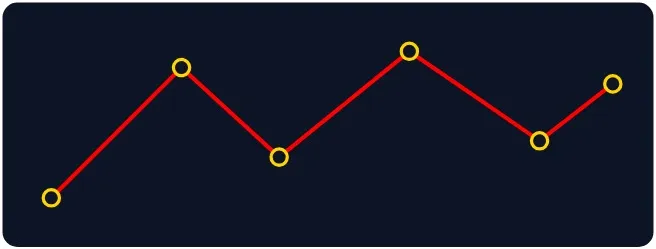
連続描画。トレンドラインを1本引いたあと、Ctrlを押しながらクリックすると、前の終点から次々に線がつながります。高値・安値をなぞる波の分析が一気に描けます。
Shift+ ドラッグ
Shift+ドラッグ

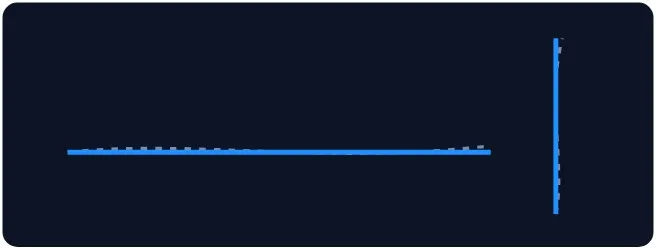
水平・垂直にまっすぐ。トレンドラインをShiftを押しながらドラッグすると、動かした向きに合わせて水平または垂直に固定されます。

COLORS & SIZES
40色と、5段階の太さ。

グレー・赤・緑・青紫の系統に、右端には淡いパステルカラー。目立たせたい線と、控えめに置きたいゾーンを色の濃さで使い分けられます。

10列 × 4行パネルの「色」と「T」から
線の太さ
12345
四角形・楕円

塗りつぶしで描画します。

お絵かきペン
SML
文字サイズ
810121620
STAYS OUT OF THE WAY
描くとき以外は、じゃまをしない。
PANEL
隠せる・動かせる
「目」をクリックすればアイコンが消え、チャートだけの画面に。ドラッグすればパネルを好きな位置に移動できます。
SCROLL
描いている間、チャートが動かない
描画ツールを選んでいる間はチャートのドラッグスクロールを止めます。チャートを動かしたいときは「カーソル」で解除。
LAYER
図形がパネルを隠さない
描いた図形は「背景として表示」で配置。大きな四角形を描いても、アイコンの上に重なりません。
DLL
DLLを使っていません
外部プログラムを呼び出さないので、「DLLの使用を許可する」にチェックを入れる必要はありません。
EA
EAと同時に使える
インジケーターとして動くため、EAの枠を使いません。稼働中のEAのチャートにもそのまま追加できます。
OBJECTS
ほかのラインには触れない
全消去や消しゴムの対象は、Trader Canvasで描いたものだけ。手で引いたMT標準のラインや他のインジケーターの表示は消えません。
簡単な修正

描いた図形は「消しゴム」で1つずつ、「全消去」でまとめて消去。消しすぎても「元に戻す(Undo)」1回で元通りです。

SCREENS
実際の画面
〈様々な図形描写〉
実際の画面
MT5 / MT4
MT5版とMT4版のちがい

基本の操作は同じです。MT4にない描画オブジェクトや仕様の差だけが異なります。

機能MT5版MT4版
水平線・垂直線・トレンドライン・テキスト〇〇
矢印〇なし(MT4に矢印付きラインがないため)
四角形・楕円塗りつぶし/枠線を切替塗りつぶし
楕円の描き方ドラッグした範囲に楕円平たい楕円を描いてから、ハンドルで形を整える(MT4標準の仕様)
お絵かきペン〇〇
Ctrl+クリック連続描画トレンドライン・矢印トレンドライン
Shift+ドラッグで水平・垂直トレンドライン・矢印トレンドライン
チャート間の同期〇なし
40色・Undo/Redo・全消去・パネル移動〇〇
“シンプルさ”と“使いやすさ”を追求したTrader Canvasで、
あなただけのチャートを描いてみてください!
同梱物

・TraderCanvas_MT4(MT4版インジケーター)
・PDF取扱説明書

動作環境

・Windows版 MetaTrader 4
・DLLの使用許可は不要です

※本ツールは分析を補助する描画ツールであり、売買シグナルの発信や自動売買は行いません。

marcy's factory ― Build tools for traders.
¥1,000 (taxed)
Provider/Distributor:
Sales site:
GogoJungle

●Payment

Mastercard Visa JCB Bank FamilyMart D2 D1
Product outline
Community(0)
Best Seller Ranking

For those using GogoJungle for the first time Easy 3 steps to use the product!

At GogoJungle, we provide services to enrich your investment life for our members. In addition, product purchases are limited to members. Why not register as a member now and make use of GogoJungle!

01
Enter user information and register as a member
02
Follow the instructions to make a purchase
03
Download from My Page
■ Important Matters and Risk Warnings Regarding Investment Products 【Financial Instruments Business Operator】
GogoJungle Inc.
Registration: Director-General of the Kanto Local Finance Bureau (Financial Instruments Business) No. 1960
【Member Association】
Investment Trusts Association, Japan
【Fees and Expenses】
The use of software, e-books, investment advisory services, etc., provided on our platform involves purchase prices determined for each product.
Additionally, when conducting actual financial instrument transactions (such as FX or CFD trading), costs such as transaction fees and spreads (the difference between the sell and buy price) may be incurred through the connected brokerage firms.
【Margin and Risk of Loss】
Transactions such as FX (Foreign Exchange Margin Trading) and CFD (Contract for Difference) allow for trading in amounts exceeding the deposited margin.
Therefore, due to sudden fluctuations in target indices (currency, commodity prices, etc.), there is a risk of incurring losses that exceed the deposited margin (loss exceeding principal).
Furthermore, financial instrument transactions involve risks such as price fluctuations, which may result in losses falling below or exceeding the initial investment principal.
【Nature of Services and Trading Entity】
The Company operates a platform (marketplace) providing investment software and information; we do not engage in the buying, selling, mediation, brokerage, or agency of financial instruments on behalf of customers.
The services and information provided are intended as reference for investment decisions and do not guarantee future profits or specific results.
While some services include investment advice, they do not constitute a mandate or solicitation to trade specific financial instruments.
Final investment decisions and the execution of trades must be made at the customer’s own risk and discretion.