
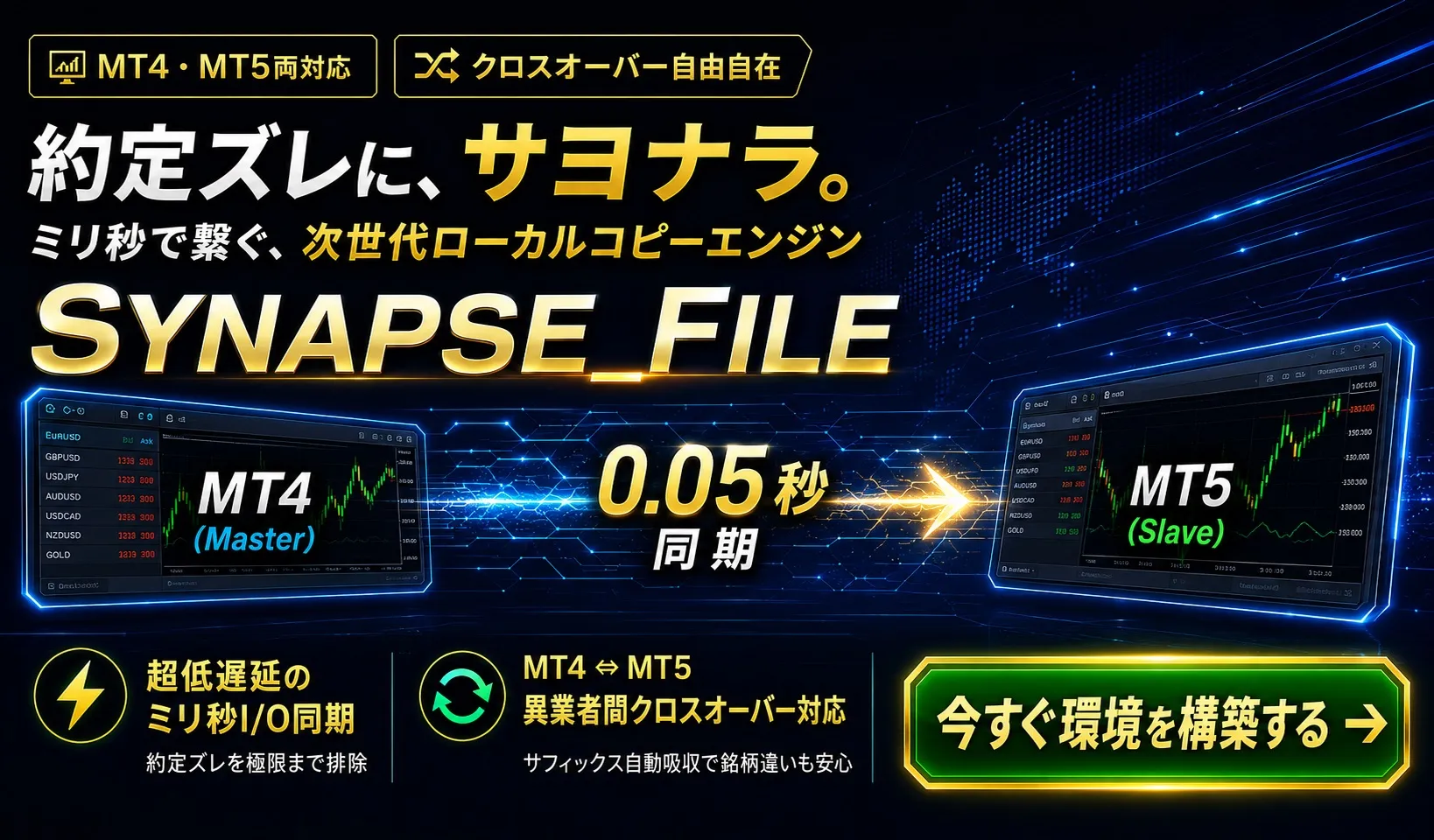
Synapse_File_MT4/MT5(Copy Trade)

Product outline
Community(0)
Synapse_File_MT4/MT5(Copy Trade) Indicators/E-books
Synapse_File_MT4/MT5(Copy Trade)
同一パソコン内 MT4/MT5の高速コピートレード
Reviews:
Category:
How to provide:
Indicator
Sales from:
07/07/2026
Last Updated:
07/08/2026
Version:
1.0
Web Authentication:
Enable
Available company:
Seller 複素数
Seller's last login time: 7/10/2026 01:55:05
Read more seller information


Synapse_File 仕様書・取扱説明書 【同一PC内・完全同期版】

1. 製品概要

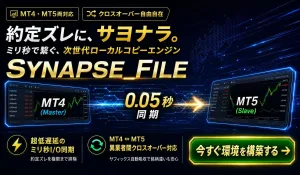
「Synapse_File」は、同一パソコン内で稼働する複数の MetaTrader 4 (MT4) および MetaTrader 5 (MT5) 間で、トレード情報をミリ秒単位で完全に同期させるためのローカルコピートレード・ソフトウェアエンジンです。

最大の特徴は、「外部DLLを一切使用しない(No-DLL)」点にあります。MT4/MT5に標準搭載されている「共通データフォルダ(FILE_COMMON)」を利用した高速ファイルI/O通信を行うため、セキュリティリスクがなく、MT4➔MT5といった異なるプラットフォーム間でもゼロ遅延に近い超高速コピーを実現します。

2. 基本仕様

  • 対応プラットフォーム: MetaTrader 4 (MQL4) / MetaTrader 5 (MQL5)

  • 通信アーキテクチャ: 共通データフォルダ(FILE_COMMON)経由のファイルI/O通信

  • 外部DLLの依存: 完全不要(MT4/MT5の「DLLの使用を許可する」チェックも不要)

  • 遅延時間(レイテンシ): 数ミリ秒〜ゼロに等しいレベル

  • 対応コピーパターン: MT4 ➔ MT4、MT5 ➔ MT5、MT4 ➔ MT5、MT5 ➔ MT4

  • シンボル自動変換: サフィックス(例: EURUSD ➔ EURUSD-pro 等)の自動検出・補正機能を標準搭載

3. GUIパネルの操作説明

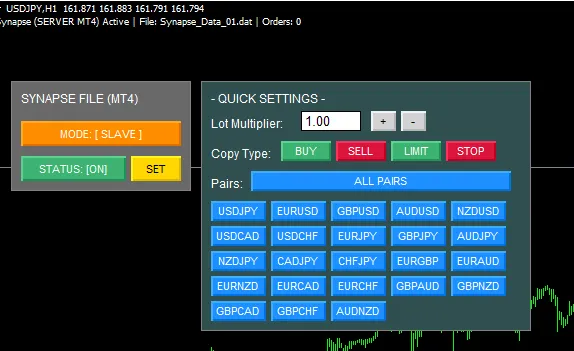
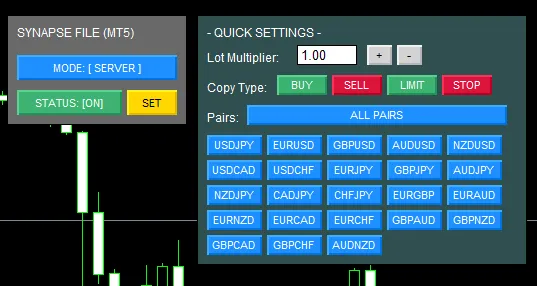
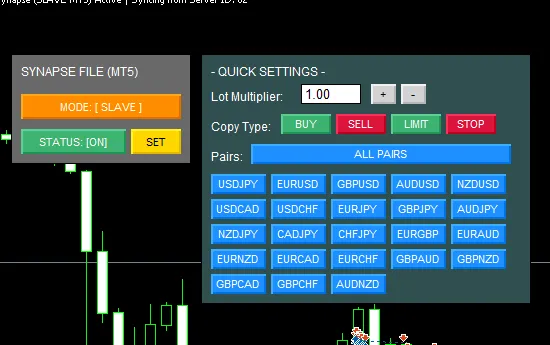
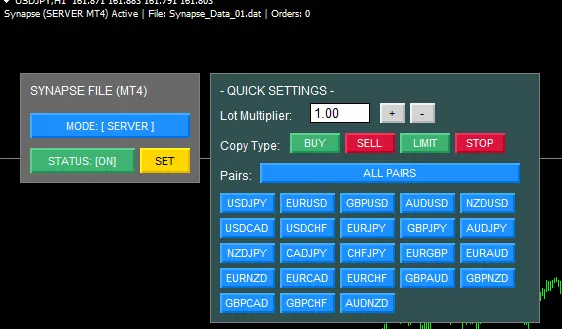
チャート画面の分析を邪魔しないよう、通常時はコンパクトに収まり、「SET」ボタンを押すことで真下に詳細設定パネルが直列展開する直感的なUIを採用しています。

  • MODE [ SERVER / SLAVE ]

  • SERVER: 親口座(発注元)として稼働し、自分のトレード情報をファイルに書き出します。

  • SLAVE: 子口座(受信側)として稼働し、親口座のトレード情報を読み取ってコピー発注します。

  • STATUS [ ON / OFF ]

  • システムの稼働・停止を切り替えます。緑色(ON)で通信が開始されます。

  • SET ボタン

  • クイック設定パネルを開閉します。

  • Lot Mult (ロット倍率)

  • SLAVEモード時、親口座のロット数に対して何倍でエントリーするかを指定します(例: 0.5なら半分のロット)。

  • 23通貨ペアグリッド (ALL / 個別ボタン)

  • コピーを許可する通貨ペアを個別にON/OFFできます。不要な通貨ペアのシグナルを遮断できます。


    このソフトは、それぞれのエキスパートフォルダーに設置してください。(MT4用、MT5用があります。) このソフトは、1台のPCを想定しております。(現時点でネットワークには対応しておりません。)    

  • ・MT4 Sever指定の画面


    ・MT4 SLAVE指定の画面


    ・MT5 Sever指定の画面


    ・MT5 SLAVE指定の画面

4. 導入・設定手順(同一PC内)

STEP 1:EAのインストール

  1. 提供された Synapse_File_MT4.mq4 (またはMT5用) を、お使いのMT4/MT5の MQL4\Experts フォルダに保存します。

  2. ナビゲーターウィンドウからEAをチャート(通貨ペア・時間足はどれでも可)にドラッグ&ドロップします。

STEP 2:親口座(マスター)の設定

  1. コピー元となるMT4/MT5のチャート上で、EAの MODE を [ SERVER ] にします。

  2. EAのパラメーター設定(F7キー)を開き、「自身のサーバーID (ServerID)」を決定します。(初期値は 01)

  3. STATUS を [ ON ] にします。

STEP 3:子口座(スレーブ)の設定

  1. コピー先となる別のMT4/MT5のチャート上で、EAの MODE を [ SLAVE ] にします。

  2. EAのパラメーター設定を開き、「コピー元ID (TargetServerIDs)」に、STEP 2で決めた親のID(例: 01)を入力します。

  3. STATUS を [ ON ] にします。

  4. 親口座でエントリーを行い、子口座に瞬時にコピーされることを確認してください。

5. 【重要】データの保存場所について(よくある質問)

Q. 親口座で「SERVER」をONにしましたが、MQL4フォルダの中の Files フォルダにデータが出力されません。壊れていますか?

A. 正常に動作しています。保存される場所が異なります。

「Synapse_File」は、他のMT4やMT5とデータを共有するため、個別のデータフォルダではなく、すべてのMT4/MT5が共通でアクセスできる「共通データフォルダ」にファイルを書き出します。

【正しいデータの確認方法】

  1. MT4/MT5の画面左上にある「ファイル(F)」メニューを開きます。

  2. いつも使う「データフォルダを開く」の2つ下にある、地球マークのついた「共通データフォルダを開く」をクリックしてください。

  3. 開いた画面の中にある Files フォルダの中に、Synapse_Data_01.dat という通信ファイルがリアルタイムで生成・更新されています。

※豆知識(ショートカット)

Windowsのキーボードで Windowsキー + R を押し、以下のパスを貼り付けてOKを押すと、一発で共通データフォルダを開くことができます。

%APPDATA%\MetaQuotes\Terminal\Common\Files

¥12,000 (taxed)
Provider/Distributor:
Sales site:
GogoJungle

Payment

Mastercard Visa JCB Bank FamilyMart D2 D1
Product outline
Community(0)
Best Seller Ranking
Recommended Products (Campaigns)

For those using GogoJungle for the first time Easy 3 steps to use the product!

At GogoJungle, we provide services to enrich your investment life for our members. In addition, product purchases are limited to members. Why not register as a member now and make use of GogoJungle!

01
Enter user information and register as a member
02
Follow the instructions to make a purchase
03
Download from My Page
■ Important Matters and Risk Warnings Regarding Investment Products 【Financial Instruments Business Operator】
GogoJungle Inc.
Registration: Director-General of the Kanto Local Finance Bureau (Financial Instruments Business) No. 1960
【Member Association】
Japan Investment Advisers Association
【Fees and Expenses】
The use of software, e-books, investment advisory services, etc., provided on our platform involves purchase prices determined for each product.
Additionally, when conducting actual financial instrument transactions (such as FX or CFD trading), costs such as transaction fees and spreads (the difference between the sell and buy price) may be incurred through the connected brokerage firms.
【Margin and Risk of Loss】
Transactions such as FX (Foreign Exchange Margin Trading) and CFD (Contract for Difference) allow for trading in amounts exceeding the deposited margin.
Therefore, due to sudden fluctuations in target indices (currency, commodity prices, etc.), there is a risk of incurring losses that exceed the deposited margin (loss exceeding principal).
Furthermore, financial instrument transactions involve risks such as price fluctuations, which may result in losses falling below or exceeding the initial investment principal.
【Nature of Services and Trading Entity】
The Company operates a platform (marketplace) providing investment software and information; we do not engage in the buying, selling, mediation, brokerage, or agency of financial instruments on behalf of customers.
The services and information provided are intended as reference for investment decisions and do not guarantee future profits or specific results.
While some services include investment advice, they do not constitute a mandate or solicitation to trade specific financial instruments.
Final investment decisions and the execution of trades must be made at the customer’s own risk and discretion.