




The coupon will expire in 3 days.

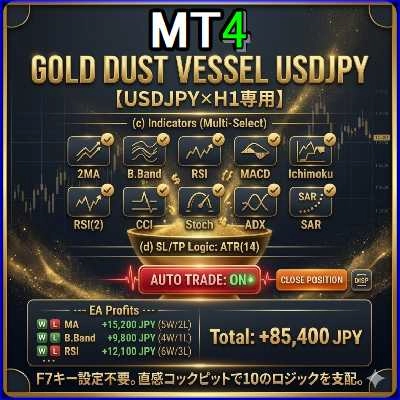
【Gold Dust Vessel USDJPY】仕様書・取扱説明書
1. 基本仕様
稼働環境: MetaTrader 4 (MT4)
専用通貨ペア: USDJPY(ドル円)限定
専用時間足: H1(1時間足)限定
基本コンセプト: 10種類のインジケーターロジックから好きなものを複数選択し、同時稼働させることができるポートフォリオ型EAです。チャート上のUIパネルをクリックするだけで、設定をリアルタイムに変更可能です。
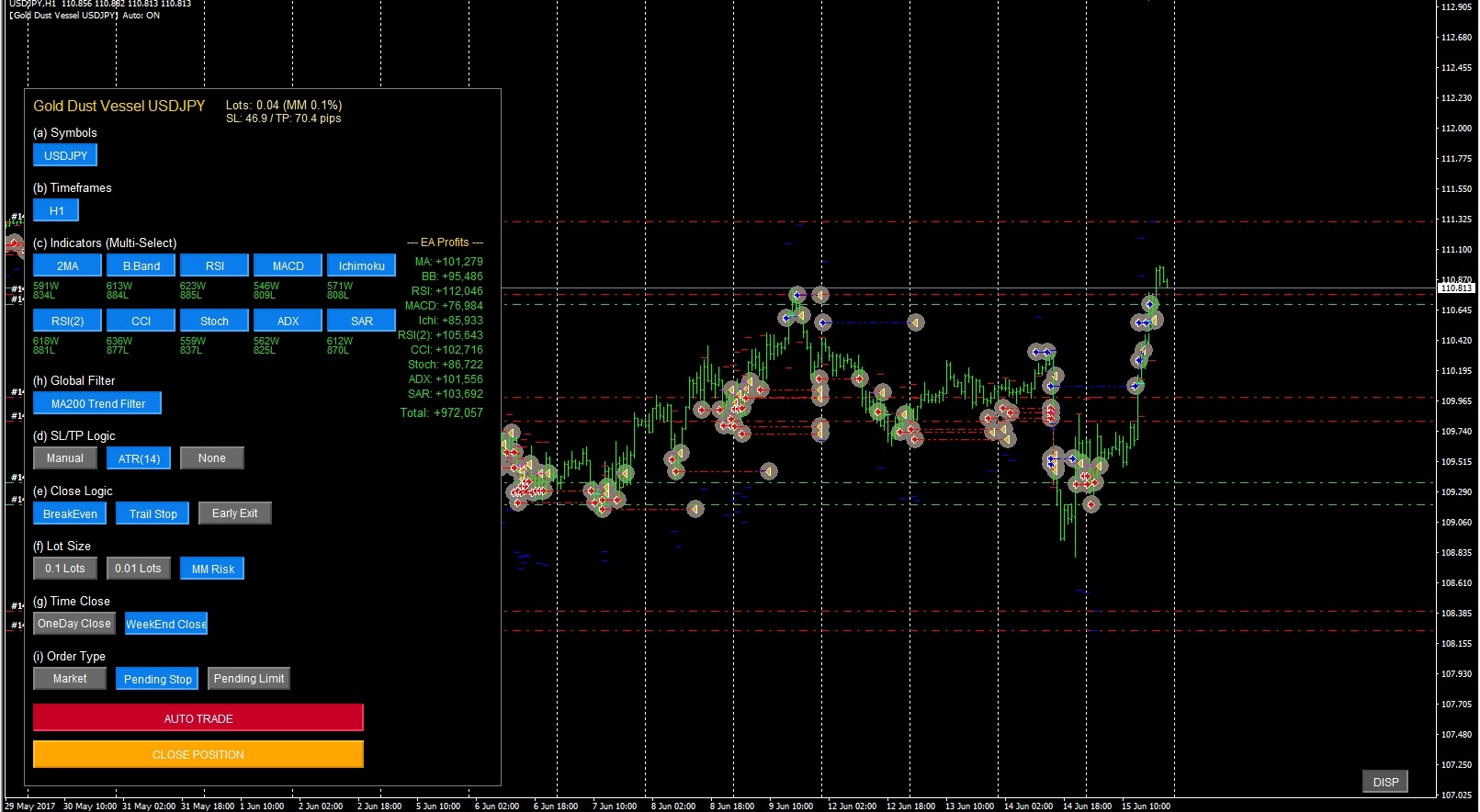
2. パネルUI(操作画面)の見方と使い方
チャート左上に表示されるパネルで、EAの各種オン/オフ設定を行います。青色(または赤色)に点灯しているボタンが「現在有効」な機能です。
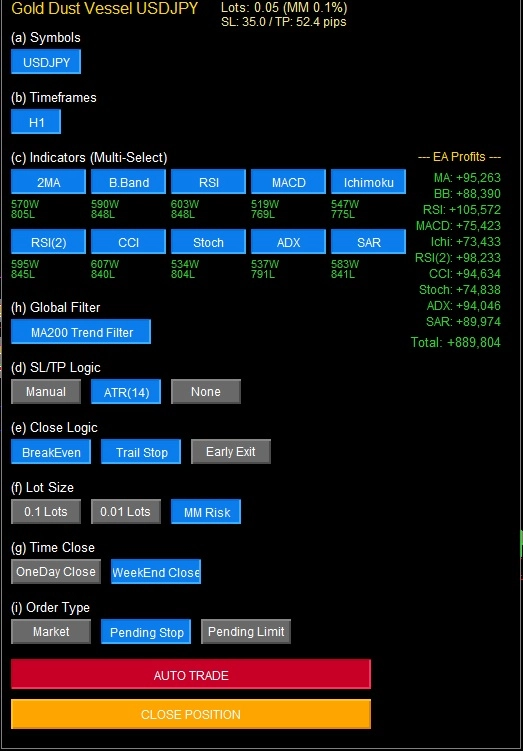
画面上部(ステータス表示)
Lots: 現在設定されているロット数を表示します。(MM設定時のリスク%も表示)
SL / TP: 現在の損切(SL)と利確(TP)のpips幅を表示します。
EA Profits(画面右側): 各インジケーターごとの勝敗(W/L)と累積損益、およびEA全体の合計損益をリアルタイムで表示します。
(a) Symbols & (b) Timeframes

USDJPY / H1: 本バージョンでは固定設定となっているため、他のボタンは表示されません。
(c) Indicators (Multi-Select) - エントリーロジック
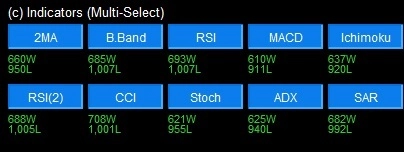
10種類のインジケーターから稼働させたいものをクリックしてONにします(複数選択可能)。
2MA: 短期MAと長期MAのクロス
B.Band: 価格がボリンジャーバンドをブレイクダウン/ブレイクアップで反張り(または順張り・設定依存)
RSI: RSIが50を上回る/下回るかで判定
MACD: MACDメイン線とシグナル線のクロス
Ichimoku: 一目均衡表の転換線と基準線の関係
RSI(2): 短期RSI(期間7)での判定
CCI: CCIが0ラインをクロス
Stoch: ストキャスティクスのクロス
ADX: ADXが規定値以上で、+DIと-DIのクロス
SAR: パラボリックSARと価格の反転
(h) Global Filter - 環境認識フィルター
MA200 Trend Filter: ONにすると、価格が200SMAより上にある場合は「買い」のみ、下にある場合は「売り」のみエントリーするようになります。トレンドに逆らった無駄なエントリーを減らしたい場合に有効です。
(d) SL/TP Logic - 損切・利確設定
Manual: パラメーターで設定した固定のPips数(初期値: SL30 / TP60)で注文します。
ATR(14): ボラティリティ(ATR)に合わせてSL/TPを自動計算します。
None: SL/TPを設定せずにエントリーします。
(e) Close Logic - 発展的な決済ロジック
BreakEven: 一定の含み益が出た際、ストップロス(SL)を建値(+微益)に移動し、負けをなくします。
Trail Stop: 価格が有利な方向へ進むにつれて、ストップロスを一定幅で追従させ、利益を伸ばします。
Early Exit: エントリーの根拠となったインジケーターで「逆方向のシグナル」が出た場合、SL/TPに到達する前に早期決済します。
(f) Lot Size - ロット設定
0.1 Lots / 0.01 Lots: 固定ロットでエントリーします。
MM Risk: 口座の余剰証拠金とストップロス幅に基づき、パラメーターの「MM_Risk_Percent(初期値: 2.0%)」の損失で収まるようにロットを自動計算します。(※SL幅が決まるロジックと併用必須)
(g) Time Close - 時間による強制決済
OneDay Close: 毎日指定した時間(初期値: 23:50)に全ポジションを強制決済します。日跨ぎをしたくない場合に有効です。
WeekEnd Close: 週末の指定した曜日・時間(初期値: 金曜 23:50)に全ポジションを強制決済します。週明けの窓開けリスクを回避します。
(i) Order Type - 注文方式
Market: 成行注文ですぐにエントリーします。
Pending Stop: 現在価格から一定Pips離れた位置に逆指値(ブレイクアウト狙い)を置きます。
Pending Limit: 現在価格から一定Pips離れた位置に指値(押し目・戻り目狙い)を置きます。
コントロールボタン
AUTO TRADE: このボタンが「赤色」の時だけ、EAが自動で取引を行います。停止したい場合はクリックして「グレー」にします。
CLOSE POSITION: クリックすると、現在このEAが持っているすべてのポジションと待機注文(USDJPYのみ)を即座に手動決済・キャンセルします。緊急時の全決済用ボタンです。
DISP: 画面右下にある小さなボタンです。クリックするごとに、パネルの背景透過・非表示・再表示を切り替えます。チャートを広く見たいときに使用します。
3. パラメーター(パラメーターの入力タブ)の主な設定値
MT4の「ニコちゃんマーク」をクリック、または「F7キー」を押すと表示される設定画面です。パネルから設定できない詳細な数値を変更できます。
Trade_Start_Hour / Min ~ Trade_End_Hour / Min: EAが自動でエントリーを行う時間帯(サーバー時間)を設定します。
Slippage: 許容するスリッページ(ポイント単位)。
MagicNumber: マジックナンバーのベース値です(初期値: 7777)。各インジケーター(1~10)ごとにこの数値+1~10が割り振られ、独立して管理されます。
Indicator Settings: MAの期間、ボリンジャーバンドの偏差、RSIの期間など、各ロジックの判定に使われる数値を自由に変更できます。
4. ご利用上の注意事項
自動売買の許可: MT4上部の「自動売買」ボタンが緑色(再生マーク)になっていること、およびEAのパラメーター設定の「全般」タブで「自動売買を許可する」にチェックが入っていることを確認してください。
AUTO TRADEボタン: 上記のMT4設定がオンになっていても、チャートパネル上の「AUTO TRADE」ボタンがオン(赤色)になっていないと新規エントリーは行われません。
MM Risk使用時の注意: (f)Lot Sizeで「MM Risk」を選択する場合は、必ず(d)SL/TP Logicで「Manual」または「ATR」を選択し、損切り幅が計算できる状態にしてください。「None」の場合は基準がないため、最低ロット(0.01)でエントリーされます。
マジックナンバー: 他のEAを同時に稼働させる場合、
MagicNumber(7777~7787まで使用します)が被らないようにご注意ください。
For those using GogoJungle for the first timeEasy 3 steps to use the product!
At GogoJungle, we provide services to enrich your investment life for our members. In addition, product purchases are limited to members. Why not register as a member now and make use of GogoJungle!
