【裁量トレード用】発注決済パネル

Product outline
Community(0)
【裁量トレード用】発注決済パネル Indicators/E-books
【裁量トレード用】発注決済パネル
【ステルスSL装備】 リアル口座でデモトレードができる
Sales Result 0 items
Reviews ★ 0.0 (0)
Category:
How to provide:
Indicator
Sales from:
03/12/2026
Last Updated:
-
Version:
-
Web Authentication:
Enable
Available company:

Follow 0 ❘ Followers 1
Seller TOTO_FX
Seller's last login time: 10/27/2026 07:20:11
Read more seller information
¥25,000 (taxed)
Provider/Distributor:
Sales site:
GogoJungle

●Payment

Mastercard Visa JCB Bank FamilyMart D2 D1

https://youtu.be/C8AWgDA_cNY ★7日間無料お試しをご用意してます!  

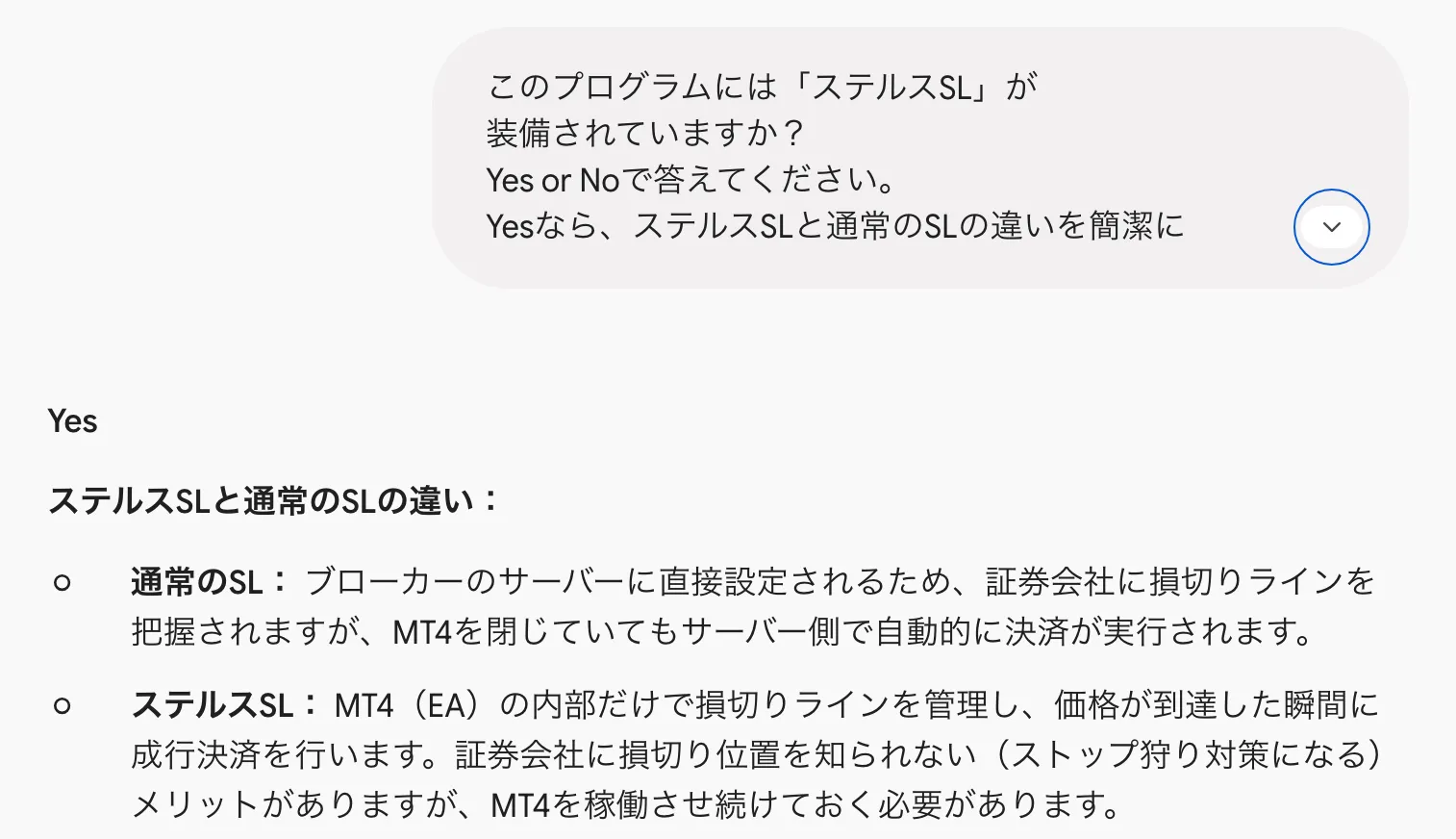
【ステルスSLを装備しました】

 リアル口座でデモトレードができる! <デモモード>


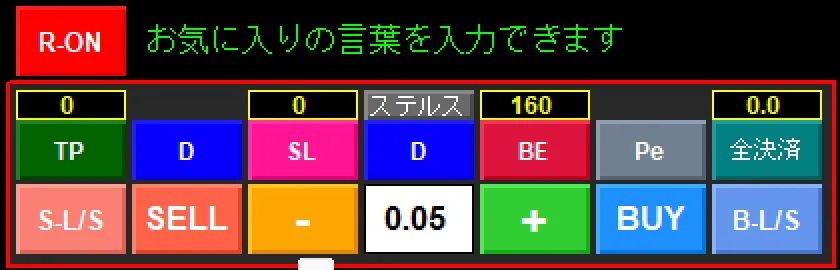
<リアルモード>

デモ、リアルは、1クリックで瞬時に切り替わります。
※ダウンロード時は英語表記ですが、ご自身で例えば日本語にボタン名を変更できます。  

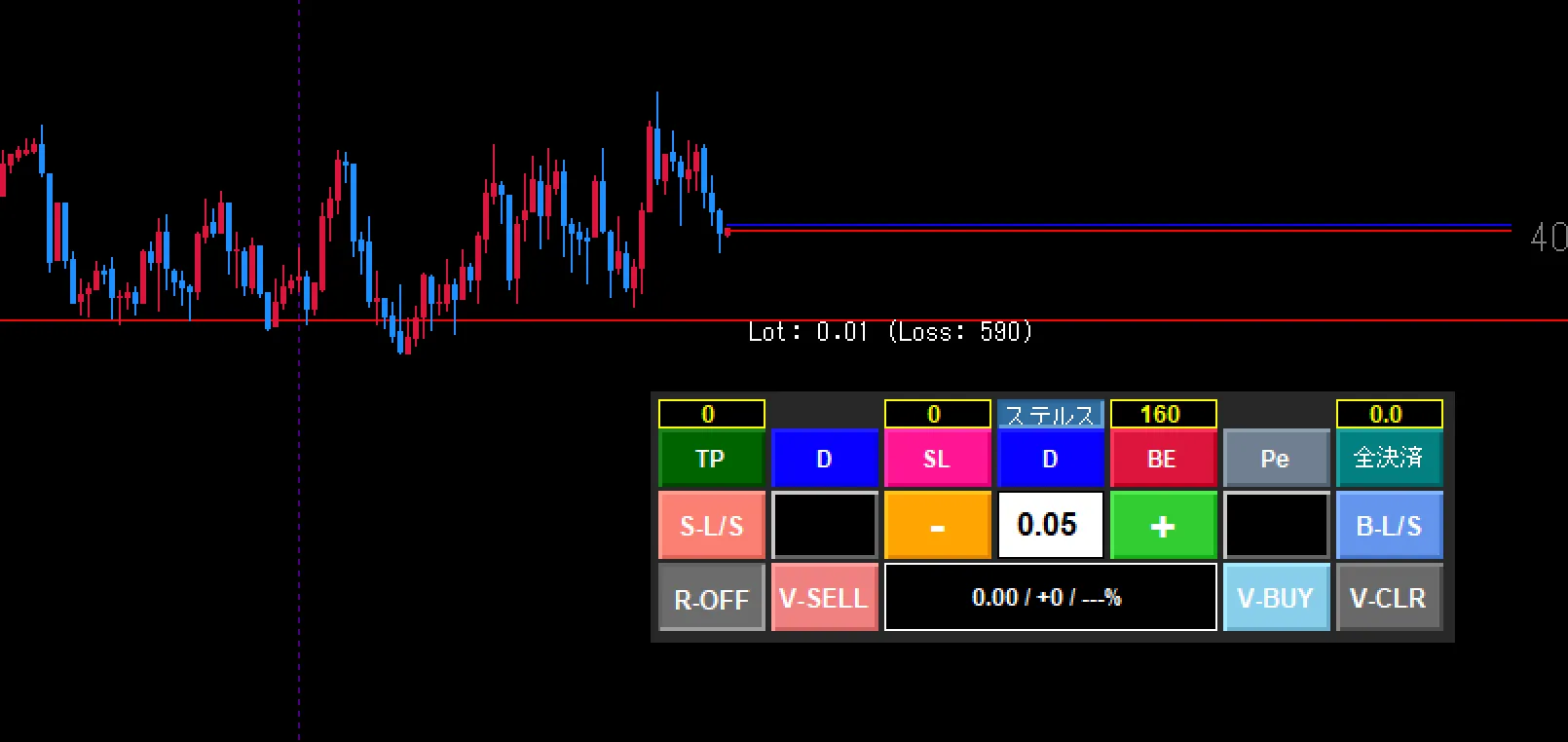
MT4の発注パネルはチャートの右上、損益は左下  SellとBuy押し間違えた事 何度もある(泣) 発注決済EAは、チャートの右下に配置(損益の真上) ドラッグでお好きな場所に移動できます。元の位置に戻すのみワンクリック エントリーしたら逆行された(泣) だったら1stエントリーはデモ発注(損益なし) その後の動きを見てリアル発注! <ステルスSL> ストップロスを置いたら狩られた。証券会社と相対取引してますから、

SL位置がバレバレです。 そこで証券会社に見えない「ステルスSL」を作りました。 ステルスボタンでチャートにステルスSLラインが出ます。 ラインに触れたら成行注文が発動します。
<仮トレードの操作> <仮想トレードの操作><仮<仮想トレードの操作>想トレードの操作>

<仮想トレードの操作>

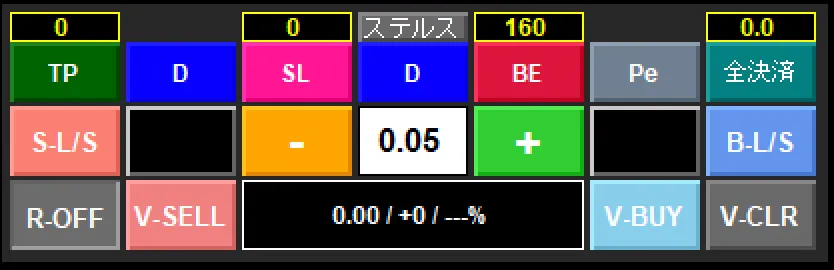
仮想トレードのボタンは、最下段(3列目)に配置 ・左下のR-OFFボタンを押すと、リアルトレードパネルに変わります。 ・V-SELLボタンは、仮想SELLエントリーボタン ・0.00/0はロット数と損益を表示します(ロット数は2段目のボタンで調整)

・V-BUYボタンは、仮想BUYエントリーボタンです。 ・V-CLRボタンは、仮想エントリー済みを全決済します(0.00/0も戻す)

【証拠金維持率】リアル口座の資金に対する証拠金維持率も表示されます。 【TP、SL】チャート上のエントリーラインをダブルクリックしてTP、SLがセットできます。

      また、リアル用のTP、SLの数値枠で設置することも可能です。

複数ポジションもTP、SLで同値にすることができます。  

¥25,000 (taxed)
Provider/Distributor:
Sales site:
GogoJungle

●Payment

Mastercard Visa JCB Bank FamilyMart D2 D1
Product outline
Community(0)
Best Seller Ranking

For those using GogoJungle for the first time Easy 3 steps to use the product!

At GogoJungle, we provide services to enrich your investment life for our members. In addition, product purchases are limited to members. Why not register as a member now and make use of GogoJungle!

01
Enter user information and register as a member
02
Follow the instructions to make a purchase
03
Download from My Page
■ Important Matters and Risk Warnings Regarding Investment Products 【Financial Instruments Business Operator】
GogoJungle Inc.
Registration: Director-General of the Kanto Local Finance Bureau (Financial Instruments Business) No. 1960
【Member Association】
Investment Trusts Association, Japan
【Fees and Expenses】
The use of software, e-books, investment advisory services, etc., provided on our platform involves purchase prices determined for each product.
Additionally, when conducting actual financial instrument transactions (such as FX or CFD trading), costs such as transaction fees and spreads (the difference between the sell and buy price) may be incurred through the connected brokerage firms.
【Margin and Risk of Loss】
Transactions such as FX (Foreign Exchange Margin Trading) and CFD (Contract for Difference) allow for trading in amounts exceeding the deposited margin.
Therefore, due to sudden fluctuations in target indices (currency, commodity prices, etc.), there is a risk of incurring losses that exceed the deposited margin (loss exceeding principal).
Furthermore, financial instrument transactions involve risks such as price fluctuations, which may result in losses falling below or exceeding the initial investment principal.
【Nature of Services and Trading Entity】
The Company operates a platform (marketplace) providing investment software and information; we do not engage in the buying, selling, mediation, brokerage, or agency of financial instruments on behalf of customers.
The services and information provided are intended as reference for investment decisions and do not guarantee future profits or specific results.
While some services include investment advice, they do not constitute a mandate or solicitation to trade specific financial instruments.
Final investment decisions and the execution of trades must be made at the customer’s own risk and discretion.