
PekaGrowthSystem テスト版

Product outline
Community(0)
PekaGrowthSystem テスト版 Indicators/E-books
PekaGrowthSystem テスト版
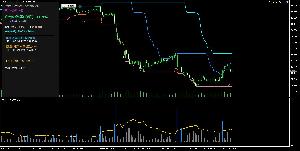
~みんなと比較、EAと比較できる成績パネル~
Sales Result:
0本
Reviews:
Category:
How to provide:
Indicator
Sales from:
01/28/2026
Last Updated:
01/28/2026
Version:
1.0
Available company:
Sellerにるも
Seller's last login time:4/13/2026 19:59:02
Read more seller information

📈 Peka Growth System:孤独なトレードを、共有される勝利へ。

トレードは本来、孤独なものです。しかし、**「自分の勝ちが誰かの指標になり、誰かの勝利が自分の勇気になる」**としたらどうでしょうか?

Peka Growth System は、あなたのMT5に「繋がり」と「透明性」をもたらす次世代の分析・共有ツールです。

💎 このシステムの核心:匿名性と透明性の共存

一番のこだわりは、**「データの透明性」「完全なプライバシー保護」**の両立です。

  • 匿名性の確保: 口座番号や個人情報は、強力なSHA-256ハッシュ関数によって匿名化されたIDに変換されます。誰がトレードしたかは特定されず、純粋な「パフォーマンスデータ」のみが共有されます。

  • リアルタイムの透明性: チーム全体の勝率や目標スコアがリアルタイムに同期。嘘のつけない「生のデータ」が、あなたのトレード判断を強力にサポートします。

  • ペカりの共有: あなたが目標利益を達成したとき、ランプが点灯し、その喜びのデータがチームの勝利として刻まれます。


🛠 導入・設定ガイド

システムを稼働させるための3つのステップを解説します。

1. Google Apps Script (GAS) の設定

このシステムはGoogleスプレッドシートをデータベースとして活用します。

  1. Googleドライブで新規スプレッドシートを作成。

  2. 拡張機能 > Apps Script を開き、専用のスクリプト(※別途配布)を貼り付けます。

  3. 右上の「デプロイ」ボタンから 「ウェブアプリ」 として公開します。

  4. 重要: アクセスできるユーザーを 「全員(Anyone)」 に設定してください。

  5. 発行された 「ウェブアプリURL」 をコピーします。

2. MT5側の設定(ウェブ要求の許可)

MT5からGASへデータを送信するために、通信の許可が必要です。

  1. MT5のメニュー ツール > オプション を開きます。

  2. エキスパートアドバイザー タブを選択。

  3. 「次のURLを許可する」 にチェックを入れ、先ほどのGASのURL(ドメイン部分:https://script.google.com)を追加します。

3. パラメーターの入力

EAをチャートに適用し、設定画面で以下の情報を入力します。

  • InpGasUrl: 先ほどコピーしたGASのウェブアプリURLを貼り付けます。

  • InpStartDate: 集計を開始したい日付を設定します。

  • サウンド設定: 勝利の余韻に浸りたい方は、音を true に切り替え、MQL5/Sounds フォルダにお気に入りの .wav を入れてください。


さあ、最高のチームトレードを始めましょう。

あなたの「1勝」が、チームの「確信」に変わる。 Peka Growth System は、共に成長するトレーダーを待っています。

Free
Product outline
Community(0)
Best Seller Ranking
Recommended Products (Campaigns)

For those using GogoJungle for the first timeEasy 3 steps to use the product!

At GogoJungle, we provide services to enrich your investment life for our members. In addition, product purchases are limited to members. Why not register as a member now and make use of GogoJungle!

01
Enter user information and register as a member
02
Follow the instructions to make a purchase
03
Download from My Page
■ Important Matters and Risk Warnings Regarding Investment Products 【Financial Instruments Business Operator】
GogoJungle Inc.
Registration: Director-General of the Kanto Local Finance Bureau (Financial Instruments Business) No. 1960
【Member Association】
Japan Investment Advisers Association
【Fees and Expenses】
The use of software, e-books, investment advisory services, etc., provided on our platform involves purchase prices determined for each product.
Additionally, when conducting actual financial instrument transactions (such as FX or CFD trading), costs such as transaction fees and spreads (the difference between the sell and buy price) may be incurred through the connected brokerage firms.
【Margin and Risk of Loss】
Transactions such as FX (Foreign Exchange Margin Trading) and CFD (Contract for Difference) allow for trading in amounts exceeding the deposited margin.
Therefore, due to sudden fluctuations in target indices (currency, commodity prices, etc.), there is a risk of incurring losses that exceed the deposited margin (loss exceeding principal).
Furthermore, financial instrument transactions involve risks such as price fluctuations, which may result in losses falling below or exceeding the initial investment principal.
【Nature of Services and Trading Entity】
The Company operates a platform (marketplace) providing investment software and information; we do not engage in the buying, selling, mediation, brokerage, or agency of financial instruments on behalf of customers.
The services and information provided are intended as reference for investment decisions and do not guarantee future profits or specific results.
While some services include investment advice, they do not constitute a mandate or solicitation to trade specific financial instruments.
Final investment decisions and the execution of trades must be made at the customer’s own risk and discretion.
