
Product outline
Community(0)
Technical Ruler Indicators/E-books
Technical Ruler
垂直線・水平線・トレンドラインを作成・同期するMT5インジケーター
Sales Result:
0本
Reviews:
Category:
How to provide:
Indicator
Sales from:
06/07/2023
Last Updated:
06/07/2023
Version:
2.0
Available company:
Payment method:

Japan

フォロー 0 フォロワー 4
Seller's last login time:2/19/2026 07:28:11
Read more seller information

概要

このMT5のインジケーターはホットキーを押した後にチャートをクリックするだけで垂直線・水平線・トレンドラインを作成可能です。
各ラインのスタイル等はインプットタブのパラメーターで設定します。
各ラインの作成・変更・削除はこのインジケーターがインストールされた他のチャートと同期可能です。(時間軸を指定して同期しないことも可能です)
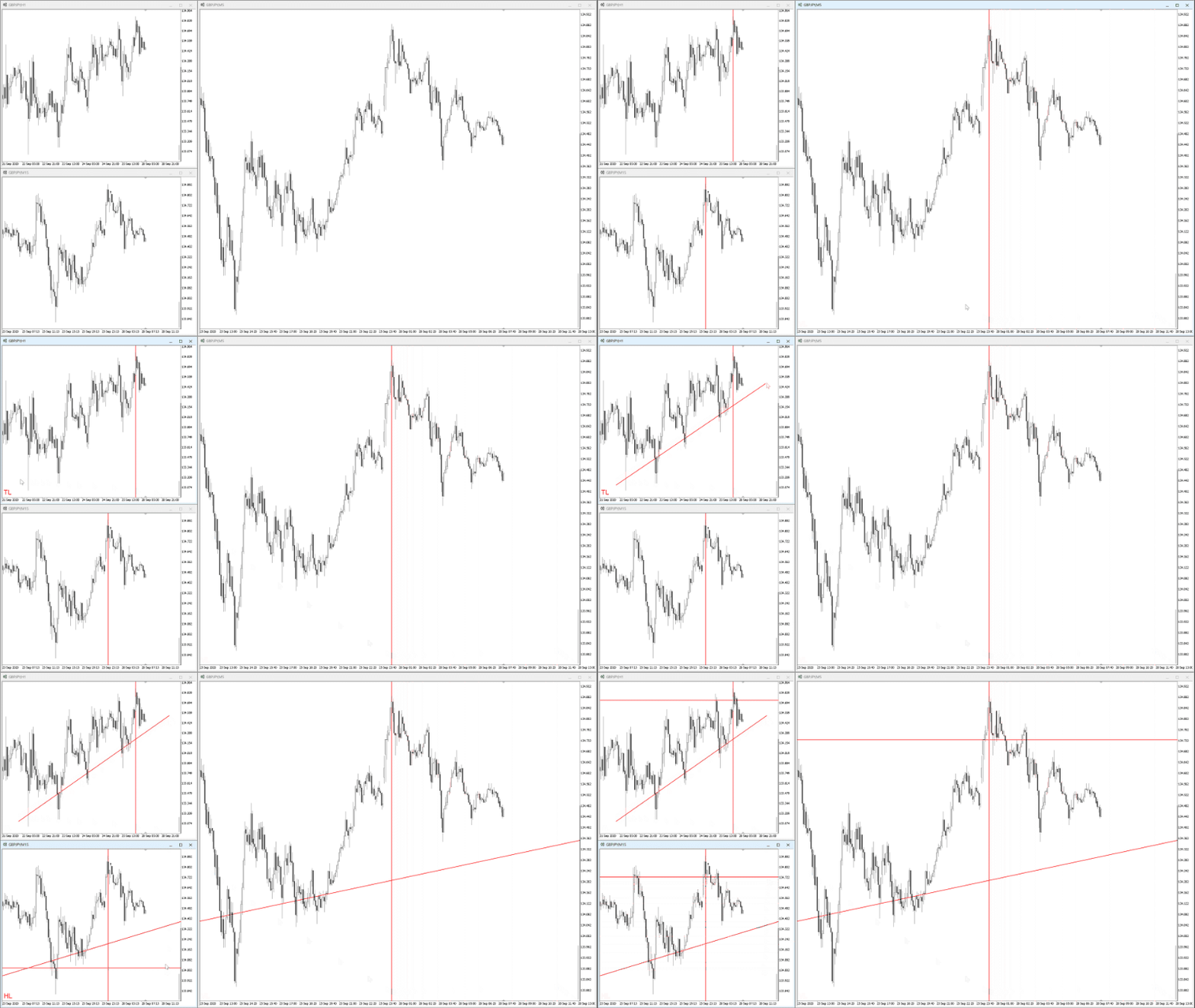
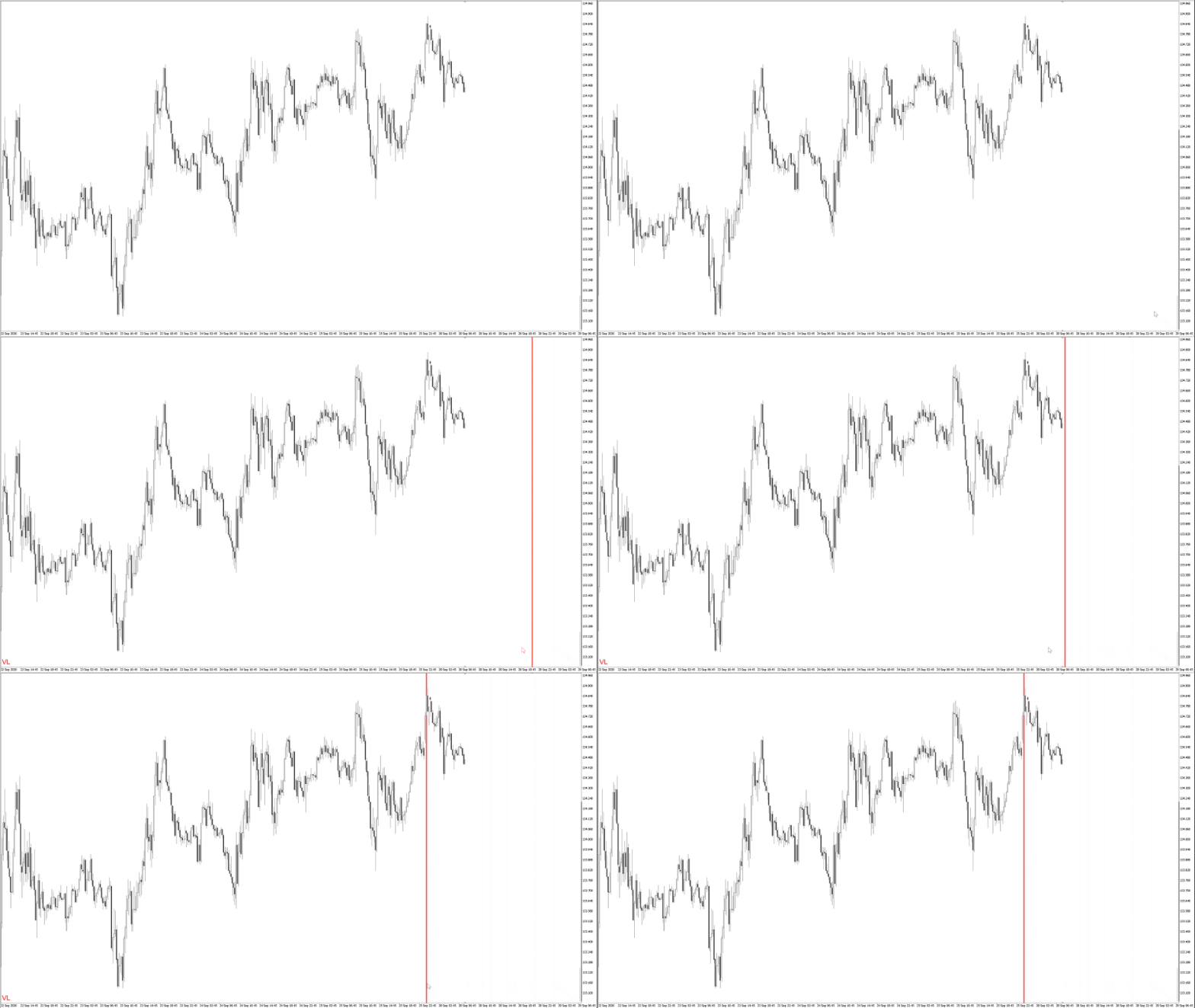
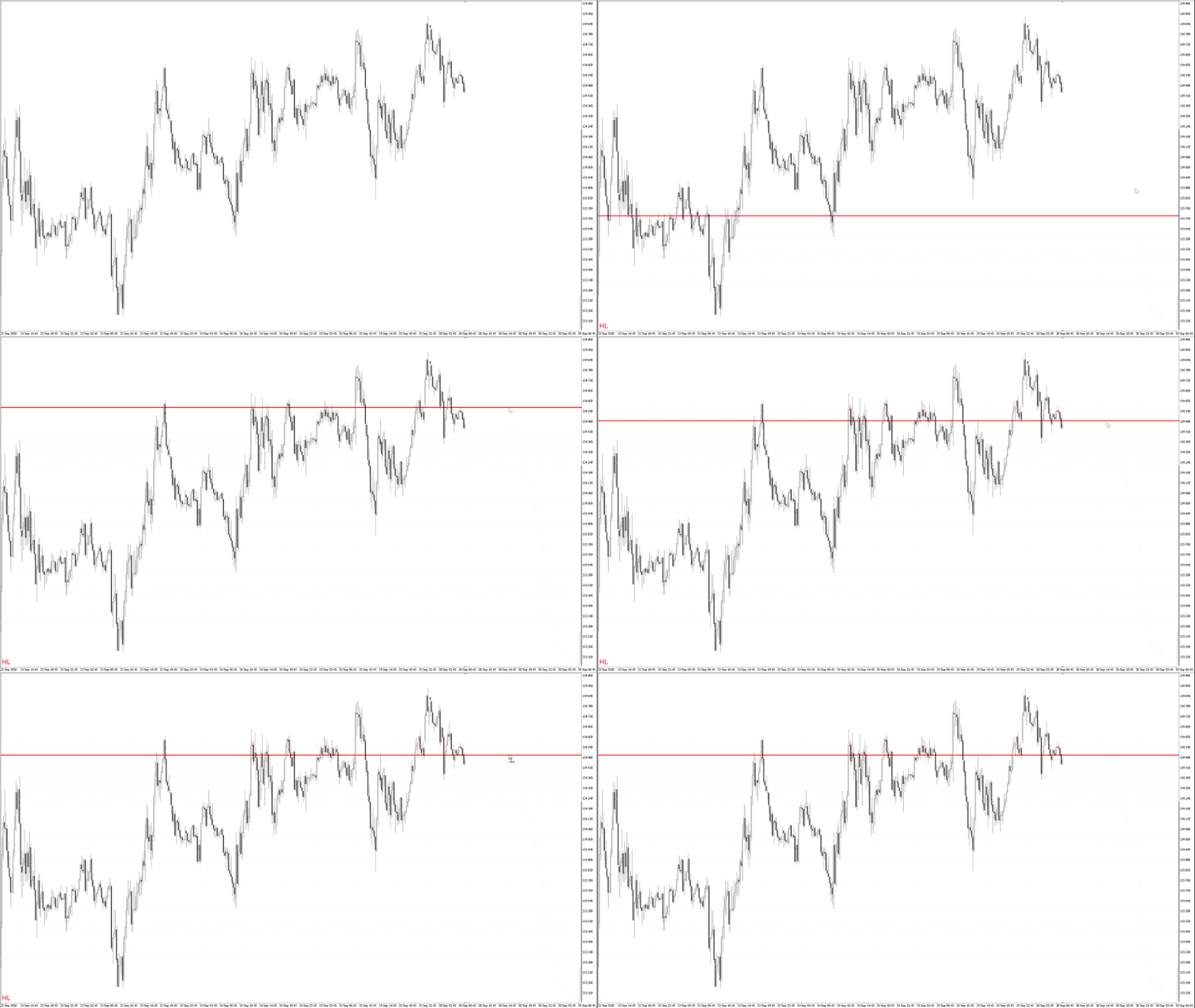
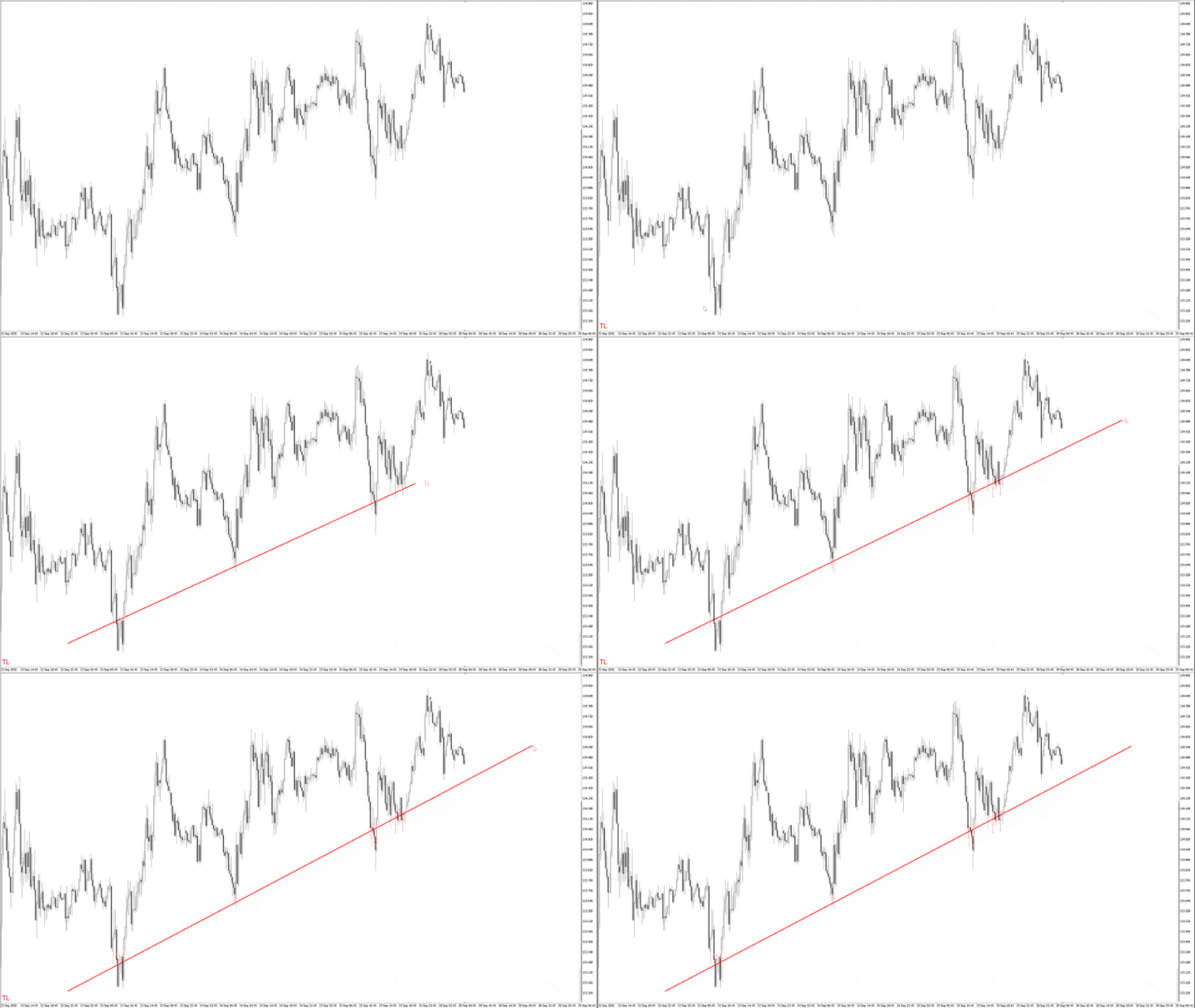
垂直線と水平線とトレンドラインの作成のデモ画像

特長

ラインオブジェクトをチャートをクリックするだけで作成できる

水平線・垂直線の場合、ホットキーを押した後にチャートをクリックするだけで水平線・垂直線のオブジェクトが作成されます。
トレンドラインの場合、ホットキーを押した後にチャートを2箇所クリックするだけでトレンドラインのオブジェクトが作成されます。

垂直線と水平線とトレンドラインの作成のデモ画像

作成中の各ラインは完成するまでマウスカーソルに追従する

マウスカーソルを移動するだけで各ラインの作成する位置を調整可能です。
作成する位置が決定すれば、チャート上をクリックしてラインの完成です。
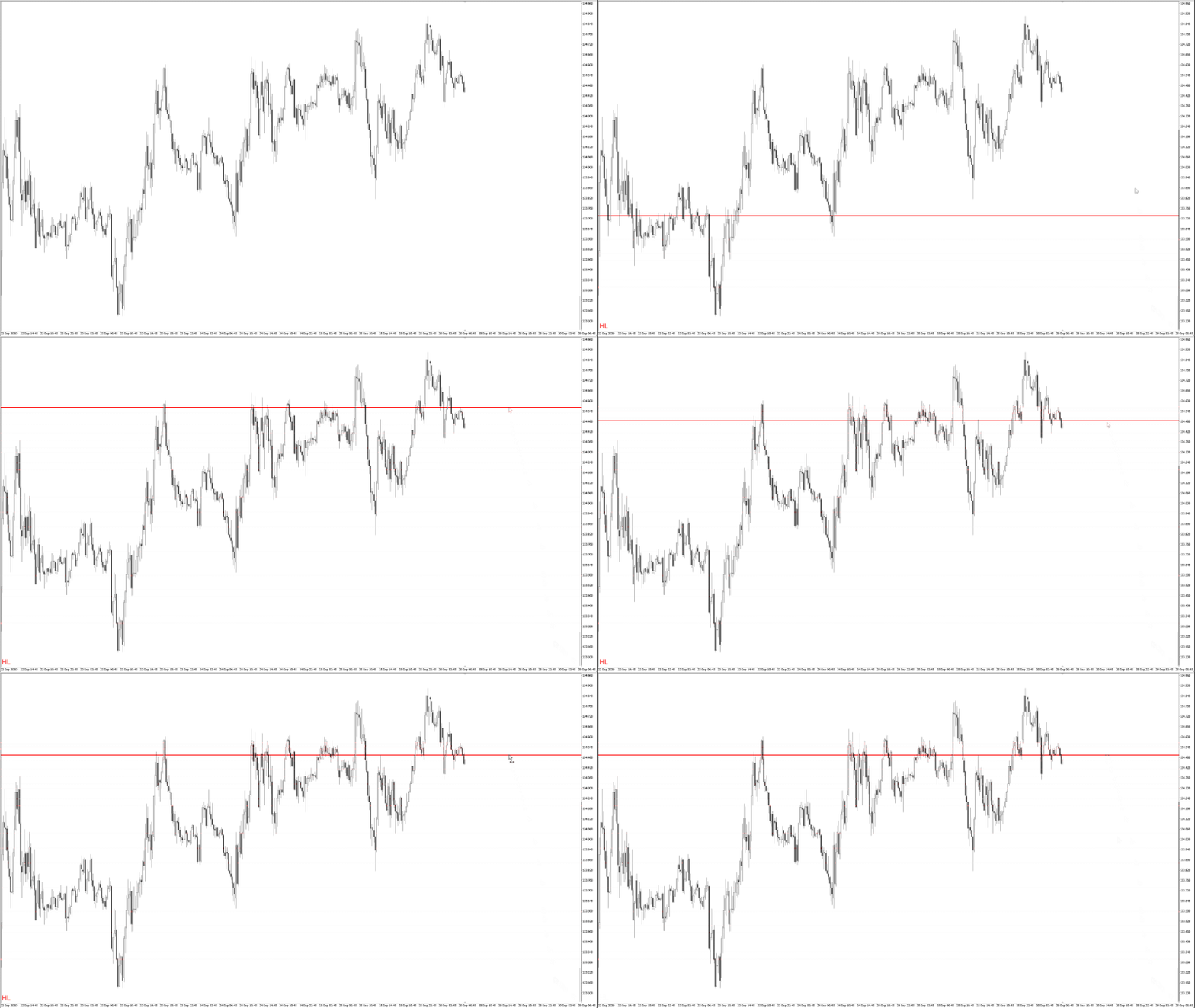
水平線がマウスカーソルに追従している画像

作成中のトレンドラインは矢印キーで起点の位置を調整できる

矢印キーでトレンドラインの起点の位置を1px単位で調整可能です。
シフトキーを押していれば10px単位での移動になります。
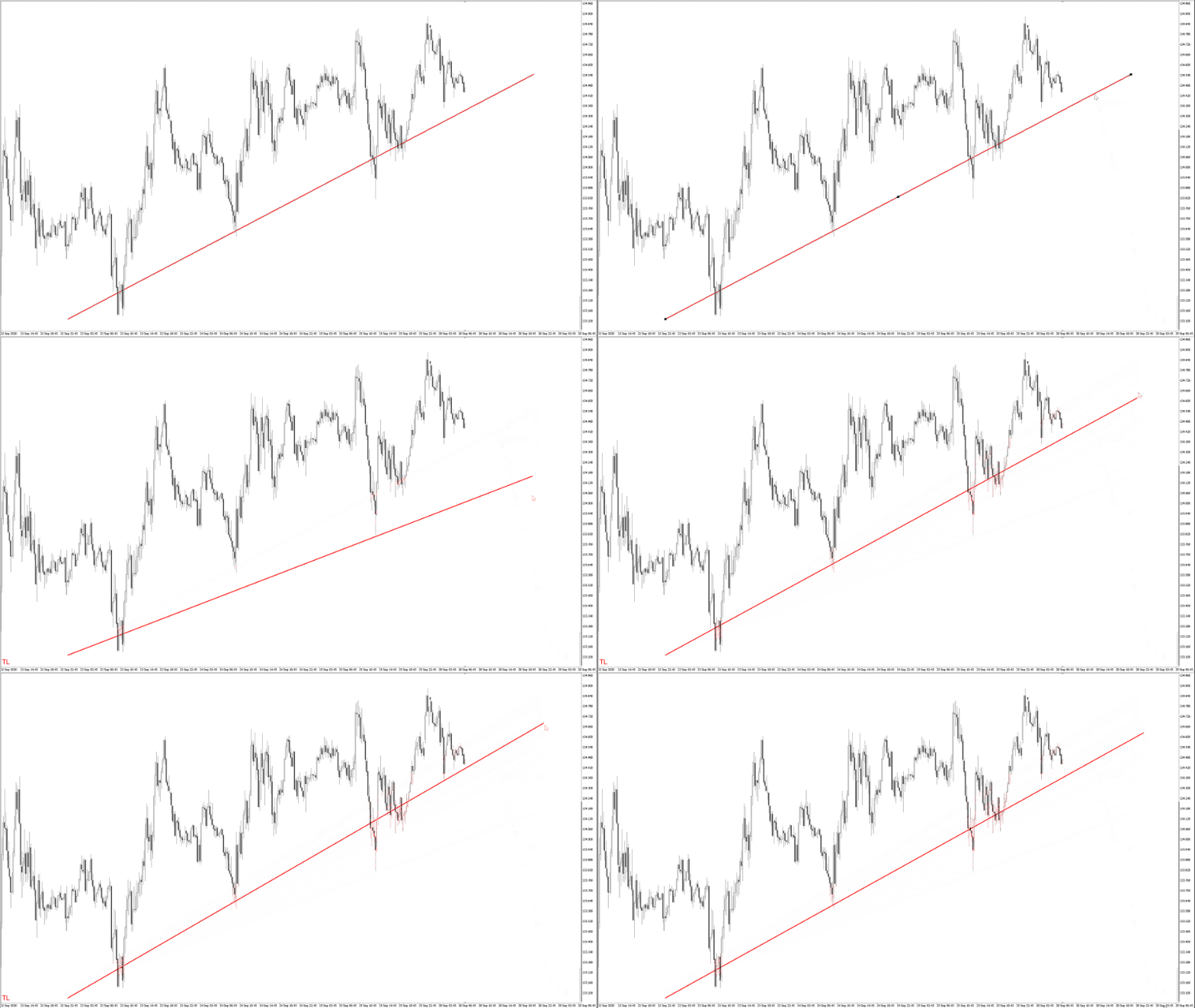
トレンドラインを矢印キーで移動している画像

作成した各ラインは指定した時間足のチャートと同期される

各ラインの作成・変更・削除の操作がこのインジケーターがインストールされた他のチャートと同期されます。
インプットタブのパラメーターで同期しない時間軸を設定可能です。

垂直線を複数のチャートに同期する画像

作成する各ラインのスタイルをテンプレート化できる

インプットタブのパラメーターでテンプレートを設定可能です。
テンプレートには垂直線と水平線とトレンドラインごとに、プライマリー・セカンダリーの2タイプがあります。
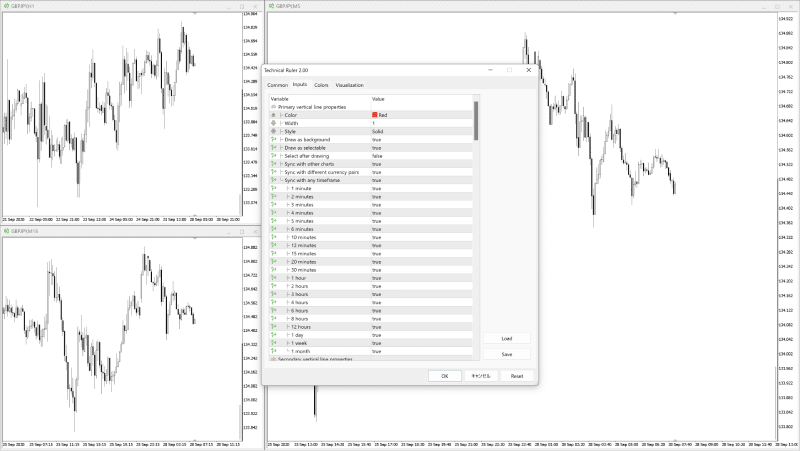
インジケーターのインプットタブのパラメーターの画像

セットアップ方法

  1. 1. Technical Ruler同期したい全てのチャートにインストールします。(そうすることで作成したオブジェクトを同期することが可能になります)

  2. 2. 必要あればインジケータープロパティ画面からTechnical Rulerの設定をカスタマイズしてください。

作成方法

ドローイングモードについて

ドローイングモードとは、チャート上をクリックするだけで各ラインを作成できる状態になるモードです。
ドローイングモードが起動すれば、モードのタイプを表示するラベルがチャート上に表示されます。
ホットキーを押すごとに、ドローイングモードのタイプが切り替わります。(プライマリー > セカンダリー > キャンセル)

垂直線の作成方法

  1. 1. ホットキーの"V"を押してドローイングモードを起動します。

  2. 2. ラインがマウスに追従するので、適当な位置までマウスを移動します。

  3. 3. クリックして垂直線の作成を完了します。

垂直線の作成のデモ画像

水平線の作成方法

  1. 1. ホットキーの"H"を押してドローイングモードを起動します。

  2. 2. ラインがマウスに追従するので、適当な位置までマウスを移動します。

  3. 3. クリックして水平線の作成を完了します。

水平線の作成のデモ画像

トレンドラインの作成方法

  1. 1. ホットキーの"T"を押してドローイングモードを起動します。

  2. 2. 起点を決定するために、適当な位置をクリックします。

  3. 3. 終点がマウスに追従するので、適当な位置までマウスを移動します。

  4. 4. 必要に応じて、起点の位置を矢印キーで調整します。

  5. 5. クリックしてトレンドラインの作成を完了します。

トレンドラインの作成のデモ画像

トレンドラインの再作成方法

  1. 1. 選択状態のトレンドラインの起点か終点をクリックしてドローイングモードを起動します。

  2. 2. クリックした点がマウスに追従するので、適当な位置までマウスを移動します。

  3. 3. 必要に応じて、新たな起点の位置を矢印キーで調整します。

  4. 4. クリックしてトレンドラインの再作成を完了します。

トレンドラインの再作成のデモ画像

ホットキー

このインジケーターではホットキーの組み合わせをカスタマイズ可能です。
インプットタブのパラメーターで必要なら修飾キーと併せて設定します。
MT5のホットキーと競合した場合は認識されませんのでご注意ください。

  • Draw a vertical line ("V")

  • Draw a horizontal line ("H")

  • Draw a trendline ("T")

パラメーター

  • 垂直線のテンプレート (プライマリーとセカンダリーの2タイプ)

  • 水平線のテンプレート (プライマリーとセカンダリーの2タイプ)

  • トレンドラインのテンプレート (プライマリーとセカンダリーの2タイプ)

  • ドローイングモードのステータスラベルの表示設定

  • ホットキーの組み合わせ

チップス

  • トレンドラインの作成中にシフトキーを押しながら起点を決定すれば、水平なラインが引けます

  • トレンドラインの作成中に起点を矢印キーで移動できなければ、オプション設定の精細なタイムスケールをオフにします。

  • 各ラインの作成中にエスケープキーを押せば、そのラインの作成をキャンセルできます。

  • 作成したラインをタブキーを押しながらクリックすれば、そのラインを削除できます

¥5,000(Tax included)
?About 1-Click Order
Product outline
Community(0)
Best Seller Ranking
Recommended Products (Campaigns)

For those using GogoJungle for the first timeEasy 3 steps to use the product!

At GogoJungle, we provide services to enrich your investment life for our members. In addition, product purchases are limited to members. Why not register as a member now and make use of GogoJungle!

01
Enter user information and register as a member
02
Follow the instructions to make a purchase
03
Download from My Page
■ Important Matters and Risk Warnings Regarding Investment Products 【Financial Instruments Business Operator】
GogoJungle Inc.
Registration: Director-General of the Kanto Local Finance Bureau (Financial Instruments Business) No. 1960
【Member Association】
Japan Investment Advisers Association
【Fees and Expenses】
The use of software, e-books, investment advisory services, etc., provided on our platform involves purchase prices determined for each product.
Additionally, when conducting actual financial instrument transactions (such as FX or CFD trading), costs such as transaction fees and spreads (the difference between the sell and buy price) may be incurred through the connected brokerage firms.
【Margin and Risk of Loss】
Transactions such as FX (Foreign Exchange Margin Trading) and CFD (Contract for Difference) allow for trading in amounts exceeding the deposited margin.
Therefore, due to sudden fluctuations in target indices (currency, commodity prices, etc.), there is a risk of incurring losses that exceed the deposited margin (loss exceeding principal).
Furthermore, financial instrument transactions involve risks such as price fluctuations, which may result in losses falling below or exceeding the initial investment principal.
【Nature of Services and Trading Entity】
The Company operates a platform (marketplace) providing investment software and information; we do not engage in the buying, selling, mediation, brokerage, or agency of financial instruments on behalf of customers.
The services and information provided are intended as reference for investment decisions and do not guarantee future profits or specific results.
While some services include investment advice, they do not constitute a mandate or solicitation to trade specific financial instruments.
Final investment decisions and the execution of trades must be made at the customer’s own risk and discretion.