
Empty-Subwindow_byBT【MT4版】

Product outline
Community(0)
Empty-Subwindow_byBT【MT4版】 Indicators/E-books
Empty-Subwindow_byBT【MT4版】
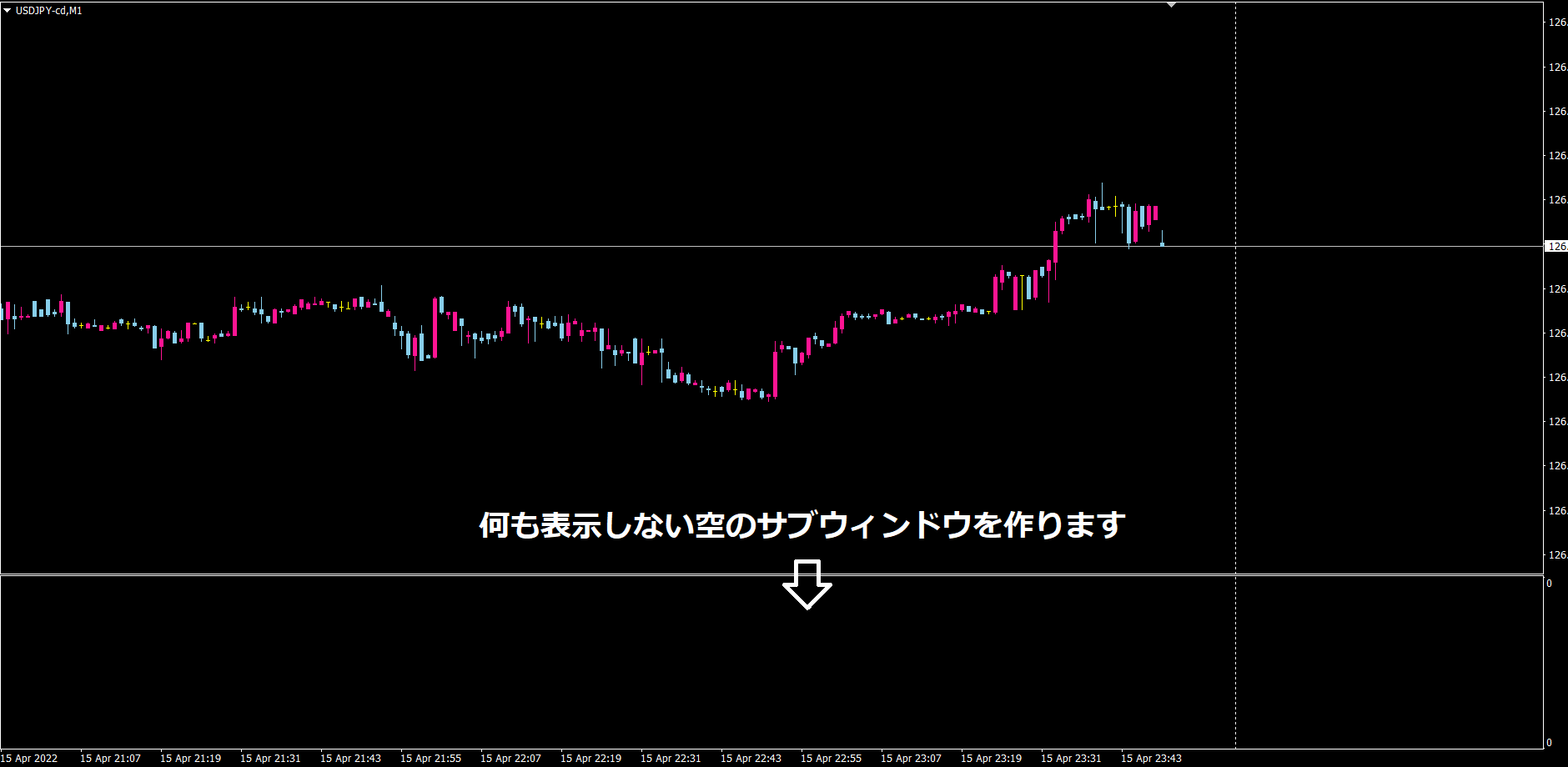
何も表示しない空のサブウィンドウを作ります。また、既存のサブウィンドウ系インジケーターの左上の表示を消せる場合があるかもしれません。
Reviews:
Category:
How to provide:
Indicator
Sales from:
04/16/2022
Last Updated:
-
Version:
-
Available company:

Follow 0 Followers 1
Seller's last login time:12/5/2025 03:29:37
Read more seller information

チャートに、何も表示しない空のサブウィンドウを作ります。それだけです。

サブウィンドウが必要なインジケーターに同梱していたのですが、毎回同梱するのもどうかなと思いましたので、必要な方には、ダウンロードしてもらう形にしようかなと思いました。

また、空のサブウィンドウが欲しい方もいらっしゃるかもしれませんので、そういう方にもお使いいただければと思います。

左上のショートネームは消してスッキリさせてます。

作成時間1分...


(追記・・・2022.04.17)

空のサブウィンドウを表示するだけなので、あまり使い道はないかなと思っていたのですが、今、おもしろい使い方を思いつきましたので情報共有したいと思います。

どんな使い方か、結論から申し上げますと、

既存のサブウィンドウ系のインジケーターの左上の表示を消せるかもしれないということです。

例えば、MT4に標準でついてるオシレーターのストキャスをチャートに適用すると

サブウィンドウの左上にインジケーターの名前とデータが表示されます。
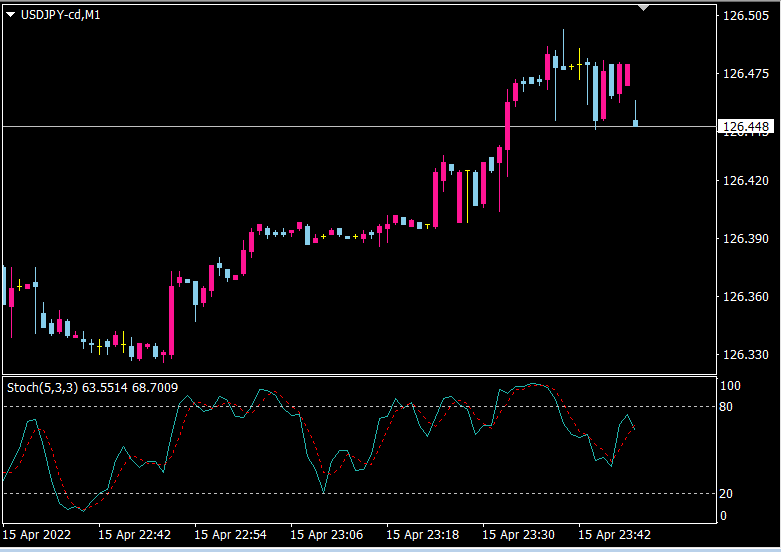
このチャートに、Empty-Subwindow_byBTを適用して、空のサブウィンドウを作り
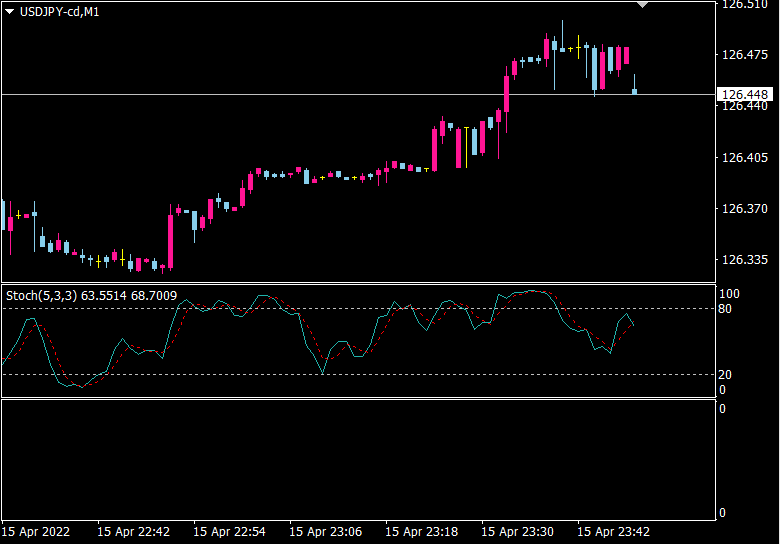

空のサブウィンドウの上に、ストキャスインジケーターを適用してみると
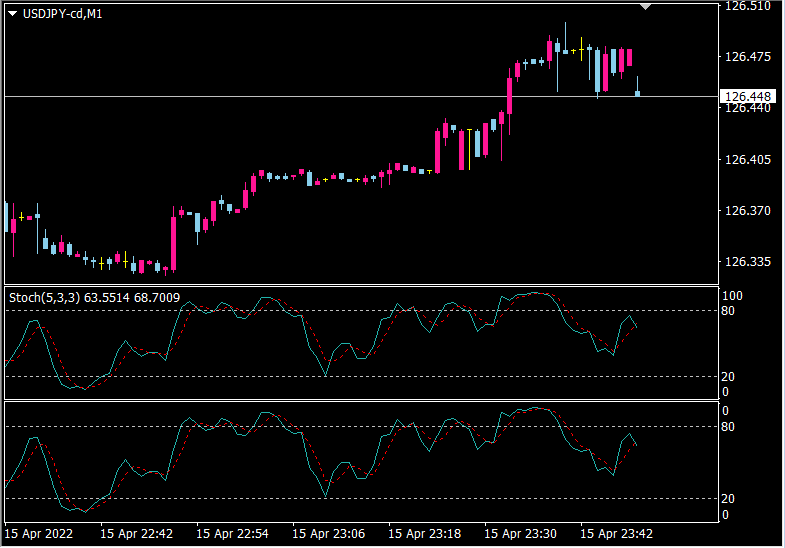

あら、びっくり表示が消えました。

右端の表示が気になる場合や、右端の数値設定が必要な時は
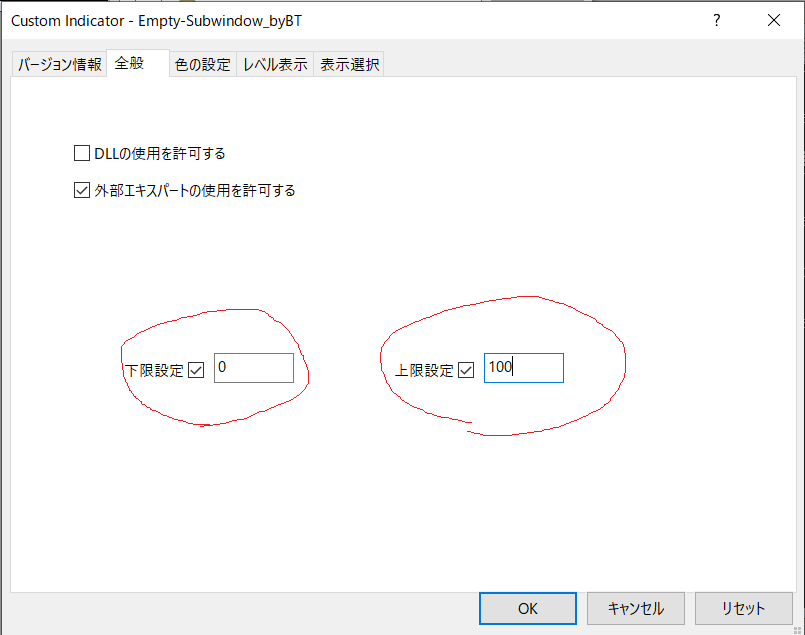

上限下限設定をすることで、
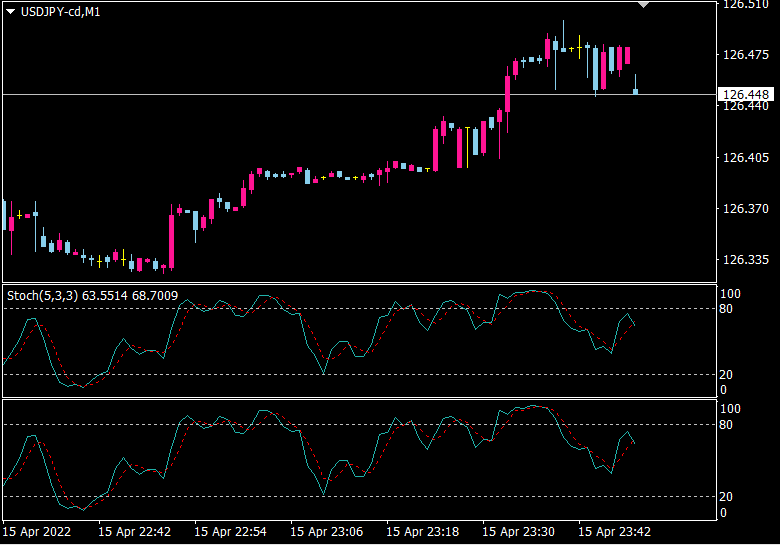

表示を整えることができます。


1画面に複数チャートを表示している方など、左上の表示が邪魔で、ラインが見えない場合があるかと思います。
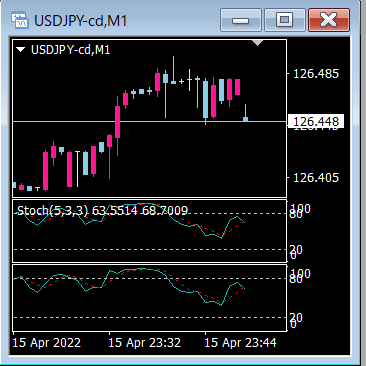

その場合、この方法を使うことによって、チャートをすっきりさせることができるかもしれません。


全てのサブウィンドウ系インジケーターで、同じように使用できるかどうかは分かりませんし、保証もできませんので、そこはご了解ください。


今まで、サブウィンドウの左上の表示を消すのは難しかったと思います。プロパティの前景色をいじるぐらいしかなかったと思いますが、Empty-Subwindow_byBTが登場することによって(と言っても誰でも一瞬で作れるようなインジケーターなのですが)、サブウィンドウの左上の表示を消す選択肢が増えました。

この使用方法は、今たまたま思いつきました。

Free
Already 2 users using!
Provider/Distributor:
Sales site:
GogoJungle
Product outline
Community(0)
Best Seller Ranking
Recommended Products (Campaigns)

For those using GogoJungle for the first timeEasy 3 steps to use the product!

At GogoJungle, we provide services to enrich your investment life for our members. In addition, product purchases are limited to members. Why not register as a member now and make use of GogoJungle!

01
Enter user information and register as a member
02
Follow the instructions to make a purchase
03
Download from My Page
■ Important Matters and Risk Warnings Regarding Investment Products 【Financial Instruments Business Operator】
GogoJungle Inc.
Registration: Director-General of the Kanto Local Finance Bureau (Financial Instruments Business) No. 1960
【Member Association】
Japan Investment Advisers Association
【Fees and Expenses】
The use of software, e-books, investment advisory services, etc., provided on our platform involves purchase prices determined for each product.
Additionally, when conducting actual financial instrument transactions (such as FX or CFD trading), costs such as transaction fees and spreads (the difference between the sell and buy price) may be incurred through the connected brokerage firms.
【Margin and Risk of Loss】
Transactions such as FX (Foreign Exchange Margin Trading) and CFD (Contract for Difference) allow for trading in amounts exceeding the deposited margin.
Therefore, due to sudden fluctuations in target indices (currency, commodity prices, etc.), there is a risk of incurring losses that exceed the deposited margin (loss exceeding principal).
Furthermore, financial instrument transactions involve risks such as price fluctuations, which may result in losses falling below or exceeding the initial investment principal.
【Nature of Services and Trading Entity】
The Company operates a platform (marketplace) providing investment software and information; we do not engage in the buying, selling, mediation, brokerage, or agency of financial instruments on behalf of customers.
The services and information provided are intended as reference for investment decisions and do not guarantee future profits or specific results.
While some services include investment advice, they do not constitute a mandate or solicitation to trade specific financial instruments.
Final investment decisions and the execution of trades must be made at the customer’s own risk and discretion.